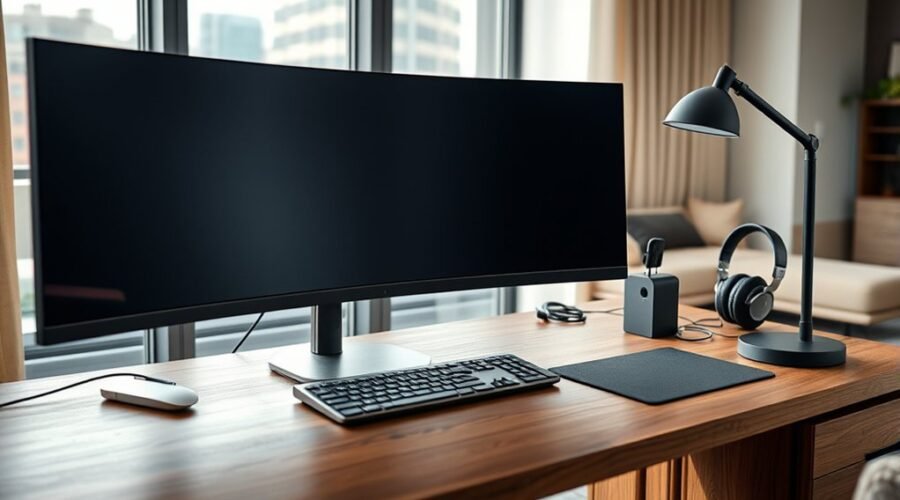
The four best tech products for working from home in 2026 are the Apple MacBook Air 13″ M1, D-Link AC1900 WiFi Smart Router, Sony WHCH710N noise cancelling headphones, and Logitech MK270 wireless keyboard and mouse combo. Together, they support fast multitasking, stable connectivity, quiet calls, and comfortable daily use. The laptop and router improve speed and reliability, while the headphones and peripherals reduce distractions and strain. More details can help explain which one fits each workspace best.
Apple MacBook Air 13″ M1 Laptop (Space Gray)
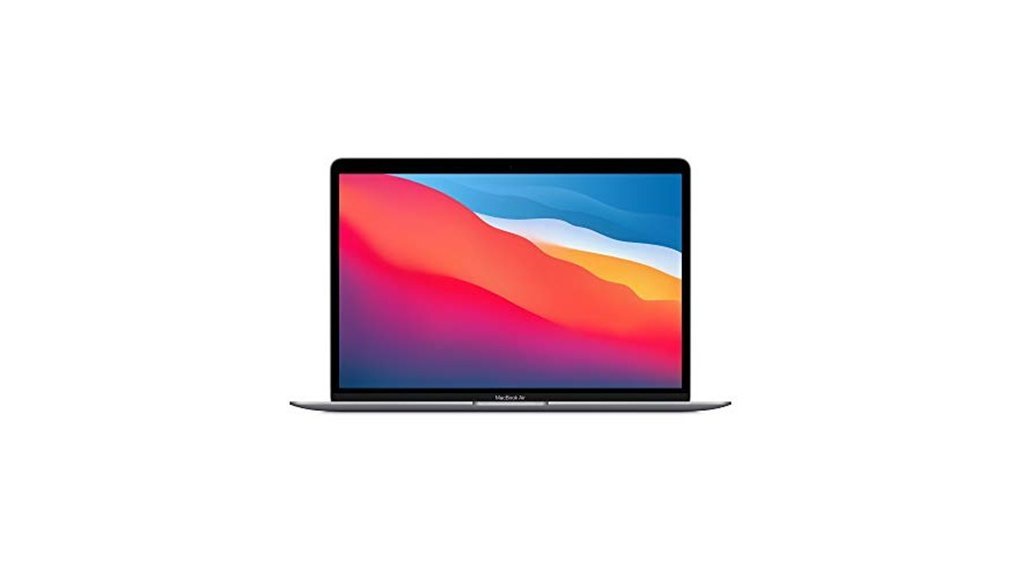
The Apple MacBook Air 13″ M1 Laptop in Space Gray is a strong fit for remote workers who need dependable speed, long battery life, and a quiet, portable design. Its M1 chip with 8-core CPU offers up to 3.5 times faster performance than the previous generation, while 8GB of unified memory handles multitasking with ease. The 13.3-inch Retina display renders crisp text and vivid color. A fanless build keeps operation silent, and the battery lasts up to 18 hours. Compatibility with Adobe Creative Cloud, Microsoft 365, and Google Drive adds practical value.
Best For: Remote workers, students, and everyday users who want a fast, quiet, and highly portable laptop with excellent battery life and smooth compatibility with common productivity and creative apps.
Pros:
- M1 chip with 8-core CPU delivers strong performance for multitasking and everyday work.
- Up to 18 hours of battery life makes it reliable for all-day use.
- Fanless design and 13.3-inch Retina display provide a quiet, crisp, and comfortable experience.
Cons:
- 8GB of unified memory may feel limited for heavier professional workloads.
- Not as expandable or upgradeable as some Windows laptops.
- Limited port selection may require adapters for some accessories.
D-Link AC1900 WiFi Smart Router (DIR-878)
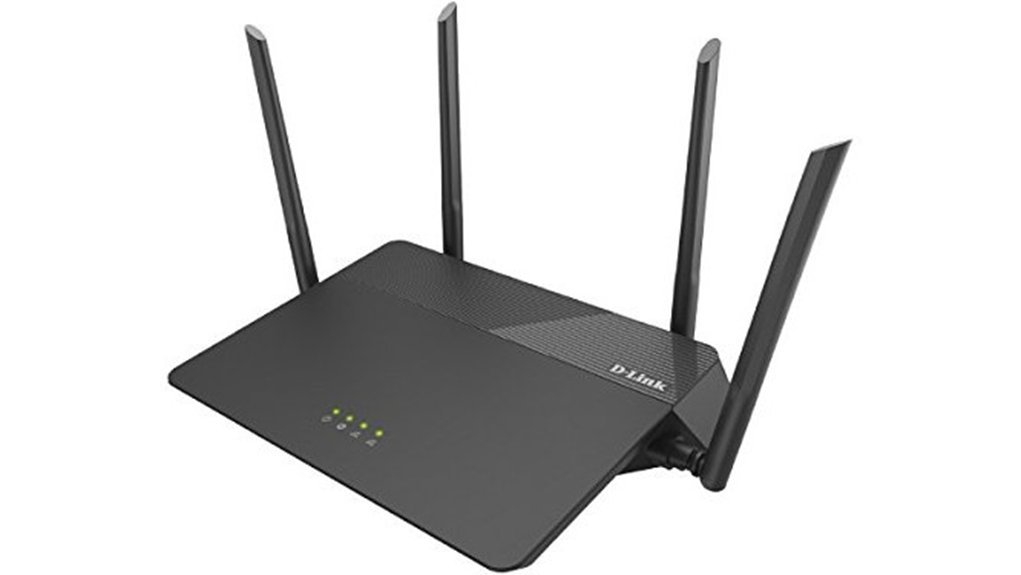
Built for busy homes, the D-Link DIR-878 delivers fast, stable connectivity for remote workers and streamers alike. Its dual-core processor supports strong wired and wireless performance, while 3×3 data streams help sustain smooth 4K video and online gaming. Multi-user MIMO allows several devices to stream at once without major slowdowns. Four high-performance antennas and Smart Beam technology extend coverage across the home. Advanced quality of service prioritizes bandwidth for key tasks, and WPA/WPA2 encryption helps protect the network. Setup and management remain straightforward through an intuitive mobile or desktop interface.
Best For: Busy households, remote workers, and streamers who need fast, stable Wi‑Fi with strong coverage and easy network management.
Pros:
- Dual-core processor and 3×3 data streams support smooth performance for 4K streaming and online gaming.
- Multi-user MIMO and four antennas help multiple devices connect reliably across the home.
- QoS prioritization, WPA/WPA2 security, and simple mobile/desktop setup make it practical and user-friendly.
Cons:
- As a Wi‑Fi 5 AC1900 router, it lacks newer Wi‑Fi 6/6E features.
- Coverage and speeds may not be enough for very large homes or extremely heavy network usage.
- Advanced users may want more customization than the intuitive basic interface provides.
Sony Noise Cancelling Wireless Bluetooth Headphones WHCH710N
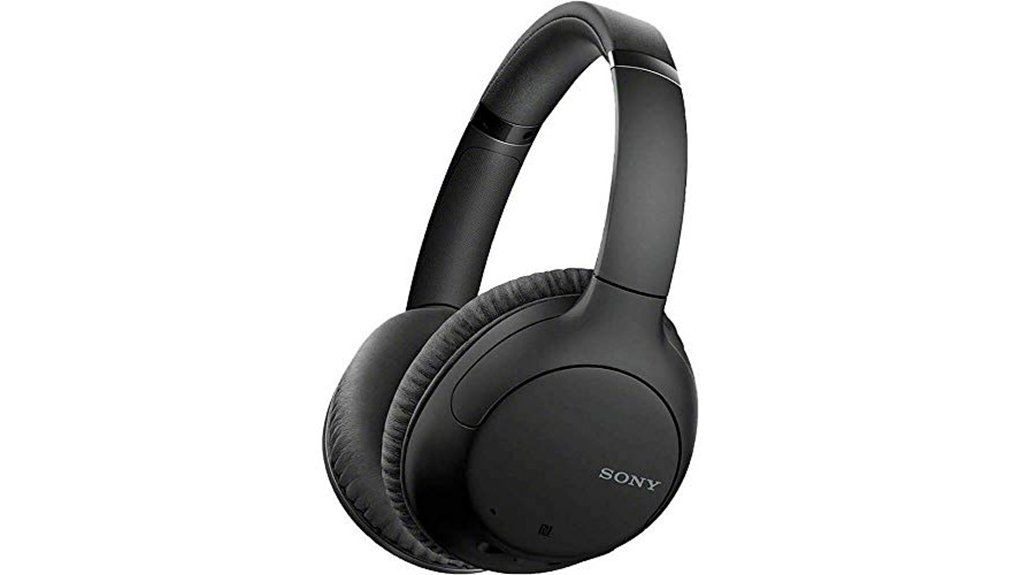
Sony’s WHCH710N headphones suit remote workers who need focused audio and fewer distractions. This black, over-the-ear wireless Bluetooth model uses Dual Noise Sensor Technology to detect ambient sound and reduce interruptions, making it useful for home offices and travel. Its 30 millimeter driver units help deliver detailed sound, while AAC, SBC, and NFC one-touch streaming support convenient playback. The headset offers up to 35 hours of battery life, plus quick charging through USB Type-C. Adjustable metal sliders improve comfort, and smartphone compatibility supports hands-free calls and voice assistants. If Bluetooth problems occur, resetting the connection may help.
Best For: Remote workers, commuters, and travelers who want wireless over-ear headphones with noise cancellation, long battery life, and hands-free smart features.
Pros:
- Dual Noise Sensor Technology helps reduce background distractions effectively.
- Up to 35 hours of battery life with quick USB Type-C charging.
- Comfortable over-ear design with adjustable metal sliders and smartphone compatibility.
Cons:
- Sound support is limited to AAC and SBC, with no higher-end codec options listed.
- Bluetooth connectivity may occasionally need resetting to restore the connection.
- Over-ear design may be less portable than smaller on-ear or in-ear headphones.
Logitech MK270 Full Size Wireless Keyboard and Mouse Combo – Black
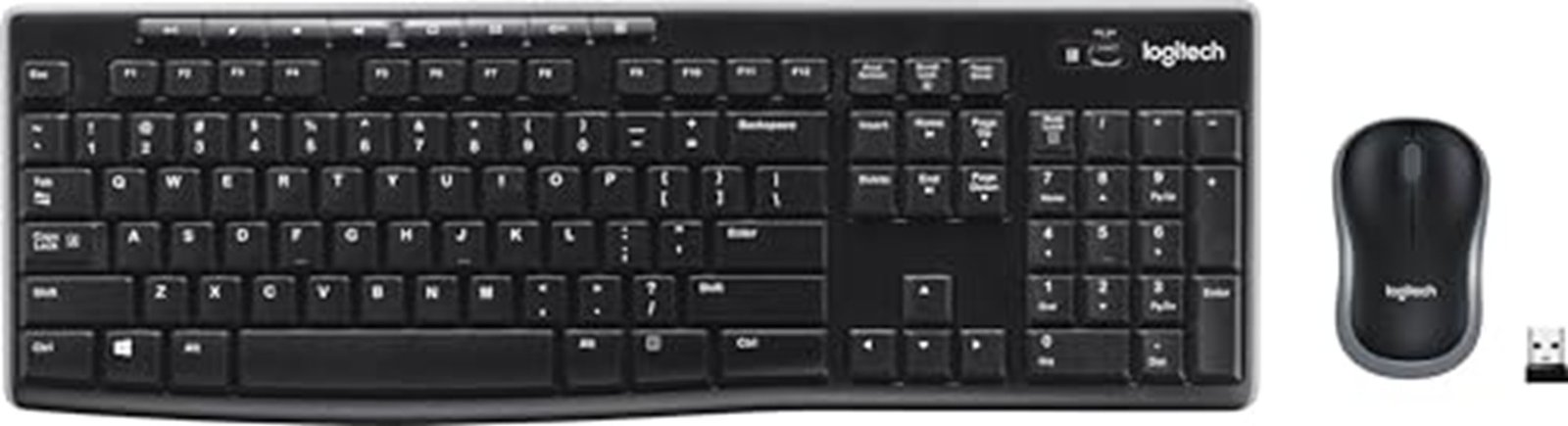
Logitech’s MK270 combo suits remote workers needing dependable wireless typing without clutter. The wireless USB receiver provides a stable connection up to 33 feet, helping reduce drop-outs and lag. Its full-size keyboard includes quiet, low-profile keys, F-keys, a number pad, and arrow keys for efficient daily use. Spill resistance, sturdy construction, and adjustable tilt legs improve durability and comfort. The mouse supports both left- and right-handed users, while eight hotkeys speed access to media and email. Battery life reaches 36 months for the keyboard and 12 months for the mouse.
Best For: Remote workers, students, and home-office users who want a reliable, full-size wireless keyboard and mouse combo with long battery life and minimal desk clutter.
Pros:
- Stable wireless connection with a USB receiver up to 33 ft helps reduce lag and drop-outs.
- Full-size keyboard with quiet, low-profile keys, number pad, arrow keys, and multimedia hotkeys.
- Strong battery life: keyboard lasts up to 36 months and mouse up to 12 months.
Cons:
- Basic comfort features compared with premium alternatives, with no palm rest included.
- Mouse and keyboard are functional but not designed for advanced ergonomics or customization.
- Limited to a standard wireless combo setup, so it may not suit users wanting more advanced productivity features.
Factors to Consider When Choosing Tech Products You Need to Work From Home: Top Picks and Buying Guide
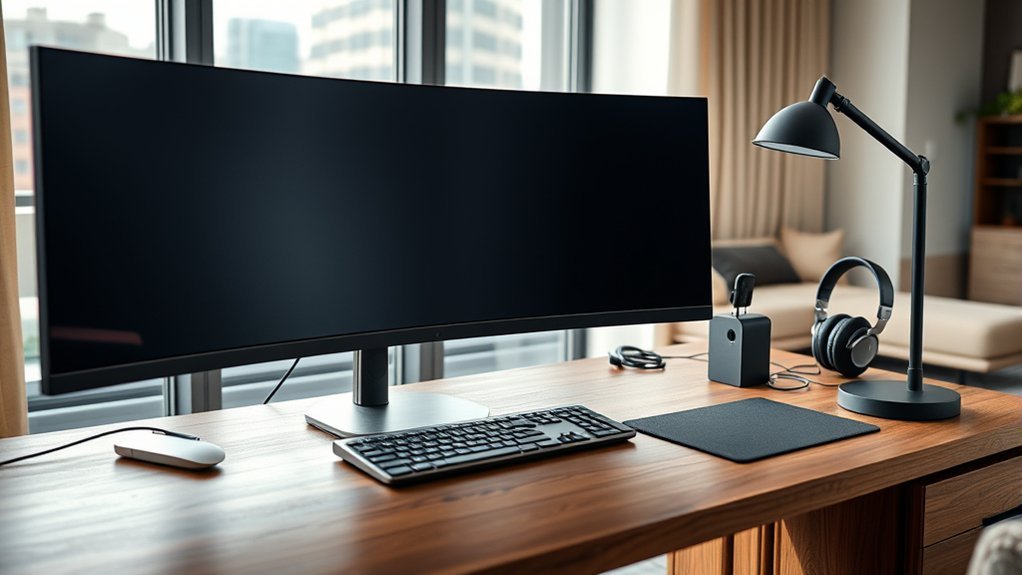
When choosing tech products for working from home, performance, speed, and battery life are key to maintaining a smooth workflow. Display quality, wireless connectivity, and noise cancellation also shape comfort and productivity throughout the day. The best picks balance these factors to support reliable, efficient remote work.
Performance And Speed
Performance and speed should be top priorities when choosing work-from-home tech, since the right hardware can make multitasking smoother and everyday tasks faster. Devices with high-performance processors, such as an 8-core CPU, help keep video calls, spreadsheets, and creative software running without lag. At least 8GB of unified memory is a practical baseline for managing multiple browser tabs, large documents, and simultaneous apps without slowdowns. Fast networking hardware also matters, especially equipment with multi-user MIMO, which improves responsiveness when several devices share the same connection. Accessories should support efficient work habits too, with reliable keyboards and mice that stay responsive through long sessions. The best options balance raw processing power, memory capacity, and connection performance to keep work flowing efficiently during busy days.
Battery Life
Battery life is just as important as speed for a smooth work-from-home setup, especially for people who move between rooms or work away from a desk. A laptop that lasts up to 18 hours can handle a full workday without hunting for an outlet, while wireless headphones with 35-hour runtimes support long calls and meetings. Wireless keyboards and mice also benefit from strong endurance, with some keyboards operating for 36 months before replacement. Quick charging adds flexibility when time is limited, letting a device recover enough power during short breaks. Power-saving modes and on/off switches further reduce drain and improve efficiency. For remote workers, dependable battery performance lowers interruptions, supports mobility, and keeps productivity steady throughout the day.
Display Quality
A clear window to the workday, display quality shapes how comfortably and efficiently remote tasks get done. Higher-resolution panels, including Retina and 4K options, present sharper text and richer color, helping reduce eye strain during extended sessions. Screen size matters too: a 13.3-inch or larger display gives enough room for side-by-side documents, spreadsheets, and messaging apps without constant switching. For creators, wide color gamut support improves realism in photos, video, and design work. Some fanless displays also run quietly, supporting focus during calls and deep work. Integration with existing apps and ecosystems can further simplify daily routines, placing useful tools within easy reach. Together, these traits make a display more than an image source; it becomes a practical workspace that supports comfort, accuracy, and productivity.
Wireless Connectivity
Reliable wireless connectivity is the backbone of a productive home office, keeping video calls stable, cloud apps responsive, and daily communication uninterrupted. Devices should deliver a strong signal range, ideally reaching 33 feet, so coverage extends across a desk, meeting space, or nearby room without frequent dropouts. Dual-band routers are a practical choice because they let equipment shift between 2.4 GHz and 5 GHz, helping reduce interference while improving speed for everyday tasks. In homes with several users, Multi-user MIMO adds value by supporting simultaneous streaming, browsing, and file access with less congestion. Simple plug-and-play setup also matters, since it shortens installation time and makes network adjustments easier. Together, these features help maintain dependable performance for remote work throughout the day.
Noise Cancellation
Noise cancellation is a key factor for maintaining focus in a busy home environment, as dual noise sensors and similar technologies can detect and counter environmental sounds before they become a distraction. Strong noise cancellation reduces interruptions from conversations, appliances, and street noise, helping users stay concentrated during deep work and virtual meetings. Wireless models often add practical value with battery life reaching up to 35 hours, supporting long workdays without frequent recharging. Quick charging and smartphone compatibility further improve convenience for daily use. Because performance varies, advanced options with multiple sensors are often better able to adapt to changing surroundings and deliver more consistent results. For remote workers, this feature can meaningfully improve concentration and overall productivity.
Ergonomic Comfort
Ergonomic comfort is essential for staying productive during long work-from-home hours, since proper posture helps reduce strain and fatigue. Products with adjustable keyboard height and tilt angles support more natural typing positions, helping limit wrist and shoulder discomfort. A mouse that fits the hand well can also ease pressure on the wrist and forearm, which matters during repeated daily use. Support accessories, including wrist rests and lumbar cushions, add another layer of comfort for extended sessions. Beyond individual devices, the full workstation setup should be considered. Monitor height should keep the eyes level, while chair support should encourage spinal alignment. When these elements work together, the home office becomes more efficient, sustainable, and comfortable.
Security Features
While comfort supports long hours at a desk, security determines how safely work gets done at home. For any remote setup, WPA or WPA2 encryption should be nonnegotiable on the home network, since it helps block unauthorized access to sensitive files and communications. Routers with advanced quality of service features can also be valuable, because they reserve bandwidth for essential work tools during heavy network use, reducing exposure to interruptions. Regular firmware updates matter as well; they close known vulnerabilities and keep protection current. Multi-user MIMO support adds another layer of strength by managing secure connections across several devices at once. The most effective products are those that can automatically detect and respond to threats, giving the home office faster, smarter defense.
Compatibility And Support
Compatibility and support can make the difference between a smooth remote setup and a frustrating one. Tech products should work with existing productivity suites, collaboration tools, and other essential applications so workflows stay uninterrupted. Devices that support major operating systems and mobile apps often provide better cross-platform continuity, especially in mixed-device home offices. Ongoing technical support and clear warranty coverage also matter, since they reduce downtime when problems appear. Products with regular updates for new software releases are more likely to remain useful over time. Setup should be straightforward, with simple integration across printers, monitors, headsets, and storage devices. The easier the connection process, the faster productivity improves. Prioritizing these qualities helps guarantee long-term reliability and fewer compatibility headaches.
Frequently Asked Questions
How Do I Secure My Home Office Network From Hackers?
He should change default passwords, enable WPA3 encryption, update router firmware, use a firewall, segment work devices, activate two-factor authentication, and deploy a VPN. Regularly monitoring connected devices helps detect unauthorized access early.
Which Backup Power Options Keep Devices Running During Outages?
During outages, a compact UPS, portable power station, or inverter generator keeps devices glowing like embers in a dark room. Each offers different runtime, noise, and cost, depending on essential workload and household needs.
What Ergonomic Accessories Reduce Strain During Long Workdays?
Ergonomic accessories such as adjustable chairs, lumbar cushions, standing desks, wrist rests, footrests, and monitor arms reduce strain during long workdays. They support neutral posture, limit repetitive stress, and help maintain comfort and productivity.
How Can I Improve Video Call Quality With My Setup?
Better video call quality usually comes from improving lighting, microphone placement, and internet stability, not buying a new camera. He should face a window or soft light, use a headset, and close bandwidth-heavy apps.
Which Cloud Storage Services Are Best for Remote Collaboration?
Google Workspace, Microsoft OneDrive, and Dropbox usually rank best for remote collaboration, offering real-time editing, version control, and easy sharing. Box suits security-focused teams, while Slack-integrated storage helps organized, fast, cloud-based teamwork.
Conclusion
As the workday fades, the right tools quietly keep a home office glowing like a well-tuned command center. The MacBook Air hums through tasks, the D-Link router carries the digital current, Sony headphones shut out household noise, and the Logitech combo anchors the desk with steady comfort. Together, they turn scattered rooms into a smooth, productive workspace, where deadlines feel lighter and every click, swipe, and call lands with calm precision.