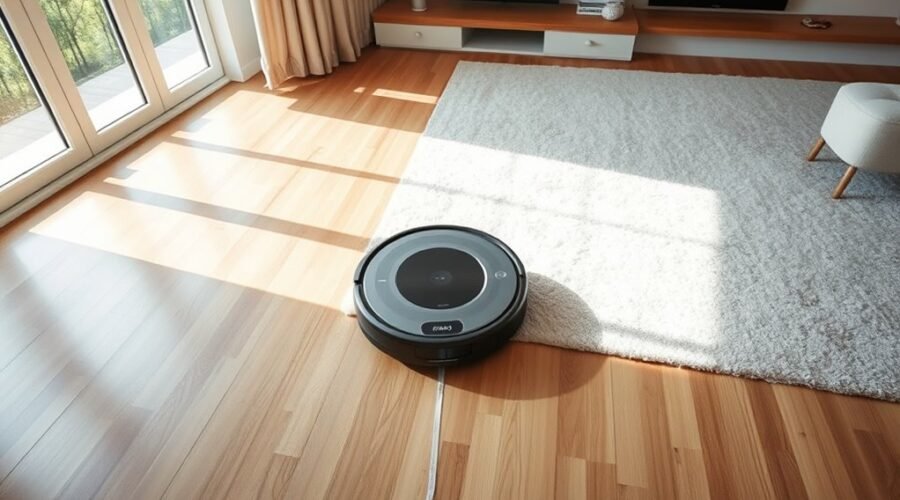
No-mop zones are mapped areas where a robot vacuum keeps its mop lifted or disabled to avoid wetting carpets, rugs, or other sensitive floors. They are set in the app, usually by drawing boundaries on the home map. The robot may still vacuum those spaces, but it will not apply water or pad pressure there. That distinction matters more than many users expect, especially when floor types change from room to room.
What Are No-Mop Zones on a Robot Vacuum?
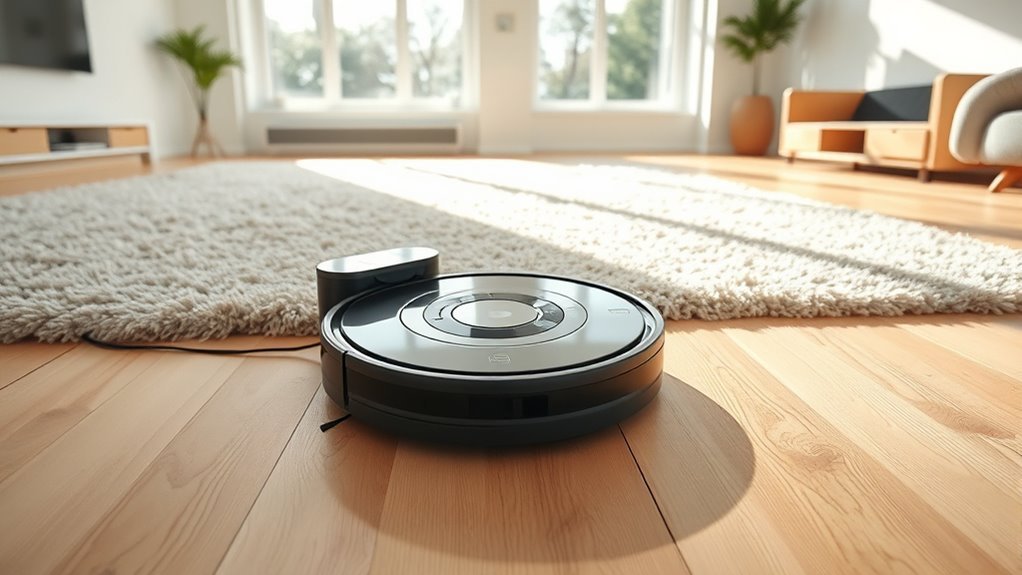
No-Mop Zones are mapped areas on a robot vacuum that stop the machine from mopping when the mop pad is attached. They define parts of the cleaning area that should remain dry, such as carpets, rugs, or delicate floors.
In practice, the robot treats these spaces much like No-Go Zones, avoiding them during cleaning sessions when mopping is enabled. This gives users direct control over where moisture is applied, reducing the risk of damage and unnecessary cleanup.
Up to 10 No-Mop Zones can be marked on a map, which supports flexible room management and a more liberated cleaning routine. If vacuuming is needed in one of these areas, the mop pad must be removed manually first.
Proper use of No-Mop Zones helps the robot work with greater precision, preserve sensitive surfaces, and improve overall cleaning efficiency.
How No-Mop Zones Work in the App
Within the app, these zones are created through the map editing tools so the robot knows where not to mop while the pad is attached. Users can Edit Map, place No-Mop Zones, and save them for each floor plan. The vacuum then bypasses those areas entirely during a cleaning cycle, preserving carpets and other moisture-sensitive surfaces.
| App action | Result |
|---|---|
| Draw rectangle | Marks a blocked mop area |
| Add invisible wall | Sets a precise boundary |
| Save changes | Applies the zone immediately |
The app usually allows up to 10 No-Mop Zones, giving users control over kitchens, rugs, play areas, and other spaces that need dry treatment. Regular updates keep the map aligned with furniture shifts and changing room use. This simple setup reduces manual intervention and supports a more liberated cleaning routine, where the robot follows clear rules and the user keeps freedom over how each room is maintained.
No-Mop Zones vs. No-Go Zones
No-Mop Zones are designed to block mopping in selected areas while still allowing vacuuming, making them useful for protecting carpets and other sensitive floors.
No-Go Zones are stricter, since they stop the robot from entering the marked space at all, though some models treat a No-Mop Zone as a No-Go Zone when the mop pad is attached.
With placement and limits such as up to 10 boundaries or zones, these settings support precise cleaning plans across different room layouts.
No-Mop Zone Purpose
A robot vacuum uses No-Mop Zones to keep designated areas dry while still allowing suction cleaning to continue elsewhere, making them different from No-Go Zones, which block entry entirely.
These boundaries protect delicate floors, rugs, and moisture-sensitive spaces during a cleaning cycle, while preserving the freedom of automated dust removal.
When the mop pad is attached, the machine may treat No-Mop Zones as restricted and avoid them fully, depending on its design.
Users can set up to 10 boundaries or zones, tailoring coverage to furniture layouts and room needs.
Regular updates matter because moved chairs, new rugs, or rearranged décor can expose surfaces to unwanted moisture.
Properly managed No-Mop Zones help maintain control, reduce manual intervention, and support efficient, customized cleaning.
No-Go Zone Differences
Although the two settings may sound similar, No-Mop Zones and No-Go Zones serve different purposes on a robot vacuum map.
No-Mop Zones are meant to stop mopping in places such as carpeted rooms, while No-Go Zones block the vacuum from entering certain spaces at all. This makes No-Go Zones useful around fragile objects, loose wires, or other areas that should remain untouched.
Yet many robot vacuums treat No-Mop Zones like No-Go Zones, so the machine avoids them completely even when the mop pad is attached. That behavior can surprise users who expect freer movement during mopping.
Since most maps allow only a limited number of boundaries, both settings should be chosen carefully and updated as the home changes to preserve efficient, independent cleaning.
Placement And Limits
Placement matters because no-mop zones are meant to protect surfaces that should be vacuumed but not wet-mopped, such as carpeted areas or delicate flooring. Their placement should trace the exact edges where moisture would cause harm, while leaving access open for dry cleaning.
Unlike no-go zones, no-mop zones do not block entry; they simply stop the mop pad from engaging when the robot crosses them. That makes them useful for mixed-floor homes seeking more control and less waste.
Most systems allow up to 10 boundaries or zones total, so the map must be set with intention. Regular updates are wise when furniture shifts or room layouts change, keeping no-mop zones accurate, efficient, and aligned with a freer, easier cleaning routine.
Why No-Mop Zones Protect Carpets
No-Mop Zones help protect carpets by telling a robot vacuum to avoid applying water in designated areas, which prevents moisture from soaking into carpet fibers.
These No-Mop Zones keep delicate carpet materials from staying damp, reducing the risk of mold, odors, and gradual wear. They also let the machine clean hard floors freely, so one device can handle mixed surfaces without forcing carpet owners to compromise.
No-Mop Zones keep carpets dry while letting your robot vacuum clean hard floors with confidence.
On a mapped home, up to 10 zones can be marked, giving enough flexibility to work around room changes, thresholds, and delicate furniture. That control supports a practical, self-directed cleaning routine: carpets stay dry, floors stay clean, and the user retains authority over the space.
Because home layouts and furnishings shift over time, the zones should be reviewed regularly. Clear boundaries make the robot vacuum’s work more precise, preserving carpet integrity while maintaining efficient, hands-free cleaning throughout the home.
When to Use No-Mop Zones at Home
No-Mop Zones are most useful anywhere a robot vacuum should avoid introducing moisture, such as carpeted rooms, delicate floors, valuable rugs, or areas with sensitive electronics. They let the machine clean freely in specific areas while keeping water away from surfaces that need protection.
In homes with mixed flooring, this makes it easier to direct mopping only to tile, sealed hardwood, or other suitable spaces. No-Mop Zones also help safeguard furniture legs, low cords, and electronics placed near the floor.
They are especially practical in households with pets or frequent spills, where cleaning needs change often and flexible control matters. As furniture is moved or rooms are rearranged, these zones should be updated so the vacuum continues working efficiently without entering restricted spaces.
Used well, No-Mop Zones support a cleaner home with less manual oversight, giving homeowners more control and less friction in daily upkeep.
Common No-Mop Zone Setup Mistakes
Common No-Mop Zone setups often fail when boundaries are placed too close to walls or furniture, causing the robot to skip them or clean unevenly.
Map drift can also shift saved boundaries over time, especially after layout changes or if the map is not checked after setup.
Confusion over mopping pad behavior adds another problem, since these zones usually block the robot from entering an area rather than only stopping the mop.
Misplaced Zone Boundaries
Careful placement of no-mop zone boundaries is essential because these areas are meant to keep the robot vacuum from entering with the mop engaged. In no-mop zones, misplaced zone boundaries can invite unintended mopping, weakening floor protection and risking damage.
Clear setup supports freedom from constant supervision and keeps cleaning targeted. Regular checks help the system stay useful as room layouts shift.
- Mark edges precisely.
- Recheck after furniture moves.
- Avoid overlapping no-go zones.
- Update settings when rooms change.
When boundaries are drawn too loosely or too tightly, the vacuum may clean where it should not, or skip needed space.
Accurate no-mop zones preserve control, improve efficiency, and let users trust the machine to work with restraint.
Map Drift Errors
When the robot vacuum’s internal map drifts out of sync with the home’s actual layout, no-mop zones can shift into the wrong place and lose their effectiveness. This map drift often follows furniture moves, room changes, or other layout updates. Keeping the map current preserves control and supports a more self-directed home routine.
| Issue | Practical fix |
|---|---|
| Map drift | Recalibrate mapping periodically |
| Layout changes | Update the home map |
| Wrong placement | Recheck No-Mop Zones |
| Post-update errors | Test zone behavior |
If No-Mop Zones are set on an outdated map, the vacuum may enter restricted areas. After any adjustment, a brief test run confirms whether boundaries still hold. Regular recalibration helps maintain dependable, freedom-supporting cleaning boundaries.
Mopping Pad Confusion
Mopping pad confusion often leads users to set no-mop zones with the wrong expectation, assuming the robot can still pass through these areas while mopping. In practice, the mop function treats them as restricted spaces, so the machine avoids them entirely when the pad is attached.
Accurate setup in the app matters.
- Define boundaries precisely
- Keep carpets and delicate floors excluded
- Recheck zones after furniture moves
- Update layouts as cleaning needs change
If no-mop zones are drawn poorly, the vacuum may skip intended areas or fail to protect surfaces from water.
Regular review restores control and helps the robot work with greater freedom, not against the home’s layout.
Why Your Robot Treats No-Mop Zones Like No-Go Areas
No-mop zones work much like no-go areas because the robot is programmed to avoid entering them whenever the mop pad is attached.
These no-mop zones protect carpeted and delicate flooring by triggering obstacle avoidance logic that treats the space as off-limits, not as a place to partially clean. That is why the machine appears to refuse entry: its map marks those areas as excluded whenever mopping mode is active.
This design reduces mistakes, prevents moisture damage, and keeps cleaning efficient without constant supervision. For users seeking freedom from chores, the behavior is intentional and useful, even if it seems restrictive at first.
If a floor inside one of these areas needs vacuuming, the mop pad must be detached manually so the robot can pass through. In that state, the same zone no longer blocks movement, and the vacuum can clean freely where mopping would be unsafe.
How to Adjust No-Mop Zones Over Time
As a home changes, so should its no-mop zones. No-Mop Zones on a robot vacuum work best when they are reviewed regularly, especially after furniture moves or room use shifts.
A homeowner can preserve cleaning efficiency by checking whether carpets, mats, or delicate floors still need protection from moisture. Because up to 10 zones can usually be stored, the layout can evolve without losing control. The most useful approach is simple observation and timely edits.
- Revisit boundaries after rearranging furniture.
- Watch for wear in high-traffic areas.
- Update zones when room use changes.
- Confirm the robot still skips protected surfaces.
These adjustments help the machine avoid unnecessary mopping while keeping coverage focused where it matters.
Over time, small corrections support smoother operation, better performance, and a cleaner home that feels less constrained by routine upkeep.
Best Ways to Use No-Mop Zones
Effective use of no-mop zones depends on placing them only where moisture could cause problems, such as carpeted rooms, area rugs, or sensitive flooring.
On a robot vacuum map, these no-mop zones should mark the exact boundaries that keep the mop pad away during cleaning. Limiting them to essential areas preserves movement range and improves coverage, which supports efficient cleaning without unnecessary restrictions.
Up to 10 zones can usually be set, but fewer is often better for a cleaner path and less overlap. The most practical approach is to review the map whenever furniture shifts or room use changes, then update the zones so the robot stays aligned with the home’s layout.
This keeps targeted mopping possible in open areas while protecting delicate surfaces. When used with precision, no-mop zones give users more control, less worry, and a simpler route to dependable cleaning.
Frequently Asked Questions
What Is the Difference Between a No-Go Zone and an Invisible Wall on a Roborock VAC?
A no-go zone blocks a defined area entirely, while an invisible wall sets a line the robot will not cross. Both offer strong no go zone functionality, though invisible wall effectiveness suits corridor-like boundaries better.
Is the Mop Feature Worth It on Robot Vacuums?
It is worth it for homes with hard floors, since mop efficiency improves everyday cleaning performance and reduces manual work. However, carpets, delicate areas, and pad removal can limit convenience, so usefulness depends on layout.
Which Robot Vacuum Has the Best No-Go Zones?
Roborock models often have the best no-go zones, like a well-drawn shield. Their smart navigation and mapping technology let users place precise boundaries in the app, keeping the robot free from restricted spaces.
What Are the Downsides of Using a Robotic Vacuum Cleaner?
Robotic vacuum cleaners can leave dirt in corners, need regular maintenance, and struggle with battery life on large homes. They may miss cluttered spots, require setup changes, and sometimes deliver inconsistent cleaning, limiting truly effortless independence.
Conclusion
In the end, no-mop zones are a small feature with a giant impact. They let a robot vacuum glide through a home with almost magical precision, vacuuming where needed and refusing to drench carpets, rugs, and delicate floors. When set up correctly, they turn a messy mixed-floor home into a cleaner, safer, far more efficient space. With a few smart adjustments over time, they remain one of the simplest ways to protect surfaces while still getting spotless results.