
Affiliate disclosure: As an Amazon Associate I earn from qualifying purchases. This article contains affiliate links to Amazon, so we may earn a commission if you buy through them, at no extra cost to you.
The best 10 laptop stands for comfortable work anywhere in 2026 are the SOUNDANCE Laptop Stand, Twelve South Curve SE, and Lamicall Swivel Laptop Stand. SOUNDANCE offers a sturdy aluminum build, 6-inch lift, and wide device support for better posture. Curve SE improves airflow with an open design. Lamicall adds 360-degree swivel flexibility. Each option balances ergonomics, stability, cooling, and portability, making them practical choices for different work setups and travel needs. More useful comparisons follow.
SOUNDANCE Laptop Stand, Aluminum Ergonomic Desk Riser, 10-15.6″, Silver
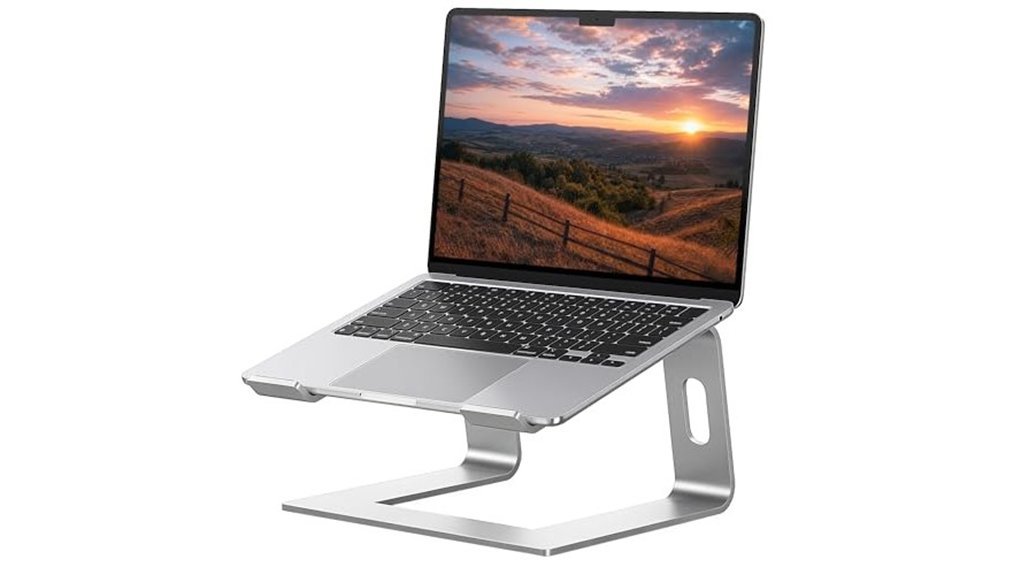
The SOUNDANCE Laptop Stand is a strong choice for users who want a more comfortable, organized workspace, especially those working long hours at a desk or in a compact home office. Its aluminum design raises a 10 to 15.6 inch laptop by 6 inches, promoting better eye alignment and healthier posture. Built from 5mm thick alloy, it supports up to 8.8 pounds with dependable stability. Non-slip pads help keep devices secure, while the open frame improves airflow and cooling. A detachable three-piece structure also allows quick setup and easy transport for changing work environments.
Best For: People who want an ergonomic, stable, and portable laptop stand for improving posture, cooling, and workspace organization in a desk or compact home office setup.
Pros:
- Raises laptops 6 inches to support better eye level and healthier posture.
- Sturdy 5mm aluminum build holds up to 8.8 lbs with non-slip stability.
- Open-frame, detachable design improves airflow and makes it easy to set up or move.
Cons:
- Only fits laptops in the 10 to 15.6 inch range.
- Fixed height may not suit users who want adjustable positioning.
- Minimalist stand offers organization benefits but no extra features like drawers or built-in hubs.
Twelve South Curve SE, Ergonomic Aluminum Laptop and MacBook Stand, White
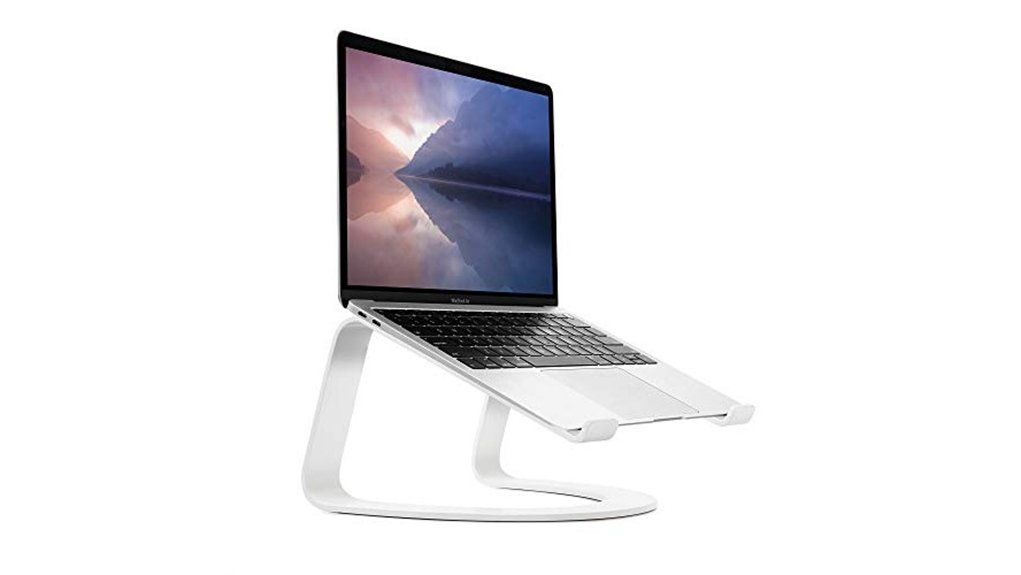
Ideal for users seeking ergonomic relief, the Twelve South Curve SE elevates laptops six inches. That height helps reduce neck and shoulder strain during long sessions, supporting a more comfortable posture. Its design leaves 70% of the laptop base exposed, improving airflow and helping prevent overheating. Anti-slip silicone pads and bent arms keep the device stable while guarding against scratches. Crafted from a single piece of bent aluminum, the white stand adds a clean look. It also works with a full-size keyboard, mouse, or monitor.
Best For: Users who want an ergonomic, stylish laptop stand that improves posture, airflow, and workspace setup for desk-based work.
Pros:
- Raises the laptop 6 inches to help reduce neck and shoulder strain.
- Leaves 70% of the base exposed for better airflow and cooling.
- Stable, scratch-resistant design with silicone pads and bent aluminum construction.
Cons:
- Best suited for desktop use rather than portable, on-the-go setups.
- Doesn’t include a keyboard or mouse, so those must be purchased separately.
- Fixed height may not suit everyone’s preferred viewing angle.
Lamicall Swivel Laptop Stand, 360° Rotating Ergonomic Riser
With 360-degree swivel adjustment, the Lamicall stand suits users who need flexible viewing angles. This silver L-MX-S riser supports laptops and tablets up to 17 inches, including MacBook Pro, MacBook Air, Google Pixelbook, Dell XPS, and HP models. Its elevated design raises the screen to eye level, helping improve posture and reduce neck and back strain. Built from premium alloy, it offers solid stability, while smooth edges and rubber pads protect devices from scratches. The raised base also improves airflow for cooling. It fits well in offices, bedrooms, living rooms, meetings, and online lessons.
Best For: Users who want a sturdy, ergonomic laptop stand with 360° swivel flexibility for comfortable viewing and improved posture.
Pros:
- 360-degree swivel makes it easy to adjust viewing angles.
- Elevates the screen to eye level to help reduce neck and back strain.
- Premium alloy build with rubber pads and smooth edges for stability and device protection.
Cons:
- Best suited for desk or stationary use rather than highly portable setups.
- May not offer the same cooling performance as stands with more open-frame designs.
- Limited to devices up to 17 inches, so larger laptops are not compatible.
Factors to Consider When Choosing 10 Laptop Stands to Help You Work Anywhere Comfortably: Useful Products and Buying Tips
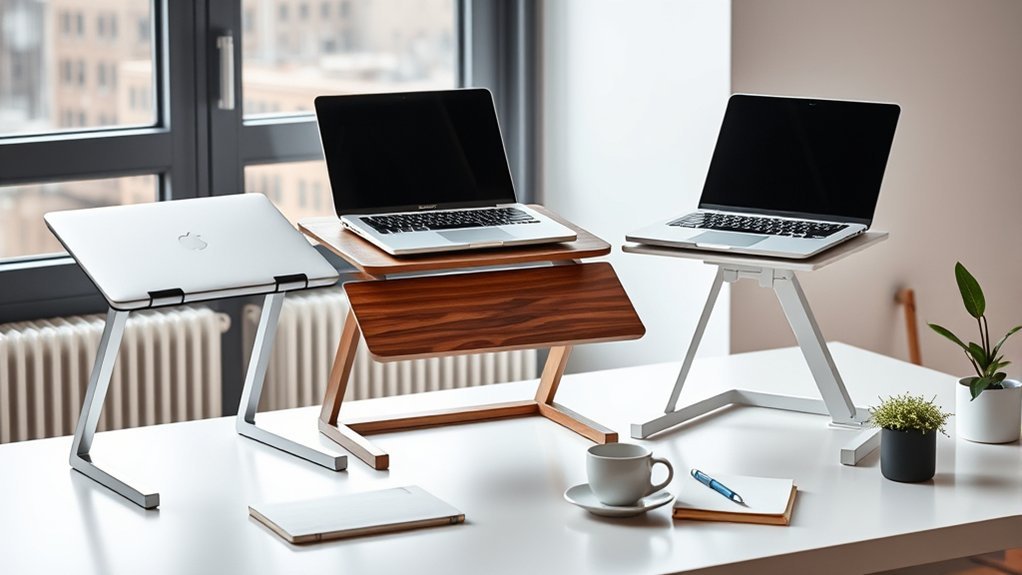
When comparing 10 laptop stands for comfortable work, attention usually centers on ergonomic screen height, stability, cooling and airflow, portability and storage, and material quality. A good stand should support healthy posture, keep the device secure, and allow heat to dissipate during long sessions. It should also be easy to carry and durable enough for regular use in different work settings.
Ergonomic Screen Height
Ergonomic screen height is a key factor in choosing a laptop stand, since raising the display to eye level can help reduce neck and shoulder strain during long work sessions. A lift of about 6 inches is often recommended because it supports a more natural sitting posture and helps prevent hunching. When the screen stays aligned with the eyes, the body can remain in a more relaxed position, which may improve focus and lessen discomfort over time. This alignment is especially useful for people who work for hours at a desk, at home, or on the go. Stands with adjustable height settings are often preferred, as they allow users to match the screen position to individual needs and work habits.
Stability And Load
A raised screen can improve posture, but the stand also needs to hold the laptop securely throughout the workday. Stability and load capacity should consequently be checked before purchase. Most reliable stands support up to 8.8 lbs, which suits many laptops and helps prevent tipping or swaying during typing. Materials matter as well; premium aluminum alloys usually provide a firmer, longer-lasting frame than lightweight alternatives. Non-slip pads or rubber grips add another layer of security by keeping the device from sliding or getting scratched. A wider base can improve balance, especially with larger laptops or tablets. Buyers should also look for products tested under real use, including typing and gaming, to confirm that the stand remains steady under pressure.
Cooling And Airflow
Cooling becomes a key consideration because prolonged use and demanding tasks can cause laptops to overheat. Stand designs that improve airflow help reduce heat buildup and support consistent performance. Open-frame structures and elevated platforms are especially useful because they leave more of the laptop’s underside exposed, allowing warm air to escape more easily. This can lower the risk of thermal throttling and long-term hardware stress. Rubber pads or similar supports may lift the device slightly while adding grip, creating additional space for air circulation beneath it. A well-ventilated stand does more than manage temperature; it also helps preserve device longevity and keeps the working environment more comfortable during extended sessions. In this category, airflow should be considered a core feature rather than an optional extra.
Portability And Storage
Portability and storage matter most when a laptop stand needs to move as often as it is used. A detachable structure or lightweight design helps it travel easily between home, office, and remote locations. Fold-flat models or stands with compact dimensions are easier to slip into a backpack, briefcase, or small drawer without wasting space. Minimal designs also reduce clutter, making quick packing and unpacking less cumbersome. Quick-assembly features add convenience, especially for commuters and frequent travelers who need fast setup with little effort. A stand should balance durability with portability, so it remains dependable while staying easy to carry. When storage space is limited, a streamlined stand can support a more organized workflow and make mobile work feel far less disruptive overall.
Material And Build
Material and build determine how well a laptop stand performs day after day, especially when it needs to stay steady on a desk and still be easy to move. Premium aluminum alloy is often favored because it combines low weight with solid support. A thickness of at least 5 mm can improve durability and help the stand carry heavier devices without flexing. Rubber or silicone pads add grip, reduce slipping, and shield the surface from scratches. An open-frame design also matters, since it encourages airflow and supports heat dissipation during long sessions. Lightweight materials and detachable parts further improve portability, making the stand simpler to pack, carry, and assemble in changing workspaces without sacrificing structural reliability.
Compatibility And Fit
Fit is the first test of a laptop stand, because the stand must match the device’s size, weight, and intended setup. Most stands are built for laptops between 10 and 17 inches, and that range should be checked before purchase to avoid unstable placement or overhang. Weight capacity matters just as much; a stand should hold at least 8.8 lbs so heavier machines stay secure and do not wobble during typing. Adjustable height or angle helps the stand suit different screen sizes and working positions. Open-frame designs can improve airflow for laptops that run hot under demanding tasks. Compatibility with external keyboards and mice is also important, especially when the stand is part of a desktop-style setup with monitors.
Frequently Asked Questions
Can a Laptop Stand Improve Airflow During Long Work Sessions?
Yes, a laptop stand can improve airflow during long work sessions by lifting the device, exposing vents, and reducing heat buildup. Better cooling may help performance, comfort, and component longevity during extended use.
Do Swivel Laptop Stands Support Dual-Screen Productivity Setups?
Yes, some swivel laptop stands can support dual-screen productivity setups, but only if they offer sufficient stability, weight capacity, and adjustable positioning. Their usefulness depends on monitor placement, desk space, and the user’s workflow demands.
Are Aluminum Laptop Stands Compatible With Tablet Devices Too?
Like a bridge, many aluminum laptop stands support tablet devices too, if width, grip, and angle suit them. Compatibility depends on pad size, slip prevention, and weight limits, so checking specifications remains essential.
How Easy Is It to Travel With a Foldable Laptop Stand?
Traveling with a foldable laptop stand is usually easy, since it collapses flat and stays lightweight. Heavier models add bulk, but most fit in backpacks or carry-ons, making portability convenient for frequent travelers.
Do Laptop Stands Help Reduce Neck and Shoulder Strain?
Like a gentle bridge easing tension, laptop stands often help reduce neck and shoulder strain by raising screens to eye level, encouraging better posture, and lessening forward hunching during long work sessions.
Conclusion
Ultimately, the best laptop stand balances comfort, portability, and durability for work anywhere in 2026. The SOUNDANCE, Twelve South Curve SE, and Lamicall Swivel stand out for improving posture and reducing strain while keeping setups sleek and stable. A useful detail: ergonomic office products are often linked with less neck and shoulder discomfort, helping workers stay productive longer. With nearly 3 out of 4 remote workers reporting posture issues, a good stand can feel instantly transformative.