Affiliate disclosure: As an Amazon Associate I earn from qualifying purchases. This article contains affiliate links to Amazon, so we may earn a commission if you buy through them, at no extra cost to you.
The four best computer speakers for 2026 are the Logitech Z407 Bluetooth Computer Speakers, Logitech G560 PC Gaming Speaker System, Edifier R1280DB Bluetooth Bookshelf Speakers, and Logitech Z906 5.1 Surround Sound Speaker System. The Z407 offers strong bass and easy wireless control. The G560 adds immersive gaming audio and RGB lighting. The Edifier pair is a solid all-around choice. The Z906 delivers true 5.1 surround sound. More details help narrow the right pick.
Logitech Z407 Bluetooth Computer Speakers with Subwoofer
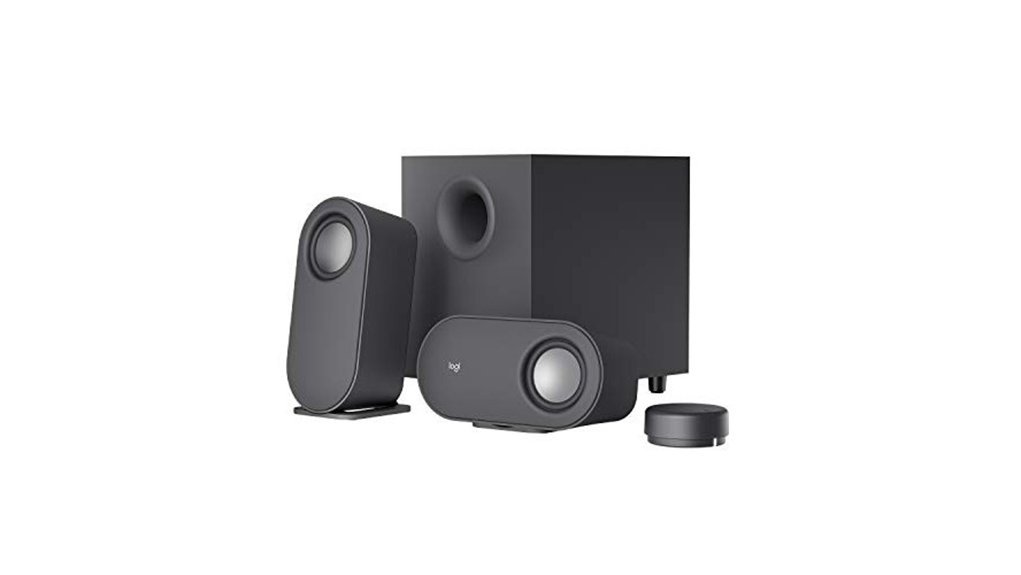
The Logitech Z407 Bluetooth Computer Speakers with Subwoofer are a strong fit for users who want fuller desktop sound without a complicated setup. Its 80W peak, 40W RMS tuning aims for lifelike output, while the 20-watt subwoofer with digital signal processing adds deep, controlled bass for music, movies, and games. A wireless dial manages play, pause, volume, and bass from up to 30 meters away. Oval satellite speakers can stand vertically or horizontally, and Bluetooth, micro USB, and 3.5 mm inputs support three devices.
Best For: People who want an easy-to-use desktop speaker system with strong bass, wireless control, and flexible device connectivity.
Pros:
- Powerful 80W peak / 40W RMS sound with clear, immersive audio
- 20W subwoofer with DSP delivers deep, controlled bass for music, movies, and games
- Wireless dial and support for Bluetooth, micro USB, and 3.5 mm connections make it convenient and versatile
Cons:
- Best suited for desktop or near-field use rather than large-room listening
- Wireless dial and multi-device switching may be more than some users need
- Oval speakers and subwoofer may take up more desk or floor space than simpler speaker setups
Logitech G560 PC Gaming Speaker System with 7.1 DTS X – Black
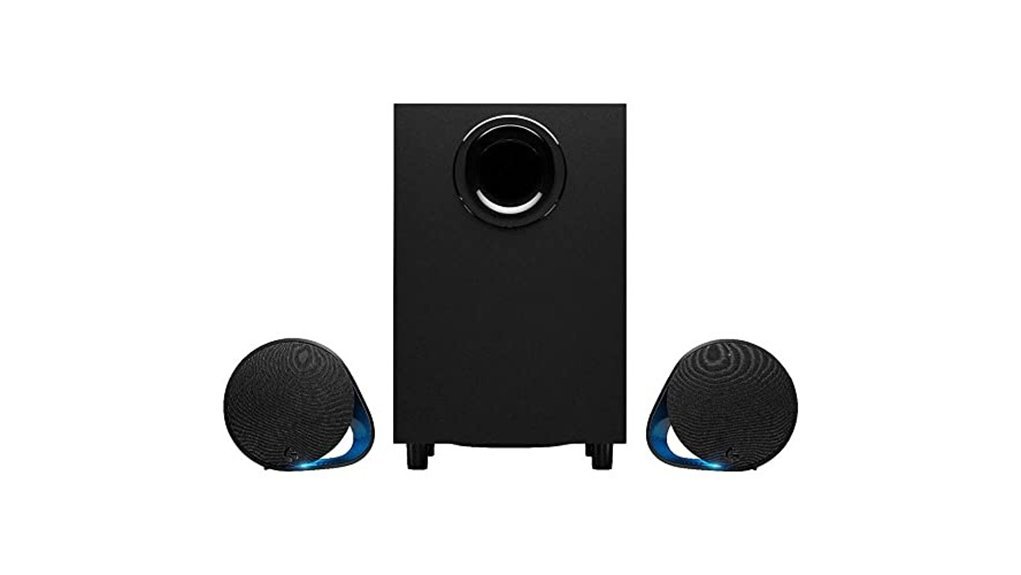
With 240 watts of peak power, the Logitech G560 suits PC gamers seeking immersive, room-filling audio. Its integrated DTS:X Ultra surround processing delivers 3D positional sound, while the distinctive driver layout aims to widen the soundscape. The black PC speaker system also adds LIGHTSYNC RGB lighting, with four zones configurable through Logitech Family Software and 16.8 million colors projected front and rear. It supports Windows PCs and Bluetooth devices such as phones and tablets, though DTS:X is unavailable on Mac OS X. For desktop gaming setups, it combines sound impact with visual customization.
Best For: PC gamers and desktop users who want powerful immersive audio with customizable RGB lighting.
Pros:
- 240 watts of peak power for strong, room-filling sound
- DTS:X Ultra support for 3D positional audio
- LIGHTSYNC RGB lighting with four customizable zones and 16.8 million colors
Cons:
- DTS:X is not supported on Mac OS X
- Best suited for Windows PC setups rather than universal use
- Requires Logitech software for full lighting customization
Edifier R1280DB Bluetooth Bookshelf Speakers (Black)
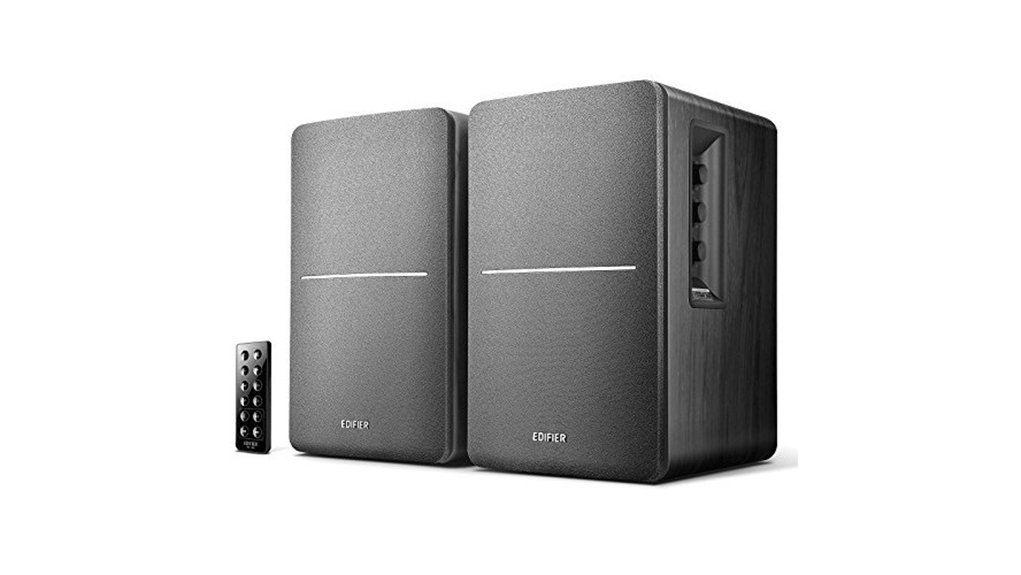
Edifier’s R1280DB suits listeners wanting versatile desktop audio with simple wireless and wired connections. This powered Bluetooth bookshelf pair in black connects easily to iPhone, Android, tablets, PCs, and Macs. Optical and coaxial inputs provide lossless links for TVs and computers, expanding placement options. A 4-inch bass driver and 13mm silk dome tweeter are tuned for balanced studio-style playback, while 42W RMS output gives the speakers enough drive for everyday listening. A remote allows quick volume and input changes, and side-panel knobs support basic EQ adjustments on the active speaker.
Best For: People who want versatile, easy-to-use desktop speakers with both wireless Bluetooth and wired digital connections for TVs, computers, and everyday listening.
Pros:
- Bluetooth, optical, and coaxial inputs offer flexible connection options.
- 42W RMS output delivers solid power for everyday audio.
- Remote control and side-panel knobs make adjustments convenient.
Cons:
- No subwoofer included for deeper bass.
- Best suited for near-field or desktop use, not large-room audio.
- Lacks advanced smart features or app-based control.
Logitech Z906 5.1 Surround Sound Speaker THX Dolby DTS – Black
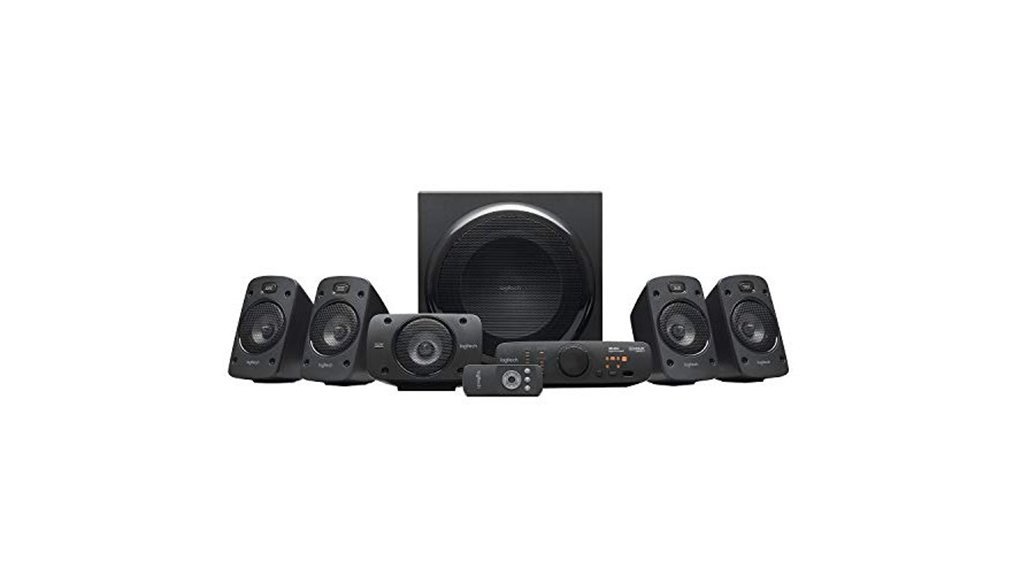
For gamers and movie lovers, the Logitech Z906 delivers true 5.1 surround sound with THX-certified power. Its 500-watt continuous output, 1,000-watt peak rating, and 165-watt subwoofer create strong bass and dynamic detail for Dolby Digital and DTS tracks. Four wall-mountable satellite speakers complete the immersive layout. The system supports up to six devices through optical, coaxial, RCA, headphone, and six-channel direct inputs. A compact control console and wireless remote simplify switching and tuning. Finished in black, this Logitech setup suits serious desktop entertainment.
Best For: Gamers and movie lovers who want powerful THX-certified 5.1 surround sound with flexible device connectivity for desktop entertainment.
Pros:
- Strong 500W continuous output with 1,000W peak power for rich, dynamic audio.
- Supports up to six devices with optical, coaxial, RCA, headphone, and six-channel inputs.
- Includes a compact control console and wireless remote for convenient operation.
Cons:
- Large 5.1 setup may take up significant space.
- Best suited for users who can take advantage of surround sound, so it may be overkill for casual listening.
- Wired speaker connections can make setup less simple than a compact stereo system.
Factors to Consider When Choosing Computer Speakers 2026: Top Picks and Buying Guide
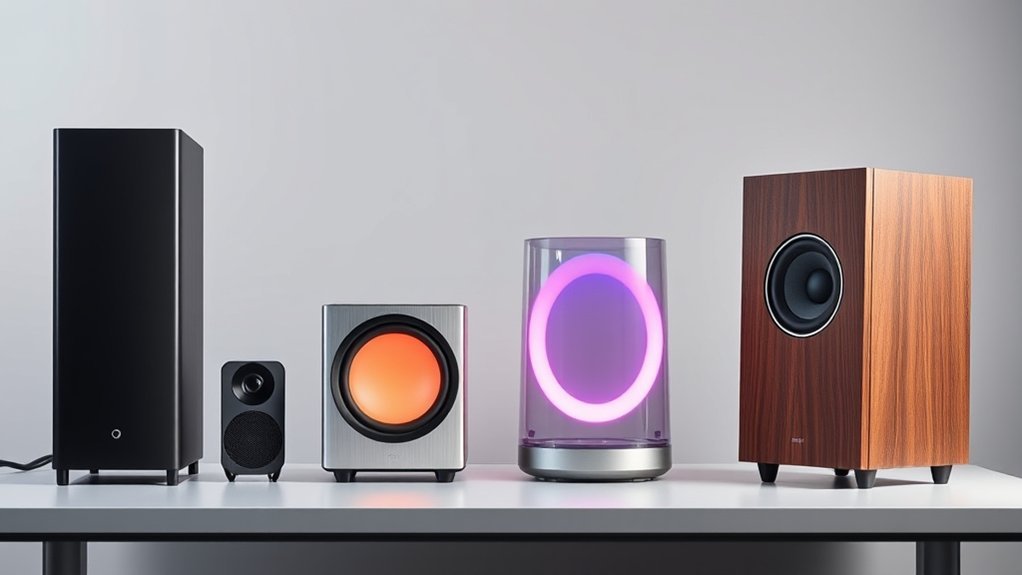
Selecting computer speakers in 2026 centers on sound quality, bass performance, and how well the system fits the intended space. Connectivity options, surround sound support, and wireless control also shape overall convenience and flexibility. These factors help narrow the top picks for different listening needs and budgets.
Sound Quality
Sound quality is the core measure of any computer speaker system, and the best models balance power, bass depth, and clarity across all frequencies. For dependable performance, a system with at least 40W RMS is typically preferred, as it can deliver clean, immersive audio for music, films, and gaming. Broader frequency response ranges are also important, since they help preserve detail from low notes to high treble. Advanced processing features such as DTS:X or digital signal processing can improve stereo imaging and spatial effects, making playback feel more precise. Sound pressure level should not be overlooked either; higher SPL ratings usually indicate greater loudness with less distortion. Together, these factors define a speaker’s ability to reproduce sound accurately and consistently in everyday use.
Bass Performance
Bass performance is often what gives computer speakers their sense of weight and impact, especially when a dedicated subwoofer is included. A capable subwoofer can deepen low-frequency output, adding clarity to music, movies, and games. Power matters: a unit rated around 20 watts may deliver a stronger, fuller bass response than smaller alternatives, while higher output often helps maintain definition at louder levels. DSP can further refine the low end by controlling distortion and preserving accuracy. Enclosure design also influences perception; ported and down-firing layouts project bass differently across a room and can broaden the soundstage. A strong signal-to-noise ratio, ideally above 95 dB, supports cleaner playback by keeping background noise low and bass details intact.
Connectivity Options
After low-end performance, the next practical consideration is how easily the speakers connect to the rest of a setup. Buyers should look for models offering Bluetooth, USB, and 3.5 mm inputs, since multiple options make it easier to pair with laptops, desktops, tablets, and phones. Support for optical or coaxial inputs can also matter when high-quality digital audio is needed. Speakers that accept simultaneous connections from more than one device are especially convenient, because switching between wired and wireless sources does not require repeated re-plugging. For Bluetooth models, a clear line-of-sight range of at least 30 meters adds flexibility. Dedicated input buttons further improve usability by speeding up source changes and reducing setup friction.
Surround Sound
Surround sound can turn a desk setup into a more immersive listening space by using multiple speakers placed around the listener to create a three-dimensional audio field. In a 5.1 system, five satellite speakers and one subwoofer work together to deliver fuller detail in films, games, and music. This layout helps separate dialogue, effects, and low-frequency impact, giving soundtracks greater depth. THX certification indicates that a system is engineered for accurate, cinema-level reproduction with limited distortion. Modern surround setups may also support advanced formats such as DTS:X Ultra, which places audio cues in virtual space from several directions. Because these systems can connect to computers, TVs, and consoles, they offer flexibility for users seeking expansive, room-filling sound.
Wireless Control
Wireless control adds a practical layer of convenience to computer speaker setups, especially when paired with systems already built for immersive features like surround sound. It lets users change volume, playback, and bass from across the room, reducing the need to reach the speakers directly. Many systems simplify this process with a single dial or dedicated remote, making everyday adjustments quick and intuitive. In larger rooms, wireless operation can remain effective at distances of up to 30 meters, which supports flexible placement and comfortable use. Bluetooth connectivity further improves convenience by pairing with computers, tablets, and smartphones. Some advanced models also include software integration and customizable controls, giving users more precise personalization while keeping operation efficient and straightforward.
Speaker Design
A speaker’s silhouette can shape both the look of a desk setup and the way sound reaches the listener. Vertical and horizontal layouts suit different arrangements, helping systems blend into compact workspaces or wider entertainment stations. Satellite speakers also matter: oval forms can present a polished profile while supporting clearer sound dispersion. The subwoofer deserves attention as well, since ported or down-firing designs often strengthen bass and deepen immersion for music, films, and games. Some models add customizable lighting, giving users a simple way to personalize the atmosphere without sacrificing function. Practical touches count too. Compact control consoles and included remotes make volume changes, input switching, and other adjustments straightforward, keeping the experience streamlined while preserving a tidy, refined desktop appearance.
Compatibility Needs
Compatibility is the first gate to a smooth speaker setup, since the best-sounding model still falls short if it cannot connect cleanly to the intended devices. Bluetooth support matters when smartphones or tablets are part of the plan, and wireless range should be checked for larger rooms where signal drops can interrupt use. Multiple inputs add flexibility; 3.5 mm, optical, and USB connections let the same system serve computers, game consoles, and TVs. Operating system support also deserves attention, because some advanced controls or software features may not work on every platform. Peak power rating should match the intended use, whether gaming, movies, or music, so the speakers can deliver enough volume without strain. Compatibility, then, is both a convenience issue and a performance safeguard.
Frequently Asked Questions
Can Computer Speakers Work With TVS and Consoles?
Yes, computer speakers can work with TVs and consoles if compatible inputs exist, such as AUX, RCA, optical, Bluetooth, or HDMI adapters. Performance depends on connection options, speaker quality, and the device’s audio output settings.
Do Wireless Speakers Have Noticeable Audio Delay?
Usually, yes—but the delay is often tiny, and then the real test appears: gaming and video sync. With Bluetooth, latency can become noticeable; low-latency codecs and wired connections reduce the risk substantially.
How Often Should Speaker Drivers Be Cleaned?
Speaker drivers should be cleaned every few months, or sooner if dust builds up. A gentle brush or microfiber cloth usually suffices. Harsh liquids should be avoided, since they can damage cones and surrounds.
Are High-Impedance Speakers Better for Desktops?
No; higher impedance is not inherently better for desktops. Like a wider gate needing more force, it often demands more amplifier power. For typical computer setups, efficiency, sensitivity, and match matter more than impedance alone.
Can I Use Computer Speakers in Small Apartments?
Yes, computer speakers suit small apartments well. Their compact size and moderate volume help avoid disturbing neighbors, while providing clearer sound than many built-in speakers. Careful placement and volume control improve performance further.
Conclusion
To sum up, the best computer speakers for 2026 offer something for every listener, from the bass-rich Logitech Z407 to the immersive Logitech G560, the balanced Edifier R1280DB, and the powerful Logitech Z906. Choosing the right set is like finding the perfect lens for a camera: it sharpens everything you experience. By considering sound quality, connectivity, and room size, buyers can select speakers that match their needs and elevate everyday listening.