
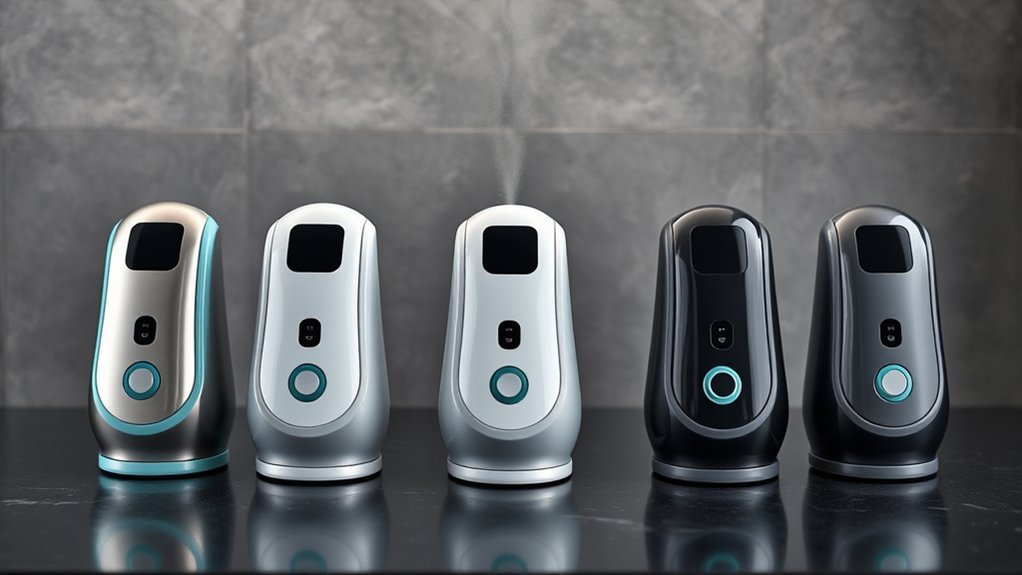
If your Leebein spin scrubber won’t turn on, do not replace it before ruling out six common causes: an engaged 2-second safety lock, a plugged-in charging cable, a drained battery, a damp USB-C port, a weak 5V adapter, or a jammed brush head. Most cordless spin scrubbers will not run while connected to wall power, and a tripped overload circuit or safety lock can make a working unit appear completely dead. Unplug the charging cord, remove the brush attachment, dry the USB-C port, and hold the power button for 2 seconds before testing a full charge.
Quick Verdict: Unplug the USB-C cable, remove the brush head, and press and hold the power switch for 2 seconds to disengage the safety lock. If the LED panel stays dark after charging for 2 to 4 hours with a dry, compatible 5V/1A or 5V/2A USB-C adapter, test a replacement charger first. Replace the entire scrubber only if the battery dies within minutes, the switch no longer clicks, or the handle overheats.
- Best full replacement pick: MayKing Electric Spin Scrubber with adjustable heads and LED display
- Best accessory set: Qimedo 8-in-1 Electric Spin Scrubber Brush Heads
- Best charger replacement: Replacement Electric Spin Scrubber USB-C Charger (6.6 ft)
- Best long-runtime option: 4500mAh Cordless Spin Scrubber with 6 heads
Affiliate disclosure: As an Amazon Associate, this site may earn from qualifying purchases. Product details can change, so always confirm compatibility, included accessories, warranty terms, and current availability on Amazon before buying.
Quick Diagnosis Before Buying Parts
Match your scrubber’s exact symptom and LED light pattern before ordering a replacement charger, brush kit, or new unit. On models like the Leebein ANS-8050, the five indicator lights on the handle reveal whether you are dealing with a simple safety lock, motor overload protection, or a charging failure.
| Symptom or LED Pattern | Most Likely Cause | Try This First | Buy Only If |
|---|---|---|---|
| No light while charging | Dead outlet, wet USB-C port, damaged cable, incompatible adapter | Air-dry the port for 30 minutes, test another outlet, and try a 5V/1A or 5V/2A USB-C charger | A replacement USB-C charger matches your model and 5V input rating |
| Light blinks once when pressing power; motor stays off | 2-second safety lock is active or charging cable is still plugged in | Unplug the charging cord and hold the power button for 2 seconds to release the safety lock | No part needed; replace the unit only if the switch remains unresponsive |
| Charging lights cycle, but motor will not spin | Jammed brush shaft, overload cutoff, or weak battery under load | Pull off the brush head, clear tangled hair or soap scum from the shaft, and test with no load | Brush heads are warped, cracked, clogged, or wobbling on the connector |
| All 5 lights flash at once, then unit shuts off in 5 seconds | Heavy downward pressure or high-friction brush triggering overload protection | Lift the brush off the surface, wait 30 seconds, restart, and guide with light hand pressure | Your current brush bristles are splayed flat or too stiff for the surface |
| Bottom (5th) light flashes; runs briefly then dies | Low charge or degraded lithium-ion battery cells | Charge for a full 2 to 4 hours until all 5 LEDs stay solid, then time no-load runtime | Runtime stays under 15 minutes after a full charge, requiring a full unit replacement |
| Power button feels loose, sticky, or fails to click | Hardened soap residue around the switch or internal switch wear | Wipe around the button seam with a dry cotton swab without pushing liquid inside | The switch no longer clicks or the plastic housing is cracked |
| Port or handle smells burnt, overheats, or has water inside | Internal short circuit or water intrusion past the port seal | Unplug immediately, stop using the scrubber, and do not attempt to recharge it | Replace the full scrubber unit or contact manufacturer support |
Leebein’s product pages show that battery capacity, charging time, handle length, rotation speeds, and brush connectors vary across model generations. The general Leebein FAQ lists a 3.5-hour charge time, whereas the ANS-8050 manual PDF specifies a 2-to-3-hour charge using a DC 5V/1A adapter and the upgraded YMG-820 manual lists approximately 4 hours for its dual 2500mAh batteries. Always check the model label on your handle before ordering accessories.
For brush-head fit, compare your connector against the official Leebein replacement brush-head page, which fits ANS-8050, ANS-8051, and LZ-8052 units but explicitly notes incompatibility with the Leebein YMG-818 version. The ANS-8050 manual also warns to keep the charger away from wet surfaces and to press the rubber charging port plug firmly shut before washing.
Below are the top replacement chargers, compatible brush-head kits, and full cordless spin scrubber upgrades for a dead or unreliable Leebein-style scrubber. Use the comparison table to match the right fix to your symptom, whether you need a low-cost power cord or a brand-new motor and battery pack.
| Product | Best For | Main Benefit | Amazon |
|---|---|---|---|
| MayKing Electric Spin Scrubber | Full replacement scrubber | Nine heads, 3 adjustable angles, 3 speeds, LED display | Check Price |
| Qimedo 8-in-1 Brush Heads | Accessory replacement | Four soft bristle brushes and four cloth heads for compatible scrubbers | Check Price |
| Replacement USB-C Charger | Charging problems | Long 6.6 ft (2 m) cord, 5V/1A–2A output, Leebein ANS-8050 compatibility | Check Price |
| 4500mAh Cordless Spin Scrubber | Long runtime and upright cleaning | 8–47 in telescoping pole, 450 RPM motor, and 4500mAh battery | Check Price |
How We Chose These Replacements and Accessories
We selected replacement parts and full scrubbers that address the five primary failure points of Leebein-style units: faulty 5V USB-C power adapters, worn or jamming brush heads, degraded battery cells, awkward handle reach, and burned-out motors. Each option was evaluated against manufacturer manuals and compatibility specifications for USB-C input ratings (5V/1A to 5V/2A), connector fit, IPX7 water resistance, and ergonomic adjustability.
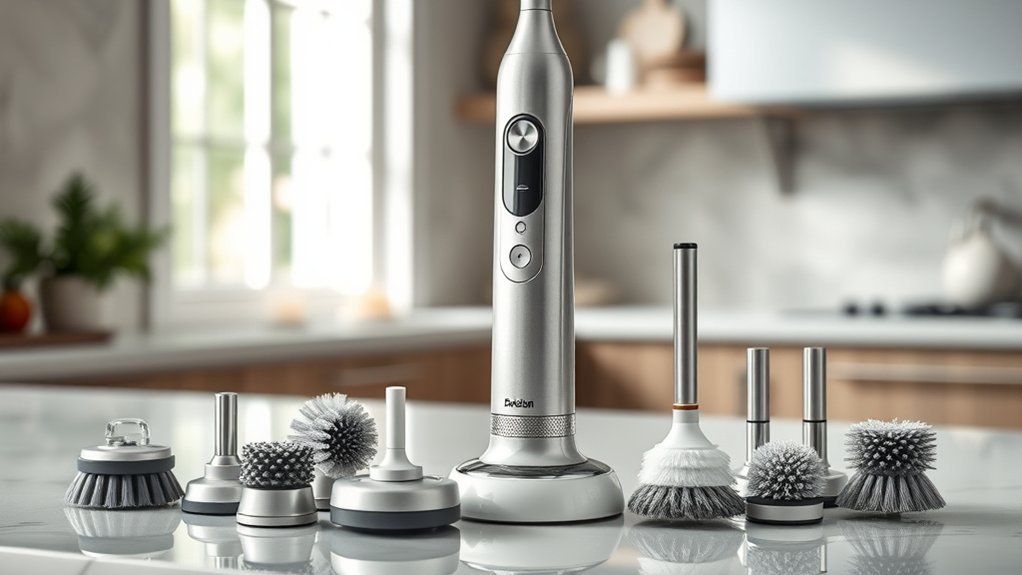
MayKing Electric Spin Scrubber with Adjustable Brush Heads and LED Display
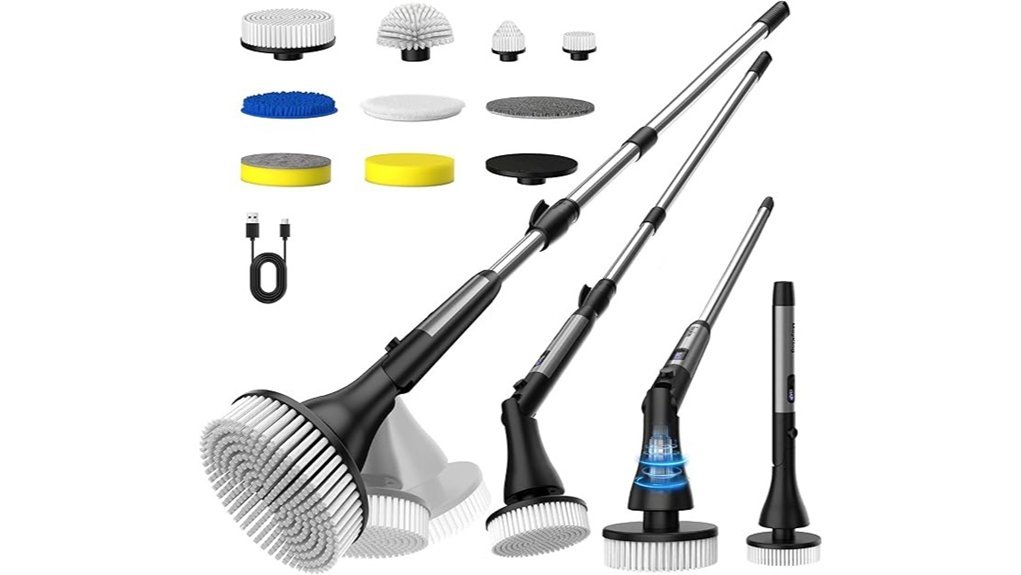
If your Leebein spin scrubber won’t turn on after testing the charger, safety lock, and power switch, the MayKing Electric Spin Scrubber is the most complete full-unit replacement. It replaces a dead motor, aged battery, and worn brushes in one kit designed for bathtubs, shower tile, grout lines, baseboards, glass doors, and kitchen floors.
This MayKing model comes with nine interchangeable brush heads, three adjustable head angles, four handle length settings, and three rotation speeds. Unlike basic single-light scrubbers, its built-in LED screen displays real-time battery status and speed selection so you are never caught off guard by a sudden low-voltage shutoff.
The extendable ergonomic pole lets you scrub floors and high shower walls while standing upright, reducing knee and lower-back strain. Powered by a 2500mAh lithium-ion battery rated for up to 100 minutes of runtime, it uses USB Type-C charging and an IPX7 waterproof brush housing built for wet bathroom cleaning.
Why You’ll Like It: It gives you a brand-new motor, fresh 2500mAh battery, digital status screen, and nine fresh attachments for about the cost of buying multiple separate repair parts.
Best For: Homeowners, seniors, and busy parents who want an all-in-one replacement scrubber for bathrooms, tile, grout, and floors.
Who Should Buy This: Choose this if your old scrubber has a seized motor, degraded internal battery, broken power button, or corroded charging board.
Who Should Avoid This: Skip it if your current scrubber only needs a replacement USB-C cord or fresh brush heads.
Price/Positioning: Positioned as a complete unit upgrade rather than a repair part; compare its current Amazon price against buying both a charger and a brush kit.
One-Line Verdict: Pick this when you want a fresh battery, three-speed motor, adjustable handle, and nine-piece brush kit in a single purchase.
Pros:
- Nine specialized brush heads tackle curved tubs, flat tile, corners, grout, and glass.
- Three pivoting head angles and four pole lengths reduce bending, kneeling, and wrist fatigue.
- IPX7 water resistance, 2500mAh battery, LED battery display, and USB-C charging simplify routine maintenance.
Cons:
- Running continuously on the highest speed setting reduces total battery runtime below the 100-minute maximum.
- The LED status display can be dimmer to read under direct overhead bathroom lights.
- Storing nine separate attachments requires extra cabinet or caddy space.
Qimedo 8-in-1 Electric Spin Scrubber Brush Heads
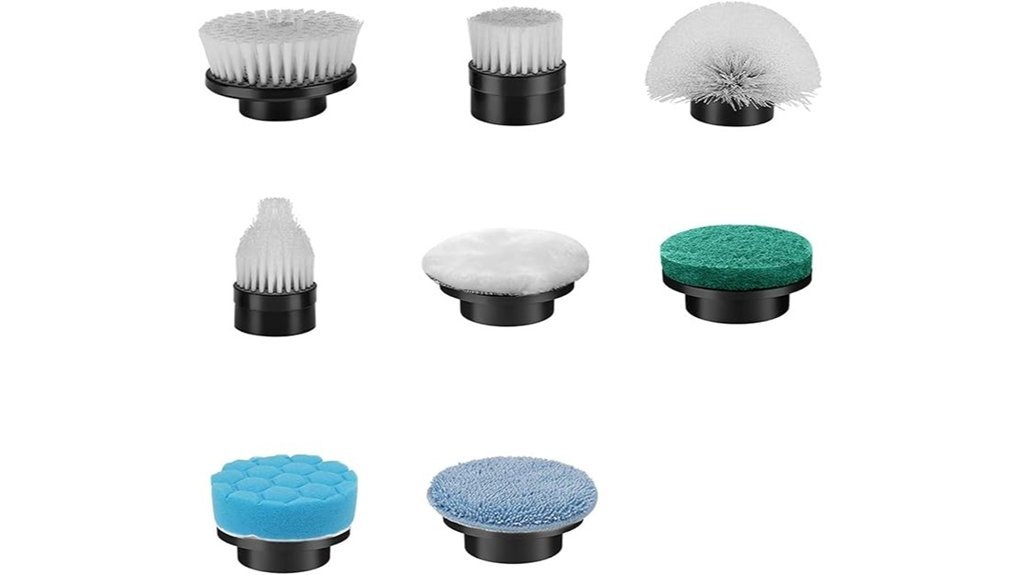
The Qimedo 8-in-1 Electric Spin Scrubber Brush Heads solve a common problem that mimics motor failure: warped, clogged, or splayed brush attachments that drag against surfaces and trip the scrubber’s 5-second overload shutoff. If your scrubber spins freely with the head removed but stalls as soon as it touches the tub, fresh heads can restore normal operation.
The eight-piece kit includes four soft-bristle brushes for everyday tub, sink, and tile scrubbing plus four replaceable cloth pads for soap-scum buffing and glass or countertop polishing. Rated IPX7 waterproof, the set lists multi-brand compatibility with select Leebein, Qimedo, Keimi, Alloyman, Bomves, YKYI, BEI, and Hong spin scrubbers, while excluding the Qimedo Q4 handheld model.
Because spin scrubber manufacturers occasionally revise shaft splines between production runs, inspect your drive socket before ordering. A properly matched replacement head clicks vertically onto the drive shaft without wobbling or binding.
Why You’ll Like It: Replacing flattened bristles reduces friction on the motor and refreshes a working scrubber for a fraction of the cost of a new tool.
Best For: Renters and homeowners whose scrubber motor and battery still work well but whose original brushes are frayed, stiff, or missing.
Who Should Buy This: Choose this if your scrubber runs without a load but stalls or cleans poorly due to worn-out attachments.
Who Should Avoid This: Skip it if your Leebein spin scrubber won’t turn on even with the brush head removed, as new brushes cannot fix an electrical fault.
Price/Positioning: An affordable maintenance refresh for a working motor unit rather than an electrical repair part.
One-Line Verdict: Pick this after verifying that your scrubber’s drive connector matches the snap-on socket design.
Pros:
- Combines four soft-bristle scrubbing heads with four replaceable cloth pads for multi-surface cleaning.
- IPX7 water-resistant construction holds up to wet bathroom and kitchen rinsing.
- Fits multiple popular spin scrubber brands (including compatible Leebein models) and lists a 2-year warranty.
Cons:
- Does not fit the Qimedo Q4 handheld scrubber or incompatible proprietary shaft designs.
- Requires visual verification of your model’s connector spline before ordering.
- Includes eight pieces total, so heavy scrubbing on rough grout will eventually require another refill pack.
Replacement Electric Spin Scrubber USB-C Charger (6.6 ft)
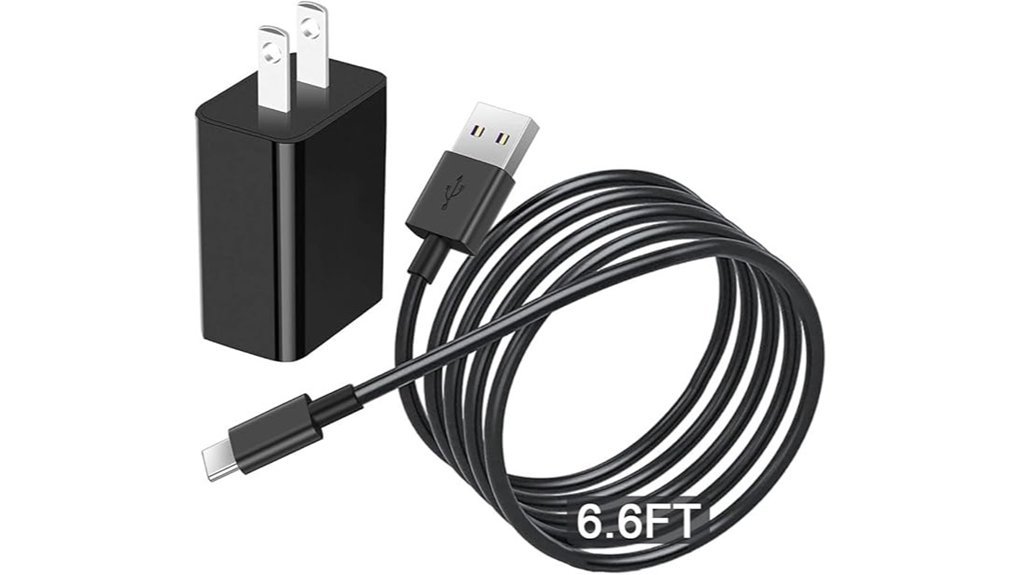
When a Leebein spin scrubber won’t turn on and shows zero indicator lights while plugged in, a failed power cord or incompatible fast-charging brick is often the culprit. Many cordless scrubbers require a basic 5V DC USB-A-to-USB-C power path and refuse to charge from high-wattage laptop Power Delivery (PD) bricks. This 6.6-ft USB-C charger provides the exact 5V output needed by compatible scrubbers.
Its extra-long 2 m (6.6 ft), 23 AWG flame-retardant PVC cord reaches high bathroom GFCI outlets or hallway plugs without leaving the scrubber dangling by its port. The wall block accepts 100–240V AC input and delivers regulated 5V/1A or 5V/2A (up to 10W) power with built-in overcurrent, overvoltage, and overheating protection.
The manufacturer lists direct compatibility with the Leebein ANS-8050, Bomves ANS-8050, YKYI RJ152, TUYU KS-2640C, Keimi KS-2641-BL, and Highyes A10. Always check the charging label near your scrubber’s port to confirm it uses a 5V USB-C input rather than a barrel-jack adapter.
Why You’ll Like It: It is the lowest-cost diagnostic fix when your original charging cable was lost, frayed, exposed to moisture, or replaced with an incompatible phone charger.
Best For: Owners of Leebein ANS-8050 and similar 5V USB-C spin scrubbers whose units stopped lighting up during charging.
Who Should Buy This: Choose this if your charging LEDs stay dark or flicker when you wiggle the cord, or if you lost the original 5V/1A cable.
Who Should Avoid This: Avoid it if your scrubber’s five indicator lights already cycle normally during charging and turn solid when full, as your existing charger is working.
Price/Positioning: An inexpensive first troubleshooting step before spending more on a full scrubber replacement.
One-Line Verdict: Test this dedicated 5V USB-C adapter first whenever charging failure is your primary symptom.
Pros:
- Generous 6.6-foot (2 m), 23 AWG flame-retardant cord prevents strain on the USB-C port.
- Matches the 5V/1A and 5V/2A (10W max) charging specifications required by the Leebein ANS-8050 manual.
- Includes overvoltage, overcurrent, and short-circuit safeguards plus a listed 12-month support guarantee.
Cons:
- Only fits spin scrubbers with a 5V USB-C charging port (does not fit two-prong barrel-plug models).
- Capped at 10W output, so it is not designed for fast-charging tablets or laptops.
- Cannot revive a scrubber whose internal battery cells or control board have shorted out from water intrusion.
Electric Spin Scrubber 4500mAh Cordless Brush with 6 Heads
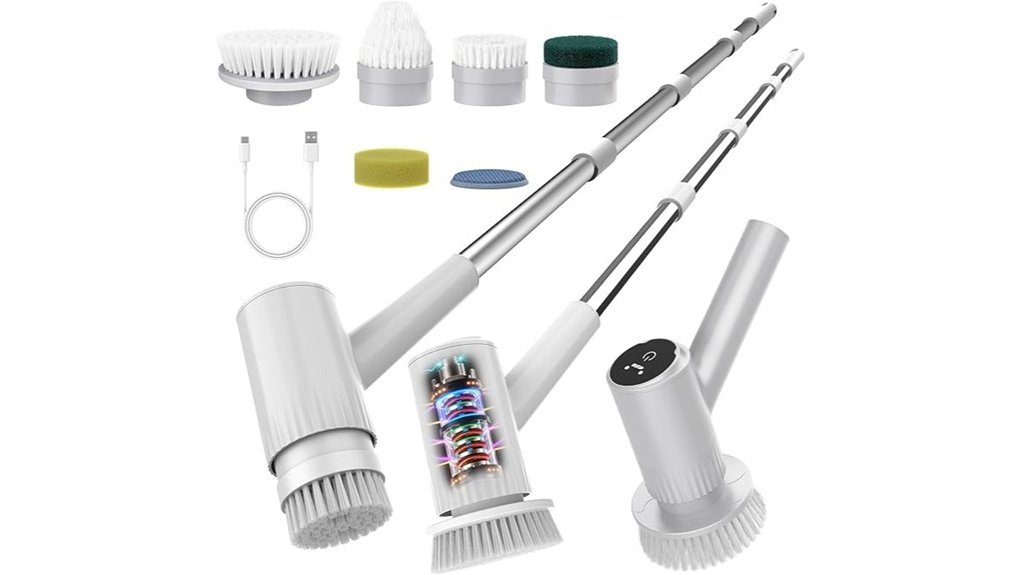
If your old Leebein spin scrubber charges to full but dies after 5 to 10 minutes of scrubbing, its lithium-ion battery cells have reached the end of their cycle life. This 4500mAh cordless spin scrubber is built for homeowners who want maximum battery capacity and upright reach so the tool will not quit halfway through deep-cleaning a bathroom.
Its telescoping aluminum pole adjusts from 8 to 47 inches, allowing you to convert it from a short handheld scrubber for sinks into a full-length floor and shower wand. The six included attachments—flat brush, corner cone brush, small round brush, large flat brush, sponge pad, and scouring pad—cover porcelain tubs, ceramic tile, grout, glass doors, stovetops, and stainless steel. A dual-speed 450 RPM motor lets you switch between gentle polishing and heavier stain agitation.
Equipped with USB-C charging and an IPX7 waterproof ABS and aluminum body, the 4500mAh battery is rated by the seller for up to five hours of light-load operation. Even under heavier bathroom scrubbing loads, the high-capacity cell pack provides substantially more buffer than standard 2000mAh to 2500mAh scrubbers.
Why You’ll Like It: The high-capacity 4500mAh battery and 47-inch extension pole directly solve the two biggest complaints with aging scrubbers: short runtime and back strain.
Best For: Users with back pain, knee arthritis, limited mobility, or multiple bathrooms who need extended cordless runtime.
Who Should Buy This: Choose this if your previous scrubber died from battery degradation and you prioritize runtime and reach over extra specialty attachments.
Who Should Avoid This: Skip it if you only want a lightweight, compact palm brush or if a simple USB-C charger cable will fix your current tool.
Price/Positioning: Competes as a heavy-duty battery upgrade among full cordless spin scrubber replacements.
One-Line Verdict: Pick this when short battery life and frequent recharging were the main reasons your old scrubber let you down.
Pros:
- Adjustable 8-to-47-inch telescoping handle eliminates kneeling on hard bathroom tile.
- High-capacity 4500mAh lithium-ion battery minimizes mid-cleaning recharge interruptions.
- Six essential brush and scouring heads handle tubs, grout, sinks, stoves, and glass.
Cons:
- Bare handheld tool weight is not separately listed on the Amazon page (total package weight is roughly 2.18 lbs).
- Two speed settings offer less granular control than three-speed digital models.
- Battery pack is sealed inside the handle rather than swappable.
Before You Buy: Quick Compatibility Checklist
Before ordering any replacement cord, brush kit, or new scrubber, run through these six verification checks on your current unit. Taking two minutes to inspect the handle label and drive shaft prevents ordering parts that will not fit.
- Match the exact model number: Check your handle label for codes such as ANS-8050, ANS-8051, LZ-8052, YMG-818, or YMG-820 before choosing accessories.
- Verify the DC input rating: Confirm your port accepts DC 5V/1A or 5V/2A via USB-C; avoid high-wattage laptop PD chargers that may fail to handshake with simple battery boards.
- Inspect the brush shaft spline: Ensure replacement heads click vertically onto the shaft without wobbling—note that ANS-8050 brush kits do not fit the Leebein YMG-818.
- Time the no-load runtime: If the unit charges to five solid lights in 2 to 4 hours but dies within 10 minutes of spinning in the air, the internal lithium-ion battery is worn out.
- Test the 2-second safety lock: Unplug the charger and press and hold the power button for 2 full seconds to make sure the unit is not simply in lock mode.
- Weigh part cost vs. full replacement: If your scrubber needs both a charger and brush heads—or shows signs of water corrosion—a new unit with a fresh motor and warranty is more cost-effective.
How to Fix a Leebein Electric Spin Scrubber That Won’t Turn On
When a Leebein electric spin scrubber won’t turn on, work through the electrical and mechanical path from outside to inside. Start by unplugging the charging cord and checking the USB-C port and battery charge, then test the power switch and safety lock, and finally rule out overload shutdowns caused by jammed or incompatible brush heads.
Battery and Connection Check
A completely drained battery, a plugged-in charging cable, or moisture inside the USB-C port accounts for most no-power complaints. Because cordless scrubbers disable the motor while charging, always unplug the USB-C cable from the handle before pressing the power switch.
Check the charging time for your specific version: the Leebein ANS-8050 manual specifies 2 to 3 hours using a DC 5V/1A adapter, the Leebein FAQ lists 3.5 hours, and the dual-battery YMG-820 requires about 4 hours. While charging an ANS-8050, the five panel LEDs cycle in sequence and turn solid once full. If no lights appear, inspect the USB-C port with a flashlight for water droplets or soap residue, gently swab around the outer rim with a dry cotton swab (never insert metal pins), and let the port air-dry uncovered for at least 30 minutes before testing another 5V USB-A-to-USB-C cable and wall outlet.
Battery Health Assessment
A scrubber that displays normal charging lights but shuts off immediately under load usually has a degraded lithium-ion battery pack. Lithium cells lose capacity after 2 to 3 years of charge cycles or when left completely empty in storage for several months, causing voltage to sag as soon as the 350–450 RPM motor draws current.
On the Leebein ANS-8050, the fifth (bottom) LED flashes when voltage drops too low to sustain operation. To test battery health, charge the unit until all LEDs remain solid, remove the brush head, and let it run with no load. Healthy Leebein models run for 60 to 90 minutes; if yours shuts off in under 15 minutes or the handle grows hot while charging, the internal battery cells have failed and the scrubber should be replaced.
Power Button Functionality
A sticky, recessed, or non-clicking power button prevents the internal tactile switch from closing the circuit on the control board. Press the switch firmly and feel for a distinct physical click while watching the LED panel.
If soap scum or hard-water scale has built up around the button seam, wipe the perimeter with a dry or slightly damp cloth and let it dry completely. Never spray bathroom cleaner, rubbing alcohol, or water directly into the button housing. On standard ANS-8050 units, a single press starts high speed (400–450 RPM), a second press switches to low speed (300–350 RPM), and a third press turns the motor off.
Controller, Safety Lock, or Reset Issues
If pressing the power button causes the indicator light to blink without spinning the motor, your scrubber is likely in its built-in safety lock mode rather than broken. According to the ANS-8050 manual, holding the power switch for 2 seconds in any state locks the controls so the brush cannot turn on accidentally in a closet or travel bag.
To release the safety lock or clear a frozen controller state, unplug the charger, press and hold the power button for 2 to 3 seconds (up to 10 seconds on some third-party models), and then press once to start. Also watch for all five LEDs flashing simultaneously: that pattern signals that motor overload or stall protection has tripped, which automatically cuts power after 5 seconds. Lift the brush off the tile, wait 30 seconds for the protection circuit to reset, and restart with lighter pressure.
Compatibility of Accessories
Mismatched brush heads or improper USB-C adapters frequently make a healthy spin scrubber act dead or stall mid-clean. A brush attachment whose socket is too tight or slightly off-center creates shaft friction that immediately triggers the 5-second overload cutoff.
Always verify model-specific fit before installing accessories: for example, Leebein’s ANS-8050/ANS-8051/LZ-8052 replacement heads snap vertically onto the spline shaft but are not compatible with the Leebein YMG-818. Likewise, dense scouring pads pressed hard against rough grout can overload a 350–450 RPM motor. For charging, use a standard 5V/1A or 5V/2A wall adapter rather than an unregulated fast charger, since a USB-C plug shape alone does not guarantee voltage compatibility.
Pro Tips to Make Your Spin Scrubber Last Longer
Routine post-cleaning care prevents moisture intrusion, shaft jams, and premature battery degradation. Follow these six habits after every bathroom or kitchen session to maximize the lifespan of your scrubber.
- Seal the port before washing and air it out after: Press the silicone USB-C cover tightly shut before rinsing, wipe the handle dry afterward, and open the cover in a dry room for 20 minutes if condensation forms.
- Keep water below 60°C (140°F): The ANS-8050 manual warns never to rinse brush heads or the housing in water hotter than 60°C (140°F), which can warp waterproof seals and loosen bristle glue.
- Store at 50% charge or higher: Recharge the battery before putting the tool away for more than a week so deep discharge does not permanently lock out the battery protection board.
- Let the 350–450 RPM bristles do the work: Pre-soak stubborn soap scum with cleaner for 5 minutes and guide the brush lightly; pressing hard enough to flatten the bristles trips overload shutoff.
- Clear hair and soap from the shaft after every use: Pull off the brush head, rinse away detergent residue, and snip any hair wrapped around the metal drive pin before it binds the motor bearings.
- Hang upright in a ventilated spot: Store the handle vertically on a wall hook outside the shower stall so residual moisture drains away from the switch and charging contacts.
Safety Note
Cordless spin scrubbers combine rechargeable lithium-ion battery packs with wet cleaning environments, making electrical and battery safety critical. Never pry open a sealed scrubber handle, splice charger wires, or attempt to charge a wet port.
Important: Never open sealed battery compartments, bypass internal circuit boards, or plug in a damp USB-C connector. Following U.S. Consumer Product Safety Commission (CPSC) lithium-ion battery safety guidance, immediately unplug and stop using any scrubber or adapter that smells burnt, hisses, swells, sparks, or becomes excessively hot during charging.
The ANS-8050 manual warns to keep the charger strictly out of wet areas and to confirm the charging port plug is sealed during use. Under IEC 60529 ingress protection standards, an IPX7 rating only covers temporary immersion in calm water—not high-pressure shower jets aimed at the charging seal or prolonged soaking.
When replacing a dead scrubber, never toss it into household trash or curbside recycling bins. Both the ANS-8050 manual and U.S. Environmental Protection Agency (EPA) lithium-ion battery disposal guidelines instruct consumers to take lithium-ion devices to a designated household hazardous waste or battery recycling drop-off point to prevent sanitation truck fires.
Frequently Asked Questions
Why does my Leebein spin scrubber not turn on after charging?
Your scrubber usually will not turn on after charging because the charging cord is still plugged in, the 2-second safety lock is engaged, the 5V adapter failed to charge the battery, or the brush head is jammed. Unplug the USB-C cable, remove the brush head, and hold the power switch for 2 seconds to release the lock before pressing power again.
Can a bad USB-C charger make my spin scrubber look dead?
Yes, a damaged, damp, or incompatible USB-C charger will leave the battery completely uncharged so the scrubber shows no lights or motor response. Leebein ANS-8050 models require a standard DC 5V/1A (or compatible 5V/2A) charger rather than a high-wattage laptop PD brick. Testing a known-good 5V USB-C cable and wall block quickly confirms whether your original charger failed.
Can controller or reset issues make a spin scrubber act dead?
Yes, an active safety lock or tripped overload protection circuit will stop the motor from starting. On the Leebein ANS-8050, holding the power button for 2 seconds toggles the safety lock (indicated by a blinking light when pressed), while all five lights flashing together signals an overload shutoff. Unplug the unit, remove the brush head, wait 30 seconds, and hold the power button for 2 to 10 seconds to reset it.
Can ambient temperature affect the scrubber’s power button?
Yes, extreme cold or excessive heat can stiffen the silicone button membrane, warp plastic seals, and reduce lithium-ion battery output. Keep the scrubber away from water hotter than 60°C (140°F) during cleaning and avoid charging in freezing garages or hot utility rooms. Let the tool return to normal room temperature and dry the exterior before testing the switch.
Is there a known issue with the USB-C charger’s polarity?
Standard USB-C connectors are reversible, so charging failures are caused by voltage mismatches, bent port pins, moisture corrosion, or faulty adapter cables rather than plug orientation. Never attempt to modify charger wiring or force a damaged plug into the charging hole. Use only a dry, compatible 5V USB-C power cord and stop using any adapter that overheats.
Do different brush materials cause automatic shutdowns?
Yes, stiff bristles or wide scouring pads pressed heavily against rough tile create high rotational drag that triggers the motor’s 5-second overload protection shutoff. If all five indicator lights flash and the scrubber stops mid-clean, lift the brush off the surface, wait 30 seconds, switch to a softer or smaller head, and guide the tool with light pressure.
How does storage orientation influence internal circuitry?
Storing a wet spin scrubber upside down or flat in a damp tub allows trapped water to seep toward the handle’s internal circuit board, switch contacts, and USB-C port. Hanging the scrubber upright in a dry, ventilated area lets water drain away from the electronics and prevents terminal corrosion.
Should I buy a replacement charger or a new spin scrubber?
Buy a replacement 5V USB-C charger if your scrubber is in good physical condition and simply shows no charging lights with your old cord. Buy a new spin scrubber if the battery dies within 10 to 15 minutes of a full charge, the power switch no longer clicks, the motor smells burnt, or water has entered the charging port.
Final Recommendation
Fixing or replacing a dead spin scrubber comes down to isolating whether the failure is outside the handle (charger or brush head) or inside the sealed unit (battery, switch, or circuit board). Always run the zero-cost checks before spending money on parts.
If your Leebein spin scrubber won’t turn on, start with the free fixes: unplug the charging cable, remove the brush head, dry the USB-C port, and hold the power button for 2 seconds to release the safety lock before testing a full 2-to-4-hour charge. If the unit remains completely unresponsive, either the external power supply or the internal hardware has failed.
For charging faults, the Replacement Electric Spin Scrubber USB-C Charger (6.6 ft) is the smartest low-cost test for Leebein ANS-8050 and compatible 5V units. For stalling caused by frayed attachments on a working motor, the Qimedo 8-in-1 Brush Heads refresh your kit once you confirm connector fit. When the internal battery, switch, or motor is done, the MayKing Electric Spin Scrubber is the best all-around replacement, while the 4500mAh Cordless Spin Scrubber suits large homes needing maximum runtime.
If the handle ever overheats, smells burnt, swells, or traps water inside the USB-C port, stop troubleshooting immediately, recycle the dead unit at a proper battery drop-off, and replace it with a safe new scrubber.
Last updated: July 7, 2026
Sources
- Leebein Official FAQ: General charging time (3.5 hours), warranty, and return policy details.
- Leebein ANS-8050 Electric Spin Scrubber User Manual (PDF): 2-second safety lock, 5-LED diagnostic codes, 5-second overload cutoff, DC 5V/1A charging time (2–3 hours), and 60°C water temperature limit.
- Leebein Official Replacement Brush Heads Page: Brush connector compatibility for ANS-8050, ANS-8051, and LZ-8052 models and YMG-818 exclusion.
- International Electrotechnical Commission (IEC) Ingress Protection Ratings: IEC 60529 water immersion vs. water jet protection definitions for IPX7 enclosures.
- U.S. Consumer Product Safety Commission (CPSC) Lithium-Ion Battery Safety: Safe charging practices and fire-hazard warning signs for rechargeable consumer appliances.
- U.S. Environmental Protection Agency (EPA) Lithium-Ion Battery Disposal Guidelines: Safe household recycling and disposal requirements for end-of-life lithium-ion batteries.


[…] If you are troubleshooting a different brand or charging system, browse the site’s Electric Spin Scrubber Reviews. For a USB-C example, see the Leebein spin scrubber troubleshooting guide. […]