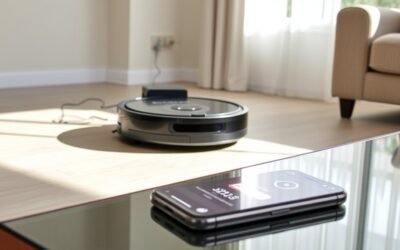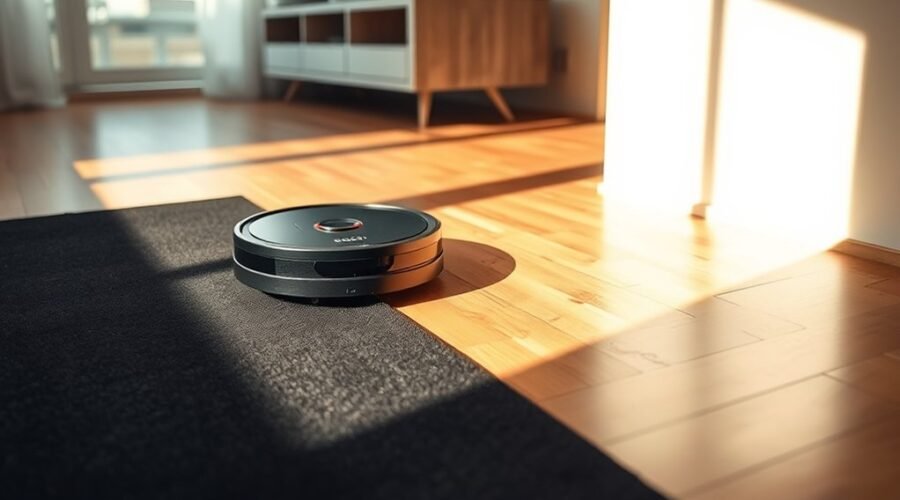
When a robot vacuum avoids a black floor, the cause is often the cliff sensors misreading the surface as a drop-off. Dust, smudges, low battery, or an awkward dock position can make the problem worse. Black tile, dark rugs, and certain matte finishes may also trigger false alerts. The fix is not always obvious, and the next step depends on which part of the system is failing.
Why Robot Vacuums Avoid Black Floors
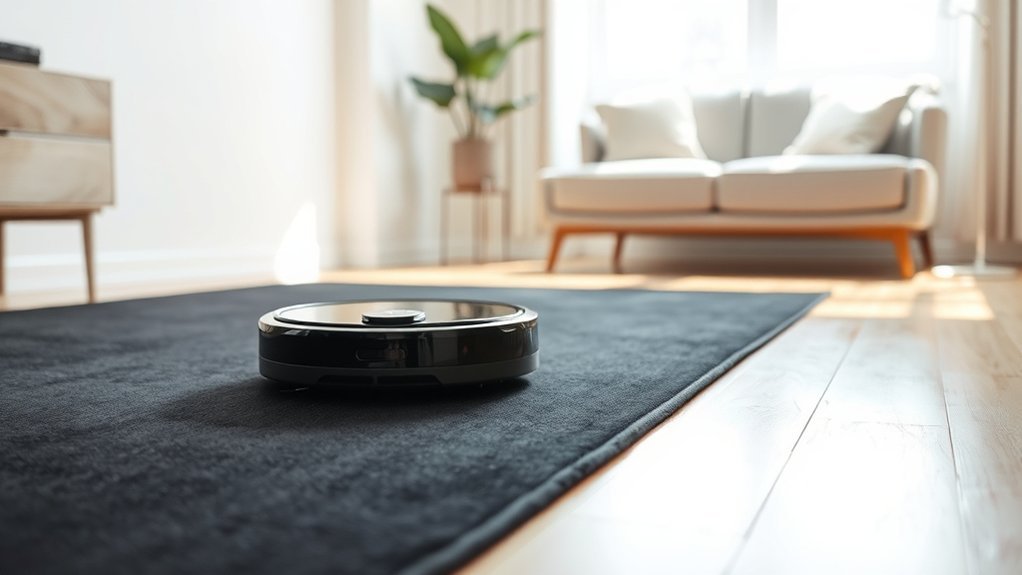
Robot vacuums often avoid black floors because their cliff sensors can misread dark surfaces as drop-offs. These sensors rely on infrared sensors that reflect light from the floor; on black surfaces, the light may be absorbed instead of returned, so the robot hesitates, reverses, or stops.
This behavior appears on black tile, matte paint, and dark rugs, and it is one of the common problems seen in navigation systems. Dust, hair, or debris on the sensor lenses can worsen the error by reducing signal quality and making detection less reliable.
Manufacturers usually keep cliff sensors active because disabling them would remove a key safety function. The practical response is not defeat, but adaptation: keep sensors clean, test the unit on different surfaces, and adjust the environment where possible so the machine can move freely without false alarms.
Check the Cliff Sensors First
The cliff sensors should be inspected first, since they are the most common source of false avoidance on dark surfaces. These infrared cliff sensors are meant to detect drop-offs, but black surfaces can absorb emitted light and trigger avoidance behavior even when no edge exists.
The cliff sensors should be inspected first, since dark surfaces can trigger false avoidance behavior.
A quick check should confirm whether the robot is reacting to the floor rather than a fault elsewhere. Cleaning the sensor windows with a dry cloth can restore normal readings if dust or debris is present. The sensor faces should be clear, unobstructed, and seated properly.
When the issue persists after cleaning, the environment should be evaluated next. Stronger ambient light may help some units distinguish dark flooring more reliably.
If the vacuum still refuses dark rugs, avoiding those areas may be the most practical adjustment. This approach reduces unnecessary stops and preserves the robot’s freedom to navigate efficiently.
Clean Dust and Smudges Off the Sensors
Dust and smudges on the cliff sensor windows can distort infrared readings and make a robot vacuum treat safe dark flooring as a drop-off. To correct this, clean dust and smudges off the sensors with a dry, lint-free cloth. This simple step removes residue that can block the infrared path and cause false edge detection.
When the windows stay clear, the robot vacuum can read floor boundaries more accurately and navigate with less hesitation. That matters on black rugs and other dark surfaces, where even light contamination may cause the machine to avoid dark areas unnecessarily.
A brief maintenance routine is usually enough: power down the unit, inspect each sensor, wipe away film or debris, and repeat regularly. Keeping sensor surfaces free from dirt supports smoother movement, fewer stuck incidents, and more reliable coverage across the home.
The result is practical control, not blind avoidance, and better use of autonomous cleaning power.
Test Black Carpet, Rugs, and Floor Finish
Black carpets and highly polished floors can expose a vacuum’s weakest navigation settings, especially when cliff sensors misread dark or reflective surfaces as drop-offs.
To test black carpet, place the robot on a small section and observe whether it halts, turns away, or reports an obstacle. If the same behavior appears on a dark or black rug, the issue is likely sensor-based rather than a map error.
Floor finish also matters: glossy tile, lacquered wood, and mirrored surfaces can absorb or reflect infrared light in ways that confuse cliff sensors.
A controlled test across multiple rooms helps identify whether the avoidance is isolated or widespread. When the machine cannot cross safe dark surfaces, no-go zones may be the cleanest workaround for stairs and true drop-offs, while the rug is handled manually.
This approach preserves autonomy without forcing unsafe passes.
Check the Battery, Brushes, and Wheels
A robot vacuum should be checked for a full battery charge, since low power can reduce performance and trigger unexpected stops.
Its brushes should be inspected for tangled hair or debris, and the wheels should be examined for blockages that restrict movement.
These components directly affect mobility and cleaning efficiency, so routine inspection helps prevent operational faults.
Battery Charge Check
Regular battery checks help confirm that the robot vacuum has enough charge to complete its cleaning cycle without stopping early or losing performance. Users should check whether battery life remains within the manufacturer’s range, especially when a robot stop occurs on dark flooring.
A practical support article would advise charging fully, then testing runtime under normal settings.
- Verify the charge indicator before each run.
- Compare current battery life with prior cycles.
- Recharge when capacity drops below expected levels.
- Replace aged batteries that no longer hold power.
If shutdowns persist, inspect dustbin fill, filter airflow, and sensor cleanliness to rule out other power-related limits.
Regular maintenance preserves reliable operation and reduces dependence on manual resets.
Brush And Wheel Inspection
Inspecting the brushes and wheels is a key troubleshooting step when a robot vacuum stops, slows, or struggles on certain surfaces. Tangled hair, thread, or debris can bind brushes, reducing rotation and cutting cleaning efficiency.
Wheels should turn freely; blockages or packed dirt can stop movement and force the unit to avoid areas it should cross. Battery level should also be confirmed, since low charge shortens cycles and can mimic mechanical failure.
Clean sensors, especially cliff sensors, because residue can misread dark flooring and trigger unnecessary avoidance. Routine maintenance of filters and dustbins supports airflow and preserves suction power.
When brushes, wheels, and power supply are in order, the vacuum operates with greater freedom across floor types and performs more consistently.
Update Firmware and Adjust App Settings
Regular firmware checks through the manufacturer’s app should be performed, since outdated software can reduce sensor performance and navigation accuracy.
The app’s navigation settings can then be reset or adjusted to correct pathing errors, especially on dark flooring.
If detection remains unreliable, the cliff sensor zones should be recalibrated through the app to restore proper floor recognition.
Check For Firmware Updates
Keeping the robot vacuum’s firmware current through the companion app can reduce navigation errors and other operational faults, especially on models that struggle with dark surfaces.
Regular firmware updates often improve sensor logic in smart models, helping them read black or very dark flooring with less hesitation.
- Check the app for new releases often.
- Review update logs for cliff sensor and surface detection changes.
- Confirm app settings match the vacuum model’s dark-surface profile.
- Reconnect the unit after updating to verify stable behavior.
Outdated software can trigger avoidable navigation issues, so timely updates support more reliable cleaning and less interference.
Manufacturers also use patches to address bugs that affect mapping, obstacle handling, and edge detection.
Reset App Navigation Settings
Resetting the app’s navigation settings can clear corrupted map data and allow the robot vacuum to recalibrate its movement logic on dark surfaces.
Users should reset app navigation settings through the companion app, then verify that firmware updates are current. Updated code often improves surface recognition and reduces false stops on black floors.
If the vacuum still hesitates, app controls for sensor sensitivity may be adjusted to reduce overly cautious cliff detection on dark carpet.
Stable Wi‑Fi is important during the reset and update process so settings sync correctly. Frequent checks of app tips and user feedback can reveal effective combinations for difficult floors.
This approach supports freer operation by removing software bias and restoring efficient cleaning paths without forcing unnecessary manual intervention.
Recalibrate Cliff Sensor Zones
Once app navigation settings have been refreshed, attention should shift to cliff sensor recalibration and zone control.
The vacuum should be instructed to recalibrate its cliff sensors through the app so dark flooring is interpreted correctly, not as a drop. Firmware updates should be checked first, since outdated code can weaken navigation accuracy.
Clean sensor lenses before testing, because dust or film can distort readings. Then set No-Go Zones around black carpets or other problematic surfaces to preserve autonomous movement and reduce avoidable errors.
- Install the latest firmware updates
- Recalibrate cliff sensors in app settings
- Mark dark areas with No-Go Zones
- Run manual tests in varied lighting
Reposition the Dock and Clear Obstacles
The charging dock should be placed in a well-lit area, away from dark surfaces, to help the robot vacuum read its surroundings accurately and return without sensor confusion.
In a smart home, the charging dock should support reliable navigation, not fight it. A clear, open zone around the base reduces errors and lets the unit align cleanly.
Obstacles such as wires, shoes, and small toys should be removed from the return path. The floor near the dock should be kept free of dust and loose debris, since sensor readings can degrade during docking.
Stable Wi-Fi range also matters, because weak connectivity can interrupt commands and scheduling.
The goal is practical freedom: fewer interruptions, less manual rescue, and a robot that can complete its cycle independently.
A dock placed with space, light, and order gives the vacuum the best chance to return, recharge, and continue working without avoidable friction.
Set No-Go Zones for Problem Areas
Problem zones can be marked in the companion app to keep the robot vacuum away from black carpets, dark rugs, shiny floors, and other areas that may trigger sensor errors.
Virtual barriers also help protect stair edges and other drop-offs where cliff sensors can misread the surface.
Regular app updates should be applied so the no-go settings remain accurate and effective.
Mark Problem Zones
Marking no-go zones in the robot vacuum’s app can prevent it from entering problem areas such as black carpets and dark rugs, where infrared cliff sensors may misread the surface and cause navigation errors.
These no-go zones create virtual boundaries that reduce navigation issues and keep cleaning cycles focused on open floors.
- Define problem zones in the mobile app.
- Update maps after furniture or layout changes.
- Exclude dark rugs and black carpet strips.
- Recheck boundaries when performance shifts.
This approach improves coverage and reduces wasted passes on surfaces the unit cannot reliably read.
It supports a more autonomous routine, letting the vacuum work where it can move confidently.
Regular maintenance of the map preserves accuracy and protects efficiency across changing spaces.
Protect Stair Edges
Setting no-go zones around stair edges helps prevent robot vacuums from approaching drop-offs, reducing fall risk in multi-level homes. Most apps allow digital mapping and off-limits areas, giving users direct control over navigation and safety. Clear boundaries free the machine from risky paths while preserving efficient cleaning.
| Area | Action | Effect |
|---|---|---|
| Stair edges | Set no-go zones | Prevent falls |
| Dark flooring | Verify map limits | Improve navigation |
| Furniture shifts | Update layout | Maintain accuracy |
Using the vacuum app, users can draw exclusion zones around hazards in minutes. Regular map updates are necessary after room changes, because stale maps weaken navigation and can invite errors. Feedback from users shows that well-defined no-go zones improve safety and efficiency, especially where dark floors or open stairs confuse sensors.
Replace Cliff Sensors If They Fail
If a robot vacuum continues to misread safe surfaces as drop-offs, its cliff sensors may be failing and should be checked for replacement. These cliff sensors detect edges, so a malfunction can cause the unit to avoid black floors or other safe zones without cause.
Before any replace decision, cleaning sensor lenses should be performed to remove dust or smudges that can distort readings and restrict independent movement.
- Inspect for repeated false cliff alerts.
- Clean the sensor lenses with a dry cloth.
- Compare behavior across multiple floor types.
- Consult the manual for sensor replacement steps.
If errors persist after cleaning, replacement is the practical remedy. Manufacturers generally do not recommend disabling safety systems, because edge detection protects the machine and the user’s space.
When access to internal parts is unclear, professional service is the safest path. Proper repair restores navigation, allowing the robot to operate without unnecessary barriers or dependence on faulty sensing.
Prevent Black Floor Problems in the Future
Preventing black floor misreads starts with routine maintenance of the cliff sensors, since dust and debris can trigger false drop-off detection on dark surfaces. A consistent cleaning schedule keeps the vacuum’s underside clear and reduces sensor drift over time.
Maintenance should also include periodic firmware checks, because updates often improve navigation accuracy and floor recognition. In homes with persistent black flooring, light-colored rugs or carpets can provide safer reference zones and reduce false alarms.
If the unit supports it, cliff sensors may be disabled in controlled test areas, but this should remain a limited option because fall risk increases. The practical goal is reliable navigation without constant intervention.
Regular inspection, timely updates, and thoughtful surface choices protect performance while preserving user freedom from avoidable disruptions. The vacuum can then move with greater confidence across varied floor types, lowering the chance of repeated stoppages and ensuring cleaner, more autonomous operation.
Frequently Asked Questions
What Are the Most Common Problems With Robot Vacuums?
The most common problems are battery problems, navigation errors, scheduling issues, and neglected filter maintenance. Dirty sensors, tangled brushes, blocked wheels, and firmware faults also cause stoppages, reducing autonomous reliability and requiring routine upkeep.
What Is the Average Lifespan of a Robot Vacuum?
Typically, a robot vacuum lasts 2–5 years—marvelously punctual until battery replacement, of course. With consistent maintenance tips, a disciplined cleaning schedule, and sensor calibration, longevity improves; neglect, predictably, accelerates decline and dependence.
What Are the Downsides of Using a Robotic Vacuum Cleaner?
Downsides include robot vacuum limitations on high-pile rugs, maintenance challenges from clogged sensors, performance issues on dark floors, limited battery life, and moderate noise levels. They reduce labor, yet still demand oversight and occasional manual cleaning.
Why Is My Robot Vacuum Not Picking up Dust?
Like a ship hampered by hidden barnacles, it misses dust because the dust bin is full, filter maintenance is overdue, brush cleaning is needed, or sensor issues disrupt navigation; clearing blockages restores suction and freedom.
Conclusion
When a robot vacuum avoids a black floor, the cause is usually not the floor itself but its cliff sensors, which can mistake dark surfaces for a drop-off. In one home, a black rug triggered constant detours until a quick sensor cleaning restored normal routing. Regular maintenance, surface testing, and app settings reduce false alerts. If problems persist, recalibration or sensor replacement is often the most practical fix for reliable cleaning.