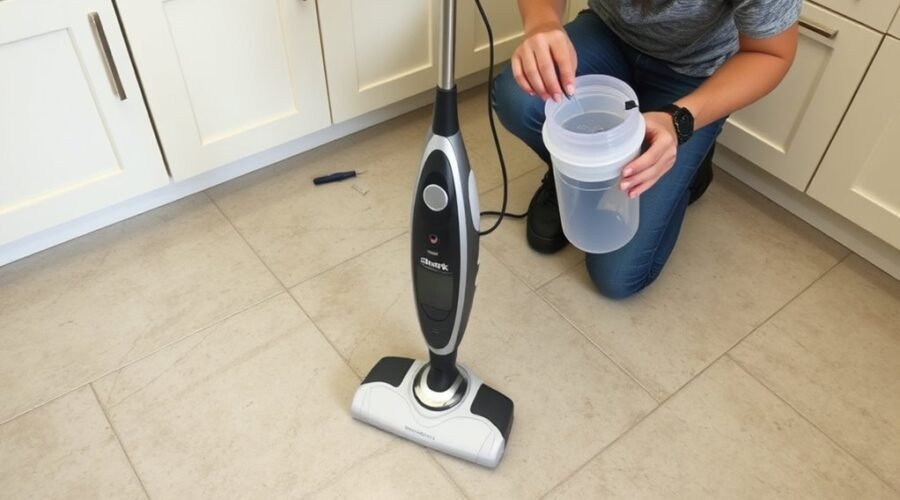
A Shark steam mop that stops steaming usually points to a basic fault, not a failure of the whole unit. Power, water level, nozzle blockage, hose leaks, or internal corrosion can interrupt steam flow in different ways. Some fixes are simple. Others require closer inspection of wear parts and hidden damage. The key is identifying which system is failing before time is wasted on the wrong repair.
Check Power and the Outlet First
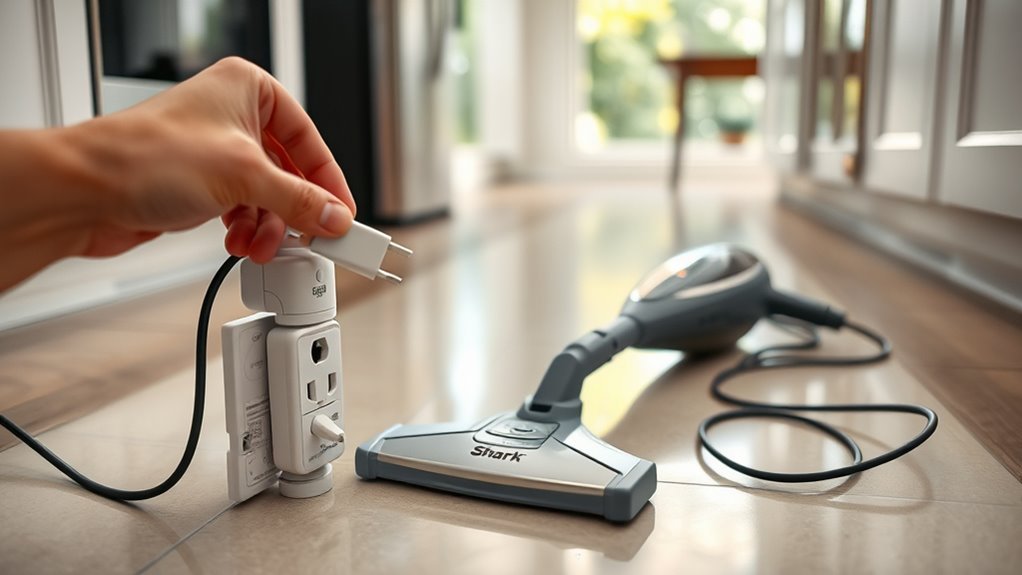
Before assuming a mechanical failure, the Shark steam mop should be checked for basic power delivery. It should be securely plugged into a working outlet, since a loose connection can interrupt startup and prevent liberation from grime.
The blue indicator light provides a diagnostic cue: if it is absent, power is not reaching the unit. In that case, the outlet should be tested with another appliance, or the mop should be moved to a different outlet to isolate the fault.
If the blue light flashes but the mop remains inactive, the standby button should be pressed to engage dust mode. The power cord should also be inspected along its length for cuts, fraying, or crushed sections, because compromised insulation can stop operation and create a safety hazard.
These checks establish whether the obstacle lies in the supply chain, not the mop itself.
Refill the Tank With Distilled Water
A low or empty reservoir can prevent a Shark steam mop from producing steam, so the water tank should be removed and refilled with distilled water. This step restores proper pressure and reduces the chance of mineral accumulation inside the system.
Tap water introduces dissolved salts that can calcify, narrow flow paths, and weaken output. To maintain performance and protect the appliance, owners should refill the tank with distilled water on a regular basis, especially after every cleaning session. The procedure is simple:
- Remove the tank and inspect the fill line.
- Refill the tank with distilled water only.
- Secure the cap firmly before reinstalling.
- Verify the manufacturer’s guidelines for water type.
Periodic tank cleaning also helps preserve internal integrity, particularly when non-distilled water has been used.
Unclog the Steam Nozzles
Mineral buildup in the steam nozzles can restrict flow and prevent steam production.
A 1:1 mixture of distilled water and vinegar should be applied to the steam channels and allowed to sit for about 30 minutes to loosen deposits.
Afterward, the system should be flushed with distilled water and the nozzles checked for remaining debris.
Clear Mineral Buildup
Over time, mineral deposits can restrict flow through the steam nozzles, reducing or stopping steam output. To clear mineral buildup, the mop should be unplugged and fully cooled, then inspected at the nozzle area for visible calcification.
A vinegar solution can be run through the system and allowed to sit for about 30 minutes, giving deposits time to loosen. Afterward, clean water should be used to restore normal passage and remove residual vinegar.
- Verify the unit is cool and unplugged.
- Inspect nozzles for blockage.
- Apply vinegar solution and wait.
- Rinse with clean water.
Regular use of distilled water helps prevent recurring buildup and preserves steady steam delivery, restoring reliable operation and user autonomy.
Flush Steam Nozzles
If mineral deposits are still restricting output after surface buildup has been addressed, the steam nozzles may need to be flushed to clear internal blockage.
To flush steam nozzles, the water tank is filled with equal parts distilled water and white vinegar. The mop is then operated in steam mode for 5 to 10 minutes, allowing the solution to travel through the steam channels and dissolve hidden scale.
Afterward, the tank is rinsed thoroughly with distilled water to remove every trace of vinegar before regular use resumes. This procedure restores flow when tap-water minerals have narrowed the passages.
Performing the flush steam nozzles maintenance every few months helps preserve consistent steam production, reduces recurrence, and returns the machine to reliable, unconstrained operation.
Inspect the Hose for Leaks
The hose should be examined for visible cracks, wear, or corrosion, since any breach or obstruction can reduce steam output and impair performance.
To inspect the hose for leaks, a methodical check should confirm whether steam is escaping at any point in the line. Secure connections matter, because loosened fittings can bleed pressure and weaken output.
- Trace the hose length and note splits, soft spots, or discoloration.
- Verify both ends are tightly seated and aligned.
- Test for vapor loss during operation, especially near joints.
- Replace any damaged hose with a compatible vinyl option from a home improvement store.
A corroded hose can restrict flow enough to leave the mop producing little to no steam, so replacement may be the practical fix.
Routine inspection supports early detection, reducing the risk of larger failures and restoring dependable steam delivery.
Check for Corrosion Inside the Mop
Corrosion inside the steam path can block internal steam channels and prevent the Shark mop from generating adequate output. A diagnostic check should focus on the steam generator, internal fittings, and hoses for rust, mineral staining, or flaking deposits.
When corrosion inside the Shark steam mop narrows passages, water cannot convert to usable steam with full pressure, and performance drops sharply. A corroded hose may also seep water, reducing heat transfer and leaving the unit unable to sustain output.
Inspection should be deliberate: remove accessible components, examine joints under bright light, and note any discoloration or pitting. Regular flushing with vinegar can help clear residue and limit future buildup, supporting a cleaner steam path and more reliable operation.
If corrosion is confirmed, replacing affected parts is the rational correction. Restored components return flow, protect efficiency, and help the appliance operate with greater autonomy and consistency.
Replace the Pad and Damaged Parts
A worn microfiber pad can restrict steam distribution and reduce cleaning effectiveness, even when the heater and steam path are functioning properly. To restore output, replace the pad when it appears frayed, compressed, or stained with mineral residue. A compromised pad blocks saturation and limits contact with the floor, weakening performance.
A worn microfiber pad can block steam flow, reducing cleaning performance even when the heater works properly.
- Inspect the pad for thinning, tearing, or hardening.
- Replace the pad with a compatible Shark pad to maintain proper fit and absorption.
- Check hoses, seals, and connections for cracks, corrosion, or looseness that can interrupt steam delivery.
- Confirm the mop head is firmly attached so steam does not escape before reaching the pad.
If buildup is recurring, periodic vinegar flushing can help protect the system from deposits that damage pads and internal parts.
Accurate replacement of worn components keeps the mop responsive, reduces waste, and preserves the user’s control over cleaning results.
Decide Whether to Repair or Replace It
Repair decisions should be based on the total cost of parts, labor, and repeat failure risk, not the initial symptom alone.
Persistent steam loss, corroded hoses, or multiple defects often indicate hidden damage that makes repair uneconomical.
In such cases, replacement with a reliable unit, including a refurbished alternative, may provide better long-term value and fewer service interruptions.
Repair Costs
Evaluating a malfunctioning Shark steam mop requires comparing repair expense against replacement value, since labor and parts can run from $30 to $100 and may not justify the fix.
These repair costs often reflect corroded hoses or clogged steam channels, defects that demand disassembly and skilled service. For a user seeking practical freedom, the decision should be numerical, not sentimental.
- Check warranty status first.
- Request a written estimate.
- Compare repeated repair costs with a new, reliable unit.
- Replace it if failures recur.
Frequent malfunctions quickly erode value, especially when a Bissell or similar model delivers steadier performance. Choosing quality upfront reduces maintenance dependence and restores control over cleaning, time, and budget.
Hidden Damage
Hidden damage often explains why a Shark steam mop stops producing steam, especially when a corroded hose, cracked water tank, or internal leak interrupts pressure and flow. Technicians should inspect hidden damage at stress points and joints, since steam loss and water seepage usually indicate compromised hardware rather than user error.
| Fault | Symptom | Action |
|---|---|---|
| Corroded hose | Weak steam | Replace |
| Cracked tank | Leaks, no steam | Repair or replace |
| Flashing light | Electrical fault | Seek service |
Older units with recurring faults often justify replacement because repeated repairs rarely restore reliable output. When repair costs approach the price of a dependable new mop, the decision favors replacement, protecting time, effort, and autonomy.
Replace Strategically
When a Shark steam mop repeatedly fails to produce steam after basic troubleshooting, replacement often becomes the more rational choice than continued repair. Persistent faults in steam mops usually point to worn components, not isolated errors.
A technician should weigh repair against value using clear criteria:
- Corroded hose or leakage
- Repeated steam loss after cleaning
- Repair cost near new-unit price
- Need for dependable daily use
If these conditions appear, investing in a new model can restore control and reduce downtime.
Durable Bissell options, including Symphony or CrossWave, may provide better service life. Refurbished units can lower cost while limiting risk.
Distilled water and maintenance help, but they do not excuse chronic failure. Replacement offers a practical exit from recurring frustration and wasted effort.
Frequently Asked Questions
Why Is There No Steam Coming Out of My Steam Mop?
There is no steam because Steam Blockage likely prevents water from reaching the heating chamber. The unit may also lack distilled water, have a faulty pump, or fail to heat properly, requiring diagnostic inspection.
What Are the Common Problems With Shark Steam Mops?
Squeaky wheel, clearly, Shark steam mops commonly suffer no steam, overheating, tank leaks, flashing power lights, and floor smearing. Maintenance Tips: use distilled water, inspect hoses, replace pads, and verify pump, cord, and seals.
How Do I Unclog My Shark Steam Mop?
They unclog it by switching to distilled water, flushing the tank with equal vinegar and distilled water, clearing the nozzle, and inspecting the hose. Maintenance Tips preserve steam flow and support liberated, reliable operation.
Can I Use Vinegar and Water in My Shark Steam Mop?
Yes, Vinegar Usage can be a useful first responder, like a solvent lantern in mineral-dark channels. He should mix one part vinegar with one part water, flush briefly, then rinse thoroughly with distilled water.
Conclusion
To sum up, a Shark steam mop that refuses to steam usually points to a simple fault in the chain: power, water, flow, or internal damage. A thorough check of the outlet, tank level, nozzles, hose, and corrosion often restores operation. Worn pads and failed parts can also choke performance like a clogged artery. If cleaning and replacement do not help, repair may be impractical, and replacement becomes the more efficient diagnostic decision.