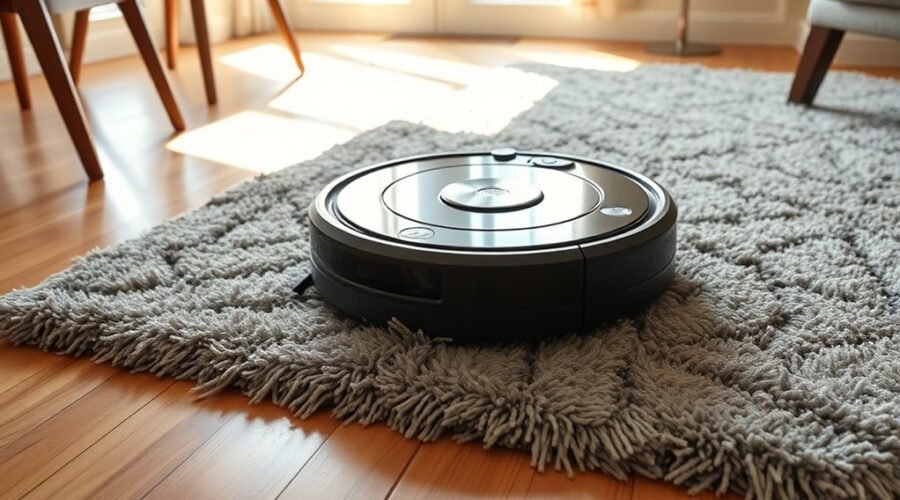
Robot vacuums often struggle on rugs because of low clearance, thick pile, loose edges, or debris caught in the wheels and brushes. Sensors may also misread the surface and stall the unit mid-clean. Simple adjustments can reduce the problem, but some rug types require specific settings or boundary controls. The next step is to identify whether the issue is mechanical, navigational, or caused by the rug itself.
Why Robot Vacuums Get Stuck on Rugs
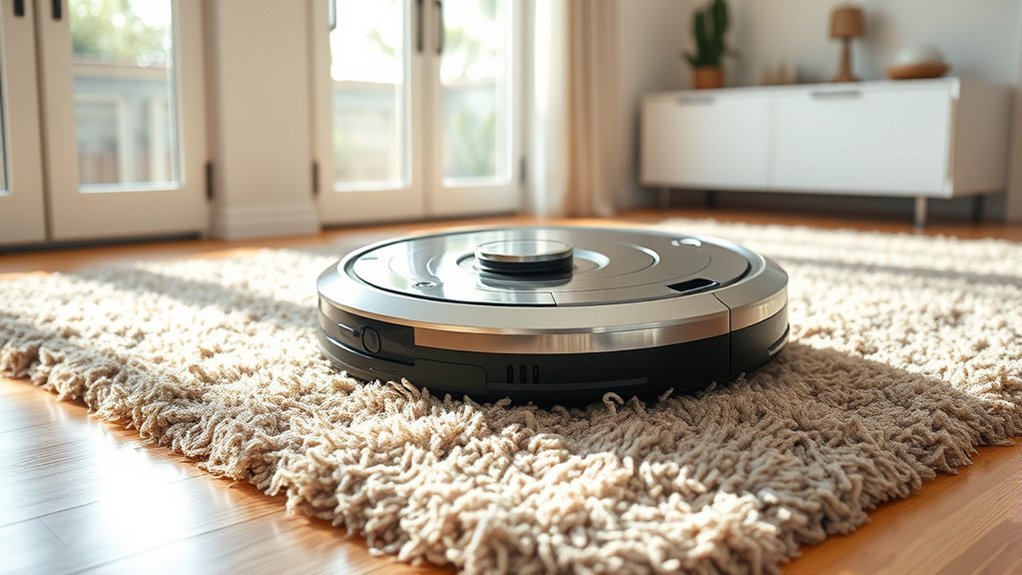
Robot vacuums often get stuck on rugs because their low clearance and limited ability to handle uneven surfaces can cause wheels or brushes to snag, especially on thick or high-pile carpeting.
A robot vacuum getting stuck is more likely when thick carpets exceed its ground clearance or when loose rugs shift under load. Navigation sensors may misread these surfaces, reducing obstacle detection and causing repeated attempts to cross the same area.
When cleaning brushes collect lint or hair, drag increases and mobility drops further. Regular maintenance, including clearing debris from brushes and wiping sensors, improves performance and reduces jams.
Practical fixes include mapping problem areas, setting no-go zones, and choosing routes with smoother shifts between floor types.
In environments with unstable rugs, the machine may need updated placement or exclusion settings to remain effective. These adjustments limit unnecessary entanglement and help preserve autonomous cleaning without constant intervention.
Rug Edges, Tassels, and Thick Pile Problems
Rug edges, tassels, and thick pile surfaces create frequent failure points for robot vacuums because small height changes can trip sensors, snag brushes, or reduce traction.
On loose rugs, the machine may report navigation errors, then stall on uneven surfaces and repeat the same path. Thick pile often exceeds available suction power and clearance, turning routine passes into operational issues.
Loose rugs can trigger navigation errors, stall the machine, and turn routine cleaning into repeated recovery cycles.
- rug edges can lift the chassis
- tassels can entangle brush assemblies
- thick pile can slow progress
- loose rugs can shift mid-cycle
- secure rug edges to reduce jams
Practical control improves reliability: use double-sided tape to secure rug edges, or choose low-slip mats that keep fibers flat.
These measures limit disorientation and help the unit move with less resistance. Where floor changes are severe, exclusion zones may be the clearest route to liberation from repeated recovery tasks.
Check the Vacuum’s Wheels and Brushes
A stuck unit should next have its wheels and brushes inspected for debris, hair, or tangled fibers that can restrict movement on rugs. Each wheel should be cleared and checked for wear, because damaged tread can reduce traction and cause navigation errors on plush surfaces.
The wheel mechanisms must turn freely; a jammed axle can prevent the robot from moving and make it get stuck at rug edges. Brushes should also be cleaned, since clogged bristles lower suction and weaken cleaning on dense fibers.
If the model allows it, adjust brush height to suit the rug type, especially where lower settings improve contact and traversal. This inspection should be routine, not occasional, because free motion and clean brush paths preserve functionality.
When the wheels and brushes remain unobstructed, the vacuum can move with less resistance, maintain effective coverage, and avoid repeated stops that limit autonomy.
Clean the Sensors Before the Next Run
Before the next cleaning cycle, the robot vacuum’s sensors should be wiped with a soft, dry cloth to remove dust and debris that can interfere with detection. This simple maintenance step helps clean the sensors and reduce navigation errors that often leave a robot vacuum stranded on rugs.
- Check the front obstacle sensors for buildup.
- Inspect the bottom cliff sensors for dust.
- Wipe gently; do not use liquid cleaners.
- Verify sensor coverage before each run.
- Repeat maintenance to prevent getting stuck.
Dirty sensors can misread terrain shifts, especially where hard floors meet rugs. When the obstacle sensors are clear, the machine detects changes more accurately and maintains peak performance across rooms.
Regular maintenance also reduces strain on the navigation system, extending service life. For users seeking easier movement and fewer interruptions, disciplined sensor care is a practical way to keep rugs from becoming traps and to support reliable, autonomous cleaning.
Use No-Go Zones for Problem Rugs
Problem rugs can be isolated with no-go zones so the robot vacuum avoids high-risk areas and stays on open floor paths. These limits may be created with virtual walls or boundary strips, depending on the model.
For robot vacuums that support app control, mobile apps let the user mark designated areas around problematic rugs with precision. This reduces navigation errors, keeps the unit from crossing delicate edges, and lowers the chance of entangled brushes on high-pile fibers. The result is steadier cleaning efficiency across accessible floor space.
No-go zones also preserve rug condition by preventing repeated stress from the machine’s rollers and sensors. To keep control effective, updating map data after furniture changes or room reconfiguration is important.
No-go zones also help preserve rug condition, while updated maps keep boundaries accurate after room changes.
With current boundaries in place, the robot can work freely elsewhere while troublesome rugs remain excluded from its route.
Secure Loose Rugs With Tape or Mats
Loose rugs can be stabilized with double-sided carpet tape along the edges so the vacuum does not catch and stall on raised corners. This simple step helps secure loose rugs and reduces getting stuck during routine cleaning.
- Apply double-sided carpet tape under perimeter edges.
- Add a non-slip rug pad for broader grip.
- Keep rug placements flat after each regular check.
- Use no-go zones for zones with shifting runners.
- Choose higher pile compatible models for dense textures.
A robot vacuum benefits from firm contact surfaces, because lifted corners and frayed edges often trap brushes or wheels. Practical fixes should focus on preventing movement before it starts.
A non-slip rug pad improves stability without visible clutter, while tape offers a direct hold on vulnerable edges. For households with multiple rugs, no-go zones provide an additional barrier.
Regular check of rug placements preserves freedom from interruptions and keeps the cleaning path open, efficient, and predictable.
Adjust Carpet Settings for Better Pickup
Many robot vacuums improve carpet pickup by automatically increasing suction when they detect a change from hard flooring to rugs or carpet, which helps lift embedded debris without overworking smooth surfaces.
When a robot vacuum allows manual adjust carpet settings in its app, the user can tune suction power for low, medium, or high-pile carpets and improve cleaning efficiency without unnecessary strain.
Advanced models may offer dual modes, raising suction on carpet while preserving mobility at edges and tassels. For shag rugs, stronger settings and appropriate brushes can reduce surface lint and improve debris capture.
Software updates matter as well, because they refine carpet handling capabilities and support performance optimization across mixed floors.
If pickup remains weak, the settings should be checked before replacing hardware. Proper configuration lets the machine work with less friction, more consistency, and greater autonomy, giving the home cleaner results with fewer interruptions.
Troubleshoot Navigation Stalls
Navigation stalls on rugs often happen when varying pile heights or raised edges catch the robot’s chassis, especially on loose or thick carpets.
Varying pile heights or raised edges can catch a robot vacuum’s chassis, especially on loose or thick carpets.
When a robot vacuum meets such rugs, navigation stalls can also follow blocked sensors, since dirt or debris can trigger navigation errors and stop the cleaning cycle. High-pile fibers may tangle brushes, adding resistance and reducing movement.
A practical response is consistent maintenance: clear sensors, inspect rollers, and remove trapped threads before each run. If a specific rug repeatedly creates a block, the app’s virtual no-go zones can keep the robot away and preserve uninterrupted cleaning.
- Check sensors for dust buildup
- Remove debris from wheels and brushes
- Inspect high-pile rugs for tangles
- Mark problem areas with virtual no-go zones
- Repeat maintenance before each cleaning cycle
Best Robot Vacuum Features for Rugs
Effective robot vacuums for rugs combine smart navigation technology, obstacle-avoidance sensors, and carpet-specific power adjustment to reduce stalls and improve pickup.
During a mapping session, LiDAR or camera-based smart navigation technology builds accurate floor plans, letting the robot handle changes and avoid snags. Obstacle-avoidance sensors help it detect rug edges, cords, and uneven pile before contact, which is one of the most effective ways to prevent hang-ups.
Carpetfocus technology raises suction on rugs without forcing the chassis into repeated retries, while tangle-free systems limit brush wrap from hair and fibers.
Customizable no-go zones and virtual walls give direct control over problem areas, especially with lightweight rugs that shift or curl. For users managing their environment, these controls support cleaner routes, fewer interruptions, and more independent cleaning.
The result is a machine that moves with greater freedom across mixed flooring and stays productive on rug-heavy layouts.
When to Contact Robot Vacuum Support
When a robot vacuum continues getting stuck on rugs after preventive steps such as no-go zones, suction adjustment, and sensor cleaning have already been applied, support may need to step in.
Repeated getting stuck often points to common causes beyond user control. Contact support when these signs appear:
- Error codes like E3 or E4
- Navigation errors during mapping or cleaning mid-cycle
- Sensors remain blocked or unresponsive
- Firmware updates fail or performance degrades
- The unit is under warranty and issues recur
At that stage, practical fixes may require diagnostics, parts replacement, or recalibration.
Support can confirm whether the robot vacuum has a hardware fault, software corruption, or suction defect that continues to prevent the vacuum from crossing rugs reliably.
Prompt contact support helps preserve autonomy by reducing repeated intervention and wasted cycles.
Frequently Asked Questions
Why Does My Robot Vacuum Get Stuck on the Carpet?
It gets stuck because robot vacuum design often mismatches carpet height and rug texture, while sensor sensitivity disrupts obstacle navigation. Cleaning efficiency drops, battery performance suffers; software updates and maintenance tips usually improve user experience.
What Are the Most Common Problems With Robot Vacuums?
Most common problems emerge: Battery issues, Navigation errors, Brush clogging, Sensor malfunctions, Software glitches, Dustbin problems, charging dock misalignment, and floor types incompatibility. Maintenance tips and performance comparisons reveal failures before trouble deepens.
Why Does My Vacuum Get Stuck on My Rug?
It gets stuck because rug material, carpet thickness, and rug edges exceed its robot design. Weak vacuum sensors, poor wheel traction, navigation errors, boundary strips, suction power, and cleaning patterns can worsen entrapment.
Can a Robot Vacuum Go Over a Rug?
Yes—often; about 70% of robot vacuums clear low-pile rugs. Rug height, rug texture, and vacuum weight affect surface compatibility. Sensor sensitivity, obstacle avoidance, wheel design, cleaning modes, rug patterns, and boundary settings determine success.
Conclusion
In practice, a robot vacuum stuck on a rug is usually not a mystery but a combination of weak traction, high pile, loose edges, or confused sensors. The theory that “the rug is the problem” is often true, and that realization can be frustrating for owners. Yet the fix is usually simple: secure the rug, clean the machine, adjust settings, and block the trouble spot. With the right setup, performance typically improves immediately.