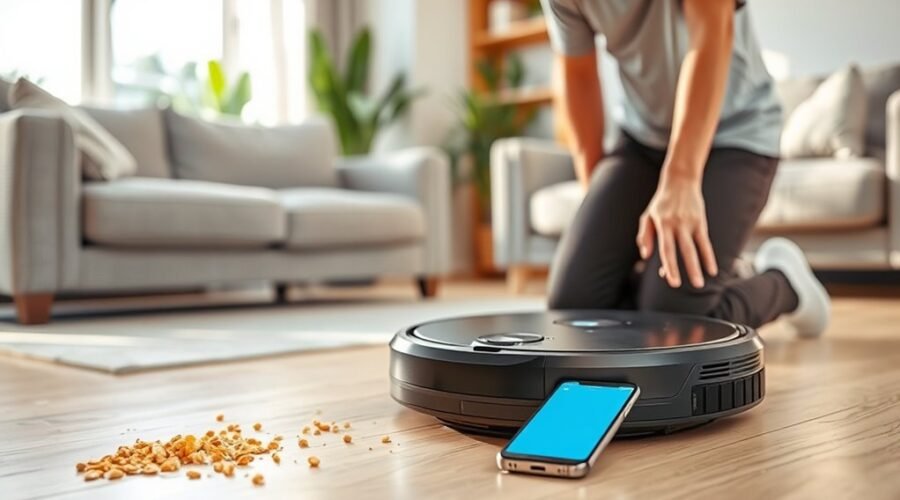
Spot cleaning with a robot vacuum begins with a clear floor, a dry surface, and a defined target area. When smart mapping is available, the user sets a small zone in the app; otherwise, the robot is placed near the mess. Spot Cleaning mode is then started, ideally for an area of 1–2 square meters. The process seems simple, yet several setup details determine whether the result is effective.
How to Spot Clean With a Robot Vacuum
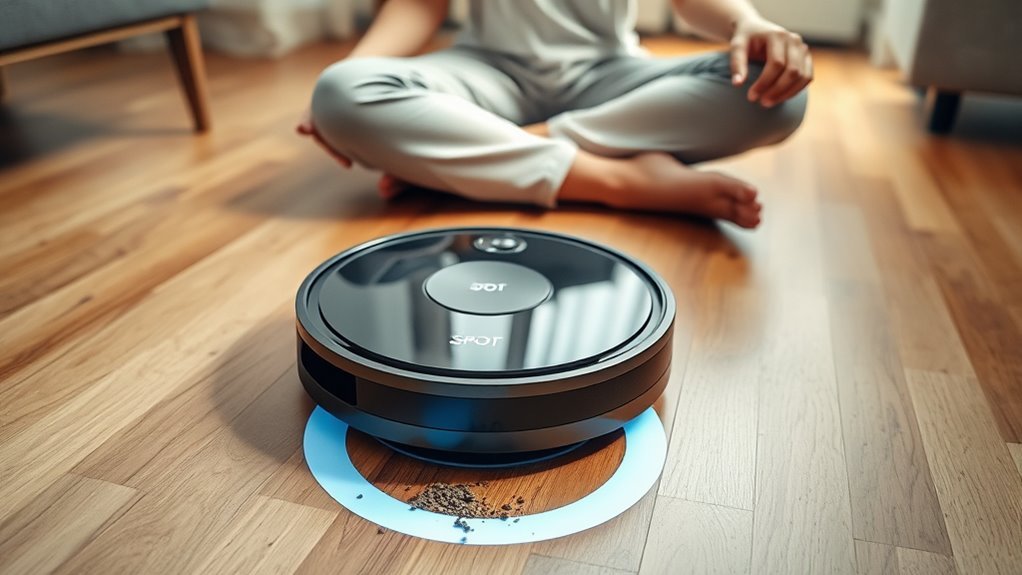
To spot clean with a robot vacuum, the user should first identify the area requiring attention, such as a spill or a high-traffic section, and clear it of obstacles.
In spot cleaning, a robot vacuum performs targeted cleaning within a limited zone, typically 1–2 square meters, to isolate debris efficiently. If smart mapping is available, the app should be used to mark the exact location for precise coverage; otherwise, the robot may be placed directly near the mess.
The spot mode is then activated through the app or the device button, initiating the cleaning process. During operation, the area should be monitored and adjusted as needed to secure thorough coverage.
Regular use is especially useful in pet households and in high-traffic zones where dirt accumulates quickly. This method supports a practical maintenance guide for cleaner floors, reduced buildup, and greater autonomy in daily cleaning routines.
Prep the Area Before You Start
Before spot cleaning begins, the targeted area should be prepared so the robot vacuum can move efficiently and avoid interruptions. To prep the area, remove obstacles such as toys, cords, and lightweight furniture so the machine can freely navigate.
Then clear debris that could jam brushes or reduce suction, and confirm the floor is dry to protect internal components and preserve efficient cleaning.
- Charge the robot fully before use.
- Set up no-go zones or virtual walls in the app.
- If mapping is unavailable, position close to mess.
- Verify that the path is open and uncluttered.
These steps reduce wasted motion and give the robot vacuum a clean route through the zone. A properly prepared space lets the device work with minimal supervision, supporting a more autonomous and liberated cleaning process.
Run Spot Cleaning the Right Way
Once the area is prepared, the user should identify the exact spot that needs attention, such as a spill or concentrated pet hair in a high-traffic zone.
For effective spot cleaning, the robot vacuum should be placed near the mess if it does not use smart mapping. If the model supports smart mapping, the app can define a targeted zone with greater accuracy.
Activate Spot Cleaning mode in the app by selecting the robot, choosing the mode, and tapping Start; alternatively, press the Spot Mode button on the device.
The cleaning session should remain focused on a compact area, usually about 1–2 square meters, to concentrate power where it is needed.
During operation, monitor the cleaning process to confirm full coverage and adjust the area if debris extends beyond the first boundary.
Obstacles must remain cleared so the robot can move freely and complete the task without interruption or wasted motion.
Maintain Brushes, Filters, and Sensors
Spot cleaning works best when the robot itself is kept in prime condition, because clogged components and dirty sensors can limit performance even in a small target area. To maintain brushes, filters, and sensors, a disciplined cleaning routine should be applied after each session.
Remove hair and debris from the brushes, then confirm that every brush spins freely. Inspect the dustbin after use and empty it before buildup restricts airflow.
- Clean the brushes to preserve cleaning performance.
- Rinse or replace filters every 3 to 6 months for powerful suction.
- Clean the sensors monthly with a dry cloth.
- Check the dustbin and reinstall all parts securely.
Regular cleaning prevents obstruction, protects navigation accuracy, and supports peak performance during spot cleaning.
When filters remain clear and the sensors are clean, the robot can move with greater precision and maintain consistent coverage. This simple maintenance process helps preserve the machine’s utility and keeps localized cleaning efficient.
Solve Common Spot Cleaning Issues
When a robot vacuum does not start spot cleaning, the battery charge should be confirmed first. Then the mode should be selected again through the app or device button. If activation still fails, restart the unit and verify that the command is sent correctly.
During spot cleaning, monitor performance closely because the robot usually covers only 1–2 square meters and may require repeated passes before a full cleaning cycle is complete. If dirt remains, inspect the dustbin; a full bin reduces cleaning efficiency, so empty its contents before the next run.
When the robot cannot navigate properly, clean the sensors, since debris can block obstacle detection and path correction. If the target area is too narrow or offset, adjust it in the app or reposition the robot manually for ideal coverage.
These checks preserve cleaning efficiency and keep the machine working with greater autonomy and less dependency.
Frequently Asked Questions
How to Do a Spot Clean With Roomba?
Roomba spot cleaning begins by pressing Spot or selecting it in the app, then starting. Roomba features, navigation technology, and cleaning modes improve vacuum efficiency; check surface compatibility, dustbin capacity, maintenance tips, scheduling options, and user reviews.
What Are the Most Common Problems With Robot Vacuums?
Battery, blockage, and blindness are common robot issues; robot vacuum maintenance, battery life concerns, navigation problems, sensor malfunctions, app connectivity issues, and surface compatibility challenges dominate. Cleaning schedule tips, brush cleaning techniques, performance troubleshooting restore freedom.
Should You Run Your Robot Vacuum Every Day?
Yes, daily cleaning often improves vacuum efficiency and robot maintenance, especially on varied floor types. Scheduling options, smart features, dirt detection, and low noise levels help manage pet hair while preserving battery life.
What Does the Spot Button Do on Roomba?
The Spot button on Roomba activates focused Spot cleaning, using Vacuum technology and Smart navigation to intensify Cleaning efficiency on small areas. Roomba features App integration, preserving Battery life across Floor types; Maintenance tips improve User experiences.
Conclusion
In the small theater of the floor, the robot vacuum becomes a diligent cartographer, tracing a limited kingdom where crumbs and dust have gathered like minor rebellions. When the terrain is cleared, the mode is set, and the machine is guided with care, the mess yields efficiently. Yet even a precise servant falters without clean brushes, filters, and sensors. Maintenance restores its compass, ensuring each future pass remains measured, effective, and ready for another focused campaign.