A robot vacuum map can shift when its position reference breaks down. Dock placement, dirty LiDAR sensors, mirror glare, and even being lifted during a run can all confuse the navigation system. App sync problems and firmware faults may add another layer of error. The result is a floor plan that no longer matches the room, and the next step is to identify which variable changed first.
What Causes Robot Vacuum Map Shifts
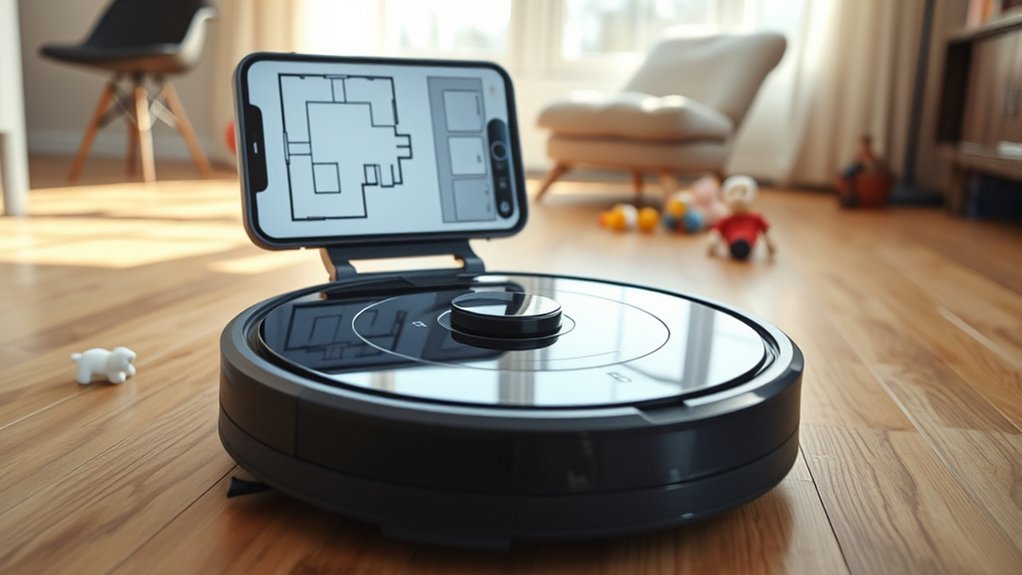
Robot vacuum map shifts typically arise from navigation and environment-related disruptions that interfere with the device’s spatial reference system. A map may drift when the charging dock is placed incorrectly, limiting the robot’s ability to reestablish alignment.
Environmental changes also produce mapping issues: moved furniture, wet floors, or reflective surfaces can confuse sensors and generate distorted or overlapping map data. Firmware or app updates may reset stored layouts, causing the system to abandon prior calibration and redraw the map with altered boundaries.
Moved furniture, wet floors, or reflective surfaces can confuse sensors and distort map boundaries.
Dirty navigation sensors further degrade positional accuracy, producing cumulative misalignment during cleaning cycles. If the robot is lifted while operating, its internal localization model is interrupted, and the resulting map can warp.
These factors collectively reduce spatial consistency and prevent stable, autonomous coverage. Clear, stable surroundings and intact sensor input are thus essential for reliable mapping performance and for preserving operational control.
Check the Charging Dock First
The charging dock is the first component to inspect when a robot vacuum map shifts, because even minor misplacement can disrupt localization and distort the stored layout. It should sit flush against a straight wall, since angled or offset placement can bias the robot’s reference point and produce a distorted map.
Clearance also matters: at least 20 inches, or 50 cm, should remain on both sides so docking and undocking occur without interference. In front of the charging dock, a minimum of 40 inches, or 1 m, is needed so the robot can approach and depart with enough navigational margin.
After cleaning runs, the dock’s position should be verified again, because slight movement can accumulate into map misalignment. Before initiating a new mapping run, its location should be confirmed as unchanged. This simple check preserves spatial consistency and supports independent, reliable operation.
Clean the LiDAR and Sensors
Regular cleaning of the LiDAR unit and navigation sensors is essential, as dust and debris can obstruct signal detection and degrade mapping accuracy. When users clean the lidar and sensors every 3 to 5 days, especially in high-traffic environments, the robot maintains more reliable spatial perception and reduces map drift.
Regularly cleaning LiDAR and navigation sensors helps preserve accurate mapping and reduces drift in busy environments.
A soft, dry cloth is the preferred tool, because it removes residue without scratching optical surfaces or compromising sensor integrity. Consistent maintenance limits interference from airborne particles and floor debris, allowing the vacuum to interpret room geometry with greater precision.
This disciplined routine supports steadier navigation, cleaner coverage paths, and fewer distorted maps. If mapping errors persist after cleaning, a firmware update may be necessary to correct control logic or sensor handling. Still, physical maintenance remains the first corrective step.
A clean sensor array helps the machine operate with greater autonomy, freeing the user from repeated manual intervention and restoring dependable navigation.
Avoid Lifting or Stalling the Vacuum
Even with clean LiDAR and sensors, mapping accuracy can degrade if the vacuum is lifted, stalled, or manually moved during operation. A sudden displacement can sever localization data, causing warped paths, overlapping room geometry, and compromised no-go zones.
When the vacuum gets trapped under furniture or pauses against an obstacle, its mapping routine may continue without reliable motion cues, producing drift that is difficult to reverse.
- A running vacuum raised above the floor, wheels spinning in air.
- A stalled unit pressed against a chair leg, map lines freezing mid-corridor.
- A user carrying the machine to another room, then watching its grid shift.
Consistent, uninterrupted travel preserves coordinate integrity and supports efficient cleaning. If relocation is necessary, pausing or powering off before moving the device protects the map state and restores operational autonomy.
Stop Mirror and Window Confusion
Mirror reflections and window glare can distort LiDAR readings, causing the vacuum to register phantom rooms or duplicate map segments.
When the unit circles these surfaces, ghost maps and overlapping layouts may appear, reducing navigation accuracy.
Applying frosted film or decorative vinyl to reflective areas can block laser returns and stabilize mapping.
Mirror Reflections
Reflective surfaces can create significant mapping errors for LiDAR-equipped robot vacuums, particularly when floor-to-ceiling mirrors or large windows return laser signals in ways that resemble additional rooms. The LiDAR sensor interprets these reflections as valid geometry, and the map can fragment into ghost spaces that reduce cleaning efficiency and spatial certainty.
- A hallway mirror appears as a corridor extension.
- A bright window reflects a false boundary line.
- A vinyl-covered panel restores accurate room edges.
Applying frosted film or decorative vinyl to reflective surfaces blocks misleading beams and helps the vacuum maintain a stable layout.
Regular inspection of the cleaning zone, plus close observation during initial runs, lets the user identify reflection-driven errors early and adjust the environment for more autonomous, liberated operation.
Window Glare
Window glare can disrupt LiDAR mapping when a robot vacuum scans large panes of glass or bright window surfaces, causing the sensor to register false depth and boundary data.
In such conditions, reflective surfaces can appear as open space or extra rooms, generating overlapping routes and distorted floor plans. These mapping errors are not random; they stem from laser returns that fail to resolve clear limits.
To reduce error, frosted film or decorative vinyl can be applied to windows and mirrors to block stray beams.
Initial cleaning runs should be monitored so problem zones are identified early. Regular sensor cleaning also strengthens navigation, especially in homes with extensive glazing.
With these controls, mapping remains stable, accurate, and less dependent on deceptive light.
Rule Out Wet Floors and Rugs
Wet floors or rugs should be ruled out first, as reduced traction can cause the robot vacuum to slip and deviate from its intended path, producing inaccurate maps or ghost maps from erratic movement.
In practice, wet floors create unstable wheel contact, and the vacuum shows drift when LiDAR scans are taken during motion. Damp fibers can also reflect light unevenly, confusing obstacle detection and distorting boundary data.
A systematic inspection should precede any cleaning cycle, especially in entryways, kitchens, and near pet bowls, where residual moisture is common.
- A glossy tile reflecting ceiling light.
- A rug edge darkened by dampness.
- A vacuum tracing a skewed arc across the room.
If moisture was present during operation, the unit should be dried completely before remapping.
That pause protects sensor integrity, reduces mapping noise, and preserves the autonomy that users expect from a reliable machine.
Rebuild a Shifted Robot Vacuum Map
Once moisture has been excluded, a shifted robot vacuum map should be addressed by checking the dock placement and the condition of the navigation sensors. The charging dock must provide at least 20 inches of clearance on both sides and 40 inches in front, or the Robot Vacuum Map may start from an unstable reference point.
Sensor lenses should be cleaned regularly; accumulated dust can distort position data and weaken mapping precision. To rebuild a shifted robot vacuum map, the app can be used to reload the map by switching between floor maps, or by merging and splitting rooms as a corrective workaround.
If the alignment remains unreliable, a full remap of the house may be required. During that process, the vacuum should remain undisturbed, because manual relocation can generate overlapping or slanted paths. A disciplined setup restores navigational autonomy and supports a cleaner, more accurate layout.
Fix Robot Vacuum App Sync Issues
App sync problems can interrupt the robot vacuum’s ability to retain and display saved maps, especially after firmware or app updates, network changes, or connection errors introduce mismatched layout data.
A disciplined review should begin with the Robot app connection state and the map backup record, because sync failures often reflect incomplete data exchange rather than true map damage.
- A phone screen showing a stale floor plan beside a disconnected cloud icon.
- A charging dock standing fixed against a wall, preserving spatial reference.
- Dust-free navigation sensors beneath a bright light, ready for accurate tracking.
If the application cannot reconcile stored layouts, existing maps should remain intact while the cause is assessed.
Deleting maps or resetting the unit can erase useful spatial memory and reduce autonomy.
Cleaning navigation sensors supports consistent localization, and keeping the dock stationary prevents reference drift.
When network integrity is restored, the Robot should rebind to the map backup and resume precise route selection.
Reboot the Vacuum and Check Firmware
When app synchronization appears intact yet the map remains shifted, a reboot of the vacuum is a logical next diagnostic step. Rebooting the vacuum can clear temporary software anomalies that disrupt spatial tracking and stored map alignment.
In many cases, users report that a simple power cycle restores accurate positioning after shifts or distortions. This procedure is low risk, fast, and often sufficient to release the system from transient faults without more invasive intervention.
Firmware updates should also be checked regularly. Updated firmware can improve navigation performance, correct known mapping defects, and add bug fixes that stabilize robot behavior across sessions.
If mapping irregularities persist, reinstalling the app and rebooting the vacuum may refresh the link between the robot and its map data. Together, rebooting the vacuum and verifying firmware updates create a disciplined troubleshooting baseline that helps preserve reliable mapping while reducing dependence on unnecessary reset procedures.
When a Full Remap Is Worth It
A full remap becomes justified when the stored layout no longer matches the home’s actual geometry and the vacuum’s navigation degrades accordingly. In such cases, a remap is not a convenience but a corrective measure that restores spatial accuracy and operational freedom.
Common reasons include persistent overlapping or slanted maps, repeated misalignment after furniture changes, and failures introduced by firmware updates. When the robot regularly gets stuck, rotates in place, or misses room boundaries, the existing map has likely lost trustworthiness. A full rebuild removes ghost maps and reestablishes a clean reference frame.
- A vacuum circling a chair leg while the map drifts off-axis.
- A hallway boundary fading as the robot crosses it incorrectly.
- A fresh grid appearing after old, duplicated rooms vanish.
Technically, the remap should be chosen when incremental fixes no longer stabilize performance and the home demands a precise, liberated path.
Frequently Asked Questions
Why Does My Roborock Keep Changing Its Map?
It typically changes its map when docking placement, firmware updates, dirty sensors, manual relocation, or environmental reflections disrupt navigation. Stable charging clearance and proper sensor calibration improve map stability, preserving autonomous cleaning freedom and precision.
What Are the Most Common Problems With Robot Vacuums?
Common robot vacuum problems include scheduling issues, battery problems, sensor malfunctions, and navigation errors. These failures often disrupt autonomous cleaning, reduce reliability, and constrain user control, especially when docks, firmware, or environments distort system behavior.
How Do I Reset a Robotic Vacuum Cleaner?
Resetting a robotic vacuum cleaner requires pressing the reset or power button for several seconds, then rejoining Wi‑Fi through the app. This clears navigation issues, restores cleaning modes, and frees the device from corrupted settings.
Why Is My Roomba Not Mapping Properly?
It is typically due to mapping inaccuracies, sensor malfunctions, firmware changes, reflective surfaces, clutter, or dock misplacement. Dusty sensors and shifted furniture can further distort localization. Rebooting, cleaning sensors, or remapping often restores accurate navigation.
Conclusion
In conclusion, the theory that robot vacuum maps shift mainly because of navigation instability is well supported. Dock misplacement, dirty LiDAR sensors, floor plan changes, and reflective surfaces can all distort positioning data and produce apparent map drift. When the vacuum is moved during cleaning or the app fails to sync, the error can worsen. Rebooting, firmware updates, and a full remap usually restore accuracy, but persistent shifts often indicate a hardware or environment issue.