Affiliate disclosure: As an Amazon Associate I earn from qualifying purchases. This article contains affiliate links to Amazon, so we may earn a commission if you buy through them, at no extra cost to you.
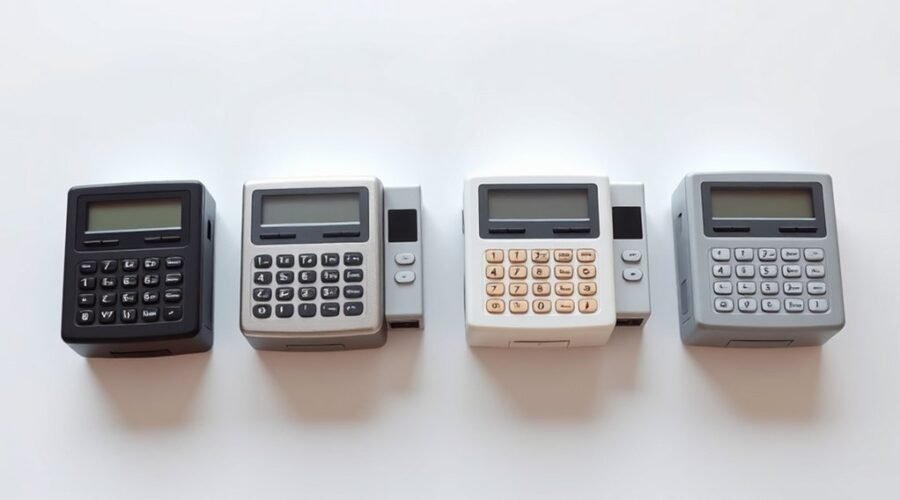
For 2026, four strong label makers stand out. The DYMO LabelManager 160 is portable and simple to use. The Brother P-touch PTD210 suits beginners with easy one-touch controls and many fonts and symbols. The Brady Handheld Color Label Printer is built for durable on-the-go labeling. The DYMO LabelManager 420P adds PC and Mac connectivity, a backlit display, and saved labels. Each option serves different needs, and more details help narrow the best fit.
DYMO LabelManager 160 Portable Label Maker
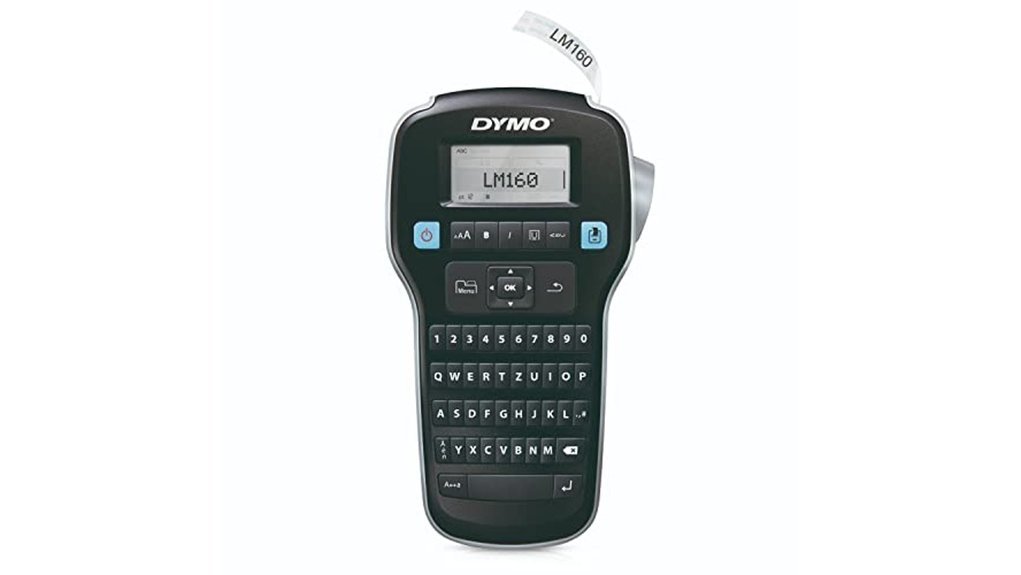
The DYMO LabelManager 160 is a strong choice for users who want a portable, easy-to-use label maker for everyday office or home organization. Its compact, lightweight design supports easy transport, while the familiar QWERTY keyboard speeds text entry. One-touch smart keys simplify editing, and the large display improves readability during setup. More than 20 formatting options, plus over 200 symbols and clip art choices, allow useful customization. Automatic switch-off helps extend battery life. For best results, it works with authentic DYMO Label Tapes in multiple widths and colors.
Best For: People who need a portable, easy-to-use label maker for everyday home or office organization.
Pros:
- Compact and lightweight for easy portability
- QWERTY keyboard and one-touch smart keys make labeling fast and simple
- Over 20 formatting options plus 200+ symbols and clip art for customization
Cons:
- Limited to DYMO authentic label tapes for best performance
- Smaller label widths may not suit larger or more complex labeling needs
- Battery-dependent design may require occasional replacement or management
Brother P-touch PTD210 Easy-to-Use Label Maker
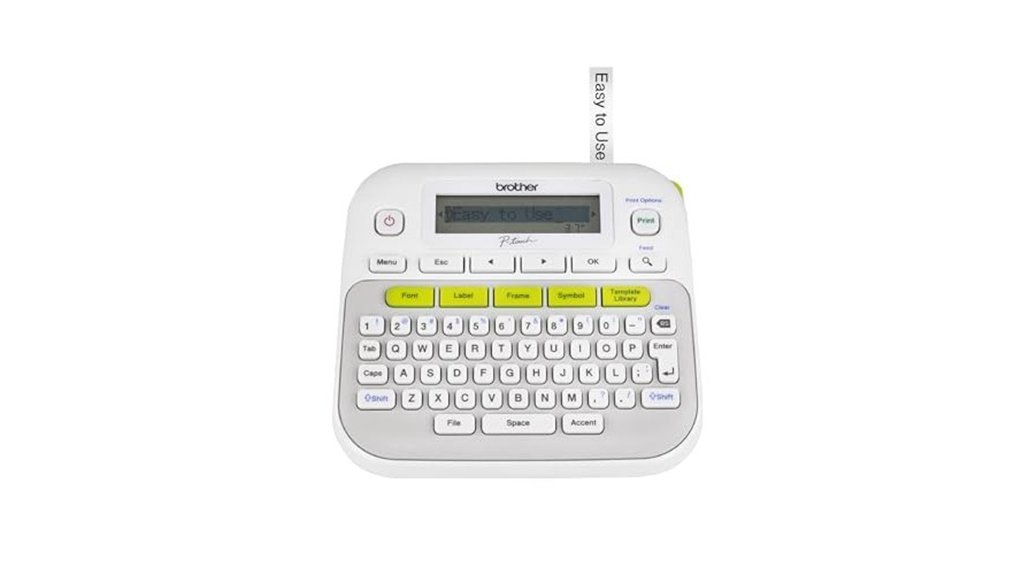
Ideal for home offices and beginners, the Brother P-touch PTD210 emphasizes simple operation. The white PT-D210 model offers one-touch keys, quick access to fonts, frames, and symbols, and 27 user-friendly templates for fast label creation. It prints up to two lines on labels up to 12 millimeters wide, giving practical flexibility for everyday organization. Users can choose from 14 fonts, 97 frames, and more than 600 symbols. Released in 2015, this compact office product measures 2.3 inches and omits back-lighting and a built-in handle.
Best For: Ideal for home office users and beginners who want a simple, compact label maker for quick everyday organization.
Pros:
- One-touch keys and quick access to fonts, frames, and symbols make it easy to use.
- Offers a wide selection of customization options with 14 fonts, 97 frames, and over 600 symbols.
- Prints up to 2 lines on labels up to 12 mm wide, with 27 handy templates for fast label creation.
Cons:
- No back-lighting, which may make it harder to use in low light.
- Lacks a built-in handle for portability.
- Limited to relatively small labels, so it may not suit larger labeling needs.
Brady Handheld Color Label Printer with Keyboard
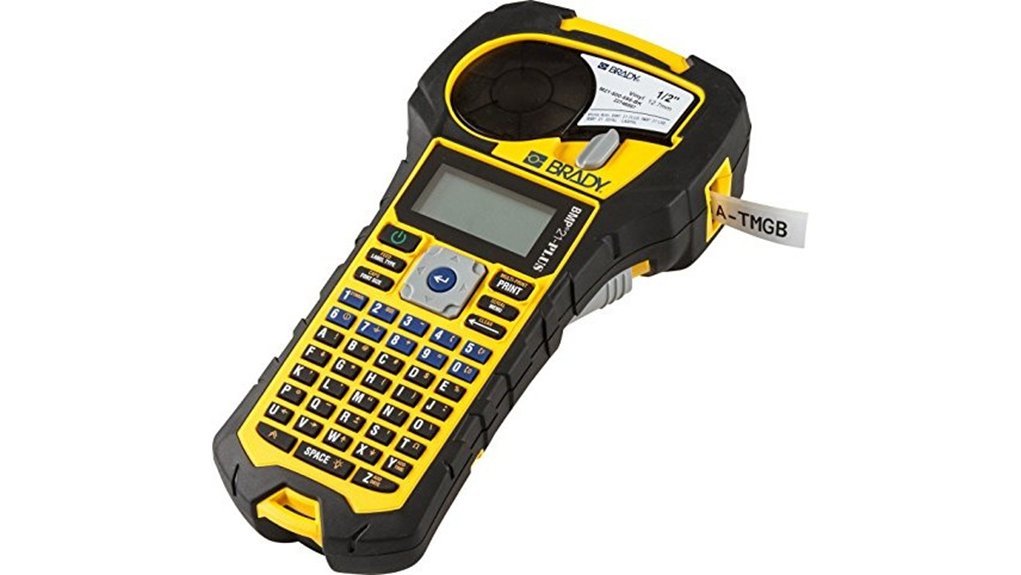
Brady’s BMP21-PLUS suits technicians who need quick, durable labels on the move. This yellow-and-black handheld printer includes a keyboard and LCD screen for creating multi-line labels directly in the field. It prints single-color text using alphanumeric thermal technology, with six font sizes from 6 to 40 point. Continuous tape cartridges, sold separately, support different widths for wires, panels, circuit boards, and other industrial items. Powered by six AA batteries, it is built for portability and impact resistance. Brady warns against non-authentic materials. A two-year warranty adds reassurance.
Best For: Technicians, electricians, and industrial workers who need a durable handheld label printer for creating quick, multi-line labels in the field.
Pros:
- Portable handheld design with keyboard and LCD screen for easy on-the-go labeling
- Prints in multiple font sizes using thermal alphanumeric technology for clear, durable labels
- Tough exterior with rubber bumpers and a 2-year warranty for added reliability
Cons:
- Prints only in a single color
- Requires six AA batteries, which are not included
- Uses separate continuous tape cartridges and is not compatible with non-authentic materials
DYMO LabelManager 420P Label Maker with Adapter
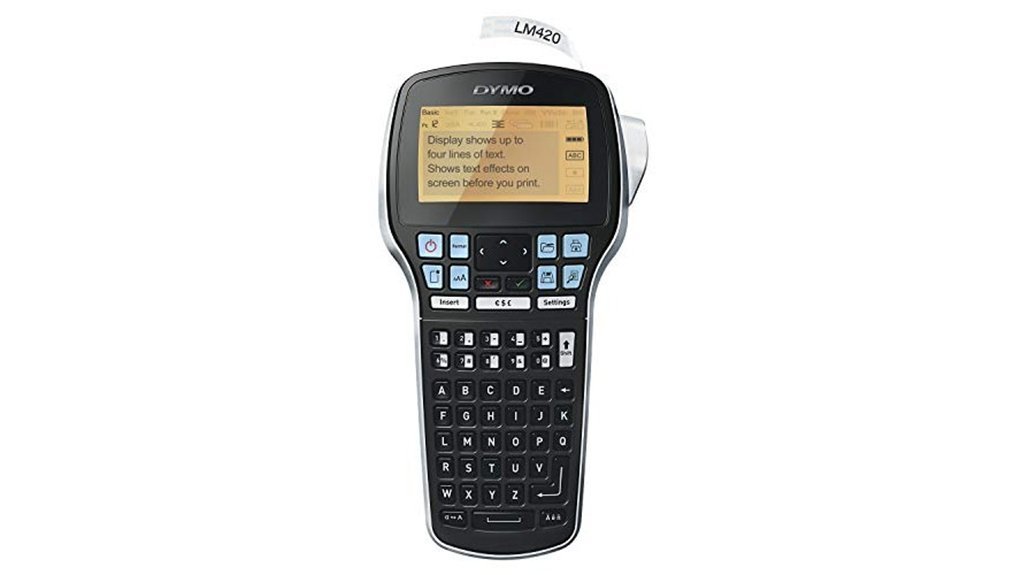
DYMO’s LabelManager 420P suits users who need portable, computer-connected labeling. The rechargeable battery pack removes the need for AA batteries, supporting easy transport between rooms or job sites. PC and Mac connectivity allows creation of custom labels with barcodes, logos, and graphics. Its bright four-line backlit display helps preview text before printing, improving accuracy. The device is designed for straightforward home or office organization and stores up to 15 frequent labels for quick reuse. For best results, authentic DYMO D1 tapes in multiple widths and colors are recommended.
Best For: Home or office users who want a portable, rechargeable label maker with PC/Mac connectivity for creating custom labels, barcodes, and logos.
Pros:
- Rechargeable battery pack eliminates the need for AA batteries.
- PC and Mac connectivity supports custom labels with barcodes, logos, and graphics.
- Bright 4-line backlit display and 15-label memory make it easy to use and reuse common labels.
Cons:
- Best performance depends on using authentic DYMO D1 tapes, which can add to cost.
- Limited to the label widths and formats supported by the device.
- Older model may lack some features found in newer label makers.
Factors to Consider When Choosing Label Makers 2026: Top Picks and Buying Guide
When choosing a label maker in 2026, attention often starts with print speed, number of lines supported, and compatibility with different label sizes. Portability, power options, font selection, and symbol availability also shape how practical the device will be in daily use. Display quality and overall ease of operation further influence whether a model feels efficient or cumbersome.
Print Speed And Lines
Print speed plays a major role in label maker efficiency, especially in busy settings where multiple labels are needed quickly. Devices that can print multiple lines at once help streamline workloads and reduce delays when information must be organized fast. Many models support up to two lines per label, which makes it easier to present names, dates, or categories in a clear layout. Quick-access one-touch keys further improve productivity by simplifying repeated tasks. Some label makers also offer 14 font styles and more than 600 symbols, giving users flexible formatting without slowing output. In addition, label width support up to 12 millimeters can broaden design options while maintaining efficient operation. Together, these features influence how quickly and effectively labels are created in demanding environments.
Label Size Compatibility
Label size compatibility is a key factor in choosing a label maker, since support for tape widths often ranges from 1/4 inch to 3/4 inch and may extend to specific sizes such as 12 millimeters. This range determines how well a device handles small tags, standard file labels, or wider identification strips. Compatibility with label types also matters, especially for barcodes and custom graphics, because some models limit formatting options. Many devices require proprietary tape, which can narrow the available sizes and finishes. Maximum label length should also be checked, as it affects long descriptions, asset tags, and shelving systems. A model with broader size support usually offers more flexibility for changing tasks, while restricted formats may suit only narrow labeling needs.
Portability And Power
Portability and power influence how practical a label maker is outside a desk setup, especially after size compatibility has been considered. A compact, lightweight body makes it easier to carry between rooms, job sites, or storage areas without adding bulk. Rechargeable batteries improve convenience by removing dependence on disposable AA cells and supporting a more sustainable workflow. Power-saving functions, including automatic switch-off, help preserve battery life during extended use and reduce interruptions. Durability also matters; sturdy materials and impact-resistant construction improve reliability when the device is moved often or used in demanding settings. Versatile tape compatibility adds further usefulness, allowing the same portable unit to handle different widths and types of labels while remaining efficient and easy to transport.
Font And Symbol Options
Typography choices can greatly affect how useful and polished a label maker feels in everyday use. Buyers may want models with broad font libraries, since some units provide up to 14 styles for different applications. Frame variety also matters, and the strongest options can include as many as 97 frames to add structure or decoration. Symbol support is another practical feature, especially when a device offers more than 600 icons for inventory tags, home organization, or creative projects. Multi-line printing can improve organization by allowing longer text to be arranged clearly. Some label makers also include quick access to fonts and symbols, reducing steps during setup. Together, these features shape how flexible and expressive the machine can be.
Display And Ease
A clear display can make a label maker far easier to use, especially when previewing text and checking formatting before printing. A large screen improves visibility, helping users spot errors and confirm layout details before a label is produced. Backlit displays add another advantage, since text and formatting remain readable in dim storage rooms, offices, or utility spaces. Ease also depends on the interface itself. QWERTY keyboards and one-touch keys can reduce setup time and make the device approachable for beginners. Multi-line displays support more detailed labels by accommodating extra text and formatting choices. Quick access to frequently used labels further streamlines repetitive tasks, improving workflow and keeping label creation efficient without unnecessary steps.
Connectivity And Editing
Connectivity can make a label maker far more capable, especially when USB support for PC and Mac is available for creating custom labels with barcodes, graphics, and other advanced elements directly from a computer. Such connections expand editing possibilities beyond the device itself, which is useful for detailed or professional labeling. Built-in editing tools, including one-touch keys, help users format and customize labels quickly without maneuvering through complex menus. A large or backlit display further improves control by making previews and edits easier to read, particularly in dim environments. Access to fonts, frames, and symbols adds design flexibility, while frequent access to commonly used labels streamlines repetitive tasks. Together, these features improve speed, accuracy, and convenience for everyday labeling needs across home, office, and worksite settings.
Frequently Asked Questions
What Label Materials Work Best for Outdoor Use?
Outdoor use works best with UV-resistant vinyl, polyester, or laminated labels, because they resist moisture, fading, and abrasion. For harsh conditions, an expert would choose permanent adhesive and weatherproof printing for durability.
Can Label Makers Print Barcodes and QR Codes?
Yes, many label makers print barcodes and QR codes, provided they support compatible software or built-in code generation. Careful coding and crisp calibration guarantee clean, scannable symbols for streamlined sorting and tracking.
How Long Do Label Maker Batteries Usually Last?
Label maker batteries usually last from several hours to months, depending on usage, battery type, and backlighting. Rechargeable models often need weekly charging, while simple handheld units can operate far longer between replacements.
Are Label Makers Compatible With Smartphones or Tablets?
Yes—many label makers pair with smartphones or tablets via Bluetooth or Wi‑Fi. Like a courier linking two distant offices, they let users design labels on mobile apps, then print instantly with minimal fuss.
What Maintenance Keeps Label Makers Printing Clearly?
Regular cleaning, dust removal, and printhead care keep label makers printing clearly. They also benefit from using quality labels, replacing worn ribbons, and storing them in dry conditions to prevent smudging, fading, and misfeeds.
Conclusion
In the end, choosing among the best label makers depends on how they will be used day to day. The DYMO LabelManager 160, Brother P-touch PTD210, Brady Handheld Color Label Printer, and DYMO LabelManager 420P each offer useful strengths for different needs. As the adage goes, “The right tool makes the job easier.” By weighing features, portability, and ease of use, buyers can confidently select the label maker that fits their workspace best.