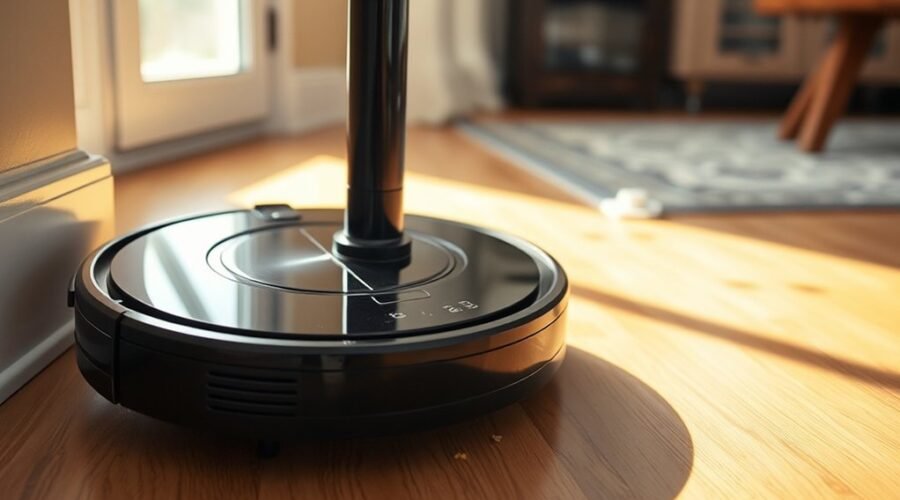
Robot vacuum bumper errors often point to a small set of mechanical or sensor-related faults. Dirt buildup, restricted bumper travel, and misread impact signals can all trigger false collisions. In some cases, the issue is simple to correct; in others, it requires closer inspection of the bumper assembly and its sensors. The next step is to isolate the source, because the same warning can come from very different failures.
Identify the Cause of the Bumper Error
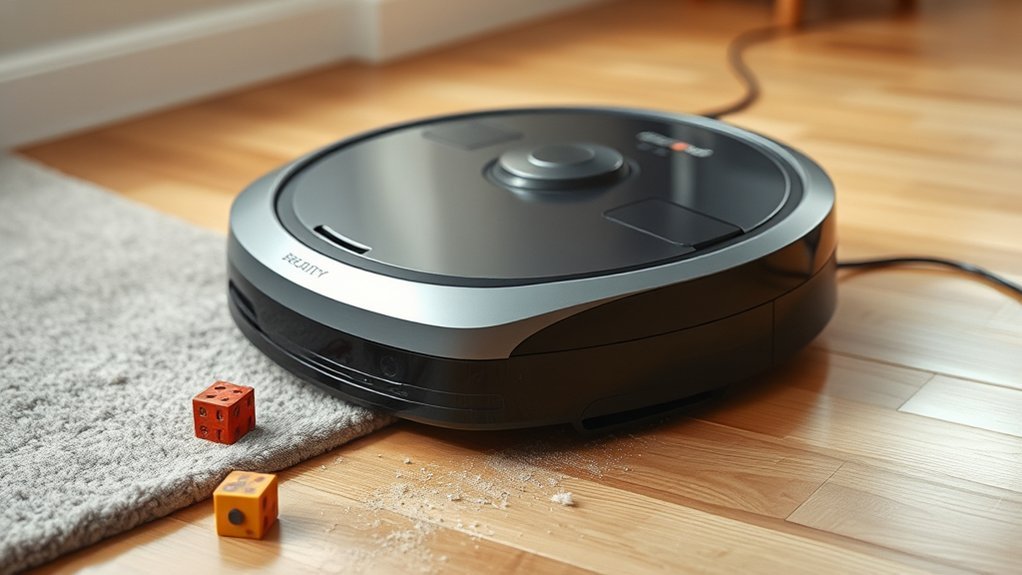
A robot vacuum bumper error typically indicates either a sensor malfunction or a physical obstruction preventing normal bumper travel. In models such as the S50, the fault often originates in the bumper sensors, which detect impact and report position changes to the control system.
LIDAR handles higher obstacles, but smaller impediments rely on the front bumper assembly. When its travel is restricted, the device may register a collision state continuously. A weakened metal spring, loose mounting, or loss of tension can prevent the bumper from resetting after reverse movement.
Dirt on the sensor interface may also corrupt readings, creating a false error even when the mechanism appears intact. Persistent alarms suggest that the machine cannot freely recover from contact, limiting autonomous operation.
In practical terms, the diagnosis centers on whether the bumper moves and whether the bumper sensors respond correctly.
Check for Debris Around the Bumper
Once the bumper mechanism itself has been identified as the likely source of the error, the next check is for debris around the bumper assembly. Accumulated particles can restrict bumper travel and trigger status reports such as “bumper stuck.”
Small dust, hair, and grit may lodge at the edges, preventing a full reset and limiting the robot’s freedom of movement. A systematic inspection supports reliable operation and reduces unnecessary fault recovery.
- Examine the bumper seam for visible buildup.
- Remove loose material with a soft brush or cloth.
- Clear hair or fine debris from hinge points.
- Recheck bumper motion after cleaning.
This procedure is simple, yet mechanically significant: clean contact surfaces allow the bumper to return smoothly, preserve navigation accuracy, and extend service life.
Regular attention to the bumper area helps maintain peak performance and keeps the machine operating with greater autonomy and less obstruction.
Test the Bumper Sensors
The bumper must be removed to expose the sensor contacts for direct inspection.
Each sensor should be checked for free movement and any resistance that would indicate binding or contamination.
If needed, the contacts should be cleaned and the sensors retested before the bumper is reinstalled.
Locate Sensor Contacts
Accessing the bumper sensor contacts begins with removing the front bumper assembly, typically by backing out the screws and sliding off the bumper plate to expose the switches beneath. This reveals the bumper sensors, the contact points that confirm impact detection and prevent false error 6 bumper stuck readings.
- Inspect each contact for secure seating and visible oxidation.
- Position a multimeter on continuity mode across the switch terminals.
- Press the sensor manually and verify a closed circuit.
- Record any intermittent or absent response for replacement planning.
Clean residue with a suitable solvent or light lubricant if contamination is present.
Accurate contact access gives the user technical control, reducing dependence on opaque diagnostics and restoring autonomous navigation performance.
Check Sensor Movement
Gently push each bumper sensor up and down to confirm that it moves freely and produces a measurable response, since any resistance or lack of motion may indicate a fault.
A properly functioning bumper should register a clear mechanical travel without binding, and the sensor output should change accordingly. Using a multimeter, the electrical signal can be measured to verify that it remains within the expected range.
Obstructions, dust, or compacted debris around the bumper assembly may restrict motion and distort detection, so these conditions should be noted analytically.
If the sensor moves freely yet remains inactive, a light application of WD-40 may improve travel.
After assessment, the bumper should be reattached to preserve alignment and operational integrity.
Clean And Retest
Remove the bumper from the robot vacuum to expose the sensors for direct inspection and cleaning. A soft cloth and a minimal amount of WD-40 should remove debris without saturating the bumper assembly. The sensors must then be moved manually to verify free travel and consistent response.
- Inspect for dust, lint, and edge contamination.
- Clean each bumper sensor surface carefully.
- Confirm upward and downward sensor motion.
- Reattach the bumper and secure all screws.
After reassembly, a test run should confirm that the bumper sensor signal is stable and the error has cleared. If the robot vacuum still reports failure, the bumper may require deeper mechanical inspection.
This method restores function with disciplined, liberated maintenance.
Clean the Front Bumper Assembly
The front bumper assembly should be cleaned during disassembly to eliminate dirt, debris, and sensor obstructions that commonly trigger “bumper stuck” errors.
To clean the front bumper assembly, the robot should be turned upside down, and the retaining screws removed in an organized sequence for accurate reassembly. Once detached, both the bumper housing and embedded sensors require careful wiping with a soft cloth to remove residue without damaging contact surfaces.
If light lubrication is appropriate for the mechanism, it should be applied sparingly to preserve free movement. The moving parts must then be inspected for packed dust, fibers, or foreign material that could restrict travel or confuse sensor input.
Regular maintenance of this assembly reduces persistent navigation faults and supports more reliable operation. A clean bumper restores responsive motion, preserves autonomous function, and helps prevent unnecessary service dependence.
Fix a Stuck Bumper Spring
A stuck bumper spring in a robot vacuum, such as the S50, is often caused by dirt or an internal obstruction that limits bumper travel and prevents proper contact. To restore function, the front section is disassembled by removing screws and sliding off the bumper piece, exposing the spring mechanism.
A stuck bumper can then be assessed for misalignment, weak tension, or damaged mounting points.
- Confirm the metal spring sits on the main body.
- Bend the spring legs outward about 45 degrees.
- Recheck each mount for secure engagement.
- Clean the bumper and sensors before reassembly.
This adjustment increases pushing force and helps the bumper return to its neutral position without resistance.
Precision matters: the spring must press evenly, or the fault will persist. After restoration, the assembly is resecured and tested for smooth travel, enabling reliable navigation and fewer error triggers.
Open the Robot Vacuum Safely
With the robot vacuum powered off and inverted, the front bumper screws can be removed carefully to open the assembly without stressing internal wiring or sensors. This procedure helps open the robot vacuum safely by isolating mechanical fasteners before any internal parts are exposed.
Each screw should be retained in order, because disciplined organization preserves reassembly accuracy and reduces avoidable error. The underside may then be inspected and cleaned to remove accumulated dirt or debris that can obstruct movement and reduce responsiveness.
Throughout disassembly, movable parts and sensor surfaces require controlled handling to prevent calibration drift, fracture, or latent malfunction. The operator should avoid forceful prying or improvised tools, since improper handling can compromise warranty coverage and damage concealed components.
Throughout disassembly, handle sensors and moving parts gently to preserve calibration, avoid damage, and protect warranty coverage.
A deliberate, methodical approach supports repair autonomy, allowing the machine to be serviced without surrendering precision or control to unnecessary risk.
Remove the Front Bumper
Turn the S50 robot vacuum upside down and remove the screws securing the front cover to release the front bumper assembly. This step enables a controlled remove the front bumper procedure without stressing the shell or mounting tabs.
If prior modifications exist, any extra screws or auxiliary parts should be identified and removed before the bumper is shifted. The bumper can then be slid forward with measured force, allowing inspection of its fit, alignment, and wear.
Track each fastener as it is extracted; orderly storage preserves reassembly integrity and prevents lost hardware.
- Verify screw count before separation.
- Release any added components first.
- Slide the bumper off in a straight path.
- Log screw locations for reassembly.
Clean the Underside Sensors
After the front bumper assembly has been removed, the underside sensors should be inspected and cleaned to eliminate dust, hair, and debris that can interfere with bumper movement and navigation.
To clean the underside sensors, a soft cloth or compressed air should be used with controlled pressure, avoiding abrasion or force that could damage the optical surfaces. This maintenance step restores sensor clarity, helping the vacuum interpret position and obstacle signals more accurately.
Use a soft cloth or compressed air with care to restore sensor clarity and improve obstacle detection.
Improved responsiveness can reduce false bumper alarms and limit “bumper stuck” conditions, preserving autonomous operation.
Screws removed during disassembly should be tracked methodically so reassembly remains orderly and unencumbered.
Regular cleaning of these components is a practical routine measure, not an optional luxury, because it supports performance, longevity, and mechanical freedom from preventable error states.
When performed consistently, the process keeps the machine responsive and less dependent on corrective intervention.
Replace a Faulty Bumper Sensor
A damaged bumper sensor can cause a robot vacuum to report a stuck-bumper fault even when the bumper travels normally, and in that case replacement is the corrective measure. The fault typically persists after cleaning, indicating an internal failure rather than obstruction.
On models such as the Eufy X10 Pro, disassembly is often required to reach the bumper sensor assembly, with screws removed and adjacent parts inspected for wear or debris. A multimeter can verify continuity and isolate a defective left bumper sensor, which is a common failure point.
- Confirm free bumper travel.
- Open the chassis with care.
- Test the bumper sensor electrically.
- Install a verified replacement part.
Community forums may help locate a compatible bumper sensor, but a damaged unit is not recoverable through cleaning alone. Replacing it restores autonomous operation and removes the false stuck-bumper signal.
Prevent Future Bumper Errors
Preventing future bumper errors depends on regular cleaning of the bumper assembly and adjacent sensors to reduce false triggers from dust or debris.
The spring mechanism should be inspected for adequate tension, with adjustment applied if its push force has weakened.
The navigation path should remain free of low and high obstructions to preserve unobstructed bumper movement and consistent sensor operation.
Regular Bumper Cleaning
Routine cleaning of the bumper and adjacent sensors helps keep dust, debris, and residue from restricting movement and triggering errors such as “bumper stuck.” A soft cloth or mild cleaner should be used to wipe these surfaces without leaving buildup that could interfere with function.
To regularly clean the bumper is a practical control measure that preserves responsiveness and supports autonomous operation.
- Inspect movable bumper edges for dirt accumulation.
- Remove visible obstructions from contact points.
- Wipe sensors to maintain accurate input signals.
- Verify smooth reset action after cleaning.
This maintenance routine reduces error frequency, extends service life, and limits unnecessary stoppages.
For users seeking reliable operation, disciplined cleaning is a small intervention with measurable technical benefit and clear operational freedom.
Check Spring Tension
The bumper’s metal spring should be checked periodically, since reduced tension can prevent the bumper from resetting fully and can trigger repeated errors.
Technicians should assess spring tension for fatigue, deformation, or improper seating on the main body. If the spring has weakened, bending its legs outward can restore pushing power and preserve responsive movement. A bend angle near 45° is generally sufficient to reestablish force without imposing excess pressure on the assembly.
Correct mounting is equally important; a mispositioned spring compromises reset behavior and invites recurring faults. Regular inspection supports reliable operation and reduces dependence on opaque servicing routines.
Clear Sensor Obstructions
Inspection should focus on the bumper sensors and adjacent housing, since accumulated dust, hair, or debris can obstruct movement and trigger repeated bumper errors. A disciplined cleaning routine restores free motion and protects the bumper assembly from avoidable fault states.
- Wipe sensor faces with a soft cloth to remove grime.
- Apply a gentle cleaning solution, such as WD-40, sparingly.
- Verify the bumper is not repeatedly striking high obstacles.
- Disassemble the front bumper periodically for thorough maintenance.
The metal spring mechanism should remain intact and firmly mounted; otherwise, the bumper may fail to reset after impact.
Routine inspection reduces sensor malfunction, supports reliable navigation, and preserves operational autonomy. Free movement depends on clean components, correct alignment, and disciplined upkeep.
Frequently Asked Questions
How to Fix Roomba Bumper Error?
He would clean the bumper area, remove obstructions, and test free travel. Bumper Maintenance should include sensor cleaning, gentle manual reset, and spring-tension adjustment. If errors persist, he would inspect internal contacts and reassemble carefully.
What Are the Most Common Problems With Robot Vacuums?
Battery Issues are common, alongside clogged brushes, sensor faults, jammed wheels, weak suction, and software glitches. These failures usually stem from wear, poor maintenance, or outdated firmware, limiting autonomous cleaning and user control.
My Roborock Keeps Saying the Bumper Is Stuck. What Can I Do to Fix This?
It should inspect and clear the front bumper, then perform Bumper Maintenance: remove screws, clean sensors, verify free travel, and gently increase spring tension if needed. This is absurdly simple, yet often restores normal operation.
What Does Shark Bumper Error Mean and How Can I Fix It?
Shark bumper error usually indicates a stuck bumper or faulty sensor; Bumper Sensitivity may be excessive. Cleaning debris, inspecting sensor alignment, and removing the cover for internal checks can restore movement, letting the machine operate freely.
Conclusion
To summarize, a robot vacuum bumper error usually indicates a limited set of mechanical or sensor faults: debris accumulation, restricted bumper travel, contaminated sensors, or a weakened spring. Cleaning the bumper, testing sensor response, and restoring free movement often resolve the problem quickly. When these measures fail, component replacement becomes necessary. Regular inspection, routine cleaning, and preventive maintenance reduce false collision signals, improve navigation accuracy, and support reliable long-term operation.