Recharge and Resume is a practical feature found on many robot vacuums. When the battery drops to a set level, the unit returns to its dock, recharges, then picks up cleaning where it left off. That sounds simple, but the timing, mapping, and recovery logic behind it can vary by model. Some systems handle it well. Others leave gaps, delays, or missed sections, which raises a few important questions.
What Is Recharge and Resume?
Recharge and Resume is a robot vacuum feature that sends the unit back to its docking station when the battery runs low during a cleaning cycle. It exists to keep cleaning tasks moving without constant human oversight.
Recharge and Resume sends the vacuum back to its dock when battery runs low, keeping cleaning on track.
When charge drops, the vacuum pauses work, powers itself at the dock, and later returns to the interrupted area. This supports complete floor coverage and reduces the burden of manual restarts.
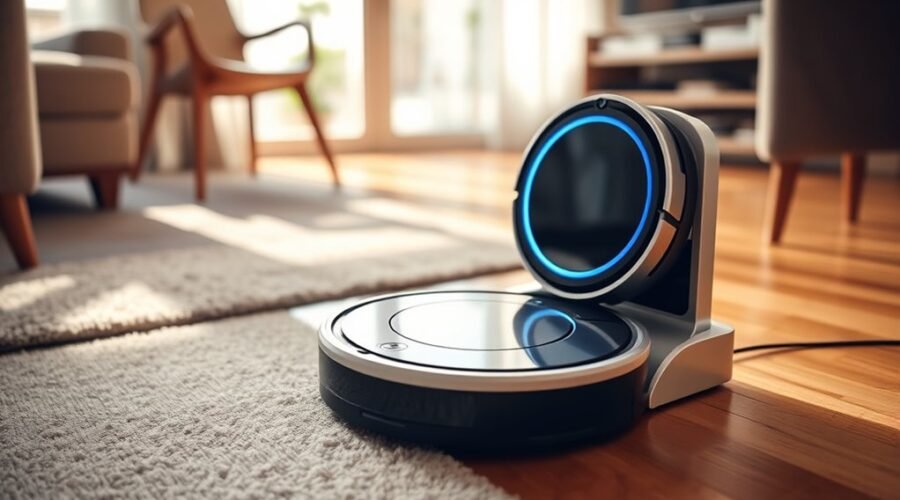
Models such as the iRobot j Series, s9, and Braava m6 use Recharge and Resume to extend practical autonomy. A blue light pattern typically signals recharging, while the iRobot Home App can report charging and cleaning status.
The feature depends on correct app settings and a saved map for accurate navigation. For users seeking liberation from repetitive upkeep, Recharge and Resume turns limited battery life into a managed process, preserving continuity across larger cleaning tasks.
How Recharge and Resume Works
When battery levels fall to a preset threshold, typically around 15% to 20%, the robot vacuum navigates back to its charging dock and pauses the cleaning task. This Recharge cycle protects the battery and keeps autonomy intact.
| Stage | Action |
|---|---|
| Low battery | Returns to the charging station |
| Charging | Stores energy until sufficient |
| Recovery | Reaches about 80% charge |
| Continuation | Resume cleaning from the last point |
During this process, smart models such as the i Series, j Series, and Braava m6 manage navigation and power control automatically. The iRobot® HOME App can notify users when the unit is charging and when it resumes cleaning. By avoiding deep discharge, the system supports battery longevity and reduces manual oversight. Large rooms and multi-zone tasks remain manageable because the machine can Recharge, recover, and continue without user intervention. This design supports efficient, hands-off cleaning for households seeking freedom.
When Recharge and Resume Starts
Recharge and Resume begins when the robot vacuum’s battery falls to a preset low level, typically around 15–20%.
At that point, it returns to the charging dock and starts recharging automatically.
Once sufficient charge is restored, it resumes the interrupted cleaning cycle.
Trigger Conditions
The Recharge and Resume cycle starts automatically once a robot vacuum’s battery falls to a preset low level, typically around 15–20 percent, at which point it returns to the dock to charge. This trigger protects battery life while keeping cleaning uninterrupted.
- Low battery threshold initiates Recharge
- Charging begins without manual intervention
- Saved maps guide the return path
- Cleaning resumes from the last completed spot
- App alerts confirm status changes
Models such as the iRobot s9, j Series, and Braava m6 use this logic to reduce downtime.
The system is practical for users seeking hands-free floor care, since the machine handles charging and continuation on its own.
Successful operation depends on accurate mapping, so the vacuum can leave, recharge, and resume with minimal disruption and maximum efficiency.
Docking And Recharging
Once the battery drops below its preset threshold, often near 20 percent, the robot vacuum automatically heads to its docking station to recharge.
During docking, its navigation system plots the shortest safe path, conserving remaining power while preserving the current map state.
Models with advanced sensors, such as the iRobot s9 and j Series, use smart routing to align with the dock and begin charge without user help.
The app typically shows the charging status and confirms when the unit is ready.
After sufficient power returns, the robot leaves the dock and resumes cleaning from the saved location.
This automated cycle reduces manual oversight, freeing users from repeated setup while keeping coverage efficient and predictable.
Which Robot Vacuums Support Recharge and Resume?
Robot vacuums that support Recharge and Resume typically include iRobot models such as the s9, j Series, and Braava m6, all of which can return to their dock, recharge, and continue cleaning automatically. These robot vacuums pair the feature with a charging base to reduce oversight and extend autonomous coverage across larger spaces.
- Returns to the dock before battery depletion
- Resumes from the last cleaned area
- Uses a blue light pattern during charging
- Monitors status in the iRobot HOME App
- Allows return battery level settings for control
In practical use, the system helps complete demanding jobs without manual resets. After charging, the unit restarts cleaning on its own, preserving map coverage and time.
This supports a more liberated cleaning routine, with less interruption and more reliable floor care.
Why Your Robot Stops Before Finishing
A robot vacuum may stop before finishing when its battery falls low and it is programmed to return to the dock for Recharge and Resume; however, if it reaches 100% charge, the system often treats that as job completion and does not continue the prior run.
In practice, the cleaning cycle depends on battery percentage thresholds and saved state data. If charging is interrupted, or if the robot is moved manually while docked, the task record can become unstable and the robot stops instead of resuming.
Do Not Disturb settings can also block the restart signal. A saved map is required so the unit can identify where cleaning paused and return to that point after recharging. Without it, the robot may complete the charge but fail to continue.
For users seeking autonomy, these limits matter because they determine whether Recharge and Resume preserves an unfinished job or quietly ends it.
How to Improve Recharge and Resume Performance
Optimizing Recharge and Resume performance starts with a stable dock setup on a flat surface with adequate clearance, so the robot can return and recharge without obstruction.
A clean dock improves alignment at the charging contacts and reduces failed handoffs. Owners should monitor battery levels in the app and confirm Recharge and Resume is enabled, allowing the machine to restart cleaning near 80% charge.
The route should remain open, with cables, rugs, and loose objects removed before a job begins. During charging, the robot should not be lifted or moved, because interruption can break the resume sequence.
Scheduled runs also benefit from avoiding Do Not Disturb settings when cleaning is expected.
- Keep the dock accessible
- Wipe charging contacts regularly
- Check battery percentage often
- Clear the cleaning path
- Leave the robot undisturbed while charging
Recharge and Resume vs. Full-Cycle Cleaning
Recharge and Resume gives robot vacuums a practical advantage over full-cycle cleaning by letting them return to the dock when battery levels fall to about 15–20%, recharge, and then continue from the point where they stopped.
This method supports continuous cleaning without demanding a full charge before every run. For larger homes, the ability to pause, recharge, and resume reduces the risk of an incomplete pass and helps the machine cover more area in a single mission.
Models such as the iRobot s9 and j Series use Smart Recharge and Resume to manage energy strategically, preserve coverage, and complete tasks with fewer user interventions.
Models like the iRobot s9 and j Series use Smart Recharge and Resume to preserve coverage and reduce user intervention.
Full-Cycle Cleaning, by contrast, requires one uninterrupted session from start to finish. That approach is simpler, but it can limit range when floor area exceeds battery capacity.
Recharge and Resume consequently offers a more adaptable, autonomous workflow, giving the robot freedom to finish the job efficiently.
How to Fix Recharge and Resume Problems
Fixing recharge-and-resume failures starts with checking the dock and charging contacts for alignment, debris, or poor conductivity.
Next, the app settings should be reviewed to confirm that resume mode is enabled and the battery is allowed to stop around the level required for continued cleaning.
If problems persist, the saved map and firmware should be reset or updated to restore navigation and resume behavior.
Check Dock And Contacts
A robot vacuum that fails to recharge or resume often has a dock or contact issue.
To check dock placement, verify it sits on a flat, hard surface with at least 1 meter of open space in front. This gives the robot vacuum a clear path to align and dock without friction.
Clean the charging contacts on both the robot and the dock with a soft, dry cloth; residue can block power transfer and interrupt recovery.
Confirm the power cord is seated firmly in the dock and wall outlet, and that the indicator light shows power.
If problems continue, inspect for loose positioning or dirt buildup.
- Flat surface
- Open clearance
- Clean contacts
- Secure power
- Active indicator
Review App And Settings
Next, the app settings should be reviewed to confirm that Resume is enabled and that the robot has a saved map, since both are required for Recharge and Resume to work correctly.
In the app settings, verify that cleaning mode is not restricted and that room boundaries or no-go zones are not blocking a full path.
Battery levels should also be checked in the app; around 80% usually means the unit is still mid-cleaning, while 100% indicates the task is complete.
If the robot pauses unexpectedly, inspect whether a manual command, lift, or other interruption occurred during charging, because such actions can break the sequence.
Clear settings and accurate map data help the machine move with autonomy, reducing dependence on repeated human intervention.
Reset Map And Firmware
If settings and maps appear correct but Recharge and Resume still fail, the saved map should be cleared and rebuilt from the app so the robot can relearn the layout. A reset map often restores accurate navigation after layout changes or corrupted data.
- Clear the map in app settings
- Rebuild a fresh room layout
- Check firmware updates for bug fixes
- Clean charging contacts before every test
- Avoid moving the robot during charging
If the issue persists, update firmware to remove software faults affecting resume behavior. Dirty charging contacts can block full charging and interrupt the return-to-clean sequence.
If the vacuum is manually moved while docked, it may lose its last position. A factory reset remains the final step when software glitches survive all other fixes, restoring control and freeing the machine from stubborn errors.
Frequently Asked Questions
How Long Does It Take for a Robot Vacuum to Recharge?
Most robot vacuums recharge in 2 to 6 hours, depending on battery life and model. Lithium-ion units improve energy efficiency and charging cycles; some finish in about 2.5 hours, others need roughly 4.
Does Roborock Resume After Charging?
Yes—Roborock usually resumes after charging. As the saying goes, “A rising tide lifts all boats.” Its robot vacuum features, battery management, and cleaning efficiency depend on saved maps; interruptions or full charges can prevent continuation.
Should a Robot Vacuum Always Be Charging?
No, a robot vacuum should not always be charging. Smart docks preserve charging efficiency, but intermittent use better protects battery lifespan and reduces unnecessary energy consumption, especially when configurable limits and battery monitoring are available.
How to Recharge a Robot Vacuum?
Place the robot on its dock, ensuring proper alignment and charging station placement. Maintain the battery using battery maintenance tips, then follow the vacuum usage schedule. A stable dock and clean contacts restore power efficiently.
Conclusion
Recharge and Resume acts like a careful courier in a long corridor: when energy runs low, the robot returns to its dock, refuels, then heads back to the last uncleaned stretch. This cycle preserves battery health, reduces missed areas, and improves coverage on larger floors. When it fails, the cause is often mapping, docking, or battery issues rather than the feature itself. Proper setup and maintenance keep the system efficient and reliable.