A robot vacuum virtual wall is a barrier that keeps the machine out of selected areas without using a physical fence. It can be created with a small emitter, a magnetic strip, or a mapped boundary in an app. The feature helps protect cords, pet bowls, and fragile items while guiding cleaning more precisely. The basic idea is simple, but the way it works can vary more than many users expect.
What Is a Robot Vacuum Virtual Wall?
A robot vacuum virtual wall is an invisible barrier that keeps the vacuum out of specific areas, helping protect delicate items or avoid hazards.
For robot vacuums, this Virtual Wall serves as a practical way to define where cleaning should and should not happen. It can support different cleaning needs by creating custom zones through a mobile app or by using physical boundary strips.
Many models accept these controls, making boundary management more flexible and less dependent on constant supervision. Some versions, such as Dual Mode Virtual Walls, can block doorways or protect items placed in open spaces.
The result is clearer control over movement and reduced risk around fragile objects, pet bowls, cables, or stairs. Regular remapping and sensor cleaning help preserve accuracy, keeping the barrier effective over time.
How Do Robot Vacuum Virtual Walls Work?
Robot vacuum virtual walls work by sending a signal that creates an invisible boundary the vacuum will not cross.
Some models use physical wall devices, while others rely on app-based boundary mapping to define restricted zones.
This setup helps keep the vacuum away from specific rooms, openings, or objects during cleaning.
How Virtual Walls Signal
Virtual walls work by sending out infrared signals that form an invisible boundary the robot vacuum will not cross, helping keep it away from specific rooms, openings, or delicate objects.
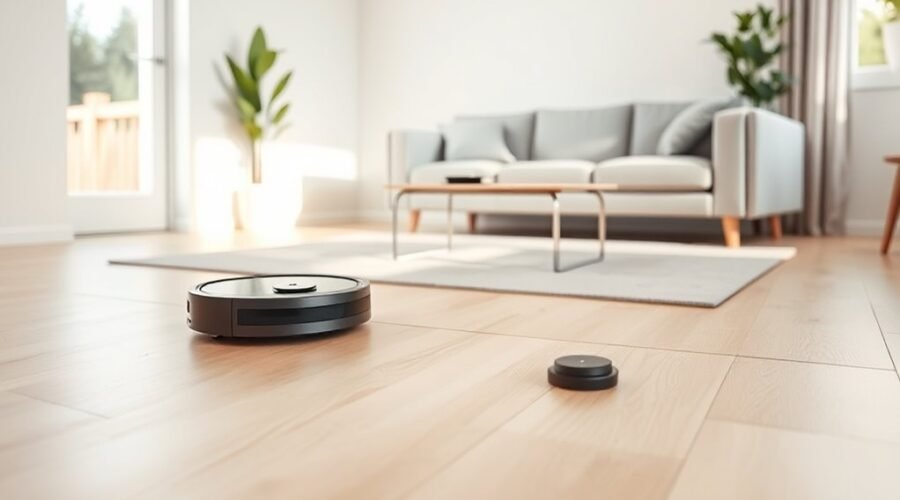
These virtual walls use an infrared beam to mark off-limits space and help the machine avoid obstacles without physical barriers. Depending on the model, a unit may block a doorway up to 10 feet in Virtual Wall Mode or create a 2-foot Halo Mode zone around an item.
Many systems run on batteries, such as 2 AA or 2 C cells, so placement is simple and mobile. Compatibility varies by robot model, yet the result is the same: more control, less interference, and cleaner paths.
This lets users direct cleaning freedom while protecting chosen areas.
App-Based Boundary Mapping
Through app-based boundary mapping, the vacuum is given a digital barrier that keeps it out of selected areas and improves cleaning control.
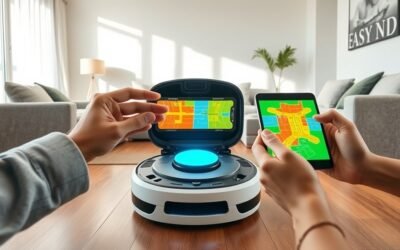
This app-based boundary mapping lets users place virtual walls on a saved floor map, blocking rooms, cords, pet bowls, or other spaces without physical strips.
Using mapping technology such as LiDAR or cameras, the robot reads its surroundings, follows the map, and stays within approved zones during each run.
The app can also adjust or remove virtual walls in real time, which helps when routines change or a room is rearranged.
Because the system depends on stored maps, moving the vacuum or altering the layout may require remapping before the boundaries work reliably.
Which Robot Vacuums Support Virtual Walls?
Compatibility varies by model, but many Roomba units support virtual walls, including the 500, 600, 700, 800, 900, e, s, i3/i3+, i4/i4+, i5/i5+, i6/i6+, i7/i7+, and i8/i8+ series.
These virtual walls help a robot vacuum stay focused by limiting access to selected spaces, supporting more controlled cleaning and a greater sense of domestic autonomy.
These virtual walls help a robot vacuum stay focused, limiting access to select spaces for more controlled cleaning.
- Dual Mode Virtual Wall® Barriers can block openings up to 10 ft in Virtual Wall Mode.
- Halo Mode creates a protected zone of about 2 ft around off-limits areas.
- The Virtual Wall® Lighthouse™ can guide movement while also keeping the robot out.
Not every model is compatible. The Roomba Combo R11 and the i1/i1+, i2/i2+, j7/j7+, j8/j8+, and j9/j9+ series are notable exclusions.
Because support differs by robot and barrier type, model-specific guidelines should be checked before use.
How Do You Set Up a Virtual Wall?
A virtual wall works as an invisible boundary that keeps a robot vacuum out of selected areas. To set up virtual control, the robot should be charged first, then the app’s boundary feature opened.
After the home is mapped, the user can place the virtual wall or no-go zone tool over the desired spots. This lets the machine respect designated areas without physical barriers, giving cleaner results with less effort.
The setup is usually adjusted by dragging the boundary to the exact location needed, then saving the changes in the app. A test cleaning cycle helps confirm that the robot stays within the intended route and avoids the blocked space.
If the layout changes, the virtual wall should be updated again. Regular review keeps the system aligned with new furniture, room use, or cleaning priorities, supporting a more flexible, self-directed home routine.
What’s the Difference Between Virtual Walls and No-Go Zones?
Virtual walls and no-go zones both keep a robot vacuum out of unwanted areas, but they work in different ways.
Virtual walls use physical boundary strips or app settings to block a defined area, while no-go zones are digital regions drawn on a map. The first option often suits quick limits, such as closing off an opening up to 10 feet. The second gives more freedom, because the shape and size can be edited to match furniture, pet bowls, or other spaces.
- Virtual walls may act as temporary barriers during a cleaning session.
- No-go zones stay active until changed or removed in the app.
- A robot vacuum uses mapping only for no-go zones, not for physical barriers.
For users seeking more control, virtual walls offer simple separation, while no-go zones provide precise, lasting boundaries.
Why Isn’t My Virtual Wall Working?
A virtual wall often fails when its batteries are low or depleted, so the power indicator should be checked and the batteries replaced if needed.
Placement also matters: it should sit outside the doorway with the arrow facing outward, and nearby electronics or other virtual walls may interfere with the signal.
If the robot vacuum still ignores it, the map or app data may need to be refreshed or remapped.
Battery And Power Checks
If the Virtual Wall stops working, the first step is to check its batteries and power status. A weak battery can silence the Virtual Wall, and a low battery often appears as a slow blinking indicator. Most models use 2 x AA or 2 x C alkaline batteries, so fresh replacements are the simplest fix.
If power seems uncertain, remove and reinstall the batteries to restore contact.
- Confirm the battery type matches the model.
- Replace any low battery set immediately.
- Watch for indicator lights that signal power loss.
If the device still fails, test it with new batteries and rule out communication issues from nearby devices. Reliable power gives the barrier its freedom to hold space and keep the robot vacuum on task.
Placement And Line Of Sight
Proper power is only part of the fix; placement and line of sight can also determine whether a Virtual Wall works at all.
The Virtual Wall should sit in the doorway or opening that needs protection, with the iRobot® logo facing forward. If it is placed too far from the boundary, the signal may not reach the Roomba®; in Virtual Wall Mode, the range is about 10 feet.
A clear line of sight is essential, since furniture, walls, or other objects can block the infrared beam and leave the robot free to cross.
On Dual Mode units, the setting must match the task, whether Virtual Wall or Halo.
Careful placement gives users more control and less cleanup.
Map And App Issues
When a robot vacuum ignores a Virtual Wall, the problem may be digital rather than physical. Outdated or corrupted maps can cause virtual walls to fail, so a full remap may be needed to restore accurate boundaries.
An old app can also create inconsistent behavior, since updates often include bug fixes that improve cleaning control.
- Check whether the map matches the room layout.
- Update the app before changing virtual walls.
- Clean sensors if the robot keeps crossing boundaries.
Poor lighting can weaken recognition, so even light across the cleaning area helps.
If virtual walls are edited during an active cycle, the robot may not register them right away; pausing the vacuum gives the app time to apply the change.
Can You Make a DIY Virtual Wall?
Yes, a DIY virtual wall can be built with a small infrared LED, a microcontroller such as an Arduino Nano, and a few basic parts like a USB power supply and current-limiting resistor. This robot setup lets the DIY builder create a virtual wall that guides the vacuum without cords or commercial barriers.
| Part | Purpose |
|---|---|
| Arduino Nano | Pulses infrared signal |
| IR LED | Sends invisible beam |
| Resistor | Protects LED |
| USB power | Supplies energy |
| IRremote code | Modulates signal |
With the IRremote library, the code can pulse the LED in a pattern the Roomba detects. That keeps the barrier inside the robot vacuum’s range. The project is affordable, flexible, and useful for home automation. It can be tuned for personalized zones, offering practical control and more freedom over floor space. Makers value it because it blends electronics, robotics, and IoT into a compact tool.
Frequently Asked Questions
What Is a Virtual Wall for Roomba?
A Virtual Wall for Roomba is a device that creates an invisible barrier, guiding robot navigation, supporting boundary setup, and improving cleaning efficiency. It can block doorways or protect items, letting cleaning remain controlled and flexible.
What Are the Disadvantages of a Robot Vacuum Cleaner?
Robot vacuum cleaners often face robot vacuum limitations, including poor navigation, weak edge cleaning, and reduced cleaning efficiency on carpets. They may need frequent charging and regular maintenance, increasing maintenance costs and limiting hands-free convenience.
What Are Virtual Walls?
Virtual walls are invisible barriers, because apparently even robots need boundaries. Virtual wall technology steers robot navigation systems away from off-limits spots, improving cleaning area management. They protect delicate items, doors, and rooms without physical clutter.
My iRobot Roomba Virtual Wall Isn’t Working. What Can I Do?
Check battery issues first: replace weak batteries. Then verify placement, arrow outward, and model compatibility. If sensor problems or connectivity troubles persist, move nearby electronics away and contact iRobot Customer Care for support or repair.
Conclusion
In conclusion, a robot vacuum virtual wall is a practical way to block off areas without using physical barriers. It can be an infrared device, or a software-based boundary set in an app, depending on the model. For example, a homeowner might draw a no-go zone around a pet’s water bowl so the vacuum avoids spills. When set up correctly, virtual walls improve cleaning control, protect fragile items, and make automated vacuuming safer and more efficient.