

Disclosure: This post contains Amazon affiliate links. If you buy through one of them, we may earn a small commission at no extra cost to you.
The top wireless keyboard and mouse combos for 2026 include the Logitech MK270, ideal for reliability; the Dell KM7321W, which excels in multi-device connectivity; the Logitech MK850, favored for its ergonomic design; and the CHERRY Stream, perfect for productivity enthusiasts. Each option offers unique features and battery life, catering to varying user needs. Understanding the strengths of these combos can greatly enhance workspace efficiency and comfort. Exploring further can reveal more insights into their benefits.
| Combo | Best For | Connectivity | Battery Life (KB / Mouse) |
|---|---|---|---|
| Logitech MK270 | Best Overall / Best Value | 2.4 GHz USB receiver | 36 mo / 12 mo |
| Dell KM7321W | Best for Multi-Device Use | 2.4 GHz RF or Bluetooth 5.0 | 36 mo / 36 mo |
| Logitech MK850 | Best for Ergonomic Comfort | Bluetooth Smart or 2.4 GHz RF | 36 mo / ~18 mo |
| CHERRY Stream | Best for Quiet Typing | 2.4 GHz RF (Windows only) | 36 mo / 12 mo |
Logitech MK270 Full Size Wireless Keyboard and Mouse Combo – Black
Best Overall / Best Value
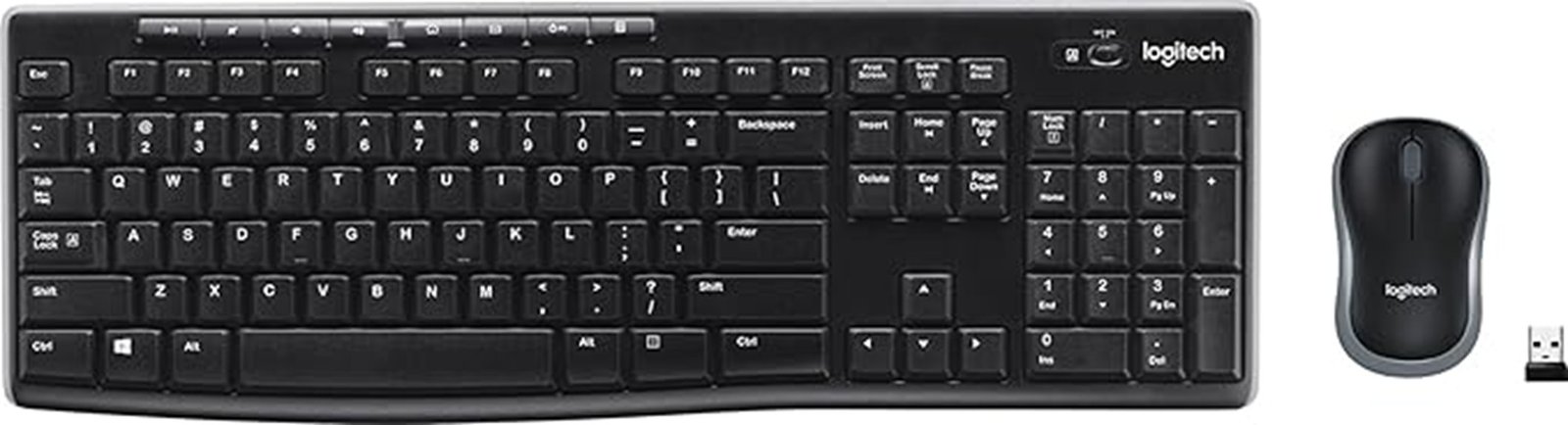
The Logitech MK270 Full Size Wireless Keyboard and Mouse Combo stands out as an ideal choice for users seeking a reliable and efficient wireless setup. This combo features a full-size layout with a QWERTY keyboard and a compact, ambidextrous mouse, both designed for comfort and usability. With a wireless range of up to 33 feet, it connects effortlessly via a USB receiver. The keyboard boasts low-profile, quiet keys and multimedia hotkeys for quick access, while its spill-resistant design guarantees durability. Additionally, impressive battery life—36 months for the keyboard and 12 months for the mouse—makes it a practical and eco-friendly option.
Best For: Users seeking a reliable and efficient wireless keyboard and mouse combo for both home and office use.
Pros:
- Comfortable Design: Full-size keyboard with low-profile keys and an ambidextrous mouse enhances usability.
- Long Battery Life: Keyboard lasts up to 36 months and mouse up to 12 months, reducing the need for frequent replacements.
- Durable Build: Spill-resistant design and sturdy keys ensure longevity and reliability.
Cons:
- Limited Range: While 33 feet is adequate for most users, it may not suffice for larger spaces.
- Basic Features: Lacks advanced features found in higher-end models, such as customizable keys or backlighting.
- USB Receiver: Requires a USB port, which may be a limitation for devices with limited connectivity options.
Who should avoid it: Anyone who needs Bluetooth-only connectivity or plans to connect more than one device at a time.
Dell Wireless Keyboard and Mouse KM7321W
Best for Multi-Device Use
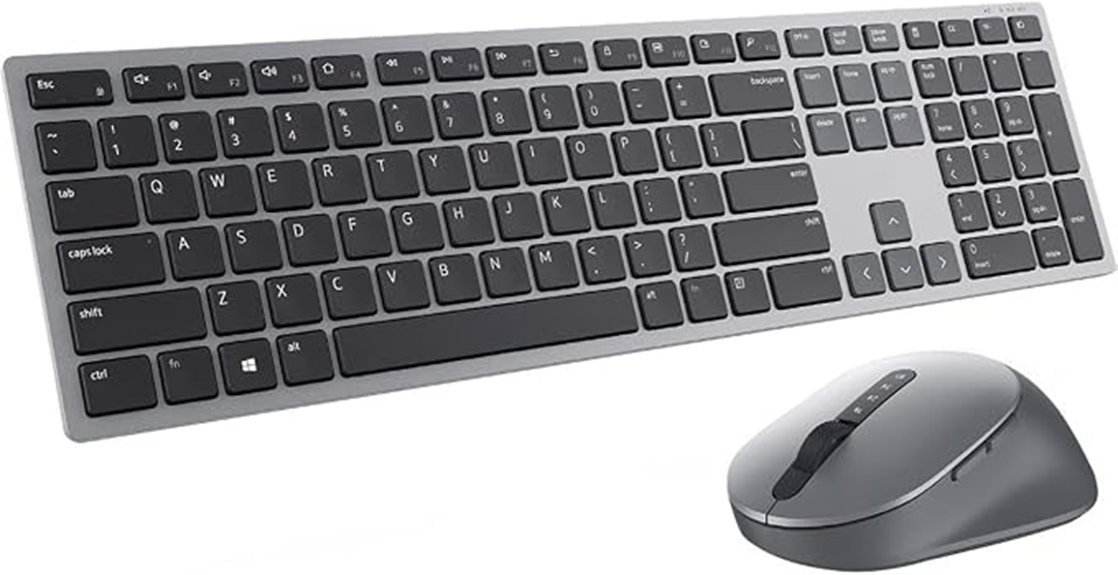
Ideal for multitaskers, the Dell Wireless Keyboard and Mouse KM7321W allows seamless connection to three devices. Featuring Bluetooth 5.0 and 2.4 GHz RF connectivity, this combo is designed with a sleek Titan Gray finish and a quiet keyboard for a distraction-free environment. With battery life lasting up to 36 months, users enjoy extended use without frequent replacements. The optical mouse offers precise cursor control, while programmable keys enhance efficiency. Security is guaranteed through 128-bit AES encryption, and compatibility spans across various operating systems. Backed by a three-year warranty, the KM7321W combines durability and functionality for everyday tasks.
Best For: Multitaskers who seek a versatile and efficient wireless keyboard and mouse combo for multiple devices.
Pros:
- Multi-device connectivity allows seamless switching between up to three devices.
- Long battery life of up to 36 months minimizes the need for frequent replacements.
- Programmable keys enhance productivity by providing quick access to applications.
Cons:
- Limited compatibility with some older operating systems may restrict usage.
- Requires batteries, which could lead to additional costs over time.
- Sculpted mouse design may not suit all hand sizes or preferences.
Who should avoid it: Users on a very old or unsupported OS, or anyone who prefers a symmetrical, ambidextrous mouse shape.
Logitech MK850 Performance Wireless Keyboard and Mouse Combo – 2017 Model
Best for Ergonomic Comfort
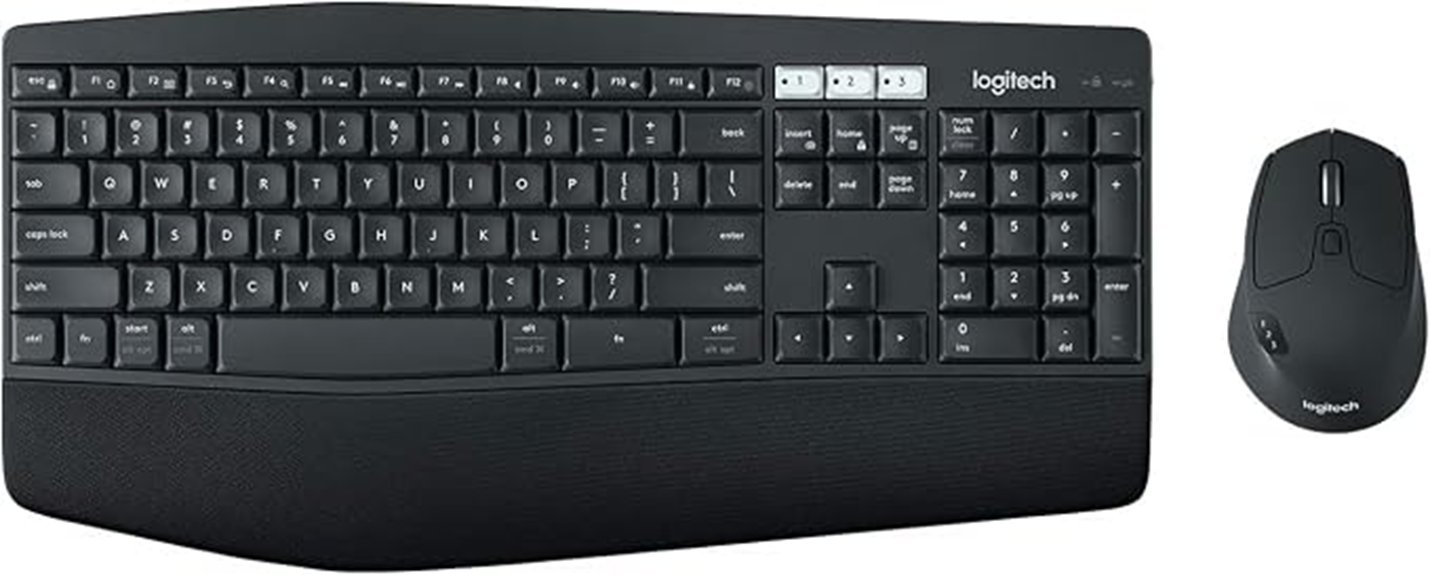
For professionals seeking comfort and efficiency, the Logitech MK850 Performance Wireless Keyboard and Mouse Combo excels with its ergonomic design. The full-size keyboard features a cushioned palm rest and a curved keyframe, promoting a natural typing position. Its contoured mouse, equipped with a hyper-fast scroll wheel and customizable buttons, enhances productivity. Users can effortlessly switch between devices, connecting to up to three at once. With impressive battery life—up to three years for the keyboard and up to 18 months for the mouse—this combo guarantees longevity. Compatible with various operating systems, it combines functionality and comfort for an ideal workspace experience.
Best For: Professionals and multitaskers seeking a comfortable and efficient typing experience across multiple devices.
Pros:
- Ergonomic Design: Features a cushioned palm rest and curved keyframe for enhanced typing comfort.
- Multi-Device Connectivity: Easily switch between three connected devices, improving workflow efficiency.
- Long Battery Life: Keyboard lasts up to 3 years, minimizing the need for frequent battery changes.
Cons:
- Weight: At about 733 g (roughly 1.6 lbs) for the keyboard alone, it’s on the heavier side if portability matters to you.
- Limited Customization: While the mouse has customizable buttons, the keyboard lacks extensive programmable features.
- Price Point: Higher initial investment compared to basic keyboard and mouse combos.
Who should avoid it: Anyone who moves their setup often and wants the lightest possible combo, or who doesn’t need a palm rest.
CHERRY Stream Wireless Keyboard & Mouse Combo
Best for Quiet Typing
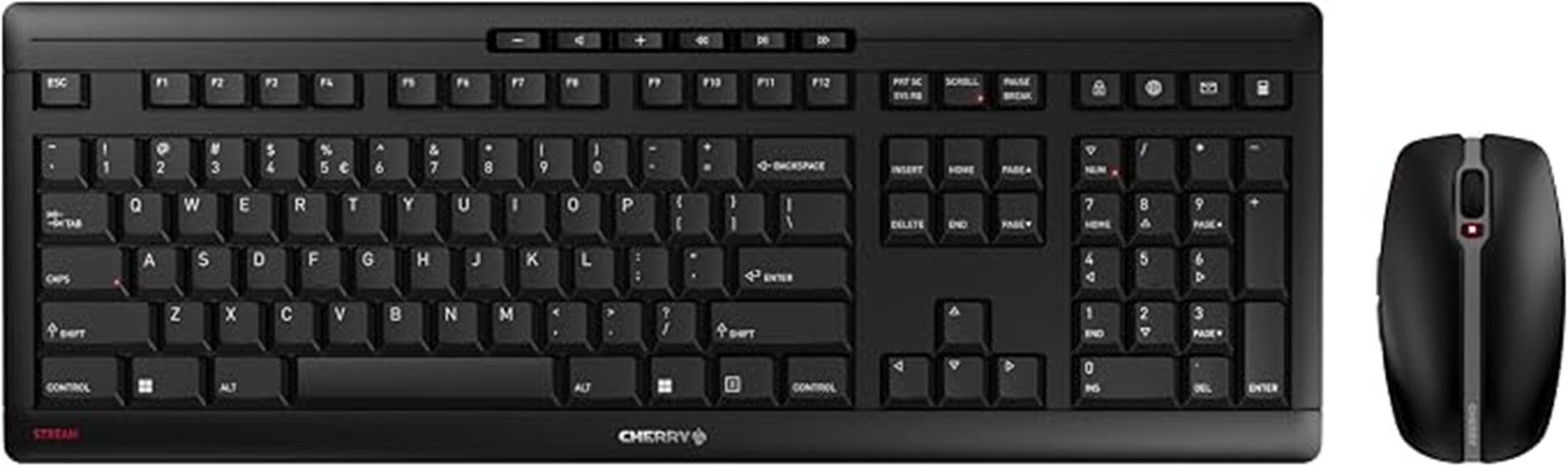
Designed for productivity enthusiasts, the CHERRY Stream Wireless Keyboard & Mouse Combo offers an exceptional typing experience with its CHERRY SX scissor technology. Featuring a slim, black QWERTY layout, this combo connects wirelessly via 2.4 GHz RF, ensuring a stable connection. The keyboard boasts an impressive battery life of up to 36 months, while the mouse lasts up to 12 months. With a symmetrical 6-button design and adjustable DPI settings, it caters to all users. Compatible with various devices and operating systems, this versatile set also includes integrated LEDs for key status. Backed by a three-year warranty, it promises reliability.
Best For: Productivity enthusiasts who seek a reliable and comfortable wireless typing experience.
Pros:
- Long battery life: Keyboard lasts up to 36 months and mouse up to 12 months.
- Stable wireless connection: 2.4 GHz RF technology ensures a strong and uninterrupted connection.
- Ambidextrous design: Suitable for both left and right-handed users.
Cons:
- Limited compatibility: Primarily designed for Windows operating systems only.
- Weight: At 1043 g, it may be heavier than some users prefer for portable use.
- No backlighting: Lacks illuminated keys, which may be a drawback for low-light environments.
Who should avoid it: Mac or Linux users, and anyone who needs Bluetooth or wants to pair with more than one device.
Factors to Consider When Choosing a Wireless Keyboard and Mouse Combo
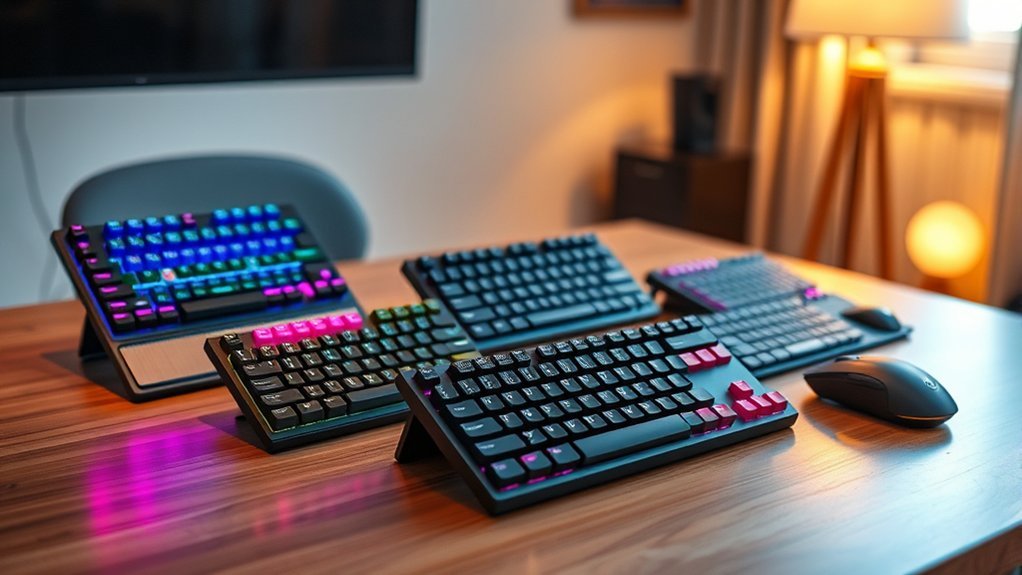
Choosing the right wireless keyboard and mouse combo in 2026 involves several essential factors. Ergonomic design, connectivity options, battery life, device compatibility, and build quality play vital roles in ensuring peak performance and comfort. Evaluating these aspects can lead to a smart tech pick that enhances daily productivity.
Ergonomic Design Considerations
Ergonomic design plays an essential role in enhancing user comfort and productivity in wireless keyboard and mouse combos. Features such as cushioned palm rests and adjustable tilt legs promote a natural wrist position, reducing strain during extended use. The mouse should have a contoured shape that supports the hand’s natural grip, catering to both right and left-handed users for improved comfort. Keyboards equipped with scissor-switch technology offer precise pressure points, minimizing finger fatigue and boosting typing speed. Additionally, adjustable DPI settings in the mouse allow users to customize cursor sensitivity, accommodating various tasks and preferences. A lightweight design for both the keyboard and mouse further reduces fatigue, enabling effortless movement and contributing to a more comfortable workspace.
Connectivity Options Available
Connectivity options are a pivotal factor when selecting a wireless keyboard and mouse combo, as they greatly influence usability and flexibility. Users can choose between Bluetooth and 2.4 GHz RF connections, offering compatibility with various devices and distances. Multi-device connectivity is particularly beneficial, allowing seamless switching between three devices, which enhances productivity. Compatibility with different operating systems, including Windows, Chrome OS, and Linux, guarantees that users can connect the combo to their preferred devices without issues. Additionally, security features like 128-bit AES encryption safeguard data during wireless transmission, making it vital for sensitive tasks. Most combos also offer a wireless range of up to 33 feet (10 meters), granting users ample freedom of movement while working.
Battery Life Evaluation
How long can users expect their wireless keyboard and mouse combos to last before needing a battery replacement? Battery life can vary greatly, typically ranging from 12 to 36 months based on usage and design features. To maximize longevity, users should look for products with on/off switches or power-saving modes that activate during inactivity. Additionally, the type of batteries employed plays an important role; some combos utilize AAA or AA batteries, while others favor rechargeable lithium polymer options for convenience. User reviews can provide valuable insights into real-world battery performance. Finally, prioritizing energy-efficient technologies, such as Bluetooth low energy, can considerably reduce power consumption, ensuring that these devices remain functional longer between replacements.
Compatibility With Devices
Choosing the right wireless keyboard and mouse combo requires careful consideration of compatibility with various devices. It is essential to guarantee that the combo works seamlessly with your operating system, such as Windows 10 or Chrome OS. Additionally, look for options that support multiple connectivity methods, including Bluetooth and 2.4 GHz RF, to maximize compatibility across laptops, PCs, and tablets. Some combos allow simultaneous connections to multiple devices, facilitating easy switching for enhanced productivity. The wireless connection range, typically around 33 feet (10 meters), should also meet workspace needs to avoid lag or disconnection. Finally, verify any installation requirements, as certain devices may necessitate specific drivers or software for peak performance on particular operating systems.
Durability and Build Quality
Durability and build quality are critical factors that greatly impact the longevity and performance of wireless keyboard and mouse combos. Enhanced durability often comes from features like spill-resistant designs and robust key construction, which extend the lifespan of these devices. Many combos utilize materials such as certified post-consumer recycled plastic, addressing both strength and environmental concerns. Adjustable tilt legs on keyboards promote ergonomic positioning, reducing wear while ensuring comfort during extended use. Additionally, long battery life—up to 36 months for keyboards and 12 months for mice—minimizes the need for frequent replacements. A solid build may include non-slip feet and integrated metal plates, providing stability and improving performance during everyday tasks.
Additional Features and Functions
When selecting a wireless keyboard and mouse combo, additional features and functions play an essential role in enhancing user experience and productivity. Keyboards with programmable keys allow users to access frequently used applications quickly, streamlining workflows. Multi-device connectivity options enable seamless switching between devices, further improving efficiency. Security is also paramount; models featuring advanced encryption, such as 128-bit AES, guarantee secure data transmission. Ergonomic designs, including cushioned palm rests and adjustable tilt legs, promote comfort during extended typing sessions, reducing fatigue. Finally, evaluating battery life is crucial; some keyboards can last up to 36 months, while mice may last up to 12 months, minimizing the inconvenience of frequent battery replacements.
Final Recommendation
- Want the safest, most affordable pick? Go with the Logitech MK270.
- Working across a laptop, desktop, and tablet? The Dell KM7321W’s three-device switching is built for that.
- Typing for hours at a time? The Logitech MK850’s palm rest is the most comfort-focused option here.
- Want the quietest keystrokes for a shared space? The CHERRY Stream’s scissor-switch keys stand out — just confirm you’re on Windows first.
Frequently Asked Questions
Are Wireless Keyboard and Mouse Combos Compatible With Gaming Consoles?
Wireless keyboard and mouse combos can be compatible with gaming consoles, depending on the specific console and the combo’s design. Users should verify compatibility with their console’s specifications for best performance and functionality.
How Long Do Batteries Typically Last in These Combos?
Across the combos covered in this guide, battery life typically ranges from about 12 months up to 36 months, depending on the model and how heavily the keyboard and mouse are used. On/off switches and auto-sleep features can help stretch that even further.
Can I Connect Multiple Devices to One Wireless Combo?
Yes, many wireless keyboard and mouse combos allow users to connect multiple devices. This feature enables seamless switching between devices, enhancing productivity for those who frequently work across different computers or tablets. Compatibility varies by brand.
Are There Any Ergonomic Options Available in These Combos?
Yes. Of the combos covered here, the Logitech MK850 is the most ergonomically focused option, with a cushioned palm rest and curved keyframe designed to support a more natural wrist position during long typing sessions. If ergonomics are your top priority, that’s the one to start with.
What Is the Range of Wireless Connectivity for These Devices?
Most wireless keyboard and mouse combos in this guide offer a connectivity range of about 33 feet (10 meters), giving you flexibility to move around your workspace. Actual range can vary depending on walls, interference, and the specific technology used (Bluetooth vs. 2.4 GHz RF).
Conclusion
In a world where productivity hinges on seamless connectivity, the right wireless keyboard and mouse combo can elevate your experience to new heights. As technology continues to evolve, choosing the perfect set becomes essential. Will the Logitech MK270, Dell KM7321W, Logitech MK850, or CHERRY Stream emerge as the ultimate champion? The answer lies in personal preference and intended use, but one thing is certain: the right choice could reveal a new dimension of efficiency and comfort awaiting just a click away.






[…] 4 Best Wireless Keyboard and Mouse Combos for 2027 […]