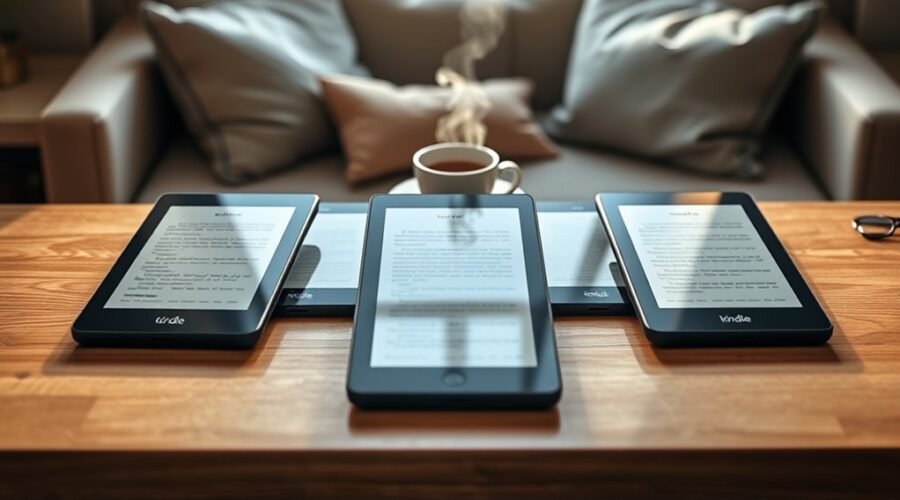
Disclosure: This article contains affiliate links. If you buy through them, we may earn a commission at no extra cost to you. Prices and availability are set by Amazon and can change at any time.
Picking a Kindle in 2026 is less about which one is “best” and more about matching the screen, battery and extras to how you actually read. Below are four Kindles that cover the four situations most buyers fall into: everyday reading on a budget, a premium ad-free experience, a first e-reader for a child, and a large-screen device for handwritten notes. Each section explains who the model suits, where it falls short, and what you give up compared with the others.
Quick Verdict
- Best Value: Kindle Paperwhite 16GB — the right pick for most readers.
- Best Premium: Kindle Paperwhite Signature Edition 32GB — auto-adjusting light, extra storage, no lockscreen ads.
- Best for Kids: Kindle Paperwhite Kids 16GB — parental controls, cover included, Amazon Kids+ trial.
- Best for Note-Taking: Kindle Scribe with Premium Pen — a 10.2″ reader and digital notebook in one.
Quick Comparison: Kindles 2026
| Model | Screen | Battery | Water-resistant | Stands out for | Check price |
|---|---|---|---|---|---|
| Paperwhite 16GB Best Value |
7″, 300 ppi | Up to 12 weeks | Yes (IPX8) | Faster page turns, best all-round balance | Check Price |
| Paperwhite Signature Edition 32GB Best Premium |
6.8″, 300 ppi | Up to 10 weeks | Yes (IPX8) | Auto-adjusting light, wireless charging, 32GB, ad-free | Check Price |
| Paperwhite Kids 16GB Best for Kids |
7″, 300 ppi | Up to 12 weeks | Yes (IPX8) | Parental controls, cover, Kids+ trial, 2-year guarantee | Check Price |
| Kindle Scribe (16GB, Premium Pen) Best for Notes |
10.2″, 300 ppi | Months of reading, weeks of writing | No | Handwriting on books, PDFs and notebooks | Check Price |
Amazon Kindle Paperwhite 16GB – Newest Model
Best Value
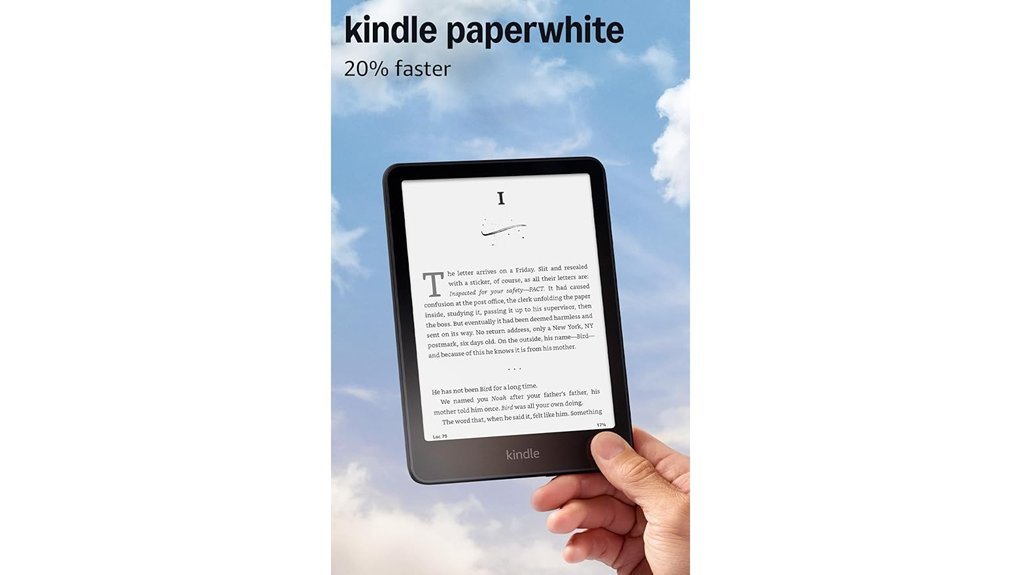
If you just want a Kindle and don’t want to think about it too hard, this is the one. The next-generation 7″ Paperwhite display is larger than older models, with a higher contrast ratio and roughly 25% faster page turns, so text looks crisp and flicking through a novel feels immediate. The ultra-thin, glare-free screen stays readable in direct sunlight, and the adjustable warm light shifts the display towards amber for night reading without a lamp. Battery life runs up to 12 weeks on a single USB-C charge under light use, and the IPX8 water-resistant build means a poolside splash or a dropped device in the bath isn’t a disaster. Storage of 16GB holds thousands of ebooks, and the Kindle Store gives instant access to millions of titles, with Kindle Unlimited available as an optional subscription if you read heavily.
Why You’ll Like It: It solves the two things that put people off older e-readers — a cramped screen and sluggish page turns — without the premium price tag.
Best For: Everyday readers who want a distraction-free device with a big battery, and anyone buying their first Kindle.
Who Should Avoid This: Readers who want automatic light adjustment, wireless charging or a guaranteed ad-free lockscreen — those are Signature Edition features.
Pros:
- Sharp 300 ppi display with strong contrast and noticeably quicker page turns.
- IPX8 water-resistant, so it handles the bath, beach and poolside.
- Weeks of battery life per charge, with modern USB-C charging.
Cons:
- Black-and-white e-ink only — not suited to comics, magazines or illustrated cookbooks.
- No physical page-turn buttons; every turn is a screen tap or swipe.
- Standard versions are often sold with lockscreen ads unless you select the ad-free option at checkout.
Tip: Amazon sometimes lists this model bundled with a few months of Kindle Unlimited — check the purchase options on the product page before adding to cart.
Amazon Kindle Paperwhite Signature Edition (32 GB)
Best Premium
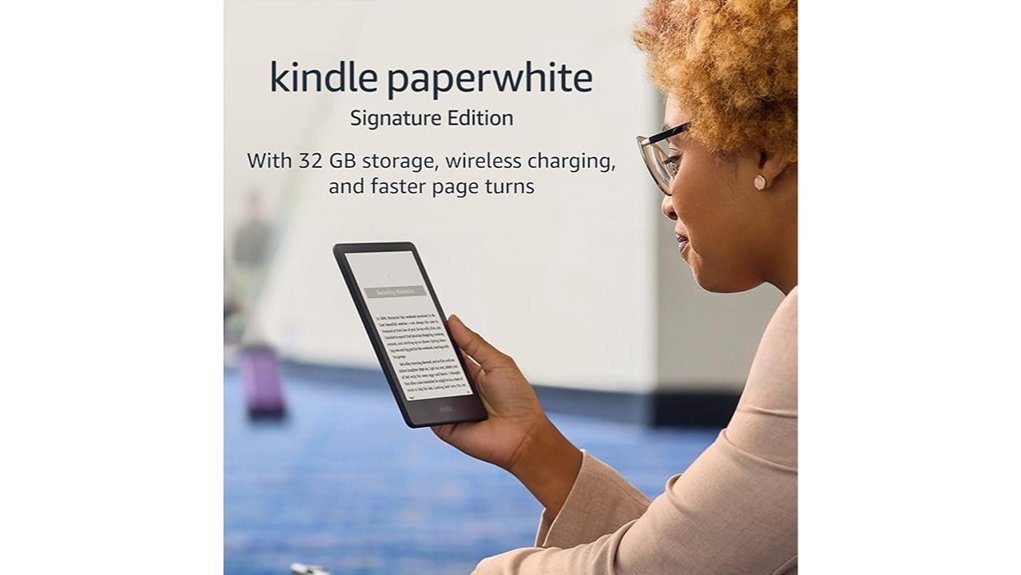
The Signature Edition is the Paperwhite with the small irritations removed. Its flush-front 6.8″, 300 ppi glare-free display reads like paper indoors and in bright sun, but the real upgrade is the auto-adjusting front light, which reacts to the room so you aren’t constantly reaching for the brightness slider — and the warm light can still be dialled in manually for late-night sessions. It doubles storage to 32GB, which matters if you keep large PDFs or a big audiobook library on the device, and it adds Qi wireless charging alongside USB-C. Battery life is rated up to 10 weeks, it’s IPX8 water-resistant, and it ships without lockscreen ads. Audible titles play over Bluetooth headphones for hands-free listening.
Why You’ll Like It: It removes the daily friction — brightness fiddling, cable hunting, ad screens — that makes a cheaper e-reader feel cheap.
Best For: Heavy readers who use their Kindle daily and want the most comfortable, ad-free experience available in the Paperwhite line.
Who Should Avoid This: Casual readers who finish a book a month — the standard Paperwhite covers that use case for less.
Pros:
- Auto-adjusting front light plus warm light for comfortable reading from morning to midnight.
- 32GB storage and Qi wireless charging, neither of which the standard Paperwhite offers.
- No lockscreen ads, plus Audible support over Bluetooth.
Cons:
- Costs noticeably more than the standard Paperwhite for what are convenience upgrades, not reading-quality upgrades.
- A Qi charging pad is not included, so wireless charging is an extra purchase.
- Amazon has released newer Paperwhite generations, so check the listing details and screen size before ordering to confirm which version you’re getting.
Amazon Kindle Paperwhite Kids 16GB (Newest Model)
Best for Kids
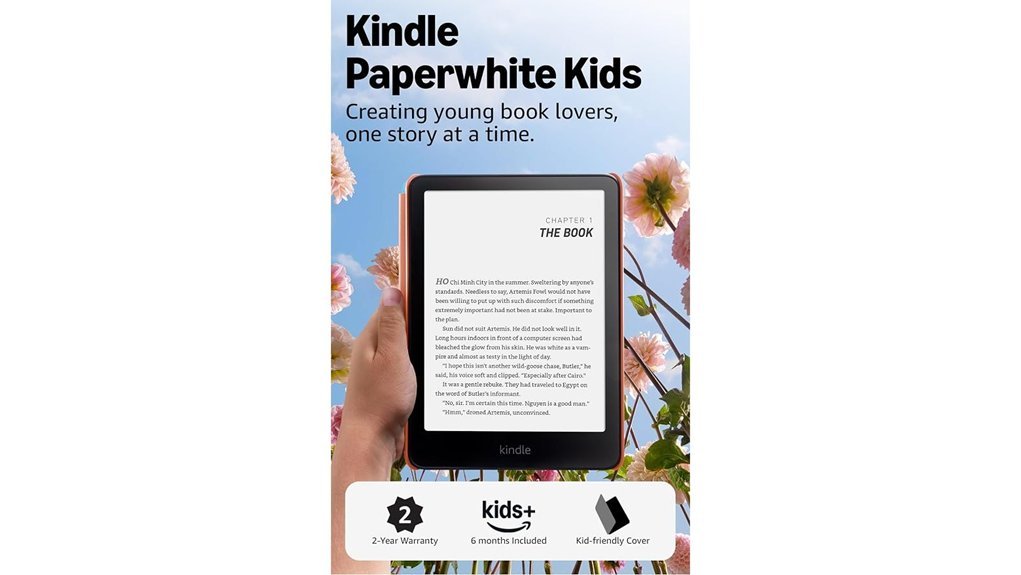
This is the same 7″ glare-free display, higher contrast ratio and faster page turns as the standard Paperwhite, packaged for younger readers. It arrives with a kid-friendly cover included, no lockscreen ads, and a 2-year worry-free guarantee — if it breaks, Amazon replaces it. The IPX8 water-resistant build survives poolside and beach reading, and the adjustable warm light makes bedtime reading easier on the eyes. A six-month Amazon Kids+ subscription is included, giving access to thousands of age-appropriate titles, and the Parent Dashboard lets you set age filters, add specific books, view reading progress and set bedtimes. Because there’s no browser, app store or video, it keeps reading time as reading time.
Why You’ll Like It: The cover, the guarantee and the ad-free screen are bundled in, which usually works out cheaper than buying a standard Paperwhite and adding a case.
Best For: Independent readers and tweens who are past picture books and read chapter books on their own.
Who Should Avoid This: Families wanting colour picture books, read-along audio or games — a colour kids tablet is the better fit there. The black-and-white e-ink screen is text-first.
Pros:
- Cover, ad-free screen and 2-year worry-free guarantee included in the box.
- Parent Dashboard controls for age filters, bedtimes and reading progress.
- Six months of Amazon Kids+ included for a large age-appropriate library.
Cons:
- Amazon Kids+ renews automatically at the end of the trial unless cancelled in the Parent Dashboard.
- Kids+ selection is limited to the titles in that library; anything outside it must be bought separately.
- Text-only e-ink is a poor match for younger children who still need illustrations.
Amazon Kindle Scribe with Premium Pen (16GB)
Best for Note-Taking
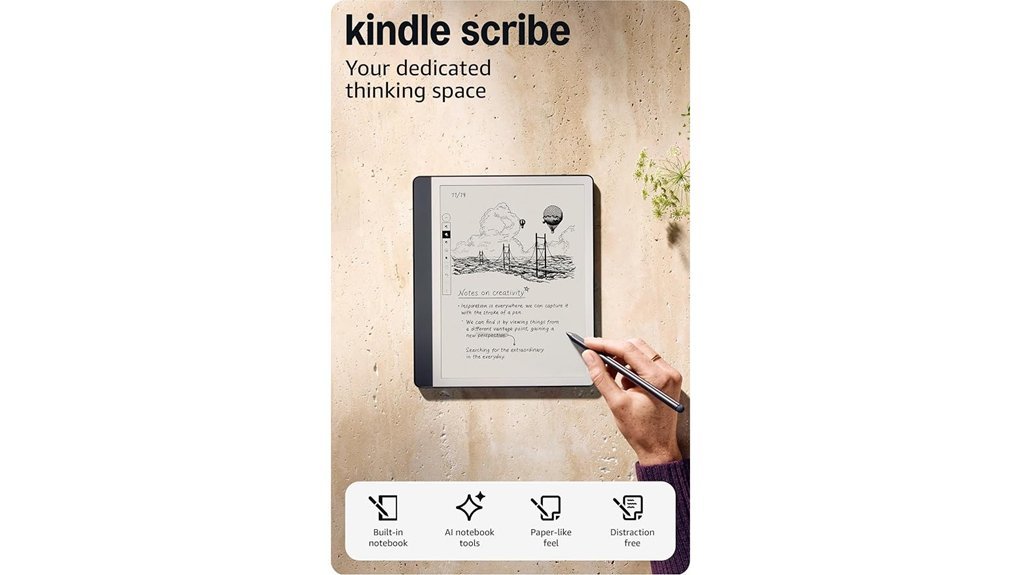
The Kindle Scribe is the answer for people whose reading involves a pen. Its 10.2″ glare-free display is large enough to read technical PDFs and textbooks without constant zooming, and the included Premium Pen with a tungsten tip writes with a paper-like resistance and needs no charging. You can write directly in the margins of books using the Active Canvas feature, mark up imported PDFs, and keep separate notebooks alongside your library. Built-in AI tools can convert handwritten notes into typed text and summarise pages of notes, which makes it far more useful than a stack of loose paper. Battery life stretches to months of reading and weeks of writing per charge, and because there’s no browser or notifications, it stays a focused device.
Why You’ll Like It: It replaces a notebook, a PDF reader and an e-reader with one device you can annotate without printing anything.
Best For: Students, researchers and professionals who read documents actively rather than passively.
Who Should Avoid This: Anyone who only reads novels. It’s larger, heavier and considerably more expensive than a Paperwhite, and the note-taking features go unused.
Safety Note: Unlike the Paperwhite models, the Kindle Scribe is not water-resistant. Keep it away from the bath, pool and beach.
Pros:
- Large 10.2″ screen displays full-size PDFs and textbooks without reflowing or zooming.
- Premium Pen writes naturally, never needs charging and supports margin notes on books.
- Handwriting-to-text conversion and note summarisation make handwritten notes searchable and reusable.
Cons:
- Significantly larger, heavier and pricier than a Paperwhite — less comfortable for one-handed reading.
- Not water-resistant, so it can’t go where the Paperwhite models can.
- 16GB may feel tight if you store large scanned PDF collections alongside your library.
Factors to Consider When Choosing Kindles 2026: Buying Guide
The four models above differ less in reading quality than in convenience, size and extras. These are the factors worth weighing before you decide.
Display Size and Quality
Kindle screens in this lineup range from 6.8″ up to 10.2″. A 7″ Paperwhite is the sweet spot for novels: big enough to reduce page turns, small enough to hold in one hand. The 10.2″ Scribe only makes sense if you read fixed-layout PDFs or write on the page. All four models use 300 ppi e-ink, so text sharpness is effectively identical — what differs is the contrast ratio and screen size, not resolution. Every model here is glare-free and readable in direct sunlight, and all offer adjustable brightness and warm light. One thing none of them offer is colour: if you want illustrated books or comics, you’re looking at a colour e-reader or a tablet instead.
Battery Life Considerations
Manufacturer battery figures assume light daily reading with wireless off and the front light low. In practice, expect several weeks rather than the headline number if you read with the light bright and Wi-Fi on. The Paperwhite models are rated up to 12 weeks and the Signature Edition up to 10; the Scribe is quoted in months of reading but weeks of writing, since pen input draws more power. All four charge over USB-C, and the Signature Edition adds Qi wireless charging. Turning off Wi-Fi between syncs and lowering brightness are the two changes that extend runtime most.
Portability and Weight
The Paperwhite models are ultra-thin, weigh far less than a hardback, and slip into a coat pocket or small bag — they’re comfortable to hold for hours without hand fatigue, which is the main reason people prefer them to reading on a phone or tablet. The Scribe is a different proposition: closer to a paper notepad in footprint, better on a desk or lap than in one hand. If you read mostly while commuting or travelling, size matters more than any spec on the box.
Water Resistance and Durability
All three Paperwhite models here carry an IPX8 rating, meaning they’re built to survive accidental immersion in fresh water for a limited time and depth — enough for the bath, the pool edge or a rainy commute. The Kindle Scribe is not water-resistant, so it should stay dry. IPX8 is not a licence to swim with the device, and the rating covers fresh water rather than chlorinated pools or seawater; rinse and dry the device if it’s exposed to either. A case is still worth adding for scratch protection, and it’s included with the Kids model.
Note-Taking Features
Every Kindle supports highlights, bookmarks and typed notes, plus a built-in dictionary and translation. Only the Scribe supports handwriting. Its Active Canvas lets you write directly in the margins of a book, it imports PDFs for direct markup, and its AI tools convert handwriting into typed text and summarise notes. If your reading is passive, the Paperwhite’s highlight-and-export workflow is plenty. If you annotate constantly, the Scribe is the only model in this list that fits.
Content Access Options
All four models pull from the Kindle Store, which carries millions of titles. Kindle Unlimited is an optional subscription offering a large rotating catalogue of ebooks and audiobooks — worth it only if you read several subscription-eligible books a month. Amazon Kids+ on the Kids model works the same way for children’s titles, with six months included. Beyond Amazon, you can send your own documents to the device with Send to Kindle, and in supported regions you can borrow library ebooks through services such as Libby or OverDrive. Audible audiobooks play over Bluetooth headphones on all these models; there are no built-in speakers.
Lockscreen Ads and Parental Controls
Standard Paperwhite listings usually offer a choice between an ad-supported version, which shows sponsored screensavers, and a slightly pricier ad-free version — check which option is selected before you order. The Signature Edition and Kids model ship without ads. For families, the Kids model’s Parent Dashboard handles age filters, book approvals, bedtime limits and progress tracking, and the Amazon Kids+ subscription can be cancelled from the same dashboard before it renews.
Before You Buy: Quick Checklist
- Do you need colour? If yes, none of these models will satisfy you.
- Will you read near water? Choose a Paperwhite, not the Scribe.
- Do you want ad-free out of the box? Signature Edition or Kids.
- Do you write or mark up PDFs? Only the Scribe does this properly.
- Buying for a child? Confirm they read chapter books, not picture books.
- Check the listing’s generation, screen size and storage before checkout — Amazon lists several Kindle generations at once.
- Budget for a case on every model except the Kids edition.
Frequently Asked Questions
Are All Kindles Waterproof for Reading by the Pool or Beach?
No. The Paperwhite models — including the Signature Edition and the Kids version — carry an IPX8 rating and are built to survive accidental immersion in fresh water. The Kindle Scribe is not water-resistant and should be kept away from pools, baths and beaches. Even with an IPX8 device, rinse and dry it after contact with saltwater or chlorine.
What’s the Real Difference Between the Paperwhite and the Signature Edition?
Reading quality is essentially the same — both use 300 ppi glare-free e-ink and both are water-resistant. The Signature Edition adds an auto-adjusting front light, double the storage, Qi wireless charging and no lockscreen ads. Those are comfort upgrades, not reading upgrades, so the standard Paperwhite is the better buy unless you use your Kindle daily.
How Long Does the Battery Last on Different Kindle Models?
Between roughly 10 and 12 weeks per charge on the Paperwhite models under light use, and months of reading on the Scribe, though writing with the pen drains it faster. Real-world results depend heavily on brightness, wireless connectivity and how many hours a day you read.
Can I Borrow eBooks From Libraries on My Kindle?
In supported regions, yes. Library apps such as Libby and OverDrive can deliver borrowed titles to a Kindle over Wi-Fi with a valid library card. Availability varies by country and by library system, so check with your local library before buying if this is a deciding factor.
Do Kindles Show Ads on the Lockscreen?
Standard Paperwhite listings are commonly sold in both ad-supported and ad-free versions, selected at checkout. The Signature Edition and the Kids model come without lockscreen ads.
What Accessories Are Recommended for Protecting My Kindle?
A fitted case is the single most useful accessory, since it protects the screen in a bag and many versions wake and sleep the device automatically. A microfibre cloth handles fingerprints, and Scribe owners may want spare pen tips. The Kids model already includes a cover.
Is There a Subscription Service for eBooks With Kindle?
Yes — Kindle Unlimited gives access to a large rotating catalogue of ebooks, audiobooks and magazines for a monthly fee. It’s a separate subscription from the device and from Prime, and trial periods renew automatically unless cancelled.
Final Recommendation
For most people, the Kindle Paperwhite 16GB is the right answer: the biggest reading improvements — larger screen, faster page turns, water resistance, weeks of battery — at the most sensible price. Choose the Signature Edition if you read daily and want the auto-adjusting light and ad-free screen. Choose the Paperwhite Kids if you’re buying for a child who reads chapter books, since the cover and two-year guarantee more than justify the difference. And choose the Kindle Scribe only if you genuinely write and annotate, because that’s the one thing no other model here can do.
Whichever you pick, confirm the generation, storage and ad option on the Amazon listing before checkout — several Kindle versions are sold side by side.