
The 7 best smart light switches for 2026 offer innovative features, enhancing home automation and energy efficiency. Top picks include the Geeni TAP and Lutron Caseta, both compatible with various smart home systems. The Kasa Smart WiFi Motion Sensor Light Switch stands out for its motion detection capabilities, while the meross Smart Light Switch supports Apple HomeKit. Each option below caters to different budgets, ecosystems, and installation needs, with a buying guide and FAQ to help you choose with confidence.
Quick Picks:
- Best Overall: Lutron Caseta Smart Light Switch (PD-6ANS-WH)
- Best Value: Geeni TAP Smart Light Switch
- Best for Motion Sensing: Kasa Smart WiFi Motion Sensor Light Switch (KS200M)
- Best Budget Dimmer: Geeni Smart Wi-Fi Dimmer Light Switch
- Best for Apple HomeKit: meross Smart Light Switch
- Best Dimmer for Lutron Ecosystem: Lutron Caseta Smart Dimmer Switch (PDW-6WCL-WH-A)
- Best Multi-Location Add-On: Leviton Decora Smart Switch Anywhere Companion (DAWSC-2RW)
Geeni TAP Smart Light Switch – Wi-Fi Enabled
BEST VALUE
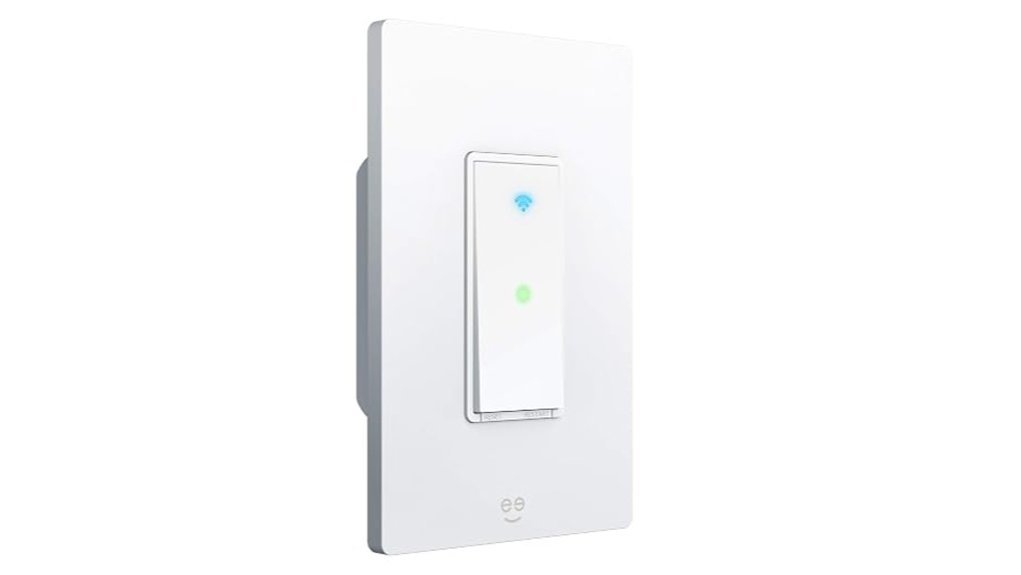
The Geeni TAP Smart Light Switch is an ideal choice for homeowners seeking seamless integration with their smart home systems. This Wi-Fi-enabled switch requires a neutral wire for installation and operates on a 2.4 GHz network. Compatible with both Amazon Alexa and Google Home, it allows users to control lighting through touch, an app, or voice commands. Designed for single-pole setups, it eliminates the need for a hub, simplifying the installation process. With the Geeni app, users can manage all Geeni devices from their smartphones, enabling remote control and scheduling of lights based on location for enhanced convenience.
Best For: Homeowners looking for a reliable and easy-to-install smart light switch that integrates seamlessly with existing smart home systems.
Pros:
- Easy Integration: Compatible with Amazon Alexa and Google Home for voice control.
- Remote Access: Control your lights from anywhere using the Geeni app.
- Scheduling Features: Set automatic on/off times based on your location for added convenience.
Cons:
- Neutral Wire Required: Installation requires a neutral wire, which may not be available in all homes.
- Single-Pole Only: Not suitable for multi-way switch configurations.
- 2.4 GHz Only: Limited to 2.4 GHz Wi-Fi networks, potentially impacting connectivity in some environments.
Lutron Caseta Smart Light Switch (PD-6ANS-WH)
BEST OVERALL
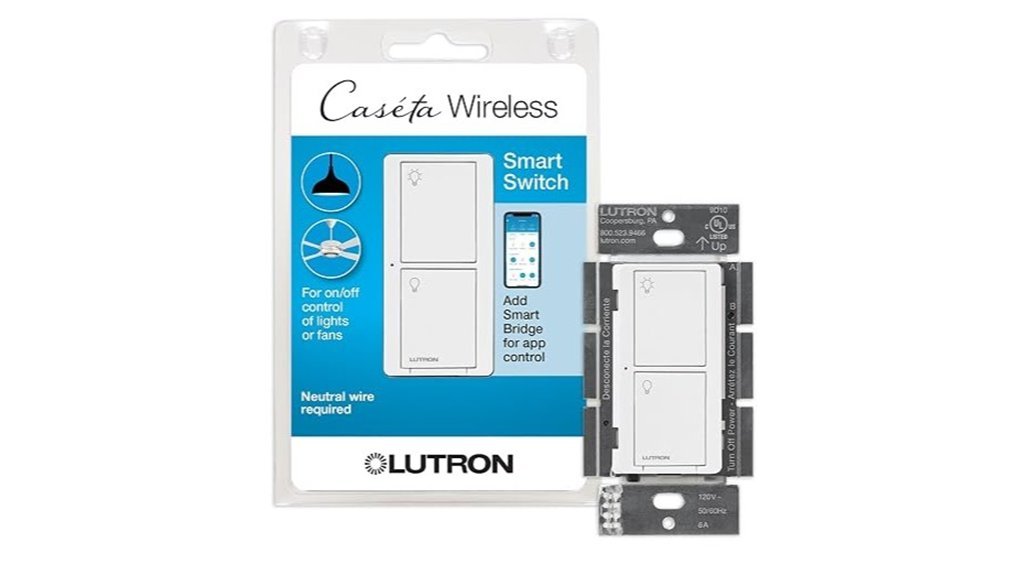
Ideal for tech-savvy homeowners, the Lutron Caseta Smart Light Switch (PD-6ANS-WH) seamlessly integrates with various smart home ecosystems. This smart switch supports LED, CFL, incandescent, and halogen bulbs up to 600W, as well as ceiling fans up to 6A. It requires a neutral wire for installation and can be configured for single-pole or 3-way setups. On its own, the switch can be operated by touch or with wireless Pico remotes; app control, smart scheduling, geofencing, and voice control through Apple Home, Amazon Alexa, or Google Assistant all require the separately sold Lutron Caséta Smart Hub.
Best For: Tech-savvy homeowners looking to enhance their smart home experience with versatile lighting and fan control.
Pros:
- Integrates with Apple Home, Amazon Alexa, and Google Assistant for voice control (Lutron Smart Hub required).
- Customizable scheduling and geofencing features for enhanced convenience and security (Lutron Smart Hub required).
- Multi-location control capability when paired with Pico remotes, ideal for larger spaces.
Cons:
- Requires neutral wire for installation, which may complicate setup in older homes.
- Smart Hub needed for app control, remote access, and voice assistants, adding to the initial investment.
- Pico remotes sold separately, which can increase overall costs for multi-switch setups.
Kasa Smart WiFi Motion Sensor Light Switch (KS200M)
BEST FOR MOTION SENSING
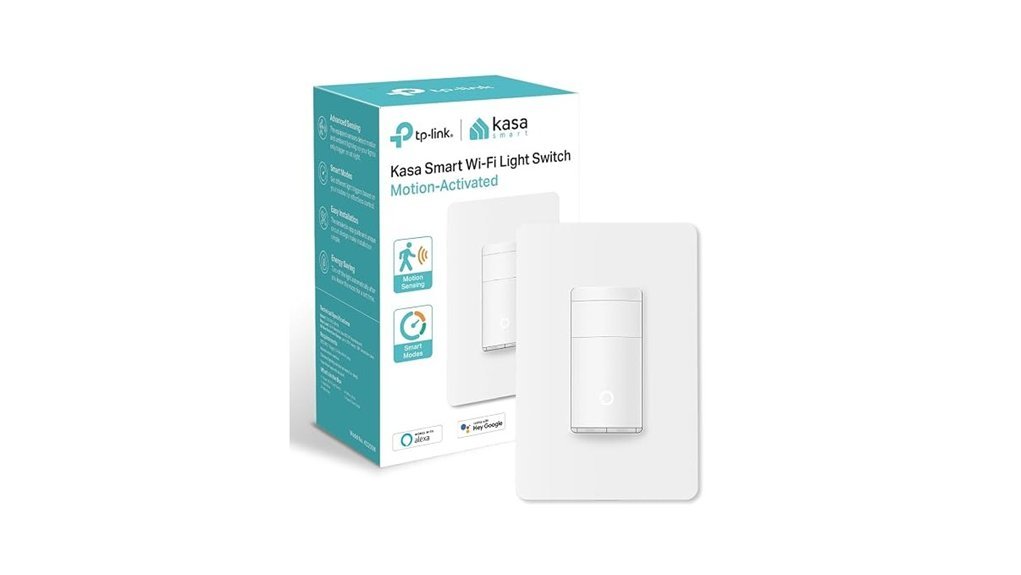
Kasa’s Smart WiFi Motion Sensor Light Switch (KS200M) offers seamless automation for homeowners seeking convenience and efficiency. This single pole design requires a neutral wire and operates on a 2.4GHz Wi-Fi network. Compatible with Amazon Alexa, Google Home, and Samsung SmartThings, it provides hands-free operation and remote management via the Kasa app. Key features include automatic motion detection, daylight detection to prevent unnecessary activation, and customizable smart and away modes. With support for various bulb types and a simple app-guided installation, the KS200M is UL certified for safety and backed by a two-year warranty, trusted by millions worldwide.
Best For: Homeowners looking for a convenient and efficient way to automate lighting in spaces like bedrooms, hallways, and restrooms.
Pros:
- Voice Control: Compatible with Amazon Alexa and Google Assistant for hands-free operation.
- Energy Efficient: Daylight detection prevents unnecessary light activation during the day.
- Easy Installation: App-guided setup simplifies the installation process for users.
Cons:
- Requires Neutral Wire: Installation may be challenging for homes lacking a neutral wire.
- Limited to 2.4GHz: Only compatible with 2.4GHz Wi-Fi networks, excluding 5GHz options.
- Dependence on Wi-Fi: Functionality relies on a stable internet connection, which may affect performance during outages.
Geeni Smart Wi-Fi Dimmer Light Switch for Alexa
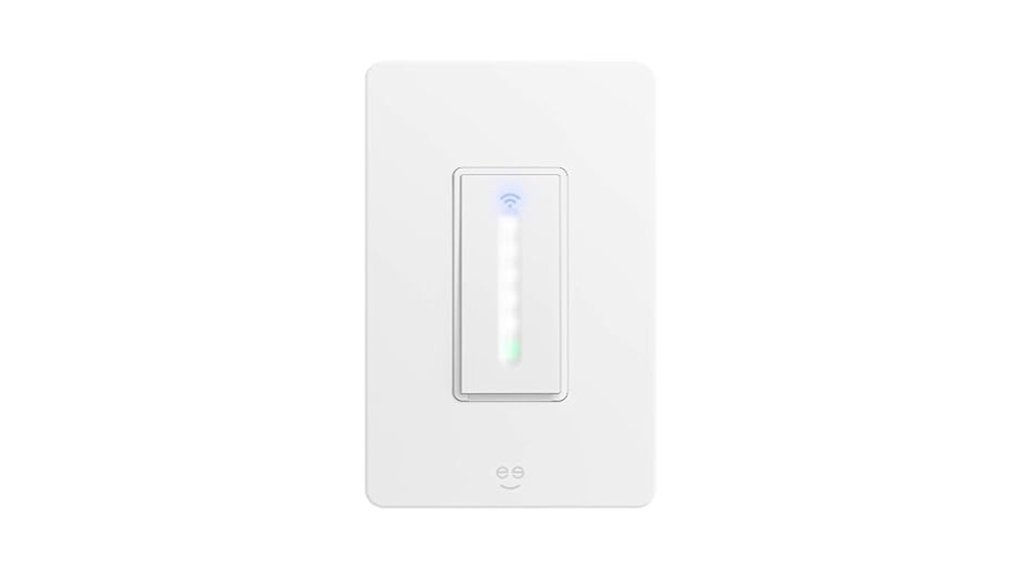
BEST BUDGET DIMMER
For tech-savvy homeowners seeking convenience, the Geeni Smart Wi-Fi Dimmer Light Switch offers seamless remote control through the Geeni app or voice commands. Compatible with Alexa and Google Assistant, it allows for hands-free operation, enhancing daily life. The switch features a sleek, modern design that fits standard switch plates, making it an unobtrusive addition to any room. Installation is straightforward, with step-by-step instructions included. Users can set schedules and timers for automatic light control, promoting energy savings. However, it’s important to note that a neutral wire is required for installation, ensuring compatibility with most home setups.
Best For: Tech-savvy homeowners seeking convenient and modern lighting control solutions.
Pros:
- Voice control compatible with Alexa and Google Assistant for hands-free operation.
- Sleek design that enhances home décor and fits standard switch plates.
- Automation features allow users to set schedules and timers for energy savings.
Cons:
- Requires a neutral wire for installation, which may not be available in all homes.
- Dependent on Wi-Fi connectivity for full functionality, which could be a limitation in some areas.
- Initial setup may be challenging for those unfamiliar with smart home technology.
meross Smart Light Switch with HomeKit Support
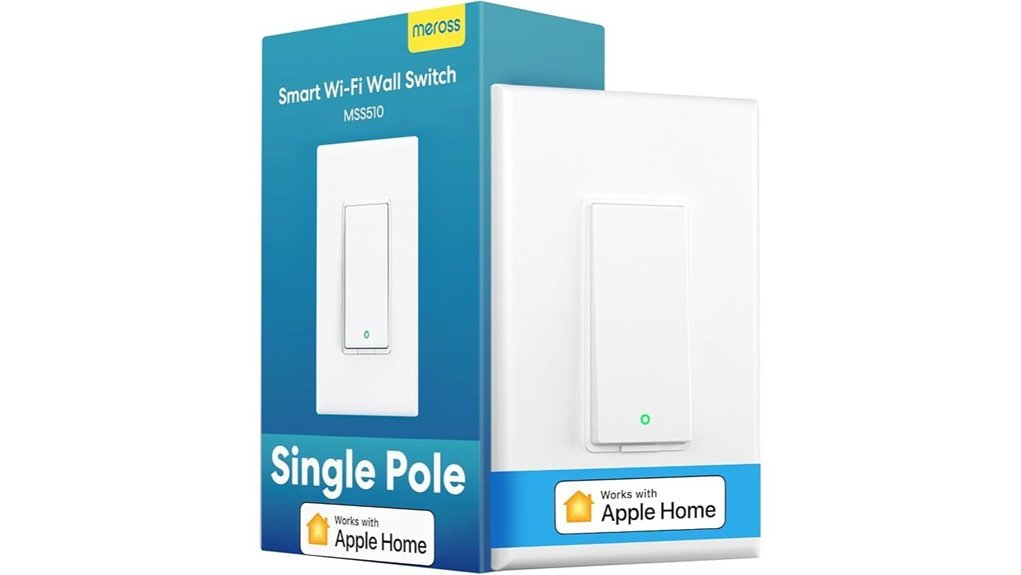
BEST FOR APPLE HOMEKIT
The meross Smart Light Switch with HomeKit support is frequently chosen by Apple ecosystem users for its seamless integration. This single-pole switch is compatible with HomeKit, Alexa, Google Assistant, and SmartThings, operating on a 2.4GHz Wi-Fi network. Installation requires a neutral wire and takes less than 15 minutes. Once set up, users can control the switch remotely through a HomePod, Apple TV, or other Apple home hub device, provided the hub remains online. It also supports simple voice commands via Siri and offers scheduling options to enhance energy management, making it suitable for various settings like closets and garages.
Best For: Users invested in the Apple ecosystem who seek a reliable smart light switch for voice control and energy management.
Pros:
- Seamless integration with HomeKit, Alexa, Google Assistant, and SmartThings.
- Quick installation in under 15 minutes with standard size faceplate compatibility.
- Energy-saving features like scheduling and auto on/off capabilities.
Cons:
- Requires a neutral wire for installation, which may not be available in all homes.
- Limited to 2.4GHz Wi-Fi, not supporting faster 5GHz connections.
- Remote control requires an Apple home hub device (HomePod, Apple TV, or iPad), which adds to setup complexity.
Lutron Caseta Smart Dimmer Switch (PDW-6WCL-WH-A)
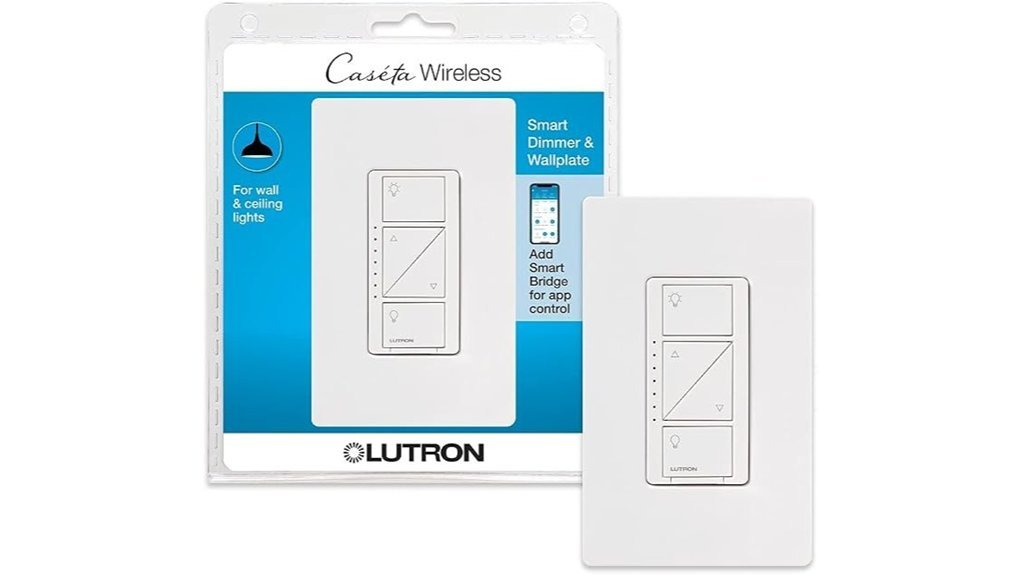
BEST DIMMER FOR LUTRON ECOSYSTEM
Homeowners seeking a versatile lighting solution will find the Lutron Caseta Smart Dimmer Switch (PDW-6WCL-WH-A) ideal. This white dimmer requires the Caséta Smart Hub for full functionality and integrates seamlessly with Alexa, Apple HomeKit, Google Assistant, and other smart devices. Users can control their lighting via the Lutron app, voice commands, or the wall switch, allowing for personalized schedules and scene settings. It supports various bulbs without needing a neutral wire and facilitates an easy 3-way setup. Notable features include the Smart Away function and compatibility with the Pico remote for enhanced convenience.
Best For: Homeowners looking for a flexible and easy-to-use smart lighting solution that integrates with various smart home systems.
Pros:
- Versatile Control Options: Operate lights through app, voice commands, or traditional wall switch (Lutron Smart Hub required for app/voice).
- No Neutral Wire Required: Compatible with homes of any age, simplifying installation.
- Smart Features: Includes Smart Away function and supports creating personalized lighting scenes.
Cons:
- Requires Additional Hub: Needs the Caséta Smart Hub for full functionality.
- Limited to 150W for LED/CFL: May not support higher wattage needs for some users.
- Pico Remote Sold Separately: Additional cost for enhanced remote control functionality.
Leviton Decora Smart Switch Anywhere Companion (DAWSC-2RW)
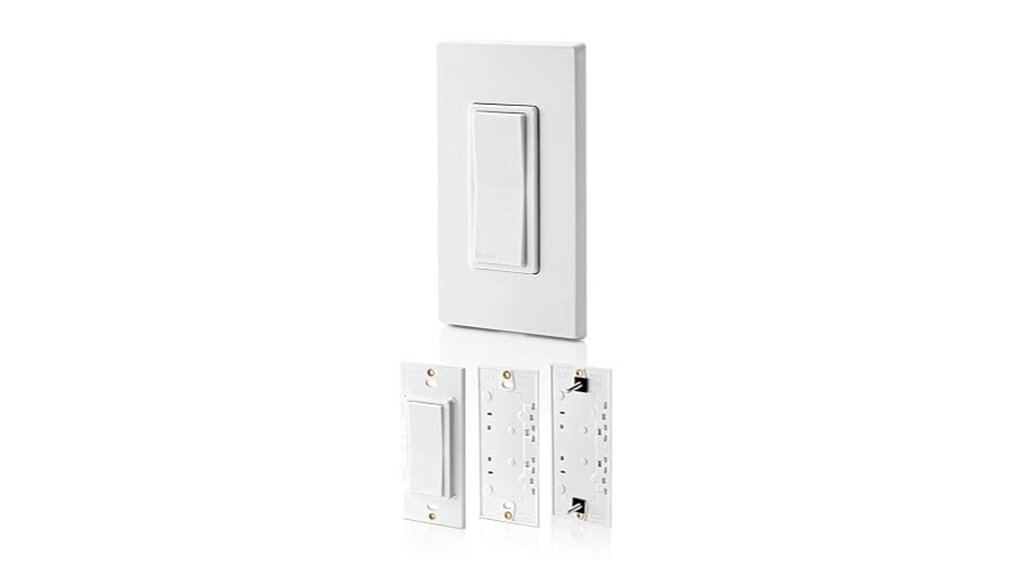
BEST MULTI-LOCATION ADD-ON
Designed for seamless control, the Leviton Decora Smart Switch Anywhere Companion (DAWSC-2RW) caters to homeowners seeking flexibility in their lighting setup. This wire-free device allows for 3-way, 4-way, and 5-way on/off control, enhancing convenience without the need for complex wiring. It pairs effortlessly with Decora Smart Wi-Fi 2nd Gen devices, providing additional control locations within a 50-foot range. Ideal for areas like staircases or hallways, it can manage various connected devices, including smart plugs and lamps. With long-life batteries lasting up to five years, maintenance is minimal, ensuring reliable performance in any home.
Compatibility Note: This is a companion switch, not a standalone smart switch. It only works when paired with a Decora Smart Wi-Fi 2nd Gen switch, dimmer, or mini plug-in (sold separately) — you’ll need one of those first if you don’t already have one installed.
Best For: Homeowners who already own a Decora Smart Wi-Fi 2nd Gen switch and want flexible, wire-free control options in additional locations.
Pros:
- Easy installation with no complex wiring required.
- Long battery life of up to 5 years, minimizing maintenance.
- Versatile control for multiple devices, enhancing convenience in high-traffic areas.
Cons:
- Does not work on its own — requires a compatible Decora Smart Wi-Fi 2nd Gen primary device, sold separately.
- Limited range of 50 feet may restrict placement options.
- Battery replacement may be needed periodically, though infrequent.
Buying Guide: What to Look for in a Smart Light Switch
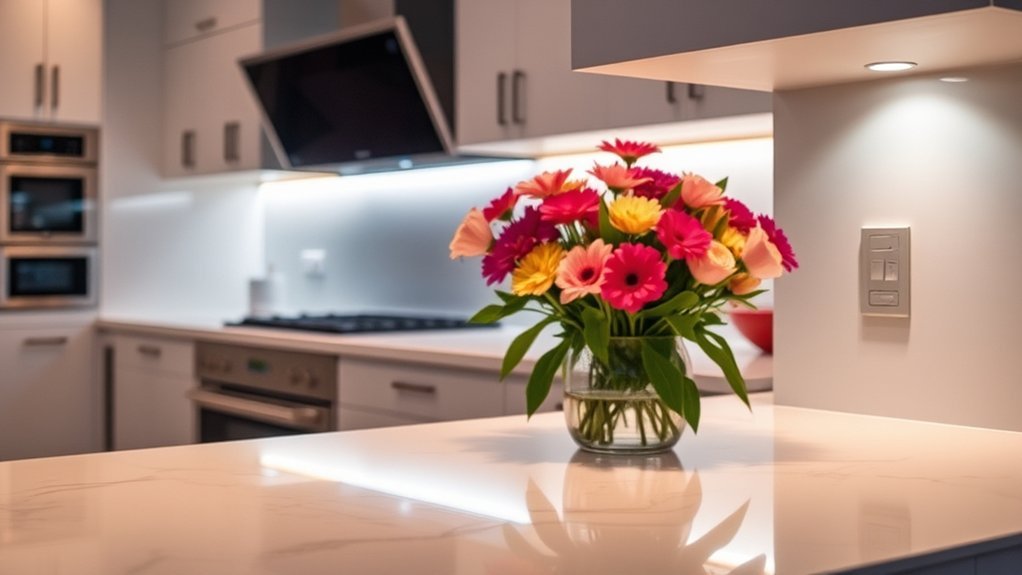
When selecting smart light switches for 2026, several key factors warrant consideration. Installation requirements, compatibility with existing smart systems, and remote control features can greatly impact user experience. Additionally, energy efficiency and design aesthetics play vital roles in making an informed choice.
Do You Need a Hub or a Companion Switch?
Some switches on this list, like the Lutron Caseta models, need the separate Lutron Caséta Smart Hub for app control, scheduling, geofencing, and voice assistant support — without it, they only work by touch or with a paired Pico remote. Others, like the Geeni, Kasa, and meross switches, connect straight to home Wi-Fi with no extra hardware. Separately, companion switches such as the Leviton Decora Anywhere Companion are not standalone smart switches — they only add extra control points once you already own a primary Decora Smart Wi-Fi 2nd Gen switch, dimmer, or mini plug-in. Check what each switch needs before you buy so you don’t end up with a box that can’t do what you expected out of it.
Installation Requirements Overview
Choosing the right smart light switch involves careful consideration of various installation requirements, particularly the necessity of a neutral wire for ideal functionality. Most models require this wire to guarantee a consistent power supply. While single-pole configurations are common, some switches support 3-way or multi-location setups, necessitating additional components like remotes or secondary switches. Installation generally adheres to standard electrical wiring practices, often fitting into existing switch plates for aesthetic appeal. Many smart switches also provide app-guided setup, making the installation process accessible even for those with limited wiring knowledge. Additionally, some models may require a dedicated hub for full functionality, whereas others connect directly to home Wi-Fi without extra hardware.
Compatibility With Smart Systems
Compatibility with smart systems is essential for maximizing the functionality of smart light switches. Consumers should verify that their chosen switch integrates seamlessly with existing ecosystems, including voice assistants like Amazon Alexa, Google Assistant, or Apple HomeKit. Most smart devices operate on a 2.4 GHz Wi-Fi frequency, so selecting switches that connect via this band is advisable; some may need a dedicated hub. Additionally, switches that support multiple control options—such as app control, voice commands, and physical toggles—enhance usability. For those requiring multi-location setups, compatibility with 3-way configurations is important. Finally, verifying that the switch accommodates various bulb types and wattage limits guarantees it meets diverse lighting needs and existing installations.
Remote Control Features
While selecting smart light switches, remote control features play an essential role in enhancing user convenience and energy efficiency. Many smart switches allow users to manage their lighting remotely through a smartphone app connected to their home Wi-Fi network. This capability is complemented by scheduling options, enabling lights to automatically turn on or off at designated times. Advanced features like motion detection enhance functionality by activating lights when movement is sensed and turning them off after a set period of inactivity. Additionally, compatibility with voice assistants facilitates hands-free operation, while geofencing technology can automatically adjust lighting based on the user’s location, simulating occupancy for added security. These features considerably improve the overall smart home experience.
Energy Efficiency Considerations
When evaluating smart light switches, energy efficiency emerges as a critical factor, greatly impacting both utility costs and environmental sustainability. Many models feature scheduling capabilities, allowing users to automate lighting based on time, which considerably reduces energy consumption. Designed to work with energy-efficient LED and CFL bulbs, these switches maximize savings compared to traditional incandescent options. Additionally, motion sensors prevent lights from remaining on in unoccupied areas, further enhancing efficiency. Some switches include daylight detection features that guarantee lights do not activate during daylight hours. Moreover, integration with home automation systems allows for optimized lighting based on occupancy and natural light levels, contributing to overall energy conservation efforts.
Design and Aesthetics
In today’s market, countless options for smart light switches cater to diverse design preferences and home aesthetics. These switches range from sleek modern styles to classic finishes, ensuring they seamlessly blend into various décors. Many models offer customizable colors and finishes, allowing homeowners to personalize their choices to align with individual tastes. Additionally, the size and shape of these switches are designed to fit standard wall plates, facilitating easy installation and a cohesive look across multiple switches. Touch-sensitive controls enhance the design by eliminating physical buttons, promoting a minimalist aesthetic. The integration of smart features often leads to more streamlined designs, reducing reliance on additional remote controls and contributing to a clutter-free environment.
Voice Control Capabilities
Voice control capabilities have become a pivotal feature in the selection of smart light switches, greatly enhancing user convenience and interaction. These switches enable hands-free operation, allowing users to turn lights on or off using simple voice commands through compatible virtual assistants like Amazon Alexa, Google Assistant, and Apple Siri. Many models offer customizable voice commands, enabling users to create specific triggers for various rooms and lighting scenarios. The effectiveness of voice control is often influenced by the clarity of the command and proximity to the voice assistant device, ensuring reliable performance. Additionally, advanced features such as geofencing and scheduling can complement voice control, providing automated lighting solutions tailored to user routines and preferences.
Customization and Automation Options
Customization and automation options greatly enhance the functionality of smart light switches, allowing users to tailor their lighting experiences to fit specific needs and lifestyles. Key features to take into account include scheduling capabilities, which enable automation based on time of day or user routines, promoting convenience and energy efficiency. Geofencing technology is another valuable feature, automatically adjusting lights as users arrive or leave home. Additionally, switches that support multiple automation scenes allow for varied lighting moods tailored to different activities or times. Compatibility with voice assistants is essential for hands-free control, while integration with other smart home devices guarantees a cohesive automation experience. These options empower users to create a personalized and efficient home environment.
Frequently Asked Questions
Are Smart Light Switches Compatible With All Types of Lighting Fixtures?
Smart light switches are not universally compatible with all lighting fixtures. Compatibility largely depends on the type of bulbs used, such as LED, incandescent, or CFL, and the specific switch model. Careful selection is essential for peak performance.
Do Smart Light Switches Require a Neutral Wire for Installation?
Like a key needing a specific lock, many smart light switches require a neutral wire for installation. Without this essential connection, functionality may be compromised, limiting compatibility with various lighting fixtures and overall performance.
Can I Control Smart Light Switches Remotely Without Wi-Fi?
Smart light switches typically require Wi-Fi for remote control. However, certain models with Bluetooth capabilities allow direct connection to smartphones, enabling control without a Wi-Fi network, though functionality may be limited compared to Wi-Fi-enabled switches.
How Do Smart Light Switches Integrate With Home Security Systems?
Smart light switches can integrate with home security systems by allowing users to automate lighting based on security events, such as motion detection, enhancing safety and providing remote control options for added convenience and peace of mind.
What Is the Lifespan of a Smart Light Switch Compared to Traditional Ones?
Smart light switches typically have a lifespan of 10 to 20 years, considerably longer than traditional switches, which usually last around 5 to 10 years. This longevity is due to advanced technology and durability in smart devices.
Do I Need a Hub for These Smart Switches?
Not always. The Geeni, Kasa, and meross switches on this list connect directly to home Wi-Fi without a separate hub. The Lutron Caseta switches need the Lutron Caséta Smart Hub for app control, remote access, and voice assistant support.
What Is a Companion Switch, and Do I Need One?
A companion switch, like the Leviton Decora Anywhere Companion, adds extra on/off control points for lights already controlled by a primary smart switch, such as at both ends of a staircase. It only works alongside a compatible primary device you already own — it is not a replacement for one.
Conclusion
As the sun sets, casting a warm glow across living spaces, smart light switches illuminate homes with a touch of modern elegance. Each device, from the sleek Geeni TAP to the versatile Lutron Caseta, transforms ordinary settings into personalized sanctuaries of light. In this ever-evolving landscape of technology, choosing the right switch becomes a journey, guiding users to effortlessly blend functionality and style, ensuring every room shines at its brightest, just like the dreams that light our nights.






[…] 7 Best Smart Light Switches for 2026: Top Picks and Guide […]