This post contains affiliate links. If you buy through a link on this page, we may earn a small commission at no extra cost to you.
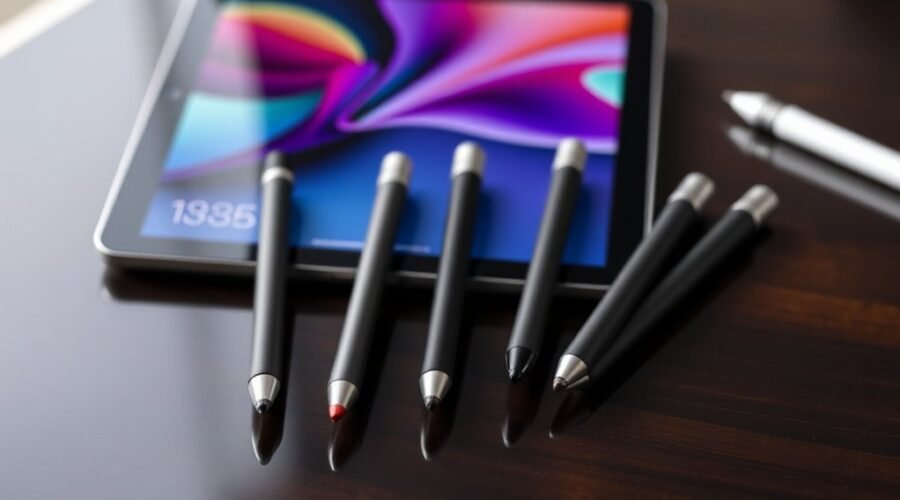
Choosing the right Apple Pencil comes down to one main question: which model actually works with your iPad, and which features matter most for how you’ll use it. The Apple Pencil (USB-C) is the most widely compatible option for note-taking and everyday markup. The Apple Pencil (1st Generation) remains a solid, affordable choice for older iPads with a Lightning port. For artists and heavy creative users, the Apple Pencil Pro adds magnetic charging, haptic feedback, and gesture controls. Because Apple Pencil compatibility depends on your exact iPad generation, it’s worth double-checking your model against Apple’s official compatibility list before buying.
- Best Value: Apple Pencil (USB-C) — widest compatibility with modern iPads at a lower price than the Pro.
- Best for Older iPads: Apple Pencil (1st Generation) — the right pick if your iPad uses a Lightning connector or an older iPad Air.
- Best Premium Pick: Apple Pencil Pro — the most advanced feature set for artists and heavy creative work, on supported iPads only.
Apple Pencil (USB-C) for Note-Taking and Drawing — Best Value
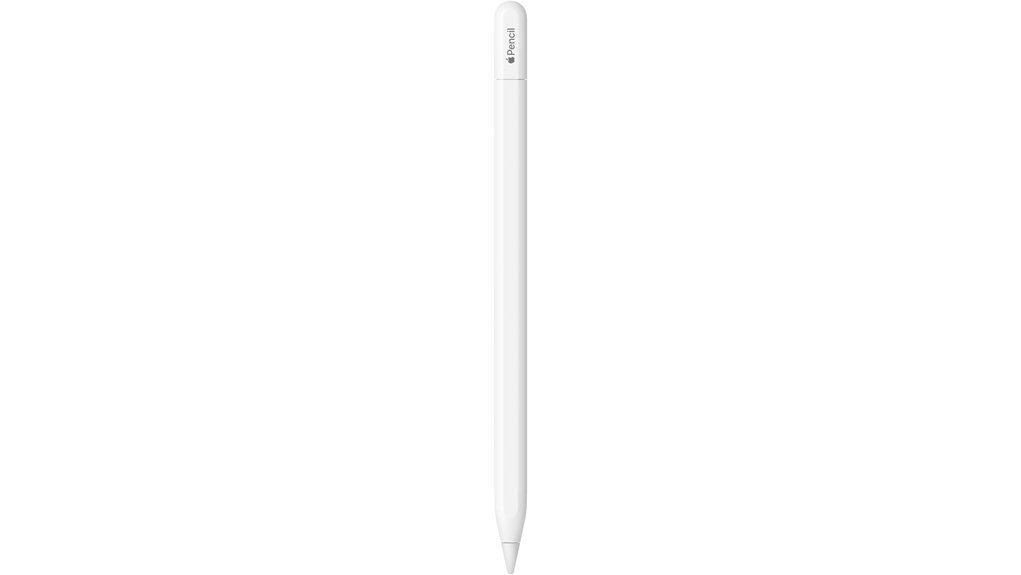
The Apple Pencil (USB-C) stands out as the ideal choice for artists and students seeking precision and versatility in their digital note-taking and drawing experiences. Compatible with a wide range of iPad models, it offers pixel-perfect precision and tilt sensitivity, making it perfect for both sketching and signing documents. Users benefit from low latency and a flat edge design that allows for easy magnetic attachment to compatible iPads for storage and pairing. This stylus transforms the iPad into a creative canvas, seamlessly integrating with built-in apps and third-party creative and note-taking apps. Additionally, the hover feature (on supported iPads) provides a preview of marks before they land.
Best For: Artists and students looking for broad iPad compatibility and everyday precision at a lower price than the Pro model.
Who Should Avoid This: Digital painters who rely heavily on pressure-sensitive shading — this model does not support pressure sensitivity, so the Pencil Pro is the better fit for that kind of work.
Pros:
- Pixel-perfect precision and tilt sensitivity for accurate drawing and writing.
- Low latency ensures a smooth and responsive user experience.
- Magnetic attachment provides convenience and easy storage on compatible iPads.
Cons:
- No pressure sensitivity, unlike the Apple Pencil Pro.
- Only works with specific USB-C iPad models — confirm your exact iPad generation before buying.
- Battery life will vary with usage and needs regular USB-C charging.
Apple Pencil (1st Generation) — Best for Older iPads
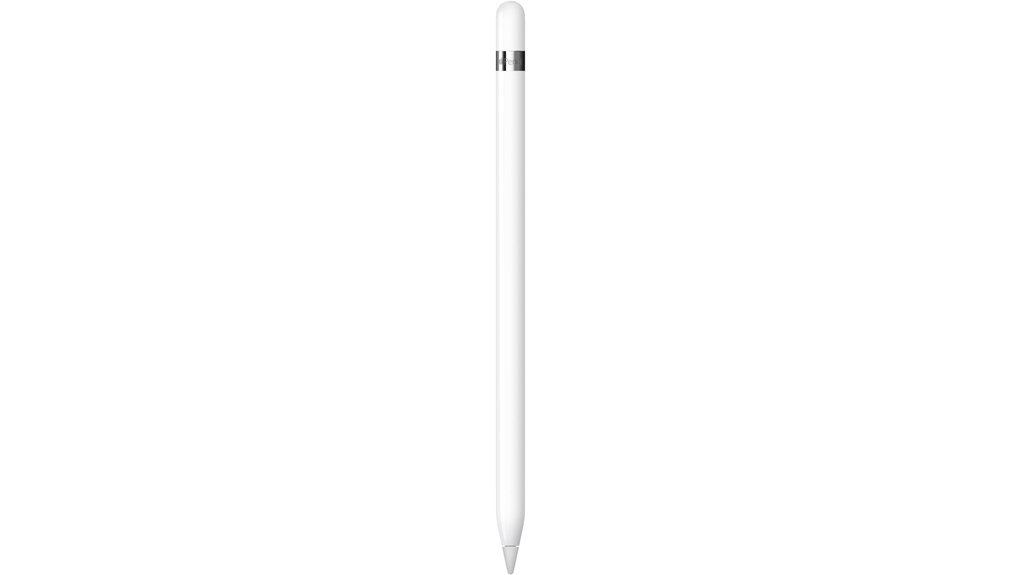
Precision and low latency make the Apple Pencil (1st Generation) a solid choice for artists and note-takers with an older, Lightning-connector iPad. Designed to deliver pixel-perfect accuracy, it features tilt and pressure sensitivity, ensuring a natural drawing experience. The minimal lag enhances its functionality, allowing users to create with ease, whether sketching, doodling, or taking notes. It is compatible with select iPad models, including the iPad (6th through 10th generation) and iPad Air (3rd generation) — not the newer USB-C iPad Air models. The included accessories, such as the Lightning adapter and an extra tip, support seamless setup.
Best For: Owners of older, Lightning-connector iPads or the iPad Air (3rd generation) who want precision and low latency without upgrading their tablet.
Who Should Avoid This: Anyone with a newer USB-C iPad Air, iPad Pro, or iPad mini — those models use the USB-C Pencil or Pencil Pro instead, and the 1st Generation Pencil will not pair with them.
Pros:
- Pixel-perfect accuracy enhances creative projects and detailed note-taking.
- Tilt and pressure sensitivity allows for varied artistic effects, mimicking traditional drawing.
- Minimal lag provides a seamless and responsive user experience.
Cons:
- Only works with specific older iPad models — verify compatibility with your exact iPad generation before buying.
- No built-in storage can make it easy to misplace without a dedicated holder.
- Charging via Lightning adapter is less convenient than the magnetic charging on newer models.
Apple Pencil Pro with Magnetic Charging and Precision — Best Premium Pick
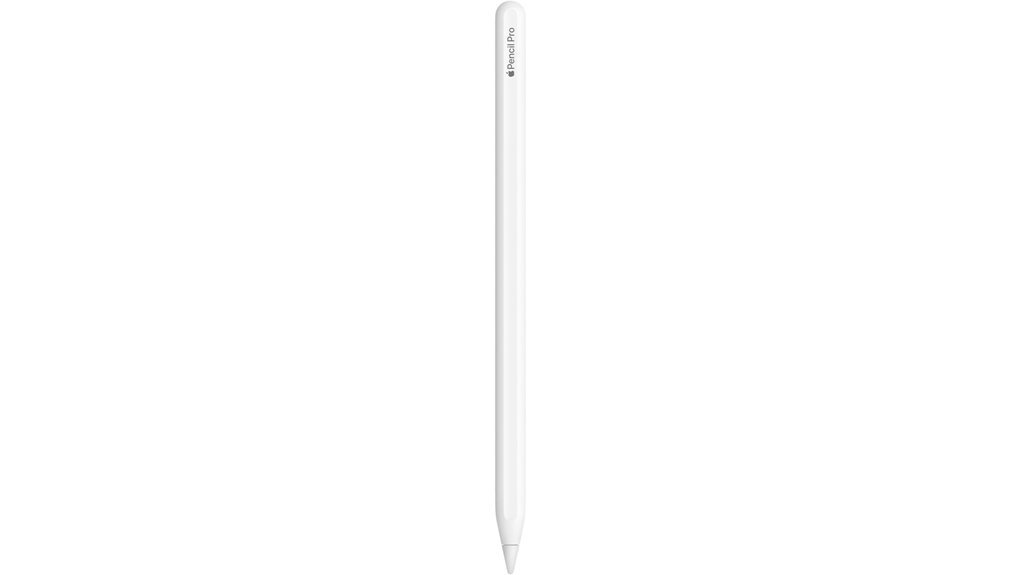
The Apple Pencil Pro stands out due to its advanced haptic feedback, making it an ideal choice for artists and designers. This stylus offers pixel-perfect precision, tilt and pressure sensitivity, and low latency for a seamless creative experience. Users can employ barrel roll and squeeze gestures to seamlessly switch tools or adjust brushes. Its magnetic attachment guarantees easy charging and pairing, while the hover feature allows for mark previews before application. It’s compatible only with select recent iPad models — check Apple’s compatibility list for your specific iPad Pro, iPad Air, or iPad mini generation before buying.
Best For: Artists, designers, and students with a supported recent iPad who want the fullest feature set for drawing, sketching, and note-taking.
Who Should Avoid This: Casual note-takers on a budget, or anyone whose iPad doesn’t support it — check compatibility first, since it will not pair with older iPad generations regardless of price paid.
Pros:
- Pixel-perfect precision enhances accuracy for detailed artwork and notes.
- Magnetic attachment allows for easy charging and pairing on compatible iPads.
- Advanced haptic feedback provides tactile responses, improving the drawing experience.
Cons:
- Price point may be high for casual users or those new to digital drawing.
- Compatible only with specific recent iPad Pro, iPad Air, and iPad mini models — confirm before purchasing.
- Learning curve associated with mastering advanced gestures and features.
Quick Comparison: Apple Pencil Models
| Model | Best For | Pressure Sensitivity | Charging | |
|---|---|---|---|---|
| Apple Pencil (USB-C) | Everyday note-taking, markup, sketching on a budget | No | USB-C cable | Check Price |
| Apple Pencil (1st Gen) | Older, Lightning-port iPads and iPad Air (3rd gen) | Yes | Lightning connector/adapter | Check Price |
| Apple Pencil Pro | Serious artists and designers on newer, supported iPads | Yes + haptic feedback | Magnetic | Check Price |
Factors to Consider When Choosing an Apple Pencil for iPad: Which Stylus Should You Buy?
When selecting an Apple Pencil for an iPad, several key factors should be taken into account. Device compatibility, precision, charging options, design, and creative features all play significant roles in ensuring the right choice. Understanding these elements can help users find a stylus that meets their specific needs. Because Apple periodically updates which iPads support which Pencil, it’s worth confirming your exact iPad model against Apple’s official compatibility list before you buy.
Device Compatibility Considerations
Which Apple Pencil is the best fit for a specific iPad model? Compatibility is essential when selecting an Apple Pencil, as different iPad generations utilize varying connection types, such as USB-C or Lightning. The Apple Pencil (1st Generation) is suitable for older models, including the iPad (6th to 10th generation) and iPad Air (3rd generation) — it does not work with newer USB-C iPad Air models. The Apple Pencil (USB-C) covers the widest range of current USB-C iPads. For the most advanced features, the Apple Pencil Pro is compatible only with select recent iPad Pro, iPad Air, and iPad mini generations. Always verify compatibility with the specific iPad model you own before purchasing.
2. Precision And Sensitivity
Understanding precision and sensitivity is essential for anyone considering an Apple Pencil for their iPad. Precision is measured by a stylus’s ability to deliver pixel-perfect accuracy, allowing for intricate designs without errors. Sensitivity encompasses pressure and tilt capabilities, enabling varied line weights and shading effects that mimic traditional drawing tools — note that the Apple Pencil (USB-C) supports tilt but not pressure sensitivity, while the 1st Generation and Pro models support both. Low latency is crucial, ensuring that digital ink appears almost instantaneously as the stylus moves, enhancing the drawing experience. The Apple Pencil Pro adds haptic feedback, providing tactile responses that improve control over strokes. Additionally, the design of the stylus, such as a flat edge for easy attachment and quick tool changes, can greatly impact the overall user experience and efficiency in creative tasks.
3. Charging Mechanism Options
Choosing the right charging mechanism for an Apple Pencil can greatly affect the user experience. The Apple Pencil (USB-C) charges directly via USB-C, making it convenient for newer iPad models equipped with this port. In contrast, the 1st Generation Apple Pencil relies on a Lightning connector, necessitating a compatible Lightning cable or adapter for charging. The Apple Pencil Pro offers the most convenience with its wireless pairing and magnetic charging features, allowing users to attach it seamlessly to compatible iPads. These varying charging methods can influence user convenience and overall satisfaction depending on the device’s compatibility and existing charging infrastructure.
4. Design And Ergonomics
When selecting an Apple Pencil for an iPad, design and ergonomics play a pivotal role in user satisfaction. The shape of the stylus greatly influences comfort, especially during prolonged use; ergonomic designs promote a natural grip. Materials like anodised aluminum and matte finishes not only enhance aesthetics but also provide better tactile feedback. Weight distribution is essential; a well-balanced stylus minimizes hand fatigue, facilitating longer writing or drawing sessions. Additionally, features such as flat edges enable magnetic attachment, improving portability and organization. The size and shape of the stylus tip also matter, as finer tips allow for precise detailing, while broader tips accommodate larger strokes, catering to different artistic needs.
5. Creative Functionality Features
Creative functionality features are essential considerations for anyone looking to enhance their iPad experience with an Apple Pencil. Styluses that offer pixel-perfect precision and tilt sensitivity elevate drawing and writing, allowing users to create varied line weights and shading effects. Low latency is vital, ensuring strokes appear instantly on the screen, fostering seamless interaction. Features like haptic feedback enhance the creative process by providing tactile responses, making the experience more immersive. Advanced functionalities, such as gesture controls, enable quick access to tools and adjustments, streamlining workflow during creative projects. Additionally, compatibility with a broad range of creative applications expands the stylus’s utility, making it suitable for drawing, sketching, note-taking, and document markup.
6. Price And Value
Value is an important element in the decision-making process for those considering an Apple Pencil for their iPad. The price of Apple Pencils varies considerably, with newer models often costing more due to advanced features like pressure sensitivity and low latency. Consumers must weigh these features against their budget constraints, as important functionalities may suffice for basic tasks. Additionally, evaluating long-term value is essential; a stylus compatible with multiple iPad models can be more cost-effective, remaining useful through device upgrades. Buyers should also consider potential extra costs for accessories or adapters that certain models may require for peak performance. Ultimately, understanding the balance between price and functionality is critical for making an informed choice.
7. Intended Use Cases
Selecting the right Apple Pencil for an iPad hinges notably on the intended use cases. For detailed drawing and sketching, a stylus with pressure sensitivity and low latency is vital to capture fine details — the 1st Generation and Pro models fit this best. Those focused on note-taking and markup can do well with the more affordable USB-C model. Professionals seeking advanced functionality may benefit from styluses equipped with gesture controls and haptic feedback, enhancing productivity through intuitive shortcuts. Compatibility with specific iPad models is essential to guarantee full access to features. Additionally, convenience in charging and pairing, such as magnetic attachment and wireless charging, can greatly streamline the user experience, making it a key consideration when selecting a stylus.
- Confirm your exact iPad model and generation in Settings > General > About.
- Check Apple’s official Apple Pencil compatibility page for that exact model.
- Decide whether you need pressure sensitivity (skip the USB-C model if so).
- Factor in charging style — USB-C cable, Lightning adapter, or magnetic — based on your workflow.
Frequently Asked Questions
Can I Use Apple Pencil With Non-Apple Tablets?
The Apple Pencil is specifically designed for Apple devices and is not compatible with non-Apple tablets. Users seeking stylus functionality on other platforms should consider alternatives that are specifically designed for those devices.
How Do I Clean My Apple Pencil?
To clean an Apple Pencil, gently wipe the surface with a soft, lint-free cloth slightly dampened with water. Avoid using harsh chemicals, and guarantee the charging port remains dry to maintain functionality.
What Is the Battery Life of an Apple Pencil?
Battery life varies by model and typical usage patterns, and Apple does not publish a single fixed hours figure across all Pencil models. In general, a Pencil that’s kept paired and charged (via USB-C, Lightning adapter, or magnetic attachment, depending on the model) should comfortably last through a normal day of note-taking or drawing. Check your specific model’s charging method to keep it topped up during heavier creative sessions.
Are There Alternative Styluses Compatible With iPads?
Yes, there are several alternative styluses compatible with iPads, including those from brands like Logitech and Adonit. These options often feature varying levels of pressure sensitivity and functionality, catering to different user preferences and needs.
How Do I Troubleshoot Connectivity Issues With My Apple Pencil?
To troubleshoot connectivity issues with the Apple Pencil, verify it is charged, restart the iPad, and check Bluetooth settings. Additionally, unpair and re-pair the pencil if problems persist, confirming a stable connection for effective use.
How Do I Know Which Apple Pencil Works With My iPad?
Check your iPad model under Settings > General > About, then compare it against Apple’s official Apple Pencil compatibility page. Compatibility depends on the exact iPad generation, not just the iPad family name, so this step avoids ordering the wrong model.
If you want the broadest compatibility at a reasonable price, the Apple Pencil (USB-C) is the safest everyday pick. If your iPad still uses a Lightning port or is an iPad Air (3rd generation), the Apple Pencil (1st Generation) is your only native option. If you own a supported recent iPad and do serious creative work, the Apple Pencil Pro offers the most complete feature set — just confirm compatibility with your specific iPad first.
Conclusion
Selecting the right Apple Pencil comes down to two things: what your iPad actually supports, and how you plan to use it — for note-taking, drawing, or precision creative work. The Apple Pencil (USB-C) covers the broadest range of everyday needs, the 1st Generation model keeps older iPads useful, and the Apple Pencil Pro delivers the most advanced feature set for artists and designers on supported devices. Confirming compatibility with your exact iPad model before buying is the single best way to make sure you end up with the right stylus.