If you are shopping for HomeKit smart switches and dimmers in 2026, the three strongest matches in this guide are the Lutron Caseta Smart Light Switch (PD-6ANS-WH), meross Smart Light Switch with HomeKit Support, and Lutron Caseta Smart Dimmer Starter Kit (P-BDG-PKG1W-A). The main differences are whether you need dimming, whether your electrical box has a neutral wire, whether you prefer direct Wi-Fi or a hub-based system, and whether you need single-pole or multi-location control.
Affiliate disclosure: This article contains Amazon affiliate links. As an Amazon Associate I earn from qualifying purchases.
Quick Verdict
- Best Overall On/Off Switch: Lutron Caseta PD-6ANS-WH — a good fit when you have a neutral wire and want an established hub-based Apple Home setup with single-pole or 3-way flexibility.
- Best Hub-Free Wi-Fi Pick: meross Smart Light Switch — a straightforward single-pole option that connects through 2.4GHz Wi-Fi without requiring a separate meross hub.
- Best No-Neutral Dimmer Kit: Lutron Caseta P-BDG-PKG1W-A — the most useful choice here when you need dimming and your switch box does not have a neutral wire.
Quick Comparison of HomeKit Smart Switches and Dimmers
| Product | Best For | Neutral Wire | Dimming | Apple Home / HomeKit Connection | Wiring Setup |
|---|---|---|---|---|---|
| Lutron Caseta PD-6ANS-WH | Reliable on/off control | Required | No | Through compatible Lutron Smart Hub | Single-pole or compatible 3-way setup |
| meross Smart Light Switch | Simple Wi-Fi installation | Required | No | Direct 2.4GHz Wi-Fi; no meross hub required | Single-pole |
| Lutron Caseta P-BDG-PKG1W-A | No-neutral dimming | Not required for included dimmer | Yes | Compatible Lutron Smart Hub included | In-wall dimmer with optional compatible multi-location control |
Lutron Caseta Smart Light Switch (PD-6ANS-WH)
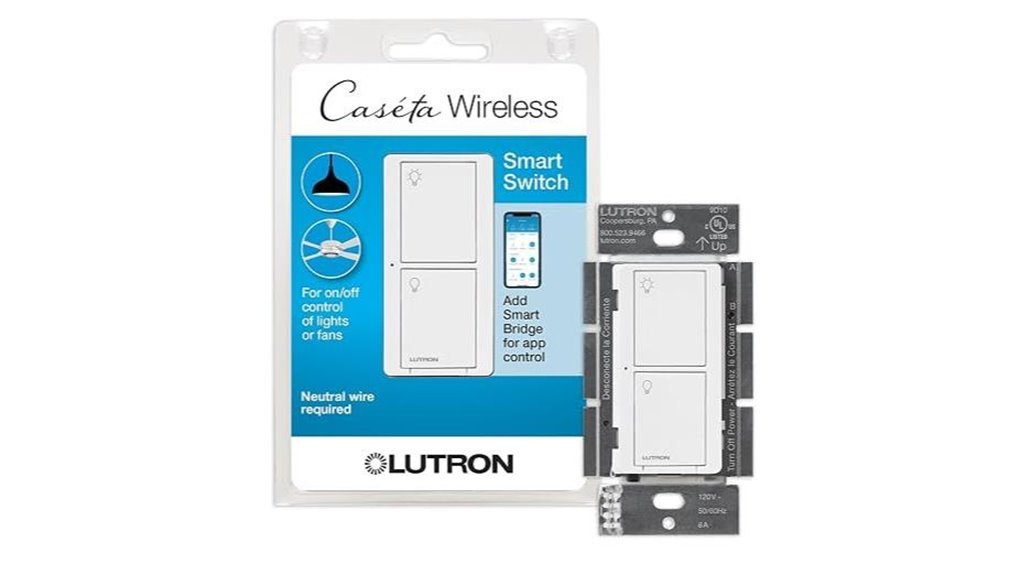
Best Overall On/Off Switch
The Lutron Caseta Smart Light Switch (PD-6ANS-WH) is designed for homeowners who want smart on/off control while keeping a traditional in-wall switch. It requires a neutral wire and can be used in single-pole or compatible 3-way installations.
For Apple Home/HomeKit integration, the Caseta system uses a compatible Lutron Smart Hub. The wall switch still provides normal local on/off control without the hub, but the hub is needed for connected features such as HomeKit integration and Lutron app control.
Key Features
- Apple Home Integration: Works with Apple Home/HomeKit through a compatible Lutron Smart Hub.
- Neutral Wire: A neutral connection is required.
- Multi-Location Flexibility: Supports single-pole and compatible 3-way configurations.
- Load Support: Designed for multiple common lighting load types. Lutron rates the model up to 6A for LED/fluorescent loads and up to 3.6A for a qualifying general-purpose fan, with limits varying by load type and ganging.
- Automation: Connected Caseta systems can support schedules, scenes, voice control, and location-based features.
Why You’ll Like It
This switch makes the most sense when you want an established smart-lighting system rather than relying on each wall switch as an individual Wi-Fi device. It is also more flexible than a single-pole-only switch when your home has suitable multi-location wiring.
Best For: Homeowners who have a neutral wire and want dependable on/off smart lighting with Apple Home integration and 3-way flexibility.
Pros
- Supports Apple Home/HomeKit through the Caseta Smart Hub.
- Works in single-pole and compatible 3-way configurations.
- Supports several common lighting load types.
- Can be included in schedules and smart-home automations when connected to the Caseta system.
Cons
- Requires a neutral wire.
- A compatible Lutron Smart Hub is required for HomeKit and app-based smart features.
- It is an on/off switch, not a dimmer.
- Maximum electrical load varies by load type and installation configuration, so the manufacturer’s specifications should be checked before installation.
meross Smart Light Switch with HomeKit Support
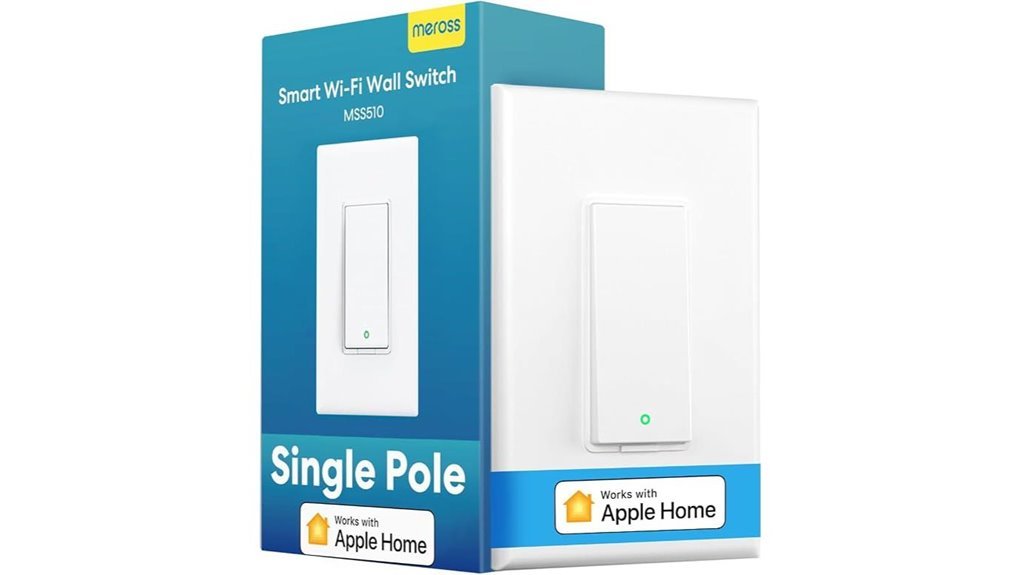
Best Hub-Free Wi-Fi Pick
The meross Smart Light Switch is a practical option for Apple users who prefer a direct Wi-Fi smart switch instead of adding a separate manufacturer hub. The HomeKit version supports Apple Home/Siri as well as Amazon Alexa, Google Assistant, and SmartThings.
Unlike the retained Lutron dimmer, this switch requires a neutral wire. It is also intended for a single-pole installation, so it is not the right choice for a circuit where the same light needs to be controlled from multiple traditional wall-switch locations.
Key Features
- Wi-Fi: Uses 2.4GHz Wi-Fi and does not require a separate meross hub.
- Neutral Wire: Required for installation.
- Apple Home: Supports HomeKit and Siri control.
- Other Ecosystems: Also supports Alexa, Google Assistant, and SmartThings.
- Scheduling: Supports scheduled on/off operation as well as sunrise/sunset settings through supported controls.
- Configuration: Designed for single-pole circuits.
Why You’ll Like It
The main advantage is simplicity for homes with good 2.4GHz Wi-Fi coverage. You do not need to add a separate meross hub, making it appealing if you only want to smarten one or a few standard single-pole light switches.
Best For: Users with a neutral wire, a single-pole circuit, and reliable 2.4GHz Wi-Fi who want HomeKit without adding a separate brand-specific hub.
Pros
- No separate meross hub required.
- Works with Apple HomeKit/Siri and several other major smart-home ecosystems.
- Supports schedules and automatic on/off routines.
- Fits a straightforward single-pole smart-lighting setup.
Cons
- Requires a neutral wire.
- Designed for single-pole installations rather than traditional 3-way circuits.
- Requires 2.4GHz Wi-Fi, so placement and Wi-Fi coverage can affect connectivity.
- A compatible Apple home hub is needed for away-from-home Apple Home access.
Lutron Caseta Smart Dimmer Starter Kit (P-BDG-PKG1W-A)
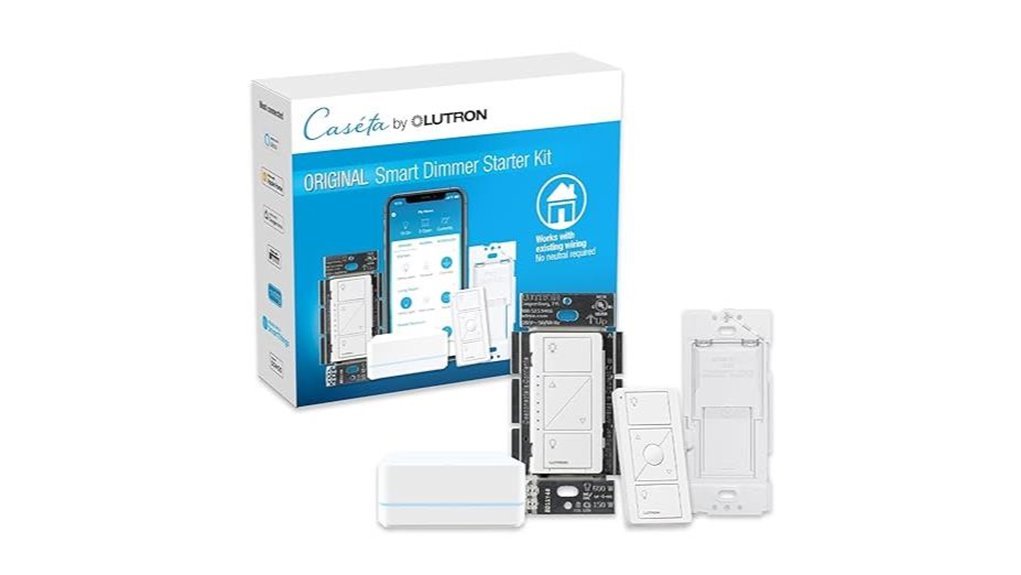
Best No-Neutral Dimmer Kit
The Lutron Caseta Smart Dimmer Starter Kit (P-BDG-PKG1W-A) is the most relevant choice in this guide for buyers who need smart dimming without a neutral wire. The kit combines an in-wall Caseta dimmer with the hardware needed to start a connected Caseta system, including a compatible Smart Hub and wireless control accessories.
The included dimmer supports up to 150W of compatible dimmable LED lighting or 600W of incandescent/halogen lighting. Because dimming compatibility can vary between LED bulbs and drivers, checking Lutron’s compatibility guidance for your specific lighting load is still important.
Key Features
- No Neutral Required: Useful for many older switch boxes that do not contain a neutral conductor.
- Dimming: Supports compatible dimmable LED, incandescent, and halogen lighting.
- Apple Home: Integrates with Apple Home/HomeKit through the included Lutron Smart Hub.
- Voice Control: The connected Caseta system supports major voice-assistant integrations.
- Automation: Supports schedules, scenes, and connected lighting controls through the Caseta ecosystem.
- Expandable System: Additional compatible Caseta lighting controls can be added to the same hub later.
Why You’ll Like It
Many smart switches require a neutral wire, which can create a problem in older homes. This kit solves that specific issue while also giving you actual dimming rather than simple on/off control. It is especially attractive when you plan to expand smart lighting to additional rooms over time.
Best For: Apple Home users who need dimming, do not have a neutral wire at the switch box, or want to start a larger Lutron Caseta lighting system.
Pros
- No neutral wire required for the included dimmer.
- Compatible with Apple Home/HomeKit through the included Smart Hub.
- Provides true dimming rather than only on/off control.
- Supports up to 150W of compatible dimmable LED lighting.
- Provides a practical starting point for expanding a Caseta system.
Cons
- More hardware is involved than with a simple direct-Wi-Fi switch.
- LED dimming performance depends on bulb and driver compatibility.
- Buyers who only need basic on/off control may not need a full dimmer starter kit.
Factors to Consider When Choosing HomeKit Smart Switches and Dimmers in 2026
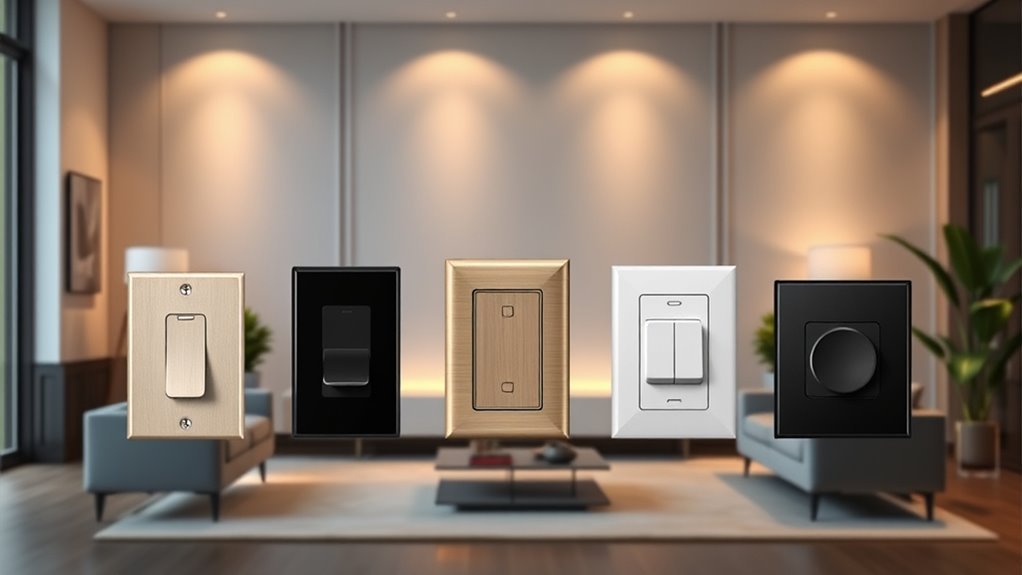
The best HomeKit smart switch is not simply the one with the longest feature list. Your wiring, lighting load, network setup, and room configuration determine which option will actually work correctly in your home.
Apple Home and HomeKit Compatibility
Confirm that the exact product version supports Apple Home/HomeKit. Do not assume every smart switch from the same manufacturer has identical Apple compatibility.
The connection method also matters. Some switches, such as the meross option in this guide, connect directly to 2.4GHz Wi-Fi. Lutron Caseta devices instead communicate through the Caseta system and use a compatible Lutron Smart Hub for Apple Home integration.
Neutral Wire Requirements
Check your electrical box before buying. Some smart switches require a neutral wire to power their electronics continuously, while certain smart dimmers are designed to work without one.
- Lutron PD-6ANS-WH: Neutral wire required.
- meross HomeKit Smart Switch: Neutral wire required.
- Lutron P-BDG-PKG1W-A included dimmer: Neutral wire not required.
If you cannot confidently identify the wiring in your box, have an electrician inspect it rather than guessing.
Smart Switch vs. Smart Dimmer
An on/off smart switch is sufficient when you only need to turn a light or compatible load on and off. A smart dimmer is better when you want adjustable brightness, lighting scenes, or lower light levels in bedrooms, dining rooms, and living areas.
Make sure the bulbs or fixtures are actually dimmable before connecting them to a dimmer.
Single-Pole vs. Multi-Location Control
A single-pole circuit has one wall control for the light. A traditional 3-way circuit allows the same light to be controlled from two locations.
This distinction is important because the meross model covered here is a single-pole switch, while the Lutron products provide more options for compatible multi-location arrangements. Always confirm the exact wiring method in the manufacturer’s installation documentation before buying.
Direct Wi-Fi vs. Hub-Based Smart Lighting
Neither design is automatically better for every home.
- Direct Wi-Fi: Requires fewer brand-specific components and can be convenient for a small number of switches, but each switch depends on suitable Wi-Fi coverage.
- Hub-Based: Adds a central hub but can make sense when you plan to build a larger lighting system with multiple switches, dimmers, schedules, and scenes.
Choose based on how many devices you expect to install and how your home network is arranged.
Away-From-Home Apple Control
HomeKit compatibility does not mean that every feature works remotely with no additional Apple hardware. For away-from-home control through Apple Home, current Apple Home setups require a compatible home hub such as a HomePod or supported Apple TV.
Voice Control and Automation
Siri support can make a smart switch more convenient, but automation is often more useful day to day. Depending on the ecosystem and product, useful options can include:
- Time-based schedules
- Sunrise and sunset routines
- Lighting scenes
- Location-based routines
- Automatic shutoff
Check which functions are available through Apple Home and which require the manufacturer’s own app.
Lighting and Load Compatibility
Do not choose a smart switch based only on the physical appearance of the wall control. Check the manufacturer’s supported load types and ratings for your specific lights or fan.
This is particularly important with dimmable LEDs because bulb and driver electronics can affect minimum brightness, flicker, startup behavior, and dimming range.
Energy Efficiency
Smart lighting controls can help reduce unnecessary electricity use when schedules, automations, or occupancy habits prevent lights from remaining on when they are not needed. Compatible dimmers can also operate lights at lower output when full brightness is unnecessary.
The actual energy savings depend on the bulb type, brightness level, usage pattern, and automation settings, so a fixed percentage should not be assumed.
Design and Wall-Plate Fit
Finally, consider how the control will look once installed. Check its dimensions, wall-box depth requirements, faceplate compatibility, button layout, indicator lights, and color before replacing several switches throughout a room or home.
Before You Buy: Quick Checklist
- Does the exact model support Apple Home/HomeKit?
- Do you need simple on/off control or dimming?
- Does your electrical box contain a neutral wire?
- Is the circuit single-pole, 3-way, or another multi-location configuration?
- Is your bulb or fixture compatible with the switch or dimmer?
- Does the electrical load stay within the manufacturer’s rating?
- Do you want direct Wi-Fi or a hub-based lighting system?
- Will you need away-from-home Apple Home control?
- Is there enough room in the electrical box for the new control and wiring?
Frequently Asked Questions
Are HomeKit Smart Switches Compatible With Other Smart Home Systems?
Some are. The meross switch covered here also supports Alexa, Google Assistant, and SmartThings, while Lutron Caseta supports integrations beyond Apple Home through its Smart Hub. Compatibility varies by model, so check the exact product rather than assuming every HomeKit switch works with every ecosystem.
How Do I Install HomeKit Smart Switches and Dimmers?
Installation varies by model and circuit type. Turn off the appropriate breaker, verify that the circuit is de-energized, identify the existing wiring, and follow the manufacturer’s diagram for the exact switch or dimmer. Neutral-wire requirements and 3-way wiring differ between products. If your wiring does not match the manufacturer’s instructions or you are unsure about electrical work, use a qualified electrician.
Can I Use Multiple Smart Controls in One Room?
Yes, but the correct setup depends on the circuit. You can have separate smart switches controlling different lights, or you can use products designed for multi-location control when one lighting load needs to be operated from more than one location. Confirm the manufacturer’s supported configuration before purchasing.
Do Smart Switches Work With Traditional Bulbs?
Many do, but compatibility depends on the model and load type. An on/off smart switch may support compatible LED, fluorescent, incandescent, halogen, or other specified loads. A dimmer requires a compatible dimmable bulb or fixture. Always stay within the manufacturer’s electrical ratings.
Do I Need an Apple Home Hub?
You do not necessarily need an Apple home hub just to operate a compatible accessory locally, but a compatible home hub is required for important Apple Home features such as away-from-home control. Current options include HomePod models and supported Apple TV devices.
Does Every HomeKit Smart Switch Use Wi-Fi?
No. Some products connect directly over Wi-Fi, while others use their own wireless protocol and connect to Apple Home through a manufacturer hub. The meross switch in this guide uses 2.4GHz Wi-Fi, while Lutron Caseta uses its own smart-lighting system with a Smart Hub for HomeKit integration.
Final Recommendation
If you need a straightforward on/off HomeKit smart switch and already have a neutral wire, the Lutron Caseta PD-6ANS-WH is the strongest fit for buyers who value multi-location flexibility and a hub-based lighting system.
If you want to avoid adding a separate manufacturer hub and only need a single-pole switch, the meross Smart Light Switch is the simpler Wi-Fi option.
If your priority is dimming without a neutral wire, the Lutron Caseta Smart Dimmer Starter Kit (P-BDG-PKG1W-A) is the most suitable choice of the three because it combines no-neutral dimming with the hardware needed for Apple Home integration.
Before ordering, confirm your neutral-wire situation, circuit type, bulb compatibility, and electrical load. Those details matter more than choosing a smart switch based on brand name alone.