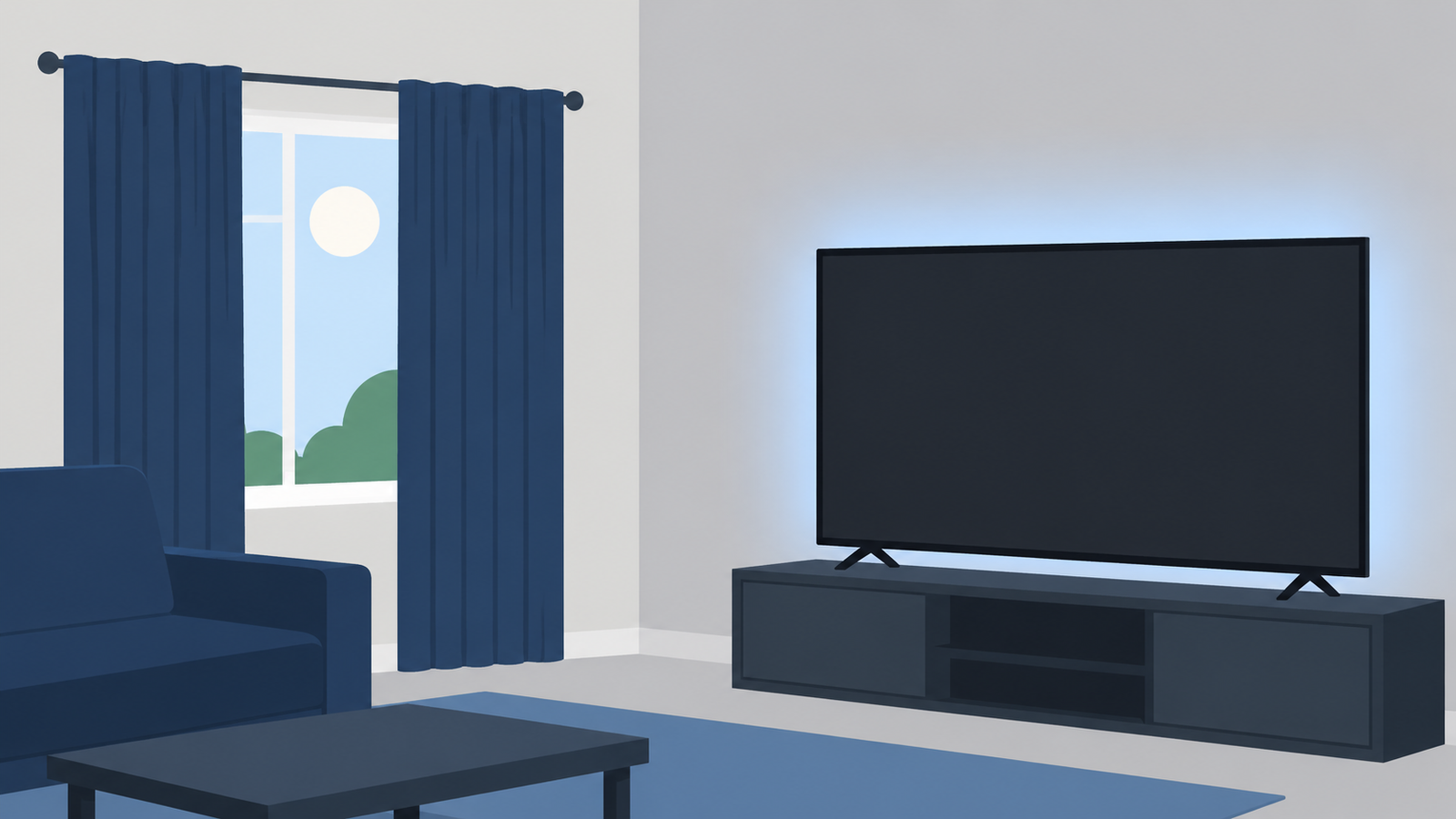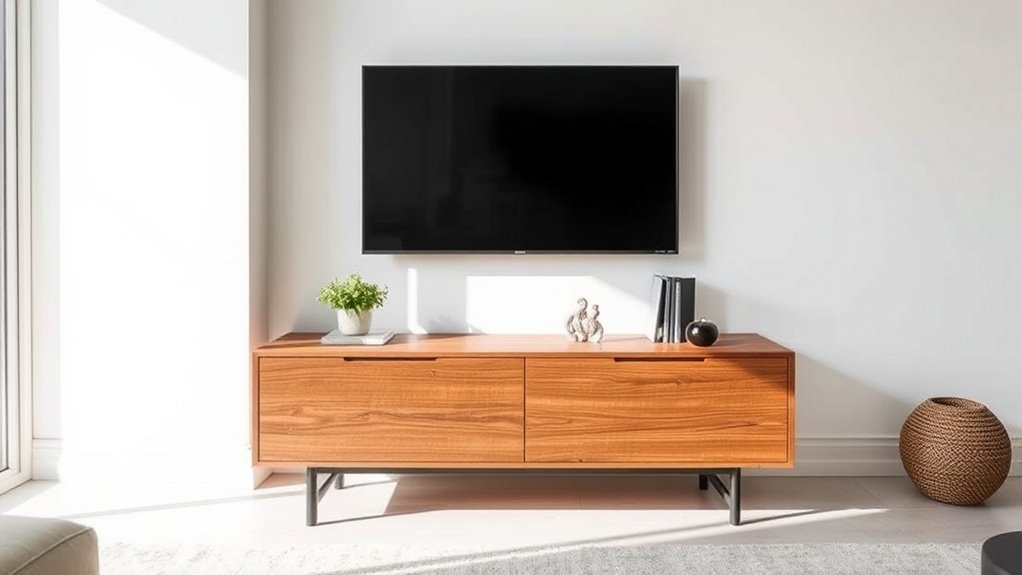
Choosing a media console for a wall-mounted TV is about more than filling empty drywall below the screen. The right cabinet visually anchors the television, keeps the center of the screen near seated eye level, fits deep electronics without overheating them, and hides power strips, game controllers, and everyday clutter.
Quick Answer
Choose a media console that is at least 6 to 12 inches wider than the TV on each side (12 to 24 inches wider overall). Pick a low-profile cabinet 17 to 24 inches tall and 15 to 20 inches deep, and leave a 4- to 8-inch gap below the wall-mounted screen.
At a Glance
| Time Required | 20 to 30 minutes for measuring and layout planning |
| Difficulty | Easy |
| Tools Needed | Tape measure, painter’s tape, pencil, level, outlet/cable notes, and a stud finder if anchoring furniture |
| Cost | $0 for measuring; $10 to $50 for cord covers, anti-tip furniture straps, or cable-management supplies |
Step 1: Measure Your TV Dimensions Accurately
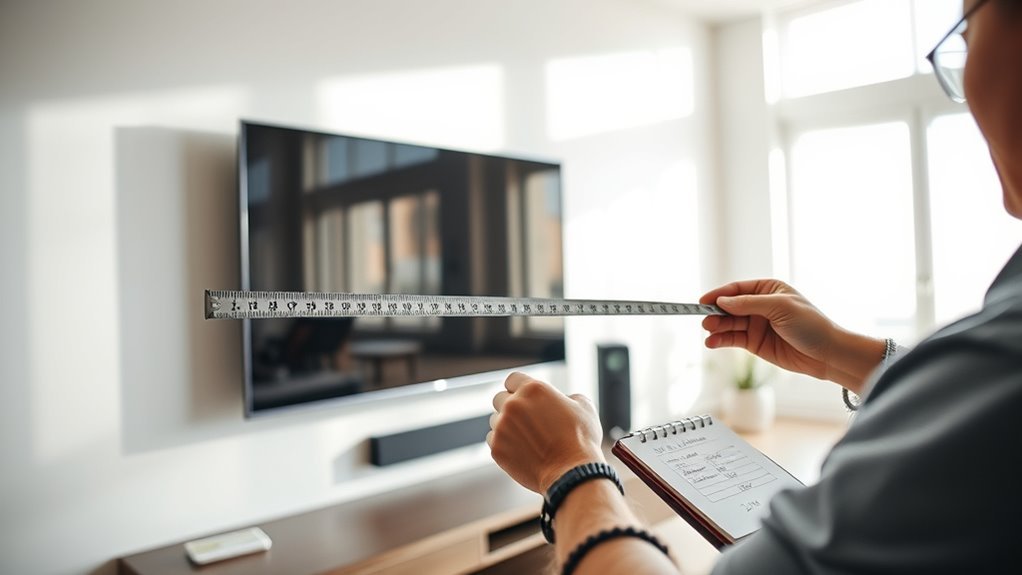
Always measure the physical outside frame of your television before shopping for furniture. Advertised TV class sizes—such as 55, 65, or 75 inches—measure the screen diagonally from corner to corner, not the horizontal width that hangs on your wall. For standard 16:9 widescreen sets, the actual width is roughly 87% of the diagonal size, while the height is about 49% of the diagonal plus the outer bezel.
As noted in Samsung’s TV size guide, checking the exact width, height, and depth in the product specifications prevents crowding your wall or buying a stand that looks undersized. Write down six measurements before comparing consoles:
- TV diagonal class: the marketed screen size (such as 55, 65, 75, or 85 inches).
- Actual TV width: the exact outside left-to-right width, including the side bezels.
- Actual TV height: the top-to-bottom frame measurement, including any protruding infrared (IR) remote sensor chin along the bottom edge.
- Usable wall width: the clear horizontal wall span between corners, doorways, windows, light switches, or built-in shelves.
- Soundbar dimensions: the exact width, height, and depth of any soundbar or center-channel speaker that will sit on the console top.
- Wall outlet and coax/Ethernet locations: the height and horizontal position of wall plates so the cabinet conceals plugs without crushing cords against the back panel.
Pro Tip: Outline both the TV frame and your planned console dimensions on the wall using blue painter’s tape, and mark the floor depth in front of the baseboard. Sit in your primary viewing spot to verify that the proportions feel grounded before ordering furniture or drilling mounting holes.
Step 2: Determine the Best Media Console Width
A media console for a wall-mounted TV should be at least 12 to 24 inches wider than the television’s actual physical width. Leaving 6 to 12 inches of extra console surface on each side frames the screen visually and prevents the top-heavy look of a wide display hovering over a narrow cabinet.
Use this sizing formula to find your target furniture width:
Ideal console width = actual TV width + 12 to 24 inches (6 to 12 inches per side).
For example, a standard 65-inch TV measures about 56.7 to 57.5 inches wide. Adding the 12-inch minimum (6 inches per side) gives you a 70-inch console as a practical baseline, while a 72- to 82-inch cabinet creates a more substantial, custom-built feel on medium to large walls.
TV Console Size Chart
Use the chart below to match common 16:9 television sizes with their actual physical dimensions and recommended console widths.
| TV Class | Typical TV Width | Typical TV Height | Balanced Console Minimum (+6″ per side) | Best-Looking Width Range (+6″ to 12″ per side) |
|---|---|---|---|---|
| 43-inch TV | 37.5 to 38.5 inches | 21.5 to 22.5 inches | 50 inches | 50 to 62 inches |
| 50-inch TV | 43.5 to 44.5 inches | 24.5 to 25.5 inches | 56 inches | 56 to 68 inches |
| 55-inch TV | 48 to 49 inches | 27 to 28 inches | 60 inches | 60 to 72 inches |
| 65-inch TV | 56.7 to 57.5 inches | 32 to 33 inches | 70 inches | 70 to 82 inches |
| 75-inch TV | 65.4 to 66.5 inches | 36.8 to 38 inches | 78 inches | 78 to 90 inches |
| 85-inch TV | 74.1 to 75 inches | 41.7 to 43 inches | 86 inches | 86 to 100 inches |
| 98- to 100-inch TV | 85.5 to 87.5 inches | 48.5 to 50 inches | 98 inches | 98 to 120 inches (or dual modular units) |
Note: In a narrow alcove or apartment where a full 12-inch overhang is impossible, aim for at least 3 inches of extra console width per side (6 inches overall). Center the console carefully beneath the screen and keep the top surface free of tall clutter.
Visual Balance Considerations
A wider cabinet grounds a wall-mounted screen so it looks integrated with the architecture rather than floating in midair. Extra surface width on either side also gives you breathing room for a wide Dolby Atmos soundbar, bookshelf speakers, or low decorative accents without blocking the lower corners of the picture.
At the same time, avoid stretching a freestanding console from wall to wall. Leave at least 12 inches of negative wall space on both sides of the console (24 inches total) so curtains, baseboards, and adjacent doorways do not feel pinched. Subtract 24 inches from your total wall width to find the maximum console length your room can comfortably hold.
Proportional Width Guidelines
Match your cabinet width to both the screen size and the scale of your wall:
- Compact rooms and alcoves: Choose a console 6 to 12 inches wider than the TV overall (3 to 6 inches per side) when wall width is tight.
- Standard living rooms: Choose a console 12 to 24 inches wider than the TV overall (6 to 12 inches per side) for optimal visual weight.
- Expansive open-concept walls: Use an extra-long credenza (84 to 100+ inches) or place two matching 40- to 48-inch cabinets side by side so the television does not look stranded.
- Soundbar and speaker setups: Ensure the console is at least 10 inches wider than your soundbar, or add 12 to 16 inches of extra surface width if placing left and right bookshelf speakers beside the TV.
Step 3: Find the Right Height for Comfortable Viewing
Mount your television so the center of the screen sits at or slightly below your seated eye level, which averages 42 inches above the floor for a standard sofa. Choosing a console height that works with that mounting target prevents neck fatigue and keeps the vertical viewing angle comfortable.
Both the SANUS HeightFinder guide and THX TV positioning guidance recommend aligning your seated line of sight with the center of the display—and never exceeding a 15-degree upward viewing angle. For 4K Ultra HD screens, THX and home theater standards also suggest a viewing distance of roughly 1.2 to 1.6 times the diagonal screen size (about 6.5 to 8.5 feet for a 65-inch TV, or 7.5 to 10 feet for a 75-inch TV).
Eye Level Measurement
Sit normally on your sofa and measure vertically from the floor to your eyes. Standard sofas with a 17- to 19-inch seat height typically produce a seated eye level between 40 and 44 inches, whereas low-slung modern sectionals may drop eye level to 38 inches and tall recliners can raise it to 45 inches.
Once you know your personal eye height, calculate where the bottom edge of the TV should hang:
TV bottom-edge height = seated eye level − (actual TV height ÷ 2).
Because larger TVs are taller, their bottom edges must sit closer to the floor to keep the center at 42 inches:
- 55-inch TV (~27 inches tall): Half height is 13.5 inches. Ideal bottom edge sits about 28.5 inches off the floor.
- 65-inch TV (~32 inches tall): Half height is 16 inches. Ideal bottom edge sits about 26 inches off the floor.
- 75-inch TV (~37 inches tall): Half height is 18.5 inches. Ideal bottom edge sits about 23.5 inches off the floor.
- 85-inch TV (~42 inches tall): Half height is 21 inches. Ideal bottom edge sits about 21 inches off the floor.
Console Height Guidelines
Leave a clean gap of 4 to 8 inches between the top of the media console and the bottom edge of the wall-mounted TV. Subtracting that 4- to 8-inch gap from the TV’s bottom-edge height reveals your ideal maximum console height:
- For 43- to 55-inch TVs: A console height of 22 to 26 inches fits comfortably below a screen bottom edge at 28 to 30 inches.
- For 65-inch TVs: A low-profile console between 18 and 22 inches tall leaves room for a 4- to 6-inch gap without pushing the screen center above 42 inches.
- For 75- to 85-inch+ TVs: Look for ultra-low modern consoles or low-mounted floating cabinets between 15 and 20 inches tall. Standard 28- to 32-inch buffet cabinets force big screens far too high on the wall.
Viewing Angle Considerations
If a tall heirloom cabinet, wainscoting panel, or wall outlet forces the TV center above 45 to 48 inches, install a tilting wall mount that angles the display 5 to 10 degrees downward toward the sofa. Tilting reduces glare from ceiling lights, prevents color washout on VA-panel LED TVs, and keeps your neck in a neutral posture.
Before drilling into wall studs, sit on your sofa and stare at the top edge of your painter’s tape outline for two minutes. If you have to tip your chin upward, either lower the mounting mark or choose a shorter media console.
Warning: Never rely on drywall anchors alone to hold a heavy TV or floating cabinet. Anchor TV mounts directly into wood or metal studs, and secure freestanding consoles with anti-tip straps—especially cabinets 27 inches or taller with drawers or doors—following CPSC Anchor It! safety guidelines to protect children and pets from tip-over injuries.
Step 4: Choose Depth and Storage for Your Tech
A media console depth of 15 to 20 inches accommodates nearly all living room electronics while leaving 2 to 3 inches of interior clearance behind components for power plugs and stiff HDMI cables. Slimmer 12- to 14-inch cabinets work only if your setup is limited to a wall-mounted TV, a compact streaming stick, and a shallow soundbar.
Measure the footprint and cooling requirements of every device before selecting a cabinet layout:
- PlayStation 5 and Xbox Series X|S: High-output gaming systems generate intense heat and require open airflow. Sony recommends placing a PS5 at least 4 inches (10 cm) away from wall surfaces and never inside a cramped compartment. Microsoft specifies a minimum of 4 to 6 inches of clearance on all sides for an Xbox Series X or Series S and explicitly warns against placing the console inside an enclosed cabinet.
- AV receivers and amplifiers: Standard home theater receivers measure roughly 17.1 inches wide and 13 to 17 inches deep. Add 2.5 inches behind the unit for speaker banana plugs and HDMI connectors (requiring an 18- to 20-inch console depth) and leave at least 2 to 3 inches of open headspace above the top vents.
- Dolby Atmos soundbars: Full-size Atmos soundbars typically measure 44 to 50 inches wide, 2.5 to 3.5 inches tall, and 4.5 to 5.5 inches deep. Place an Atmos bar near the front edge of the console top—never inside a recessed shelf—and leave a 5- to 8-inch gap below the TV so the bottom bezel does not block upward-firing ceiling drivers or the TV’s infrared remote sensor.
- Cable boxes and Blu-ray players: Solid wood doors block line-of-sight infrared (IR) remotes unless they use perforated metal mesh, slatted wood louvers, acoustic fabric panels, or an IR repeater kit.
- Wi-Fi routers and mesh nodes: Keep wireless routers on top of the console or inside an open wood cubby; enclosed metal cabinets and dense electronics degrade Wi-Fi signal strength.
Recommended Products

Cable Management Kit: 4pcs Cable Sleeves( 20 in L x 0.4 in w), 20pcs reusable wire ties,35Cable Clips 11 Cord Holders, 2 Self Adhesive Cable Tie Rolls(The length of each roll is 118 in), 20Pcs Cable Zip Tie Mounts(3.54L*1.1in W),100 Cable Fastening Ties (size of every : 7.87in L x0.12in W)
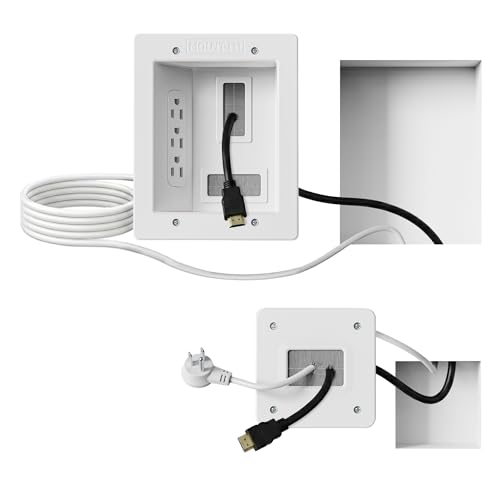
Organized home theater setup – Eliminate messy wires and give your entertainment area a clean, modern look. This in-wall cable management kit provides an easy way to power your TV and hide cables for a polished setup in living rooms, bedrooms, or home theaters.
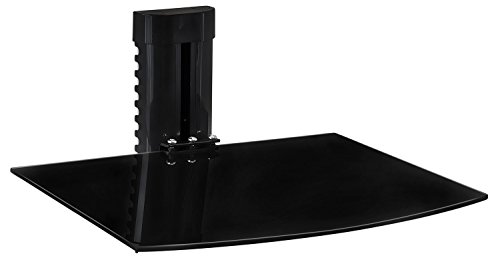
GAME NIGHT, ORGANIZED – Keep your console, streaming box, or cable box right where you need it, off the console table and out of the way, so your gaming corner or home theater setup stays clean and clutter-free.
Cable Management and In-Wall Wiring Rules
Look for consoles with rear cable pass-through cutouts in every compartment, removable back panels, and a recessed back channel that sits flush over wall outlets. To hide the wires jumping the 4- to 8-inch gap between the console and the wall-mounted TV, use either a paintable on-wall cord raceway or a code-compliant in-wall kit.
Under National Electrical Code (NEC) Article 400.12, running a standard flexible TV power cord or extension cord inside a wall cavity is a code violation and a fire hazard. Only low-voltage AV cables rated CL2 or CL3 (such as in-wall rated HDMI, Ethernet, and speaker wire) may pass directly through drywall openings. To conceal AC power safely, either hire an electrician to install a recessed outlet behind the TV or use a UL-listed in-wall power relocation kit that bridges power from the lower outlet behind the console.
Step 5: Consider Room Layout and Console Design
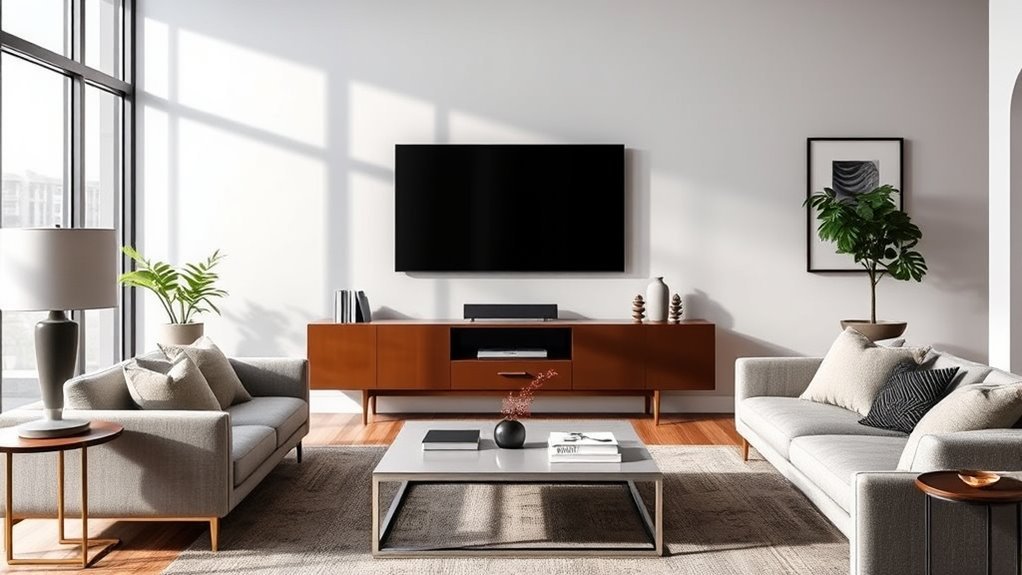
Your media console must fit the room’s traffic patterns and seating geometry, not just the wall beneath the television. Measure doorway swings, walkway widths, baseboard depth, and the distance from the front of the cabinet to your coffee table or sofa before ordering.
Run through these five room-layout checks:
- Maintain clear walkways: Keep 30 to 36 inches of unobstructed walking space in main room pathways and at least 18 inches around a coffee table. If a 20-inch-deep cabinet pinches a hallway pass-through, choose a 14- to 15-inch slim console instead.
- Center the console on the seating axis: Align the center of the TV and console with the primary seating spot on your sofa. If off-center wall studs force the TV bracket a few inches left or right, buy a wall mount with a wide wall plate and sliding horizontal brackets so you can still center the screen over the cabinet.
- Account for baseboards and vents: Standard baseboards add 0.5 to 0.75 inches of depth at the floor, pushing a flat-backed console forward unless the cabinet has legs inset from the rear edge or a baseboard cutout. Never block a floor or wall HVAC register with a solid plinth base.
- Balance open and closed storage: Solid doors hide tangled cords and board games, while one central open shelf keeps remotes and hot gaming consoles accessible.
- Coordinate materials with room light: Warm oak or walnut softens bright white drywall, matte painted finishes blend quietly into modern spaces, and leggy or floating profiles make compact rooms feel larger by exposing more floor area.
Recommended Products
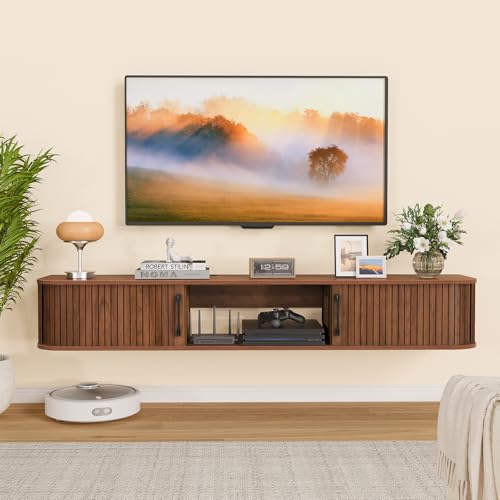
【Elegant Fluted Design】This floating TV stand features stylish fluted tambour sliding doors, rounded edges, and a warm walnut wood-grain finish for a refined modern look. Measuring 55.12" L × 11.81" W × 8.66" H, it accommodates TVs from 32" to 65". Perfect for modern, mid-century, or rustic interiors, this wall-mounted entertainment center adds sophistication and functionality to your living room or bedroom.
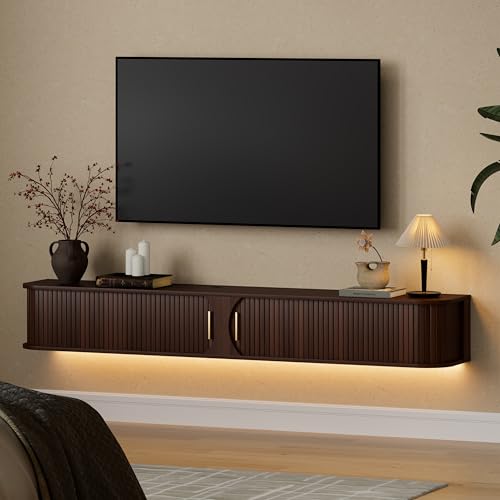
LED TV Stand with Built-in Power Outlet: This entertainment center for the living room features a mid-century modern design,with 2 USB ports and 2 AC outlets,Its integrated LED lighting system supports adjustable brightness and color temperature, reducing eye strain while serving as ambient lighting to add warmth to any space, Allows easy power access for your TV, speakers, game consoles, and other devices,creating a cinematic experience.

Wall Mounted TV Stand with Power Outlets: Featuring 4 AC power outlets, 2 USB ports, and a 4.9-foot power cord, this floating TV stand provides convenient power access for your TV, gaming consoles, CD players, and other devices. A dedicated USB port at the bottom is designed for powering LED light strips.
Step 6: Compare Console Styles and Options
Once you lock in your target width, height, and depth, choose a cabinet silhouette that matches your storage habits and wall structure. Because a media console is often the longest horizontal furniture piece in a living room, its base style and door configuration define the look of the entire wall.
| Console Style | Typical Height | Typical Depth | Best For | Key Watch-Out |
|---|---|---|---|---|
| Modern low-profile console | 16 to 21 inches | 16 to 20 inches | 65- to 85-inch+ TVs that need a low bottom edge | Lower interior shelf height (check vertical clearance for tall items) |
| Mid-century or wood credenza | 22 to 26 inches | 15 to 18 inches | 43- to 65-inch TVs in Scandinavian, transitional, or warm modern rooms | Tapered legs expose low wall outlets unless cords are routed neatly |
| Wall-mounted floating console | 10 to 16 inches (body) | 11 to 15 inches | Small rooms, robot vacuum clearance, and custom mounting heights | Must lag-bolt into at least 2 to 3 wall studs; too shallow for full AV receivers |
| Slatted or acoustic-door cabinet | 20 to 25 inches | 17 to 20 inches | Hiding game consoles and receivers while allowing airflow and remote signals | Higher price point than basic solid-door particleboard units |
| Open-shelf media stand | 20 to 24 inches | 15 to 18 inches | Maximum cooling for PS5, Xbox Series X, and heavy-duty amplifiers | Requires Velcro cable ties, sleeves, and storage baskets to look tidy |
Whether you shop at a local furniture showroom such as BlvdHome or compare options online, bring a note with five numbers: your exact TV width, usable wall width, target console height, soundbar dimensions, and deepest component depth. Having those measurements in hand prevents the most common showroom mistake—picking a cabinet that looks substantial under high store ceilings but feels undersized beneath a 65- or 75-inch TV at home.
Recommended Products
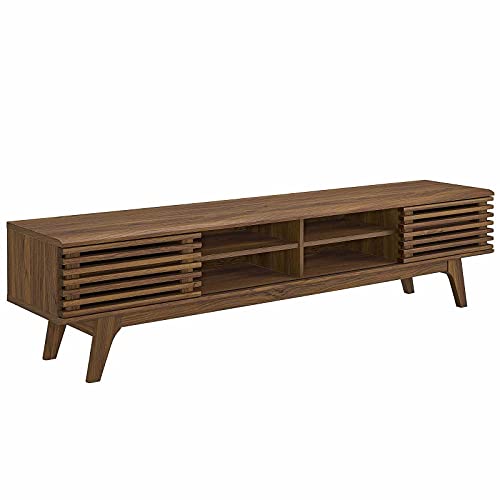
MID-CENTURY TV CONSOLE - Transform your living space with retro modern intrigue. An organic aesthetic, linear detail, and flared profile bring iconic style to this mid-century TV stand

Spacious Storage Layout: Features two drawers for concealed storage and an adjustable shelf perfect for media components, décor, or small accessories.

MODERN FLUTED STYLE: Textured fluted cabinet doors, softly rounded corners and a warm wood-grain finish give this TV stand a clean, elevated look for modern, Japandi, minimalist and boho-inspired interiors.
Troubleshooting Common Media Console Sizing Problems
Even small miscalculations in cabinet width, height, or ventilation can make a TV setup feel awkward or cause electronics to overheat. Use these targeted fixes to solve the five most common sizing problems without replacing your television.
The Console Looks Too Small
If your existing console is narrower than or equal in width to your wall-mounted TV, visually widen the base footprint by flanking the cabinet with a matching pair of floor speakers, tall woven baskets, or identical narrow bookshelves placed 2 to 4 inches from each side. If you have a standard 36- to 48-inch cabinet, buying a second identical unit and pushing them together instantly creates a 72- to 96-inch built-in look.
The TV Feels Too High
First check the vertical brackets on the back of your TV: many mounts have multiple height hooks that let you drop the screen 2 to 4 inches without redrilling the wall plate. If a 28- to 32-inch console blocks you from lowering the TV, swap the cabinet’s tall legs for 2-inch low-profile furniture feet, or install a tilting wall mount angled 5 to 10 degrees downward toward the sofa.
The Cords Are Too Visible
Bundle loose HDMI and optical cords into a single braided cable sleeve and conceal the vertical drop using a paintable on-wall cord channel painted the exact wall color. To eliminate visible wires completely, install a UL-listed in-wall power relocation kit paired with CL2/CL3-rated HDMI cables, and mount a surge-protector box inside the upper rear of the console to hide bulky power bricks.
The Devices Overheat
If a PlayStation 5, Xbox Series X, or AV receiver spins its cooling fans loudly or shuts down inside a closed cabinet, move the device to an open shelf or the top surface immediately. If it must stay inside the cabinet, remove the rear fiberboard panel Behind that bay, or cut a 4.5-inch hole in the back panel and install a quiet USB-powered cabinet exhaust fan that turns on automatically when the temperature rises above 90°F.
The Soundbar Does Not Fit
When a 3-inch-tall soundbar blocks the bottom of a low-mounted TV or covers the infrared remote sensor, attach universal under-TV soundbar mounting brackets directly to the TV’s rear VESA bolts so the bar hangs 1 inch below the screen. Alternatively, place the soundbar near the front edge of the console top and raise the TV one notch on its wall bracket to restore a 4- to 6-inch clearance gap.
Key Takeaways
- Measure the TV’s actual outer frame width (about 87% of a 16:9 diagonal screen size), never just the advertised diagonal number.
- Add 12 to 24 inches to the TV’s actual width (6 to 12 inches per side) while keeping at least 12 inches of open wall space past each end of the console.
- Keep the TV center near a 42-inch seated eye level and choose a low 17- to 24-inch console so you can leave a 4- to 8-inch gap for a soundbar.
- Give PlayStation 5 and Xbox Series X|S consoles 4 to 6 inches of ventilation clearance and use UL-listed kits plus CL2/CL3 cables for in-wall cord routing.
- Anchor freestanding cabinets—especially units 27 inches or taller with drawers or doors—to wall studs to eliminate tip-over hazards.
Frequently Asked Questions
How big should a media console be compared to a TV?
A media console should be at least 12 to 24 inches wider than the actual physical width of the TV, giving you 6 to 12 inches of extra surface on each side. In narrow rooms, aim for an absolute minimum of 3 inches of overhang per side (6 inches wider overall).
What size media console do I need for a 65-inch TV?
You need a media console at least 70 inches wide for a 65-inch TV, with 70 to 82 inches being the ideal range. Because a standard 65-inch TV measures roughly 57 inches wide, a 70- to 82-inch cabinet provides 6.5 to 12.5 inches of balanced space on each side.
How do I determine TV console size?
Measure your TV’s actual outside width and add 12 to 24 inches to find your target console width. Next, subtract half the TV’s height and a 4- to 8-inch gap from your 42-inch seated eye level to set the maximum console height, and pick a 15- to 20-inch depth for your devices.
How many inches above a console should a TV be mounted?
Mount a wall-mounted TV 4 to 8 inches above the top of the media console. A 4- to 6-inch gap looks clean for standalone screens, while a 6- to 8-inch gap leaves enough vertical clearance for a 3-inch-tall Dolby Atmos soundbar without blocking the bottom bezel.
What height should a media console be for a 65-inch or 75-inch wall-mounted TV?
Choose a low-profile media console between 17 and 22 inches tall for a 65-inch or 75-inch wall-mounted TV. Because a 65-inch screen is about 32 inches tall and a 75-inch screen is about 37 inches tall, a low cabinet keeps the center of the display near a 42-inch seated eye level.
Can the media console be narrower than the wall-mounted TV?
A media console should rarely be narrower than a wall-mounted TV because it creates a top-heavy, unstable appearance. If wall constraints force you to use a smaller cabinet, center it precisely under the screen and flank it with floor speakers, tall baskets, or low shelves to widen the visual base.
What depth is best for a media console?
A depth of 15 to 20 inches is best for most media consoles because it holds gaming systems, streaming boxes, and AV receivers with 2 to 3 inches of rear space for cords and airflow. In narrow walkways where you only use a soundbar, a slim 12- to 14-inch console works well.
Should I anchor a media console if the TV is wall-mounted?
Yes, you should anchor a freestanding media console to wall studs if it has drawers or heavy doors, stands 27 inches or taller, or sits in a home with children or pets. Even when the TV is bolted to the wall separately, an unanchored cabinet can tip forward if a child climbs on open drawers.
Conclusion
Sizing the right media console for a wall-mounted TV comes down to four numbers: a cabinet width 12 to 24 inches wider than the TV’s actual frame, a low height (17 to 24 inches) that keeps the screen center near a 42-inch eye level, a 4- to 8-inch gap below the display, and a 15- to 20-inch depth with proper airflow for your devices. Grab a tape measure and a roll of painter’s tape, mark your target console and TV outline on the wall today, and test the view from your sofa before ordering your furniture.
Sources
- Samsung TV Size Guide: diagonal TV screen measurement and checking full physical TV dimensions.
- SANUS HeightFinder: 42-inch average seated eye-level TV mounting height guidance.
- THX TV Positioning Guidance: line-of-sight alignment and 15-degree maximum vertical viewing angle guidance.
- CPSC Anchor It!: furniture and television tip-over prevention and wall-anchoring safety guidance.
- PlayStation.Blog PS5 Ultimate FAQ: minimum 4-inch (10 cm) ventilation clearance for PlayStation 5 consoles.
- Xbox Support Console Ventilation Guide: minimum 4- to 6-inch clearance on all sides and warning against enclosed cabinets for Xbox Series X|S.