What’s in This Article
Quick Answer
To reduce TV screen glare from windows, stop the light before it reflects: cover the problem window, move the TV away from a direct window reflection, or angle the screen with a swivel mount. Then move lamps out of the reflection path, add soft bias lighting for night viewing, and adjust backlight or OLED light for daytime use.
If you can see the window on the TV when the screen is off, a setting change will not solve the main problem. Fix the reflection path first. Use curtains, blinds, solar shades, window film, a different wall, or a small screen angle change.
Window glare can make dark scenes look gray, hide fine detail, and force you to keep changing seats. You do not need to replace your TV first. Most glare problems improve when you control the room light, change the TV angle, and use the right window treatment for the direction of the sun.
This guide shows you how to find the glare source, choose the right fix, and keep your setup comfortable for daytime and nighttime viewing.
Source-backed update note
This update adds source-linked guidance from the U.S. Department of Energy, RTINGS, the International Window Film Association, and ITU-R BT.2035 so the article is easier for readers and answer engines to verify.
One-Minute Glare Audit
Before buying curtains, film, or a screen protector, run this quick test during the time glare bothers you most.
- Turn the TV off. A dark screen acts like a mirror and reveals the real glare source.
- Sit in your normal seat. Do not inspect the screen from the side unless that is where you watch.
- Name what you see reflected. Look for a window, lamp, mirror, white wall, glossy table, or glass frame.
- Block one source at a time. Close one blind, turn off one lamp, or cover one shiny surface.
- Move your head left and right. If the reflection moves away, a swivel mount or seating shift may fix it.
If the reflection vanishes when you cover a window, choose a window treatment. If it vanishes when you move your seat, change the TV angle or seating position first.
Top Strategies for Reducing TV Glare
Start with the glare source, not the TV. RTINGS notes that direct reflections can wash out detail and that you should position a TV so direct light does not shine on the screen before relying on brightness settings. RTINGS also recommends raising backlight or OLED light only to match the room, not to overpower an untreated window.
| Glare Problem | Best First Fix | Why It Works |
|---|---|---|
| Direct sunlight on the screen | Close blackout curtains, solar shades, or blinds | Blocks the strongest light before it reaches the TV |
| Window reflected in dark scenes | Move the TV to a side wall or use a swivel mount | Changes the reflection angle away from your seat |
| Bright room but no direct beam | Use light-filtering shades and raise backlight moderately | Keeps the room usable while improving screen visibility |
| Eye strain at night | Add dim, neutral bias lighting behind the TV | Balances the bright screen against the darker wall |
| Reflections from lamps | Move lamps beside or behind the seating area | Stops lamp light from bouncing straight back at you |
| Glare but you still want daylight | Use solar shades, light-filtering shades, or window film | Softens or reduces visible light without fully darkening the room |
| Glare from a high TV mount | Tilt the TV down or lower the viewing position | Changes the reflected light path and improves viewing comfort |
The most reliable order is simple: control the window, fix the TV angle, adjust room lighting, then fine-tune screen settings. Use an anti-glare screen protector only when the room layout gives you no better option.
Evaluate Room Lighting for Optimal TV Viewing
Before buying anything, check when and where glare appears. Turn the TV off during the worst viewing time, sit in your normal seat, and look at the dark screen. Any window, lamp, white wall, or shiny surface you see reflected on the screen can create glare while watching.
Repeat this check in the morning, afternoon, and evening. Sunlight changes direction during the day, so a room that looks fine at noon may become hard to watch at 4 p.m.
- Check the window direction. East-facing windows often cause morning glare, while west-facing windows often cause stronger afternoon glare.
- Turn off one light at a time. This shows whether lamps or ceiling lights create reflections.
- Look for bright surfaces opposite the TV. White walls, glass frames, mirrors, and glossy furniture can bounce light onto the screen.
- Test your seating angle. Move left or right to see whether the glare disappears from a different seat.
- Write down the worst time of day. This helps you choose between curtains, blinds, window film, or a TV mount.
If the reflection disappears when you move to another seat, a swivel mount may solve the problem. If the reflection stays visible from every seat, the window needs stronger light control.
Best Window Treatments to Reduce Glare
The right window treatments depend on how much light you want to block. Some rooms need total darkness for movies. Others need daylight control without making the room feel closed off.
| Window Treatment | Best Use | Choose It When |
|---|---|---|
| Blackout curtains | Maximum glare control | Direct sunlight hits the screen or movie viewing matters most |
| Room-darkening curtains | Strong but not total light reduction | You want less glare without making the room fully dark |
| Adjustable blinds | Changing sun angles | You need to redirect light during morning or afternoon sun |
| Solar shades | Daylight plus glare reduction | You want to keep some outside view and reduce brightness |
| Window film | Always-on glass treatment | You do not want to close a shade every time you watch TV |
Recommended Products
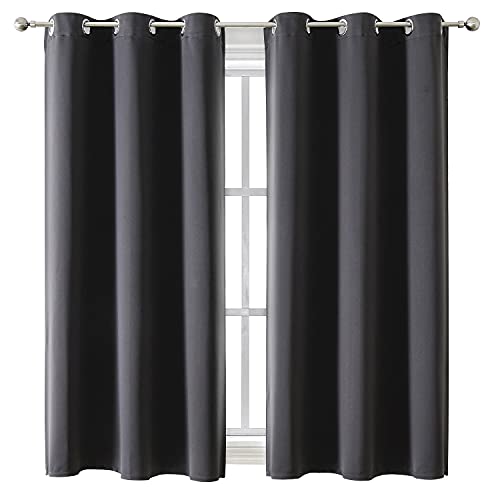
SET DETAILS: 2 charcoal gray curtains per package. Each panel measures 42 inch wide by 63 inch long with 6 silver metal grommets (1.6 inch inner diameter) on top, easy to install and slide.

SIZE & MATERIAL:Set includes 2 panels blackout curtains(52" Wide by 84" Long). Each panel has 8 grommets.The interior diameter of hole is 1.6 inch.It's easy to hang. Curtains are made by quality faux linen.

Pair Sold: Each package includes 2 panels of blackout curtains. Each panel measures 40"W x 63"L, with a pair measuring 80"W x 63"L. Each panel has 6 anti-rust silver grommets(1.6 inch inner diameter) which would fit most standard curtain rods
Effective Curtain Choices
Curtains work best when you need strong glare control from large windows or sliding doors. They also help when the TV faces a window and you cannot move it. The U.S. Department of Energy recommends closing draperies on windows that receive direct sunlight during summer days, and notes that fabric type, color, fit, and backing all affect performance. DOE also says draperies work better when hung close to the window and sealed at the sides.
- Blackout curtains: Best for strong sunlight and movie watching because they block most incoming daylight.
- Room-darkening curtains: Good for living rooms where you want less glare without full darkness.
- Layered curtains: Use sheer curtains for daytime softness and heavier curtains when the sun hits the screen.
- High and wide mounting: Hang curtains above and beyond the window frame so light does not leak around the sides.
Do not rely on thin decorative curtains if direct sunlight hits the screen. They may soften the light, but they usually do not block enough glare for dark scenes.
Are Adjustable Blinds Good for TV Glare?
Adjustable blinds are useful when the sun moves across the room during the day. You can tilt the slats to block direct beams while still letting daylight in.
The U.S. Department of Energy notes that vertical and horizontal slat-type blinds can reduce glare and summer heat gain. DOE also says horizontal slats can redirect direct sunlight toward a light-colored ceiling, which diffuses the light with less glare.
- Horizontal blinds: Good for redirecting sunlight upward toward the ceiling.
- Vertical blinds: Useful for patio doors and wide windows beside a TV.
- Cellular shades: Better when you also want insulation and heat control.
- Motorized blinds: Helpful for high windows or rooms where glare changes at predictable times.
If you watch TV during the day often, save the best slat angle as a smart-home preset or mark the control position discreetly. That saves you from adjusting the blinds every time you sit down.
Can Window Film Reduce TV Glare?
Window film helps when you want to reduce glare without closing curtains all day. It works especially well for rooms where sunlight is bright but you still want an outside view.
DOE says window films can help protect against glare and UV exposure and are useful when homeowners do not want to block views with other treatments. DOE also explains that films are rated by solar heat gain coefficient and visible transmittance. The International Window Film Association says quality window films can block up to 99% of harmful UV rays. That UV claim helps with fading and sun exposure, but glare reduction still depends on visible light control.
| Window Film Type | Best For | Trade-Off |
|---|---|---|
| Solar control film | Bright rooms with heat and glare | May darken the window view |
| Reflective film | Strong daytime sunlight | Can look mirror-like from outside |
| Ceramic film | Glare and heat control with a clearer look | Usually costs more than basic film |
| Frosted film or contact paper | Small windows, sidelights, or privacy areas | Blocks the view and diffuses detail |
Before adding film, check your window warranty and local rules. Some window manufacturers limit which films can be applied to insulated glass.
Practical Tips for TV Placement and Angling
TV placement has a bigger effect on glare than most people expect. A small angle change can move a reflection away from your eyes.
- Avoid placing the TV directly opposite a window. This creates the strongest mirror-like reflection.
- Use a perpendicular layout when possible. Place the TV on a wall that sits at a right angle to the window.
- Keep the screen near eye level. A comfortable center height is usually close to seated eye level, not high above the fireplace.
- Use a tilting or swiveling mount. Tilt the screen slightly down or swivel it away from the window reflection.
- Move shiny décor away from the TV wall. Glass frames, mirrors, and glossy shelves can add secondary glare.
If you cannot move the TV, move the main seat instead. Even a small seating shift can remove a bright reflection from the center of the screen.
Use Bias Lighting for a Better Viewing Experience
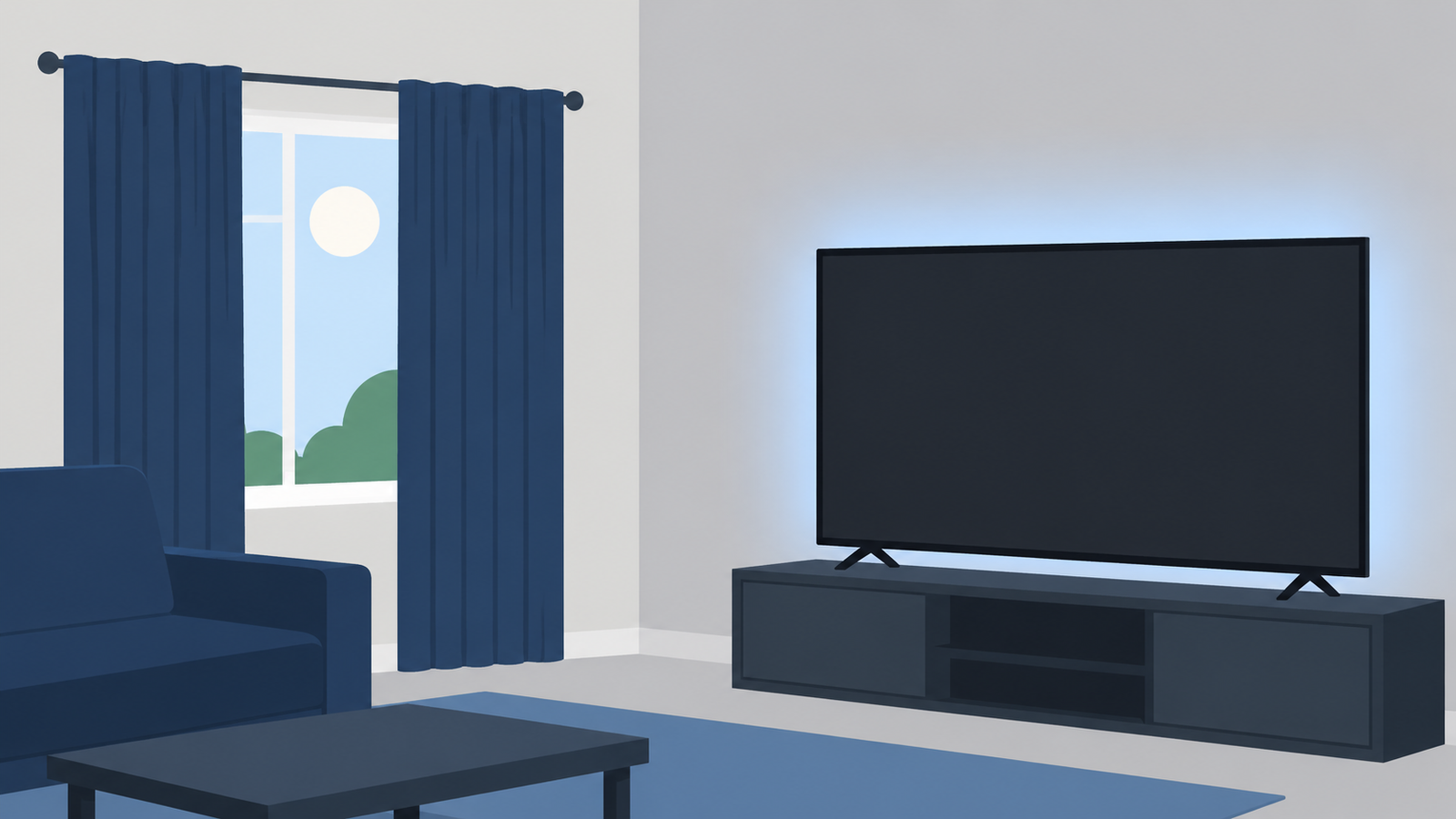
Bias lighting is a soft light placed behind the TV. It does not block window glare during the day, but it improves comfort in dim rooms and helps your eyes adjust between the bright screen and the darker wall.
Recommended Products

RGBW 6500K Pure White Light Strip: 6500K pure white light offered by separate LED beads, prevents eye strain caused by strong contrast between light screen and dark room, relieves headache and eyes dryness

A Symphony of RGBIC Lighting: Govee RGBIC technology realizes the color segmentation display of the TV lights behind, creating more dynamic and gorgeous lighting effects. Experience more vibrant colors in your TV lights and upgrade your visuals.

A Symphony of RGBIC Lighting: Govee RGBIC technology realizes the color segmentation display of the TV lights behind, creating more dynamic and gorgeous lighting effects. Experience more vibrant colors in your TV lights and upgrade your visuals.
Benefits of Bias Lighting
- Reduces eye strain: The wall behind the TV no longer looks completely dark against a bright screen.
- Improves perceived contrast: Dark scenes can feel easier to watch when the surrounding wall has a soft glow.
- Helps nighttime viewing: You can keep the room comfortable without turning on a lamp that reflects on the screen.
- Keeps the setup simple: LED strips, smart bulbs, or a dedicated bias light can all work if placed correctly.
Choosing the Right Setup
For the most accurate TV viewing, use neutral white bias lighting rather than colorful mood lighting. ITU-R BT.2035 lists D65 as the reference background chromaticity for HDTV viewing environments and describes background luminance near 10% of reference white for professional evaluation conditions. Home living rooms do not need a studio setup, but those values explain why dim, neutral light works better than bright colored LEDs.
| Aspect | Recommendation | Why It Matters |
|---|---|---|
| Light Placement | Behind the TV, aimed at the wall | Keeps light off the screen |
| Color Temperature | About 6500K or D65 for accurate viewing | Avoids a warm or blue color cast |
| Brightness Level | Dim, roughly 10% of screen reference white | Improves comfort without overpowering the picture |
| Wall Color | Neutral matte wall behind the TV | Reduces color tint and stray reflections |
Avoid placing the light so it shines onto the front of the screen. Bias lighting should illuminate the wall behind the TV, not the TV panel itself.
Choose Anti-Glare Screen Protectors for Your TV
An anti-glare screen protector can help soften reflections, but it should not be your first fix. Try window treatments, TV angle changes, and room-lighting changes first because those solve the cause of glare instead of adding another layer over the screen.
Matte surfaces can diffuse reflections, but they may also reduce perceived contrast or make dark scenes look flatter. RTINGS found that reflection handling is more complex than a simple matte-versus-glossy choice because diffusion, black-level raise, panel brightness, and coating quality all matter. RTINGS also notes that matte finishes can reduce glare while spreading light over a wider area.
Use this checklist before buying a screen protector:
- Match the exact screen size. A poor fit can leave edges exposed or create bubbles.
- Check compatibility with your TV type. Some protectors suit monitors better than large TVs.
- Read return rules carefully. You may need to test the protector in your room before deciding.
- Avoid thick or low-quality films. They can soften text, reduce detail, or create rainbow effects.
- Clean the screen carefully before installation. Dust trapped under the film can become visible during bright scenes.
For most living rooms, better window control gives a cleaner result than adding a film to the TV itself.
Recommended Products

SUITABLE FOR SCREEN SIZE: only for W1429mm*H804mm 65" TV screen, please measure the internal screen of your monitor and compare the size chart before ordering, the protective film needs to match the internal screen, not for W1440mm*H809mm 65" TV screen

Be sure to confirm the size is suitable: Before purchasing, you must compare the size chart, the size of the protective film needs to match the size of the internal screen of the TV

SCREEN FILM SIZE: The actual size of the protective film is 75 inches W64.76in*H36.61in with edge-to-edge coverage for maximum protection
Adjust TV Settings to Fight Window Glare
TV settings cannot remove a reflected window, but they can make the picture easier to see in a bright room. Use these adjustments after fixing the room layout.
- Raise backlight or OLED light in daylight. This helps the TV compete with room brightness.
- Avoid extreme brightness settings. Too much brightness can wash out the image and make skin tones look unnatural.
- Use a brighter picture mode for daytime only. Switch back to a more accurate mode at night.
- Turn off unnecessary light sensors if they dim the picture too much. Test this setting during the time glare is worst.
- Keep the screen clean. Dust, fingerprints, and streaks scatter light and make glare look worse.
Do not use abrasive cleaners or paper towels on the screen. Use a dry microfiber cloth first. If needed, follow the TV manufacturer’s cleaning instructions.
Maintain Your Setup for Long-Term Glare Management
Glare control is not a one-time fix. Sun angle, furniture placement, and seasonal daylight changes can bring reflections back.
- Recheck glare every few months. The sun’s path changes through the year.
- Clean windows and the TV screen regularly. Smudges and dust scatter light.
- Update blind or curtain positions by season. Afternoon glare may become stronger in one part of the year.
- Check new décor before placing it opposite the TV. Mirrors, glass art, and glossy frames can create new reflections.
- Save separate day and night picture settings. This keeps the TV comfortable in different lighting conditions.
The best long-term setup blocks direct sunlight, avoids window reflections, and keeps the TV bright enough for daytime viewing without making the picture harsh at night.
Frequently Asked Questions
What Is a Simple Way to Reduce Glare on Your Screen?
The simplest way is to close the window treatment that faces the TV, then angle the screen away from the reflection. If glare remains, move lamps and shiny objects that appear on the dark screen when the TV is turned off.
How to Make a TV Easier to See Outside?
For outdoor viewing, keep the TV in full shade, avoid direct sunlight on the screen, and use a display designed for outdoor brightness and weather exposure. A regular indoor TV usually struggles outdoors because daylight is much brighter than indoor lighting.
What Is the Fastest Way to Reduce TV Glare From Windows?
Close blinds or curtains during the brightest part of the day, then swivel or tilt the TV away from the window reflection. This quick test shows whether the main problem is the window, the TV angle, or both.
Do Blackout Curtains Help With TV Glare?
Yes. Blackout curtains help because they block direct daylight before it reaches the screen. They work best for rooms where the TV faces a window, sits near a patio door, or gets strong afternoon sunlight.
Are Blinds or Curtains Better for Reducing TV Glare?
Blinds are better for adjustable daytime control. Curtains are better for blocking stronger light. Many TV rooms work best with both: blinds for daily glare control and curtains for bright sun or movie nights.
Does Bias Lighting Reduce TV Screen Glare?
Bias lighting does not remove direct window reflections. It helps mainly in dim or dark rooms by balancing the light behind the TV, which can make viewing more comfortable and reduce eye strain.
Should a TV Face a Window?
A TV should not face a window if you can avoid it. That layout often creates strong reflections during dark scenes. A side wall or perpendicular layout usually gives you better glare control.
Do Anti-Glare Screen Protectors Work on TVs?
They can reduce harsh reflections, but they may also soften detail or reduce contrast. Use one only after trying curtains, blinds, window film, TV placement, and room-lighting changes.
Can TV Settings Reduce Glare?
TV settings can help the image look brighter in a sunlit room, but they cannot remove a reflected window. Raise backlight or OLED light during the day, then use a softer setting at night.
How Do I Find the Source of Glare on My TV?
Turn the TV off, sit where you normally watch, and look at the dark screen. Any window, lamp, mirror, or bright wall you see reflected on the screen is a glare source that needs to be moved, covered, dimmed, or blocked.
Is a Matte TV Better for Window Glare?
A matte TV can make a direct reflection look softer, but it is not always better for picture quality. Matte coatings spread reflected light, which may reduce glare intensity but can also make dark areas look flatter.
Does Window Film Stop TV Glare?
Window film can reduce glare when bright daylight is the problem, especially if you want to keep some outside view. It will not fix glare from lamps, mirrors, glossy furniture, or a TV mounted directly opposite a bright window.
Where Should Lamps Go to Avoid TV Glare?
Place lamps beside or behind the seating area, not in front of the TV or directly opposite the screen. Turn the TV off and check the dark panel. If you can see the lamp reflected, move it or dim it.
Conclusion
You can reduce TV screen glare from windows by fixing the room before blaming the TV. Start with the window treatment, then adjust the TV angle, seating position, and room lighting.
For most homes, the best setup is simple: block direct sunlight, avoid placing the TV opposite windows, use a swivel or tilt mount when needed, and add soft bias lighting for nighttime comfort. If glare still ruins the picture, then consider window film or an anti-glare screen protector as a final step.
Next step: turn your TV off during the worst glare time today and check what reflects on the screen. That one-minute test will tell you which fix matters most.
References
- U.S. Department of Energy: Energy Efficient Window Coverings
- Whole Building Design Guide: Window Film Fundamentals
- International Window Film Association: UV Protection
- The Skin Cancer Foundation: UV Window Film and Tint
- ITU-R BT.2035: Reference Viewing Environment for HDTV
- RTINGS: Direct Reflections on TVs
- RTINGS: TV Reflection Handling and Screen Finish