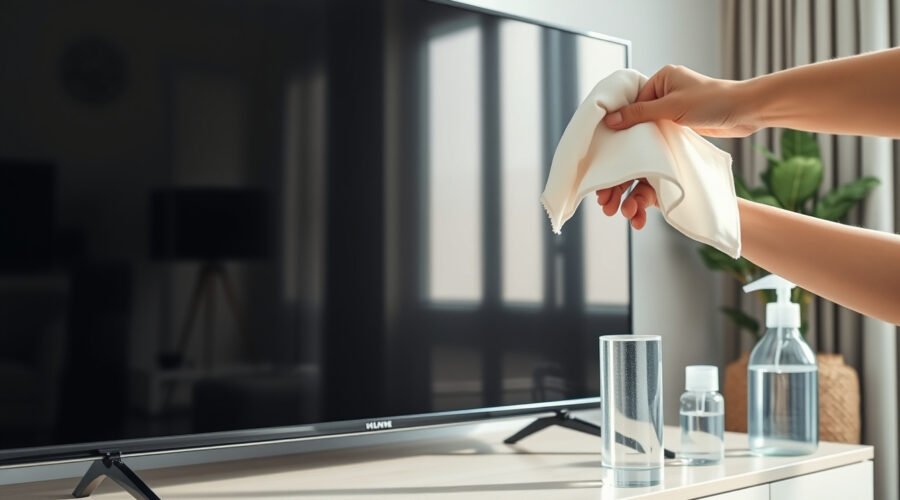
Cleaning a TV screen without streaks is mostly about using less: less liquid, less pressure, and fewer cleaning products. Modern TV screens can have delicate anti-glare or specialty coatings, so the safest method is to dust first with a clean microfiber cloth, use distilled water only when needed, and dry-buff the screen before any moisture has time to sit.
Quick Answer
To clean a TV screen without streaks, turn the TV off and unplug it. Dust with a clean, dry microfiber cloth. For smudges, lightly dampen a second microfiber cloth with distilled water, wipe gently, then immediately buff with a dry microfiber cloth. Never spray liquid directly on the screen.
Key Takeaways
- Use a clean microfiber cloth first; many streaks come from dust, grease, or a dirty cloth.
- Apply distilled water to the cloth, not the screen, and keep the cloth barely damp.
- Avoid glass cleaner, ammonia, alcohol, benzene, acetone, paper towels, Magic Erasers, and abrasive pads unless your TV manual specifically says otherwise.
- Dry-buff right away with a second microfiber cloth to remove moisture before it leaves streaks.
At a Glance
| Time Required | 5–10 minutes |
| Difficulty | Easy, but requires a gentle touch |
| Tools Needed | Two or three clean microfiber cloths, distilled water, optional manufacturer-approved screen cleaner |
| Cost | Usually $0–$10 if you already have microfiber cloths |
Warning: Do not spray water or cleaner directly onto a TV screen. Liquid can run into the bezel, speakers, ports, or internal electronics. Always dampen the cloth lightly instead.
Preparing Your TV for Cleaning
Before cleaning, turn the TV off and unplug it from the wall. A dark screen makes dust and fingerprints easier to see, and unplugging reduces the risk of cleaning around powered electronics.
Let the screen cool for a few minutes if the TV has been on. Then check the owner’s manual or the manufacturer’s support page for your exact model. OLED, LCD, LED, QLED, plasma, and specialty coated screens can have different care instructions, and manufacturer guidance should always win over general cleaning advice.
For example, Sony’s TV screen cleaning guidance recommends unplugging the TV, avoiding direct spray, and gently wiping the screen with a microfiber cloth. Apple’s display cleaning guidance also warns against direct spraying, window cleaners, household cleaners, ammonia, abrasives, and excess moisture on displays.
Essential Tools for Cleaning Your TV Screen Streak-Free
You do not need a cabinet full of cleaners. The safest streak-free setup is simple:
- One dry microfiber cloth for dusting.
- One barely damp microfiber cloth for smudges and fingerprints.
- One dry microfiber cloth for final buffing.
- Distilled water for dampening the cloth when dry wiping is not enough.
- Manufacturer-approved screen cleaner only if your TV manual allows it.
Avoid reusing a cloth that has been used on counters, mirrors, cars, or dusty furniture. Tiny grit trapped in the fibers can scratch a delicate screen coating.
Pro Tip: Keep one microfiber cloth reserved only for screens. Wash it without fabric softener, then store it in a clean drawer or bag so it does not pick up grit.
Recommended Products

Premium Materials: Extremely high-quality, soft, microfiber material absorbs and removes dust, oil, smudges, fingerprints, and dirt. Leaves no scratches, streaks, marks, or lint. Makes the perfect stocking stuffers for adults, men, women, him, her, teens, and more.
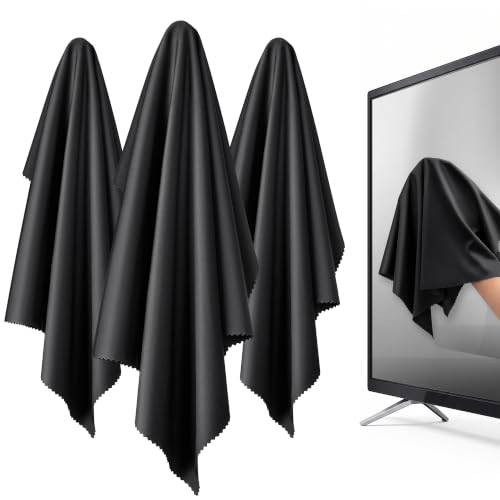
【XL Screen Cleaning Cloth】 Oversized 16 x 16 inches Screen Cleaning Cloth TV Screen Cleaner Cloth, computer screen cleaner microfiber cleaning cloths help remove dust, fingerprints and smudges from smart TV screens, Computer monitors, Laptops, MacBooks, desktop displays, iPads, iphone, Car touchscreens, or any other electronic device — leaving every screen surface clean, lint-free and streak-free.

HIGH QUALITY MICROFIBER CLOTHS ⭆ The pack includes 5 double-sided cleaning cloths (6.6 inch x 6.2 inch) Black Side: Microfiber & Blue Side: Suede. The very fine fibers of the cloth is perfect to pick up grease and dirt.
How to Clean Your TV Screen Without Streaks
- Turn off and unplug the TV. Wait a few minutes if the screen feels warm.
- Dust the screen first. Use a clean, dry microfiber cloth. Wipe lightly from top to bottom or side to side. Do not press hard.
- Dampen a second cloth only if needed. If fingerprints or smudges remain, lightly dampen a clean microfiber cloth with distilled water. The cloth should feel barely damp, never wet or dripping.
- Wipe gently in one direction. Use smooth, overlapping passes. Avoid scrubbing circles into one spot, especially on OLED or LCD screens.
- Dry-buff immediately. Use a separate dry microfiber cloth to buff away remaining moisture. This is the step that prevents most streaks.
- Inspect from an angle. Look at the screen from the side under room light. If you see streaks, use the dry cloth again before adding more moisture.
Recommended Products

YOUR OLED SHOULD NEVER SHARE A CLOTH: Glasses and phones leave oil, dust and invisible grit behind. One wipe can drag that grit across a delicate OLED coating and leave permanent micro-scratches. Give your $2K+ OLED its own PYTHON cloth today.

10x GRIP-ROOT WEAVE - TRAP MORE, WORK LESS: Ultra-absorbent microfiber towels for car Grip Root weave works like PLANT ROOT FOLLICLES, sucking up & LOCKING AWAY 8x to 10x its weight in liquid, particulates, moisture, grime and dirt in far LESS TIME than traditional ‘Heavy Duty’ Cleaning Rags. Each towel features a 2.5mm thick design, providing enhanced durability and better grip during use.

Screen cleaner spray and cloth. Screen cleaner spray and cloth are designed for high-end devices and work flawlessly on all electronic screens, including LCD, LED & OLED flat TVs, smartphones, iPhone, iPad (Pro), laptops, MacBook, MacBook Air & Pro, computers, touchscreens, monitors, e-readers, gaming monitors, projectors, tablets, car touchscreens, and other electronic device screens, screen protectors, and displays. Can be used as a TV cleaner spray and cloth, OLED TV cleaning kit, laptop cleaning kit for MacBook, tv screen cleaner or iPad cleaner.
How to Clean Stains and Smudges Effectively
For fingerprints, sneeze spots, or light food smudges, start with the dry microfiber cloth. If that does not work, use the barely damp distilled-water method above.
If an oily mark still will not lift, check your TV manual before adding any cleaner. Some manufacturers allow very specific diluted cleaners for unusual stains, while others warn against household cleaners on the screen. If your manual permits a screen cleaner, apply a small amount to the cloth, wipe gently, and immediately follow with a dry microfiber cloth.
Do not use dish soap as a routine TV-screen cleaner. A tiny amount of diluted mild cleaner may be acceptable for some exterior surfaces or special stains only when your manufacturer allows it, but leftover soap residue is a common cause of streaks.
Note: Tap water can leave mineral spots in hard-water areas. Distilled water is the better choice when you need a damp cloth.
Recommended Products

✅ Screen Cleaner for a Streak-Free Cleaning for All Screens – Safely removes fingerprints, dust, and smudges from any electronic screen: smartphones, laptops, TVs, iPads, MacBooks, monitors, and more. Use it as your go-to TV screen cleaner, laptop cleaner, or iPad cleaning kit.

Screen Cleaner is Your Screen’s New Bestfriend! - EVEO is proud to present a screen cleaner that’s perfectly suited for your TV. Meet your new screen cleaner, computer screen cleaner, laptop cleaner, iPad cleaner, Macbook,tv cleaner or any other electronic device. Our screen cleaner spray and wipe along with the included plush microfiber cloth, easily removes dust, fingerprints & other smudges on the screen’s surface. Clean effectively for a streak-free screen
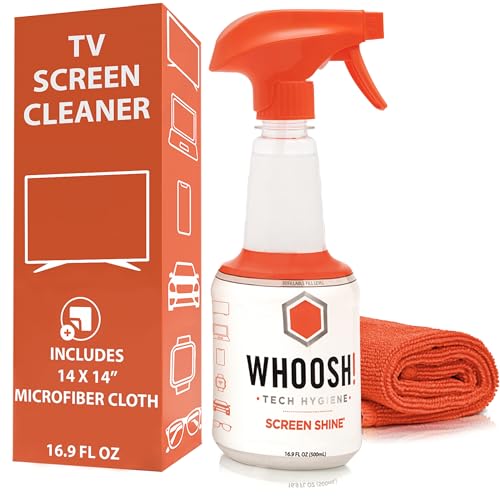
NEXT-GEN CLEANING POWER: Screen Shine Pro is the future of screen care - a powerful, refillable tv screen cleaner that wipes away dust, grime, and fingerprints without the streaks. Perfect for TVs, laptops, tablets, and more, it restores a crystal-clear view on every screen.
What Not to Use on a TV Screen
The wrong cleaner can leave permanent marks, strip coatings, or push moisture into the TV. Keep these away from the screen unless your specific TV manual says otherwise:
| Avoid | Why It Can Cause Problems |
| Window cleaner or glass cleaner | May contain ammonia or solvents that can damage screen coatings. |
| Alcohol, benzene, thinners, acetone, or harsh solvents | Can damage finishes, coatings, or electronic components. |
| Paper towels, tissues, napkins, or rough cloths | Can leave lint and may create fine scratches. |
| Magic Eraser or abrasive pads | Abrasive materials can dull or scratch delicate coatings. |
| Direct spray or dripping cloths | Moisture can seep into the TV and cause malfunction. |
| Vinegar, unless manufacturer-approved | Some screen coatings may not tolerate acidic cleaners. |
Common Cleaning Mistakes to Avoid
Using Excessive Moisture
Too much moisture is one of the easiest ways to damage a TV. A damp cloth should not drip when squeezed. If you see liquid beads, runs, or wet edges on the screen, stop and dry the area immediately with a clean microfiber cloth.
Scrubbing Too Hard
Pressure does not clean a TV screen better. It increases the risk of scratches, pressure marks, or display damage. Let the cloth do the work, and use slow, gentle passes.
Skipping the Dry Buff
If you wipe with a damp cloth and walk away, minerals or residue can dry into streaks. Always finish with a clean, dry microfiber cloth.
Troubleshooting Streaks After Cleaning
If the screen still looks streaky, the cause is usually simple:
- The cloth was too wet: Dry-buff again and use less water next time.
- The cloth was dirty: Switch to a freshly washed microfiber cloth reserved for screens.
- There is soap or cleaner residue: Wipe once with a cloth barely dampened with distilled water, then dry-buff.
- Tap water left minerals behind: Use distilled water instead.
- You used too much pressure: Stop scrubbing. Use lighter passes and inspect the screen after it fully dries.
Cleaning the Frame, Vents, and Remote
Once the screen is clean, dust the TV frame and stand with a dry microfiber cloth. Be careful around labels, buttons, ports, and speaker openings.
For rear vents, use a small duster or a soft brush attachment carefully around the exterior. Do not force anything into vents or ports. Dust buildup around vents can make it harder for the TV to release heat, so add this to your occasional maintenance routine.
To clean the remote, remove the batteries first if they are removable. Wipe the exterior with a lightly damp cloth, then dry it before replacing the batteries. Do not let moisture run between buttons.
Simple Tips for Keeping Your Screen Clean
- Dust the screen whenever visible dust builds up.
- Clean fingerprints soon after they appear so they do not require extra wiping later.
- Keep kids’ hands, food, and drinks away from the screen when possible.
- Do not clean while the TV is on or warm.
- Store microfiber cloths clean and dry so they do not collect grit.
- Use liquid only when dry dusting is not enough.
Frequently Asked Questions
Is it safe to use a Magic Eraser on a TV screen?
No. A Magic Eraser is mildly abrasive, which makes it risky for delicate TV coatings. Use a clean microfiber cloth instead.
Can I use Windex or glass cleaner on a TV screen?
No. Most modern flat-screen TVs should not be cleaned with window cleaner or glass cleaner. These products may contain ammonia or solvents that can damage screen coatings.
Can I use vinegar to clean my TV screen?
Do not use vinegar unless your TV manufacturer specifically approves it for your model. Distilled water on a microfiber cloth is the safer first choice for most smudges.
What is the best cloth for cleaning a TV screen?
A clean, soft, lint-free microfiber cloth is the best choice. Avoid paper towels, napkins, tissues, bath towels, and old shirts because they can leave lint or cause fine scratches.
How often should I clean my TV screen?
Dust it when you notice buildup, and do a damp-cloth cleaning only when fingerprints or smudges remain after dry wiping. Over-cleaning can increase the risk of streaks or coating wear.
Why does my TV screen look streaky after cleaning?
Streaks usually come from too much water, soap residue, minerals from tap water, or a dirty cloth. Dry-buff with a clean microfiber cloth. If needed, wipe once with a cloth barely dampened with distilled water, then dry again.
Conclusion
A streak-free TV screen does not require harsh cleaners or heavy scrubbing. Start with a clean, dry microfiber cloth, use distilled water only when needed, keep moisture off the screen edges, and finish by buffing dry. With a gentle routine and the right cloths, your screen stays clear without risking scratches, coating damage, or moisture problems.
Sources
- Sony Support: Cleaning your OLED or LCD TV screen — backs up unplugging, microfiber use, no direct spray, chemical cautions, gentle pressure, vents, and remote cleaning.
- Apple Support: How to clean your Apple products — backs up soft lint-free cloths, avoiding abrasive materials, keeping liquids away, and avoiding direct spray and harsh cleaners on displays.
- Samsung Support: TV support and cleaning guidance — manufacturer support reference for Samsung TV care and cleaning instructions.