Disclosure: This article contains affiliate links. If you buy through them, we may earn a commission at no extra cost to you. Prices, availability and specifications change often — always confirm current details on the product page before ordering.
If bending over a dustpan hurts, or pushing an upright vacuum around leaves you worn out for the rest of the afternoon, floor cleaning quietly becomes one of the first chores to slip. A robot vacuum takes that job off the calendar entirely — and for anyone planning to stay in their own home for the long run, that matters more than raw cleaning power.
Below are 4 robot vacuums for aging in place in 2026, narrowed down from a much longer list. We removed several popular models that are no longer supported by their manufacturer or that have been superseded, because a vacuum that loses its app or its spare parts is a bad purchase no matter how good the reviews once were. What is left covers four genuinely different situations: a premium self-emptying model that avoids cords and clutter, a lower-cost self-emptying model, a budget model with app control, and one that needs no smartphone at all.
How these picks were chosen: currently available on Amazon, still supported by an active manufacturer, low enough to fit under most beds and sofas, operable without kneeling on the floor, and honest about what each one cannot do.
Quick Comparison: 4 Robot Vacuums for Aging in Place
| Model | Best For | Empties Itself | How You Control It | Check It |
|---|---|---|---|---|
| iRobot Roomba j7+ Best Overall |
Homes with cords, tubing, clutter or pets | Yes | App + voice | Check Price |
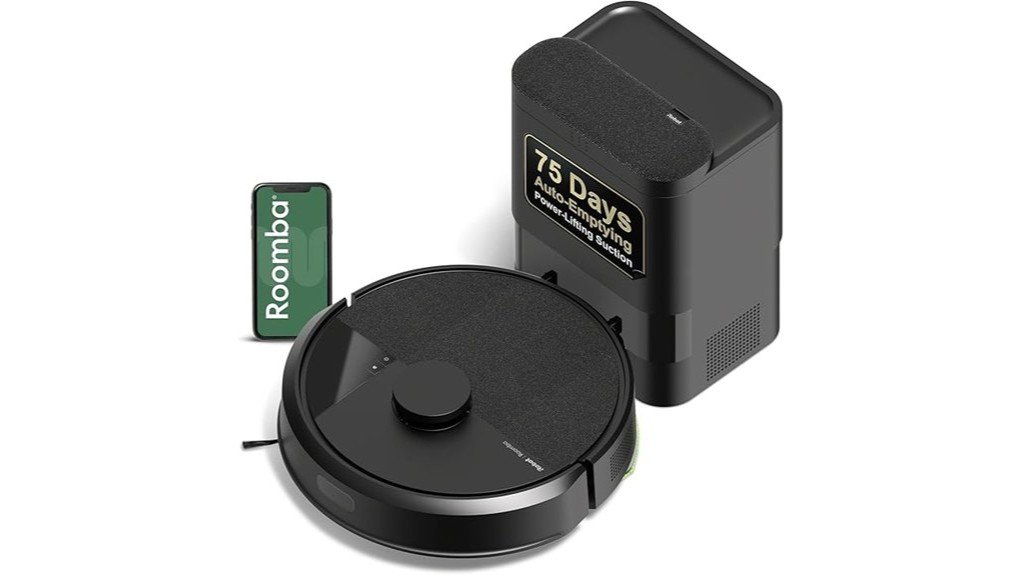
| iRobot Roomba i3+ EVO Best Value Self-Emptying |
Tidy floors, carpet and pet hair | Yes | App + voice | Check Price |
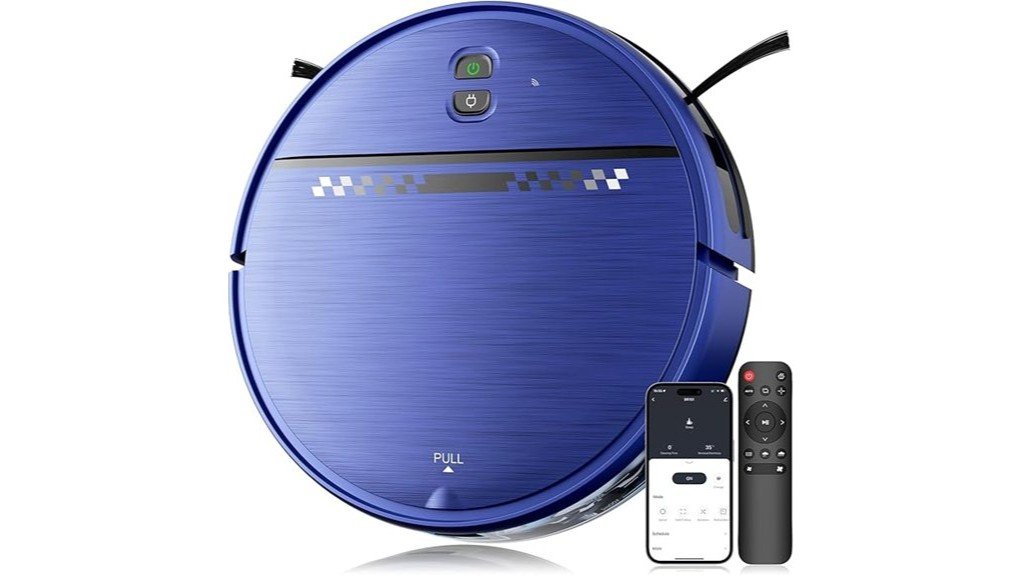
| eufy RoboVac G30 Edge Best Budget with App |
Apartments and single-floor homes | No | App + voice | Check Price |
| eufy BoostIQ RoboVac 11S Best Without a Smartphone |
Anyone who does not want an app | No | Remote + buttons | Check Price |
iRobot Roomba j7+ Self-Emptying Robot Vacuum — Best Overall
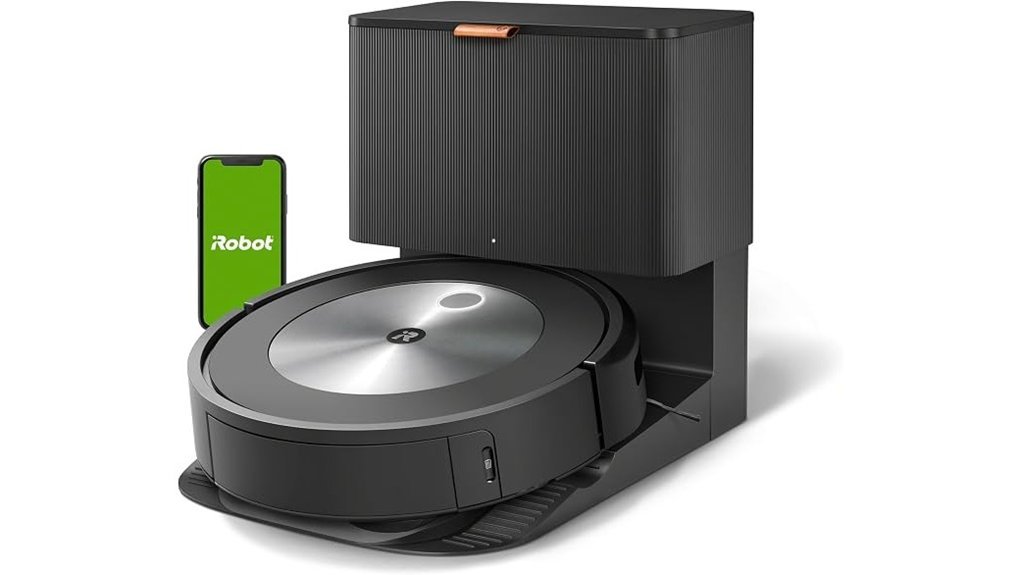
Quick verdict: The one to get if the floors are lived-on — phone chargers, oxygen tubing, a walker parked by the chair, a pet. Its camera-based navigation is built to see and steer around that kind of thing instead of dragging it across the room.
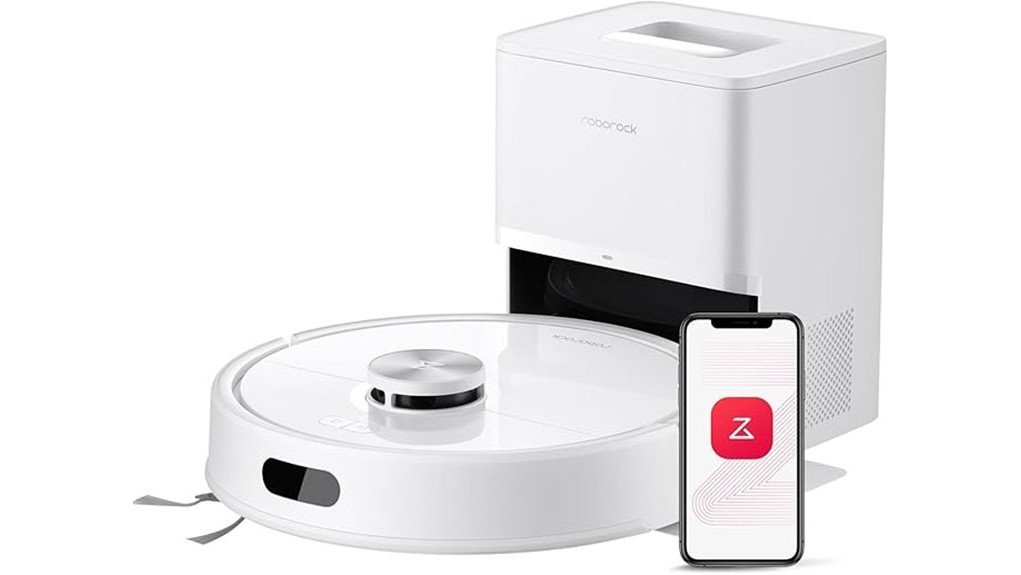
The iRobot Roomba j7+ is the most hands-off option here. Its PrecisionVision Navigation uses a forward-facing camera to identify common floor obstacles — cables, socks, shoes and pet waste — and route around them rather than pushing them along. Imprint Smart Mapping lets it learn the layout of the home and store maps for more than one level, so a specific room can be cleaned on request instead of the whole house. The self-emptying base pulls debris into a sealed bag, which iRobot estimates will hold up to 60 days of dirt in a typical home.
Why you’ll like it: The problem it actually solves is the follow-up work. Cheaper robots need someone to walk the floor first picking up cords and slippers, then empty a small bin after every run. The j7+ removes both of those jobs, which is the entire point when bending down is the difficulty.
Best For: Homes with pets, charging cables, medical tubing or general floor clutter — and anyone who wants to touch the machine as rarely as possible.
Who Should Avoid This: Anyone who does not use a smartphone. Mapping, room selection and scheduling all live in the app, so most of what you are paying for is unreachable without one. Also skip it if the home is mostly deep, high-pile carpet.
Pros:
- Camera-based obstacle avoidance is the standout feature — it steers around cords and clutter rather than tangling on them.
- Smart Mapping stores multiple floor plans and allows single-room cleaning on request.
- Sealed self-emptying bags keep dust contained, so nobody has to shake out a dustbin.
- Works with Alexa and Google Assistant for spoken start and stop commands.
Cons:
- The highest price of the four, and the replacement dock bags are an ongoing cost.
- Needs steady Wi-Fi and a smartphone for the features that justify the price.
- Less effective on very high-pile carpet than a full-size upright vacuum.
- The self-emptying dock is noticeably loud for the few seconds it runs.
iRobot Roomba i3+ EVO Self-Emptying Robot Vacuum — Best Value Self-Emptying
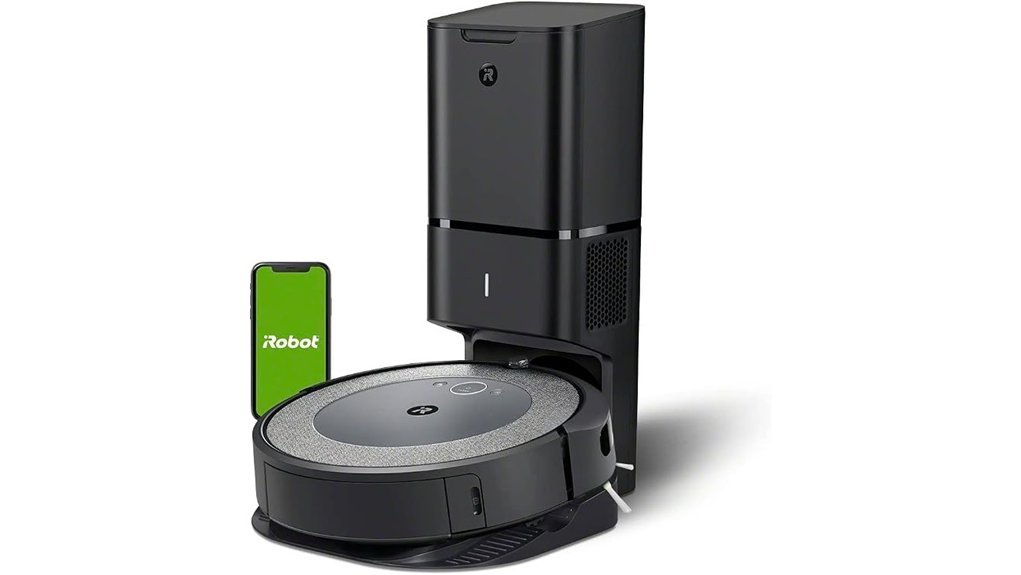
Quick verdict: Most of the j7+’s convenience for meaningfully less money — as long as the floors are kept reasonably clear of cords and small objects.
The iRobot Roomba i3+ EVO shares the feature that matters most here: a base station that empties the robot for you, which iRobot rates at up to 60 days between bag changes. It uses a 3-Stage Cleaning System with dual rubber brushes designed to resist hair tangling, and iRobot rates its suction at 10x that of its own 600 Series — a within-brand comparison rather than an industry benchmark. The EVO software update added Smart Mapping, so it can clean a named room instead of the whole floor. Through the iRobot Home app it can also suggest extra cleaning runs during pollen season or heavy pet shedding, and it responds to Alexa and Google Assistant.
Why you’ll like it: It closes the gap between a cheap robot and a premium one at the exact point that matters for aging in place — nobody has to bend down and empty a bin twice a week.
Best For: Households wanting self-emptying convenience and solid carpet and pet-hair pickup without paying the j7+ price.
Who Should Avoid This: Homes with cords, tubing, small rugs with tassels or items regularly left on the floor. Unlike the j7+, the i3+ EVO has no camera-based obstacle recognition — it navigates by contact and floor-tracking sensors, so it will find a charging cable rather than avoid it. If someone will not be able to untangle it, spend the extra on the j7+.
Pros:
- Self-emptying base removes the most awkward part of robot vacuum ownership.
- Rubber brushes are designed to resist hair wrap, which cuts down on maintenance.
- Smart Mapping allows room-by-room cleaning and scheduling from the app.
- Considerably less expensive than camera-equipped models.
Cons:
- No camera-based obstacle avoidance — floors need a quick tidy before it runs.
- Requires Wi-Fi and a smartphone for mapping and scheduling.
- Dock bags are a recurring purchase.
- An older model in iRobot’s range, so stock varies by seller.
eufy RoboVac G30 Edge Robot Vacuum — Best Budget Pick with App Control
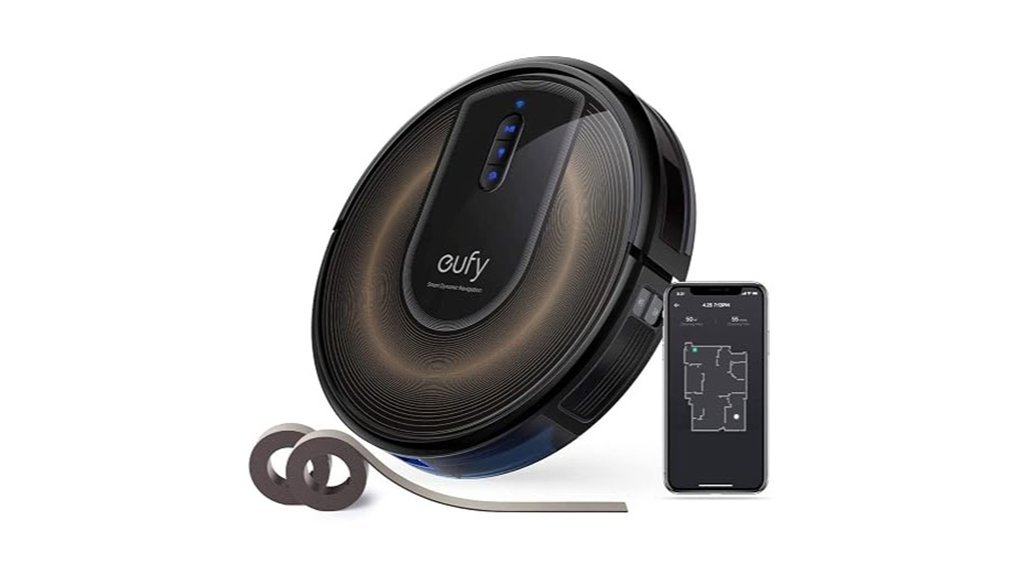
Quick verdict: The sensible starting point. Organised row-by-row cleaning and app scheduling at roughly half the cost of a self-emptying Roomba — you just empty the bin yourself.
The eufy RoboVac G30 Edge uses Smart Dynamic Navigation 2.0, which plans a logical back-and-forth route instead of bouncing randomly around the room. It is not laser mapping, but it is a clear step up from the bump-and-turn behaviour of entry-level robots. eufy rates it at 2000 Pa of suction, and at roughly 2.85 inches tall it fits under most beds, sofas and kick-plates. The app handles scheduling, cleaning history and mode switching, and it responds to Alexa and Google Assistant.
Instead of app-drawn no-go zones, the G30 Edge ships with magnetic boundary strips you lay on the floor — useful for fencing off a pet bowl or a run of cables, though someone has to physically position them once during setup.
Why you’ll like it: It covers the whole floor properly and can be started from a phone from another room or another city, which is what most families actually want when buying for a parent. The bin is small, but emptying it is a standing-height job at the sink, not a floor-level one.
Best For: Apartments and single-floor homes, first-time robot vacuum buyers, and families who want app control without a large outlay.
Who Should Avoid This: Anyone who specifically needs the bin emptied automatically, or who wants to draw virtual no-go zones on a map rather than lay physical strips.
Pros:
- Row-by-row route planning covers floors far more thoroughly than random-pattern robots.
- 2000 Pa suction handles hard floors and low to medium-pile carpet.
- Slim 2.85-inch body reaches under furniture other robots cannot.
- App and voice control at a genuinely budget price.
Cons:
- No self-emptying base — the onboard bin needs emptying regularly.
- No-go zones require physically laying boundary strips, not drawing them in the app.
- No stored floor maps or room-by-room selection.
- Battery may not cover a large home in a single run before it returns to charge.
eufy BoostIQ RoboVac 11S Robot Vacuum Cleaner — Best Without a Smartphone
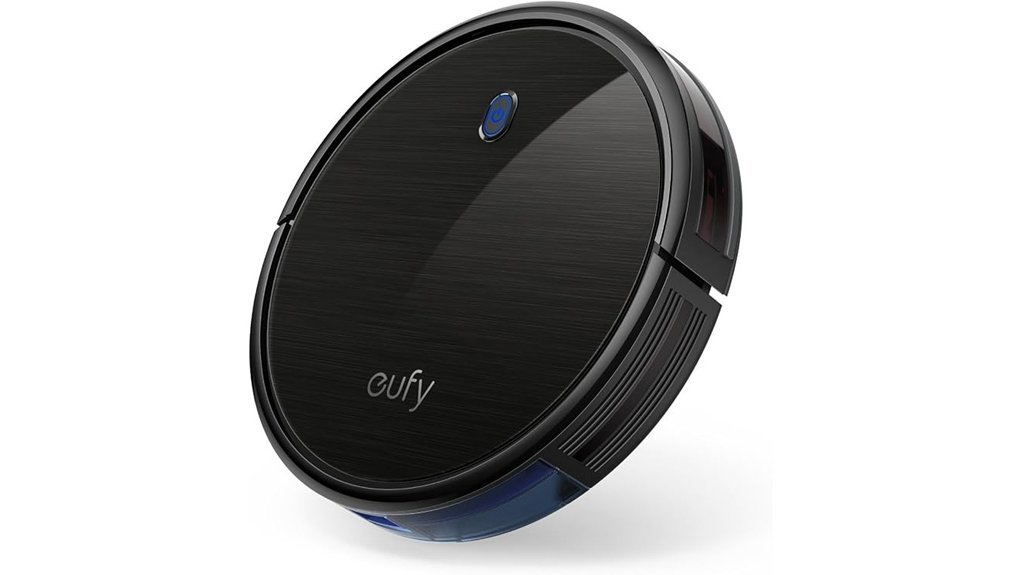
Quick verdict: The right answer for anyone who does not want another app, another password or another device on the Wi-Fi. Press a button, it cleans, it goes home.
The eufy BoostIQ RoboVac 11S deliberately leaves out Wi-Fi. There is no app, no account and no network setup — it is operated with the included remote or the button on top of the unit. For a lot of older users that is not a compromise, it is the reason to buy it. It offers 1300 Pa of suction with BoostIQ, which raises power automatically when it moves onto carpet, and it runs up to 100 minutes before returning to its dock on its own. eufy compares its running noise to an operating microwave. At 2.85 inches it shares the G30’s under-furniture reach.
Why you’ll like it: Nothing to configure and nothing to troubleshoot. It cannot lose its Wi-Fi connection, cannot need a firmware update at an inconvenient moment, and cannot be locked behind a forgotten password.
Best For: People who do not use smartphones, smaller homes with hard floors and low-pile rugs, and anyone who wants the simplest possible machine.
Who Should Avoid This: Larger multi-room homes needing mapped, room-by-room cleaning, homes with thick carpet, and families who want to start a clean remotely — there is no app, so that is not possible.
Pros:
- No app, no account and no Wi-Fi setup — operated by remote or a single button.
- BoostIQ raises suction automatically when it reaches carpet.
- Runs up to 100 minutes and returns to its dock to recharge without help.
- Slim body reaches under beds and low furniture.
- Quiet enough to run during a nap or a television programme.
Cons:
- Struggles with thick or high-pile carpet.
- No mapping, no room selection and no remote start from outside the home.
- Random-pattern navigation means a full-floor clean takes longer.
- Brushes and filter need regular manual cleaning.
How to Choose a Robot Vacuum for Aging in Place
Buying for aging in place is a different exercise from buying the best-reviewed robot vacuum. The winning model on a general list may be the wrong one here if it needs a smartphone the owner does not have, or if untangling it means getting down on the floor. These are the factors that actually decide it.
Ease Of Use
Ease of use is the deciding factor, not cleaning performance. Be honest about how the machine will really be operated. If the owner is comfortable with a phone, app control and voice commands mean a clean can be started from a chair — or by a family member from across town. If they are not, a model with a physical button and a remote will get used every week while an app-only model sits on its dock. Self-emptying models are worth a real premium here, because emptying a small bin every few days is exactly the bending-and-shaking task the vacuum was bought to eliminate. Look for units that return to their dock and recharge without prompting, so no one has to notice a flat battery.
Smart Navigation Features
Navigation quality decides how often someone has to rescue the robot from under a chair. There are three broad levels. Camera-based obstacle recognition, as on the Roomba j7+, identifies cables, socks and pet waste and routes around them — the most valuable tier for a home with medical tubing, chargers or a pet. Route-planning navigation, as on the eufy G30 Edge, cleans in tidy rows for good coverage but does not recognise what is in front of it. Random-pattern navigation, as on the RoboVac 11S, eventually covers a room but takes longer. Separately, check how a model handles no-go zones: some let you draw them in an app, while others rely on physical magnetic strips laid on the floor.
Suction Power Considerations
Suction is quoted in pascals (Pa), but the number is only useful within a single brand — eufy publishes Pa ratings while iRobot does not, so a 2000 Pa eufy cannot be meaningfully ranked against a Roomba by that figure. What matters more in practice is whether the vacuum raises suction automatically on carpet, which the models here do in their own ways. Enough suction to finish the job in one pass means fewer runs and less intervention. It is also worth balancing power against noise, since a machine quiet enough to run during a rest period is one that can be scheduled freely rather than worked around.
Self-Emptying Mechanism Benefits
Self-emptying is the single feature most worth paying extra for in this context. These models transfer debris into a sealed bag in the base station, and manufacturers typically estimate up to 60 days between bag changes in an average home — pets, carpet and heavy use will shorten that. The practical benefit is twofold: it removes a recurring floor-level task, and because the bag is sealed, dust is not released into the air the way it is when a small bin is shaken out over a kitchen bin. Budget for replacement bags as an ongoing cost, and note that the emptying cycle is briefly loud, so place the dock away from a bedroom.
Connectivity Options Available
App connectivity allows scheduling, cleaning history and remote starts, and it is often the feature that lets an adult child manage the vacuum on a parent’s behalf from their own phone. Voice control through Alexa or Google Assistant helps where reading a small screen is difficult. But connectivity is not automatically the right answer. App-based models need a stable Wi-Fi network, an account, occasional updates and a password that has to be recoverable. A non-connected model avoids all of that and never stops working because a service was discontinued — a genuine risk, as owners of several now-unsupported robot vacuum brands have discovered. Choose deliberately rather than defaulting to the smarter machine.
Cleaning Mode Versatility
Homes rarely have one floor type. Look for automatic adjustment between hard floors and carpet so nobody has to change a setting — BoostIQ on the eufy models and automatic carpet boost on the Roombas both handle this without input. Smart mapping, where available, allows a single room to be cleaned on demand, which is useful for a kitchen spill rather than running the whole floor. Scheduled cleaning is the feature that turns a robot vacuum from a gadget into a routine: set it once for a time when the house is quiet and the chore effectively disappears from the week.
Design And Size
Height matters more than most buyers expect. A model around 2.85 inches tall will pass under most beds, sofas and cabinet kick-plates, which is precisely where dust accumulates and precisely where it is hardest to reach by hand. A low profile also helps it cross thresholds and rug edges without stranding itself. If the vacuum needs to be carried between floors, weight matters too — the slimmer eufy models are light enough to lift comfortably. Finally, consider the controls themselves: a large physical button on the unit is far easier to use than a small icon on a phone screen for anyone with limited vision or reduced dexterity.
Before You Buy: A Short Checklist
- Who will empty it and change the bags? If the answer is a family member who visits fortnightly, choose self-emptying.
- Is there a smartphone in daily use? If not, a non-connected model will get used and an app-based one probably will not.
- Measure the lowest furniture clearance. Under four inches, look specifically at the slim eufy models.
- Walk the floor. Count the cords, rug tassels and items regularly left down. A lot of them points to camera-based obstacle avoidance.
- Pick the dock location first. It needs mains power and clear space, and it must not sit in a walking route.
- Check the return window and the current warranty terms on the listing before ordering, since these vary by seller.
Safety and Practical Notes
Please read this if you are buying for someone with reduced mobility. A robot vacuum reduces physical strain, but it is not a safety device and it does not reduce fall risk on its own. Its charging dock and power cable are themselves a trip hazard — position the dock against a wall, well clear of any route regularly walked at night, and route the cable flat along the skirting. Every model here has cliff sensors that stop it at stairs and drop-offs, but no robot vacuum should be treated as a substitute for a stair gate. If the home uses oxygen tubing, a pendant alarm cord or trailing medical leads, choose a model with camera-based obstacle avoidance and keep those lines off the floor regardless. Finally, a robot moving underfoot can startle someone using a walker or cane — schedule cleaning for times when the room is empty rather than while it is occupied.
A note on iRobot: iRobot changed ownership in early 2026 after a period of financial restructuring. The company has stated it is operating as before, with no changes to existing models or the support behind them, and the iRobot Home app and existing Roombas continue to function. It is worth knowing when spending several hundred dollars on a connected appliance, and it is a reasonable point to confirm on the product listing before you order.
Frequently Asked Questions
Can Someone Use a Robot Vacuum Without a Smartphone?
Yes. The eufy BoostIQ RoboVac 11S is operated entirely by a remote control and a button on the unit, with no app, account or Wi-Fi setup required. The app-based models on this list can technically be started with their physical button too, but scheduling, mapping and room selection all require a phone, so most of what you pay for goes unused without one.
Who Empties a Self-Emptying Robot Vacuum?
The robot empties itself into a sealed bag in the base station, so no one handles loose dust day to day. Someone still has to replace that bag periodically — manufacturers estimate up to around 60 days in a typical home, less with pets or carpet — and change the filter and clear hair from the brushes every few weeks. That bag change is done standing at the dock rather than crouching over a bin, which is the main practical advantage.
Can Robot Vacuums Navigate Stairs or Uneven Surfaces?
They cannot climb stairs, and they are not designed to. All the models here use cliff sensors that detect a drop-off and turn the robot away before it reaches the edge, so they will not fall down a staircase in normal use. Low thresholds and rug edges are usually handled fine, though thick rugs with fringed edges and steep transitions can cause a robot to stall. In a two-storey home you will need to carry the unit between floors, or buy one for each level.
How Do Robot Vacuums Handle Pet Hair and Allergens?
Reasonably well for routine maintenance. The Roomba models use dual rubber brushes designed to resist hair wrapping, and the self-emptying versions seal debris inside a bag so dust is not released when the vacuum is emptied. All the models here use high-efficiency filters, though filter specifications vary and not every model uses a HEPA-certified filter, so check the listing if allergies are a specific concern. None of them replaces a deep clean on carpet.
What Is the Average Battery Life of These Robot Vacuums?
Typically around 60 to 120 minutes per charge depending on model, cleaning mode and floor type — carpet and boosted suction drain the battery faster. All four return to their dock automatically to recharge, and the mapping models can resume where they stopped, so a larger home simply takes more than one cycle rather than needing supervision.
How Do I Maintain and Clean My Robot Vacuum?
Empty the bin or change the base station bag as needed, rinse or tap out the filter every few weeks, cut away hair wrapped around the brushes and wheels, and wipe the sensors and charging contacts with a dry cloth. Most of this can be done sitting at a table with the unit in your lap. Budget for occasional replacement filters, side brushes and — on self-emptying models — dock bags.
How Loud Are These Robot Vacuums?
Quieter than an upright vacuum in normal operation — eufy compares the RoboVac 11S to an operating microwave, and the Roombas are similar during a standard clean. The exception is the self-emptying dock on the i3+ EVO and j7+, which is briefly loud each time it runs. For that reason, place the dock away from a bedroom and schedule cleaning outside rest periods.
Final Recommendation
If the floors have cords, tubing, a pet or general clutter — and you want the fewest possible interventions — the iRobot Roomba j7+ is the pick. Its camera-based obstacle avoidance and sealed self-emptying dock remove both of the recurring hands-on jobs.
If the floors stay reasonably clear and you want self-emptying at a lower price, the iRobot Roomba i3+ EVO delivers most of the same convenience.
If this is a first robot vacuum for an apartment or single-floor home, the eufy RoboVac G30 Edge gives organised full-floor coverage and app scheduling at a fraction of the cost.
If there is no smartphone in the picture, the eufy BoostIQ RoboVac 11S is the one that will actually get used — one button, no setup, nothing to go wrong.
Conclusion
Surveys by AARP have consistently found that the large majority of adults over fifty want to remain in their own homes as they grow older. Staying put is rarely decided by one big thing — it is decided by dozens of small chores gradually becoming harder, and floor cleaning is usually among the first to go.
A robot vacuum will not solve that on its own, and it is worth being clear that it is a convenience appliance rather than a care device. But it removes a genuinely demanding weekly task, keeps the home in better condition between visits, and does so without anyone having to ask for help. Choose based on how the machine will really be operated rather than on the longest feature list, check the current listing details before ordering, and place the dock somewhere it will never be in the way.