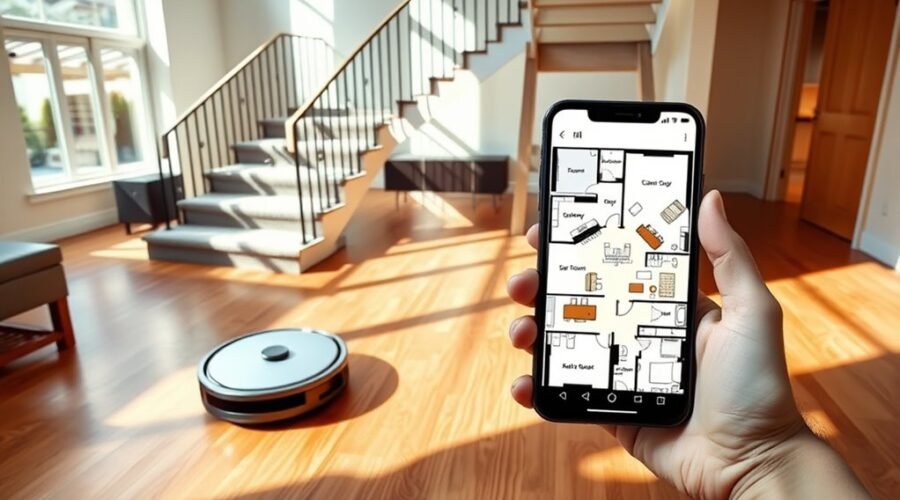
Mapping multiple floors with a robot vacuum requires a controlled setup and a consistent process. Each level must be scanned separately, then saved as its own floor map in the app. The robot also needs to be assigned to the correct map before cleaning begins. If the sequence is handled incorrectly, navigation errors and missed areas can occur, which makes the next steps important to get right.
How to Map Multiple Floors on a Robot Vacuum
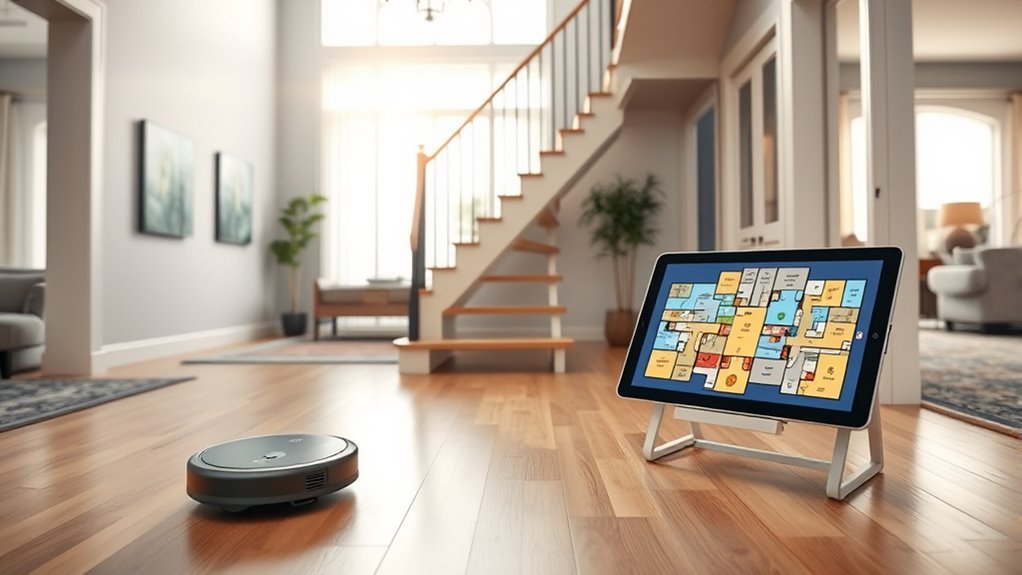
To map multiple floors with a robot vacuum, the device and its dock should be moved to the new level and a full cleaning cycle run so the app can create a separate map for that floor.
In mapping mode, this multi-floor cleaning process lets the robot chart the layout independently, giving users a saved map that reflects each level’s constraints.
App controls should then be used to enable multi-map saving and label each floor clearly, reducing confusion during future runs.
Use app controls to save multiple maps and clearly label each floor for easier future cleaning.
After the map is stored, the robot can be carried to the intended floor and matched to the correct saved map before cleaning begins.
Custom cleaning rules and no-go zones may be defined per floor to support local needs without manual restriction during each session.
Reliable performance depends on strong Wi-Fi, which keeps communication stable and helps navigation helps maintain accurate movement, efficient coverage, and greater operational freedom across the home.
Save Separate Floor Maps
After the robot vacuum has completed a full cleaning cycle on each level, separate floor maps should be saved in the app by ensuring multi-map storage is enabled.
In multi-floor homes, this map saving process preserves distinct floor plans and extends mapping capabilities without forcing manual remapping. The robot and dock should be moved to each level before a full run so the app can record accurate data.
- Enable multi-map storage in app settings.
- Label each saved map by floor for clear identification.
- Customize cleaning routines and no-go zones for each plan.
These steps allow users to save separate floor maps, assign precise cleaning routines, and maintain control over each area’s configuration.
Independent settings support liberated use, because every floor can operate on its own terms. For peak performance, the app should be updated regularly and the robot maintained so saved maps remain reliable, responsive, and ready for future cleaning cycles.
Switch the Robot to the Right Floor Map
The robot vacuum should be moved to the target floor together with its docking station before map switching is attempted. This establishes the reference needed for initial mapping on multiple floors and reduces positioning errors.
In the app, the user should open the saved map for that level and switch the robot to the correct map before starting a cleaning cycle. A full cleaning cycle on the new floor is required so the system can capture the layout accurately and support peak performance.
If the unit becomes disoriented on another floor, the app should be used to manually select the correct map, then begin a short cleaning run from an open area. This controlled reset restores map switching without forcing unnecessary roaming.
Regular app updates and strong Wi‑Fi connectivity should also be maintained, because they help the robot sync floor data reliably.
With these steps, multiple floors can be managed methodically, and the user retains practical freedom from repeated remapping.
Set Robot Vacuum Rules for Each Floor
Once each floor has been mapped and selected correctly, the app can be used to assign floor-specific operating rules. In multi-floor homes, this app management enables the robot vacuum to act with precision, not guesswork, and preserves user control over routine cleaning.
- Save individual maps for each level so the robot applies the correct layout and obstacle data.
- Set cleaning schedules for each floor based on foot traffic, occupancy, and use patterns.
- Define no-go zones around stairs, cords, or fragile furniture to protect the environment.
Different surfaces often require different suction power levels and modes; carpets may need stronger intake, while hard floors may benefit from quieter operation.
These custom rules support effective cleaning without manual intervention. As rooms change or furniture shifts, the stored settings should be reviewed and updated to keep mapping aligned with reality.
Fix Common Multi-Floor Mapping Problems
Common multi-floor mapping issues typically begin with a wrong floor map being selected, which can cause navigation errors and incomplete cleaning cycles.
If the robot becomes lost, the app should be used to load the correct saved map and initiate a short clean so the unit can reorient itself.
Weak Wi-Fi signal can also disrupt map synchronization, so the mapping process should be performed with stable connectivity and a fully charged robot on its dock.
Wrong Floor Map Selected
If the wrong floor map is selected, the robot vacuum may navigate the correct space using the wrong layout, causing missed areas or aborted cleaning runs. In a multi-floor home, disciplined map management prevents confusion and preserves autonomy.
Before starting, verify the app before you start, confirm current map selection, and guarantee the robot is assigned to the proper level.
- Use manual placement in a central, open area to restore localization.
- Keep the multi-map saving feature enabled and label each floor clearly.
- If mapping errors persist, re-mapping the affected floor may be required.
Regular firmware and app updates improve navigation accuracy and reduce selection mistakes.
When the wrong floor map selected issue recurs, a structured check protects control and keeps cleaning liberated from unnecessary intervention.
Robot Gets Lost
When a robot vacuum loses orientation after being moved to another floor, the app should be opened to manually select the correct saved map and then start a short cleaning cycle so the unit can recalibrate to the new environment.
If the robot gets lost, the operator should manually move it to an open area, away from clutter, to support obstacle avoidance and stable real time tracking.
On multiple levels, the mapping process depends on a strong Wi-Fi connection so the robot can access the proper floor data. If navigation remains erratic, clean the robot’s sensors and verify that the dock is positioned correctly.
Persistent mapping failures may require redoing the initial mapping process with obstacles removed, restoring dependable control and practical autonomy across floors.
Weak Wi-Fi Signal
A weak Wi-Fi signal can disrupt multi-floor mapping by interrupting the robot vacuum’s connection to the correct floor data, leading to navigation errors and incomplete maps.
On multiple floors, mapping performance depends on stable connectivity and low latency.
- Deploy a mesh network or Wi-Fi extender to reduce connection issues.
- Inspect obstructions such as thick walls and large furniture, then reposition the router.
- Keep firmware updates and the app current to improve reliability.
If problems persist, place the vacuum in an open area on the correct floor before mapping begins. This method helps it establish a clean link and start with accurate localization.
A disciplined network setup gives the machine greater freedom to move, record, and return without interruption, preserving precise floor-by-floor coverage.
Choose a Multi-Floor Robot Vacuum
A multi-floor robot vacuum should provide support for multiple stored floor maps, allowing each level to be recognized and managed independently.
Strong obstacle avoidance, including cliff sensors and reliable navigation, is necessary to reduce collision risk and prevent falls on stairs.
App controls should permit floor-specific schedules, no-go zones, and map selection so cleaning behavior remains consistent across levels.
Multi-Floor Mapping Support
Choosing a robot vacuum with explicit multi-floor mapping support is essential for homes with more than one level, because models such as the DEEBOT X12 Omni or Dreame X50 Ultra can store separate floor plans and switch between them efficiently.
A robot vacuum with advanced mapping and LiDAR or SLAM mapping technology can create map data for each floor during a full cleaning run. Use the app to label each level, store multiple floor plans, and maintain control over efficient cleaning.
Since the unit cannot cross stairs, users must transport robot and dock manually for initial setup.
- Run one full cleaning cycle per floor.
- Save and verify each map in the app.
- Update maps after layout changes.
Strong Obstacle Avoidance
Strong obstacle avoidance is a critical selection criterion for multi-floor robot vacuums, especially in homes with varying thresholds, furniture layouts, and stair hazards.
A capable robot vacuum should combine obstacle avoidance with multi-floor mapping to preserve safe navigation during every mapping run. Advanced models may use dual-laser technology to detect more than 200 obstacle types, reducing collisions and improving navigation in complex rooms.
Cliff sensors remain essential for preventing falls at stair edges, while virtual barriers define off-limit zones around fragile items and hazardous areas. Some systems also include threshold-climbing mechanisms, such as ProLeap, to traverse up to 2.4 inches without manual intervention.
Together, these functions support autonomous movement, minimize interruptions, and give users greater freedom across multiple floors.
Reliable App Controls
Reliable app controls are essential when selecting a multi-floor robot vacuum, since effective floor-plan management depends on software that can store separate maps, assign custom cleaning routines to each level, and support no-go zones for hazards or furniture.
For multi-floor mapping, the robot vacuum should use app control to create maps for each floor, preserving efficient navigation without repeated scanning.
- Maintain a stable Wi-Fi network for seamless control.
- Enable real-time updates during mapping and cleaning.
- Use advanced features to refine custom cleaning routines and no-go zones.
A capable platform, such as one found in models like the DEEBOT X12 Omni, allows users to direct the machine with precision.
Regular app updates improve performance, extend functionality, and keep floor-specific data organized for cleaner, freer operation.
Frequently Asked Questions
Can You Program a Robot Vacuum for Multiple Floors?
Yes; many models support robot vacuum programming for multi floor navigation through mapping algorithms, floor recognition, and app integration. Their user interface enables zoning features, obstacle detection, cleaning efficiency, and battery management across separate levels.
How to Do Mapping for Robot Vacuum?
The robot vacuum should run a full exploratory cleaning to generate an accurate map. Robot vacuum technology, sensor technology, obstacle avoidance, and app integration features improve mapping accuracy, floor plan customization, virtual boundaries, multi level navigation, cleaning efficiency, battery longevity.
Which Robot Vacuum Can Map Multiple Floors?
Premium models like DEEBOT X12 Omni, Dreame X50 Ultra, and eufy X10 Pro Omni map multiple floors, using advanced robot vacuum features, mapping technology, floor recognition, navigation systems, battery life, cleaning performance, smart home integration, app compatibility, user reviews, maintenance tips.
How to Use Roomba on Multiple Floors?
Roomba use on multiple floors requires moving the dock, selecting the saved map, and starting a new clean. Its robot vacuum benefits include multi floor cleaning, navigation technology, smart home integration, floor specific settings, cleaning schedules, obstacle detection, battery life considerations, maintenance tips, user experiences.
Conclusion
Multiple floors become a kind of atlas, each map a compass point for the robot’s memory. When the dock is placed, a full cleaning run traced, and each level saved with care, the vacuum learns the house as a layered system rather than a single plane. With floor-specific rules, restored maps, and storage enabled, navigation stays stable, efficient, and repeatable. In this process, the machine does not merely clean; it silently charts order across changing terrain.