Last updated: October 13, 2026 · Based on GE Appliances, Frigidaire, ENERGY STAR, and EPA guidance
Quick Answer
A dirty dehumidifier filter restricts airflow, which can reduce moisture removal, lengthen run time, and contribute to frost or ice problems on some units. Turn the dehumidifier off, unplug it, remove the filter, vacuum loose dust, and wash it only if your owner’s manual says it is washable. Let the filter dry completely before reinstalling it. As a practical starting point, inspect the filter every 2–3 weeks during regular use, but follow your model’s manual or filter reminder if it specifies a different interval.
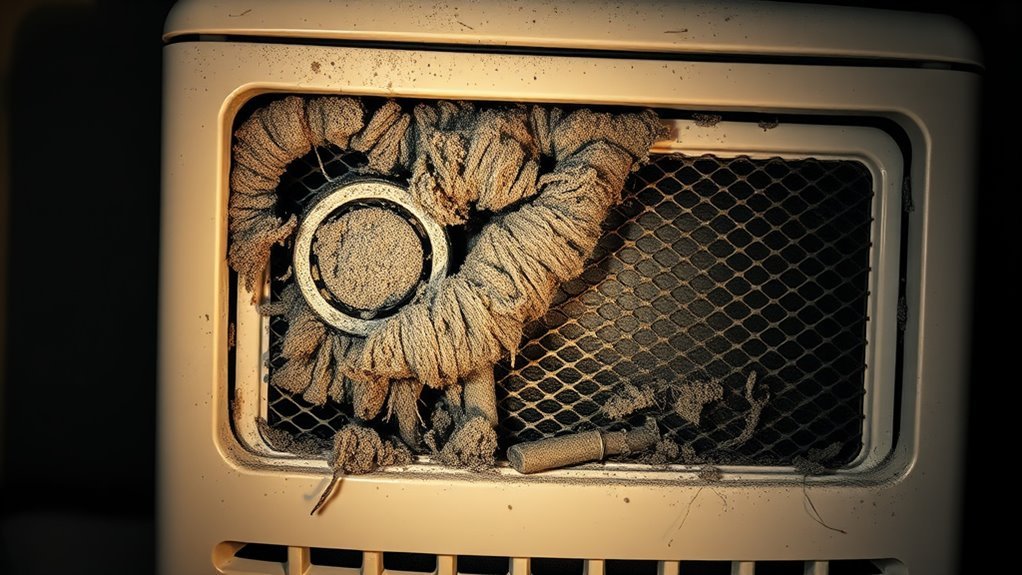
When your dehumidifier filter gets dirty, less room air can move through the appliance and across its coils. You may notice weaker airflow, slower moisture removal, longer run times, musty odor, or frost on the coils. A dirty filter is not the only possible cause of those symptoms, so the filter should be one of the first things you inspect rather than the only thing you troubleshoot. This guide explains what a dirty filter does, how to clean it safely, how often to check it, and what to inspect when cleaning does not restore normal performance.
What Happens When You Have a Dirty Dehumidifier Filter?
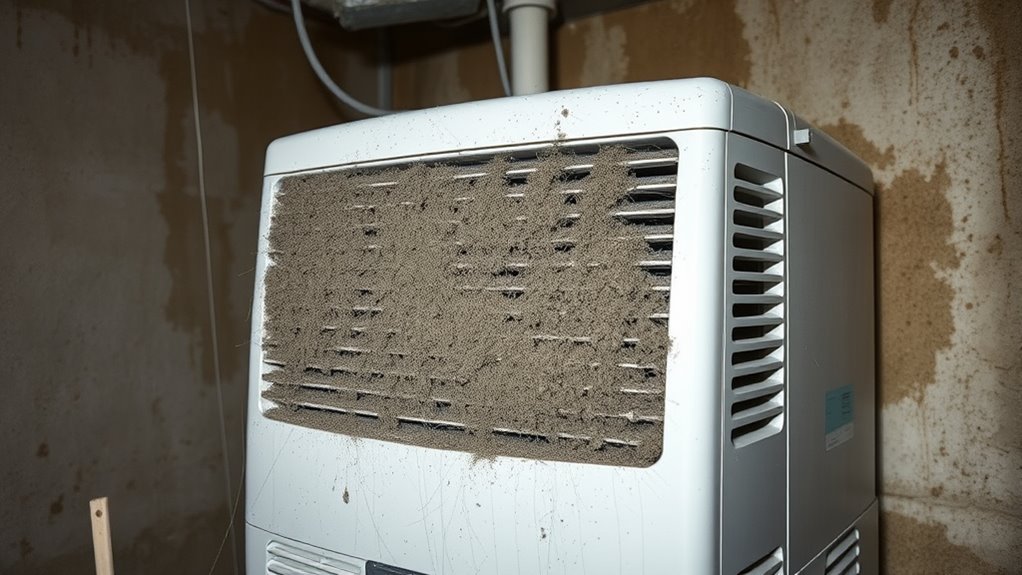
A dirty dehumidifier filter restricts airflow through the intake side of the appliance. With less air moving through the unit, moisture-removal performance can drop and the dehumidifier may need longer cycles to reach its humidity setting. GE Appliances recommends regular filter cleaning to keep dehumidifiers operating efficiently and properly.
Restricted airflow can also contribute to frost or ice problems. Frigidaire advises checking the filter and unit clearance when frost develops and notes that restricted airflow can interfere with ice melting. Low room temperature and other appliance problems can also cause frost, so ice should not automatically be blamed on the filter alone.
ENERGY STAR recommends placing dehumidifiers where air can circulate freely and keeping them away from heavy dust or dirt that can clog coils and grilles. Keeping the filter and surrounding intake clean helps preserve that airflow.
Signs Your Dehumidifier Filter Needs Cleaning
You can often spot a dirty dehumidifier filter before the appliance stops working properly. Check the filter first when performance changes after heavy use in a basement, laundry room, garage, pet area, or dusty room. If you are not sure where it sits, see where the dehumidifier filter is located.
- Visible dust, lint, or discoloration: The filter face looks gray, fuzzy, or clogged.
- Weaker airflow: Less air comes from the outlet than usual.
- Humidity stays high: The room remains damp even though the unit runs.
- Longer or more frequent cycles: The dehumidifier takes longer to reach its humidity setting.
- Musty odor: Dust, damp debris, the water bucket, or another dirty internal area may be contributing to the smell.
- Unusual fan noise: The airflow sounds different or weaker than normal.
- Frost or ice on the coils: Restricted airflow can contribute, although low room temperature or another fault may also be responsible.
Use a separate hygrometer if the dehumidifier does not clearly display room relative humidity. ENERGY STAR recommends a hygrometer for monitoring RH when a unit does not provide a clear humidity reading.
Dirty Filter or Another Dehumidifier Problem?
A clogged filter is easy to check, but not every dehumidifier problem starts at the filter. Use the symptoms below to decide what to inspect first.
| What you notice | What it may mean | What to check first |
|---|---|---|
| Weak airflow plus visible dust | The filter or intake grille may be restricted | Clean the approved filter and grille |
| Normal airflow but humidity stays high | The cause may be room conditions, settings, sizing, temperature, or an ongoing moisture source | Check RH, temperature, setpoint, doors, windows, and moisture sources |
| Very little water but the room is already near the setpoint | Low collection may be normal | Compare actual RH with the selected humidity setting |
| Water collects in the bucket but not through the hose | The problem is more likely in the drain setup than the filter | Inspect hose routing, connection, and blockages |
| Frost keeps returning after the filter is clean | Low temperature, airflow restriction elsewhere, or another appliance problem may be involved | Check the operating-temperature guidance and troubleshooting section in the model manual |
Recommended Products

BUY WITH CONFIDENCE Genuine AprilAire MERV 8 Replacement Filter for your AprilAire Whole Home Dehumidifier Models E080 or E100 or Dehumidifying Ventilator 8192A (and all variations of these models)
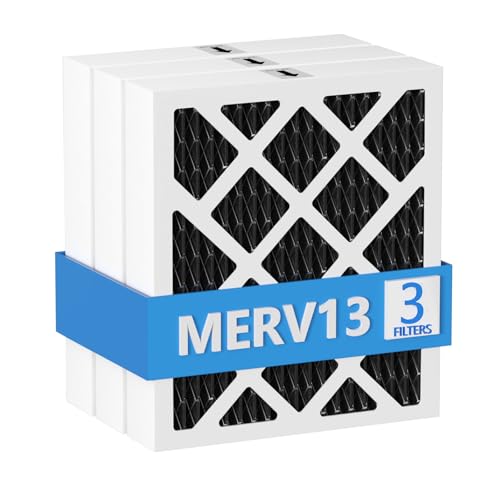
【Compatibility】 Our MERV 13 PN07126 Replacement Carbon Dehumidifier Filter Media is Compatible with Sanidry Sedona Dehumidifier PN07126 Replacement Filter.

【Compatibility】 Our 9 x 11 x 1 MERV 13 Replacement Dehumidifier Filter Media is Compatible with Santa Fe Compact70, Ultra70, Element, Compact2, UA 65H dehumidifier models.
How to Clean a Dehumidifier Filter Safely
For a full walkthrough, see how to clean a dehumidifier filter properly. Before cleaning, check your owner’s manual. Many portable dehumidifiers use a washable mesh filter, but some models use replaceable HEPA, carbon, or specialty filters that should not be rinsed. If the manual describes the filter as disposable or replaceable, follow that instruction instead of washing it.
- Turn the unit off and unplug it. Disconnect power before removing or cleaning the filter.
- Remove the filter gently. Slide or lift it out as your model allows. Do not force tabs, tracks, or clips.
- Vacuum loose dust first. Use a soft brush attachment to remove lint, pet hair, and loose debris.
- Wash only if the filter is washable. Follow the manual. GE Appliances permits warm, soapy water on the washable filters covered by its guidance and warns against chemical cleaners.
- Rinse away residue. If washing is permitted, remove any soap remaining on the filter.
- Shake off excess water. Set the filter on a towel in a ventilated area.
- Let it dry completely. Do not reinstall a wet filter.
- Wipe or vacuum the intake grille. A clean filter cannot restore full airflow if the surrounding vent remains clogged.
- Reinstall the filter before operation. Seat it correctly in its tracks or clips and reset the filter indicator if your model requires it.
- Test the unit. Run the dehumidifier and confirm that airflow has returned to normal.
Safety note
Do not use bleach, ammonia, chemical cleaner, or another strong cleaning product on the filter unless your model’s instructions specifically allow it. Manufacturer directions vary by component. Keep water away from electrical controls and wiring, unplug the appliance before maintenance, and stop using the unit if you find damaged wiring, burning odor, or heavy contamination inside areas that are not intended for user cleaning.
Recommended Products

【Compatibility】 Our 9 x 11 x 1 MERV 13 Replacement Dehumidifier Filter Media is Compatible with Santa Fe Compact70, Ultra70, Element, Compact2, UA 65H dehumidifier models.

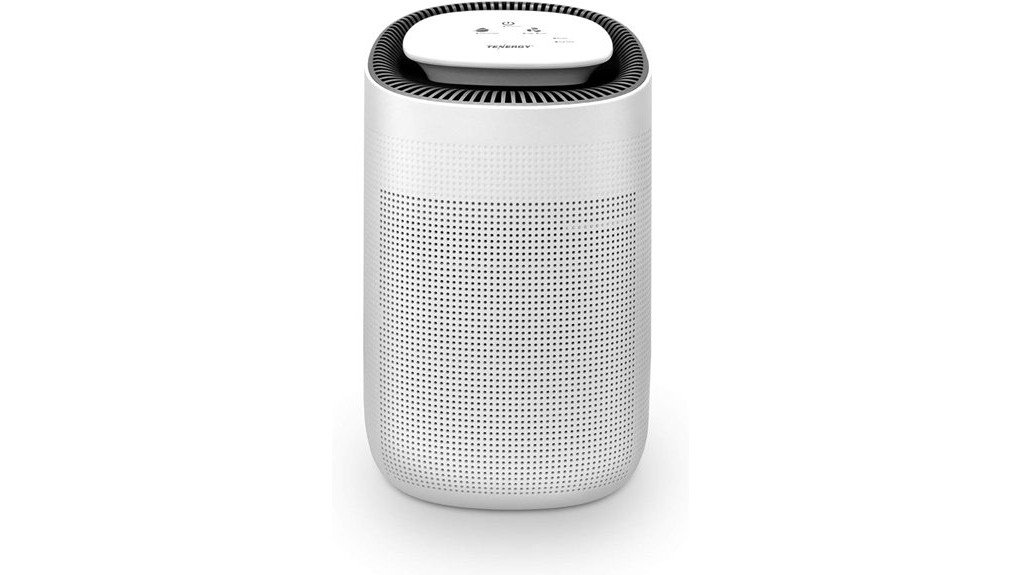
COMPATIBILITY: Our DH02 HEPA filter compatible with Afloia (AQ8/Q8)/ Honati/ Hysure Q7/ Tenergy Sorbi 2-in-1 Air Purifier/Dehumidifier(1000ML) or please double check before order

【Compatibility】 Our 9 x 11 x 1 MERV 13 Replacement Dehumidifier Filter Media is Compatible with Santa Fe Compact70, Ultra70, Element, Compact2, UA 65H dehumidifier models.
How Often Should You Clean the Dehumidifier Filter?
There is no single cleaning interval that applies to every dehumidifier. GE Appliances tells owners of some older models to check the filter every 2–3 weeks, while newer GE models may use a filter indicator after about 250 operating hours. Other manufacturers may specify a different schedule. Treat the table below as a practical inspection starting point, then follow your owner’s manual or filter reminder when it gives a model-specific interval.
| Use condition | Practical starting point | Why to inspect |
|---|---|---|
| Normal bedroom or living room use | About every 2–3 weeks | Lets you catch visible buildup before airflow becomes restricted |
| Basement, laundry room, or damp storage area | Inspect more often during heavy use | Lint, dust, and long operating hours can increase buildup |
| Homes with pets or heavy dust | Inspect sooner when hair or dust is visible | Pet hair and airborne debris can load the filter faster |
| After renovation or woodworking nearby | Inspect after exposure | ENERGY STAR recommends keeping dehumidifiers away from dust and dirt that can clog coils and grilles |
| Seasonal storage | Clean before storage and inspect before restarting | Helps prevent stored dust and residue from remaining on the appliance |
| Disposable, HEPA, carbon, or specialty filter | Follow the manual or filter indicator | Washing may damage filter media that is designed for replacement |
The filter’s actual condition matters more than a calendar alone. Inspect it sooner after unusually dusty work, heavy pet shedding, long daily operation, or any sudden reduction in airflow.
Tips to Keep the Filter Clean Longer
Keeping the dehumidifier filter clean longer starts with the room around the appliance. ENERGY STAR recommends free air circulation around the unit and advises keeping dehumidifiers away from dust and dirt sources that can clog coils and grilles. Doors and windows should generally remain closed while the unit is dehumidifying a room so it is not continuously processing humid outdoor air.
| Action | Effect | Frequency |
|---|---|---|
| Vacuum loose filter debris | Removes dust before it becomes packed into the filter | When inspection shows buildup |
| Keep the intake grille clear | Supports normal airflow into the appliance | During routine filter checks |
| Keep the unit away from heavy dust and woodworking debris | Reduces contamination of the filter, coils, and grilles | Every setup |
| Leave the required clearance around the unit | Allows air to circulate according to the manufacturer’s design | Every setup |
| Clean and dry the bucket before long storage | Reduces residue and odor while the appliance is stored | Before storage |
What if Cleaning the Filter Does Not Fix the Problem?
If airflow returns after cleaning but the room still stays humid, check the measured RH, room temperature, humidity setting, bucket position, air clearance, and moisture entering the room. Low water collection does not always mean the appliance has failed. See how much water a dehumidifier should collect per day for a fuller performance check.
If the unit collects water normally in its bucket but will not send it through a continuous-drain line, troubleshoot the drain system separately. The guide to why a dehumidifier is not draining through the hose covers kinks, clogs, hose position, adapters, and pump-related problems.
Repeated frost after the filter is clean also deserves a separate check. Compare the room temperature with your model’s operating range, confirm that the intake and outlet are unobstructed, and follow the manufacturer’s frost or error-code instructions. Arrange service if the unit repeatedly freezes, leaks near electrical parts, smells hot, or shows damaged wiring.
Recommended Products

Multi-Purpose Hose, 6ft Cut-to-Fit:This 6-foot hose is designed for various applications, including dehumidifier drainage and gardening tasks. It can be easily cut to the desired length for flexible use. Please confirm the required length before purchase.

[Convenient] This drain hose automatically drains water from the dehumidifier to the drain for uninterrupted use.

𝐎𝐧𝐞 𝐇𝐨𝐬𝐞 𝐟𝐨𝐫 𝐌𝐮𝐥𝐭𝐢𝐩𝐥𝐞 𝐔𝐬𝐞𝐬 : The 5.25 ft dehumidifier hose is versatile with a soft rubber adapter and connecting clamp, strong elasticity, tight seal, and not easy to leak. It is arbitrary extension docking and compatible with most dehumidifiers, semi-automatic washing machines, dishwashers, and portable air conditioners. It also can be used as a faucet extended hose for watering plants or washing cars
Frequently Asked Questions
What Happens if You Don't Clean the Dehumidifier Filter?
If you do not clean a washable dehumidifier filter when it becomes clogged, airflow can fall and moisture-removal performance may decrease. The unit may take longer to reach its humidity setting, and restricted airflow can contribute to frost or ice problems on some models.
How Often Should You Clean a Dehumidifier Filter?
Follow the schedule in your owner's manual first. As a practical starting point, inspect a regularly used filter about every 2–3 weeks. Some newer models use an operating-hour reminder instead. Check sooner when you see visible dust, pet hair, weak airflow, or unusually heavy use.
Can You Wash Every Dehumidifier Filter?
No. Wash a filter only when the manufacturer describes it as washable. Many mesh filters can be cleaned with water, but HEPA, carbon, disposable, and specialty filters may require replacement instead. Use the cleaning method specified for your model.
Can You Run a Dehumidifier Without the Filter?
Do not run the dehumidifier without its filter unless the manufacturer specifically says that operation is allowed. For example, GE Appliances instructs owners of the models covered by its maintenance guidance not to operate the dehumidifier without the filter installed. Let a washed filter dry completely before reinstalling it.
Can a Dirty Dehumidifier Filter Cause Frost or Ice?
A dirty filter can contribute to frost by restricting airflow, but it is not the only possible cause. Low room temperature and other airflow or appliance problems can also lead to icing. Clean the filter, make sure the unit has proper clearance, and follow the model's frost troubleshooting instructions if the ice returns.
Why Is My Dehumidifier Still Not Working After Cleaning the Filter?
If cleaning restores airflow but performance remains poor, check room relative humidity, temperature, the humidistat setting, bucket position, intake and outlet clearance, and moisture sources. Persistent icing, leaking, electrical problems, or weak performance under normal operating conditions may require model-specific troubleshooting or service.
Sources Checked
- GE Appliances dehumidifier cleaning and maintenance guidance for filter cleaning, complete drying, cleaning intervals, filter reminders, and operation with the filter installed.
- Frigidaire dehumidifier frost-buildup guidance for restricted airflow, filter checks, clearance, and coil icing.
- ENERGY STAR dehumidifier guidance for relative humidity, hygrometer use, airflow clearance, dust-source placement, operating temperature, and energy-efficiency context.
- EPA mold and moisture guidance for indoor relative humidity, moisture control, and mold prevention.
Conclusion
A dirty dehumidifier filter can restrict airflow and reduce moisture-removal performance, so it is one of the first things to inspect when airflow becomes weak or the unit starts taking longer to control humidity. Unplug the appliance, clean the filter only by the method approved for your model, let it dry completely, clear the intake grille, and reinstall the filter before restarting the unit.
Do not assume the filter explains every problem. If performance remains weak with a clean filter, use a hygrometer to check actual room humidity and then inspect temperature, settings, clearance, the water bucket, drainage, and other model-specific troubleshooting points. Repeated frost, electrical damage, leaking near electrical parts, or a burning smell is a reason to stop normal troubleshooting and follow the manufacturer’s service guidance.