Why Your Dehumidifier Keeps Shutting Off
If your dehumidifier keeps shutting off, it may be working normally rather than failing. The most common harmless causes are reaching the humidity setpoint, a full or misaligned bucket, or automatic defrost. If the room is still humid and the unit stops anyway, check airflow, drainage, temperature, power, and any displayed error code before assuming an internal part has failed.
Quick Answer
A dehumidifier usually turns off because it reached the set humidity, the bucket is full or misaligned, the drain system has a problem, frost triggered defrost mode, airflow is blocked, or the controls detected a power or sensor fault. Check the room RH, bucket, filter, hose, temperature, outlet, and display code in that order.
Key Takeaways
- Normal cycling happens when the measured humidity falls to the setpoint; the unit should restart when humidity rises.
- A full, missing, or poorly seated bucket can stop operation even when continuous drainage is connected.
- Dirty filters, blocked grilles, poor clearance, frost, or a kinked pump hose can cause protective shutdowns or error codes.
- Temperature limits vary by model, so use the operating range in the owner’s manual instead of one universal cutoff.
- Stop using the unit if it smells burnt, becomes unusually hot, smokes, repeatedly trips a breaker, or appears on a safety-recall list.
At a Glance
| Time Required | 15–30 minutes for basic checks; longer if the unit must thaw |
| Difficulty | Easy for external checks; professional service for internal electrical or sealed-system faults |
| Tools Needed | Hygrometer, flashlight, vacuum with brush attachment, soft cloth, and towel |
| Cost | Basic external checks usually require no replacement parts; repair and service costs vary by model and fault |
Warning: Unplug the dehumidifier before removing the filter, bucket, or drain hose. Do not open the cabinet, touch internal wiring, bypass the bucket switch, use a damaged cord, or run the unit through an extension cord or power strip. Stop immediately if you notice smoke, a burning smell, melted plastic, sparking, or repeated breaker trips.
Normal Cycling vs. a Real Shutdown Problem
Your dehumidifier may be turning off for a normal reason or because a safety control detected a problem. Most humidistat-controlled units cycle off after reaching the selected relative humidity and restart when moisture rises. A full or misaligned bucket can also stop the machine. Other common causes include a blocked filter or grille, inadequate clearance, a kinked drain or pump hose, frost on the coil, a timer or smart mode, loss of power, and a temperature, humidity, pump, or control-board error.
The first clue is what actually stops. If the display stays lit while the compressor or fan pauses, the unit may be cycling normally or entering defrost. If the whole display goes dark, focus on the outlet, plug, breaker, GFCI/AFCI device, cord, and recall status. If an error code appears, use the model’s manual because code meanings differ by brand.
Normal humidity control is a cycle, not continuous operation: the compressor may stop at the setpoint and restart after the room becomes more humid.
First Identify What Is Shutting Off
Watch the unit for one complete cycle and note the display, fan, compressor sound, bucket light, and any error code. Some models stop both the compressor and fan at the humidity setpoint. Others stop the compressor first and let the fan run briefly to dry the coil or sample room air. That behavior can look like a fault even when the unit is working normally.
| What you observe | Most likely direction | Next check |
|---|---|---|
| Display stays on; RH is at or below setpoint | Normal humidistat cycling | Compare with a separate hygrometer |
| Bucket or “full” light is on | Full, missing, or misaligned bucket; stuck float | Empty and reseat the bucket |
| Coils show frost; fan may continue | Automatic defrost or low-temperature operation | Check room temperature, filter, and clearance |
| Whole display goes dark | Power interruption, outlet issue, damaged cord, or internal fault | Check the external power supply safely |
| Error code appears | Sensor, pump, overload, sealed-system, or electronic fault | Use the exact model manual or manufacturer support page |
Pro Tip: Place a separate hygrometer a few feet from the air outlet, then record room RH, setpoint, and unit behavior every 10 minutes. The outlet air can be warmer and drier than the rest of the room, so a nearby independent reading gives a better comparison.
Check the Humidity Setting and Room RH
Check the dehumidifier’s setpoint, then compare it with the room’s actual relative humidity using a reliable hygrometer. The U.S. Environmental Protection Agency recommends keeping indoor humidity around 30%–50%, while the best target for a specific home may depend on climate, condensation, comfort, and health needs. A practical starting point for many rooms is 45%–50% RH.
If the room is already at or below the setpoint, the unit should shut off because it has met the target. If the room remains damp but the unit stops, lower the setpoint by 5 percentage points and observe another cycle. Keep doors and windows closed during the test, and place the unit according to the manufacturer’s clearance instructions rather than in a tight corner or directly beside a strong moisture source.
If the built-in reading stays far from the separate hygrometer after both instruments have had time to settle, the humidity sensor may be inaccurate. Do not assume the sensor is defective from one quick comparison because airflow, placement, and normal sensor tolerance can affect the readings.
Clean the Filter and Airflow Paths
Dust and lint can restrict airflow, reduce moisture removal, promote frost, and contribute to compressor-overload protection on some models. Unplug the unit, remove the washable filter, and clean it exactly as the manual directs. If the filter is washable, let it dry fully before reinstalling it. Replace disposable or damaged filters rather than rinsing them.
Vacuum loose dust from the intake and exhaust grilles with a soft brush attachment. Do not bend the coil fins or push tools through the grille. Keep curtains, boxes, furniture, and walls away from the air openings. Clearance requirements vary, especially between top-discharge and side-discharge models, so follow the owner’s manual instead of using one spacing rule for every unit.
After cleaning, run the dehumidifier for 30 minutes and check whether the airflow feels steady and the cabinet remains normally warm rather than excessively hot. If an overload code returns after the filter and clearance are corrected, unplug the unit and arrange service.
Check the Tank and Drain Line
A full water tank normally activates the float switch and stops operation. Empty the bucket, clean it with mild soap and water, and make sure the float moves freely without forcing it. Reinstall the bucket firmly. Many units will not run if the bucket is missing or slightly out of position, even when a hose or pump is being used.
| Check | What to look for | Likely result |
|---|---|---|
| Tank level | Full or nearly full | Normal automatic shutoff |
| Bucket position | Not fully seated | Interlock prevents operation |
| Float | Stuck, dirty, or damaged | False “full” signal |
| Gravity hose | Kink, upward loop, loose fitting, or blocked end | Poor drainage or water backup |
| Pump hose | Kink, clog, frozen section, or loose connection | Pump error or shutdown on equipped models |
For gravity drainage, route the hose continuously downhill to a suitable drain and keep it as short and straight as practical. For pump-equipped units, use the specified hose and lift limits. Do not assume every drain problem shuts off every model; some units show a pump error, while others stop collecting efficiently or allow the bucket to fill. If water will not leave through the hose, see why a dehumidifier is not draining through the hose.
Check the Timer, Mode, and Restart Behavior
Review the control panel before replacing parts. A delay-off timer, sleep mode, smart mode, or programmed schedule may be turning the unit off as designed. Continuous mode may ignore the humidity setpoint, while auto mode may cycle the fan and compressor based on sensor readings.
After unplugging or restarting a compressor dehumidifier, some models wait a few minutes before the compressor starts again to protect it. During that delay, the display or fan may operate while no water is collected. Check the manual for the exact sequence and delay time for your model. If the opposite is happening and the unit will not stop, see why a dehumidifier keeps running.
Test the Humidistat and Sensors
The humidistat measures room humidity and tells the controls when dehumidification is needed. The safest home check is to compare the displayed RH with a separate hygrometer placed nearby, away from the direct outlet stream. Let both readings stabilize before judging the difference.
Also look for a temperature or humidity sensor error code. Manufacturer code lists commonly direct users to service for failed sensors, sealed-system faults, or electronic-control problems. A loose external plug or poorly seated bucket can imitate a component fault, but diagnosing internal plugs, thermistors, control boards, refrigerant circuits, or wiring requires cabinet access and should be left to a qualified technician.
Note: A large difference between the built-in display and a separate hygrometer suggests a possible sensor or placement issue, but it does not prove the humidistat has failed. Confirm the comparison over several cycles and follow the manufacturer’s diagnostic instructions.
Recommended Products

Compatible With Models Having Tank Capacities of 50 and 70 Pints.

✨✨✨COMPATIBILITY: Specifically designed to work with HIS06 humidifier models as a direct replacement humidity and temperature sensor module board

COMPATIBILITY: Specifically designed as a replacement humidity sensor module board for HIS06 model for dehumidifiers and humidifiers
Look for Low Temperature or Electrical Issues
Cold conditions, frost, and unstable power can all interrupt operation. The correct temperature limit depends on the model. ENERGY STAR notes that frost can form on some dehumidifiers when room temperature falls below 65°F (about 18°C), which can make the compressor cycle on and off without removing moisture. Low-temperature models may be designed to operate much colder, so use the operating range printed in your manual or on the product label.
Recommended Products
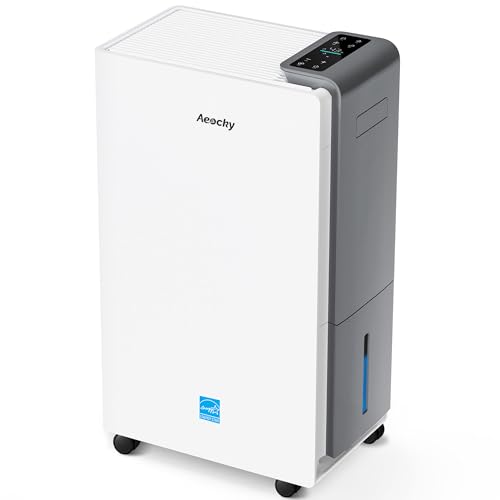
【ENERGY STAR 25 ≠ ENERGY STAR Most Efficient 2025】Don't fall for competitors' word games. With only 2.6% of ENERGY STAR models earning "Most Efficient 2025" title, these options are exceptionally rare on the market. RHEA-001 is one of the few to truly hold this top-tier certification. Many brands use misleading phrases like "Energy Star Efficient 25" or "Energy Star 25" to imply a standard they haven't met. Choosing them is a risk.With AEOCKY, you get verified performance and the peace of mind of authentic, top-tier efficiency.

Semiconductor dehumidifiers use thermoelectric cooling to remove moisture from the air. They create a drier, more comfortable environment by reducing humidity and improving air quality.
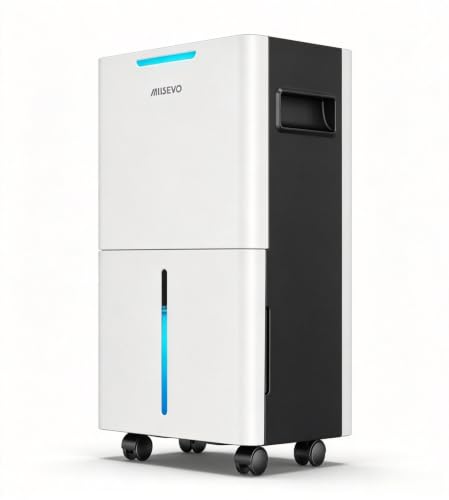
High Efficient Dehumidifier — Equipped with a high-performance compressor, Whether it’s your basement, bedroom, bathroom, living room, bathroom, crawlspace, or even an RV, this dehumidifier effectively keeps your environment dry, comfortable, and healthy.
Low Room Temperature
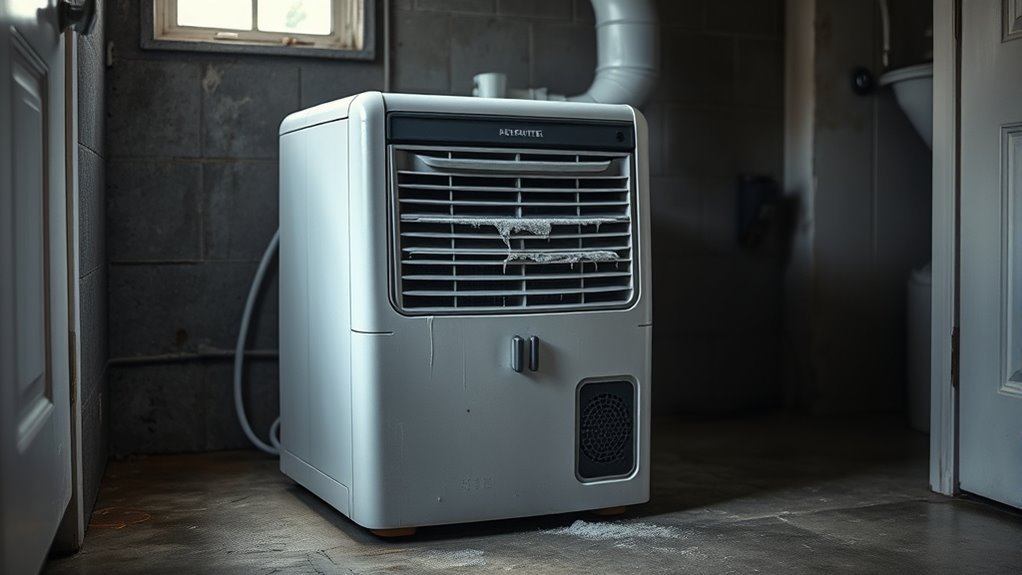
In cool rooms, the evaporator coil can approach freezing. Light frost may trigger automatic defrost, which stops the compressor while the fan helps warm the coil. This pause is normal if the unit resumes after the frost melts. Heavy ice, repeated short cycling, or no moisture collection can point to restricted airflow, operation below the approved range, a sensor problem, or a sealed-system fault. If ice keeps coming back, see why a dehumidifier freezes up.
- Measure the temperature beside the unit, not only at a wall thermostat.
- Check for visible frost through the grille without touching the coil.
- Clean the filter and restore the required clearance.
- Move the unit to a warmer space only if the manual permits and the move is practical.
- Turn the unit off and let heavy ice melt naturally; do not chip it away or use a heat gun.
Inspect Electrical Connections
Keep the electrical check external. Confirm that the plug fits firmly in a properly grounded wall outlet. Inspect the visible cord and plug for cuts, cracks, discoloration, bent blades, melted plastic, or heat damage. Check whether the circuit breaker or GFCI/AFCI device has tripped, and verify the outlet with another suitable appliance only if it is safe to do so.
Do not use an extension cord or power strip, and do not open the dehumidifier to tighten terminals or inspect the control board. If the plug or outlet becomes hot, the unit loses all power repeatedly, or the breaker trips again after one reset, unplug it and have the appliance and circuit checked by qualified professionals.
Read Error Codes and Reset Safely
Write down any error code before disconnecting power. Search the manufacturer’s official support page or the exact model manual because the same letters can mean different things across brands. Some manufacturers recommend a brief power reset for control glitches, but a code that returns usually needs a specific correction or service.
For example, Frigidaire identifies H3 or E5 as compressor-overload protection and directs users to check clearance, the filter, and operating temperature. Its PU code indicates a pump-out failure and calls for checking the pump hose for a loose connection, blockage, kink, or frozen section. These are brand-specific examples, not universal code definitions.
Do not keep resetting an overload, sensor, pump, sealed-system, or electronic-control code without fixing the cause. Repeated restarts can hide a safety problem and delay the correct repair.
When Should You Repair or Replace the Dehumidifier?
Do not replace the unit before ruling out the external causes in this guide. A setpoint issue, misaligned bucket, dirty filter, blocked grille, drain-hose problem, timer setting, or temporary frost condition may need only correction or cleaning. If those checks pass but the unit repeatedly loses power, overheats, returns a sensor or electronic-control code, or shows signs of a sealed-system problem, stop home troubleshooting and ask the manufacturer or a qualified technician for the next step.
There is no universal age at which every dehumidifier should be replaced. Check warranty status, recall status, parts availability, and the repair estimate for your exact model. If the unit is recalled, follow the recall instructions rather than paying for a repair.
Recommended Products

Universal Compatibility This dehumidifier drain adapter is specifically designed to fit a wide range of popular dehumidifier models, ensuring seamless integration with your dehumidifier hose. It works perfectly with for AeonAir, for Whirlpool, for Idylis Dehumidifiers, and for RPD-702WP units, and is also compatible with for friedrich dehumidifier systems. No matter which brand you own, this adapter provides a secure and reliable connection for your dehumidifier drain hose.

Multi-Purpose Hose, 6ft Cut-to-Fit:This 6-foot hose is designed for various applications, including dehumidifier drainage and gardening tasks. It can be easily cut to the desired length for flexible use. Please confirm the required length before purchase.

Compatibility: There are 2 types of hose connector size design, the larger one is suitable for tubes ranging from 0.79in to 0.98in, and it can also cut to smaller one is suitable for tubes ranging from 0.59in to 0.79in. Beyond dehumidifiers, this versatile hose is ideal for draining portable air conditioners, dishwashers, and washing machines, making it a complete drainage solution
Check Recalls and Know When to Stop
Before paying for repairs on an older portable dehumidifier, record the brand, model number, serial number, and date code from the nameplate. Compare them with the U.S. Consumer Product Safety Commission’s dehumidifier recall information. Several large recalls have involved units that could overheat, smoke, or catch fire.
Stop troubleshooting and unplug the unit if it has a burning smell, smoke, sparking, melted plastic, unusual cabinet heat, refrigerant or oily residue, loud mechanical knocking, repeated breaker trips, a recurring sealed-system or electronic-control code, or a recalled model number. Contact the manufacturer or a qualified appliance technician instead of opening the cabinet.
Frequently Asked Questions
Why does my dehumidifier keep turning itself off?
The most common reasons are normal cycling at the humidity setpoint, a full or poorly seated bucket, a drain or pump problem, automatic defrost, blocked airflow, a timer or smart mode, unstable power, or a sensor or control error. Start by checking whether the display stays on, then compare room RH with the setpoint and inspect the bucket, filter, hose, temperature, and error code.
Why does my dehumidifier shut off when the bucket is not full?
First make sure the empty bucket is fully seated and the float moves freely. A misaligned bucket or stuck float can create a false “full” condition. If the bucket light is off, compare room humidity with the setpoint and check for defrost, a timer, blocked airflow, or an error code.
How do I know if my dehumidifier humidistat or humidity sensor may be wrong?
Place a separate hygrometer near the unit but outside the direct outlet stream, let both readings stabilize, and compare them over several cycles. If the dehumidifier repeatedly shuts off while the independent reading remains above the setpoint, a sensor or placement problem is possible. A single different reading does not prove the humidistat has failed.
How do I reset a dehumidifier that keeps shutting off?
Write down any error code first, turn the unit off, unplug it, and follow the reset interval in the exact model manual before reconnecting power. Empty and reseat the bucket and set the target humidity below the current room RH for the test. Do not keep resetting a unit that overheats, trips a breaker, smells burnt, or immediately returns a serious error code.
Why does my dehumidifier shut off after only a few minutes?
It may be reaching the setpoint quickly, reading drier outlet air, entering defrost, overheating from restricted airflow, following a timer, or responding to a bucket, pump, sensor, or power fault. Compare the room RH with a separate hygrometer and check for a light, code, frost, or complete loss of display power.
Is it normal for the fan to run after the compressor stops?
Yes, on some models. The fan may continue briefly to dry the evaporator coil, move remaining dry air, or sample room humidity more accurately. Other models stop the fan and compressor together. Check the owner’s manual if the fan behavior has changed or continues indefinitely.
Conclusion
If your dehumidifier keeps shutting off, first decide whether the display remains powered and whether room RH is already at the setpoint. Then empty and reseat the bucket, restore airflow, inspect the drain hose, check for frost, review timer or smart settings, and read any error code in the exact model manual. If the whole unit repeatedly loses power, overheats, smells burnt, trips a breaker, or matches a recall, stop using it and contact the manufacturer or a qualified technician.
Sources
- U.S. Environmental Protection Agency: Improving Your Indoor Environment — recommended indoor humidity range and moisture control.
- ENERGY STAR: Dehumidifiers — humidistat cycling, bucket shutoff, placement, drainage, electrical safety, and cold-weather performance.
- Frigidaire: Dehumidifier Fan Turning On and Off Periodically — normal setpoint cycling and fan behavior.
- Frigidaire: Dehumidifier Error Code Guide — model-specific sensor, overload, pump, sealed-system, and electronic-control faults.
- Frigidaire: Dehumidifier Error Code H3 or E5 — compressor-overload troubleshooting example.
- Frigidaire: Dehumidifier Error Code PU — pump-hose and pump-out troubleshooting example.
- U.S. Consumer Product Safety Commission: Dehumidifier Recalls — recalled models and fire-risk warnings.