Finding your dehumidifier blowing cold air while the collection bucket stays bone dry is frustrating, especially in a damp basement or laundry room. Fortunately, cool exhaust does not automatically mean your appliance is broken or leaking refrigerant. Depending on the room conditions and cycle stage, a dehumidifier may blow room-temperature air for several minutes before heating up—or it may be signaling a simple airflow, temperature, or humidistat issue you can fix in minutes.
Quick Answer
A compressor dehumidifier should blow slightly warm air—typically 3°F to 7°F above room temperature—once the compressor has run for several minutes. Brief cool air is normal during the 3-minute startup delay, automatic defrost cycles, or fan-only standby. Persistent cold air with an empty bucket usually signals low room temperature, clogged filters, frozen coils, or a compressor fault.
At a Glance
| Time Required | 15–30 minutes for active checks; 2–4 hours if frozen coils must thaw |
| Difficulty | Easy for filter, setting, and drain checks; licensed technician required for sealed refrigerant or electrical repairs |
| Tools Needed | Standalone hygrometer, digital room thermometer, vacuum with soft brush attachment, warm water, and owner’s manual |
| Cost | Free ($0) for DIY cleaning and adjustments; $75–$150 for a professional diagnostic visit |
Why Is Your Dehumidifier Blowing Cold Air?
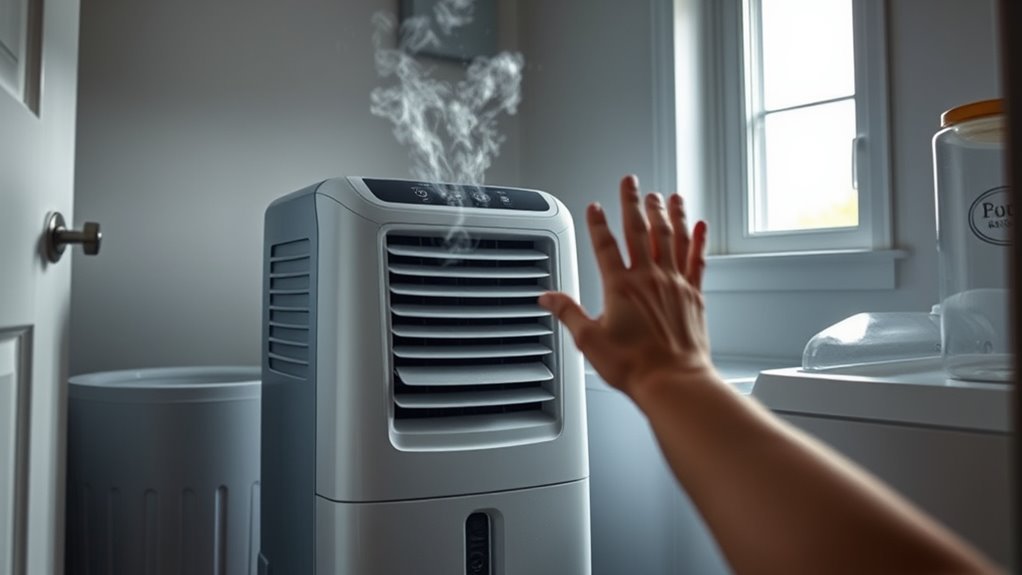
A standard compressor dehumidifier blows cool or room-temperature air whenever the fan runs without the compressor actively heating the condenser coil. During normal moisture extraction, the exhaust air should feel slightly warm because the internal refrigeration cycle releases heat back into the room. When the compressor pauses—whether by design or due to a fault—the exhaust immediately feels cool.
Inside a refrigerant dehumidifier, a fan pulls damp room air across a cold evaporator coil. Moisture condenses on the cold metal fins and drips into the collection bucket or drain hose. That chilled, dried air then passes directly over a hot condenser coil and absorbs heat from the compressor before exiting the vent, which is why warm or slightly warm exhaust is normally expected.
However, three everyday operating states make a healthy dehumidifier blow cool air:
- The 3-minute compressor startup delay: When you first plug in the unit, change modes, or restart it after emptying the bucket, a built-in protection timer delays the compressor for about 3 minutes to prevent pressure overload. The fan runs immediately, blowing unheated room air.
- Automatic defrost mode: When frost builds up on the evaporator coil, a sensor turns the compressor off while keeping the fan running. Room-temperature air melts the frost on the cold coil, making the exhaust feel noticeably chilly until the ice clears.
- Target humidity reached (standby fan cycling): Once room humidity drops to your set point (usually 3% below the target on digital models), the compressor shuts off. Some models continue running the fan for several minutes to sample the air.
If the exhaust feels excessively hot rather than mildly warm, see our guide on why a dehumidifier blows hot air.
Note: Moving air at 65°F to 70°F evaporates moisture from your skin and creates a wind-chill effect. Always verify the intake and outlet temperatures with a digital thermometer rather than trusting your hand.
Confirm Whether the Air Is Actually Cold
You can verify whether your dehumidifier is actively removing moisture by measuring the temperature difference between the air intake and the exhaust grille after 10 to 15 minutes of continuous operation. An active compressor unit typically discharges air that is 3°F to 7°F (2°C to 4°C) warmer than the room air entering the filter.
- Set the dehumidifier upright on a hard, level floor with at least 12 to 18 inches of clearance around all air vents. (If the unit was tilted or laid on its side during transport, wait at least 30 minutes before turning it on so compressor oil can settle.)
- Close exterior doors and windows so outside air does not skew your readings.
- Set the control panel to Continuous mode or lower the target humidity to 35% RH (at least 5% to 10% below the current room reading) so the compressor is forced to engage.
- Wait 10 to 15 minutes—past the initial 3-minute compressor delay—and make sure the unit’s Defrost indicator light is not illuminated.
- Hold a digital room thermometer 1 to 2 inches outside the intake grille for 60 seconds and record the temperature, then repeat at the exhaust outlet without poking anything through the grille slots.
- Check whether condensation droplets begin forming or dripping into the bucket.
If the exhaust air is 3°F to 7°F warmer than the intake air, the refrigeration loop is working properly. If the exhaust temperature matches the intake temperature exactly (or feels colder) and you never hear the deep hum of the compressor kicking on, the unit is either stuck in defrost, blocked by a control sensor, or experiencing a mechanical fault.
Pro Tip: Write down the room temperature, independent hygrometer reading, target RH setting, intake temperature, exhaust temperature, and any two-character panel error code before calling customer support. Having these six data points cuts warranty troubleshooting time in half.
Why It Isn’t Collecting Water
When a dehumidifier blows cool air and fails to collect water in the bucket, the compressor is either not running, freezing moisture onto the evaporator coil instead of draining it, or sending water out through a continuous drain hose. Matching the exhaust temperature and sound of your machine to the symptoms below pinpoints the exact cause.
| Symptom Pattern | Exhaust Air Temp | Compressor Sound | Most Likely Cause | Immediate Fix |
|---|---|---|---|---|
| Cool air for 3–15 minutes, then turns warm | Room temp, then +3°F to +7°F | Off briefly, then steady hum | 3-minute restart delay or normal auto-defrost cycle | Wait 15 minutes; no repair needed |
| Fan runs, dry bucket, display RH is at or below target | Same as room temp | Silent (fan only) | Room is already dry or set point is set too high | Lower target to 45%–50% RH and verify with a separate hygrometer |
| Cold exhaust, frost visible on rear coils, weak airflow | Cooler than room temp | Cycles off frequently or hums under strain | Room below 60°F–65°F or clogged filter starving coils of air | Unplug for 2–4 hours to thaw, wash filter, and warm the room |
| Runs nonstop for hours in a warm, humid room; dry bucket | Same as room temp | Hums continuously or clicks every few minutes | Refrigerant leak or failed compressor/start relay | Check warranty status; schedule technician or replace unit |
Beyond those core scenarios, check for these physical water-collection issues:
- A continuous drain hose is attached: When a garden hose or pump tube is connected, water bypasses the removable bucket entirely. If the hose has a kink, an upward loop, or no downward slope, water can back up into the internal drip tray and trip the float switch.
- The bucket or float is misaligned: If the bucket sits even slightly crooked or the plastic float is stuck, the micro-switch can stop the compressor or trigger a full-bucket code (such as
P1orEB). - The internal condensate pump is blocked: On pump-equipped models, slime or dust in the pump reservoir stops drainage and halts moisture extraction.
- Room materials have already dried out: Water output naturally drops after the first several days of drying damp concrete, carpets, and drywall. Our detailed guide on why a dehumidifier is not collecting water covers each drainage and sensor cause in depth.
How Humidity Settings Affect Performance
Your humidistat set point tells the compressor when to turn on and off, typically using a 3% relative humidity (RH) deadband above and below your target. Setting the target higher than the room’s actual humidity keeps the compressor in standby while the fan circulates unheated room air.
For example, if your basement is at 52% RH and your dehumidifier is set to 55% RH, the compressor will never start. Built-in sensors mounted inside the cabinet can also read 5% to 10% off from the rest of the room if dust coats the sensor or furniture blocks airflow around the unit.
To prevent mold growth and dust mites, the EPA recommends keeping indoor humidity between 30% and 50% (and always below 60% RH). A target of 45% to 50% RH balances moisture control and energy use in most living spaces and basements, while 30% to 40% RH helps prevent window condensation during freezing winter weather.
- Place a standalone digital hygrometer a few feet away from the dehumidifier to read true room humidity.
- Set the dehumidifier between 45% and 50% RH (or at least 3% to 5% below the room reading to trigger the compressor immediately).
- Give the appliance 24 to 48 hours to pull moisture out of damp air, walls, and flooring.
- Lower the target in 5% increments only if your independent hygrometer stays above 50% RH.
- Avoid running the unit continuously below 30% RH, which wastes electricity and causes dry skin, static electricity, and shrinking wood floors.
For best efficiency, ENERGY STAR also recommends using a humidistat or separate hygrometer and matching the dehumidifier’s daily pint capacity to your room’s square footage and dampness level.
Check the Room Temperature
Room temperature directly controls whether a compressor dehumidifier can condense liquid water or whether moisture freezes solid on the coils. Most standard refrigerant dehumidifiers operate best above 65°F (18°C), lose significant efficiency below 60°F (15°C), and have a strict minimum operating cutoff of 41°F (5°C).
Because the evaporator coil must stay much colder than the surrounding room air to reach the dew point, any room temperature below 60°F to 65°F pushes the coil surface below 32°F (0°C). According to GE Appliances operating condition guidelines, running a compressor dehumidifier in cool basements or garages causes frost to form on the coils and triggers repeated automatic defrost cycles—leaving the fan blowing chilly air while almost no water drips into the bucket.
| Room Temperature | Compressor Dehumidifier Behavior | Recommended Action or Dehumidifier Type |
|---|---|---|
| 65°F–90°F (18°C–32°C) | Optimal extraction; exhaust air is 3°F–7°F warmer than intake | Standard compressor dehumidifier works at peak efficiency |
| 60°F–65°F (15°C–18°C) | Noticeably slower water collection; occasional auto-defrost pauses | Keep filter spotless and run on high fan speed to prevent icing |
| 41°F–60°F (5°C–15°C) | Frequent coil freezing; unit spends much of its time blowing cool air in defrost | Warm the room above 65°F or switch to a desiccant dehumidifier |
| 32°F–41°F (0°C–5°C) | Below standard compressor operating limits (e.g., Frigidaire 41°F–89°F rating); severe icing and compressor strain | Turn off compressor models; use a desiccant dehumidifier rated down to 32°F (0°C) |
If your basement, crawl space, or garage stays below 60°F in fall and winter, a desiccant dehumidifier is a much better fit. Instead of cold refrigerant coils, a desiccant unit uses a moisture-absorbing silica rotor and an internal heater, so it never freezes up and releases noticeably warm air in cold spaces.
Check the Filter, Airflow, Bucket, and Drainage
Restricted airflow and drainage bottlenecks account for a large share of dehumidifiers that blow cool air or stop collecting water. Checking the air filter, cabinet clearance, collection bucket float, and drain hose takes about 15 minutes and requires no special tools.
Recommended Products

BUY WITH CONFIDENCE Genuine AprilAire MERV 8 Replacement Filter for your AprilAire Whole Home Dehumidifier Models E080 or E100 or Dehumidifying Ventilator 8192A (and all variations of these models)
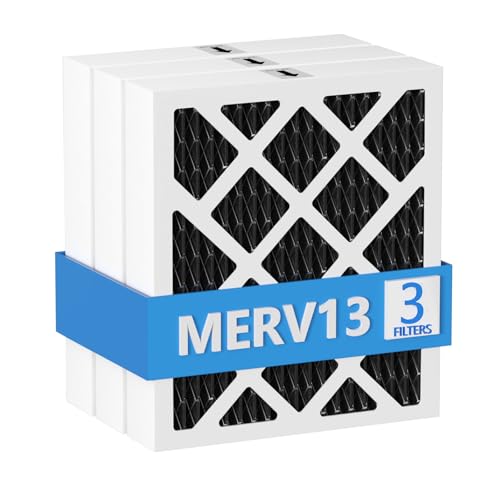
【Compatibility】 Our MERV 13 PN07126 Replacement Carbon Dehumidifier Filter Media is Compatible with Sanidry Sedona Dehumidifier PN07126 Replacement Filter.

【Compatibility】 Our 9 x 11 x 1 MERV 13 Replacement Dehumidifier Filter Media is Compatible with Santa Fe Compact70, Ultra70, Element, Compact2, UA 65H dehumidifier models.
Clean the Filter and Grilles
A dust-clogged air filter starves the evaporator coil of warm room air, causing the coil temperature to plummet below freezing even in a warm 70°F room. Clean the mesh filter every 2 to 4 weeks during heavy seasonal use.
Turn the dehumidifier off, unplug it from the wall, and slide out the intake filter screen. Vacuum loose lint with a soft brush attachment, then rinse washable mesh filters under warm running water. Let the filter dry completely before sliding it back in—reinstalling a wet filter pulls moisture and dust straight onto the coil fins. Ensure curtains, boxes, and walls sit at least 12 to 18 inches away from all vents.
Check the Bucket and Float
The collection bucket uses a small plastic float (often containing a magnet or lever arm) to trip a safety shut-off switch when water reaches the fill line. If the bucket is off its tracks by even a quarter-inch, or if slime jams the float in the “up” position, the compressor will not run.
Pull the bucket out, empty any standing water, and test the float gently with your finger to confirm it hinges freely. Wipe away any biofilm with warm soapy water, verify the styrofoam or plastic insert inside the float hasn’t fallen out, and push the bucket firmly into the cabinet until the “Bucket Full” light turns off.
Check the Drain Hose or Pump
If you use continuous gravity drainage, the garden hose must slope continuously downhill from the rear drain port to the floor drain without any upward loops, kinks, or crushed sections. Check that the rubber washer sits flat inside the threaded collar and that algae hasn’t plugged the drain spout.
On models with a built-in condensate pump, verify that the narrow pump tube is pushed fully into the quick-connect fitting and does not exceed the manual’s maximum vertical lift (usually 10 to 15 feet). Clean the internal pump strainer according to your manual if a pump fault code appears.
Frozen Coils and Airflow Problems
When ice coats the evaporator coil behind the intake filter, it acts like a solid wall that blocks damp air from touching the metal fins and prevents condensation from dripping into the bucket. Any air that squeezes past the ice bypasses normal reheating and blows out of the exhaust feeling noticeably cold.
While a thin layer of frost in a cool basement will melt during a standard automatic defrost cycle, thick sheet ice requires a complete manual thaw. For a deeper breakdown of icing triggers, see our guide on why a dehumidifier freezes up.
Follow these steps to thaw frozen dehumidifier coils safely:
- Turn the dehumidifier off and unplug the power cord immediately.
- Place towels around the base or move the upright unit onto a waterproof utility tray, as melting ice can overflow the internal drip pan.
- Let the unit sit upright at room temperature for 2 to 4 hours (or longer for heavy ice blocks) until all ice on the fins has completely melted.
- Never chip at ice with a knife or screwdriver, and never aim a hair dryer, heat gun, or space heater into the plastic cabinet—puncturing a pressurized refrigerant tube destroys the appliance instantly.
- Wash and dry the air filter while you wait, and vacuum any dust off the outer grilles.
- Confirm the room temperature is at least 65°F (18°C) before plugging the unit back in and testing operation.
Warning: Stop using the dehumidifier immediately if you smell burning plastic or electrical insulation, see smoke or sparks, notice a hot or discolored power plug, or hear loud buzzing or arcing. Unplug the unit (or switch off the circuit breaker first if the cord is hot) and do not restart it.
Check the Compressor and Fan
You can diagnose whether the internal compressor or fan motor has failed by listening carefully and checking airflow speeds from outside the cabinet. Never open the sealed housing yourself, as internal start capacitors store high voltage even after the power cord is unplugged.
Signs the Compressor Is Running
A healthy compressor engages about 3 minutes after startup with a soft click followed by a steady, low-pitched refrigerator hum and a slight cabinet vibration. Within 10 to 15 minutes in a warm, damp room, the exhaust air warms by 3°F to 7°F and water droplets begin forming on the evaporator fins.
By contrast, if you hear a sharp metallic click every 2 to 5 minutes followed by a brief 2-second buzz and silence—while the fan keeps blowing room-temperature air—the compressor is trying to start and tripping its thermal overload protector. This “click-buzz-click” pattern usually points to a failed start relay, bad run capacitor, or seized compressor motor.
Signs of a Fan Problem
The fan motor must pull a steady volume of air across both coils. If the fan spins too slowly, the evaporator coil gets overly cold and freezes rapidly even in a warm room with a clean filter.
- Weak or unchanged airflow: Switching between Low, Medium, and High fan speeds produces little or no change in exhaust air velocity.
- Mechanical noise: Squealing, grinding, or rhythmic scraping sounds coming from behind the vent grille indicate worn fan bearings or a loose fan blade.
- Stalling: The fan stops spinning intermittently while the compressor continues humming loudly.
Low Refrigerant or a Leak
A refrigerant leak in the factory-sealed tubing prevents the dehumidifier from transferring heat properly, causing the exhaust air to stay at room temperature while moisture collection drops to near zero. Because clogged filters, cold rooms, and bad humidity sensors mimic this symptom, rule out airflow and temperature issues before suspecting a leak.
Signs That Need Professional Diagnosis
Suspect a sealed-system refrigerant leak or electronic sensor failure when you observe these specific indicators after cleaning the filter and warming the room above 65°F:
- Partial or uneven frost pattern: One small band of the evaporator coil frosts up heavily while the rest of the coil fins remain completely dry and warm to the touch.
- Zero temperature differential: Both the fan and compressor run continuously for hours in a humid room, but the intake and exhaust temperatures remain virtually identical and the bucket stays dry.
- Diagnostic error codes: The digital display flashes a sealed-system or sensor fault code. As detailed in the Frigidaire error code guide (and shared across many Midea-built platforms), codes
ECorF0typically indicate refrigerant loss or sealed-system failure, whileAS,ES,E1, orF1point to a failed humidity or temperature sensor. - Oily residue on copper lines: Visible dark, greasy spots on the copper return bends inside the grille indicate escaping refrigerant oil.
Why Low Charge Can Cause Frost
When refrigerant leaks out of the closed loop, internal system pressure drops. Lower pressure causes the remaining refrigerant to boil at a much lower temperature—well below 32°F (0°C)—right where it enters the first few passes of the evaporator coil. Moisture freezes into a solid clump on that initial section of tubing, while the rest of the coil lacks enough refrigerant to cool the air or reheat the condenser.
Warning: Never buy piercing valves or DIY “recharge kits” for a portable dehumidifier. Portable dehumidifiers are hermetically sealed systems without service ports, and many newer models use flammable R-32 or R-290 refrigerants. Opening a sealed refrigerant circuit requires EPA Section 608 certification and recovery equipment—review the EPA’s refrigerant guidance for homeowners for safe servicing and disposal rules.
Step-by-Step Troubleshooting
Follow this 10-step checklist in order to isolate why your dehumidifier is blowing cold air, starting with free safety and setup checks before moving to mechanical diagnostics.
- Verify recall status first: Locate the silver rating sticker on the back or side of the cabinet and record the brand, model number, and serial number. Check the CPSC dehumidifier recall information and major notices such as the CPSC recall of 2 million New Widetech dehumidifiers and the 1.56-million-unit Gree recall before running an older unit.
- Measure room temperature and humidity independently: Place a separate thermometer and hygrometer in the room. Confirm the space is at least 65°F (18°C) for optimal performance (and never below 41°F / 5°C) and that room humidity is actually above your target setting.
- Select Continuous mode or lower the set point: Switch out of fan-only or auto-standby by setting the target to 35%–45% RH (at least 5% below current room RH). Wait 3 to 5 minutes for the compressor restart delay to finish.
- Clean the filter and restore clearance: Unplug the unit, wash and thoroughly dry the air filter, vacuum the intake and exhaust grilles, and move the cabinet at least 12 to 18 inches away from walls and furniture.
- Inspect the bucket, float, and drain hose: Reseat the water bucket firmly, verify the float moves freely, and check any continuous drain hose for kinks, clogs, or upward loops.
- Thaw any frost completely: Shine a flashlight through the rear grille. If you see frost or ice on the metal fins, unplug the unit and let it thaw upright for 2 to 4 hours before restarting in a warmer room.
- Listen for the compressor hum: Plug the unit in, set it to Continuous mode, and listen after 3 minutes for the compressor’s low hum—or for repeated clicking that signals a bad start relay.
- Measure the intake-to-exhaust temperature rise: After 10 to 15 minutes of active operation, measure the intake and outlet air with a digital thermometer. Look for a 3°F to 7°F temperature increase at the exhaust.
- Check panel error codes: Look up any flashing two-character code (such as
EC,F0,AS,ES, orP1) in your owner’s manual and perform a 10-minute power-unplug reset. - Contact warranty support or a technician: If the compressor clicks without starting, coils freeze repeatedly in a 70°F room with a clean filter, or the exhaust never warms up, stop running the unit and arrange service or replacement.
Recommended Products

Wellness Indicator: This humidity meter with humidity level icon indicates air conditions - DRY/COMFORT/WET, allowing this humidity sensor to ensure you’re always aware of changes to your home/household with just a quick glance

Face Icon Comfort Indicator: Humidity temperature gauge features face icons to indicate DRY/COMFORT/WET air conditions, quickly informs you how to adjust your humidifier or dehumidifier to achieve optimal comfort.
Repair or Replace the Dehumidifier
Whether you should repair or replace a dehumidifier blowing cold air comes down to warranty coverage, the unit’s age, and whether the problem is an external airflow/sensor issue or a sealed-system failure. Because portable dehumidifiers have factory-welded refrigeration lines, major internal repairs rarely make financial sense out of warranty.
- Fix it yourself ($0 cost): Keep the unit if cold air was caused by a dirty filter, a room temperature below 65°F, a high humidistat set point, a misaligned bucket float, or a kinked drain hose.
- Use warranty or recall remedies ($0 cost): Many manufacturers cover the whole appliance for 1 year and the sealed refrigeration system for 2 to 5 years. If your unit is on a CPSC recall list, stop using it immediately and claim the manufacturer’s free refund or replacement.
- Consider minor electrical/sensor repair (units under 3–5 years old): Replacing a faulty humidity/temperature thermistor sensor or fan capacitor on a high-capacity unit may be worthwhile if total parts and labor stay under $120–$150.
- Replace the unit (units over 5–7 years old or sealed-system faults): An appliance technician’s diagnostic fee alone typically runs $75 to $150, and brazing a refrigerant leak or replacing a compressor usually costs $200 to $350+. Because a brand-new 20- to 50-pint ENERGY STAR portable dehumidifier costs $150 to $300 and uses less electricity, replacing a unit with a bad compressor or refrigerant leak is almost always the smarter investment.
- Switch technologies for cold spaces: If your compressor dehumidifier constantly freezes and blows cold air in an unheated 45°F–55°F basement or garage, replace it with a desiccant dehumidifier built for low temperatures.
Key Takeaways
- Active compressor dehumidifiers discharge air 3°F to 7°F warmer than room intake air once the 3-minute startup delay ends.
- Temporary cool exhaust is normal during automatic defrost cycles and when room humidity drops below your set point.
- Standard compressor models lose efficiency below 60°F–65°F and should not run below 41°F (5°C); use a desiccant unit in cold spaces.
- Wash the air filter every 2 to 4 weeks and maintain 12 to 18 inches of clearance so restricted airflow does not freeze the evaporator coil.
- Never pierce or recharge a sealed refrigerant line yourself—replace out-of-warranty units if the compressor or sealed system fails.
Recommended Products

【Compact Size, Big Efficiency】 The upgraded 2025 Waykar dehumidifier features cutting-edge rotary compressor technology. It’s more compact but still powerful, capable of removing up to 34 pints of moisture per day (at 95℉, 90% RH), ideal for spaces up to 2,000 sq. ft. such as living rooms, basements, bedrooms, and offices. The adjustable humidity range from 30% to 80% helps you easily maintain the ideal indoor humidity

True ENERGY STAR Most Efficient 2025 Compressor Dehumidifier (2600 Sq.Ft) - High-Efficiency Dehumidifier - Dr.Prepare dehumidifier features a high-performance and quiet compressor that removes up to 38 pints of moisture per day (at 95°F, 90% RH). Ideal for basements, living rooms, bathrooms, bedrooms, garages, or travel trailers. Being able to adjust humidity from 30%RH to 80%RH, and cut costs bills year-round. (You can verify Dr. Prepare models DDH12LA on the official ENERGY STAR Product Finder.)
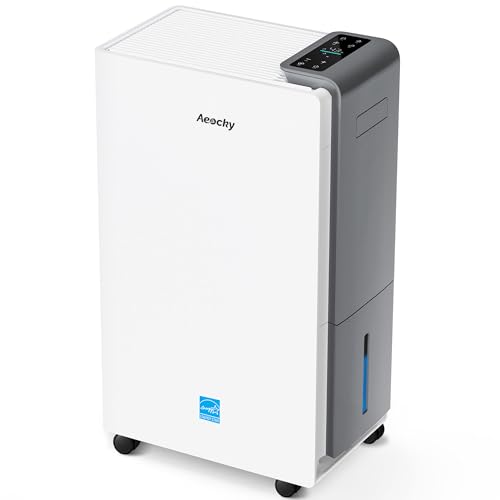
【ENERGY STAR 25 ≠ ENERGY STAR Most Efficient 2025】Don't fall for competitors' word games. With only 2.6% of ENERGY STAR models earning "Most Efficient 2025" title, these options are exceptionally rare on the market. RHEA-001 is one of the few to truly hold this top-tier certification. Many brands use misleading phrases like "Energy Star Efficient 25" or "Energy Star 25" to imply a standard they haven't met. Choosing them is a risk.With AEOCKY, you get verified performance and the peace of mind of authentic, top-tier efficiency.
Related Guides
Frequently Asked Questions
Should the air coming out of a dehumidifier be cold?
No, during active moisture removal the exhaust air from a compressor dehumidifier should feel slightly warmer than the room—typically 3°F to 7°F above the intake temperature. Cool or room-temperature air is only normal during the 3-minute compressor startup delay, an automatic defrost cycle, or fan-only standby after reaching your target humidity.
Why does my dehumidifier make the room feel cold?
Moving, drier air accelerates sweat evaporation from your skin, creating a breeze that feels cool even when the room temperature has not dropped. In reality, a working dehumidifier slightly warms a closed room because both refrigeration coils and the compressor motor release heat indoors.
Is cold air normal during automatic defrost?
Yes, cold exhaust air is completely normal during automatic defrost. When frost forms on the evaporator coil, the dehumidifier pauses its heat-producing compressor while keeping the fan running to melt the ice with room air, causing cool air to blow out of the vent until normal operation resumes.
Why is my dehumidifier running but not collecting water?
A dehumidifier usually runs without collecting water because the room humidity is already at or below the set point, or the room temperature is below 60°F–65°F. Other common causes include a clogged air filter, frozen coils, an unseated bucket float, an active or blocked drain hose, or a failed compressor.
Why is my dehumidifier blowing cold air and freezing up?
A dehumidifier blows cold air and freezes up when low room temperatures (below 60°F–65°F) or restricted airflow from a dirty filter drop the evaporator coil below 32°F (0°C). Unplug the unit for 2 to 4 hours to let the ice thaw completely, wash and dry the filter, and restart it in a warmer room.
What temperature should the air be coming out of a dehumidifier?
During active dehumidification, the exhaust air should measure roughly 3°F to 7°F (2°C to 4°C) warmer than the room air entering the intake grille. For example, in a 70°F basement, a healthy compressor dehumidifier typically discharges air between 73°F and 77°F after running for 10 to 15 minutes.
Conclusion
When your dehumidifier blows cold air, start by giving it 10 to 15 minutes in Continuous mode to rule out the 3-minute compressor delay, automatic defrost, or a satisfied humidistat. Next, verify with a separate thermometer and hygrometer that the room is at least 65°F and set your target between 45% and 50% RH, then clean the air filter and thaw any frost on the coils.
If the exhaust still fails to warm by 3°F to 7°F in a warm, damp room—or if the unit clicks repeatedly or displays a sealed-system error code like EC or F0—check your recall status and warranty coverage before deciding whether to replace the appliance.
Sources
- GE Appliances: Dehumidifier Exhaust Air Temperature: Explains normal warm exhaust air during moisture extraction and temporary cold air during automatic defrost cycles.
- GE Appliances: Ideal Dehumidifier Operating Conditions: Supports minimum room temperature limits, airflow clearance, and frost prevention guidance.
- U.S. Environmental Protection Agency: Improving Your Indoor Environment: Supports maintaining indoor relative humidity between 30% and 50% to prevent mold growth.
- ENERGY STAR: Dehumidifiers: Supports using a separate hygrometer, proper unit sizing, and warm exhaust expectations.
- Frigidaire Owner Center: Dehumidifiers Error Code Guide: Supports diagnostic error code definitions for failed sensors (
AS,ES) and sealed-system faults (EC,F0). - U.S. EPA: Stationary Refrigeration Resources for Homeowners: Supports Section 608 rules prohibiting DIY refrigerant venting or piercing and safe appliance disposal.
- U.S. Consumer Product Safety Commission: Dehumidifier Recalls: Provides CPSC dehumidifier safety recall lookup information.
- U.S. CPSC: New Widetech 2 Million Dehumidifiers Recall: Supports multi-brand dehumidifier overheating and fire-hazard recall verification details.