A dehumidifier normally makes some noise because it uses a fan, compressor, and refrigerant system. Rushing air, water dripping into the bucket, a brief click, or a low hum may be normal. A new rattle, scrape, grind, harsh buzz, or rapidly increasing vibration usually deserves attention. Start with simple checks such as placement, the bucket, the filter, and airflow before assuming an internal part has failed.
Quick Answer
Your dehumidifier may sound loud because it is on an uneven surface, the bucket or filter cover is loose, airflow is blocked, or the fan assembly is damaged. Some humming, rushing air, dripping, gurgling, and cycling sounds are normal. Unplug the unit before cleaning or inspecting accessible parts.
Key Takeaways
- First decide whether the sound is normal or new, excessive, or changing.
- Check the floor, feet or casters, bucket, filter cover, drain hose, filter, and required airflow clearance.
- Scraping, grinding, smoke, a burning smell, sparking, or repeated breaker trips are not normal.
- Do not open the compressor or refrigerant circuit. Sealed-system and electrical repairs require qualified service.
- Check the model and date code against current product recalls before paying for a repair.
At a Glance
| Time Required | 10–20 minutes for basic checks |
| Difficulty | Easy for external cleaning and placement checks; professional service for internal faults |
| Tools Needed | Owner’s manual, flashlight, vacuum brush, soft cloth, mild detergent, and a level if available |
| Cost | Usually $0 for basic checks; replacement parts and professional service vary by model and diagnosis |
Warning: Turn the dehumidifier off and unplug it before cleaning, removing an owner-accessible cover, or putting your hands near the fan area. Stop using it immediately if you notice smoke, sparking, a burning-plastic smell, a melted or unusually hot plug, repeated breaker trips, or severe scraping. Do not open or repair the compressor, refrigerant tubing, capacitor, or internal wiring yourself.
Why Is My Dehumidifier So Loud?
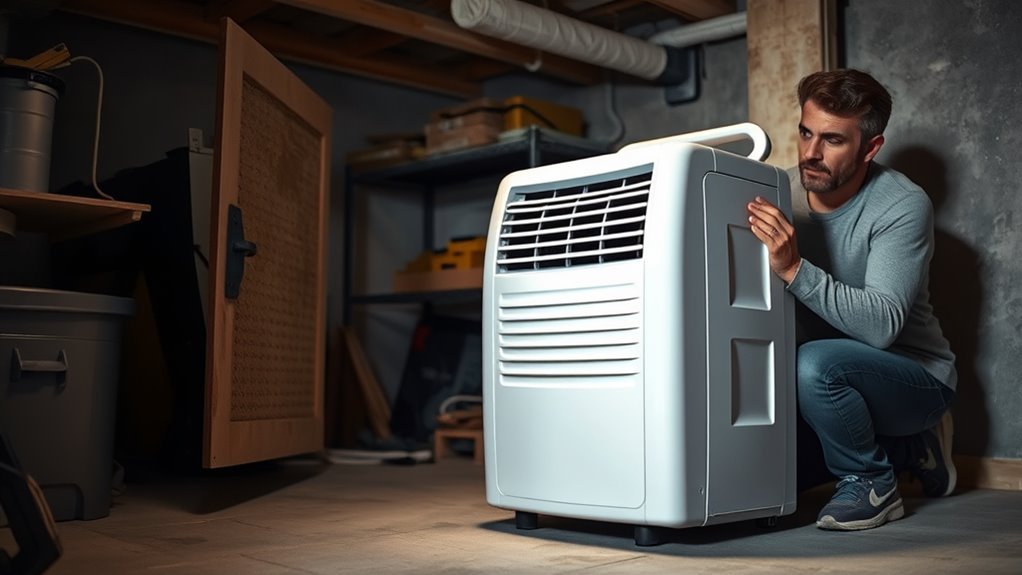
Your dehumidifier may seem loud because of normal fan and compressor operation, vibration from its surroundings, restricted airflow, or a worn or misaligned part. The most useful clue is whether the sound has always been present or has recently become louder, rougher, or more frequent.
Start by listening from a safe distance. Note the type of sound, where it seems to come from, and whether it begins when the fan starts, when the compressor starts, when water enters the bucket, or when a drain pump activates. That timing helps identify the source, but it does not prove that the part is defective.
Which Dehumidifier Sounds Are Normal?
According to GE Appliances’ normal-sounds guidance, a working dehumidifier can produce compressor noise, fan noise, dripping water, and normal cycling sounds. Some manuals also describe refrigerant gurgling or hissing and brief high-pitched compressor chatter as normal.
| Sound | Often means | What to do |
|---|---|---|
| Steady rushing air | Normal fan airflow | Check the filter and clearance only if airflow sounds strained or whistling. |
| Low hum or tone change | Compressor starting or running | Usually normal if the unit runs correctly and the sound is not harsh or worsening. |
| Dripping or splashing | Condensed water entering the bucket | Usually normal. Check for leaks if water appears outside the unit. |
| Gurgling or hissing | Refrigerant moving through the system | Often normal. Arrange service if cooling performance drops or an error code appears. |
| Intermittent rattle | Loose bucket, filter cover, external panel, caster, or nearby object | Reseat accessible parts and move objects away from the cabinet. |
| Scraping, repeated thumping, or wobbling | Possible fan blade or blower-wheel contact | Turn the unit off and inspect only the parts your manual allows you to access. |
| Grinding or squealing | Possible motor, bearing, fan, or sealed-system problem | Stop extended testing and arrange qualified service. |
| Buzzing with heat, odor, smoke, or breaker trips | Potential electrical or overheating hazard | Unplug immediately and do not use the unit until it is checked. |
Note: The normal sound level and sound pattern vary by model, fan speed, room temperature, humidity, and operating mode. Check the “Normal Sounds” and troubleshooting sections of your exact owner’s manual before ordering parts.
What Causes a Noisy Dehumidifier?
A noisy dehumidifier usually has one of five causes:
- Normal operation: The fan, compressor, refrigerant, defrost cycle, and collected water all create sound.
- Poor support: An uneven floor, damaged foot, loose caster, hollow shelf, or flexible surface can amplify vibration.
- Loose removable parts: The water bucket, filter cover, drain cap, hose, or grille may chatter against the cabinet.
- Restricted airflow: A dirty filter, blocked intake, blocked outlet, or insufficient clearance can make airflow louder and may strain the unit.
- Mechanical or electrical trouble: A rubbing fan, loose blower wheel, worn motor, damaged mount, compressor problem, or electrical fault can produce abnormal noise.
Placement requirements vary. ENERGY STAR notes that units without top-mounted discharge need enough space from walls and furniture for air to circulate. Follow the clearances in your own manual rather than relying on one distance for every model.
How Do You Diagnose a Loud Dehumidifier?
- Identify the sound. Decide whether it is rushing, humming, clicking, rattling, buzzing, scraping, grinding, squealing, dripping, or gurgling.
- Note when it starts. Listen during startup, fan operation, compressor operation, defrosting, water collection, and pump drainage.
- Check the support. Put the unit on a firm, level floor and confirm that every foot or caster makes solid contact.
- Reseat removable parts. Remove and reinstall the bucket, filter, filter cover, drain cap, and hose as directed by the manual.
- Clean the airflow path. Unplug the unit, clean the filter, and vacuum dust from accessible grilles. Let a washable filter dry fully before reinstalling it.
- Check clearance. Move curtains, boxes, furniture, and other objects away from the intake and exhaust.
- Compare operating modes. If your model offers a fan-only period or selectable fan speeds, compare the sound before and after the compressor starts. This helps locate the source but does not confirm a failure by itself.
- Check the model and recall status. Find the model number and date code on the nameplate, then search the U.S. Consumer Product Safety Commission dehumidifier recall page.
- Stop at the service boundary. If basic checks do not solve scraping, grinding, severe buzzing, overheating, or repeated failed starts, arrange professional service.
Pro Tip: Record a short video showing the sound, control-panel lights, and the moment the compressor starts. Also photograph the model and serial label. This information can help manufacturer support or a technician diagnose the problem more quickly.
Is the Compressor Causing the Noise?
The compressor may be the source if the sound begins when dehumidification starts rather than when only the fan is moving air. However, a low hum, a brief startup sound, or a change in tone can be normal. Timing tells you which part of the operating cycle produces the sound; it does not prove that the compressor is failing.
| Observation | Likely meaning | Action |
|---|---|---|
| Brief hum or tone change at startup | May be normal compressor startup | Monitor operation, water collection, heat, and error codes. |
| Sound changes when the unit is moved to a solid floor | The original surface was amplifying vibration | Use a firm, level location that meets the manual’s clearance rules. |
| Repeated loud buzz followed by shutdown | Possible overload, starting, electrical, or sealed-system problem | Unplug the unit and arrange qualified service. |
| Grinding, smoke, burning odor, or breaker trips | Abnormal and potentially hazardous | Stop using the appliance immediately. |
Keep the filter clean, provide the required clearance, and place the chassis level. Do not remove compressor covers, open refrigerant tubing, or attempt to replace compressor components yourself. Manufacturer guidance commonly directs sealed-system faults to service professionals.
Could the Fan Blade or Blower Wheel Be the Problem?
Yes. A bent, cracked, dirty, loose, or misaligned fan blade or blower wheel can scrape, thump, wobble, or vibrate. An object caught near the fan can produce similar symptoms.
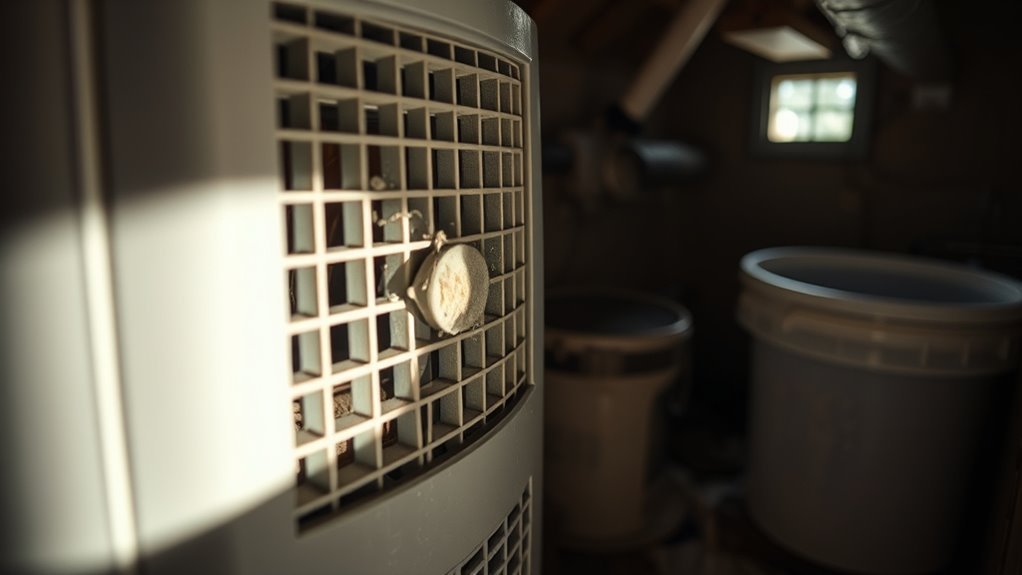
Turn the unit off and unplug it. Use a flashlight to inspect only through openings or owner-accessible panels identified in the manual. Look for debris, scrape marks, a visibly loose wheel, or a damaged blade. Do not reach through a grille or force the fan to turn. If access requires removing electrical parts, refrigerant-system panels, or extensive cabinet sections, stop and arrange service.
A fan assembly that rubs the housing should not be allowed to run for long. Continued contact can damage the blade, motor, wiring, or surrounding plastic.
How Do You Stop Rattling or Buzzing?
Begin with external parts and placement. These are the most common owner-correctable causes and do not require opening the sealed refrigeration system.
Recommended Products

Nispira True HEPA filter replacement compatible with Tenergy Sorbi dehumidifier air purifier, Afloia AQ8 Q8, Honati and Hysure Q7 Air Purifier

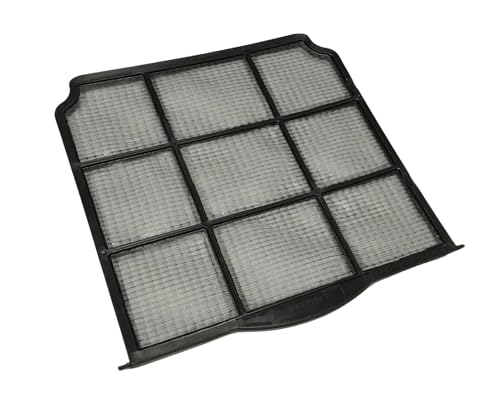
SIZE: The Size Of This Filter Is Approximately 10-7/8 x 10-5/8 Inches!
Identify Loose Components
Make sure the water bucket is fully inserted and sits squarely in its opening. Confirm that the filter cover, rear grille, drain cap, and any removable hose connection are secure. Check whether the power cord, drain hose, furniture, or another object is touching the cabinet.
Inspect visible exterior screws and fasteners, but tighten only those identified as owner-serviceable in the manual. Do not overtighten screws in plastic panels because the plastic can crack or strip.
Check for Resonance
A hollow shelf, flexible floor, loose board, or lightweight table can make a normal hum sound much louder. Test the unit on a solid, level floor while maintaining the required airflow clearance. If the sound drops sharply, the original surface was acting like a speaker.
Keep the cabinet from touching a wall, shelf edge, furniture, storage bin, or pipe. Even light contact can transfer vibration and create a buzz.
Tighten And Replace Parts
After unplugging the unit, reseat removable components and tighten accessible exterior hardware only as permitted by the manual.
- Remove loose debris from accessible grilles and the bucket area.
- Reseat the bucket, filter, filter cover, drain cap, and hose.
- Check exterior fasteners, feet, and casters for looseness or damage.
- Arrange service if a rotating part remains loose, cracked, misaligned, or out of balance.
Do not continue operating a dehumidifier with severe scraping, repeated thumping, electrical buzzing, or rapidly increasing vibration.
How Can You Reduce Dehumidifier Vibration?
Place the unit on a firm, level surface and make sure every foot or caster is supported. Keep the cabinet clear of walls, furniture, pipes, and stored items. These steps prevent surrounding materials from amplifying normal fan and compressor vibration.
Recommended Products

【Double-Sided Non-Slip, Ultimate Stability】 -- This vibration machine mat features a double-sided non-slip design: one side firmly grips the floor, while the other tightly holds the bottom of your vibration board. This anti-vibration mat effectively prevents shifting or sliding of equipment such as vibration machines and steppers during intense use, ensuring workout safety and stable equipment operation

【 ✅ANTI VIBRATION】:4 Pack of Anti Vibration Pads which are used to reduce noise and shock absorption of HVAC equipment or machinery.

【EVA Sandwich Design】Anti vibration pads are made of high strength rubber with a blue EVA layer. EVA materials have excellent sound and vibration damping properties. The combination of EVA and rubber provides both durability and better shock absorption than ordinary rubber pads
Level Surface Placement
- Check the floor or platform for slope, flex, wobble, or loose boards.
- Inspect the appliance feet or casters for damage and make sure each one touches the surface.
- Confirm that the water bucket is fully seated and not pushing the cabinet out of alignment.
- Recheck the manufacturer’s intake and exhaust clearance requirements.
A stable position can reduce vibration, but it will not correct a damaged fan, motor, mount, or compressor.
Foam Vibration Isolation
A thin, firm rubber appliance mat or dense, appliance-rated vibration pads may reduce sound transferred into a hard floor. The material must support the unit evenly without allowing it to rock, roll, sink, or shift.
Avoid thick, soft foam. It can make the appliance unstable and may block vents located near the base. Never place padding over an intake, drain opening, electrical connection, or area that the owner’s manual says must remain clear.
How Do You Keep a Dehumidifier Quiet?
- Clean the filter as directed: A dirty filter can restrict airflow. Follow the schedule and washing method in your manual.
- Keep grilles clear: Vacuum dust from accessible intake and exhaust grilles after unplugging the unit.
- Use the correct clearance: Keep curtains, boxes, furniture, and other objects away from the airflow path.
- Seat the bucket correctly: A loose bucket can rattle and may prevent normal operation.
- Check the drain setup: Secure the hose so it does not strike the cabinet, floor, wall, or plumbing during operation.
- Use a lower fan speed when suitable: A lower setting may reduce airflow noise, although moisture removal may take longer.
- Inspect the support: Keep the appliance level and check its feet or casters periodically.
- Respond to changes: A sudden new scrape, grind, squeal, or harsh buzz should be investigated rather than ignored.
Frigidaire’s care guidance and GE Appliances’ cleaning guidance both advise disconnecting power before cleaning. Let washable filters dry fully before reinstalling them.
Should You Repair or Replace It?
There is no universal age or repair-cost percentage that applies to every dehumidifier. Use the diagnosis, warranty, recall status, condition, service quote, and replacement options to make the decision.
| Repair may make sense when | Replacement may make sense when |
|---|---|
| The unit is under warranty. | The unit is recalled and the remedy requires stopping use or obtaining a refund or replacement. |
| The problem is a loose cover, damaged bucket, filter, caster, or another low-cost accessible part. | The compressor, sealed refrigerant system, control board, or several major parts have failed. |
| The manufacturer still provides the correct part and service documentation. | Parts are unavailable or the service estimate is close to the cost of a suitable new unit. |
| The cabinet, cord, plug, and electrical system remain in good condition. | The appliance has recurring faults, heat damage, a damaged cord or plug, heavy corrosion, or poor performance. |
Before paying for service, record the model and serial number, check the warranty, search current recalls, and request a written diagnosis. A loud but otherwise normal fan is different from a failed compressor or electrical hazard.
Recommended Products

Universal Compatibility This dehumidifier drain adapter is specifically designed to fit a wide range of popular dehumidifier models, ensuring seamless integration with your dehumidifier hose. It works perfectly with for AeonAir, for Whirlpool, for Idylis Dehumidifiers, and for RPD-702WP units, and is also compatible with for friedrich dehumidifier systems. No matter which brand you own, this adapter provides a secure and reliable connection for your dehumidifier drain hose.

COMPATIBILITY: Specifically designed as a replacement humidity sensor module board for HIS06 model for dehumidifiers and humidifiers

Multi-Purpose Hose, 6ft Cut-to-Fit:This 6-foot hose is designed for various applications, including dehumidifier drainage and gardening tasks. It can be easily cut to the desired length for flexible use. Please confirm the required length before purchase.
Related Guides
Frequently Asked Questions
How can I make my dehumidifier quieter?
Place it on a firm, level surface, reseat the bucket and filter cover, clean the filter, keep the intake and exhaust clear, and prevent the cabinet or drain hose from touching nearby objects. Use a lower fan speed when appropriate. Do not cover vents or place the unit on unstable padding.
How do you fix a loud dehumidifier?
First identify whether the sound is normal. Then check the floor, feet or casters, bucket, filter cover, drain hose, filter, grilles, and required clearance. Unplug the appliance before cleaning or inspecting accessible parts. Arrange professional service for grinding, severe scraping, electrical buzzing, overheating, or sealed-system problems.
Is a dehumidifier supposed to be loud?
A dehumidifier is expected to make noticeable fan and compressor noise. Dripping, gurgling, hissing, clicking, and cycling can also be normal. A sudden new rattle, scrape, grind, squeal, harsh buzz, burning smell, or rapidly increasing vibration is not something to ignore.
Why does my dehumidifier rattle?
Common causes include a loose water bucket, filter cover, drain cap, hose, caster, foot, external panel, or nearby object. An uneven or hollow surface can also amplify vibration. If reseating external parts does not help, a fan or motor component may need service.
Why does my dehumidifier buzz when the compressor starts?
A brief hum or change in tone can be normal when the compressor starts. Repeated loud buzzing followed by shutdown, poor water collection, an overload code, excessive heat, a burning odor, or breaker trips can indicate a fault. Unplug the unit and arrange service if those warning signs appear.
Why is my dehumidifier beeping?
Beeping may indicate a full or incorrectly seated bucket, a pump or drainage problem, a control input, a power interruption, or an error code. Check the display and consult the exact model’s manual because alert patterns differ by manufacturer.
Should you use a dehumidifier if you have COPD?
A dehumidifier is not a treatment for COPD. It may be useful when indoor humidity is excessive, but air that is too dry can also feel irritating. The U.S. EPA generally recommends 30–50% indoor relative humidity. Use a hygrometer, avoid humidity extremes, and ask your clinician about conditions that affect your symptoms. Research involving people with chronic respiratory disease also suggests that both hot, humid and cold, dry conditions can be troublesome.
Conclusion
If your dehumidifier is loud, first determine whether you are hearing normal fan, compressor, refrigerant, or water sounds. Then check the surface, feet or casters, bucket, filter cover, drain setup, filter, grilles, and airflow clearance. Stop using the unit if it scrapes severely, grinds, overheats, smells burnt, smokes, sparks, or trips the breaker. Compressor, refrigerant-system, motor, and internal electrical repairs should be handled by qualified service personnel.
Sources
- GE Appliances: Dehumidifier Normal Sounds — normal compressor, fan, dripping-water, and cycling sounds.
- Frigidaire: Dehumidifier Noise Guide — rattling, bucket and filter-cover checks, vibration, and level placement.
- ENERGY STAR: Dehumidifiers — placement, airflow, maintenance, and electrical-safety guidance.
- U.S. Consumer Product Safety Commission: Dehumidifier Recalls — recalled models and fire-hazard information.
- U.S. EPA: Care for Your Air — general 30–50% indoor relative-humidity guidance.
- Mekhuri et al.: Temperature, Humidity, and Chronic Respiratory Disease — evidence that humidity and temperature extremes can affect people with chronic respiratory conditions.