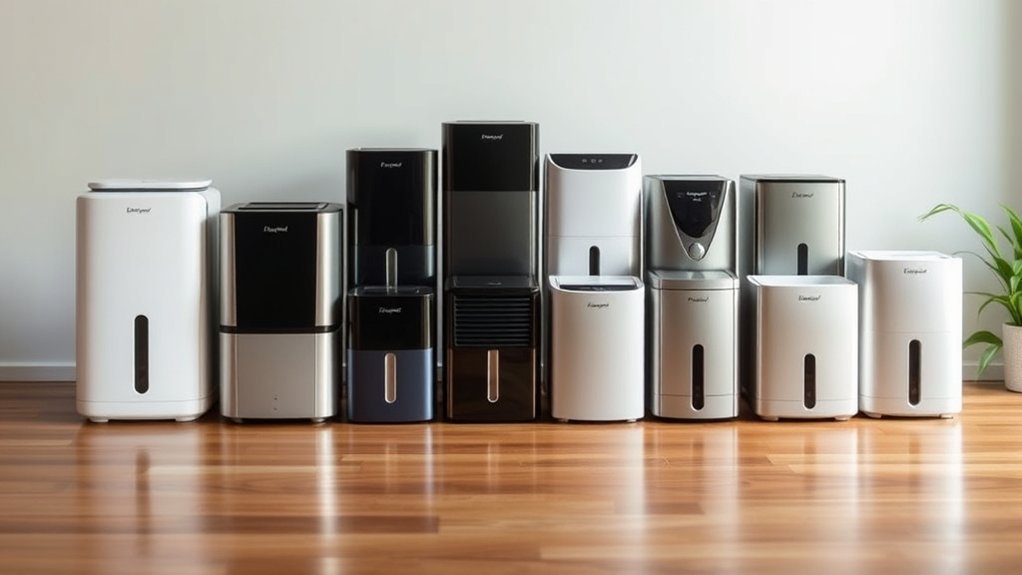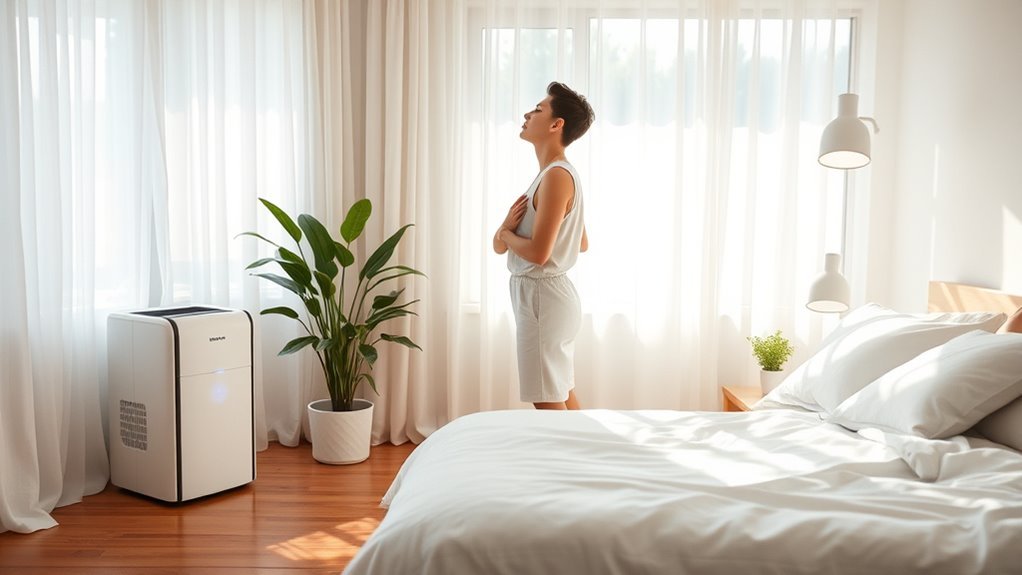
A dehumidifier is supposed to make a damp room feel healthier, but it can also make your throat feel dry or scratchy if it removes too much moisture or if the unit is dirty. The fastest way to tell what is happening is to check the room with a hygrometer, inspect the tank and filter, and compare your symptoms before and after the unit runs.
Quick Answer
Yes, a dehumidifier can contribute to a sore throat if it pulls indoor humidity too low, especially below about 30%, or if a dirty tank or filter spreads dust, mold, or musty air. Aim for roughly 30% to 50% relative humidity, clean the unit often, and stop using it if symptoms worsen.
Key Takeaways
- A dehumidifier can make your throat feel dry when the room drops below a comfortable humidity range.
- The best target for most homes is about 30% to 50% relative humidity, with 40% to 50% often feeling more comfortable if you are prone to dryness.
- A dirty water tank, clogged filter, or dusty fan can add irritants to the air and make coughing, congestion, or throat irritation worse.
- A hygrometer, a clean unit, and a few days of symptom tracking can usually show whether the dehumidifier is part of the problem.
At a Glance
| Time Required | 5–10 minutes to check humidity; 15–20 minutes to clean the tank, filter, and accessible surfaces |
| Difficulty | Easy |
| Tools Needed | Hygrometer, warm water, mild dish soap or white vinegar, soft cloth or brush, and the unit’s manual |
| Cost | Usually $0–$5 for cleaning supplies; about $10–$50 if you need a humidity meter |
Can a Dehumidifier Cause a Sore Throat?

Yes. A dehumidifier can contribute to a sore throat when it over-dries indoor air. The EPA recommends keeping indoor relative humidity below 60%, ideally between 30% and 50%. When humidity falls too low, the air can dry the lining of your nose and throat, making it feel rough, scratchy, or irritated.
A dehumidifier is not the only possible cause, though. Mayo Clinic lists dry indoor air, allergies, mold, dust, smoke, reflux, viral infections, and bacterial infections as possible sore-throat triggers. So the goal is not to blame the appliance automatically. The goal is to test the room, clean the unit, and see whether your symptoms track with dehumidifier use.
Note: A sore throat that includes fever, swollen glands, white patches on the tonsils, trouble swallowing, or symptoms lasting more than a week may need medical advice. A humidity fix can help dry-air irritation, but it will not treat an infection.
Signs Your Dehumidifier Is Making the Air Too Dry
The simplest warning sign is a hygrometer reading below 30%. Symptoms can also give clues, especially if they start after the dehumidifier runs overnight or improve when you turn it off.
| Sign | What it may suggest | What to do |
|---|---|---|
| Scratchy throat or dry cough | Air may be drying your throat and airways | Raise the humidity setting or pause the unit |
| Dry lips, dry skin, or itchy eyes | Room moisture may be too low | Check the hygrometer and aim for 40%–50% if you feel dry |
| Nosebleeds or irritated sinuses | Nasal tissue may be drying out | Stop the dehumidifier until humidity rises |
| Static shocks or cracking wood | The room is likely too dry | Reduce runtime and avoid chasing very low humidity |
Dry Throat Symptoms
When the air is too dry, you may feel a scratchy throat, mild pain when swallowing, a dry cough, hoarseness, or a “need to clear the throat” feeling. These symptoms are more suspicious for dry-air irritation when they are worse after sleeping in a room with the dehumidifier running.
If you already have asthma, allergies, chronic sinus irritation, or mouth breathing at night, you may feel dry-air symptoms sooner than someone without those issues. In that case, keep the room closer to the middle of the safe range instead of pushing humidity down toward 30%.
Low Humidity Signs
Low humidity can show up in more than your throat. Watch for chapped lips, dry hands, itchy eyes, irritated nostrils, sinus pressure, or more frequent nosebleeds. The more of these signs you notice at the same time, the more likely the room is too dry.
- Check the room with a hygrometer before changing settings.
- Raise the dehumidifier target if the room is below 35%.
- Turn the unit off for a night and compare how your throat feels the next morning.
Can a Dirty Dehumidifier Irritate Your Throat?
Yes, a dirty dehumidifier can irritate your throat indirectly by adding dust, musty odors, mold particles, or dirty-filter airflow to the room. The water tank is not supposed to be a long-term storage container. If water sits, the tank gets slimy, or the filter clogs, the appliance can become part of the air-quality problem.
The CDC notes that damp and moldy environments can cause stuffy nose, sore throat, coughing, wheezing, burning eyes, or skin rash in some people. People with asthma, mold allergy, chronic lung disease, or weakened immune systems should be especially careful around visible mold or persistent musty odors.
Dirty Tank Contaminants
A dirty water tank can collect mineral residue, dust, biofilm, and mold. If the tank smells musty, feels slimy, or has visible spots, stop running the dehumidifier until you clean it. Emptying the tank daily during heavy use is a simple way to reduce buildup.
- Do not leave collected water sitting in the tank for days.
- Wash the tank before it smells musty.
- Let the tank dry fully before reinstalling it if you are storing the unit.
Mold Spore Irritation
Mold can grow where moisture remains, including in a neglected tank, around seals, or near a damp area that the dehumidifier is trying to control. The EPA explains that mold exposure can irritate the eyes, skin, nose, throat, and lungs. If throat irritation appears with musty odors, coughing, congestion, or itchy eyes, inspect the unit and the room for moisture sources.
Warning: Do not ignore visible mold in the appliance or room. Clean small, manageable areas safely, but consider professional help for large mold areas, repeated mold growth, HVAC contamination, or mold exposure involving someone with asthma, chronic lung disease, or a weakened immune system.
Cleaning Prevents Throat Issues
Cleaning does not guarantee that your throat symptoms will disappear, but it removes a major source of avoidable irritation. A clean tank, clean filter, and clear airflow path help the dehumidifier do its real job: lowering excess moisture without recirculating grime.
- Empty the tank after each use during humid periods.
- Wash the tank at least weekly, or more often if the unit runs daily.
- Clean or replace the filter according to the manual.
- Wipe dust from the intake, outlet, and accessible fan area.
How Low Humidity Affects Your Nose and Throat
Your nose and throat rely on a thin moisture layer to trap particles and keep tissues comfortable. When indoor air gets too dry, that moisture evaporates faster. The result can be scratchiness, burning, coughing, nasal crusting, or a dry feeling that is worse in the morning.
MedlinePlus explains that adding moisture can help dry air that irritates and inflames the airways in the nose and throat. That same logic works in reverse: removing too much moisture can make an already dry room feel harsher.
| Humidity reading | Likely effect | Best response |
|---|---|---|
| Below 30% | Too dry for many people | Turn off or raise the dehumidifier setting |
| 30%–50% | Healthy target range for most homes | Adjust based on comfort and condensation |
| Above 50%–60% | May support mold, dust mites, or damp odors | Use the dehumidifier and fix moisture sources |
Dry Skin, Cough, and Nose Irritation
Throat discomfort often appears with other dryness signs. If your skin feels tight, your lips crack, your eyes itch, or your nose feels raw, the dehumidifier may be running too long or set too low. The pattern matters: symptoms that show up only in one room are more likely to be linked to that room’s air.
Dry Air Symptoms
Dry air symptoms can include a scratchy throat, dry cough, dry nose, chapped lips, dry skin, irritated eyes, and nosebleeds. These symptoms can overlap with allergies, colds, reflux, and smoke exposure, so use humidity readings instead of guessing.
Nose and Throat Irritation
Nasal and throat irritation can also happen when humidity is too high and mold or dust mites increase. The American Lung Association recommends keeping home humidity below 50% to help reduce dust mites. That is why the best answer is balance, not extreme dryness.
The Right Humidity Level for Comfort
For most homes, the practical target is 30% to 50% relative humidity. If your throat feels dry, try keeping the room closer to 40% to 50%. If you have condensation, musty odors, or damp walls, keep humidity below 50% while you fix the moisture source.
Pro Tip: Do not set a dehumidifier to the lowest possible setting just because the room feels damp. A target around 45% is often enough to reduce moisture while avoiding the scratchy-throat feeling that can come with over-drying.
- Use a hygrometer because built-in humidistats can be imperfect.
- Check the reading in the room where you sleep, not only near the unit.
- Give the room a few hours to stabilize after changing the setting.
- Use exhaust fans and leak repairs along with the dehumidifier; do not rely on the appliance alone.
How to Check If the Dehumidifier Is Causing Your Sore Throat
You can usually narrow down the cause with a simple three-night test. This does not diagnose illness, but it can show whether the appliance is making the room too dry.
- Night 1: Run the dehumidifier as usual and record the room humidity before bed and in the morning.
- Night 2: Raise the humidity target or use a shorter timer. Record the same readings and note your throat symptoms.
- Night 3: Turn the dehumidifier off if the room is not damp or mold-prone. Compare your throat, cough, lips, and nose the next morning.
If your symptoms improve as humidity rises into the 40% to 50% range, dry air was probably part of the problem. If symptoms continue, look for other causes such as allergies, illness, smoke, reflux, or a dirty appliance.
How to Clean a Dehumidifier Safely
Always unplug the dehumidifier before cleaning it. Then follow your owner’s manual, because filter types, drainage parts, and cleaning limits vary by model.
- Empty the tank. Pour out collected water and rinse loose residue.
- Wash removable parts. Use warm water and mild dish soap. White vinegar can help with mineral film, but rinse it away fully.
- Scrub gently. Use a soft cloth or brush on corners, seams, and the tank cap area.
- Clean the filter. Vacuum, rinse, or replace it only as your manual allows.
- Wipe the exterior vents. Remove lint and dust from the intake and outlet.
- Dry everything completely. Reassemble only after the tank and removable parts are dry.
Avoid harsh chemical mixes, and never combine bleach with vinegar or ammonia. If the unit has heavy mold growth inside areas you cannot reach, replacement or professional servicing may be safer than running it.
Recommended Products
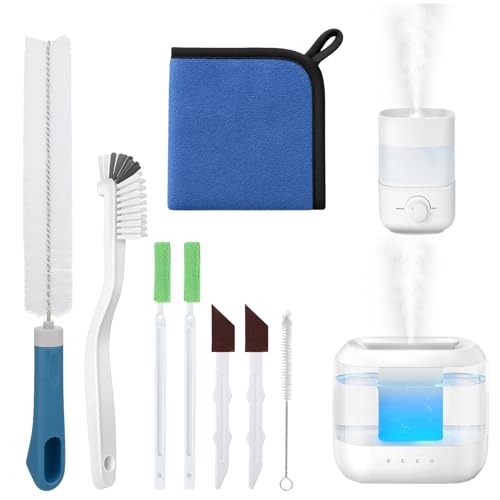
Humidifier Cleaning Solution:Still looking for a cleaning tool that can thoroughly clean your humidifier? Come and try our humidifier cleaning brush set!The nylon brush cleans the stains on the base, the sandpaper brush powerfully removes the severe scale at the bottom, and the long brush can easily reach the air outlet and the interior of the water storage tank, thoroughly cleaning every corner of the humidifier in all aspects, making your humidifier look brand new and more reassuring to use.
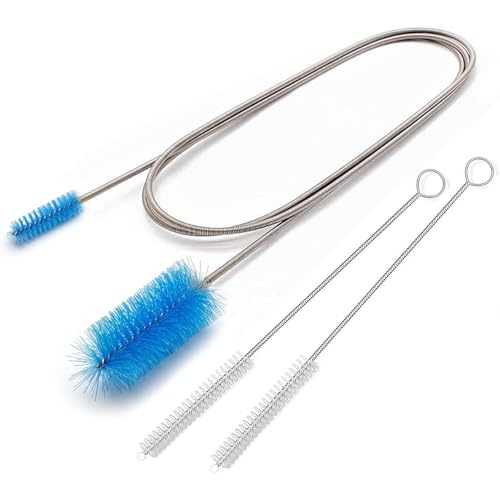
🚫UNCLOG NARROW TUBES INSTANTLY: Tired of water pooling in your fridge or grime clogging your aquarium filters? This 67-inch (170cm) extra-long flexible drain brush is the ultimate problem-solver. It easily snakes through deep, narrow, and curved tubing to effortlessly remove gunky buildup, dirt, and residue.

8-in-1 Value-Multi-Kit - Lumkew small cleaning brush for household use set includes crevice brush, bottle brush, groove brush, gap brush, edge brush, detailing brush, track brush, corner brush, and hole brush. Different shapes and sizes to meet different cleaner need, like cleaner to make dirty small spaces shinning
When to Check the Filter and Fan
Check the filter at least monthly during regular use, and sooner if the room is dusty, the unit smells musty, or airflow feels weak. Some filters are washable; others must be replaced. Follow the manual rather than a fixed schedule from the internet.
The fan and vents matter because blocked airflow makes the unit work harder and can stir up dust. If the unit gets louder, runs constantly, or produces less airflow, unplug it and inspect the filter, intake grille, outlet, and tank seating.
Recommended Products

BUY WITH CONFIDENCE Genuine AprilAire MERV 8 Replacement Filter for your AprilAire Whole Home Dehumidifier Models E080 or E100 or Dehumidifying Ventilator 8192A (and all variations of these models)

【Compatibility】 Our 9 x 11 x 1 MERV 13 Replacement Dehumidifier Filter Media is Compatible with Santa Fe Compact70, Ultra70, Element, Compact2, UA 65H dehumidifier models.

BUY WITH CONFIDENCE Genuine AprilAire MERV 8 Replacement Filter for your AprilAire Whole Home Dehumidifier Models 1820 or E070 (and all variations of these models)
Why Placement and Airflow Matter
Placement affects both moisture control and comfort. ENERGY STAR advises keeping many portable dehumidifiers away from walls and furniture unless their design allows wall placement, because clear airflow helps the product operate better.
| Placement choice | Why it matters |
|---|---|
| Central spot with clear intake and outlet | Improves airflow and gives a more even humidity reading |
| Pressed against furniture or curtains | Restricts airflow and may reduce performance |
| Near a damp source with doors/windows closed | Helps address a moisture problem faster |
| Blowing directly toward your bed or face | May make dryness feel worse while you sleep |
Recommended Products

🍀 1657ML Larger Capacity: The water tank of this dehumidifier can hold of water at most 1657ml(58 OZ), you don’t need to pour water frequently and don’t worry about the water overflow or water leaking. Please read the instruction manual before using the product!

🍃Advanced Small Dehumidifier for Home: Designed for lasting home use, our bathroom dehumidifier works gently and steadily to maintain a balanced humidity level. The large 44 OZ (1.3L) water tank minimizes emptying frequency. Suitable for dorm room, camper, apartment, room, office and living room. No more dampness-just fresh, comfortable air everywhere

When to Stop Using the Dehumidifier
Stop or reduce dehumidifier use if your hygrometer reads below 30%, your throat feels worse after the unit runs, or you notice nosebleeds, cracked lips, dry cough, or irritated sinuses. Restart only when the room returns to a balanced humidity range.
Also stop using the unit until it is cleaned if you notice musty odors, visible mold, dirty standing water, a slimy tank, or a clogged filter. If the room remains damp without the dehumidifier, look for the moisture source: leaks, poor bathroom ventilation, wet basements, condensation, blocked dryer vents, or outside humidity entering through gaps.
When a Sore Throat Is Not From the Dehumidifier
A dehumidifier may be a trigger, but it should not become a catch-all explanation. Sore throats can come from colds, flu, COVID-19, strep throat, allergies, postnasal drip, reflux, smoke, chemical irritants, or voice strain. Seek medical advice if the sore throat is severe, lasts longer than a week, keeps recurring, or comes with trouble breathing, trouble swallowing, fever, rash, blood in saliva or phlegm, a neck lump, or swelling of the neck or face.
Frequently Asked Questions
What are the side effects of a dehumidifier?
When used correctly, a dehumidifier can reduce dampness, musty smells, and moisture-loving allergens. When overused, it may dry the air enough to cause scratchy throat, dry cough, dry skin, chapped lips, irritated sinuses, or nosebleeds. If it is dirty, it may also worsen musty odors and airborne irritation.
Is my dehumidifier giving me a sore throat?
It might be contributing if your room humidity is below 30%, your throat feels worse after the unit runs, or symptoms improve when you raise the setting. Use a hygrometer and check the tank, filter, and vents before deciding. If the sore throat is severe or lasts longer than a week, do not assume the dehumidifier is the only cause.
What are the first signs of a dry room?
Early signs include dry lips, dry skin, itchy eyes, static shocks, a scratchy throat, nasal dryness, and a cough that feels dry rather than mucus-heavy. A hygrometer reading below 30% confirms that the room is drier than most homes should be.
Can my dehumidifier be making me sick?
A dehumidifier does not usually make you sick by itself, but misuse can create problems. Very dry air can irritate your throat and nose, while a dirty tank or filter can worsen air quality. If you feel sick with fever, body aches, swollen glands, wheezing, or symptoms that do not improve after adjusting humidity and cleaning the unit, consider another cause and seek medical advice.
What humidity should I set my dehumidifier to at night?
A good starting point is 45% to 50% at night. That is low enough to reduce dampness in many rooms but less likely to leave your throat dry than a very low setting. If condensation or musty odors continue, check for leaks or ventilation problems rather than forcing the humidity far below 40%.
Should I use a humidifier after running a dehumidifier?
Usually, no. It is better to adjust the dehumidifier so the room stays in range. If the room falls below 30% and you need moisture, stop the dehumidifier first. Use a humidifier only if the room remains too dry, and keep it clean so it does not create a separate mold or bacteria problem.
Conclusion
If your throat feels scratchy after you run a dehumidifier, check the humidity before guessing. A reading below 30%, a dirty tank, a clogged filter, or musty airflow can all explain irritation. Keep indoor humidity around 30% to 50%, clean the unit regularly, and set it closer to 40% to 50% if you are prone to dry throat symptoms. If your sore throat is severe, lasts longer than a week, or comes with fever, trouble swallowing, or breathing symptoms, treat it as a health issue rather than an appliance problem.
Sources
- U.S. Environmental Protection Agency: Mold Course, Chapter 2 — backs the 30% to 50% ideal indoor humidity range and mold-prevention guidance.
- Centers for Disease Control and Prevention: Mold — backs mold-related symptoms and humidity guidance for mold prevention.
- Mayo Clinic: Sore Throat Symptoms and Causes — backs dry indoor air and other sore-throat causes, plus when to seek medical care.
- MedlinePlus: Humidifiers and Health — backs the connection between dry air and irritated nose and throat passages.
- American Lung Association: Dust Mites — backs keeping humidity below 50% to help reduce dust mites.
- ENERGY STAR: Dehumidifiers — backs placement and airflow guidance for portable dehumidifiers.