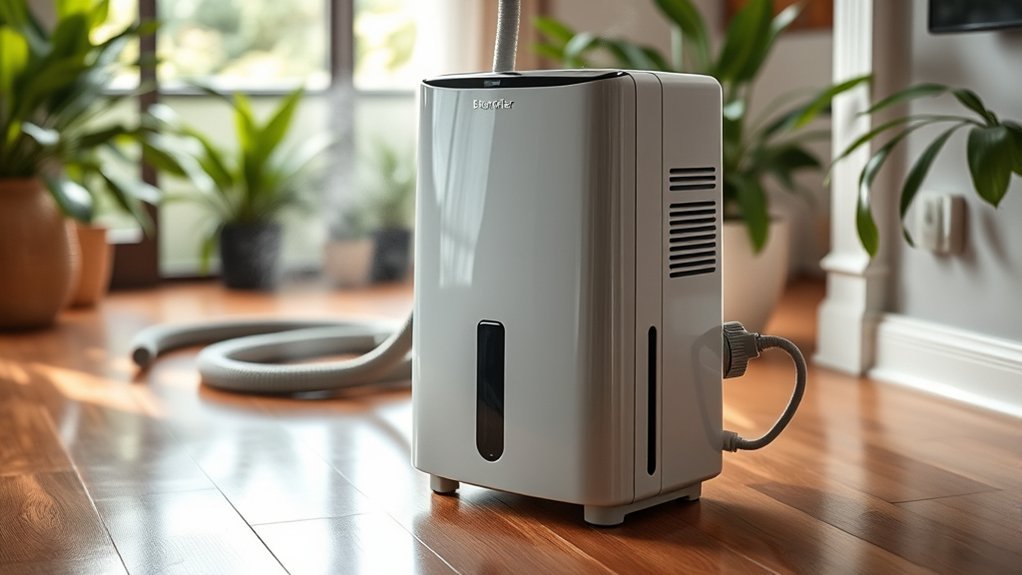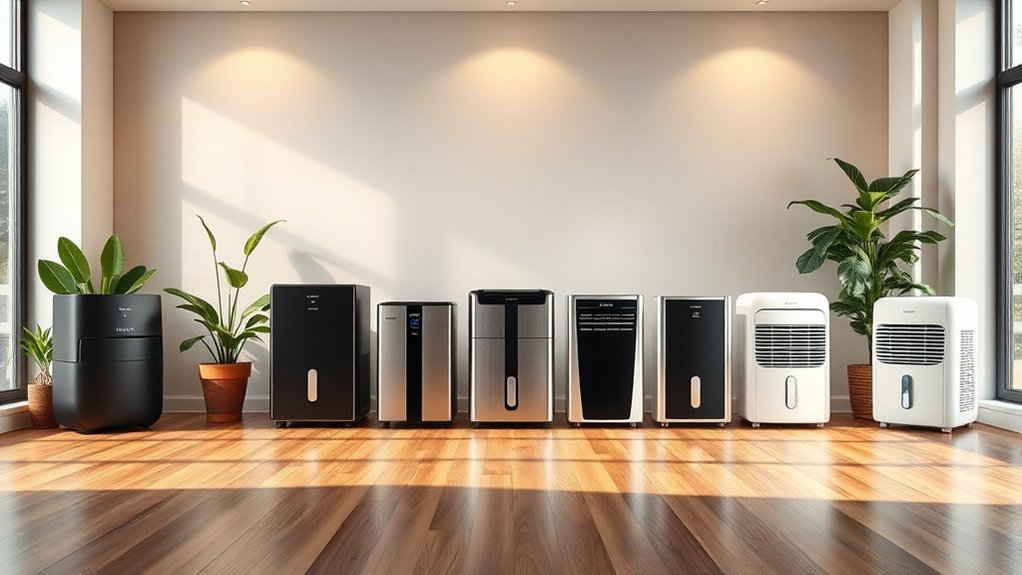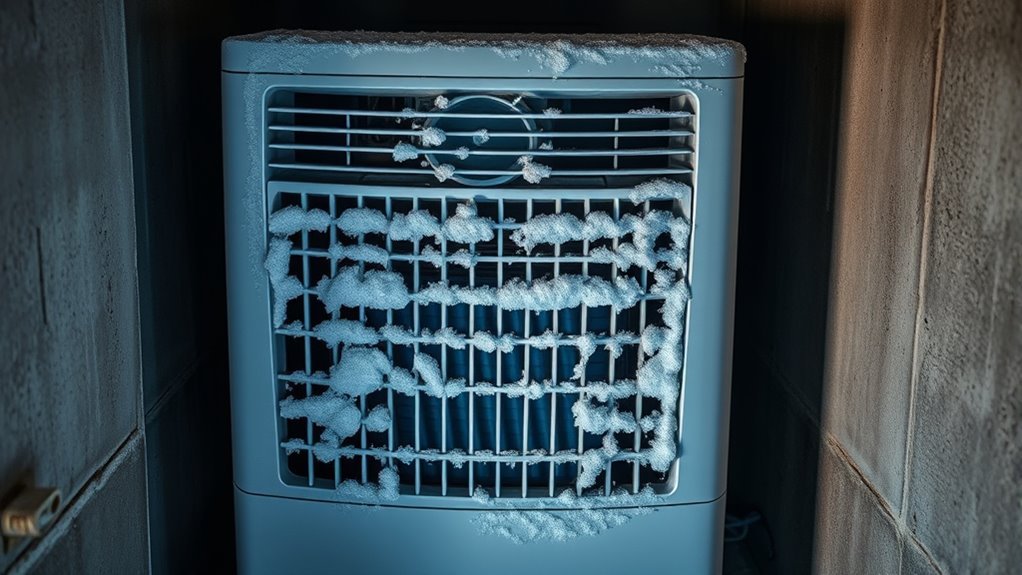
A dehumidifier freezes when moisture turns to ice on the evaporator coil faster than the unit can clear it. The most common causes are cool room air, restricted airflow, a dirty filter, or a fan or defrost fault. A thin layer of frost during startup or an automatic defrost cycle can be normal, but thick ice that keeps returning needs attention.
Quick Answer
Turn the dehumidifier off, unplug it, and let all ice melt naturally. Then check the model’s minimum operating temperature, clean the filter, restore the required clearance, and restart at about 45% to 50% humidity. If heavy ice returns in a warm room with good airflow, stop using the unit and arrange service.
Key Takeaways
- Below 65°F, frost becomes more likely, but 65°F is not a universal shutdown temperature. Check the operating range in your model’s manual.
- A dirty filter, blocked intake, weak fan, or crowded placement can reduce airflow and cause heavy icing.
- A thin frost that clears during automatic defrost may be normal; thick ice that remains or quickly returns is not.
- Defrost with the power disconnected. Never use a knife, hair dryer, heat gun, or open flame.
- Repeated freezing after basic checks can point to a fan, sensor, control, or sealed-system fault that needs professional service.
At a Glance
| Time Required | 15–30 minutes of checks, plus enough time for all ice and moisture to thaw and dry |
| Difficulty | Easy for external cleaning and setup checks; professional service for internal faults |
| Tools Needed | Room thermometer, hygrometer, towels, soft brush, and vacuum with a brush attachment |
| Cost | Usually no cost with household supplies; repair costs vary if a fan, sensor, or sealed system has failed |
Warning: Unplug the dehumidifier before removing the filter or cleaning any accessible surface. Do not run it with a cover removed, reach through a grille, or use heat or sharp tools to remove ice. Stop using it immediately if you smell burning, see smoke or sparks, notice a damaged cord, or the plug or outlet becomes unusually hot.
Common Causes of Dehumidifier Freezing
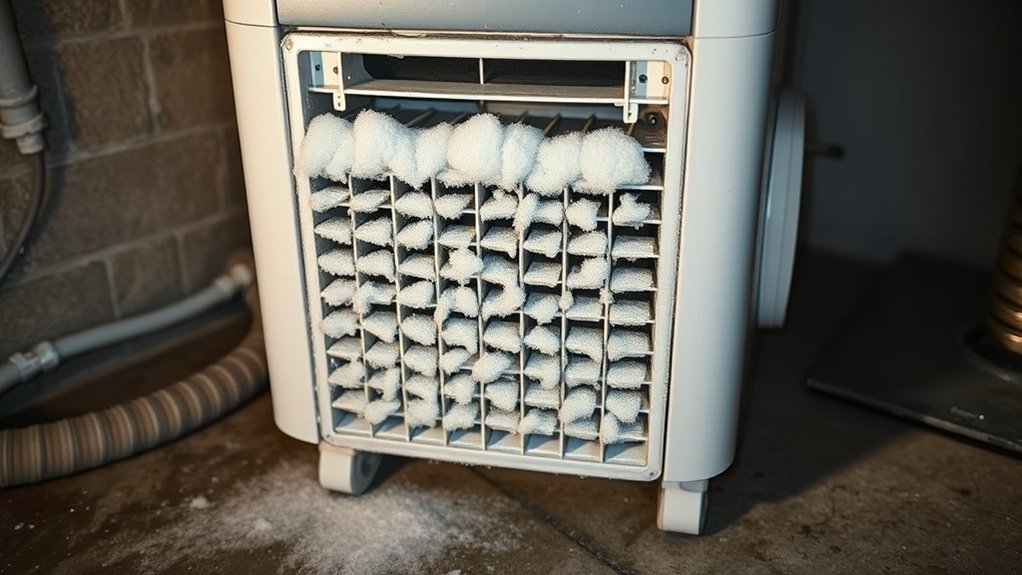
Ice forms when the evaporator coil falls below freezing while moist air is passing over it. The cause is often simple, but the correct fix depends on the model and the room conditions.
| Possible cause | Typical clue | First action |
|---|---|---|
| Room is too cool for the model | Icing appears during cool nights or in a basement, garage, or crawlspace | Check the manual’s operating-temperature range |
| Restricted airflow | Dirty filter, weak airflow, blocked grille, or crowded placement | Clean the filter and clear the intake and exhaust |
| Continuous operation in cool, dry conditions | Very low setpoint or Continuous mode keeps the compressor cycling | Start near 45% to 50% RH and leave Continuous mode off |
| Fan or automatic-defrost fault | Little airflow, unusual noise, persistent ice, or an error code | Stop the unit and arrange service if external checks do not solve it |
| Sealed-system problem | Ice returns in a warm room despite a clean filter and strong airflow | Have a qualified technician diagnose it |
Drainage problems should be corrected, but a kinked hose or full bucket is usually a water-handling problem rather than the direct cause of evaporator-coil icing.
Normal Frost or a Real Freeze-Up?
A light coating of frost can be normal when some compressor-type dehumidifiers start in a cool room. During automatic defrost, the compressor may stop while the fan continues to run so the coil can warm. GE says a light coating of startup frost should normally clear within about 30 to 60 minutes.
- Usually normal: thin frost, normal airflow, no burning smell, and the frost clears during the defrost cycle.
- Needs troubleshooting: thick or solid ice, frost that remains after the unit has had time to defrost, repeated icing every cycle, weak airflow, no water collection, or a recurring error code.
A thin frost that clears can be part of normal operation. Heavy ice that returns after the room temperature and airflow are corrected is a service warning, not a maintenance routine.
Check the Room Temperature
Measure the air beside the dehumidifier with a room thermometer. ENERGY STAR explains that frost can form more easily below 65°F and recommends a model rated for lower temperatures when the space regularly gets colder. However, 65°F is not a universal minimum: GE and Frigidaire document low-temperature operation down to about 41°F for many current units.
Use the number printed in your own manual or on the manufacturer’s support page. If the room is below that limit, switch the unit off and move it to a warmer location or use a dehumidifier specifically rated for that cold space. Also check for a cold draft from an open window, exterior door, or supply vent blowing directly across the cabinet.
Note: Automatic defrost helps clear temporary frost; it does not make every dehumidifier suitable for temperatures below its stated operating range.
Clean the Filter and Vents
A clogged filter reduces the volume of room air moving across the cold coil. That can let the coil temperature fall far enough for condensed moisture to freeze. Clean only the parts your owner’s manual identifies as user-serviceable.
Recommended Products
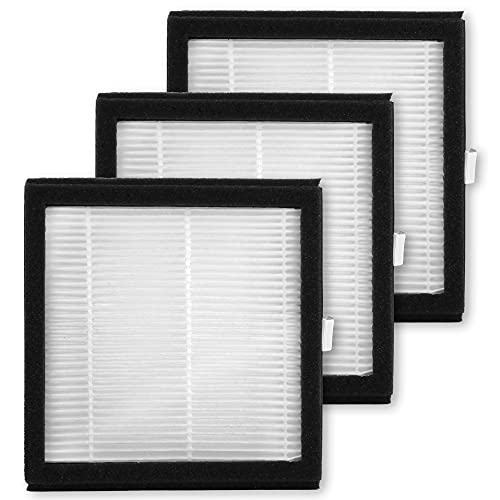
Includes 3 replacement filters

BUY WITH CONFIDENCE Genuine AprilAire MERV 8 Replacement Filter for your AprilAire Whole Home Dehumidifier Models E080 or E100 or Dehumidifying Ventilator 8192A (and all variations of these models)

【Compatibility】 Our MERV 13 Replacement Dehumidifier Filter Media is Compatible with Honeywell TrueDRY DH65 DR65, Part 50049537-002/U, 50049537-005.
Filter Cleaning Steps
- Turn the dehumidifier off and unplug it.
- Remove the filter according to the owner’s manual.
- Vacuum loose dust. Rinse the filter only if the manual says it is washable, and use the water temperature and cleaning method the manufacturer specifies.
- Let the filter air-dry completely. Do not reinstall it while damp.
- Reinstall it in the correct direction and make sure the grille closes securely.
Inspect the filter on the schedule in the manual and more often in dusty spaces, workshops, or rooms with pets. Avoid sprays, bleach, strong cleaners, or oil on the filter unless the manufacturer specifically allows them.
Vent Blockage Checks
Check the intake and exhaust path after cleaning the filter. Clearance requirements vary by design, so use the distance in your manual rather than assuming that one foot fits every unit. GE, for example, recommends at least 18 inches on all sides for its dehumidifiers.
| Check | Action |
|---|---|
| Air filter | Vacuum or wash it only as directed, dry fully, and reinstall |
| Intake and exhaust grilles | Vacuum loose dust with a soft brush attachment |
| Surrounding space | Move furniture, curtains, boxes, and fabrics outside the manual’s clearance zone |
| Doors and windows | Close exterior openings while the unit runs, unless ventilation is needed for another safety reason |
After cleaning, restart only when the filter, cabinet, coil area, plug, and floor are dry.
Look for Airflow Blockages
Good airflow depends on more than the filter. The unit needs an open path for room air to enter, cross the coil, and leave through the exhaust without being pulled straight back into the intake.
Recommended Products

Home Essentials: Fireplace chimney brushes includes two high quality synthetic brush head and flexible rods that extend up to 30 feet

All-in-One Dryer Duct Cleaning Kit — No more running to the hardware store for missing parts. This complete vent cleaning kit includes a heavy-duty dryer vent cleaning brush for 4-inch pipes, a set of flexible nylon rods, a dedicated lint brush, a dryer vent cleaner drill attachment, and protective gloves—everything you need in one box, ready to use right away.

HOME ESSENTIALS: The dryer vent cleaner kit brush Includes one high quality synthetic brush head and flexible rods that extend up to 40 feet.The short brush head has a diameter of 4 inches, while the long brush head has a diameter of 1.5 inches.
Clear Surrounding Space
Move curtains, bedding, furniture, storage boxes, laundry, and other appliances away from the intake and exhaust. Do not stack items on top of the cabinet. Place the dehumidifier on a firm, level surface where it cannot sit in standing water. If the room is enclosed, keep interior doors open only when you want the unit to treat the connected area and air can circulate between spaces.
Check Vents and Grilles
With the unit unplugged, inspect the front, rear, side, and top grilles used by your model. Remove loose lint and dust with a soft brush or vacuum attachment. Do not push tools through the grille, bend internal fins, or pour water into an opening.
| Check point | What to verify |
|---|---|
| Intake grille | No filter blockage, lint mat, curtain, or wall restriction |
| Exhaust grille | Warm discharge air can leave without immediately recirculating |
| Nearby objects | Nothing is inside the manufacturer’s clearance area |
| Room conditions | No cold draft is aimed directly at the unit |
Remove Dust and Debris
Clean the visible airflow path with the power disconnected. A soft brush and low-suction vacuum are safer than compressed air, which can drive dust deeper into the cabinet. If the coil is hidden behind a panel the manual does not identify as removable for routine care, leave it closed and use authorized service rather than dismantling the appliance.
Pro Tip: After cleaning, hold a light strip of tissue near—not against—the intake while the fully assembled unit runs. A steady pull suggests airflow is present. Keep fingers, clothing, and the tissue away from the grille openings.
Inspect the Coils for Dirt or Ice
Unplug the dehumidifier and remove only the user-accessible filter or grille. Look at the visible evaporator coil for a thin frost, thick ice, dust, bent fins, or signs that water is not reaching the bucket. Do not scrape the coil or press on its thin aluminum fins.
If the visible coil is dusty, use only the cleaning method allowed by the manual. A soft brush or vacuum may be suitable for exposed dry dust, but a damp cloth can bend fins or move water toward electrical components. If the coil is heavily soiled, inaccessible, damaged, or immediately freezes again after the room temperature and airflow are corrected, arrange service.
Recommended Products
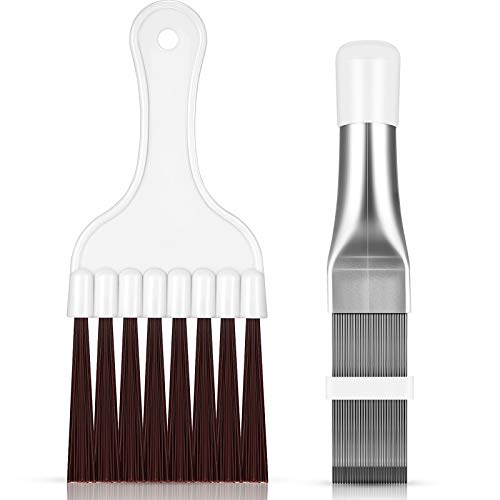
Instructions for use: If you need to use the product to straighten the fins during the cleaning process, pay attention to adjusting the white movable buckle; The closer the movable buckle is, the tighter the brush and the stronger the force; Attention: Only suitable for fins with not severely damaged, please refer to the manual for details, and the brush head is not detachable

【Deep Cleaning, Done Right】 Flexible stainless-steel shafts bend effortlessly into dryer vents, fridge coils, AC units, and behind heavy appliances—removing lint, dust, and debris from hard-to-reach areas.
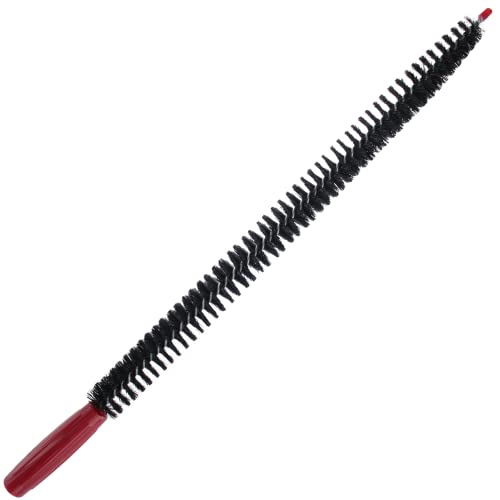
The Vanitek multi-use long flexible dryer lint brush vent cleaner and refrigerator coil cleaning brush features strong bristles for grabbing dust lint & dirt from the highest energy consuming products. The dryer cleaner vent kit will prevent you from fire risks.
Check the Fan and Blower
Restricted airflow can also come from a weak, stalled, or damaged fan. Keep the cabinet fully assembled for this check.
- Listen for the fan when the unit is dehumidifying or entering automatic defrost.
- Feel for airflow outside the exhaust grille without touching or reaching through it.
- Note grinding, scraping, repeated clicking, or a fan that starts and stops abnormally.
- Check the display for a sensor, fan, overload, or sealed-system error code, then follow the model’s manual.
- Unplug the unit and seek service if the fan does not run, airflow remains weak after filter cleaning, or an abnormal noise continues.
Do not remove an internal fan guard, spin the blades by hand through an opening, or power the unit with a panel removed. Those checks expose moving and electrical parts and are not routine homeowner maintenance.
Check Humidity and Drainage Settings
For everyday moisture control, start around 45% to 50% relative humidity and adjust for comfort and condensation. The U.S. Environmental Protection Agency recommends keeping indoor humidity below 60% and ideally between 30% and 50%. In a cool room, avoid a very low target or Continuous mode unless the manual recommends it, because longer compressor run time gives frost more opportunity to build.
Then check the bucket and drain system as a separate maintenance step:
- Seat the bucket correctly and empty it if the full-bucket light is on.
- Make sure a gravity drain hose slopes continuously downward without kinks, high loops, or a submerged end.
- Check a pump hose for blockage or freezing if the unit displays a pump or drainage error.
- Keep hoses and water away from the plug, outlet, extension cords, and other electrical equipment.
A drainage blockage can cause leaking, a full-bucket shutdown, or a pump error. It normally does not explain heavy ice on the evaporator coil by itself.
Check Automatic Defrost and Error Codes
Many modern compressor dehumidifiers use a coil sensor to detect frost. During automatic defrost, the compressor stops and the fan may continue running until the coil warms. This pause can look like a fault even when the system is working correctly.
If the ice does not clear, the same code returns after one manual-approved reset, or the display reports a temperature sensor, humidity sensor, compressor overload, or sealed-system fault, stop repeated restarts and contact the manufacturer or a qualified appliance technician. Record the model number, serial number, room temperature, humidity reading, and error code before calling.
How to Defrost a Dehumidifier Safely
- Turn it off and unplug it. Do not rely on the control panel alone.
- Protect the floor. Place absorbent towels around the base and keep the unit upright.
- Let the ice melt naturally. Leave the dehumidifier in a dry room within its approved temperature range until no frost remains.
- Do not force the thaw. Never use a knife, screwdriver, hair dryer, heat gun, hot water, or open flame.
- Clean the external airflow path. Service the filter, grilles, and accessible dust only after the ice has melted and power is disconnected.
- Let everything dry. Reconnect power only when the coil area, cabinet, filter, cord, plug, and surrounding floor are dry.
- Correct the cause before restarting. Confirm room temperature, clearance, filter condition, humidity setting, and drain setup.
- Observe the next cycle. If heavy ice quickly returns, unplug the unit and arrange service.
Troubleshooting Order: What to Check First
- Unplug and fully defrost the unit.
- Check the model’s minimum and maximum operating temperatures.
- Clean and dry the filter.
- Clear the manufacturer’s required space around every intake and exhaust.
- Restart near 45% to 50% RH, not in Continuous mode.
- Watch for normal fan airflow and an automatic-defrost cycle.
- Check the manual for any displayed code.
- Stop and request service if thick ice returns after these steps.
Prevent Dehumidifier Freezing Up
- Operate the unit only within the temperature range listed for that model.
- Choose a low-temperature-rated dehumidifier if the space regularly falls below 65°F.
- Inspect the filter regularly and clean it by the method in the manual.
- Maintain the exact intake and exhaust clearance specified by the manufacturer.
- Keep exterior doors and windows closed while dehumidifying, unless another ventilation or combustion-safety requirement applies.
- Keep the unit away from sawdust, sanding dust, lint, and other heavy debris sources.
- Use a hygrometer and a moderate setpoint instead of running continuously without need.
- Check the bucket and drain hose so water can leave safely, even though drainage is not usually the root cause of coil icing.
When to Stop and Call for Service
Basic cleaning and placement checks are suitable for most owners. Internal electrical, fan, control, and refrigerant work is not.
- Heavy ice returns in a warm room after the filter and airflow are corrected.
- The fan does not run or airflow remains weak.
- The unit shows a recurring sensor, overload, or sealed-system error.
- You hear grinding or scraping, the circuit breaker trips, or the cord, plug, or outlet becomes hot.
- You see smoke or sparks, smell burning, or notice melted or discolored plastic.
- The refrigerant tubing or coil appears punctured, oily, or damaged.
Do not open or recharge the refrigerant circuit yourself. In the United States, EPA Section 608 rules require certification for service that could release refrigerant.
Recall check: Older dehumidifiers from several brands have been recalled for overheating and fire hazards. Before continuing to use an older or secondhand unit, compare its model and serial number with the U.S. Consumer Product Safety Commission’s dehumidifier recall list. Stop using any recalled unit and follow the stated remedy.
Sources
- ENERGY STAR: Dehumidifiers — frost risk below 65°F, low-temperature models, placement, and electrical safety.
- GE Appliances: Dehumidifier Ideal Operating Conditions — model temperature limits, clearance, and normal light frost.
- Frigidaire: Dehumidifier Frost Buildup — light versus heavy frost, airflow, settings, and service guidance.
- U.S. EPA: A Brief Guide to Mold, Moisture and Your Home — recommended indoor relative-humidity range.
- U.S. EPA: Section 608 Technician Certification Requirements — refrigerant-service certification requirements.
- U.S. CPSC: Dehumidifier Recalls — model-specific fire-hazard recalls and remedies.
Frequently Asked Questions
How do I keep my dehumidifier from freezing?
Run it within the model’s approved temperature range, keep the filter and grilles clean, maintain the required clearance, and start near 45% to 50% RH. Fully defrost the unit before restarting. If thick ice returns after these checks, arrange service.
Is a little frost on dehumidifier coils normal?
A thin coating can be normal during startup or before automatic defrost in a cool room. It should clear as the compressor pauses and the coil warms. Thick ice, frost that does not clear, or ice that quickly returns is not normal.
Can I run a dehumidifier below 65°F?
Only when the model is rated for that temperature. Frost becomes more likely below 65°F, but many low-temperature models are designed to operate down to about 41°F. The owner’s manual is the controlling source for your unit.
How long does a frozen dehumidifier take to thaw?
There is no safe universal time because ice thickness and room temperature vary. Leave the unit unplugged until every visible patch of ice has melted and the filter, coil area, cabinet, cord, plug, and floor are dry.
How do I clean the coils on my dehumidifier?
Unplug the unit and follow its manual. Clean only an exposed, user-serviceable coil with the approved method, usually a soft brush or low-suction vacuum for dry dust. Do not bend fins, spray liquid into the cabinet, remove sealed panels, or scrape ice.
How do I know if my dehumidifier needs repair?
Service is appropriate when heavy ice returns in a warm room with a clean filter and clear airflow, the fan is not running, an error code repeats, the unit trips a breaker, or it makes grinding noises. Unplug it immediately for smoke, sparks, burning odor, or overheating.
Conclusion
When a dehumidifier freezes, start with the safe, external checks: unplug and thaw it, verify the model’s temperature range, clean and dry the filter, clear the intake and exhaust, and use a moderate humidity setting. A light frost that clears may be normal. Thick ice that returns after those corrections points to a fan, sensor, control, or sealed-system problem, so stop repeated restarts and arrange qualified service.