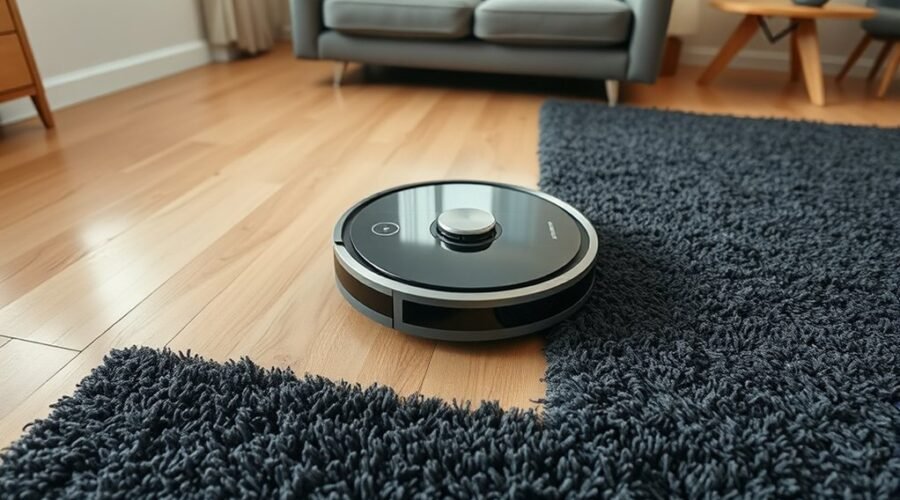
A robot vacuum that avoids carpet usually points to a specific fault rather than a random failure. Thick pile, curled rug edges, dirty cliff sensors, tangled brushes, weak batteries, or outdated navigation maps can all stop it at the threshold. Some units also misread dark fabric or lose traction on soft fibers. The fix is often simple, but the exact cause depends on the machine’s behavior and the carpet’s surface.
Why Your Robot Vacuum Gets Stuck on Carpet
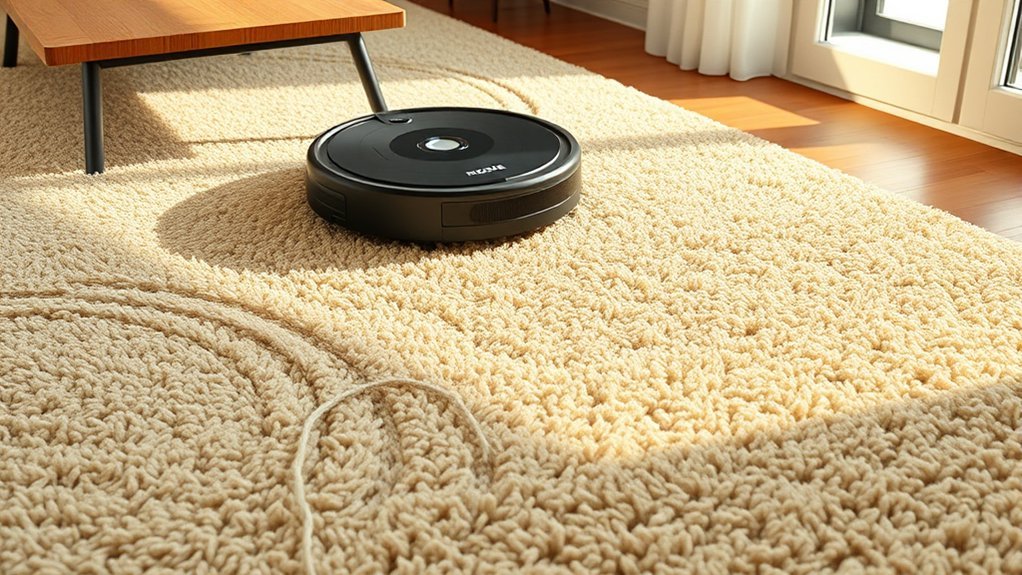
Robot vacuums often get stuck on carpet because their moving parts and sensors are easily disrupted by surface conditions.
Robot vacuums often get stuck on carpet when moving parts and sensors are disrupted by surface conditions.
In practice, robot vacuums get stuck when brushes tangle with hair or debris and wheels lose traction in thick carpets. Dark fabrics and busy patterns can also distort obstacle detection, so the unit misreads the surface and produces navigation errors. High-pile fibers may resist motion, while blocked rollers prevent steady advance.
A practical troubleshooting guide starts with regular maintenance: clean the sensors, clear the brushes, and remove wrapped material from axles and wheels.
Testing the machine on different carpet types helps isolate faults and confirm whether settings need adjustment. Some models respond better when cliff-sensor behavior is modified, but such changes should follow the manufacturer’s instructions.
With careful upkeep, the vacuum can move more freely and reduce avoidable stoppages.
Check Carpet Height and Rug Edges
Carpet height and rug edges should be checked first, since pile heights above 1/2 inch can prevent a robot vacuum from recognizing the changeover and moving onto the surface reliably.
When carpet height exceeds the machine’s tolerance, surface elevation may appear as an obstacle, triggering obstacle avoidance and creating navigation issues.
Rug edges should also be inspected for curling, lifting, or bunching, because a raised border can stop the unit or redirect it away from the area.
Loose rug fringe is especially problematic; it can snag wheels or brushes and leave the vacuum stranded.
Dark carpets may further complicate movement if cliff sensors misread the material as a drop-off.
A practical test is to place the vacuum on different carpet types and observe where it hesitates, retreats, or fails to climb.
Trimming loose rug fringe and smoothing rug edges can remove these barriers and let the robot work with greater freedom across the room.
Clean Sensors and Cliff Detectors
Dirty sensors often present as erratic navigation, repeated stops, or a failure to cross surfaces correctly.
Cliff detectors can be falsely triggered when infrared sensors are obscured by dust, causing the vacuum to back away from low-pile carpets or other flat flooring.
Cleaning with a soft cloth and following manufacturer guidance helps maintain accurate sensing and reliable operation.
Dirty Sensor Symptoms
When navigation sensors collect dust, a robot vacuum may misread floor changes and behave erratically on carpets, either hesitating to enter them or stopping without cause. Dirty sensors often create navigation errors on carpeted surfaces, especially when dust produces false readings from cliff detectors. Cleaning sensors restores accurate floor detection and supports better cleaning efficiency.
| Symptom | Likely effect |
|---|---|
| Hesitates on carpet | Sensors misread surface |
| Stops mid-run | False readings interrupt travel |
| Misses sections | Coverage drops |
Routine maintenance every few weeks keeps sensors clear, reducing false readings and preserving performance. A simple wipe of cliff sensors and nearby navigation windows usually improves shifts onto carpeted surfaces. This small task helps the machine move freely, avoid repeated interruptions, and maintain reliable operation across mixed flooring.
Cliff Detector Triggers
Cliff detectors use infrared sensors to detect drops, so dust, debris, or misalignment can cause a robot vacuum to back away from safe surfaces or stop near dark or patterned carpets.
When cliff detectors are contaminated, they may register dark carpets as ledges, creating navigation errors and incomplete coverage. Cleaning the cliff sensors with regular maintenance helps restore accurate readings and reduces false avoidance.
The sensor windows should remain unobstructed and properly aligned; even small residue can disrupt detection. In some cases, reflective tape or similar material has been used to alter readings, but this is a workaround rather than a repair.
Consistent maintenance lowers the risk of getting stuck, improves floor access, and supports more reliable movement across carpeted areas without unnecessary retreat.
Safe Cleaning Methods
A robot vacuum’s sensors and cliff detectors should be cleaned regularly to preserve accurate navigation and reduce false stops, especially on dark or patterned carpets that can confuse readings.
Safe cleaning methods keep the unit free and responsive.
- Use a soft, dry cloth on sensors; avoid harsh chemicals.
- Inspect cliff detectors for dust or debris buildup.
- Follow the manual for model-specific cleaning settings and placement.
- Clean every 1 to 2 weeks as routine maintenance to keep the vacuum from getting stuck.
These steps help the robot detect carpet edges correctly, reduce false retreat, and improve efficiency.
Consistent care supports safer operation and more reliable cleaning across varied floor surfaces.
Clear Brushes, Wheels, and the Suction Path
Brushes should be checked for hair and debris that can impede rotation and reduce carpet cleaning performance.
Wheels must also be inspected for blockages so they can turn freely and allow proper movement onto carpeted surfaces.
The suction path, including the dustbin and filter, should be kept clear because restricted airflow can weaken suction and limit movement onto carpet.
Brush And Wheel Clogs
Regular maintenance keeps robot vacuum brushes, wheels, and suction paths free of hair and debris that can impede movement and reduce cleaning performance on carpet.
Brush and wheel clogs often form from hair debris, leaving clogged brushes and stuck wheels that limit mobility on carpets. Routine maintenance every 1 to 2 weeks helps preserve peak performance and keeps the machine working with less constraint.
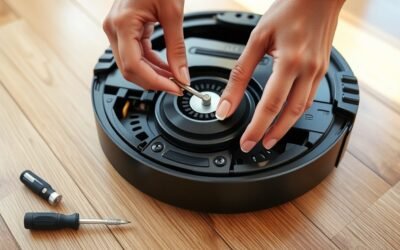
- Inspect brushes and cut away tangled strands with scissors.
- Clear wheels so they rotate smoothly and do not resist carpet entry.
- Check the suction path for buildup that may weaken airflow.
- Reassemble and test movement on carpet to confirm recovery.
Consistent cleaning restores function, reduces stalling, and supports dependable operation across floor types.
Suction Path Blockages
Suction path blockages often develop when hair, dirt, and debris accumulate in the brushes, wheels, or internal airflow channels of a robot vacuum. A restricted suction inlet limits airflow, especially on carpets.
The brushes should be cleared of wrapped fibers, and the wheels checked for obstructions that prevent smooth movement onto carpeted surfaces. The suction path must be cleaned to remove packed debris that narrows airflow and weakens pickup.
A clogged filter also reduces suction power, lowering performance and leaving dirt behind. Routine maintenance every 1 to 2 weeks helps preserve movement, airflow, and cleaning efficiency.
When these components stay clear, the vacuum can move freely, maintain consistent performance, and regain the practical independence needed to handle carpets without unnecessary interruption.
Reset Maps and Fix Navigation Settings
Resetting the map in the robot vacuum’s app can recalibrate navigation settings and improve recognition of different floor types, including carpet. This step restores the mapping feature, helping the unit build a cleaner home layout and move with fewer errors.
- Resetting the map clears stale data that may block carpet access.
- Verify the mapping feature is active so floor types are recorded correctly.
- Install firmware updates through the app to correct navigation faults.
- Review virtual boundaries in case they were placed over carpeted areas.
After these checks, perform a test run in a controlled room. Watch whether the vacuum crosses onto carpet and remains stable while it cleans.
If it still avoids the area, the issue likely lies in calibration rather than suction power. A fresh map, current software, and accurate navigation settings can free the robot from outdated instructions and restore normal movement across mixed flooring.
Adjust Carpet and No-Go Zones
With the map and navigation settings confirmed, the next step is to refine how the robot handles carpeted areas through the app’s carpet and no-go zone controls.
Adjusting no-go zones around troublesome rugs can stop the unit from entering sections where navigation issues are common, reducing the risk that the robot vacuum stops mid-task. For thick or high-pile surfaces, low-profile ramps can ease shifts between floor levels and support obstacle recognition.
On dark flooring, cliff sensors may misread the surface edge; if the app allows, sensor tuning or temporary disablement can restore movement. Testing across several carpet types is useful, because one pattern may work on low pile yet fail on denser fibers.
A methodical trial in a room with simpler carpet first gives a clearer baseline before introducing harder surfaces. These adjustments preserve access, limit friction, and let the machine move with greater freedom.
Check Battery Health and Charging
Battery health should be checked regularly in the vacuum’s app to confirm it has enough charge to complete a cycle without stopping mid-task. A low battery can reduce climbing power on carpet, especially in packs older than 2 to 5 years.
To preserve battery life and support peak performance, the user should:
- regularly check charge status before each run.
- Keep the charging dock in a stable Wi-Fi range and out of direct sunlight.
- Avoid frequent full discharges; recharge before the pack is empty.
- Use automatic recharging or Continuous Clean when available.
If the robot returns to the dock early, the issue may be charge-related rather than traction-related.
Consistent charging habits reduce heat stress, limit degradation, and keep the unit ready for carpet changes. When power is managed well, the vacuum can move across surfaces with less interruption and more reliable coverage.
Update Firmware and Restart the Vacuum
Keeping the robot vacuum’s firmware current can improve surface detection and navigation, which helps prevent missed changes onto carpet. Owners should update firmware through the app, because outdated code is one of the common causes of poor floor shift behavior.
Keeping firmware current can improve surface detection and navigation, helping prevent missed carpet transitions.
Before applying updates, clean the sensors so they can detect flooring changes accurately. After the update, restart the robot to clear temporary glitches and reset navigation routines. This simple reboot is practical troubleshooting guidance when the unit stalls at carpet edges or misreads surface boundaries.
A refreshed system may improve obstacle handling, route correction, and compatibility with mixed flooring. Regular checks for new releases can keep performance aligned with the home layout and reduce repeated failures.
If the vacuum can help on hard floors but not on carpet, software maintenance is a low-cost first step. It supports clearer movement, stronger responsiveness, and a more autonomous cleaning path.
When It’s a Hardware Problem
If firmware updates and restarts do not resolve the problem, the issue may be physical rather than software-related. A Robot Vacuum with hardware issues can misread carpet and refuse entry, limiting movement and practical autonomy.
- Faulty cliff sensors may treat dark carpet as a drop-off, so the Vacuum avoids the area.
- Wheel encoder failures can block proper motion, leaving the unit spinning instead of advancing onto carpet.
- Stuck bumper sensors may signal constant contact, causing repeated retreats from the edge.
- Battery degradation can weaken motor power, reducing traction and maneuverability on thicker carpet.
Older models are more vulnerable because they lack advanced navigation and obstacle handling. Patterned or textured carpet can confuse sensors further.
Inspection should focus on sensor cleaning, wheel rotation, bumper movement, and battery health. If these components fail, replacement is often the most direct path to restore reliable, independent movement.
Frequently Asked Questions
Why Does My Vacuum Not Work on Carpet?
It often fails on carpet because vacuum sensors misread carpet types, carpet height, and obstacle detection, while suction power, brush design, and cleaning modes may be mismatched. Dirty sensors, tangles, or clearance limits further restrict movement.
Can Robot Vacuums Damage Carpet?
Not usually—often, a stitch in time saves nine. With proper carpet types, robot sensors, brush design, height adjustment, suction power, and floor compatibility, carpet fibers remain safe; only high-pile or delicate rugs risk wear.
My Robot Vacuum Isn’t Moving. What Can I Do to Fix It?
He would first clear obstructions, clean sensors, check battery charge, and verify floor compatibility. This troubleshooting guide adds maintenance advice: inspect vacuum features, test carpet types, update firmware, and apply cleaning tips to resolve sensor issues.
What Is the Average Lifespan of a Roomba?
Roomba lifespan averages 3–5 years; proper maintenance often extends it. One statistic: battery swaps usually occur after 2–5 years. Roomba maintenance tips, Battery replacement guide, Cleaning schedule advice, Best carpet types, Sensor troubleshooting methods, Performance comparison, Cost effective models.
Conclusion
In the workshop of the home, the robot vacuum is like a small cart crossing a bridge of fibers. When the bridge is too tall, the wheels slip; when dust clouds the sensors, the cart loses its way. Clean the paths, trim the edges, refresh the maps, and charge the battery. If the machine still refuses the carpeted road, the fault may lie in its gears, motors, or other hidden hardware that requires repair.