Setting a robot vacuum suction level is less about choosing the maximum setting and more about matching power to the surface. Hard floors usually need less suction, while carpets and pet hair call for more. Runtime, noise, airflow, and filter condition also affect results. The right balance can improve cleaning without wasting battery. The key question is how to adjust these factors room by room.
What Robot Vacuum Suction Level Means
Robot vacuum suction level refers to the cleaning force the unit generates, measured in Pascals (Pa), and it determines how effectively debris is lifted from floors and carpets; for most households, effective models typically fall between 2,500 and 6,000 Pa.
This metric reflects suction power, but real cleaning efficiency also depends on airflow channels that move debris toward the bin without excessive loss. Moderate Pa values are often sufficient for hard floors, while higher levels support pet hair pickup and deep cleaning on denser surfaces.
A unit with strong suction but poor airflow may underperform, so balanced design matters. Higher settings can improve performance, yet they may reduce battery life and increase noise, so users should adjust suction to match actual needs rather than defaulting to maximum output.
In practical terms, the right level supports liberated, efficient cleaning with less waste.
Set Robot Vacuum Suction by Floor Type
Floor type should determine the suction setting, since the same Pa value will not perform equally on hard surfaces, carpet, and mixed rooms. Proper suction levels protect cleaning performance while letting each room be handled on its own terms.
A robot vacuum with adjustable suction supports practical freedom across floor types, especially in homes with pets where dust and debris vary daily.
- Hard floors: 1,500 to 2,500 Pa removes dust and debris without excess stress on the surface.
- Low-pile carpets: 2,200 to 3,000 Pa helps lift crumbs and pet hair from the fibers.
- Medium-pile carpets: 4,000 to 6,000 Pa improves deeper pickup and cleaner results.
- Mixed rooms: 2,500 to 4,000 Pa, paired with robot vacuum features for adjustable suction, balances surfaces efficiently.
High suction is best reserved for demanding zones, while floor types should guide setup rather than guesswork.
Choose the Right Suction for Carpets and Rugs
Carpet fibers demand higher suction than hard floors, since pile depth directly affects debris pickup. For low-pile carpets, 2,200 to 3,000 Pa usually clears crumbs and light debris without excessive strain.
Medium-pile carpets need 4,000 to 6,000 Pa to lift dirt and pet hair from deeper loops. High-pile rugs and carpets often require 6,000 Pa or more to reach the base fibers and reduce matting.
When available, smart suction helps the robot adjust output automatically, preserving cleaning efficiency while reducing unnecessary power use. That flexibility supports more independent cleaning across mixed rooms and less manual intervention.
Regular maintenance remains essential: filters and brushes should be inspected and cleaned, because clogged components can sharply reduce suction effectiveness on carpets.
A balanced setting prevents overworking the motor while still delivering reliable pickup. In practice, the right suction power matches pile height, debris load, and system condition, freeing users from constant adjustment.
Use Higher Suction for Pet Hair
Higher suction is often necessary for reliable pet hair pickup, with 4,000 Pa serving as a practical minimum for removing stubborn fur from hard floors and mixed surfaces. At that level, suction power can lift loose pet hair before it settles into seams or mats.
- Set higher power near 4,000 Pa for routine debris and shedding.
- Use 6,000 Pa or more on thicker carpets and heavy pet zones.
- Prefer an anti-tangle brush to preserve airflow and cleaning performance.
- Increase adjusting suction during shedding seasons, then return to lower modes.
Some robots add smart suction control, automatically boosting output when pet hair is detected. This supports efficient coverage without manual intervention.
Regular maintenance remains necessary: empty bins, inspect rollers, and clear wrapped fur. With the right settings, the machine works with greater freedom, reducing the burden of repeated passes and helping living spaces stay consistently clean.
Balance Suction, Runtime, and Noise
Higher suction improves pickup but shortens runtime, with settings above 6,000 Pa often reducing cleaning time to 30–60 minutes instead of up to 150 minutes on lower power.
Noise rises with output as well, ranging from roughly 30–65 dB at lower modes to 65–75 dB at higher modes, which can affect household comfort.
Smart auto suction control and app-based mode selection help match power to floor type, limiting unnecessary battery drain and frequent dustbin emptying.
Suction And Runtime Tradeoff
Suction level directly affects both battery runtime and operating noise in a robot vacuum, so the setting should match the cleaning task rather than defaulting to maximum power.
Higher suction power improves cleaning efficiency, but powerful suction above 4000 Pa can cut battery life to 30-60 minutes and raise noise levels.
Adjustable suction lets users optimize cleaning without unnecessary drain.
- Use 2500-3000 Pa for routine debris.
- Reserve maximum runtime modes for light dust.
- On mixed flooring, reduce suction on hard floors and raise it on carpets.
- Treat strong suction as a targeted tool, not a constant setting.
This approach preserves freedom from constant charging, keeps runtime practical, and maintains effective cleaning across rooms.
Noise Levels By Mode
When a robot vacuum shifts between modes, its noise output changes with suction power: quieter settings typically fall around 30-50 dB, while high-suction modes can rise to 65-75 dB and become disruptive in shared spaces.
Robot vacuums let users adjust suction levels to match the moment:
| Mode | Typical noise levels |
|---|---|
| Quiet modes | 30-50 dB |
| High suction modes | 65-75 dB |
Lower settings preserve silence and are practical for nighttime or occupied rooms; silent mode reduces operational noise further. Higher suction improves cleaning efficiency on debris-heavy floors, but the cost is louder operation. The useful rule is simple: adjust suction to reclaim control over sound, rather than accepting unnecessary noise. This keeps robot vacuums effective while protecting household calm and autonomy.
Smart Auto Suction Control
Smart auto suction control uses surface and dirt sensors to adjust power in real time, increasing suction on carpets and in heavily soiled areas while lowering it on hard floors to conserve battery.
This smart auto suction control balances suction power, cleaning efficiency, and battery life without constant user intervention, supporting tailored cleaning and a freer user experience.
- Carpet mode raises suction for embedded debris.
- Hard floors use lower power to extend runtime.
- Advanced models detect dirt levels and boost output.
- Lower modes reduce noise levels, while high modes may reach 65-75 dB.
Adjust Robot Vacuum Suction in the App
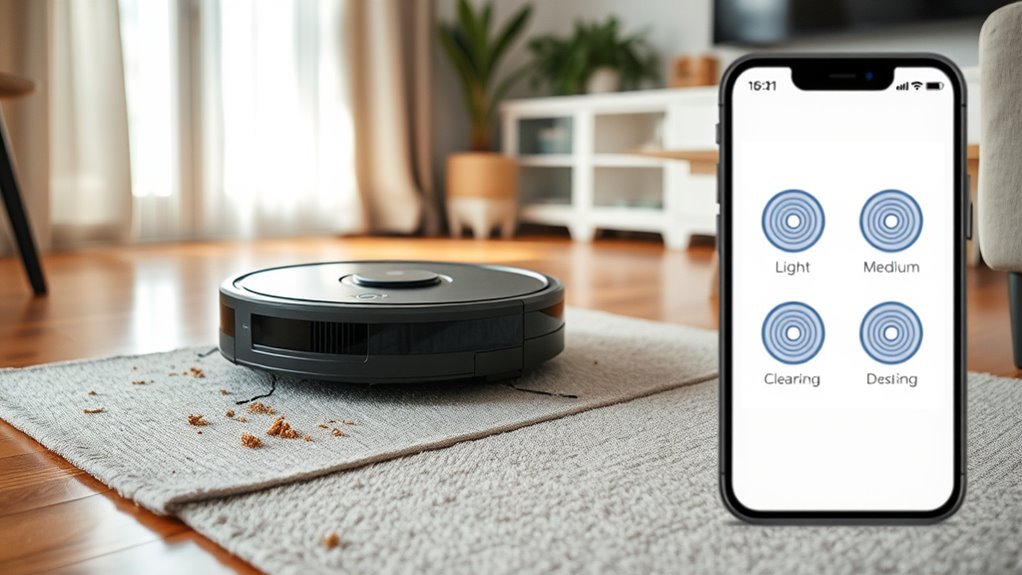
Most robot vacuums let users adjust suction directly in the companion app, making it easy to match power to the surface being cleaned. This suction adjustment supports customization by floor type and cleaning needs, giving direct control without manual resets. Most apps expose a simple range from low to high, while preset modes streamline selection:
| Mode | Best Use | Result |
|---|---|---|
| Eco | Hard floors | Low noise, lower draw |
| Turbo | Mixed debris | Balanced power |
| Max | Carpets, pet hair | Highest pickup |
Scheduled adjustments extend control further. A user can assign lower output for quiet daytime passes and stronger settings for high-traffic periods. Real-time monitoring in the app helps verify performance and refine settings during a run. With these tools, the operator can select the right level quickly, preserve battery when possible, and maintain peak cleaning efficiency across rooms.
Why Airflow Matters as Much as Suction
Airflow matters because suction pressure alone cannot move debris all the way into the dustbin. Measured in liters per second (L/s), it helps lift and transport particles after they are loosened from the floor.
In a robot vacuum, suction power creates lift, but airflow drives dust transport and prevents material from settling back. For ideal cleaning, both factors must match floor types and debris size.
- High suction with weak airflow can leave larger debris behind.
- Balanced airflow improves cleaning performance on carpets and hard floors.
- Around 16-18 L/s is often effective for mixed vacuuming tasks.
- Better airflow supports efficient dust transport, reducing missed particles.
A unit with strong suction power but limited airflow may appear powerful yet perform poorly in practice.
Selection should thus consider the full path from loosening to collection. This balance gives users cleaner results and more freedom from repeated passes.
Clean Filters to Keep Suction Strong
Regular filter cleaning is essential for preserving suction strength, since dust and debris buildup restricts airflow.
Most robot vacuums require filter maintenance every 2 to 4 weeks, with frequency adjusted for usage and debris load.
When filters become clogged, suction can drop sharply, reducing cleaning performance and increasing motor strain.
Filter Cleaning Frequency
Clean filters are essential to maintaining steady suction in a robot vacuum, since accumulated dust can restrict airflow and reduce cleaning efficiency.
Filter cleaning frequency should follow the maker’s guidance, usually every 2-4 weeks, to maintain suction performance and preserve peak suction power.
- Remove the filter and tap out loose debris.
- Clean HEPA filter surfaces gently; avoid damage.
- Monitoring filter condition helps detect clogged filters before they reduce airflow.
- Replace filters when cleaning no longer restores performance.
A clean filter supports better air quality and steadier navigation through debris.
Neglecting this routine can raise motor load and weaken long-term efficiency.
Consistent maintenance gives the machine freer operation, allowing it to work with less resistance and more dependable results.
How Clogged Filters Reduce Suction
A clogged filter restricts airflow inside a robot vacuum, which directly weakens suction and lowers cleaning performance on dust, crumbs, and other debris.
As clogged filters load up, the motor cannot move air efficiently, so suction power drops and dirt stays on floors or carpets. A unit rated near 6,000 Pa may fall below 3,000 Pa when maintenance is ignored.
That loss prevents maximum suction and reduces dust capture across hard surfaces and fibers. Regular cleaning or replacement every 2–4 weeks keeps airflow open and preserves performance.
HEPA filters improve dust capture, but they also clog if neglected, so they need the same discipline.
Clean filters keep the machine free to work at full capability, with stable suction and consistent cleaning performance.
Avoid Common Robot Vacuum Suction Mistakes
Avoiding common suction errors helps a robot vacuum clean efficiently without unnecessary wear. The robot vacuum’s suction should match the surface type, not default to strong suction at all times. On hard floors, high suction usually drains the battery faster and adds noise without better pickup of everyday dust.
- Avoid overusing high suction on smooth floors.
- Adjust cleaning modes when moving from low-pile to high-pile carpet.
- Prevent neglecting maintenance by cleaning filters and brushes monthly.
- Monitor dustbin capacity and empty it after each run.
Ignoring surface type can strain the motor and leave debris behind. Inconsistent cleaning modes may miss specific debris loads, while a full dustbin reduces airflow and weakens performance.
Strong suction is useful for pet hair, but only when the dustbin is clear and the brush path is open. Balanced settings preserve runtime, limit wear, and support cleaner results with less effort.
Choose the Best Suction Mode by Room
Room type should guide suction mode selection, since cleaning demands vary by surface and debris load.
Hard floors generally perform well at 1,500 to 2,500 Pa, while carpets require higher settings, from about 2,200 Pa on low-pile to above 5,000 Pa on high-pile.
A robot with area-based auto-adjustment can shift suction automatically between mixed surfaces for efficient coverage.
Room Type Matching
Different floor types require different suction levels for efficient cleaning. A robot vacuum should match suction power to room needs for better cleaning effectiveness and battery efficiency. Smart suction control can automate this adjustment when available.
- Hard floors: 1,500–2,500 Pa handles dust and debris.
- Low-pile carpets: 2,200–3,000 Pa lifts crumbs and pet hair.
- Medium-pile carpets: 4,000–6,000 Pa reaches deeper fibers.
- High-pile carpets: 6,000 Pa or higher suits dense fibers and heavy debris.
Room-specific tuning reduces wasted power and preserves runtime. In open areas with hard floors, lower output is sufficient; in textile-heavy rooms, stronger suction maintains results.
The practical aim is clear: assign the robot vacuum the least force needed for the task, then increase only where room conditions demand it.
Surface-Based Suction Levels
After matching suction to room needs, the next step is selecting the correct mode for each surface type.
For hard floors, 1,500 to 2,500 Pa provides enough suction power for dust removal without excess strain.
Low-pile carpets perform best at 2,200 to 3,000 Pa, where crumbs and light dirt lift cleanly.
Medium-pile carpets usually require 4,000 to 6,000 Pa to pull pet hair and embedded debris from deeper fibers.
High-pile carpets need more than 6,000 Pa for thorough extraction and stronger cleaning efficiency.
In mixed flooring, adaptive suction is the practical option, shifting between 2,500 and 4,000 Pa as the surface changes.
This approach preserves performance, limits waste, and keeps the robot vacuum aligned with the demand for controlled, efficient cleaning.
Auto-Adjust by Area
Modern robot vacuums often use auto-adjust suction to match each cleaning area, shifting power based on the floor type and room layout. This approach gives each room a suitable suction level without constant manual control, reducing wasted energy and improving dirt removal.
- hard floors: 1500-2500 Pa is usually enough.
- mixed surfaces: 2500-4000 Pa supports broader pickup.
- thick carpets: premium units may boost to 4000 Pa or more.
- smart mapping technology: saves room data for targeted, customizable suction.
When the robot detects a new cleaning area, it can shift settings automatically, balancing battery efficiency with performance.
Mobile apps often allow manual overrides, letting users refine suction for specific rooms and keep the machine aligned with changing needs.
Frequently Asked Questions
What Is Considered Good Suction for a Robot Vacuum?
Good robot vacuum suction power is usually 2,500–6,000 Pa, balancing cleaning efficiency across surface types, pet hair, noise levels, battery life, filter types, maintenance tips, and brand comparisons for practical, liberated choice.
What Does 8000 Pa Suction Power Mean for a Robot Vacuum?
8000 Pa means strong pickup, deeper extraction, faster capture. It implies high suction efficiency, superior cleaning performance, favorable power comparison, strong carpet suitability, solid hardwood compatibility, with tradeoffs in noise levels, battery life, maintenance tips, and brand differences.
Is 20,000 Pa Suction Good for a Robot Vacuum?
Yes—20,000 Pa is excellent suction for a robot vacuum, improving suction efficiency and cleaning performance across floor types, though higher dust capacity demand, battery life drain, and noise levels warrant maintenance tips, brand comparisons, user reviews.
What Is the Typical Suction Power Range of a Robot Vacuum?
Typically, a robot vacuum’s suction power ranges from 2,500 to 5,000 Pa; mid-range units dominate, balancing robot efficiency with cleaning performance. This suits carpet types, hard floors, pet hair, battery life, noise levels, and maintenance tips.
Conclusion
In practice, robot vacuum suction should match the surface, not simply run at maximum. Hard floors usually clean well at 1,500 to 2,500 Pa, while carpets often need 2,200 to 6,000+ Pa depending on pile height. One useful statistic: smart auto suction control can improve cleaning efficiency by adjusting power only when needed. Regular filter and brush maintenance keeps airflow stable, protects runtime, and helps the vacuum perform consistently across rooms and debris types.