When a robot vacuum battery drains fast, the first step is to check the battery cells for uneven voltage, weak capacity, and signs of wear. A quick look at the dock, charger, and contact points can also reveal simple faults. If those pass, brush resistance, filter blockage, and power settings become the next suspects. The real issue is not always the battery itself, and the next test often narrows it down.
Check Battery Health First
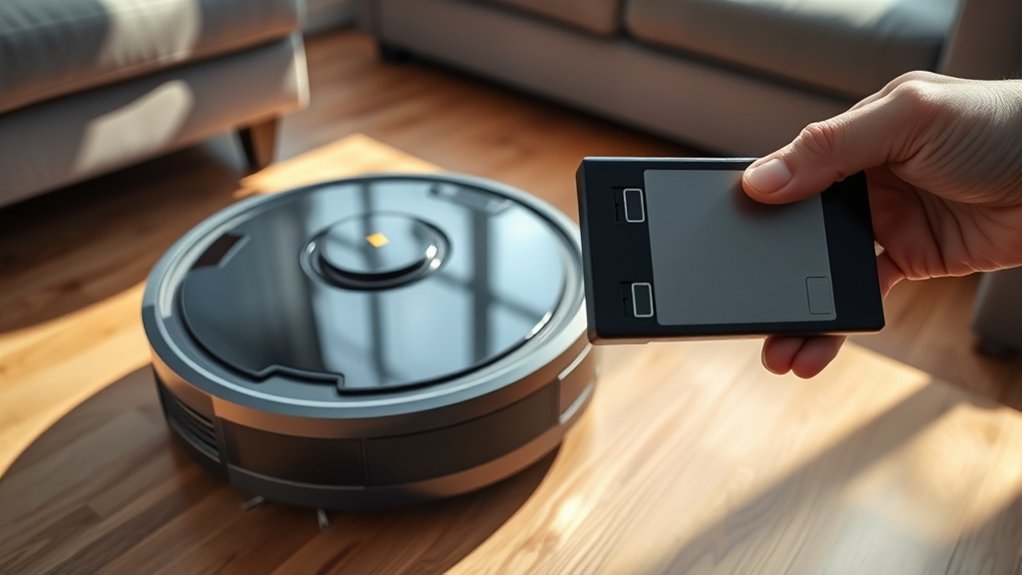
To check battery health first, each 18650 cell should be measured individually; a fully charged cell should read around 4.1V, but that figure alone does not confirm the pack is serviceable.
The technician should compare readings across the pack, because a weak cell in one battery type can drag down runtime and force early shutdown.
When voltage appears normal, internal resistance may still be high, causing sharp drops under load and exposing poor battery health. A load test is consequently essential; it shows whether the cells can deliver current during real operation, not just at rest.
The battery management system also deserves inspection, since it prevents excessive drain and can halt vacuum operation if faulty.
Regular maintenance of contacts and connections supports long-term performance, but the first diagnostic priority remains the pack itself.
Clear testing lets users reclaim dependable operation without guessing or surrendering to premature replacement.
Check the Dock, Charger, and Contacts
The charging path should be verified next, since a robot vacuum with a healthy battery can still fail to recharge if the dock, charger, or contacts are compromised.
Confirm that the dock is plugged in, powered, and functioning normally. A failed dock can leave the unit parked yet unfed.
Inspect the charger for cuts, bent connectors, heat damage, or loose fit; any defect may restrict power delivery and shorten runtime.
Next, examine the contacts on both the robot and dock. Dust, oxidation, or film can interrupt current flow, so wipe each contact with a soft, dry cloth only.
The robot must sit squarely on the dock; even slight misalignment can prevent a complete electrical bridge.
If the app reports charging errors, use that data to narrow the fault to the dock, charger, or contacts. This method restores control through evidence, not guesswork, and keeps the machine from becoming dependent on uncertainty.
Clean Brushes, Wheels, and Filters
Next, the robot vacuum’s moving and airflow components should be inspected, since accumulated hair, dust, and threads on the main brush, side brushes, or wheels can increase resistance and force the motor to draw more power.
Routine clean brushes maintenance removes debris before it binds the bristles or stalls the wheels. If the rollers or casters drag, runtime drops and the machine spends more energy moving itself than collecting dirt.
Clogged filters also deserve immediate attention; restricted airflow lowers suction, prolongs passes, and can shorten battery life through extra operating time.
For diagnosis, inspect the brush chamber, wheel wells, and filter housing after each few cleaning cycles, then clear wrapped fibers, compacted dust, and packed lint.
This basic service restores freer motion, steadier suction, and more efficient charging cycles. It also supports longer battery life by reducing mechanical load, preserving the vacuum’s autonomy and minimizing dependence on repeated recharging.
Adjust Power Settings and Eco Mode
Lowering suction power can reduce current draw and slow battery depletion during routine cleaning cycles.
Eco mode typically extends runtime by limiting energy use while preserving acceptable pickup on standard surfaces.
If battery drain remains high, power settings should be checked in the app and compared against the cleaning area and floor type.
Eco Mode Runtime Boost
Activating Eco mode reduces suction power to extend robot vacuum runtime, making it a practical option for lighter cleaning tasks and hard surfaces where maximum intake is not required.
In diagnostic terms, eco mode lowers energy draw, helping preserve battery life while maintaining acceptable coverage. Users can adjust power settings in the app to match the job, reclaiming control from default settings.
- Check whether eco mode is enabled before troubleshooting fast drain.
- Verify firmware updates, since they can improve runtime management.
- Use app-based power profiles for room-specific cleaning demands.
When configured correctly, eco mode may increase cleaning time by up to 30%, giving the machine more independence between charges.
For a liberated workflow, the objective is simple: let the vacuum conserve energy when full power is unnecessary.
Lower Suction Saves Battery
Reducing suction power is one of the most direct ways to cut energy consumption and extend a robot vacuum’s runtime. In diagnostic terms, lower suction reduces motor load, which improves battery life during routine cleaning.
Eco mode serves the same function: it limits power draw while preserving adequate pickup for dust and light debris. On hardwood and other smooth floors, a moderate setting usually delivers efficient results with less energy use.
Carpets, by contrast, may justify higher suction, but only when needed. Many units drain faster at maximum power, so switching settings by surface and task helps maintain runtime and supports long-term battery health.
For users seeking freedom from constant charging, adjusting power levels is a practical control point, not a compromise.
Test Battery Runtime and Load
A proper runtime test starts with a full charge before the robot vacuum is sent away from the Home Base® to operate until a low-battery condition appears.
For consistent results, the test should be performed on hard flooring, since carpet load can shorten runtime and distort measurements.
This setup provides a practical baseline for diagnosing whether battery performance remains within expected limits.
Fully Charge Before Testing
Before battery runtime testing begins, the robot vacuum should be fully charged so the results reflect true battery performance rather than a partial-charge artifact. A diagnostic run must start from a known battery level, with no ambiguity from recent charge cycles or interrupted docking.
Testing should occur away from the Home Base®/Clean Base™ so the unit remains on battery power alone.
- Confirm the display shows fully charged before release.
- Start the test from a consistent location.
- Record runtime until the low-battery alert appears.
Multiple sessions may be needed to expose weak cells, firmware misreporting, or load sensitivity across settings.
This procedure gives users clean evidence, helping them reclaim control from guesswork and isolate whether the battery itself or the charging routine is limiting autonomy.
Run On Hard Floors
Running the robot on hard floors provides the clearest battery-runtime baseline because hardwood or similar surfaces place less load on the drive system than carpet. To evaluate battery health, start from a full charge and run on hard floors away from the Home Base®/Clean Base™ so docking does not distort the result. Track the time until the unit reports low battery.
| Model group | Expected runtime | Diagnostic note |
|---|---|---|
| e series | 90+ min | Strong hard-floor baseline |
| 900 series | ~75 min | Check for wear |
| i/j/s/m series | ~75 min | Compare against spec |
| Any model | Low-battery time | Best performance indicator |
Hard-floor testing removes carpet drag, giving a more liberated, accurate view of battery capacity and load.
Replace a Worn-Out Battery
When a robot vacuum’s runtime drops noticeably or it no longer holds a full charge, the battery is often nearing the end of its service life. A Robot vacuum battery commonly loses capacity after 300 to 500 cycles, so a pack used for two to three years may need attention.
In this case, the practical move is to replace a worn-out battery before deeper faults are suspected.
- Confirm reduced runtime after a full charge cycle.
- Check whether the battery pack is swollen, hot, or inconsistent.
- Source a high-quality replacement from a trusted supplier.
A proper replacement is usually straightforward and can restore autonomy, suction coverage, and overall reliability. Cheaper cells may overheat or fail early, undermining the machine’s usefulness.
After installation, the old unit should be disposed of under local rules to maintain safety and environmental compliance.
Frequently Asked Questions
Why Does My Robot Vacuum Battery Run Out so Quickly?
It runs out quickly because battery life drops under high suction, carpet load, temperature stress, blocked brushes, and poor charging habits. Regular maintenance tips: clear debris, inspect wheels, and replace aging lithium-ion cells promptly.
How Long Should a Robot Vacuum Battery Last?
Clockwork verdict: a robot vacuum battery should last 2–5 years. Battery lifespan factors include charge cycles, charging habits, and load. Practical maintenance tips—clean brushes, sensors, contacts—support diagnostic longevity and user liberation.
How to Check if Battery Is Draining Fast?
He checks battery percentage during use; a rapid 60% to 0% drop signals trouble. Battery maintenance tips: inspect load, standby draw, brushes, wheels, app errors. Charging frequency recommendations and battery replacement signs confirm diagnosis.
Why Does My Roomba Run Out of Battery so Quickly?
It usually reflects reduced battery lifespan, aggressive Cleaning habits, or neglected Maintenance tips. High suction, thick carpets, blocked brushes, extreme temperatures, and a new battery’s break-in cycles can all shorten runtime and trigger early shutdowns.
Conclusion
In the end, the robot vacuum’s “sudden” hunger for charging often proves less mysterious than dramatic. A tired battery, dull contacts, clogged brushes, or an overworked motor can quietly drain power while the dock sits innocent and polished. The practical remedy is to inspect cells, test load, clean the system, and lower settings before blaming the machine’s character. If the 18650s sag under test, replacement is not a tragedy, merely the diagnosis finally speaking plainly.