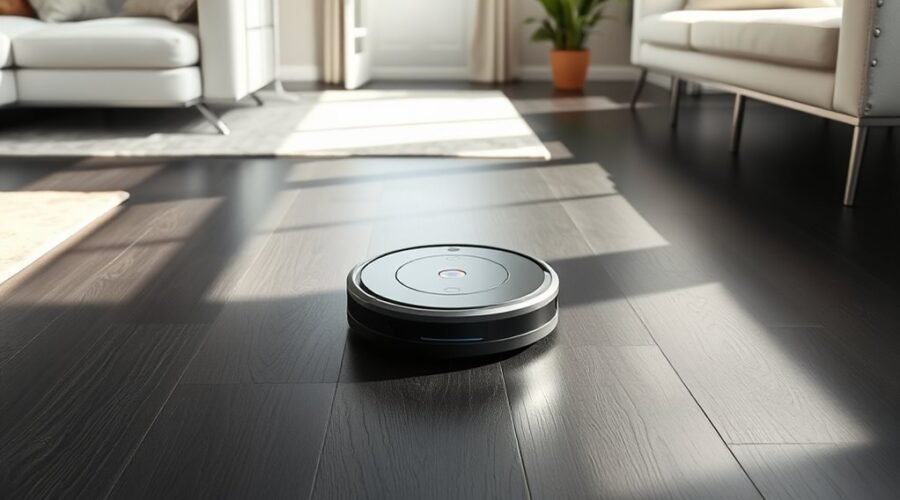
Robot vacuums on dark floors can work well, but black surfaces sometimes confuse their sensors. A vacuum may clean dark hardwood without trouble yet refuse to cross a black rug. The difference often comes down to cliff sensors, navigation technology, and floor finish. Understanding these features helps you avoid missed spots and choose a suitable model.
Quick Answer
Yes, many robot vacuums can clean dark hardwood, tile, and rugs. However, some cliff sensors mistake black surfaces for stair edges and stop cleaning. LiDAR helps robots map rooms without bright lighting, but it cannot guarantee dark-floor compatibility. Sensor design, floor reflectivity, and regular maintenance also affect performance.
Key Takeaways
- Black carpets and very dark flooring can absorb infrared light, causing false cliff warnings.
- Dark floors and dark rooms cause different problems. A robot may handle one condition but struggle with the other.
- Roomba i, j, and s Series models offer improved dark-surface handling compared with older generations, although results vary.
- DEEBOT T50 PRO OMNI combines dToF LiDAR, TrueMapping 2.0, and AIVI 3D 3.0, but its cliff sensors still matter.
- Test troublesome flooring, clean sensor windows, and check the manufacturer’s guidance before replacing your robot.
Can Robot Vacuums Clean Dark Floors?
)
Yes. Many modern robot vacuums clean dark floors effectively, including dark-stained wood, charcoal tile, and some black carpets. Their success depends more on sensor compatibility than floor color alone.
Robots use different sensors for separate tasks. Navigation sensors map the room, obstacle sensors detect furniture, and cliff sensors prevent falls near stairs.
LiDAR, which stands for Light Detection and Ranging, measures distances using laser light. It helps a robot map walls and furniture without needing bright room lighting.
However, a robot can have excellent LiDAR navigation and still reject a dark surface. Its downward-facing cliff sensors operate separately from the main mapping system.
According to iRobot’s dark-surface compatibility guidance, Roomba i, j, and s Series models have improved performance on dark flooring compared with older generations. Even these models may occasionally trigger their cliff sensors.
The best approach is to consider your exact floor material and robot model rather than assuming that every newer vacuum will work.
Why Dark Floors Confuse Some Robot Vacuums
Dark floors confuse some robot vacuums because infrared cliff sensors may receive too little reflected light. The machine can interpret that weak return signal as an open edge instead of a solid floor.
Cliff sensors normally send infrared light toward the surface below the robot. When enough light returns, the machine recognizes that the floor is present.
Very dark surfaces can absorb much of that light. The robot may then behave as though it has reached a staircase.
The problem can appear in several ways:
- Stopping: The robot pauses and reports a cliff or drop-off error.
- Backing away: It approaches a black section, reverses, and chooses another route.
- Circling: It repeatedly turns while trying to find a safe path.
- Skipping areas: It leaves dark sections untouched despite cleaning nearby flooring.
- Uneven coverage: It cleans lighter parts of a patterned rug but avoids black sections.
These problems are not limited to older equipment. The eufy guidance on dark floors explains that infrared drop sensors can struggle with almost-black surfaces.
Glossy flooring creates another challenge. Highly reflective finishes, mirrors, or direct sunlight can interfere with some sensor readings.
Black rugs may be especially troublesome. Roborock confirms that dark carpets can trigger its cliff sensors, making the robot avoid those areas.
A vacuum that avoids black flooring is not necessarily defective. It may be responding to a limitation of its normal safety system.
How Robot Vacuums Navigate in the Dark
Robot vacuums navigate dark rooms using laser, infrared, camera, or floor-tracking systems. Whether they need room lighting depends on which technology guides their movement.
A dark-colored floor and a room with no lights are different conditions. Some robots can clean black floors in daylight but struggle in darkness. Others navigate dark rooms while still avoiding black rugs.
LiDAR And Infrared Sensors
LiDAR sends laser pulses toward surrounding objects and measures their distance. This allows compatible robots to build a floor plan without relying on visible room lighting.
Infrared sensors serve several purposes, depending on where they are installed.
- LiDAR: Measures room geometry and supports organized cleaning routes.
- Infrared obstacle sensors: Detect nearby objects using reflected infrared light.
- Cliff sensors: Check whether a safe surface exists underneath the robot.
- dToF LiDAR: Uses direct time-of-flight measurements to calculate distances.
- AI obstacle recognition: Helps supported models identify objects and adjust their paths.
These systems can work together, but they do not perform identical jobs.
A robot equipped with LiDAR may navigate a dark room accurately while its cliff sensors still struggle with a black floor.
Mapping Without Ambient Light
LiDAR-based robots can create room maps in very low light because their laser systems provide their own illumination. Camera-based systems may need visible light to recognize landmarks.
For example, a robot that relies on visual navigation may use doors, furniture, and other features to determine its position.
When the room becomes extremely dark, those landmarks may be harder to recognize.
Some advanced robots combine LiDAR with infrared sensing, RGB cameras, and 3D structured light. These technologies help them detect obstacles and plan routes under different lighting conditions.
| Technology | Benefit | Main limitation |
|---|---|---|
| LiDAR | Maps rooms without visible light | Does not replace cliff sensors |
| Infrared sensing | Detects nearby objects or edges | Dark or reflective surfaces may interfere |
| RGB AI + 3D light | Improves obstacle recognition | Performance varies with lighting and design |
There is an important exception for certain Roomba models.
The iRobot guidance for Roomba j Series navigation explains that its camera headlight is not bright enough for proper navigation in complete darkness.
Daylight or dim room lighting should be sufficient, but extremely dark rooms can cause mapping and coverage problems.
Therefore, you should check whether your robot relies on LiDAR, a visual camera, or another navigation system before scheduling overnight cleaning.
Best Sensors for Dark-Floor Cleaning
The best robot vacuum sensors for dark floors combine reliable navigation with accurate floor detection. LiDAR helps with mapping, but cliff-sensor compatibility remains essential.
When comparing models, consider these features:
- Improved cliff sensors: Reduce the chance of treating dark flooring as a drop-off.
- LiDAR mapping: Supports predictable routes in dim rooms or under furniture.
- Infrared obstacle detection: Helps the robot recognize nearby furniture and barriers.
- AI-based recognition: Can improve identification of objects such as cables and shoes.
- 3D structured light: Adds depth information for obstacle avoidance on supported models.
- Reflective-surface handling: Matters in homes with polished tile or glossy black flooring.
TrueMapping is an ECOVACS navigation system that uses sensor information to create and maintain room maps. AIVI 3D is its technology for recognizing and navigating around obstacles.
Neither feature automatically proves that a vacuum will clean every black carpet.
For reliable dark-floor cleaning, prioritize a model with documented compatibility for dark surfaces rather than relying on a long list of navigation features.
Roomba Models That Work on Dark Surfaces
Roomba i, j, and s Series models generally offer better dark-surface handling than older Roomba generations. The j9 and j9+ are notable options because of their improved cliff-sensor technology.
However, compatibility is not guaranteed on every black rug or glossy floor.
Dark Surface Compatibility
Older Roomba models, including some 500 through 900 Series units, may stop or turn away when their cliff sensors mistake dark surfaces for drop-offs.
Newer i, j, and s Series models use improved detection technology to reduce these false warnings.
Even so, three conditions can affect results:
- The darkness and reflectivity of the floor.
- The design and condition of the cliff sensors.
- The lighting available to camera-based navigation systems.
Dark hardwood may work well on one robot while a black area rug causes that same machine to stop.
Because sensor behavior varies, successful cleaning on one dark material does not guarantee success on another.
Best Roomba Series
The i, j, and s Series are useful starting points when comparing Roomba models for dark floors. However, there is not enough verified evidence here to rank one as universally best on every dark surface.
The following table summarizes their practical differences.
| Series | Dark-floor fit | Important consideration |
|---|---|---|
| i Series | Improved over older generations | Check exact model and floor compatibility |
| j9/j9+ | Improved dark-surface detection | Camera navigation needs some ambient light |
| s Series | Improved over older generations | Dark and reflective surfaces may affect some features |
The j9 and j9+ use dual-beam cliff-sensor technology to improve dark-surface cleaning while retaining drop-off detection.
However, iRobot also states that the Careful Drive feature on the s9 and j9 models can be affected by dark floors and reflective areas.
For dark wood floors, also consider cleaning performance, brush condition, and the ability to remove pet hair and debris.
A model with strong pickup but inconsistent floor detection may leave more dirt behind than a robot with moderate suction and dependable coverage.
Cliff Sensor Considerations
Cliff sensors are among the most important components to consider when using a Roomba on black flooring. They help prevent falls, but dark surfaces can sometimes trigger them incorrectly.
Before choosing a model, consider these points:
- Improved cliff-sensor designs can reduce false drop-off alerts.
- Roomba j9 and j9+ models include dual-beam cliff sensors.
- Dust or debris on sensor windows may interfere with detection.
- Dark rugs can behave differently from dark hardwood.
- Clean navigation cameras and suitable lighting support reliable mapping.
Warning: Do not tape over, disconnect, or disable cliff sensors to force a robot vacuum onto dark flooring. These sensors help prevent falls near stairs and raised edges. Blocking them can create a serious safety risk, particularly in homes with multiple floor levels.
If a robot repeatedly refuses to clean a black area after maintenance, use an appropriate no-go zone or manufacturer-supported boundary feature instead.
DEEBOT Models That Clean in Low Light
DEEBOT models such as the T50 PRO OMNI are designed to navigate effectively in low-light environments. They combine laser mapping with additional sensors that support obstacle detection.
The DEEBOT T50 PRO OMNI specifications confirm several important features:
- Fully embedded dToF LiDAR: Measures distances for room mapping and navigation.
- TrueMapping 2.0: Supports organized cleaning routes.
- AIVI 3D 3.0: Uses advanced recognition technology to identify obstacles.
- RGB AI and 3D structured light: Help the robot detect objects and their shapes.
- 15,000 Pa rated suction: Provides substantial advertised suction power for debris pickup.
These features help the robot work around furniture and maintain coverage when room lighting is limited.
However, navigation performance and dark-floor compatibility are separate issues.
ECOVACS also acknowledges that some DEEBOT models can avoid dark or black surfaces because their anti-fall sensors interpret them as edges.
Its official dark-surface support guidance explains this limitation and warns users not to block the anti-fall sensors.
Therefore, the T50 PRO OMNI is a relevant option to investigate for low-light navigation, but its advanced mapping features do not establish universal black-floor compatibility.
If your home has black carpet or very dark tile, confirming compatibility with the exact model remains essential.
What Affects Dark-Floor Cleaning Performance
Dark-floor cleaning performance depends on sensor design, floor reflectivity, lighting, and maintenance. Cleaning power also matters, but strong suction cannot compensate for a robot that refuses to enter an area.
The following factors can explain inconsistent results.
| Factor | Possible problem | Practical response |
|---|---|---|
| Very dark flooring | Cliff sensors mistake the surface for a drop | Check compatibility and test the affected area |
| Glossy or reflective finish | Sensor readings become unreliable | Observe performance under different lighting conditions |
| Dirty sensors | Dust reduces detection accuracy | Clean the sensor windows |
| Dark room | Camera navigation struggles to identify landmarks | Provide dim lighting where needed |
| Thick or loose rug | Wheels or brushes struggle with the material | Secure the rug and check pile compatibility |
| Low cleaning performance | Debris remains on the floor | Inspect brushes, filters, and suction settings |
Surface color alone does not determine cleaning quality. A dark hardwood floor may be easier to vacuum than a thick, light-colored carpet.
Similarly, a robot that moves freely over black tile may still struggle with debris pickup if its brushes or filters need maintenance.
The key is to identify whether the machine has a navigation problem, a floor-detection problem, or a cleaning-performance problem.
How to Clean Robot Vacuum Sensors
Cleaning robot vacuum sensors can improve navigation accuracy and reduce false cliff warnings. This is one of the first steps to try when a robot suddenly avoids dark flooring.
Follow these steps:
- Turn off the robot. Stop the cleaning cycle and power it down according to the manufacturer’s instructions.
- Place it upside down. Set the vacuum on a clean, stable surface where you can safely reach its underside.
- Find the cliff sensors. Look for the small sensor windows near the bottom edges of the robot.
- Wipe the windows. Use a clean, dry microfiber cloth or soft cotton cloth to remove dust and fingerprints.
- Inspect other sensors. Check accessible front obstacle sensors and navigation windows for visible debris.
- Check the brushes and wheels. Remove hair or debris that could interfere with movement.
- Test the robot again. Start another cleaning cycle and observe the previously affected floor area.
The iRobot j Series maintenance instructions recommend cleaning cliff sensors with a dry microfiber or soft cotton cloth.
Do not spray liquids directly into the sensor openings. Some camera windows require different cleaning methods, so follow the instructions for your particular model.
Inspect sensors regularly, especially in homes with pets or heavy dust.
If the robot still avoids the same black area after cleaning, the cause may be the surface itself rather than dirt on the sensors.
How to Fix a Robot Vacuum That Avoids Dark Floors
If your robot vacuum stops on dark flooring, begin with the simplest possible checks. The goal is to determine whether it has a sensor problem, a lighting problem, or an actual physical obstruction.
Work through these steps in order.
- Identify the affected surface. Check whether the problem happens only on black rugs, dark tile, or another specific section.
- Read the error message. A cliff or drop-off warning points toward floor detection rather than weak suction.
- Clean the sensors. Remove dust from the cliff sensors and other accessible detection windows.
- Test a lighter surface. Run the robot on a nearby light-colored floor to see whether the problem disappears.
- Check room lighting. If the robot uses camera navigation, repeat the test with sufficient ambient light.
- Inspect the floor. Look for curled rug corners, loose fibers, reflective objects, or strong sunlight affecting sensor readings.
- Check for software updates. Use the manufacturer’s supported update process if your model receives firmware updates.
- Contact manufacturer support. Explain the floor type, model, error message, and results of your tests if the problem continues.
If the robot works normally on light flooring but repeatedly avoids a particular black section, that pattern suggests a dark-surface detection problem.
Turning on a room light may help camera-based navigation. However, it will not necessarily solve an infrared cliff sensor that misreads black flooring.
Pro Tip: Compare the robot’s cleaning map with the areas it actually covered. If the map shows a route around the same black rug every time, you can identify the problem surface without guessing whether suction or battery power is responsible.
If your robot cannot safely clean a particular area, set a supported no-go zone and clean that section manually.
A persistent cliff warning on several different floor surfaces may also indicate a faulty sensor that needs professional service.
How to Choose a Robot Vacuum for Dark Floors
Choose a robot vacuum for dark floors by checking its floor-detection technology first. Reliable navigation, good debris pickup, and suitable brushes matter, but they cannot help if the machine repeatedly avoids your flooring.
Use this checklist before buying:
- Dark-floor compatibility: Look for manufacturer guidance covering black hardwood, tile, or carpet.
- Cliff-sensor design: Favor models with improved detection on dark surfaces.
- LiDAR navigation: Consider it if you want organized mapping in low-light rooms.
- Obstacle detection: Choose suitable sensors for furniture, cables, and other objects.
- Floor compatibility: Confirm support for your mix of hardwood, tile, rugs, and carpet.
- Suction and brush design: Consider debris pickup, pet hair, and maintenance requirements.
- Sensor maintenance: Make sure the relevant sensor windows are accessible for cleaning.
- Mopping controls: For suitable hard floors, look for adjustable water delivery and compatible cleaning pads.
If you have mostly dark hardwood, prioritize dependable hard-floor pickup and sensor compatibility.
If you have black area rugs, pay particular attention to cliff sensors and rug thickness.
For rooms that remain dark overnight, consider a navigation system that does not rely heavily on visible light.
Before making a final choice, ask the manufacturer whether the exact model supports your flooring. A description such as “LiDAR-equipped” or “AI navigation” does not establish compatibility with every dark surface.
A robot that consistently cleans the entire floor will usually be more useful than one with impressive specifications but frequent navigation interruptions.
Frequently Asked Questions
What Are the Downsides of Using a Robotic Vacuum Cleaner?
Robot vacuums can miss corners, struggle with thick carpet, and require regular brush, filter, and sensor maintenance. Some also avoid dark floors or become stuck on obstacles. Battery limits and replacement parts add inconvenience. They work best for routine cleaning rather than replacing every task performed by a traditional vacuum.
Do Robot Vacuums Work in Dark Rooms?
Yes, many robot vacuums work in dark rooms, especially models using LiDAR navigation. Laser sensors can map the surrounding area without visible light. However, camera-based robots may need some ambient lighting to identify landmarks. Check the navigation technology before scheduling cleaning in a completely dark room.
Can Roomba Clean in the Dark?
Some Roomba models can clean in low light, but not every model navigates reliably in complete darkness. Camera-based Roomba j Series robots may struggle without enough ambient light. iRobot recommends daylight or dim lighting for reliable navigation on these models. Dark-floor compatibility is a separate issue from room lighting.
Can I Use a Robot Vacuum to Mop My LVP Flooring?
Yes, many robot vacuum-mop combinations can clean luxury vinyl plank flooring when the flooring manufacturer permits damp mopping. Use compatible cleaning pads, controlled water flow, and approved cleaning solutions. Avoid leaving standing water or excess moisture around plank joints. Keep the mop pads clean to prevent streaks and residue.
Why Does My Robot Vacuum Avoid Black Carpet?
Your robot vacuum may avoid black carpet because its cliff sensors mistake the dark surface for a drop-off. Black fibers can absorb infrared light and reduce the signal returning to the sensors. Clean the sensors and check the manufacturer’s compatibility guidance. If the issue continues, use a safe alternative cleaning method.
Can I Cover Robot Vacuum Cliff Sensors to Clean Black Floors?
Covering cliff sensors is not recommended because it disables an important safety feature. A robot with blocked sensors may fail to recognize stairs or raised edges. Instead, clean the sensors, confirm floor compatibility, and contact the manufacturer about supported solutions. Use a no-go zone if the robot cannot safely cross the affected surface.
Conclusion
Robot vacuums can clean dark floors effectively, but the result depends on sensor design and surface conditions. LiDAR improves room mapping, while cliff sensors determine whether a dark area is safe to cross.
Roomba i, j, and s Series models offer improved dark-floor handling, and the DEEBOT T50 PRO OMNI provides advanced navigation for low-light spaces. Neither approach guarantees compatibility with every black surface.
Start by cleaning your robot’s sensors and testing the affected flooring. If problems continue, confirm model-specific compatibility before buying a replacement.
Sources
- iRobot: Will My Roomba Work on Dark or Black Surfaces?: Roomba series compatibility and dual-beam cliff sensor technology.
- eufy: Do RoboVacs Work on Dark Floors?: Infrared sensor limitations, black flooring, and reflective surfaces.
- Roborock Support: Dark Carpet Cleaning: Why cliff sensors can reject dark carpets.
- iRobot: Roomba j Series Error 42: Camera navigation and lighting requirements.
- iRobot: Careful Drive: Limitations involving dark and reflective surfaces.
- ECOVACS: DEEBOT T50 PRO OMNI: TrueMapping 2.0, dToF LiDAR, AIVI 3D 3.0, and suction specifications.
- ECOVACS Support: DEEBOT on Dark or Black Surfaces: Anti-fall sensor limitations and safety guidance.
- iRobot: Roomba j Series Care and Maintenance: Recommended sensor cleaning and maintenance procedures.