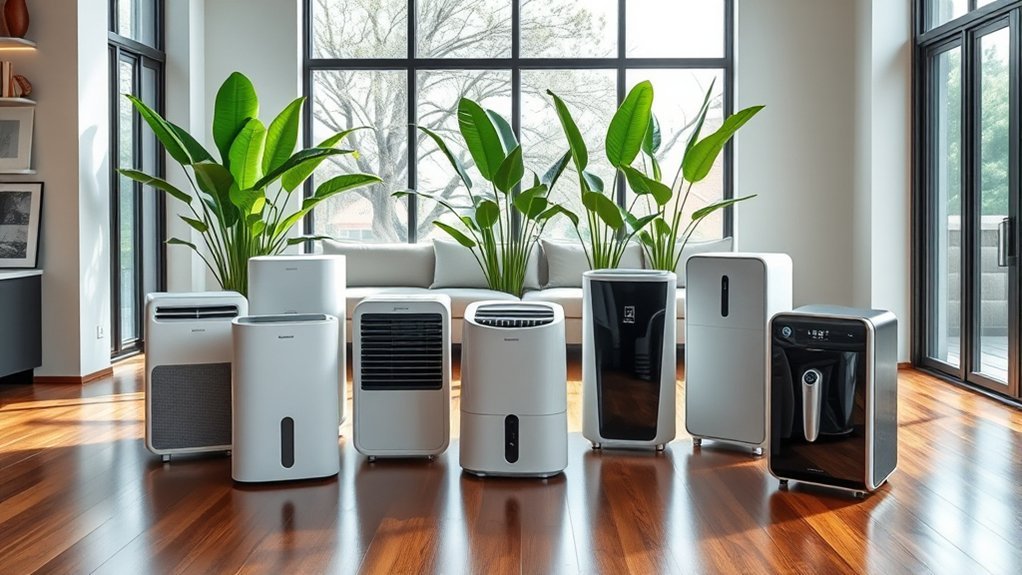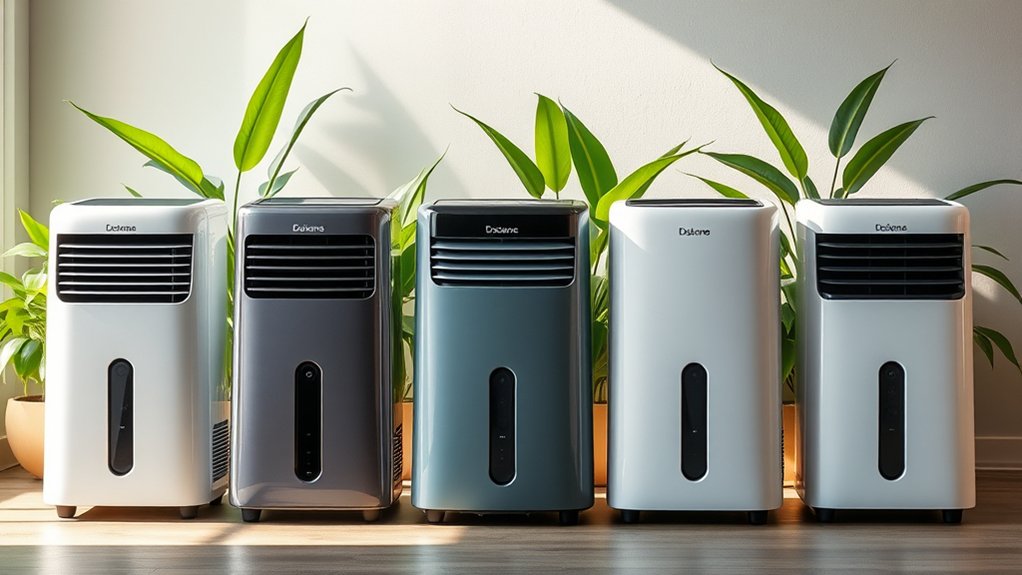
Dehumidifier repair is worth it when the fault is minor, the unit has been dependable, and the total repair bill stays well below the price of a comparable new unit. A machine that runs nonstop, makes new noises, leaks, or stops collecting water does not automatically belong in the trash. Separate basic airflow, drainage, float-switch, fan, capacitor, and sensor faults from expensive compressor or sealed-system failures, then weigh safety, unit age, repair history, and moisture-removal performance.
Quick Answer
Dehumidifier repair makes sense for portable units under 3 to 5 years old when a minor part—such as a $10–$30 humidity sensor, float switch, capacitor, or drain pump—restores operation for under 50% of replacement cost. Replace the unit if it is recalled, corroded, over 5 years old, or needs a $300–$500 compressor or refrigerant repair.
Last checked: October 16, 2026. Dates and figures were verified against official sources.
Key Takeaways
- Check your brand, model number, and serial number against U.S. Consumer Product Safety Commission (CPSC) fire-hazard recalls before troubleshooting or paying for service.
- Rule out zero-cost issues first: a clogged air filter, kinked drain hose, unseated bucket, or room temperature below 65°F can mimic a broken compressor.
- DIY-friendly parts like float switches, humidity sensors, and drain pumps cost $10 to $80, whereas professional shop labor often starts at $150 to $250.
- Portable dehumidifiers typically cost $150 to $400 to replace, making professional sealed-system or control-board repairs uneconomical on units past warranty.
- Whole-home ducted dehumidifiers cost $1,500 to $3,500 installed, so paying $200 to $500 for professional component repair is often worthwhile.
| Decision Factor | Repair Is More Reasonable When | Replacement Is More Reasonable When |
|---|---|---|
| Fault type | Dirty filter, blocked drain, stuck bucket switch, accessible sensor, start capacitor, or fan issue | Failed compressor, refrigerant leak, burned control board on an older unit, or overheating problem |
| Unit age & history | Under 3–5 years old (portable) or under 8 years (whole-home) with few prior problems | Over 5 years old (portable) or breakdowns continue after previous paid service |
| Physical condition | Cabinet, evaporator coils, power cord, controls, and drainage system remain intact | Heavy coil rust, brittle or melted wiring, cabinet leaks, or multiple worn components are present |
| Moisture removal | Exhaust air feels 10–15°F warmer than room air and normal drying returns after minor service | Room humidity stays above 60% despite proper sizing, clean coils, and correct room temperature |
| Total cost | Under $50–$120 for a portable unit (or under 50% of a comparable new unit’s price) | Repair quote exceeds $100–$150 on a portable unit ($150–$400 new) and warranty has expired |
| Safety & recalls | No CPSC recall, overheating, damaged wiring, smoke, or burning smell is present | The model is subject to a stop-use recall or shows electrical arcing, melting, or burning odors |
Is Dehumidifier Repair Worth It?
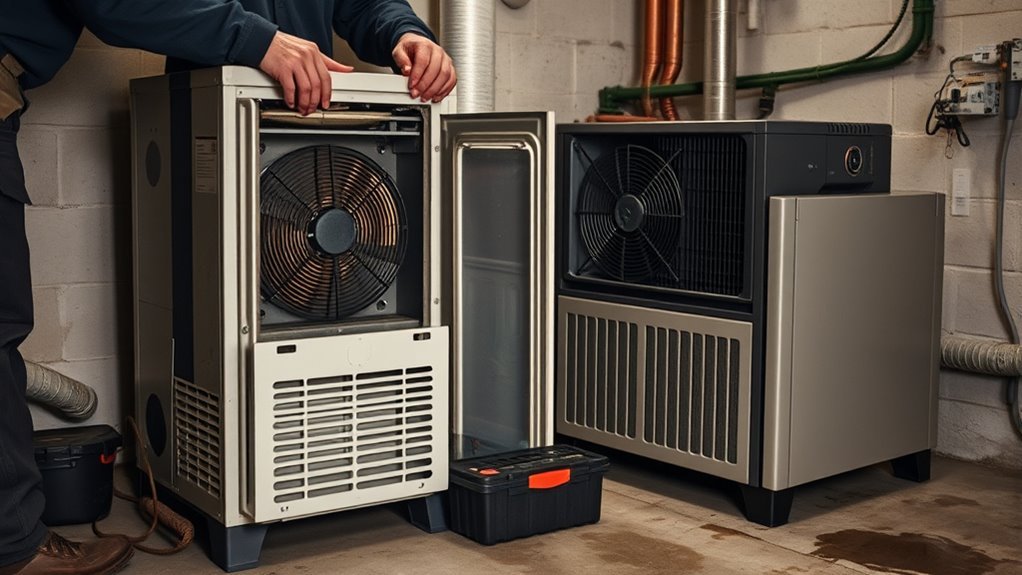
Dehumidifier repair is worth it when the problem is isolated to an accessible electrical or mechanical part, the sealed refrigerant loop is intact, and the total repair bill stays below half the price of a new machine. Fixing a clogged drain port, dirty filter, loose wire connector, humidity sensor, bucket float switch, or condensate pump often costs $0 to $80 in parts and restores full moisture removal.
Long runtime by itself does not prove a dehumidifier is defective. A dusty filter, blocked intake grille, undersized capacity, damp basement slab, cool room temperature below 65°F, or setting the humidistat down to 30% can keep a healthy unit running continuously.
Operating environment matters as much as calendar age. A portable unit running 12 hours a day in a damp basement accumulates far more wear over 3 years than a bedroom unit used a few weeks each summer. Weigh coil condition, repair history, parts availability, warranty coverage, safety, and the complete repair quote before spending money on service.
Technicians often cite the 50% rule—replace an appliance when a repair hits half the price of a new model. Treat that benchmark as a flexible guide. Paying $90 to fix a 2-year-old, $280 portable unit is sensible, whereas spending $90 on a 6-year-old unit with rusting evaporator coils is rarely a smart investment.
Portable vs Whole-Home Dehumidifier Repair
Whether you own a portable room unit or a ducted whole-house system completely changes the repair math. Because a new 20- to 50-pint portable dehumidifier typically costs $150 to $400, a professional shop diagnostic fee ($100 to $150) plus labor quickly exceeds the value of the machine. Portable dehumidifier repair is most economical when it is covered by warranty or involves a simple DIY part swap.
Whole-home dehumidifiers cost $1,500 to $3,500 installed once you include ductwork modifications, dedicated condensate lines, wiring, and HVAC labor. ENERGY STAR classifies portable and whole-home dehumidifiers separately because whole-home systems require professional sizing and installation. Paying an HVAC technician $250 to $500 to replace a fan motor, transformer, or control board on a whole-home unit is often far cheaper than full replacement.
Pro Tip: Before approving a repair quote, write down the model number, serial number, manufacture date, room relative humidity, error codes, and itemized diagnostic fee. Compare the all-in quote against a new ENERGY STAR Version 6.0 model sized for your room.
Check for a Dehumidifier Recall First
Always check your unit against the U.S. Consumer Product Safety Commission dehumidifier recall database before opening the cabinet, buying parts, or scheduling service. Millions of portable dehumidifiers sold under major retail brands have been recalled because internal components can overheat, smoke, melt, and ignite house fires.
CPSC records show that historical Gree-manufactured dehumidifier recalls were linked to more than 2,000 overheating incidents, roughly 450 fires, and over $19 million in property damage. More recently, CPSC announced an August 2023 recall of 1.56 million Gree dehumidifiers across 42 models sold under the Kenmore, GE, SoleusAir, Norpole, and Seabreeze brands (manufactured between January 2011 and February 2014) after 23 fires and 688 overheating reports. Another major action covered 2 million dehumidifiers manufactured by New Widetech sold between 2009 and 2017.
Locate the rating sticker on the back, side, or behind the water bucket of your unit and match the exact brand, model number, pint capacity, and date code. If your model is listed on a recall notice, unplug it immediately and follow the official refund or replacement instructions rather than attempting any repair.
Warning: Unplug and stop using a dehumidifier immediately if you notice smoke, melting plastic, severe cabinet heat, frayed cord insulation, a burning smell, repeated circuit-breaker trips, or water dripping onto electrical parts. Never keep resetting a tripped breaker or GFCI outlet without fixing the underlying fault.
Signs Your Dehumidifier Needs a Repair
A dehumidifier needs troubleshooting when it runs without lowering measured room humidity, leaks water onto the floor, freezes up in a warm room, or makes abnormal mechanical sounds. However, those symptoms do not automatically mean the compressor is dead; restricted airflow, a stuck float switch, or a drifting sensor can produce identical behavior.
A dehumidifier that runs nonstop without lowering measured room humidity needs systematic diagnosis before you condemn the entire appliance.
Watch for these specific warning signs:
- Dry bucket in a damp room: Little or no water collects over 12 to 24 hours even though an independent hygrometer reads above 60% relative humidity (RH).
- Room-temperature exhaust air: The fan blows air that feels the same temperature as the room rather than 10°F to 15°F warmer, signaling that the compressor or refrigerant loop is not removing heat.
- Mechanical or electrical noises: Loud grinding, metal scraping, humming followed by a sharp metallic click every few minutes, or chattering relays.
- Stalled or weak fan: The fan blade spins slowly, stops while the compressor hums, or fails to move air through the discharge grille.
- Water leaks or false full-tank alerts: Water pools beneath the cabinet, or the “Bucket Full” light stays on when the tank is empty.
- Visible corrosion: Heavy rust or green copper oxidation appears on the evaporator and condenser coils, tubing bends, or spade terminals.
- Recurring ice buildup: Frost coats the cold coils even when room temperature is above 65°F and the air filter is clean.
- Thermal or electrical distress: Discolored plug blades, a hot power cord, burning odors, or tripped GFCI outlets.
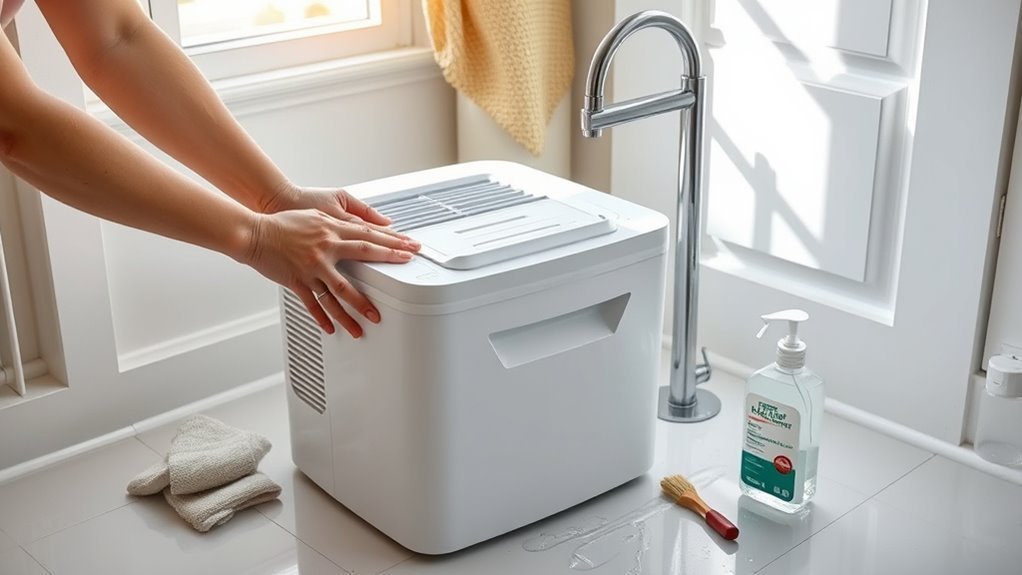
Eliminate basic maintenance bottlenecks before assuming a part has failed. Wash the removable mesh filter with warm water, leave 6 to 12 inches of clearance around the intake and exhaust grilles, reseat the bucket, and inspect any attached drain hose. If water fills the bucket normally but refuses to flow through your continuous drain line, follow our dehumidifier hose-drain troubleshooting guide instead of paying for a repair call.
Why Your Dehumidifier Runs but Won’t Dry
When a dehumidifier runs continuously but the room stays humid, the cause is usually restricted airflow, a faulty humidity sensor, cold room temperatures causing coil frost, an unengaged compressor, or an undersized unit. Verify actual room conditions with an independent digital hygrometer placed a few feet away from the machine, then work from the simplest checks to internal components. If you are unsure whether daily water output is normal for your space, check our guide on how much water a dehumidifier should collect per day.
Fan and Airflow Checks
Steady airflow is required to pull moist room air across the cold evaporator coils so water vapor can condense. When dust clogs the filter or objects block the grilles, moisture removal drops sharply and the coils can freeze solid.
- Clean the air filter: Vacuum loose lint and rinse the filter in warm, soapy water, letting it dry completely before reinstalling.
- Verify clearance: Keep furniture, storage boxes, and walls at least 6 to 12 inches away from the intake and discharge vents (or the distance specified in your owner’s manual).
- Check exhaust warmth: After the unit runs for 10 minutes, feel the discharge air. A working compressor and refrigerant circuit will expel air roughly 10°F to 15°F warmer than the surrounding room.
- Listen to the fan motor: Grinding, squealing, or a fan that hums without spinning points to seized motor bearings or a failed fan run capacitor.
If cleaning the filter and clearing the vents restores warm exhaust air and steady water collection, no repair is needed. If the fan blade is stiff when spun by hand (with the cord unplugged), replacing the fan motor ($40 to $60 for the part) can save a younger machine.
Sensor and Humidistat Issues
Electronic dehumidifiers rely on a small board-mounted humidity and temperature sensor (thermistor/hygrometer assembly) near the air intake to decide when to cycle the compressor. If that sensor drifts out of calibration, the display may read 40% RH when the room is actually 65% RH, causing the compressor to shut off prematurely—or read 80% RH constantly and never cycle off.
Set a standalone digital hygrometer near the unit, keeping it out of the warm exhaust stream, and compare the two readings after 30 minutes. A difference of ±5% RH is normal because the internal sensor sits inside the housing. A persistent gap of 10% to 20% RH—or a sensor error code such as AS, ES, or E1 on many digital displays—indicates a loose sensor plug or a faulty sensor assembly ($10 to $30 part).
Gently brush dust away from the sensor vent slots with a dry, soft brush. Never spray liquid cleaners or contact spray directly onto the humidity sensor, as chemicals can permanently ruin its moisture-sensitive film.
Room Temperature and Frost
Standard compressor-based dehumidifiers lose efficiency in cool spaces and often begin icing up when room temperatures fall below 65°F (18°C). Because cold air holds far less water vapor and cools the evaporator coil below freezing (32°F), frost coats the fins and blocks air from touching the metal surface.
If your coils ice over, check the room temperature with a thermometer and inspect the air filter first. When heavy ice forms rapidly in a warm room (above 65°F) despite a clean filter and strong fan airflow, the unit typically has a low refrigerant charge from a pinhole coil leak—a sealed-system failure that justifies replacing a portable unit.
Repair or Replace?
When your dehumidifier runs without drying, use the symptom to separate a cheap component swap from a terminal refrigeration failure. A machine whose fan spins while blowing room-temperature air—and emitting a quiet hum followed by a click every few minutes—may simply have a failed compressor start relay or run capacitor ($10 to $20 part). By contrast, a compressor that runs continuously and stays hot while the evaporator coil remains dry (or ices only on one small section of tubing) usually has a refrigerant leak or internal compressor failure, which costs more to fix than a new portable dehumidifier.
How to Check the Fan, Fuse, and Sensors Safely
Start every inspection with power-off checks and a hard electronic reset before opening any access panel. Modern control boards can lock up after a brief voltage sag or power surge; unplugging the dehumidifier from the wall for 10 to 15 minutes allows the low-voltage capacitors on the circuit board to discharge and clears temporary fault states.
Test the wall receptacle with another appliance, confirm the GFCI outlet has not tripped, and inspect the power cord and plug blades for dark arc marks, melted plastic, or heat damage. Remove the water bucket and gently move the plastic float lever by hand—you should feel smooth travel and hear a faint click from the microswitch (or reed switch) that tells the control board the tank is seated.
Always unplug the unit before removing any cabinet panel permitted by the owner’s manual. Once open, visually inspect wiring harnesses for loose molex plugs, corroded terminals, or swollen cylindrical capacitors. If your manual specifies a user-replaceable glass or ceramic fuse on the control board, replace a blown fuse only once using the exact amperage and voltage rating printed on the label; if the new fuse blows immediately, stop and diagnose the short circuit rather than installing a higher-rated fuse or bypassing thermal cutoffs.
High-voltage capacitors and sealed refrigeration tubing require specialized tools and legal certification. Run capacitors can hold a dangerous electrical charge even after the power cord is unplugged. Furthermore, under U.S. EPA Section 608 definitions, a factory-manufactured, factory-charged, hermetically sealed dehumidifier containing five pounds or less of refrigerant is regulated as a small appliance. Federal law requires anyone opening or servicing the refrigerant circuit to hold EPA Section 608 certification, where Type I certification covers servicing small appliances.
Warning: Stop DIY troubleshooting before live high-voltage multimeter testing, discharging compressor capacitors, or piercing sealed refrigerant lines unless you have proper electrical training and EPA Section 608 certification.
Common Dehumidifier Parts That Stop Working
Most dehumidifier breakdowns trace back to seven core assemblies: the air filter, fan motor, humidity sensor, bucket float switch, condensate drain system, main electronic control board, or sealed compressor circuit. Identifying which part failed tells you immediately whether a quick fix or full replacement is smarter.
| Part or Area | Common Symptom | First Check & Typical Verdict |
|---|---|---|
| Air filter & coils | Weak airflow, continuous runtime, or frost on coils | Wash filter and brush fins gently; free maintenance fix |
| Bucket float switch | “Full” light stays on with an empty tank; unit will not start | Reseat tank and check float pivot; easy $10–$20 switch fix |
| Humidity sensor | Short cycling, nonstop running, or inaccurate RH display (10%+ off) | Compare against a separate hygrometer; worthwhile $10–$30 fix |
| Drain system / pump | Water leaks on floor, clogged gravity hose, or pump error code | Flush slime from drain port and pump screen; $30–$80 pump fix |
| Fan motor / capacitor | Scraping sound, humming without blade rotation, or no airflow | Unplug and check if blade spins freely; repair if unit is under 3 years old |
| Control board (PCB) | Dead buttons, erratic relays, or failure to power components | Try a 15-minute unplug reset first; replace portable units over 2–3 years old |
| Compressor / sealed loop | Fan runs, exhaust air is cool, and coils stay dry or partially iced | Check start relay/capacitor first; replace portable unit if compressor or refrigerant failed |
Recommended Products

Dehumidifier Replacement Part 12120100002228

Universal Compatibility This dehumidifier drain adapter is specifically designed to fit a wide range of popular dehumidifier models, ensuring seamless integration with your dehumidifier hose. It works perfectly with for AeonAir, for Whirlpool, for Idylis Dehumidifiers, and for RPD-702WP units, and is also compatible with for friedrich dehumidifier systems. No matter which brand you own, this adapter provides a secure and reliable connection for your dehumidifier drain hose.

COMPATIBILITY: Specifically designed as a replacement humidity sensor module board for HIS06 model for dehumidifiers and humidifiers
When to Replace a Dehumidifier
Replacing your dehumidifier is the smarter financial decision when the sealed refrigerant system fails, repair quotes approach half the price of a new unit, or multiple components show age-related wear. Spending $150 to $300 fixing an aging portable machine leaves you with old coils and no whole-unit warranty, whereas a new $200 to $300 ENERGY STAR model includes a fresh warranty and lower electricity use.
Age and Wear
Most portable residential dehumidifiers last 3 to 8 years depending on runtime hours, basement dampness, and filter maintenance, while whole-home ducted units often last 8 to 12 years. Once a portable unit passes the 5-year mark, aluminum and copper evaporator coils frequently develop microscopic formicary corrosion from organic acids in indoor air, making refrigerant leaks increasingly common.
Choose replacement over repair when age combines with these physical warning signs:
- Spreading coil or chassis rust: Flaking rust or blue-green copper corrosion on tubing bends and return elbows.
- Stacked component failures: A fan motor or control board fails shortly after a pump or sensor replacement.
- Heat-degraded wiring: Brittle wire insulation, browned circuit-board traces, or loose terminal spade connectors.
- Declining moisture extraction: The unit takes significantly longer to bring a closed room below 50% RH despite clean coils.
- Loud compressor vibration: Worn internal compressor mounts cause loud clunking on startup and shutdown.
Frequent Repair Calls
Paying for a second service call within 12 to 18 months usually indicates that the appliance has reached the end of its reliable service life. Even if each individual part seems minor, two $120 service visits equal the full purchase price of a brand-new 35- to 50-pint portable dehumidifier.
Before authorizing any out-of-warranty shop work, ask the technician how long parts and labor are guaranteed—typically 30 to 90 days—and ask them to inspect the evaporator coils for corrosion that could cause a refrigerant leak soon after.
Weak Moisture Removal
A dehumidifier exists to keep indoor relative humidity below 60%. When the fan runs smoothly, the filter is clean, room temperature is above 65°F, and the unit still collects almost no water while the room stays clammy, the sealed refrigeration system has usually lost refrigerant charge or compressor pumping capacity.
Because portable dehumidifiers are manufactured without service ports on the refrigerant lines, diagnosing and repairing a leak requires brazing in piercing/access valves, locating the leak, replacing the corroded coil, evacuating the system, and recharging refrigerant—work that routinely costs $300 to $500 and exceeds the price of a new machine.
5-Step Repair-or-Replace Checklist
Use this five-step checklist to reach a clear repair-or-replace decision in about 15 minutes before spending money on parts or a service call.
- Check CPSC recall status and electrical safety: Look up your exact model and serial number on CPSC.gov, and retire the unit immediately if it is recalled or shows smoke, melting, or burning odors.
- Eliminate free maintenance and setup issues: Wash the filter, clear 6 to 12 inches of airflow space, reseat the bucket, unkink the drain hose, and unplug the unit for 15 minutes to reset the control board.
- Test room conditions and exhaust warmth: Verify with an independent hygrometer and thermometer that room humidity is above your setpoint and room temperature is at least 65°F, then confirm the exhaust air feels 10°F to 15°F warmer than room air.
- Price the specific failed part: Identify whether the issue is an inexpensive, accessible component ($10–$80 for a float switch, humidity sensor, capacitor, fan motor, or pump) or a sealed-system compressor/refrigerant fault ($300–$500+).
- Apply the cost-and-age test: Repair a portable unit only if it is under 3 to 5 years old and the total cost is well under 50% of a comparable new unit ($150–$400); otherwise, invest in a replacement.
How the Decision Plays Out in Real Situations
Real-world dehumidifier problems rarely look identical. Comparing common household scenarios shows how unit age, symptom type, and moisture load shift the right choice between a low-cost fix and a replacement.
A Relatively New Unit With a Blocked Drain
A 2-year-old portable unit that collects water in its bucket or shuts off with a full-tank beep—while refusing to drain through its hose or internal pump—almost always has algae or slime blocking the drain port or pump strainer. Flushing the drain nozzle with warm water and vinegar or replacing a $40 condensate pump restores full operation for a fraction of replacement cost.
An Older Unit With Repeated Major Repairs
A 6-year-old portable dehumidifier that already had its fan motor replaced last summer and now displays a control-board failure or stops cooling the coils is a classic replacement candidate. Putting another $100 to $200 into an out-of-warranty machine with aging coils risks throwing good money after bad.
A Unit That Runs Constantly in a Very Damp Basement
A dehumidifier that runs 24/7 in a 1,500-square-foot unfinished basement while pulling two buckets of water a day is working properly, not failing. Continuous runtime here points to groundwater seepage through walls, open basement windows, or an undersized 20-pint unit trying to handle a 50-pint moisture load.
A Dehumidifier That Suddenly Becomes Noisy
Sudden rattling or buzzing often comes from a loose cabinet screw, an unlevel floor, or debris touching the fan blade—all quick DIY fixes. However, loud metallic grinding from seized fan bearings or a compressor that hums loudly and clicks off on thermal overload requires turning the unit off and weighing motor or start-relay repair against the machine’s age.
How Age Changes Repair Costs
Repairing an older dehumidifier often costs more than fixing a newer model because OEM replacement boards, sensors, and fan assemblies are frequently discontinued 4 to 6 years after manufacture. Tracking down scarce parts adds shipping markups, and corroded screws or brittle plastic clips inside an older cabinet can turn a simple part swap into a complex job.
More importantly, an older dehumidifier has less remaining lifespan to pay back a repair bill. Spending $100 to repair a 1-year-old unit that lasts 4 more years costs $25 per year of extended service; spending $100 on a 5-year-old unit whose coil leaks refrigerant 6 months later wastes the entire repair investment.
Repair Costs vs New Dehumidifier Prices
In 2026, most portable residential dehumidifiers cost $150 to $400 new, whereas professional appliance repair shops typically charge a $100 to $150 diagnostic fee before parts and labor. Because professional shop repairs quickly reach $150 to $350, paying a technician to repair a portable dehumidifier out of warranty is rarely economical—making DIY replacement of minor plug-in parts the main path where portable repair pays off.
| Repair or Replacement Item | Typical DIY Part Cost | Typical Professional Shop Cost | Best Financial Choice (Portable Unit) |
|---|---|---|---|
| Bucket float switch | $10–$20 | $150–$200 | Repair (DIY) |
| Humidity sensor / thermistor | $10–$30 | $150–$250 | Repair (DIY) |
| Start relay or capacitor | $10–$25 | $150–$200 | Repair if unit is under 4 years old |
| Internal condensate pump | $30–$80 | $150–$250 | Clean or replace pump (or use gravity drain) |
| Fan motor | $40–$60 | $200–$300 | DIY repair if under 3 years old; replace if shop quote |
| Electronic control board | $60–$150 | $200–$350 | Replace unit unless under 2 years old |
| Compressor or refrigerant leak | Not DIY (EPA 608 required) | $300–$500+ | Replace portable unit |
| New portable dehumidifier (20–50 pt) | $150–$400 (unit price) | Plug-and-play ($0 labor) | Best when repair exceeds $75–$150 |
| New whole-home dehumidifier | $800–$1,800 (unit only) | $1,500–$3,500 installed | Repair often worth it up to $500–$800 |
To calculate your repair ratio, divide the complete repair cost (diagnostic fee, parts, shipping, and labor) by the price of a comparable replacement and multiply by 100. For a portable unit, a repair ratio above 40% to 50% usually favors buying new, whereas a whole-home unit with high installation costs can justify a higher repair ratio if the coil and compressor remain healthy.
Recommended Products

Premium Quality Material:This dehumidifier hose is made of durable and thick PVC, which has moderate flexibility and is easy to bend without breaking; Ripple design can prevent tangling, ensure smooth water flow, and make it easy to move in small spaces
Premium Quality Material:This dehumidifier hose is made of durable and thick PVC, which has moderate flexibility and is easy to bend without breaking; Ripple design can prevent tangling, ensure smooth water flow, and make it easy to move in small spaces

Compatibility: There are 2 types of hose connector size design, the larger one is suitable for tubes ranging from 0.79in to 0.98in, and it can also cut to smaller one is suitable for tubes ranging from 0.59in to 0.79in. Beyond dehumidifiers, this versatile hose is ideal for draining portable air conditioners, dishwashers, and washing machines, making it a complete drainage solution
Repair vs Replace: Pros and Cons
Weighing the advantages and drawbacks of repairing versus replacing side by side helps prevent overspending on a dying machine or prematurely discarding a unit with a $15 fault.
Repair Pros
- Costs just $10–$80 when fixing a sensor, float switch, fan, or drain pump yourself
- Keeps a working sealed refrigerant system out of the landfill
- Fast turnaround when common parts are in stock
- Saves $1,000+ on ducted whole-home systems where replacement requires HVAC labor
Repair Cons
- Shop diagnostic fees ($100–$150) plus labor often approach the cost of a new portable unit
- Aging evaporator coils or compressors can fail months after a minor repair
- Sealed-system refrigerant work requires EPA Section 608 certification and specialized tools
- OEM circuit boards and motors for older models are frequently discontinued
Replacement Pros
- Includes a new manufacturer warranty (typically 1 year on portable units, 5 years on whole-home)
- Upgrades to ENERGY STAR Version 6.0 efficiency standards to cut electricity bills
- Lets you right-size capacity and add features like a built-in condensate pump or auto-defrost
- Eliminates recurring repair bills and safety risks from aging electrical parts
Replacement Cons
- Higher upfront expense ($150–$400 for portable; $1,500–$3,500 for whole-home)
- Requires proper disposal of the old refrigerant-containing appliance
- Buying the wrong pint capacity under newer DOE test labels can leave the room damp
- Unnecessary waste if the old unit only had a clogged filter or stuck float switch
Maintenance That Extends Dehumidifier Life
Routine maintenance prevents the two main killers of dehumidifiers: compressor overheating from restricted airflow and coil corrosion from trapped damp dust. Checking the filter every 2 to 4 weeks during peak humidity season keeps air moving freely and helps spot minor drain or electrical issues early.
- Clean the air filter every 2–4 weeks: Rinse washable mesh filters with warm water and let them dry completely before reinstalling.
- Maintain 6–12 inches of clearance: Keep intake and discharge grilles clear of walls, curtains, and basement storage.
- Vacuum and brush the coils seasonally: Unplug the unit and gently remove dust buildup from the evaporator fins so moisture can condense efficiently.
- Sanitize the bucket and drain line: Wash the water tank monthly with mild soap and flush continuous drain hoses or pump reservoirs to prevent algae clogs.
- Verify humidity with a separate hygrometer: Confirm that the built-in humidistat has not drifted out of calibration.
- Inspect the power cord and plug: Feel the plug during operation; warm or discolored prongs indicate a loose wall outlet or failing cord that needs immediate attention.
- Control moisture at the source: Extend gutter downspouts away from the foundation, vent clothes dryers outdoors, and seal plumbing leaks so the dehumidifier does not run nonstop.
For healthy indoor air quality and mold prevention, aim for an indoor relative humidity of 30% to 50%. U.S. EPA moisture guidance recommends maintaining indoor relative humidity below 60%—and ideally between 30% and 50%—to prevent condensation and mold growth.
Note: Setting your humidistat to 30% or 35% in a damp basement forces the compressor to run almost continuously and spikes your electric bill without offering extra mold protection over a 45% to 50% setting.
How to Choose a Replacement Dehumidifier
When replacing a dehumidifier, size the new model using current U.S. Department of Energy (DOE) pint-per-day ratings and your room’s square footage and dampness level rather than matching the pint number printed on an older machine. Capacity measures how many pints of water a unit removes in 24 hours under standardized laboratory test conditions.
Recommended Products

High Capacity Coverage - This 30-pints dehumidifier effectively collects water from damp spaces up to 2,000 Sq.Ft with doors and windows closed. It extracts up to 30 pints of water vapor per day under high-humidity test conditions (95°F, 90% RH), making it perfect for damp spaces. Engineered to establish a clear operating boundary in localized areas, this dehumidifier for basement handles sticky summers and musty rooms, keeping your fabrics and floors dry while maintaining comfortable air

Efficient Water Collection Dehumidifier for 2,000 sq ft Large Space: Featuring a high-performance extraction system, this dehumidifiers for home collects up to 30 Pints of liquid daily under 95°F and 90% RH conditions. 30 Pints Dehumidifier for Basement is specifically engineered to maintain a dry atmosphere in spacious basements, bathrooms, or damp storage rooms where air circulation is limited.

Activated Carbon Filter and 30 Pint Powerful Moisture Removal: Up to 1500 sq.ft dehumidifier for basement removes 30 pints per day (90°F, 90% RH) depending on moisture condition and adjust humidity from 80% to 30%. Equipped with activated carbon filter, which can effectively purify the air. Centrifugal engine and unobstructed air outlet enable rapid and smooth emission of air. Ideal for basements, laundry, bathroom, garage, office, stockroom, cellars, etc.
Do Not Compare Old and New Pint Ratings Blindly
In June 2019, the DOE updated its federal dehumidifier test procedure (10 CFR 430, Subpart B, Appendix X1). ENERGY STAR explains that portable dehumidifiers are now tested at a cooler 65°F and 60% RH (typical basement conditions) instead of the pre-2019 standard of 80°F and 60% RH, while whole-home units are tested at 73°F and 60% RH. Because 65°F air holds less water vapor than 80°F air, an identical machine receives a lower numerical pint rating under the current test:
- Old 70-pint rating (80°F test): Corresponds roughly to a 45- to 50-pint current rating (65°F test).
- Old 50-pint rating (80°F test): Corresponds roughly to a 30- to 35-pint current rating (65°F test).
- Old 30-pint rating (80°F test): Corresponds roughly to a 20- to 22-pint current rating (65°F test).
Current ENERGY STAR sizing guidance recommends starting with a 20- to 30-pint dehumidifier for slightly to moderately damp spaces under 2,000 square feet, stepping up to 35 to 50+ pints for very damp or wet basements and larger areas.
Compare replacement models across these key specifications:
- Efficiency (IEF): Dehumidifier efficiency is measured by Integrated Energy Factor (IEF) in liters of water removed per kilowatt-hour (L/kWh). Under the ENERGY STAR Version 6.0 dehumidifier requirements (effective October 1, 2025), certified portable units must achieve at least 1.70 L/kWh (up to 25 pints/day), 2.01 L/kWh (25.01 to 50 pints/day), or 3.30 L/kWh (over 50 pints/day), while certified whole-home units require at least 2.22 L/kWh (case volume up to 8.0 cu. ft.) or 3.81 L/kWh (over 8.0 cu. ft.).
- Drainage method: Choose between manual bucket emptying, a gravity drain hose port (requires a floor drain below the unit), or a built-in condensate pump that pushes water vertically up to a sink or window.
- Low-temperature operation: If your basement or crawl space drops below 65°F in winter or spring, pick a model with automatic defrost rated down to 41°F (5°C) or consider a desiccant dehumidifier.
- Auto-restart and digital humidistat: Look for automatic restart after power outages so a summer storm does not leave your basement unprotected.
Pro Tip: If you are replacing a pre-2019 “50-pint” or “70-pint” dehumidifier that kept your basement comfortable, look for a modern 35-pint or 50-pint ENERGY STAR Version 6.0 model—it delivers the same real-world drying power under the stricter 65°F test standard.
Once you know the capacity and features your room needs, compare top-performing models in our guides to dehumidifiers for damp rooms and dehumidifiers for small spaces.
Frequently Asked Questions
What is the typical lifespan of a dehumidifier?
A portable residential dehumidifier typically lasts 3 to 8 years, while a professionally installed whole-home dehumidifier generally lasts 8 to 12 years. Heavy daily runtime in a damp basement, dusty filters, coil corrosion, and cold operating temperatures can shorten service life, whereas regular filter cleaning and moderate humidity loads help units reach the upper end of that range.
Is it cheaper to repair or replace a dehumidifier?
Repair is cheaper when a portable unit is under 3 to 5 years old and needs a simple $10 to $80 DIY part such as a bucket float switch, humidity sensor, capacitor, or drain pump. Replacement is usually cheaper when a portable unit needs professional shop labor ($150 to $350), a new control board on an older machine, or a $300 to $500 compressor or refrigerant repair, since a new portable unit costs $150 to $400 with a fresh warranty.
What is a common reason a dehumidifier runs but does not collect much water?
A clogged air filter or blocked air intake is the most common fixable cause, as restricted airflow stops humid air from condensing on the cold coils and can cause frost buildup. If the filter is clean, room temperature is at least 65°F, and the exhaust air feels room temperature rather than 10°F to 15°F warmer, the cause is usually a failed compressor start relay/capacitor or a sealed-system refrigerant leak.
Why does my dehumidifier run all the time?
Continuous running is often caused by setting the humidistat too low (such as 30% to 35% instead of 45% to 50%), an undersized unit in a wet basement, open windows, or a dirty air filter. If an independent hygrometer shows the room is already dry (below 45% RH) and the machine still refuses to cycle off, the internal humidity sensor has likely drifted and needs cleaning or replacement.
Is the 50% repair-cost rule reliable for dehumidifiers?
The 50% rule—replacing a dehumidifier when repair costs reach half the price of a new unit—is a useful starting benchmark, but unit age and coil condition matter too. Spending $80 on a dependable 2-year-old unit makes sense, whereas spending $80 on a 5-year-old portable unit with corroded coils or an expired warranty is rarely worthwhile.
Can you repair a dehumidifier yourself?
Yes, homeowners can safely handle filter washing, coil brushing, drain-line flushing, a 15-minute unplug reset, and—with the unit unplugged—basic plug-in replacements like a bucket float switch or humidity sensor if permitted by the manual. High-voltage testing, capacitor discharging, compressor work, and any repair that opens the sealed refrigerant loop must be left to EPA Section 608-certified professionals.
Should you check for recalls before repairing a dehumidifier?
Yes, always check your brand, model number, and date code on the CPSC recall database before spending time or money on a repair. Millions of dehumidifiers manufactured by companies such as Gree and New Widetech under major retail brands have been recalled for overheating and fire hazards, and recalled units should be unplugged immediately for a manufacturer refund or replacement.
What should you check before buying a replacement dehumidifier?
Measure your room’s square footage and dampness level, and match them to current 65°F DOE pint-per-day ratings (remembering that a modern 35- or 50-pint unit equals an older 50- or 70-pint model). Look for ENERGY STAR Version 6.0 certification, choose between gravity hose drainage or a built-in condensate pump, and verify low-temperature auto-defrost if your basement drops below 65°F.
The Bottom Line
Dehumidifier repair pays off when your unit is free of recalls, under 3 to 5 years old (for portable models), and suffers from a clear, inexpensive issue like a clogged drain, stuck float switch, drifting humidity sensor, or worn condensate pump. Replacement is the smarter investment once a portable unit develops a refrigerant leak, compressor failure, spreading coil rust, or a repair quote that crosses 40% to 50% of the $150 to $400 cost of a new machine.
Start by checking CPSC recall listings, washing the air filter, unplugging the unit for 15 minutes, and verifying room humidity and exhaust warmth before buying parts. If troubleshooting points to high-voltage components or the sealed refrigerant circuit, either hire an EPA Section 608-certified technician (for high-value whole-home systems) or upgrade to a properly sized ENERGY STAR Version 6.0 dehumidifier.
Sources
- U.S. Environmental Protection Agency — Mold Course, Chapter 9: Supports keeping indoor relative humidity below 60% when possible and ideally between 30% and 50%.
- ENERGY STAR — Dehumidifiers: Supports sizing by room square footage and dampness, drainage options, 65°F operating temperature limits, and differences between portable and whole-home units.
- ENERGY STAR — Dehumidifier Testing and Capacity: Explains the June 2019 DOE test-procedure change (65°F for portable units and 73°F for whole-home units vs. 80°F previously) and why current pint labels are lower.
- ENERGY STAR — Dehumidifiers Key Efficiency Criteria: Confirms Version 6.0 Integrated Energy Factor (IEF) requirements effective October 1, 2025.
- U.S. Consumer Product Safety Commission — Dehumidifier Recalls: Supports checking recalled models and following official stop-use or remedy instructions.
- U.S. Consumer Product Safety Commission — Gree Recalls 1.56 Million Dehumidifiers (August 2023): Details the 42 recalled models across Kenmore, GE, SoleusAir, Norpole, and Seabreeze brands and reported overheating/fire incidents.
- U.S. Consumer Product Safety Commission — New Widetech Recalls 2 Million Dehumidifiers (August 2021): Supports checking 2009–2017 New Widetech units for fire and burn hazards.
- U.S. Environmental Protection Agency — Section 608 Definitions: Defines qualifying factory-charged, hermetically sealed dehumidifiers with 5 pounds or less of refrigerant as small appliances.
- U.S. Environmental Protection Agency — Section 608 Technician Certification Requirements: Confirms federal certification requirements for opening refrigerant circuits and Type I certification for small appliances.