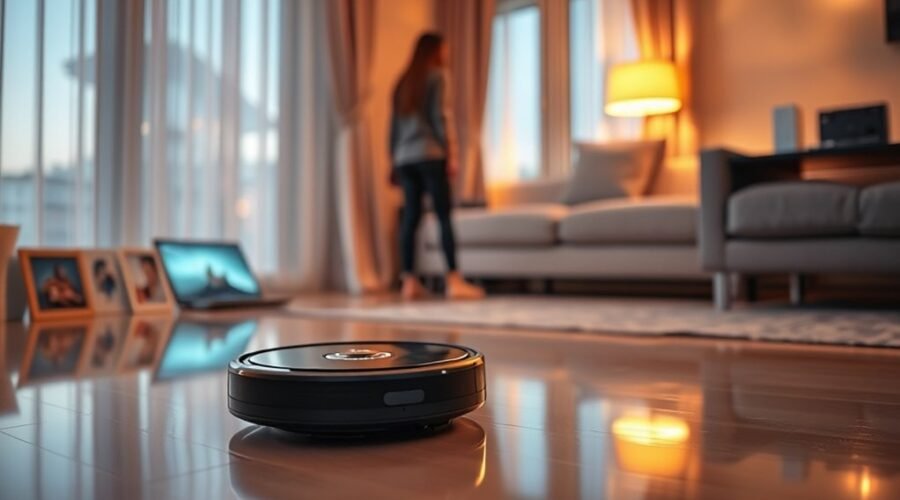
Robot vacuum camera privacy matters because some robot vacuums can capture more than furniture and floor obstacles. Cameras may see people, pets, and private areas, while mapping systems can reveal your home’s layout and cleaning routines. Understanding what your vacuum collects, where that information goes, and how to control it helps you enjoy automated cleaning without sharing more than necessary.
Quick Answer
Robot vacuum cameras can create privacy risks, but they do not automatically record or upload everything they see. Some process images locally, while others offer cloud storage or remote viewing. The safest approach is to choose a model with clear data controls, limited camera access, reliable security updates, and optional offline operation.
Last checked: October 28, 2026. Dates and figures were verified against official sources.
Key Takeaways
- A camera-free robot vacuum can still collect detailed home maps, cleaning schedules, and usage information.
- Local image processing limits cloud exposure, but it does not eliminate every security risk.
- Encryption helps protect data, but weak account permissions can still expose information.
- Disabling camera recognition or cloud mapping may reduce cleaning features on some models.
- Model-specific security certifications, regular updates, and clear deletion controls are more useful than broad privacy promises.
What Do Robot Vacuum Cameras Actually See?
)
Robot vacuum cameras can see floors, furniture, obstacles, and other objects within their field of view. Depending on the camera’s position, they may also capture people, pets, personal belongings, and parts of private rooms.
However, not every camera-equipped robot records or stores these images. Some use visual information only while navigating.
Camera-equipped models generally use visual information for several tasks:
- Obstacle detection: Recognizing shoes, cables, furniture legs, and objects that could block cleaning.
- Visual navigation: Identifying surroundings and helping the robot determine its position.
- Object recognition: Classifying household items so the robot can avoid or clean around them.
- Remote monitoring: Showing a live camera feed through an app when the model supports this feature.
A camera mounted near floor level usually sees the room from a low angle. It does not have an unrestricted view of everything inside your home.
Still, it may capture sensitive details when someone passes in front of the robot or when the vacuum enters a bedroom or bathroom.
What a robot vacuum camera can see is different from what the manufacturer collects, stores, or shares.
For example, a robot might identify a shoe using an image processed on the device. Another model might save an obstacle photo so you can review it later.
The privacy difference depends on whether that image remains local, reaches a cloud server, or becomes available to another person.
Camera activity also depends on the model. Some devices offer a way to disable visual recognition, while others depend on their cameras for important navigation features.
What Data Do Robot Vacuums Collect?
Robot vacuums may collect floor maps, cleaning schedules, movement history, device information, and error reports. Models with cameras or microphones may also process images, video, or voice commands.
The exact information depends on the robot’s hardware, app features, and privacy settings.
Common data categories include:
| Data type | Purpose |
|---|---|
| Floor maps | Planning cleaning routes and identifying rooms |
| Cleaning schedules | Automating cleaning at selected times |
| Cleaning history | Showing completed runs, routes, and usage patterns |
| Error logs | Diagnosing faults and improving device reliability |
| Audio/video | Visual recognition, voice features, or supported monitoring functions |
| App metadata | Account management, app performance, and service improvement |
| Device and network information | Connecting the robot, maintaining services, and providing updates |
Not every robot collects every category. A basic camera-free vacuum may record little beyond operational information, while a connected model with live monitoring can handle more sensitive data.
Even information that seems harmless on its own can become revealing when combined with other records.
For example, cleaning schedules and room history may suggest when parts of your home are regularly occupied. Maps can reveal the arrangement of rooms and furniture.
Personal information is not limited to photographs. Account details, device identifiers, and some household activity records may also be sensitive.
When comparing privacy policies, separate three questions: what the robot detects, what the manufacturer receives, and what information the company retains.
How Robot Vacuum Maps Create Privacy Risks
Robot vacuum maps can reveal room layouts, doorways, furniture positions, and cleaning zones. They make navigation more efficient, but detailed maps may expose private information if someone gains unauthorized access.
Importantly, a camera is not required to create a home map.
LiDAR, which stands for Light Detection and Ranging, measures distances using reflected laser light. A robot can use those measurements to build a floor plan without taking conventional photographs.
Camera-based navigation, LiDAR, and other sensors can all create useful spatial records.
Home mapping raises several concerns:
- Room layouts: A map may identify bedrooms, bathrooms, hallways, and entrances.
- Furniture locations: Detailed maps can reveal how household spaces are arranged.
- Activity patterns: Cleaning history may suggest when particular rooms are used.
- Cloud exposure: A map stored remotely may be affected by account or server security failures.
- Data retention: Maps may remain stored after an app is removed unless you delete them separately.
For example, iRobot explains in its Smart Map privacy guidance that supported Smart Maps are stored in the cloud rather than only in the mobile app.
Its guidance also explains that turning off mapping data stops spatial information from being sent to its cloud servers, although mapping-related cleaning features become unavailable.
This shows why map storage deserves attention even when a robot does not have a camera.
Maps are not necessarily dangerous on their own. The risk comes from unnecessary collection, excessive retention, weak access controls, or unauthorized disclosure.
Can Robot Vacuum Cameras Be Hacked?
Yes, robot vacuum cameras can be hacked when vulnerabilities allow unauthorized access to the device or its connected services. Depending on the flaw, an attacker could potentially view camera feeds, access maps, control the vacuum, or interfere with its functions.
These risks have been demonstrated in real security investigations, although they do not mean every connected vacuum is vulnerable.
Hacking Vulnerabilities
Robot vacuum security problems can occur in the robot, its mobile app, wireless connection, or cloud infrastructure.
One documented example involved ECOVACS robot vacuums.
In October 2024, an ABC News security investigation demonstrated unauthorized camera access to an ECOVACS DEEBOT X2 with the owner’s permission.
The demonstration showed that an attacker could exploit a security weakness and view camera images without relying on the normal monitoring controls.
ECOVACS has also published security advisories describing vulnerabilities and software fixes.
Its July 2025 security advisory identified base-station communication weaknesses affecting several DEEBOT models.
The advisory listed affected products and their patched firmware versions:
- X1S PRO and X1 PRO OMNI: version 2.5.38
- X1 OMNI and X1 TURBO: version 2.4.45
- T10 Series: version 1.11.0
- T20 Series: version 1.25.0
- T30 Series: version 1.100.0
These are minimum versions listed for that particular advisory, not a complete list of every security update released afterward.
Users of affected models should install any newer approved firmware available for their devices.
Another concern involves sensors that were not designed to record sound.
The LidarPhone research published in 2020 demonstrated an experimental attack that could extract sound-related information from vibrations measured using a robot vacuum’s LiDAR sensor.
This was a research demonstration requiring specific technical conditions and access. It does not mean ordinary LiDAR vacuums routinely record conversations.
These examples highlight several security risks:
- Unauthorized camera or microphone access
- Exposure of room maps and device information
- Remote control of affected devices
- Exploitation of outdated firmware
- Weak authentication or access permissions
- Unusual sensor-based attacks under specific conditions
Security incidents should be evaluated by affected model, firmware version, and vulnerability. A problem in one product does not prove every model from the same brand is unsafe.
Privacy Protection Steps
Protecting a robot vacuum starts with securing its account, network connection, and software. These steps reduce common attack opportunities without requiring you to give up automatic cleaning.
Start with the following protections:
- Secure your account. Use a strong, unique password that you do not reuse for other services.
- Enable two-factor authentication. Use it if the manufacturer supports an extra login verification step.
- Install firmware updates. Keep the robot and its companion app current so known vulnerabilities can be patched.
- Protect your Wi-Fi. Use WPA2-AES or WPA3 security and a strong router password.
- Review connected users. Remove unfamiliar devices, shared accounts, or unnecessary access permissions.
- Disable unused functions. Turn off remote video, microphones, or cloud services when the model allows it and you do not need them.
These measures address different parts of the system. A strong password helps protect your account, while firmware updates address flaws in the software itself.
Encryption also helps, but it cannot fix every weakness in the manufacturer’s access controls.
If a security problem is reported for your model, use the manufacturer’s official security advisory to identify the relevant fix.
How Robot Vacuum Cloud Connectivity Exposes Your Home
Cloud connectivity can expose robot vacuum information beyond your home network. Depending on the model, cloud services may handle floor maps, cleaning records, device status, images, and remote commands.
Cloud access is useful because it can let you manage cleaning while away from home. However, it creates additional places where sensitive information must be protected.
Cloud-Linked Home Maps
Some robot vacuums upload maps to cloud servers so the companion app can display rooms, cleaning zones, and saved layouts.
Others keep some mapping information on the robot and use the cloud for selected features.
These arrangements create different privacy risks.
For instance, a locally stored map is less exposed to a manufacturer’s cloud breach. However, local storage does not automatically protect against someone gaining control of the device.
A cloud-stored map depends on the manufacturer’s server security, access controls, and retention policies.
When reviewing cloud storage, look for:
- Whether maps are stored locally, remotely, or in both places
- Whether stored maps are encrypted
- Whether you can delete individual maps
- Whether deleting your account removes associated data
- Whether the manufacturer explains how long information is retained
Encryption at rest, including implementations using AES-256, can help protect stored information.
Encrypted transmission, commonly using TLS, protects information while it travels between systems.
These protections serve different purposes. Neither automatically prevents misuse by someone who has been granted inappropriate access.
Warning: Uninstalling a robot vacuum app does not necessarily delete maps or other information stored in the manufacturer’s cloud. Before selling, returning, or transferring a robot, delete saved maps, remove the device from your account, and follow the manufacturer’s reset and data-deletion instructions.
Remote Access Risks
Remote access allows you to control a compatible robot vacuum through the internet. Some camera-equipped models also offer live video viewing.
These functions create risks if an unauthorized person gains access to the account or if a security flaw bypasses normal permissions.
Possible consequences include viewing live footage, changing cleaning schedules, accessing stored maps, or controlling supported functions.
Even a properly encrypted connection can be affected if the service incorrectly permits one account to access another user’s data.
For this reason, access control matters as much as encryption.
Where supported, disable remote video access when you do not need it. Some robots can continue basic cleaning without remote monitoring.
Check whether the manufacturer lets you revoke access from other phones or household members.
Data Sharing Controls
Data-sharing settings determine whether certain information can be used beyond the robot’s immediate cleaning tasks.
Some manufacturers offer separate controls for product improvement programs, diagnostic reports, image sharing, and marketing communications.
Look for these privacy options in your robot’s app:
- Image collection: Whether obstacle photos can be collected or uploaded
- AI training: Whether household data may be used to improve recognition systems
- Analytics: Whether optional usage information is shared for product improvement
- Cloud mapping: Whether spatial data is synchronized with remote servers
- Remote viewing: Whether live camera access can be activated
- Account deletion: Whether stored personal information can be removed
Declining optional collection is not always the same as stopping the information needed for core services.
For example, a robot may still need to communicate with its manufacturer’s servers to support remote commands or account authentication.
Read each setting’s description before changing it so you understand which functions may stop working.
What Robot Vacuum Brands Say About Data Use
Robot vacuum manufacturers describe different approaches to collecting images, storing maps, and securing remote access. Their policies also vary by model, region, and app feature.
Comparing specific controls is more useful than assuming one brand is entirely private or unsafe.
iRobot Privacy and Image Collection
iRobot describes separate controls for image collection and image sharing.
Its official privacy policy states that, for certain camera-navigation robots produced before 2025, images are collected only when users opt in.
The policy further explains that users must opt in to both image collection and individual image sharing before those images become viewable by iRobot.
This distinction matters for Roomba models such as the j7 series because camera-based obstacle recognition does not automatically mean every image is sent to employees.
iRobot also provides controls for supported mapping features. However, disabling those features can remove room-specific cleaning, keep-out zones, and related app functions.
ECOVACS Privacy and Data Deletion
ECOVACS describes controls for personal information, including access, correction, deletion requests, and certain data-sharing restrictions.
Its US privacy policy explains that users may request deletion of personal information, subject to applicable exceptions.
It also notes that some requests may require identity verification and that certain information may need to be retained for legal or service-related reasons.
Some ECOVACS products offer camera-based monitoring or optional programs that use data to improve recognition systems.
Before enabling these functions, review what information the specific program collects and whether images, videos, or audio may be involved.
A deletion request is not necessarily an immediate guarantee that every associated record disappears from every system.
Roborock Privacy and Camera Controls
Roborock describes several protections for camera-equipped models, including encrypted communication, local image handling, and restricted remote video access.
According to the company’s official Trust Center, supported video-call features require physical activation and gesture-password verification.
Roborock says these video streams are encrypted and not stored after a call.
The company also describes encrypted local storage for supported obstacle photos and on-device processing for certain AI recognition features.
These statements are feature-specific. They should not be interpreted as confirmation that every Roborock model stores all information locally.
Roborock advises users to check the details for their particular product.
eufy Camera Privacy Settings
eufy offers model-specific camera recognition settings that can affect both privacy and cleaning performance.
For example, its X9 Pro support guidance says that AI obstacle recognition runs locally and that users can disable camera recognition.
Turning off the feature also reduces the robot’s ability to identify and avoid obstacles.
eufy’s earlier controversy involving cloud access to its security cameras is a reason to examine privacy claims carefully. However, those security-camera issues should not automatically be treated as evidence that every eufy robot vacuum uploads images.
The privacy questions remain model-specific: what is captured, what leaves the device, and what controls are available?
Privacy Features That Actually Help
The most useful robot vacuum privacy features limit unnecessary data collection and restrict access to sensitive information.
Good protection should be practical to use, not hidden behind confusing settings or broad marketing claims.
When comparing devices, prioritize these features:
- Camera controls: A hardware shutter or software option that disables visual functions when supported.
- Local processing: Object recognition performed on the robot without sending every image to cloud services.
- Limited data sharing: Separate choices for diagnostics, product improvement, and optional image collection.
- Encrypted storage: Protection for sensitive information retained on the device or remote servers.
- Secure transmission: Encryption for communication between the robot, app, and manufacturer.
- Account protection: Strong authentication and controls for removing unauthorized users.
- Regular updates: A clear process for delivering fixes to supported products.
- Data deletion: Practical options for removing saved maps, images, and personal information.
These features provide different levels of protection. A camera switch reduces visual capture, while local processing limits where certain information travels.
Data deletion controls matter when replacing the vacuum or closing an account.
Another useful feature is transparency about how long the manufacturer supports security updates.
A vacuum with strong protections today may become less secure if the manufacturer stops maintaining its software.
Look for policies that explain support, data retention, and user permissions in clear language.
Which Privacy Certifications to Look For
Third-party cybersecurity testing and recognized privacy laws can help you evaluate connected robot vacuums.
However, privacy legislation, security standards, and product certifications are different things.
GDPR and CCPA establish legal obligations and rights, while a certification can show that a particular product was assessed against defined requirements.
GDPR and CCPA
The General Data Protection Regulation (GDPR) governs how organizations process personal data within its scope.
It requires a lawful basis for processing, but explicit consent is not required for every use of personal data.
The European Data Protection Board explains that GDPR provides six lawful bases, including consent, contractual necessity, legal obligations, and legitimate interests.
Depending on the circumstances, GDPR can also provide rights relating to access, correction, deletion, and information about data processing.
For robot vacuum owners, these rules can be relevant to account details, household mapping information, and identifiable camera images.
The California Consumer Privacy Act (CCPA), as amended by the California Privacy Rights Act, provides eligible California residents with rights over personal information collected by covered businesses.
According to California’s official privacy guidance, these include rights to know, correct, and delete certain information, along with rights to opt out of specified data sales and sharing.
These laws can help you exercise control over personal information, but they do not guarantee that a connected device cannot be hacked.
Also, claiming GDPR or CCPA compliance is not the same as obtaining an independent cybersecurity certification.
TÜV and ETSI Standards
TÜV Rheinland is a testing and certification organization. ETSI EN 303 645 is a cybersecurity standard for consumer Internet of Things devices.
The standard addresses baseline security practices relevant to connected products, including protecting personal information and supporting secure software maintenance.
The official ETSI work-program record identifies EN 303 645 version 3.1.3, published in September 2024.
A manufacturer may have a specific product independently assessed against requirements from this standard.
| Standard | Focus | Value |
|---|---|---|
| TÜV Rheinland | Independent product testing and certification | Evidence of assessment against defined requirements |
| ETSI EN 303 645 | Baseline cybersecurity for consumer IoT devices | Guidance for reducing common connected-device security risks |
| Model-specific certification | Testing a named product against a stated standard | A more meaningful comparison than a brand-wide privacy claim |
For example, TÜV Rheinland announced ETSI EN 303 645 certifications for Roborock Qrevo Pro, Qrevo MaxV, S8 MaxV Ultra, and S8 Max Ultra models in January 2024.
This provides a concrete example of model-specific assessment rather than a general claim about every vacuum sold by a manufacturer.
Even so, certification is not a promise that a device will remain free from security vulnerabilities.
A useful buying check is to confirm the exact model covered, the standard assessed, and whether the manufacturer continues to issue security patches.
Safer Robot Vacuum Choices for Privacy
If privacy is your top concern, a camera-free robot vacuum with limited connectivity is generally the simplest option.
However, camera-free does not mean data-free. A connected LiDAR vacuum can still generate detailed floor plans and usage records.
The right choice depends on how much automation you need and which information you want to keep private.
Camera-Free Robot Vacuums
Models without cameras reduce the risk of capturing identifiable household images.
They may use bump sensors, infrared sensors, or LiDAR to detect obstacles and navigate rooms.
They are a practical choice if you want to avoid visual recording features entirely.
However, consider whether the vacuum connects to the cloud and retains cleaning history.
LiDAR Robot Vacuums
LiDAR navigation can map rooms without conventional camera images.
This makes it useful for households that want organized cleaning routes without adding a visual camera.
LiDAR systems still collect distance and spatial information, so map privacy remains relevant.
A camera-free LiDAR model with local map storage and limited cloud requirements can offer a useful balance.
Offline Robot Vacuums
Offline operation can reduce exposure to cloud-based security risks because the device does not need to exchange routine cleaning information over the internet.
Some basic robot vacuums operate without Wi-Fi. Certain smart models also support limited local cleaning when disconnected.
However, removing internet access may disable:
- Remote cleaning commands
- App-based room selection
- Cloud map synchronization
- Voice-assistant integration
- Notifications and remote monitoring
- Some scheduling or mapping functions
Firmware updates may also require reconnecting the device.
Offline operation is therefore a tradeoff, not a universal setting available on every robot.
Camera-Equipped Models With Local Processing
A camera-equipped robot can still be a reasonable privacy choice when it uses on-device recognition and provides meaningful camera controls.
The strongest candidates let you disable unnecessary visual features, limit image sharing, and remove stored information.
If you want advanced obstacle avoidance, local processing can reduce the need to send household imagery to external servers.
Before choosing a model, compare its actual data handling rather than relying on a broad claim about privacy.
The key decision is whether the added convenience of visual recognition is worth the additional information the robot may process.
How to Use a Robot Vacuum More Safely
You can reduce robot vacuum privacy risks by reviewing the device’s settings and limiting access to sensitive areas.
A short privacy review is useful when setting up a new robot and after major software changes.
Follow these steps to improve your setup.
- Identify your exact model. Check whether it has a camera, microphone, LiDAR, or remote video feature. These details determine which privacy risks apply.
- Review the app permissions. Remove optional permissions that are unnecessary for the features you use.
- Turn off optional image sharing. Check whether obstacle images, video, or voice recordings are used for product improvement or AI training.
- Limit remote viewing. Disable camera monitoring when you do not use it. Confirm whether the robot requires physical approval to start a video session.
- Protect sensitive rooms. Create no-go zones around bedrooms, bathrooms, or private workspaces when needed. Physical barriers may be useful if virtual zones are unavailable.
- Review stored maps. Delete maps you no longer need and check how cloud-stored information is handled.
- Separate connected devices where practical. If your router supports an isolated guest or IoT network, consider placing the vacuum there. Confirm that the companion app still works as intended.
- Check for security advisories. Confirm that your robot receives supported updates and has no unresolved model-specific security notices.
After changing privacy settings, run a normal cleaning cycle and check the results.
Make sure the robot still reaches intended rooms, follows no-go zones, and avoids obstacles safely.
If disabling camera recognition causes missed obstacles, you may need to remove small items from the floor before cleaning.
Pro Tip: Before deciding that a robot is suitable for offline cleaning, disconnect its internet access temporarily and test the functions you actually use. Try starting a cleaning cycle, stopping it, and checking whether saved schedules still work. This reveals the real difference between advertised offline support and practical day-to-day operation.
If you suspect unauthorized access, stop remote viewing, disconnect the robot from the network, secure the associated account, and contact the manufacturer.
Review account activity and any available device-sharing records. A factory reset may help with some problems, but it should not replace fixing a known vulnerability or securing your account.
For an existing robot, the most useful first step is to review camera, mapping, and sharing settings before changing features that affect cleaning.
Frequently Asked Questions
What Are the Security Risks With Robotic Vacuum Cleaners?
The main risks include unauthorized account access, exposed home maps, vulnerable firmware, insecure cloud storage, and unauthorized camera or microphone access. Some security flaws can also allow remote control of affected devices. Strong authentication, supported security updates, and restricted data sharing help reduce these risks.
Are Roborock Cameras Privacy-Conscious?
Roborock describes privacy protections that include encrypted video transmission, local processing, and restricted remote viewing on supported models. Some camera functions can also be disabled. However, these protections vary by product, so review the exact model’s features, privacy policy, cloud storage practices, and available security updates.
Which Robot Vacuum Is the Most Privacy Friendly?
A camera-free robot vacuum that works without cloud connectivity is generally the most privacy-friendly type. If you need advanced navigation, consider a LiDAR model with local processing and limited data sharing. No single model is automatically safest because account security, updates, and manufacturer policies also matter.
Do All Robot Vacuums Have Cameras?
No, many robot vacuums work without cameras. They may use LiDAR, infrared sensors, bump sensors, or other navigation systems. Cameras are mainly useful for visual navigation, advanced obstacle recognition, and optional monitoring. Camera-free models can still create maps and collect operational information.
Do Robot Vacuums Record Video All the Time?
No, having a camera does not mean a robot vacuum continuously records or stores video. Many models use visual information for navigation or obstacle recognition. Some offer separate live-view or photo features. Whether images are saved locally, uploaded, or deleted depends on the specific model and enabled settings.
Can I Use a Robot Vacuum Without Wi-Fi?
Yes, some robot vacuums can clean without Wi-Fi, especially basic models with physical controls. Certain smart models also support limited offline cleaning. However, disconnecting Wi-Fi may disable app controls, cloud mapping, remote monitoring, and other connected features. Test the functions you need before relying on offline operation.
Conclusion
Robot vacuum cameras can improve cleaning, but privacy depends on how the device processes images, stores maps, and protects access. A camera-free model reduces visual exposure, while local processing, limited sharing, and strong security controls make connected models safer.
Before buying or continuing to use a robot vacuum, examine its camera features, cloud requirements, privacy settings, and security support. The best choice is one that provides the cleaning convenience you need without collecting more household information than necessary.
Sources
- iRobot Privacy Policy: Image collection, user consent, and personal data processing.
- iRobot Smart Map Privacy: Cloud map storage, mapping data controls, and related feature limitations.
- ECOVACS Security Advisory: Documented DEEBOT base-station vulnerabilities and patched firmware versions.
- ABC News Security Investigation: Demonstration of unauthorized camera access involving an ECOVACS robot vacuum.
- LidarPhone Research: Experimental acoustic side-channel attack using robot vacuum LiDAR sensors.
- ECOVACS Privacy Policy: Personal information, data access, deletion requests, and privacy rights.
- Roborock Trust Center: Camera protection, encrypted communication, local processing, and remote access controls.
- eufy X9 Pro Support Guidance: Local obstacle recognition and the effects of disabling camera recognition.
- European Data Protection Board: Lawful bases for personal data processing under GDPR.
- California Privacy Protection Agency: Consumer privacy rights under the CCPA.
- ETSI EN 303 645 Work Programme: Consumer IoT cybersecurity standard and its published version.
- TÜV Rheinland Certification Announcement: Model-specific cybersecurity certifications for Roborock robot vacuums.