You spend time capturing moments, and the right digital picture frame makes those photos part of everyday life instead of leaving them buried on a phone. The best models make it easy to share new pictures with family, display photos clearly, and manage albums without turning setup into a technical project.
This guide compares four digital picture frames that fit different needs, from simple long-distance family sharing to a larger living-room display. The focus is on screen quality, sharing methods, storage, subscription requirements, everyday usability, and the practical limitations you should know before buying.
Quick Verdict
Skylight Frame is the easiest all-around choice for family sharing and gifting. ARZOPA D14 is the stronger option when you want a large, high-resolution display and generous storage. Aluratek AWDMPF110F suits buyers who value USB, SD card, and local media options, while BSIMB Wood is a good fit when you want Wi-Fi sharing in a warmer, more traditional-looking frame.
Affiliate disclosure: This article contains affiliate links. If you buy through a qualifying link, we may earn a commission at no additional cost to you.
Top Picks
|
Category |
Product |
Best For |
|---|---|---|
|
🏆 Best Overall |
Simple family sharing and gifting |
|
|
💰 Best for Local Media |
USB, SD card, and built-in storage |
|
|
🚀 Best Large Screen |
Large photos, videos, and living-room use |
|
|
🎨 Best Decorative Design |
Traditional-looking home décor |
How We Chose These Frames
We compared the published specifications and buyer-facing features that matter most when choosing a digital picture frame: display size and resolution, photo-sharing methods, local storage, Wi-Fi features, app dependence, subscription requirements, orientation options, and support for photos or videos.
We also considered how each frame fits real buying situations. A frame for grandparents should be simple after setup, a family-sharing frame needs convenient remote uploads, and a living-room frame benefits from a larger high-resolution screen. Models with unclear or conflicting specifications were not retained simply to increase the number of recommendations.
Before You Buy
- Choose the right screen size: Around 10 inches works well on desks, nightstands, and smaller shelves. A 14-inch display is easier to see across a living room.
- Check how family members will send photos: App and email sharing are convenient for remote uploads, while USB and SD card support are useful for local collections.
- Understand subscription limits: Some frames provide basic sharing for free but reserve cloud backup, advanced organization, or other features for paid plans.
- Consider local storage: More built-in storage lets the frame keep a larger library available even when internet access is limited.
- Check orientation and placement: Auto rotation, wall mounting, stand design, and portrait support matter if the frame will move between rooms.
- Confirm video support: Video format, length limits, audio quality, and app restrictions vary substantially between frames.
Skylight Frame

Best for: Families who want a simple digital picture frame that can receive new photos remotely without making the recipient manage complicated settings.
The Skylight Frame is built around a straightforward idea: connect it to Wi-Fi, give the frame its own sharing setup, and let family members send new photos remotely. That makes it especially practical as a gift for parents or grandparents who want to see new family pictures without transferring files manually.
Its 10-inch 1280×800 IPS touchscreen is large enough for a desk, shelf, or bedside table without taking over the room. The frame includes 8GB of local storage, and basic photo sharing through the Skylight app or email can be used without requiring a paid subscription.
Why You’ll Like It
The biggest advantage is low-friction sharing. Once the frame is configured, relatives can continue sending photos from elsewhere, so the person viewing the frame does not need to repeatedly import files. Gift Mode also makes it possible to prepare photos before the recipient starts using the frame.
Buyer Feedback Themes
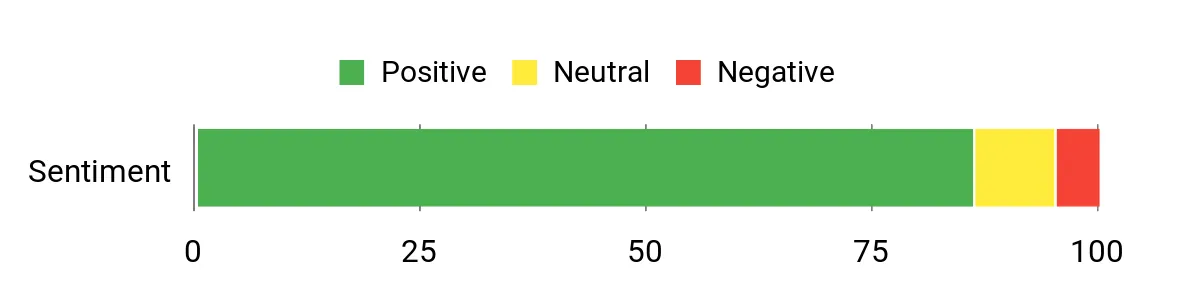
The source feedback consistently emphasizes simple setup, easy remote photo sharing, and suitability for less technical family members. Those are also the features that most clearly separate Skylight from frames designed primarily around local USB or memory-card playback.
Customer ratings and review totals change over time, so they are not used here as fixed buying criteria.
Practical Details
|
Feature |
What To Know |
|---|---|
|
Screen |
10-inch 1280×800 IPS touchscreen |
|
Photo Sharing |
Wi-Fi sharing through the mobile app or the frame’s email-based sharing system |
|
Storage |
8GB built-in storage |
|
Subscription |
Basic photo sharing does not require a paid plan; some advanced features and cloud services are tied to Skylight Plus |
|
Power |
Corded power for continuous everyday display |
Who Should Buy This
- Families sending photos to parents or grandparents from different locations
- Buyers who prioritize simple everyday operation over extensive local-media controls
- People who want to preload a frame before giving it as a gift
Who Should Avoid This
- Buyers who specifically want SD card or USB-drive playback as their main workflow
- People who expect every cloud, video, organization, and remote-management feature to be included without a paid plan
Key Benefits
- Simple app and email photo sharing from a distance
- 10-inch IPS touchscreen with 1280×800 resolution
- 8GB of built-in local storage
- Gift-friendly setup for relatives who prefer minimal technology
- Existing photos can remain viewable when the internet connection is temporarily unavailable
Important Limitation
Do not confuse free photo sharing with full access to every Skylight service. Advanced features can depend on Skylight Plus, so check the current feature comparison before buying if cloud backup, video tools, albums, or remote controls are important to you.
Check Product Details on Amazon
Aluratek Frame

Best for: Buyers who want a digital frame with Wi-Fi plus useful local-media options such as USB and SD/SDHC support.
The Aluratek AWDMPF110F takes a more traditional multimedia-frame approach. Along with Wi-Fi capability, it supports local files through USB and SD/SDHC media, making it useful when you already have a large photo collection stored outside your phone.
The 10-inch-class touchscreen uses a 1280×800 display, and the model documentation specifies 8GB of built-in storage. It can also handle additional functions such as video and music playback, clock, calendar, and alarm features.
Why You’ll Like It
You are not locked into a single upload method. Photos can be managed through the frame’s supported wireless workflow or moved through local storage, which gives you more flexibility when internet access is unreliable or you prefer keeping media offline.
Buyer Feedback Themes
The source feedback highlights picture quality, multiple media-input options, and a solid physical feel. The tradeoff is that setup and software can feel less streamlined than newer app-first frames, particularly for people who want an extremely simple gift experience.

Practical Details
|
Feature |
What To Know |
|---|---|
|
Screen |
10-inch-class touchscreen with 1280×800 resolution |
|
Built-In Storage |
8GB |
|
Local Media |
USB and SD/SDHC support |
|
Wireless Features |
Wi-Fi connectivity with supported Aluratek sharing functions |
|
Extra Functions |
Photo, music, and video playback plus clock, calendar, and alarm features |
Who Should Buy This
- People with photo libraries already stored on USB drives or SD cards
- Buyers who want both wireless and local file-transfer choices
- Users who value built-in multimedia and utility functions
Who Should Avoid This
- Someone who wants the most modern app-first experience possible
- A recipient who is uncomfortable with setup menus and would benefit from a more hands-off sharing system
Key Benefits
- 1280×800 touchscreen display
- 8GB of built-in memory
- USB and SD/SDHC media support
- Wi-Fi capability for wireless sharing
- Multimedia playback and useful clock/calendar functions
Important Limitation
This is an older model platform than some newer app-centric frames. If wireless sharing is your main reason for buying it, confirm that the current app and services work with the phones and workflow you plan to use. Its local USB and memory-card support is the safer long-term reason to choose it.
Check Product Details on Amazon
ARZOPA D14

Best for: Buyers who want a larger digital photo frame with a sharper display, substantial built-in storage, video support, and remote family sharing.
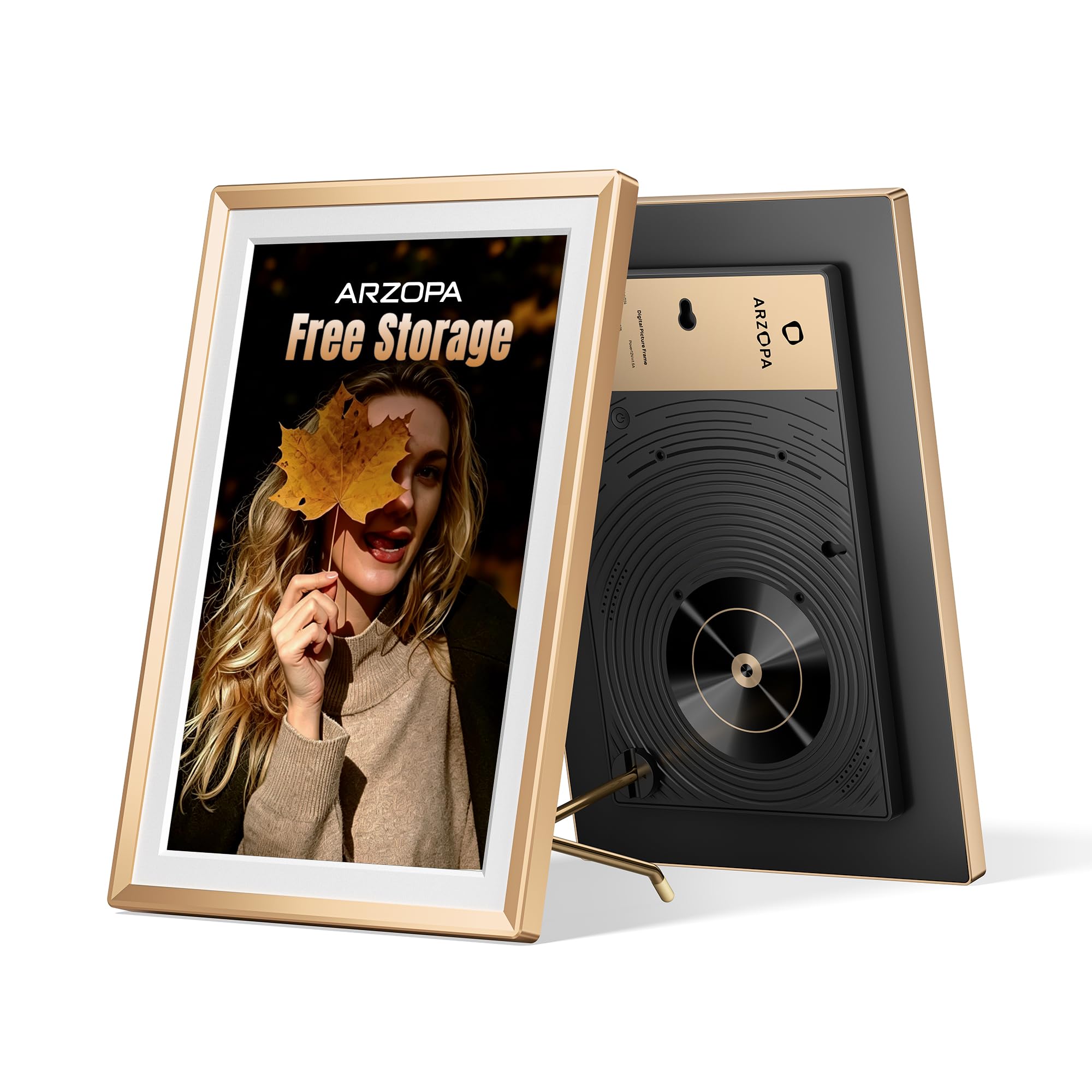
The ARZOPA D14 moves beyond the typical 10-inch digital frame with a 14-inch 1920×1200 IPS touchscreen. That larger display makes photos easier to appreciate from across a living room, hallway, or shared family space.
It also combines 32GB of built-in storage with Wi-Fi sharing and cloud storage. ARZOPA states that the D14’s cloud storage does not require a subscription, making this model especially appealing if you want remote sharing without planning around a recurring cloud fee.
Why You’ll Like It
The D14 offers more visual impact than the smaller frames in this guide. High-resolution photos, family portraits, travel shots, and short videos have more room to breathe, while the touchscreen and auto-rotation features make day-to-day operation straightforward.
Buyer Feedback Themes
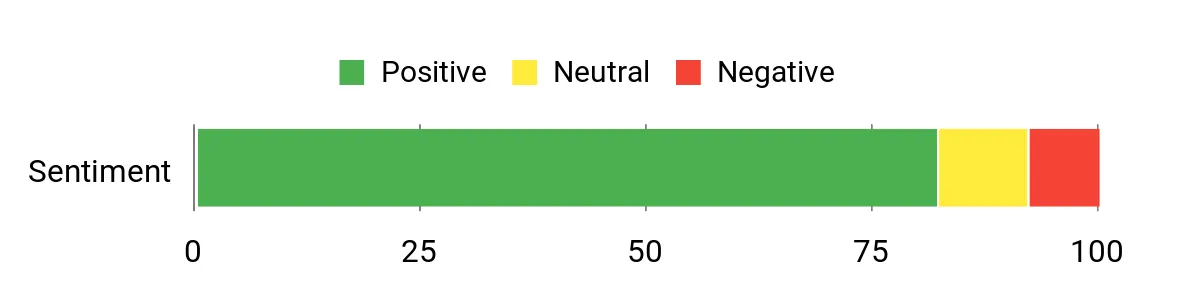
The source feedback focuses on the large display, image clarity, decorative design, and easy family sharing. Its size is a major advantage in a living room, although buyers specifically looking for a small bedside or desk frame may find a 14-inch model unnecessarily large.
Practical Details
|
Feature |
What To Know |
|---|---|
|
Screen |
14-inch IPS touchscreen with 1920×1200 resolution |
|
Storage |
32GB built-in storage plus supported expandable/local options |
|
Cloud Storage |
ARZOPA advertises free cloud storage for the D14 without a required subscription |
|
Sharing |
Remote photo and video sharing through the ARZOPA app |
|
Display Features |
Anti-glare screen, touchscreen controls, and automatic orientation changes |
Who Should Buy This
- Families wanting a larger frame that is visible from farther away
- People who display high-resolution photos or short videos
- Buyers who want substantial local storage plus remote sharing
- Anyone trying to avoid a required recurring cloud-storage subscription
Who Should Avoid This
- People who need a compact frame for a crowded desk or small nightstand
- Buyers whose only requirement is basic photo playback and who would not benefit from the larger display
Key Benefits
- Large 14-inch 1920×1200 IPS touchscreen
- 32GB of built-in storage
- Remote app-based photo and video sharing
- Free cloud storage advertised without a required subscription
- Auto rotation and anti-glare display features
Important Limitation
The larger screen requires more physical space than a typical 10-inch frame. Measure the shelf, table, or wall area where you plan to use it before buying, especially if you want the frame close to a work area or bedside.
Check Product Details on Amazon
BSIMB Wood

Best for: Buyers who want smart photo-sharing features but prefer a warmer wood-effect frame instead of a plain black electronics-style bezel.
The BSIMB Wood combines a 10.1-inch 1280×800 display with Wi-Fi sharing in a frame designed to look more at home beside traditional décor. Its wood-effect surround helps it blend with shelves, bedrooms, and living rooms where a plain black screen may feel too much like another gadget.
The frame includes 16GB of built-in storage and supports photo and video sharing. Auto rotation helps when moving between landscape and portrait images, while touchscreen operation keeps common controls accessible directly on the frame.
Why You’ll Like It
Its strongest selling point is the balance between technology and appearance. You still get remote family sharing and a touchscreen interface, but the exterior looks closer to a conventional photo frame than many all-black alternatives.
Buyer Feedback Themes
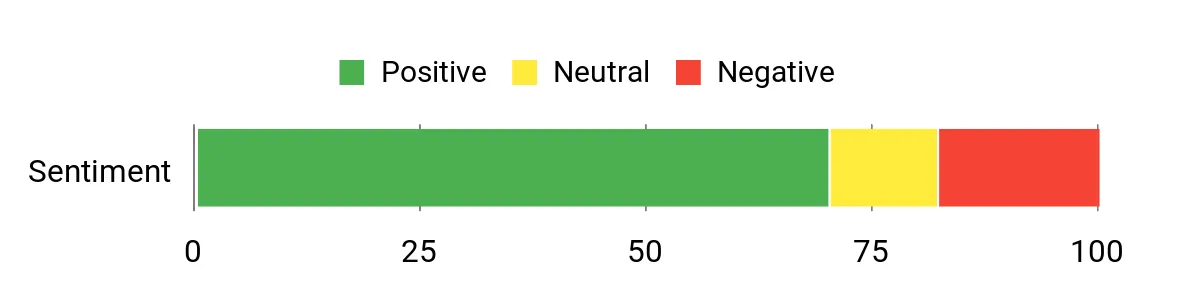
The source feedback emphasizes the picture quality and wood-effect appearance, along with generally straightforward media sharing. As with many app-connected frames, software and firmware behavior can matter as much as the screen itself, so keeping the device updated is important.
Practical Details
|
Feature |
What To Know |
|---|---|
|
Screen |
10.1-inch 1280×800 display |
|
Storage |
16GB built-in storage |
|
Sharing |
Wi-Fi photo and video sharing through supported app/email functions |
|
Orientation |
Automatic rotation for portrait and landscape viewing |
|
Controls |
Touchscreen operation |
Who Should Buy This
- People who care about how a digital frame fits with traditional home décor
- Families who want to send new photos remotely
- Users who want a 10-inch-class frame with more built-in storage than basic models
Who Should Avoid This
- Buyers who want the largest possible display
- People who prioritize a highly polished premium app ecosystem over decorative styling
Key Benefits
- Wood-effect exterior that resembles a traditional frame
- 10.1-inch 1280×800 display
- 16GB of built-in storage
- Wi-Fi photo and video sharing
- Auto rotation and touchscreen controls
Important Limitation
Connected features depend on the frame’s software and supported sharing services. If remote uploads are critical, confirm current phone-app compatibility before buying rather than choosing it for appearance alone.
Check Product Details on Amazon
FAQ
Do I Need A Subscription For A Digital Picture Frame?
Not always. Some frames provide their core photo-sharing features without a recurring fee, while others place cloud backup, video tools, album organization, remote settings, or third-party integrations behind an optional subscription.
Before buying, separate the features you actually need from optional extras. If avoiding recurring fees is important, look for useful built-in storage, USB or SD support, and clearly documented free sharing features.
How Do I Share Photos With Family?
Wi-Fi digital picture frames commonly use a mobile app, email-based sharing, or both. Once the frame is linked to Wi-Fi, approved relatives can send new photos remotely without physically accessing the frame.
For someone who is not comfortable with technology, it is often easiest for another family member to complete the initial setup and then let the recipient simply enjoy the slideshow.
Does A Digital Picture Frame Need Wi-Fi?
Wi-Fi is normally required for remote uploads and cloud-connected features, but not every frame needs an active connection to display photos already stored locally. Frames with built-in memory, USB support, or SD card support can be more flexible when internet access is unreliable.
What Screen Size Is Best For A Digital Picture Frame?
Around 10 inches is a practical size for desks, nightstands, shelves, and close viewing. A 14-inch frame such as the ARZOPA D14 works better as a living-room or hallway display because photos remain easier to see from farther away.
What Resolution Should I Look For?
Resolution matters together with screen size. A 1280×800 display can look good on a 10-inch frame for normal household viewing, while a larger 14-inch display benefits from a higher resolution such as 1920×1200 to preserve detail.
Is Local Storage Still Important If The Frame Has Cloud Sharing?
Yes. Local storage keeps a collection directly on the frame and can make previously downloaded photos available even when internet access is interrupted. It also reduces dependence on a cloud service for every aspect of daily playback.
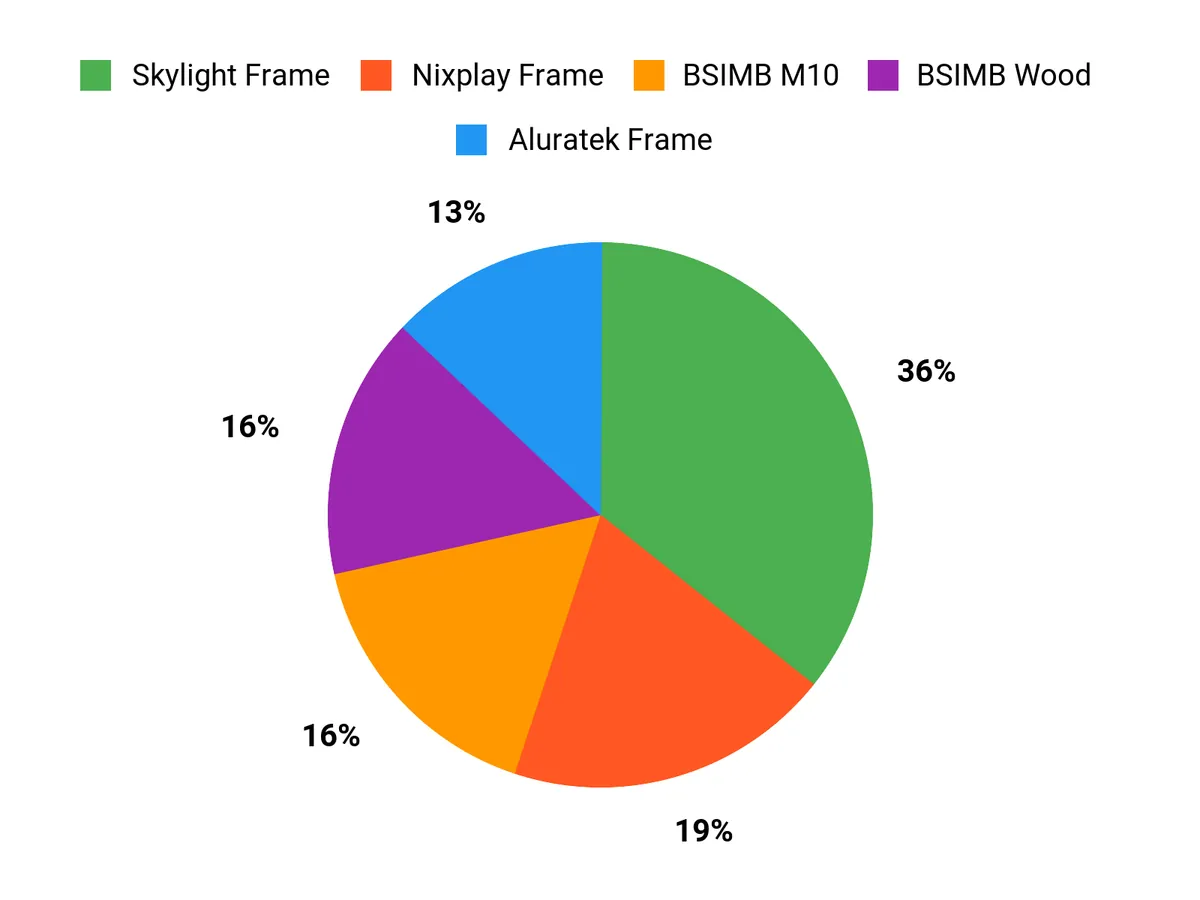
Which Frame Fits You Best?
Choose based on the workflow you will actually use. Pick Skylight when effortless remote family sharing and gifting are the main priorities. Choose Aluratek when USB, SD cards, and local media flexibility matter more than having the newest app experience.
The ARZOPA D14 makes more sense when you want a larger, sharper centerpiece with substantial storage, while BSIMB Wood is the more decorative choice for buyers who want Wi-Fi sharing without the typical all-black gadget look.
Wrapping Up
There is no single feature that makes a digital picture frame right for everyone. For most families, the important question is how easily new photos can reach the frame after it has been given to the recipient. That is where the Skylight Frame stands out. If screen size and image impact matter more, the ARZOPA D14 gives you a substantially larger 14-inch display with 32GB of storage.
The Aluratek Frame remains useful for buyers who want USB, memory-card, and local playback options, while the BSIMB Wood offers a warmer decorative look with Wi-Fi sharing. Match the frame to the recipient’s technical comfort, preferred sharing method, available space, and tolerance for subscription-based extras before buying.
| Product Name | Image | Best For | Screen Size | Resolution | Memory Storage Capacity | Connectivity Technology |
|---|---|---|---|---|---|---|
| Skylight Digital Picture Frame |
 |
Simple remote family sharing | 10 inches | 1280×800 | 8 GB | Wi-Fi |
| Aluratek 10″ WIFI Digital Photo Frame |
 |
USB, SD card, and local media | 10 inches | 1280×800 | 8 GB | Wi-Fi, USB, SD/SDHC |
| ARZOPA Metal Digital Picture Frame |
 |
Large-screen family display | 14 inches | 1920×1200 | 32 GB | Wi-Fi, local storage options |
| BSIMB Smart WiFi Digital Picture Frame |
 |
Decorative wood-effect styling | 10.1 inches | 1280×800 | 16 GB | Wi-Fi |
This roundup is reader-supported. When you click through qualifying affiliate links, we may earn a referral commission.