Affiliate disclosure: As an Amazon Associate I earn from qualifying purchases. This article contains affiliate links to Amazon, so we may earn a commission if you buy through them, at no extra cost to you.
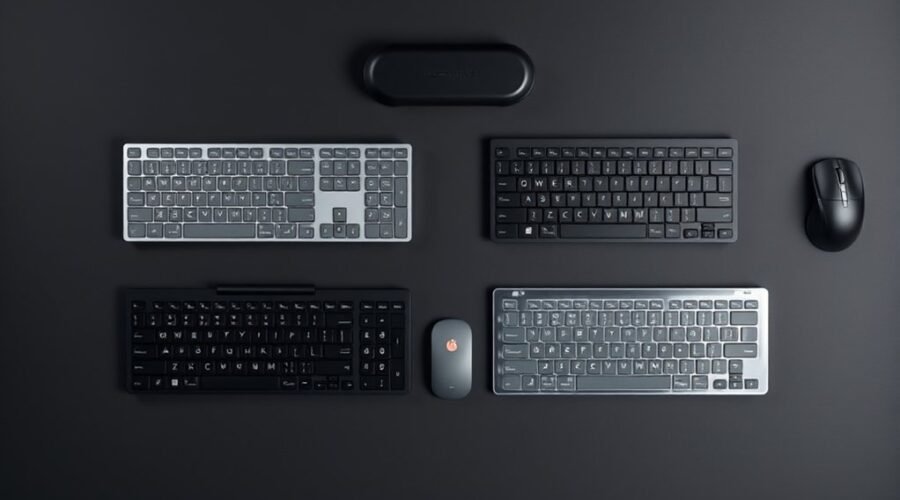
The best wireless keyboards for 2026 include the Azio Retro Classic, Arteck Universal Keyboard, Logitech MX Keys, and Logitech MX Keys Mini. The Azio stands out for its vintage style and mechanical feel, while the Arteck is a lightweight choice for travel. Logitech MX Keys offers quiet comfort and strong multi-device support, and the MX Keys Mini adds a compact layout with smart features. Each model suits different needs, with more details available ahead.
Azio Retro Classic Bluetooth Mechanical Keyboard (MK-RETRO-W-BT-01-US)
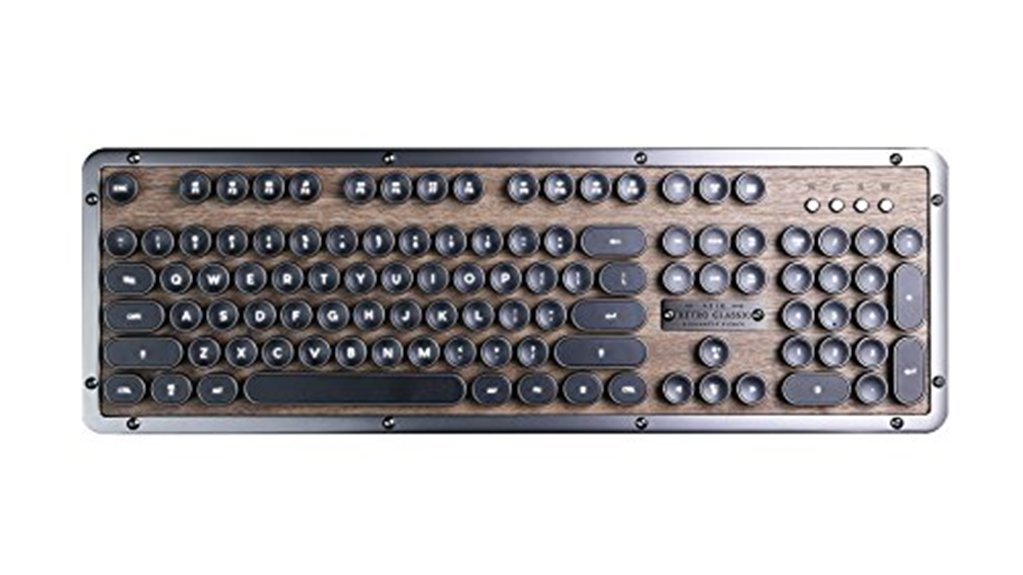
The Azio Retro Classic Bluetooth Mechanical Keyboard is best suited for users who value a distinctive, vintage-inspired design as much as typing feel, pairing genuine leather and a walnut wood finish with clicky blue mechanical switches. Its forged zinc aluminum alloy frame and chrome-satin accents reinforce the typewriter-inspired aesthetic while adding durability. Bluetooth and USB support make it flexible for Windows and Mac setups. Adjustable backlighting improves low-light use, and the 6,000mAh rechargeable battery offers long life, lasting up to a year without backlight or one to two months with illumination, depending on usage.
Best For: Users who want a distinctive, vintage-inspired mechanical keyboard with a premium look, clicky blue switches, and flexible Bluetooth/USB compatibility for Windows or Mac.
Pros:
- Genuine leather, walnut wood finish, and typewriter-inspired design create a standout premium aesthetic.
- Blue mechanical switches deliver tactile, clicky feedback that many typists and enthusiasts enjoy.
- Adjustable backlighting and a long-lasting rechargeable battery add convenience for daily use.
Cons:
- The retro design and materials may be bulkier or less practical than modern minimalist keyboards.
- Blue switches can be loud, which may not suit shared or quiet workspaces.
- Premium build and styling may come at a higher price than standard mechanical keyboards.
Arteck Universal Backlit Wireless Bluetooth Keyboard for iPad, Tablet, PC
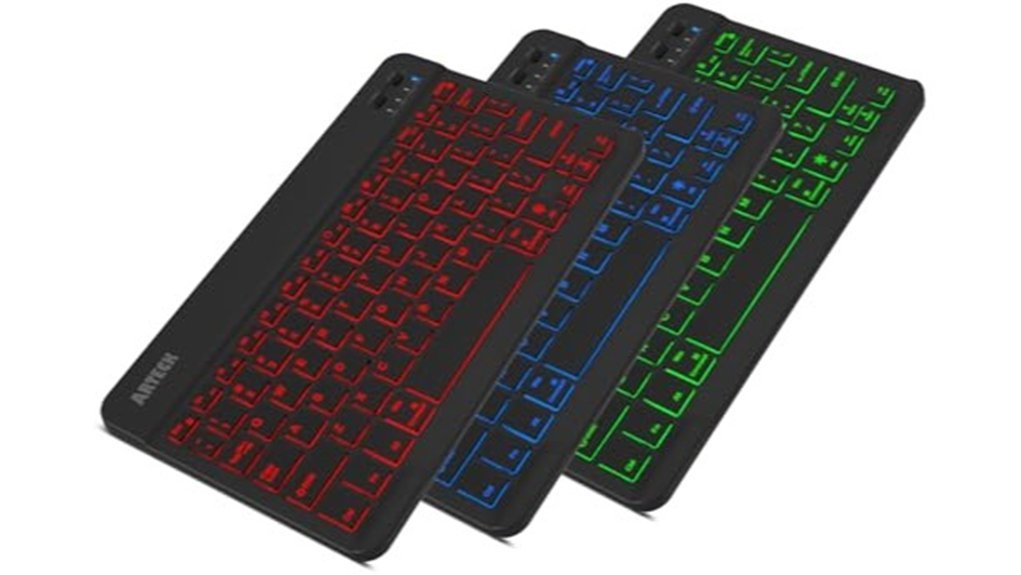
For travelers and multi-device typists, the Arteck Universal Backlit Wireless Bluetooth Keyboard stands out immediately. The HB030B is an ultra-thin, lightweight black keyboard measuring 9.7 x 5.9 x 0.24 inches and weighing just 0.37 lb, making it easy to carry in a bag or case. Its 7-color LED backlight, with two brightness levels and auto sleep, adds flexibility in low light. A rechargeable lithium battery lasts up to six months between charges. Compatibility spans iOS, Android, Mac OS, and Windows devices, and the package includes a charging cable, welcome guide, and 24-month warranty.
Best For: Travelers, students, and multi-device typists who want a slim, portable backlit Bluetooth keyboard that works across iOS, Android, Mac, and Windows devices.
Pros:
- Ultra-thin and lightweight design makes it easy to carry in a backpack, messenger bag, or case.
- 7-color LED backlight with two brightness levels helps typing in low-light settings.
- Long battery life of up to 6 months between charges, plus broad device compatibility.
Cons:
- Best suited for light, portable use rather than full-size desktop typing.
- No mention of advanced features like a trackpad or programmable keys.
- Backlight use may reduce battery life compared with the stated maximum.
Logitech MX Keys Illuminated Wireless Keyboard (Bluetooth/USB-C)
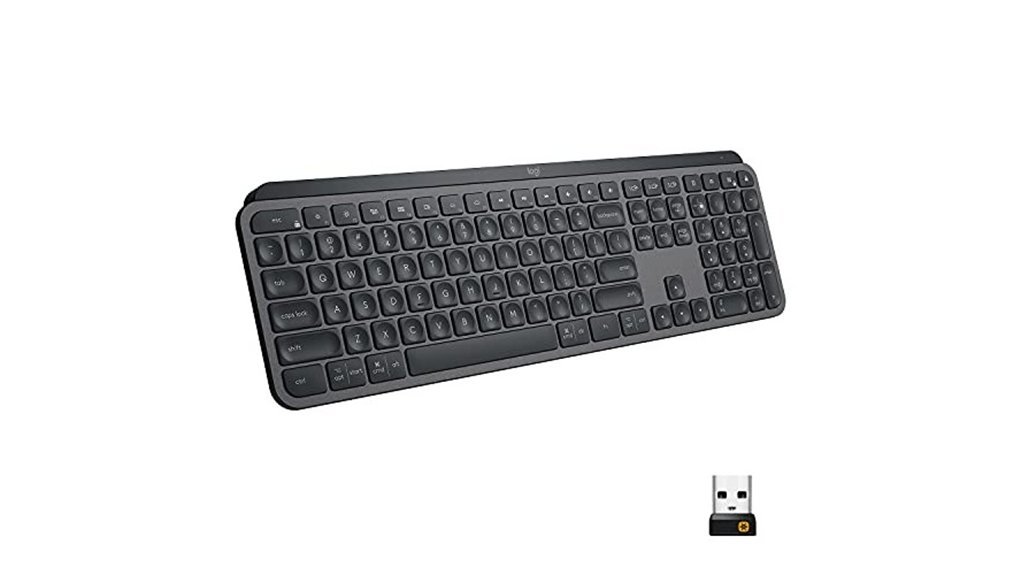
Logitech’s MX Keys Illuminated Wireless Keyboard suits typists who want quiet precision across multiple devices. The full-size Graphite model 920-009294 uses spherically dished keys that fit fingertips well and deliver steady feedback. It is built for comfort and stability, with a palm rest and slim profile. Smart illumination detects hand proximity and adjusts backlighting automatically. USB-C charging supports up to 10 days of use, or 5 months with lights off. Bluetooth pairing works with Windows, macOS, Linux, iOS, and Android, and Easy-Switch keys manage three devices.
Best For: People who want a comfortable, quiet full-size wireless keyboard with smart backlighting and easy switching between multiple devices.
Pros:
- Spherically dished keys provide a comfortable, precise typing feel.
- Smart illumination automatically adjusts backlighting based on hand proximity.
- Supports pairing with up to 3 devices across Windows, macOS, Linux, iOS, and Android.
Cons:
- Full-size layout and palm rest may take up a fair amount of desk space.
- Battery life is much shorter with backlighting enabled.
- No dedicated mention of extra programmable keys or advanced customization features.
Logitech MX Keys Mini Minimalist Wireless Illuminated Keyboard – Pale Gray
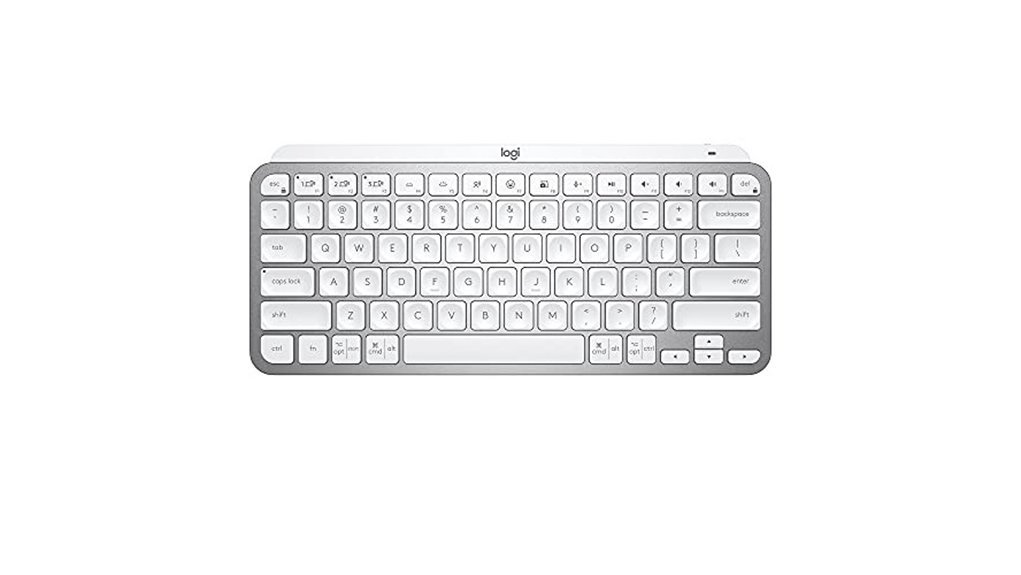
Pale Gray’s compact MX Keys Mini suits travelers and minimalist workspaces. Logitech’s 920-010473 model uses a low-profile ergonomic layout for portability, while Perfect Stroke keys support precise typing and include Smart Keys for dictation, mic mute, and emoji access. Backlit keys illuminate automatically and adapt to ambient light. Bluetooth Low Energy pairing supports up to three devices across operating systems, and it works smoothly with MX Master 3 or MX Anywhere 3 mice. USB-C charging provides up to 10 days of use, or five months with backlighting off, with recycled plastic reducing environmental impact.
Best For: People who want a compact, travel-friendly wireless keyboard with comfortable typing, smart shortcuts, and multi-device support.
Pros:
- Compact, minimalist design is easy to carry and fits small workspaces.
- Smart Illumination and Perfect Stroke keys improve typing comfort and accuracy.
- Connects to up to three devices and charges via USB-C with long battery life.
Cons:
- Small size may not suit users who prefer a full-size keyboard with a number pad.
- Backlighting can reduce battery life when used frequently.
- Premium feature set may make it more expensive than basic wireless keyboards.
Factors to Consider When Choosing Wireless Keyboards 2026: Top Picks and Buying Guide
Choosing a wireless keyboard in 2026 often begins with connection type, since Bluetooth, 2.4 GHz, and multi-device support can shape everyday convenience. Key switch feel, battery performance, device compatibility, and portability also remain central, as they determine comfort, reliability, and how well the keyboard fits different setups. A balanced buying guide weighs these factors together to narrow the strongest top picks.
Connection Types
When comparing wireless keyboards, connection type is one of the most important factors to evaluate because it directly affects compatibility, stability, and convenience. Bluetooth models are widely favored for their broad support across operating systems and devices, and some can pair with multiple devices at once for fast switching during multitasking. RF keyboards use a USB receiver, which often delivers a steadier connection, though it occupies a USB port and may be less versatile on port-limited devices. Some keyboards support both wireless and wired use, giving users an option when batteries run low or when a direct connection is preferred. Battery life also matters, since runtime can range from months to a year depending on features, especially backlighting and usage patterns.
Key Switch Feel
Key switch feel often determines whether a wireless keyboard feels satisfying or fatiguing over long sessions. The switch type largely shapes that experience. Mechanical switches, including blue variants, deliver pronounced tactile feedback and a clicky sound that appeals to typists who enjoy a traditional response. Membrane switches feel softer and quieter, with a cushioned press that reduces noise but also lessens feedback. Scissor switches offer a low-profile compromise, often favored for compact layouts. Keycap design also matters, because contour and spacing can improve comfort and efficiency for different finger shapes and typing styles. Ultimately, preference depends on how a person types, how much sound is acceptable, and how much physical response is desired.
Battery Performance
Battery performance matters just as much as switch feel, since a comfortable keyboard loses appeal if it needs frequent charging. Some wireless models can last up to a year when backlighting is disabled, while typical use often lands closer to six months. Larger batteries, such as 6,000mAh cells, help extend runtime further, especially when lighting stays off. Rechargeable boards vary more widely: with backlighting enabled, some reach only about 10 days, yet they may run for several months without it. Auto sleep features add value by reducing drain during idle periods, preserving charge between sessions. Charging method also matters, and USB-C usually shortens downtime compared with older ports. For users who value low maintenance, runtime and recharge speed should rank near the top of the checklist.
Device Compatibility
Device compatibility often determines whether a wireless keyboard feels seamless or frustrating in daily use. A strong model should support major operating systems, including Windows, macOS, iOS, and Android, so it can serve different setups without issue. It should also work reliably with tablets, smartphones, and laptops, guaranteeing consistent performance across common devices. Connection options matter as well; Bluetooth offers broad wireless convenience, while USB may suit users who prefer a direct link. Multi-device pairing is especially useful, since some keyboards can connect to two or three devices at once and switch between them quickly. This flexibility reduces interruptions and helps maintain productivity across home, office, and mobile work environments. Compatibility should be verified before purchase to avoid unnecessary limitations and to confirm dependable everyday use.
Portability And Design
After device compatibility is confirmed, portability and design become the next practical factors to weigh in a wireless keyboard. Weight and dimensions matter, because ultra-thin models are easier to carry, fit into bags, and store between trips. A compact layout also supports use in cafes, libraries, and co-working spaces without demanding much desk room. Materials influence both feel and appearance; lightweight aluminum can improve durability while keeping the keyboard manageable, and plastic may reduce cost and mass. Rechargeable batteries add convenience by extending use between charges, which is valuable when mobility is important. Ergonomic shaping should not be overlooked, since comfort and finger positioning affect long typing sessions, especially on smaller keyboards where spacing is limited.
Frequently Asked Questions
How Long Do Wireless Keyboard Batteries Typically Last?
Wireless keyboard batteries typically last from a few months to several years, depending on usage, battery type, and features. Bluetooth models with efficient power management often last longest, while backlit keyboards drain batteries faster.
Can Wireless Keyboards Connect to Multiple Devices Simultaneously?
Like a switchboard lit with blinking signals, many wireless keyboards can pair with multiple devices, then toggle between them. Some support simultaneous connections, though true concurrent typing usually requires special software or multi-host Bluetooth.
Are Wireless Keyboards Suitable for Gaming?
Yes, wireless keyboards can suit gaming, though performance varies. Low-latency models offer responsiveness close to wired options, while cheaper versions may introduce lag. Competitive players often prefer wired keyboards, but casual gaming remains well supported.
Do Wireless Keyboards Work With Smart TVS?
Yes—wireless keyboards often work with smart TVs, especially via Bluetooth or a USB dongle. For example, a living room user might type search terms on a Samsung TV with a Logitech K380.
How Do I Clean and Maintain a Wireless Keyboard?
It is cleaned by powering off, removing batteries, shaking out debris, and wiping keys with a soft, slightly damp cloth. Regular maintenance includes replacing batteries, avoiding spills, and keeping it covered when not in use.
Conclusion
Ultimately, the four featured keyboards fuse form, function, and flexibility for fast-moving users. From Azio’s vintage vibe to Arteck’s adaptable appeal and Logitech’s luxe, luminous layouts, each model offers a distinct advantage. Still, the smartest selection depends on comfort, connectivity, and compatibility. Careful consideration creates confident choices, and that clarity leads to cleaner typing, calmer workflows, and consistent convenience. In wireless keyboards, balanced benefits bring the best results.