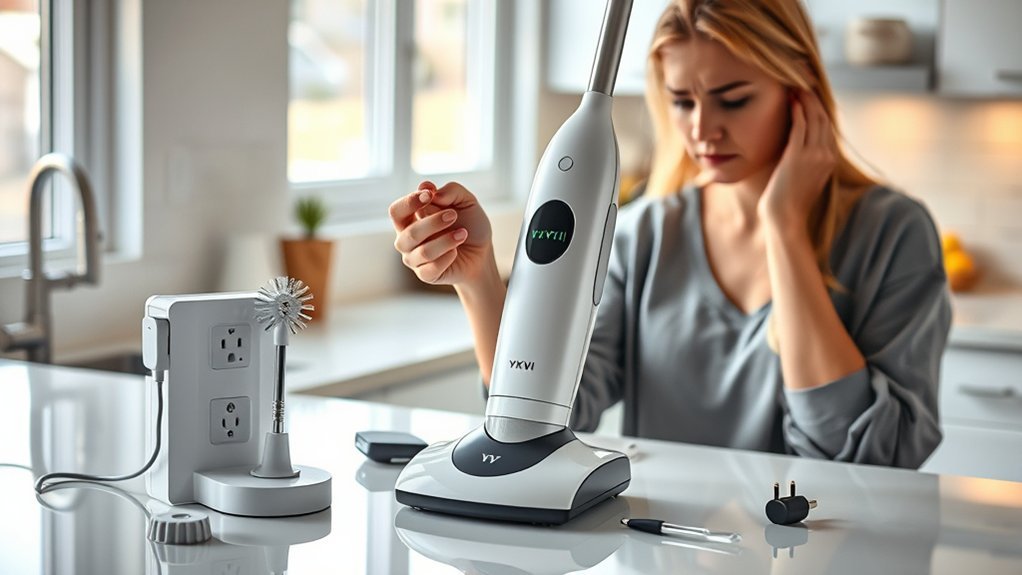
If your YKYI electric spin scrubber is not charging, the fault is usually in the charging path, not inside the tool. A USB-C plug that is not fully seated, a worn cable, a wall adapter that does not match the model’s 5V input, lint or shower moisture inside the port, or a dead bathroom outlet on a tripped GFCI will all produce the same symptom: you plug it in and nothing happens.
That matters, because the cheapest fix and the most expensive fix look identical from the outside. The steps below isolate the failure one variable at a time, so you find out whether you need a $7 cable, a $12 charger, a warranty claim, or a new scrubber before you spend anything.
Stop first: Do not plug the scrubber in if the handle is hot, the body looks swollen or misshapen, the port smells burnt, you hear odd noises, or it was dropped in water. The U.S. Consumer Product Safety Commission warns that incompatible lithium-ion chargers create fire and burn hazards, and the Los Angeles Fire Department advises using only the battery, cord, and adapter made for the device.
Quick Answer
A YKYI electric spin scrubber usually stops charging because of a loose or damaged USB-C cable, an adapter that does not deliver a steady 5V, a dirty or wet charging port, a dead outlet, or a battery near the end of its life. Power the scrubber off, dry the port for at least 30 minutes, connect a known-good 5V USB adapter and cable, and leave it on a hard dry surface for one full charge cycle of roughly four hours. If the indicator never responds across two different outlets, two adapters, and two cables, the port, board, or battery has failed and the fix is a warranty claim, not a new cord.
Key Takeaways
- Most spin scrubbers use a charge lockout, so the motor is disabled while the cable is plugged in. Unplug it completely before you decide it is dead.
- Match the wall adapter to the label. YKYI-style scrubbers charge at DC 5V; a 5V/3A brick is fine because the tool draws only what it needs, but a high-voltage laptop charger is not.
- Never charge a wet scrubber. IPX7 protects the sealed body during cleaning, not the open USB-C port during charging.
- Change one thing at a time: outlet, then adapter, then cable, then port cleaning, then a full charge cycle. That sequence tells you exactly which part to buy.
- A pack that dies within about 15 minutes after a full charge is worn out, not undercharged. Check warranty coverage before you replace anything.
Affiliate disclosure: As an Amazon Associate we earn from qualifying purchases. If you buy through links on this page we may receive a commission at no extra cost to you. See our full Amazon disclaimer.
By the Nordic Design Blog Team. Researched against YKYI product documentation, current retail listings, and published safety guidance from CPSC, the U.S. Fire Administration, and iFixit. Specifications were re-checked on live listings before publication. Last updated: August 22, 2026.
On This Page
At a Glance
| Time Required | 10 to 15 minutes of checks, plus one full charge cycle of about 4 hours to confirm the result |
| Difficulty | Easy. Nothing here involves opening the handle, the battery compartment, or the motor housing |
| Tools Needed | Flashlight, dry microfiber cloth, air blower or canned air, soft dry brush, 90%+ isopropyl alcohol and a thin swab, one known-good USB-C cable, one known-good 5V USB wall adapter |
| Typical Cost | Nothing if reseating, drying, or cleaning the port works. Low cost for a replacement cable or 5V charger. Full price only if the port, board, or battery has failed out of warranty |
| Applies To | YKYI RJ152, LZ-8052 and similar 5V USB-C cordless spin scrubbers, plus compatible Bomves, TUYU, Highyes, Keimi, Leebein and Yesayce models |
| Stop Testing If | The handle, battery area, charger, or port gets hot, smells burnt, swells, changes colour, leaks, sparks, smokes, or shows water damage |
Is It Safe to Charge the Scrubber Again?
Run a 30-second inspection before you plug anything in. A scrubber that will not charge is usually harmless, but the same symptom can be the first sign of a damaged lithium-ion cell, and that is not something to test repeatedly with random chargers.
The U.S. Fire Administration lists six warning signs that mean you should stop using a lithium-ion battery immediately: an unusual odour, a change in colour, too much heat, a change in shape, leaking, or odd noises. If your scrubber shows any of those, it goes in the bin at a battery recycling point, not on a charger. The same guidance says not to charge lithium-ion batteries below 32°F (0°C) or above 105°F (40°C), which rules out an unheated garage in winter and a hot car in summer.
Assuming the tool passes that check, three rules apply for the rest of this guide. Use the supplied charger or a replacement clearly rated for the model. Stay in the house while it charges rather than leaving it overnight. Unplug it once it reaches full charge, as CPSC advises for consumer lithium-ion products.
Warning: Do not charge a wet scrubber. Dry the charging port fully first, and do not charge in a damp bathroom, sink area, tub, or shower cubicle. If the unit was dropped in water, or shows heat, swelling, smoke, odour, or crackling sounds, stop using it and contact the seller or manufacturer support.
Why Your YKYI Electric Spin Scrubber Is Not Charging
There are only two families of cause. The first is a broken power path, meaning the electricity never reaches the battery: outlet, adapter, cable, plug seating, or port contacts. The second is a failed component inside the tool: the charging board, the port solder joints, or the battery pack itself. Power-path problems are far more common, cost very little to fix, and are the only ones you can safely diagnose at home.
The table below ranks what actually goes wrong on 5V USB-C spin scrubbers, roughly in order of how often it turns out to be the answer.
| Cause | What you notice | How likely |
| Moisture or soap film in the USB-C port | Charged fine until you started rinsing the tool in the shower; light flickers or never appears | Very common |
| Plug not fully seated, or a worn cable end | Charges only when the cord is held at an angle, or drops out if the tool is nudged | Very common |
| Charge lockout mistaken for a dead tool | Motor will not run while the cable is connected, so it feels completely dead | Common, and free to fix |
| Weak or wrong wall adapter | Charging is extremely slow, stalls part-way, or never starts on one particular brick | Common |
| Dead outlet or tripped bathroom GFCI | Nothing else plugged into that socket works either; the GFCI reset button has popped out | Common, often overlooked |
| Damaged cable conductor | Cable is kinked near the connector; a different cable charges the scrubber normally | Common |
| Deeply discharged battery after long storage | No indicator for the first several minutes on the charger after months unused | Occasional |
| Aged battery pack | Charges to full, then runs for only a few minutes under load | Occasional, after 2 to 3 years |
| Failed charging port or internal board | No response with any known-good outlet, adapter, or cable; port feels loose in the housing | Least common |
One extra possibility is worth ruling out before you troubleshoot charging at all: some YKYI units ship in a locked or transport mode and need a specific button sequence before they respond. If yours is new and nothing happens when you press power, read how to unlock and activate a YKYI electric spin scrubber first, because a locked tool and a dead tool look the same.
How to Fix a YKYI Electric Spin Scrubber That Will Not Charge
Work through these in order and change only one variable per test. The point is not to try everything at once, it is to end up knowing which single part failed, because that is what decides whether you buy a cable, a charger, or nothing at all.
1. Turn It Off and Inspect the Scrubber
Switch the scrubber fully off and disconnect the cable before you inspect anything. This first step catches the most embarrassing false alarm in the category: nearly all cordless spin scrubbers disable the motor while the charging cable is attached, so a tool that is charging perfectly well feels completely dead if you test it with the cord still in.
With everything unplugged, work along the tool with a flashlight. Check the power button for stuck grit, the display or indicator for any faint response, the port cover for a poor seal, and the USB-C socket itself for soap film, water droplets, rust-coloured marks, bent contacts, or compacted lint. Flex the last two inches of the original cable gently near each connector; a cable that only works in one position is already telling you the answer.
If the handle or battery area feels warm before you have charged anything, stop here and treat it as a battery fault rather than a charging fault.
2. Check the Charger Label
Read the tiny print on the wall adapter, not the box it came in. YKYI-style USB-C scrubbers are designed around DC 5V charging, and replacement chargers for this category are typically sold as 5V/2A or 5V/3A units. What matters is that the adapter actually delivers 5V to a USB-C socket.
Two points confuse people here. First, a higher amp rating is not dangerous: amps are a ceiling, not a push, and the scrubber’s own charging circuit draws only what it is designed to take. A 5V/3A charger will not force extra current into a 2A device. Second, voltage is not negotiable. A laptop or power-tool brick that outputs 12V or 20V and never falls back to 5V can damage the pack, which is exactly the scenario CPSC warns about with mismatched lithium-ion chargers.
Prefer an adapter carrying a recognised safety mark such as UL or ETL. Avoid unbranded “universal” chargers with no printed output rating at all.
Pro Tip: Do not diagnose with a laptop USB port, a car socket, or a low-output power bank. Many deliver less current than the scrubber expects, which produces a flickering indicator that looks like a hardware fault. Use a wall outlet for every test in this guide.
3. Test a Different Outlet, Adapter, and Cable
This is the step that actually finds the fault, so run it methodically. Start with the outlet, because bathroom and kitchen sockets in most homes are GFCI protected and a tripped GFCI kills the socket silently. Plug a lamp or phone charger into the same outlet. If it is dead, press the RESET button on the GFCI outlet itself, or on the first GFCI upstream on that circuit, and try again.
Then change one part at a time and read the result off this table.
| What you changed | It now charges | It still does not charge |
| Different wall outlet, same adapter and cable | The original outlet is dead or the GFCI is tripped. Nothing is wrong with the scrubber | Move on to the adapter |
| Different 5V adapter, same cable | The original adapter has failed. Buy a compatible 5V replacement charger | Move on to the cable |
| Different USB-C cable, same adapter | The original cable is worn or broken internally. A replacement cable is the whole fix | Move on to cleaning the port |
| Flipped the USB-C plug 180 degrees | One row of contacts in the port or plug is dirty or damaged. Clean the port next | Move on to cleaning the port |
| All of the above, no change | – | The port, charging board, or battery has failed. Go to warranty support, not another cable |
Push the USB-C plug in until it sits straight and snug with no visible gap at the shoulder. If it wiggles, falls out on its own, or only holds at an angle, either the cable end or the port is worn.
4. Clean the USB-C Charging Port Safely
A USB-C socket on a bathroom tool collects lint, hair, limescale dust, and soap residue, and a thin film across the contacts is enough to stop charging entirely. Unplug everything first, then follow the escalation iFixit recommends for charging ports, testing after each stage rather than doing all three at once:
- Air first. Aim a dust blower or canned air into one corner of the port at an angle to dislodge loose debris.
- Then a dry brush. Insert a soft dry brush, such as a clean toothbrush, and turn it in small circles to break up compacted lint. Do not force it against the middle contact pad.
- Then alcohol, if needed. Put 90%+ isopropyl alcohol on a thin swab and run it around the perimeter of the port. Let it evaporate completely before connecting power.
Three things to avoid: never use a metal pin, paper clip, or SIM tool, because a bent contact is unrepairable on a sealed handle; never blow into the port with your mouth, since the moisture in your breath damages the contacts; and skip standard cotton buds, which are too thick and shed fibres that snag inside.
5. Charge on a Hard, Dry Surface
If the scrubber has been anywhere near water, give it at least 30 minutes with the port cover open before connecting power. Rinsing the brush head is normal use; charging a port that still holds a droplet is how a working tool becomes a dead one.
Set it flat on a dry counter or table, not on a bed, towel, sofa, or carpet, where a charging battery cannot shed heat and where a fault has something to ignite. Keep it in ordinary room conditions, inside the 32°F to 105°F (0°C to 40°C) window the U.S. Fire Administration specifies for lithium-ion charging.
Then let it run undisturbed. YKYI lists roughly four hours for a full charge on its 2500mAh RJ152-class scrubbers, and comparable models in this category are quoted between two and four hours depending on pack size. A battery that has been flat for months may show nothing at all for the first several minutes while the protection circuit brings it back into range, so a 10-minute test proves nothing. Give it one complete cycle before you conclude anything.
6. Read the Indicator Light or Display
YKYI scrubbers signal charge state in three different ways depending on model: a single indicator LED, an LED digital display showing a battery percentage and speed, and on some models a voice broadcast that announces power level. Whichever yours has, the pattern tells you where in the process it is stuck.
| What you see | What it usually means | Do this |
| Steady light, or a slowly cycling display | Charging normally | Leave it alone for the full cycle |
| Light turns solid, stops blinking, or display reads full | Charge complete | Unplug it rather than leaving it connected |
| Blinks for hours and never settles | Weak adapter, intermittent cable, dirty contacts, or a pack that can no longer reach full | Repeat step 3 with a different adapter and cable |
| Reads full within about 10 minutes of a flat battery | The pack is worn and the gauge is misreading it | Run the runtime test in step 7 to confirm |
| Nothing at all, on any outlet, adapter, or cable | Failed port, charging board, or battery | Stop testing and open a warranty or return claim |
| Indicator responds, but the motor will not spin | Charge lockout is still active, or a brush head is jammed | Unplug the cable completely, remove the head, then retest |
7. Test Runtime After a Full Charge
A charge indicator only proves that voltage arrived. Runtime proves the battery still holds it. After a full cycle, unplug the cable, fit a brush head, and run the scrubber against a surface with light pressure, because a worn pack often spins happily in the air and collapses the moment it meets load.
Use the manufacturer’s own figure as your benchmark. YKYI advertises up to 90 minutes of continuous cleaning from its 2500mAh scrubbers. If yours delivers anything close to that, the original problem was the outlet, adapter, cable, or port contact, and it is fixed. If it cuts out within roughly 15 minutes under load, the pack has reached the end of its service life, which typically arrives after two to three years of regular use. No cable or charger will change that.
YKYI Spin Scrubber Not Charging: Symptom and Fix Table
Find your symptom in the left column and start there rather than working through every step above.
| Symptom | Likely Cause | What to Do |
| No light or display while plugged in | Dead outlet, tripped GFCI, failed adapter, broken cable, blocked port, or failed charging circuit | Reset the GFCI, then swap outlet, adapter, and cable one at a time, then clean the port |
| Blinks but never reaches full charge | Underpowered adapter, intermittent cable, dirty contacts, or an ageing pack | Retest on a known-good 5V wall adapter and cable, then run one full uninterrupted cycle |
| Charges only when the plug is held at an angle | Worn cable end or a loose USB-C socket | Try a new cable first. If a new cable is also loose in the socket, the port is worn and needs support |
| Stopped charging right after cleaning the shower | Water or soap film bridging the port contacts | Dry it 30+ minutes with the cover open, clean the port with air and a dry brush, then retest |
| Indicator works but the motor will not spin | Charge lockout still engaged, jammed brush head, or overload protection tripped | Unplug fully, remove the head, clear hair from the shaft, wait 30 seconds, then press power once |
| Dead after months in storage | Battery discharged below the level the gauge can report | Leave it on a known-good 5V charger for a full cycle before judging it |
| Runs only a few minutes after a full charge | Battery capacity has degraded, usually after 2 to 3 years | Check warranty coverage. Replacing the tool is usually cheaper than opening a sealed handle |
| Brand new unit does nothing on any charger | Factory defect, or the unit is still in a locked or transport mode | Confirm the unlock sequence, then request a replacement inside the return window |
| Gets hot, swells, smells, leaks, or makes odd noises | Battery, charger, or internal fault | Unplug immediately, stop testing, and recycle it at a battery collection point |
Which Replacement Part Should You Buy First?
Buy only the part your swap test proved faulty. A cable is the cheapest possible outcome and fixes a large share of these cases. A charger set is next. A whole scrubber is a last resort, and only after you have confirmed that no compatible 5V setup wakes the tool and that warranty support cannot help.
One warning about compatibility: every product below is a third-party accessory that lists YKYI among its supported models. Cross-brand USB-C accessories in this category generally work because they all charge at 5V, but check that the seller names your specific model before ordering, and keep the packaging until you have confirmed it charges.
Quick Fix Match
| Problem You Found | Best Type of Fix | Best Match Below |
| A borrowed cable charges it, but the original cord is loose, frayed, or angle-dependent. | Replacement USB-C cable only. | Electric Spin Scrubber Type-C Charging Cable |
| You lost the whole charging set, or cannot tell whether the cable or the brick is at fault. | Cable plus wall adapter together. | Type C Electric Spin Scrubber Charger Cable |
| A borrowed adapter charges it, but yours is missing, cracked, or unrated. | Certified 5V/2A charger replacement. | USB-C Charger Replacement for Electric Spin Scrubbers |
| Nothing wakes it, it is out of warranty, or the pack dies within minutes of a full charge. | Full scrubber replacement. | 8-Brush-Head Scrubber, MayKing 9-Brush-Head Scrubber, or Bathroom Cleaning Scrubber |
Electric Spin Scrubber Type-C Charging Cable
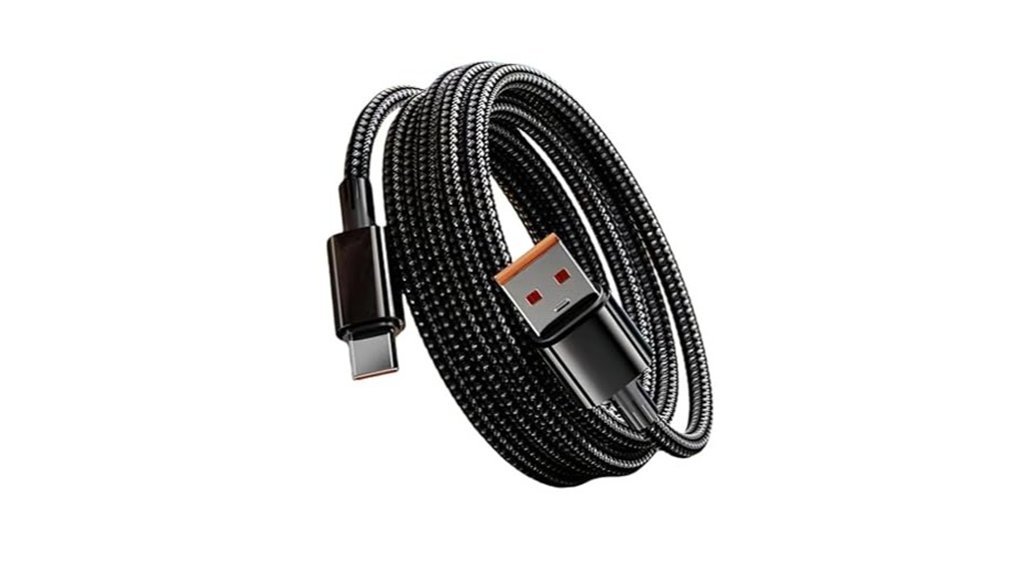
This is the cheapest thing that can fix the problem, and it is the right buy in exactly one situation: a borrowed cable charged the scrubber and yours did not. It is a 4.9ft nylon-braided USB-C cord that the seller lists for Bomves ANS-8050, YKYI RJ152, TUYU KS-2640C, Highyes A10 and PFYPTU X7 spin scrubbers, so your model is likely named on the listing.
The braided jacket and reinforced connector joints matter more here than they would on a phone cable, because a scrubber cord gets coiled around a handle and shoved in a cupboard between uses, and that is where thin PVC cables break internally. It is rated for 5V/3A, which is a ceiling rather than a forced output; pair it with a compatible 5V wall adapter and the scrubber will still draw only what its charging circuit allows.
Be aware that this listing carries only a handful of ratings so far, so there is little long-term feedback to go on. That is a reasonable risk at this price point, but do not order it on the assumption that the cable is faulty. Confirm it with a swap test first.
Best for: Owners whose scrubber charges fine on a borrowed cable but not on the original one.
Positioning: Cable only. The lowest-commitment fix available.
Verdict: Try this first if the plug feels loose, looks frayed, or only charges at one angle.
Pros
- Names YKYI RJ152 and several compatible brands explicitly on the listing.
- Braided jacket and reinforced joints resist the coil-and-stuff storage that kills spin scrubber cords.
- Cheapest possible resolution when the cable really is the fault.
Cons
- Fixes nothing if the adapter, port, or battery is the problem.
- No wall adapter included.
- Thin review history at the time of writing.
Electric Spin Scrubber with 8 Brush Heads
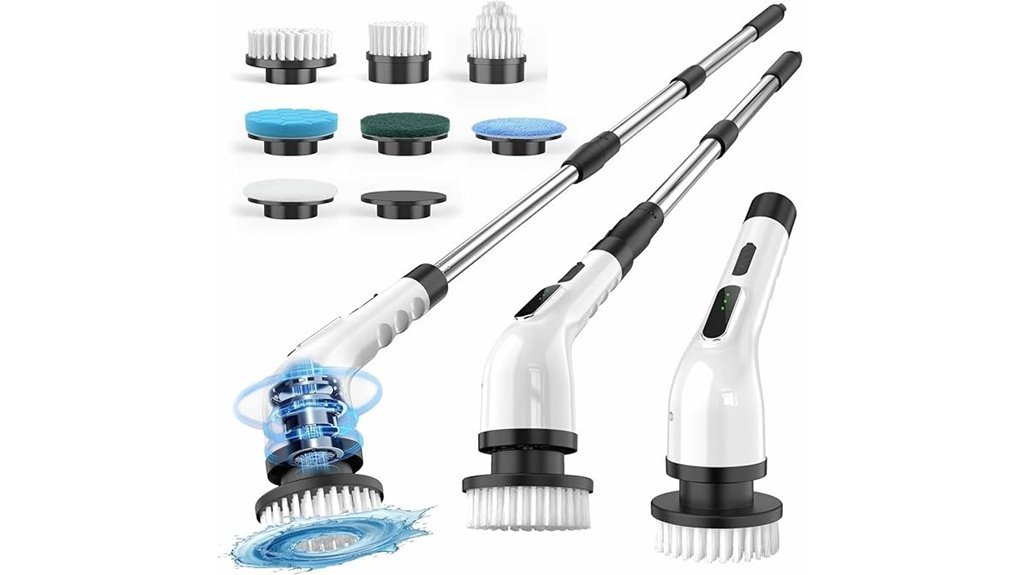
If no compatible cable or adapter wakes your YKYI unit and it is outside warranty, replacing the tool costs less than buying a cable, then a charger, then a tool anyway. This cordless scrubber ships with 8 replaceable brush heads covering bathrooms, showers, tubs, glass, floors, kitchens and cars.
The specification that matters most for anyone who just lost a scrubber to a battery fault is the pack: 5000mAh, listed at two to three hours to full charge and up to 90 minutes of runtime. That is roughly double the capacity of the 2500mAh packs used in most YKYI-class scrubbers, which is worth having if your last one faded early. The handle adjusts across three lengths of 12, 43 and 54 inches, so tub rims and high tile corners no longer require kneeling or a step stool, and there are two speeds for light versus heavy soil.
Real runtime will always be lower than the advertised figure once you add speed, pressure, and a couple of years of ageing. Treat 90 minutes as a best case, not a promise.
Best for: Owners who have already ruled out the cable and charger and want a straightforward full replacement.
Positioning: Whole-tool replacement, not a troubleshooting step.
Verdict: The larger 5000mAh pack makes this the sensible pick if your last scrubber died of battery fade.
Pros
- 5000mAh battery, the largest in this comparison, with a listed 2 to 3 hour charge.
- Three handle lengths reach tub rims, floors, and high corners without bending.
- Eight heads cover most household surfaces out of the box.
Cons
- Far more expensive than a cable or charger, so only buy it once you have ruled those out.
- Advertised runtime assumes low speed and light pressure.
- Waterproof brush heads do not mean the charging port can be wet.
Type C Electric Spin Scrubber Charger Cable
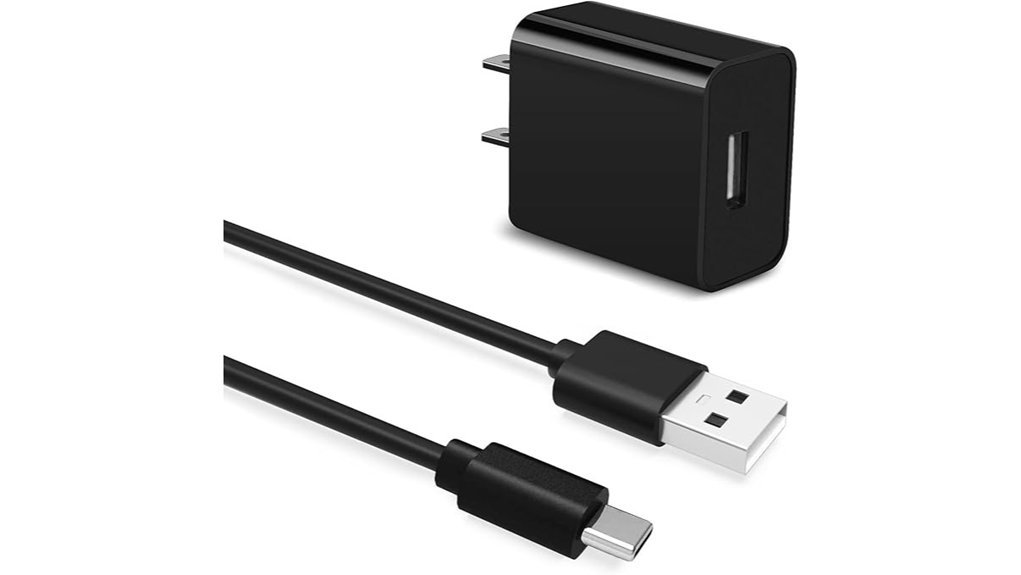
When you cannot tell whether the cable or the brick is the problem, buying both at once is faster and usually cheaper than buying them in sequence. This set includes a USB charger and a 5ft USB-C cable, and the seller lists compatibility with Yesayce, TUYU, Leebein, momk, Keimi, Bomves ANS-8050, YKYI and Highyes scrubbers.
It is the best-reviewed accessory in this group, with a rating built on a meaningfully larger number of ratings than the other two charging options, which is worth something in a category full of listings with three reviews. The charger includes automatic protection against short circuit, overheating, overcurrent and overcharging, and the seller backs it with a 30-day money-back window and a 12-month replacement policy for faulty units. That warranty matters more than the spec sheet on a low-cost charger.
Replacing both parts also removes ambiguity from your diagnosis. If the scrubber still refuses to charge on a brand-new adapter and cable, the fault is definitively inside the tool.
Best for: Owners who lost the original charging set, or cannot isolate whether the cable or adapter failed.
Positioning: Charger and cable bundle. The fastest route to a definitive answer.
Verdict: The most sensible buy when both original charging parts are missing or suspect.
Pros
- Charger and 5ft USB-C cable together, so one purchase tests the entire charging path.
- Strongest review record of the three charging accessories here.
- 30-day returns plus a 12-month replacement policy on faulty units.
Cons
- Only suitable for 5V USB-C scrubbers; check your model is named.
- Cannot fix a failed internal port or a dead battery.
- 5ft cable is shorter than the 6.5ft option below if your outlet is far from where you store the tool.
MayKing Electric Spin Scrubber with 9 Brush Heads
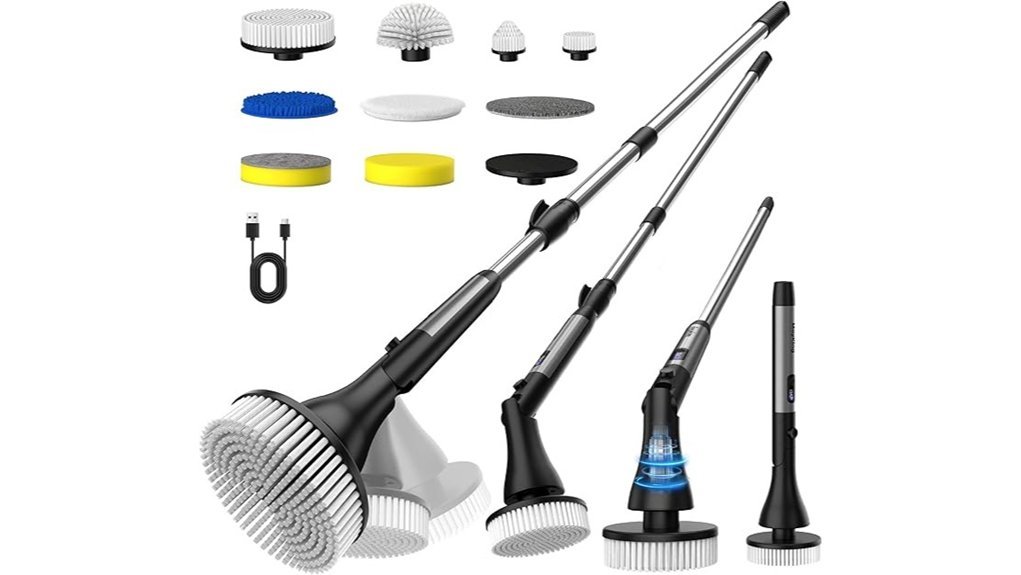
This is the replacement to consider if your YKYI unit failed outside the warranty window and you want more reach and more surface options than you had before. It carries the largest body of customer feedback of any product on this page by a wide margin, which is the main reason it earns a place here over other lookalike listings.
The specifications sit close to the YKYI scrubbers most people are replacing: a 2500mAh pack, about three hours to charge over Type-C, and up to 100 minutes of stated runtime across three speeds of 350, 380 and 420 RPM. Where it pulls ahead is adjustability. The head locks at 90, 135 or 180 degrees across four handle lengths, which is what makes the difference between reaching the back corner of a shower and giving up on it. An LED display shows battery level and speed, so you get advance warning before the pack runs flat instead of discovering it mid-job, and the body carries a full IPX7 rating.
Note that the same rule applies as on any scrubber: IPX7 covers rinsing the sealed body, not charging a wet port.
Best for: Owners replacing a failed scrubber who want the widest brush-head range and a battery readout.
Positioning: Feature-led full replacement with the strongest review history here.
Verdict: Pick this if brush-head variety and reach matter more than keeping the replacement minimal.
Pros
- By far the largest number of customer ratings of anything on this page.
- Nine heads plus a plush cloth, with three head angles and four handle lengths.
- LED display shows battery level, so a flat pack does not catch you mid-clean.
Cons
- 2500mAh pack is standard capacity, not an upgrade over most YKYI models.
- Nine heads need somewhere to live in a bathroom cupboard.
- Top speed is more than delicate surfaces need; test on an inconspicuous area first.
Electric Spin Scrubber for Bathroom Cleaning
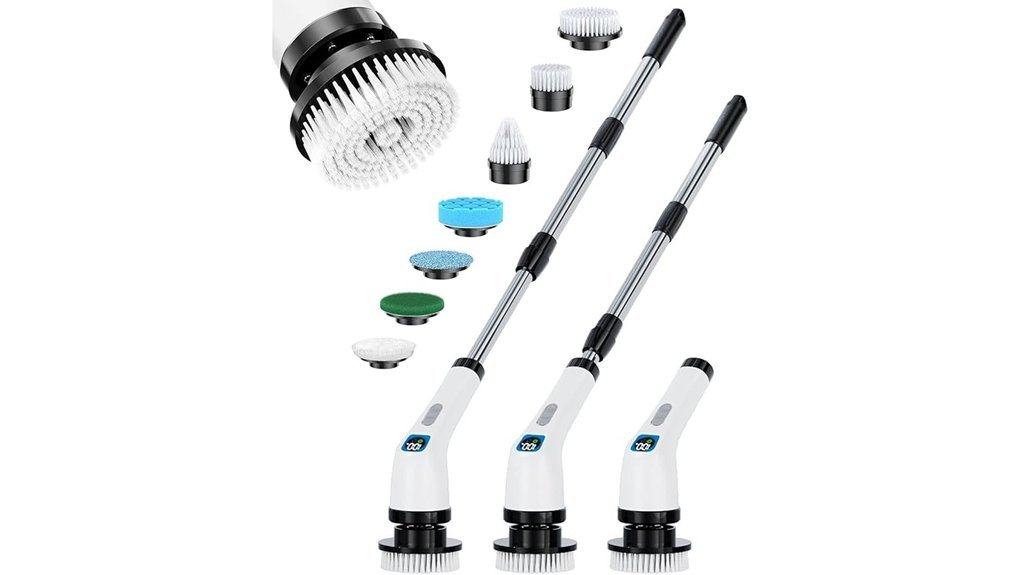
The third replacement option is the lightest of the three, which is the deciding factor for anyone who found their old scrubber tiring to hold overhead. It ships with seven interchangeable heads chosen for specific jobs rather than sold as a bulk count: flat heads for tile, walls, countertops and pool surfaces, a pointed head for grout, sinks and tight gaps, a wool-style head for car seats and polishing, a sponge head for glass and waxing, and fibre and fabric heads for wooden floors, leather and heavy grease.
It runs two speeds, 350 RPM for routine cleaning and 420 RPM for deep cleaning, switched by a short press after a long press turns the tool on. The long adjustable handle and IPX7 body cover the same ground as the other replacements, and the lower weight is the genuine differentiator.
The listing shows limited stock at the time of writing, so availability may be the constraint rather than the specification.
Best for: Anyone who wants a lighter tool with task-specific heads for bathrooms, kitchens, floors and glass.
Positioning: Lightweight general-purpose replacement, not a charging fix.
Verdict: Choose it for comfort and head variety once you have confirmed the old unit is not worth repairing.
Pros
- Lightweight body, which matters most when cleaning walls and shower ceilings.
- Seven heads matched to specific surfaces rather than duplicated shapes.
- Simple two-speed control: long press for on, short press for high.
Cons
- Pointless purchase if your original scrubber only needs a new cable.
- Stock has been limited on this listing.
- IPX7 still does not permit charging a damp port.
USB-C Charger Replacement for Electric Spin Scrubbers
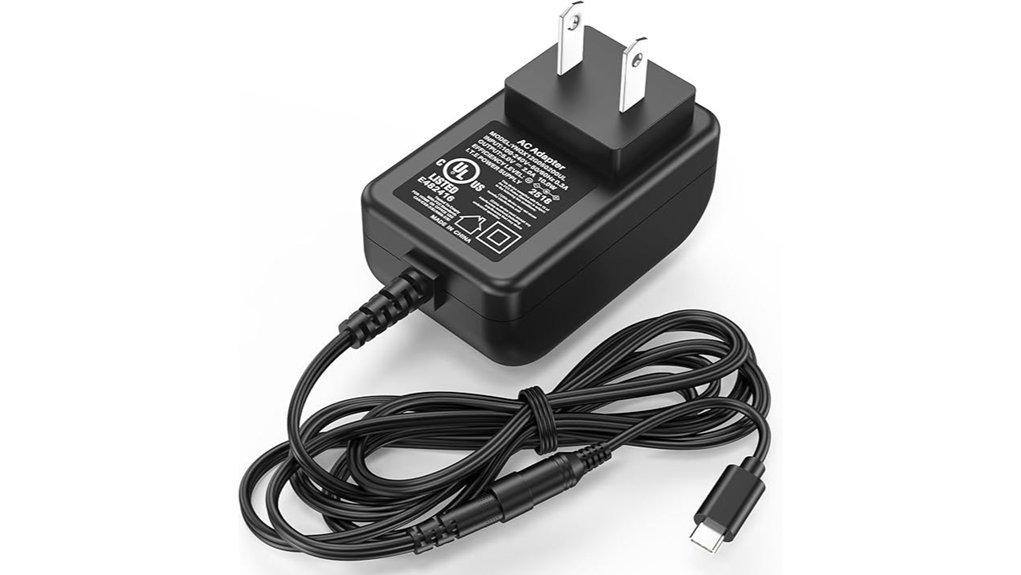
If the cable checks out but your wall adapter is missing, cracked, or has no printed output rating, this is the one accessory on this page that solves the problem properly. It is a dedicated 5V USB-C charger listed for YKYI RJ152 alongside Bomves LRMANS-8050, Highyes A10, TUYU KS-2640C, Keimi KS-2641-BL, Leebein ANS-8050 and Yesayce scrubbers.
The specification is exactly what step 2 of this guide asks for: 100 to 240V input at 50/60Hz, 5V/2A output with 1.5A compatibility, and a USB Type-C connector. More importantly, it is the only charging option here that states a UL certification reference (E482416), which is precisely the safety mark CPSC guidance points consumers toward and which unbranded universal chargers almost never carry. It also builds in overcurrent, temperature and load protection, and the 6.5ft/2m cable is the longest here, which helps when the nearest outlet is across the room from where the scrubber lives.
If you are replacing an unrated no-name brick that came with a cheap scrubber, this is a straightforward upgrade regardless of whether it turns out to be your fault.
Best for: Owners who confirmed the adapter failed, and anyone replacing an unrated generic charger.
Positioning: Certified 5V/2A charger with the longest cable in this comparison.
Verdict: The safest charging buy here, because it is the only one that names a UL certification.
Pros
- States a UL certification reference, which no other charging option here does.
- Clear 100 to 240V input and 5V/2A output printed on the listing, so you can match it to your label.
- 6.5ft cable is the longest option on this page.
Cons
- Only for 5V USB-C scrubbers, so check your model is named.
- North American plug design; you will need a travel adapter elsewhere.
- Cannot rescue a damaged port or a dead battery.
What Should You Check Before Buying a Replacement?
Do not start at the expensive end. Work up from the smallest likely failure point: cable, then charger, then port condition, then charging environment, then battery health. The right purchase is whatever your testing actually proved, and in a large share of cases that is a cable costing less than a takeaway coffee.
If you have reached the point of replacing the whole tool, judge it on the things that affect daily use rather than the longest spec sheet. Brush-head range, handle reach, weight in the hand, and how easy it is to dry and store predict satisfaction better than battery capacity alone. If you want a broader shortlist before deciding, our roundup of the best cordless electric spin scrubbers compares the current field, and our YKYI electric spin scrubber reviews cover the range you are already familiar with.
Charger Compatibility
Compatibility here means one number: the input voltage on your scrubber’s label or in its manual. YKYI documentation describes DC 5V charging, and the RJ152 specifications list Type-C charging with roughly a four-hour charge time. Match the adapter output to that and the connector to your port, and almost everything else is preference.
Use the original charger when you still have it. When you do not, choose one that names your model, and skip unbranded universal chargers where voltage, current, connector, and safety markings are not clearly printed.
Cable Length
Length is about where the tool can sit while it charges, not about tidiness. A 4.9ft or 5ft cord is easier to coil and store, and less likely to be yanked. A 6.5ft cord matters when the only free outlet is across the room and the alternative is balancing the scrubber somewhere it should not be. The requirement is simple: the cable has to be long enough for the scrubber to lie flat on a hard, dry surface while charging.
Charging Speed
A 5V/3A charger can supply more current than a 5V/2A charger, but the scrubber decides how much it draws, so a 3A brick is not automatically faster. Charging is fastest and most reliable when voltage, connector, cable quality and adapter quality all match what the tool expects. If a charge is taking far longer than the roughly four hours YKYI quotes, suspect the cable or adapter rather than shopping for more amps.
Safety Protection
Look for a printed output rating and a recognised certification mark, plus stated protection against overcurrent, overheating, overload and short circuit. Charge on a hard, dry surface away from fabric and flammable items, stay in the house while it charges, and unplug it once it is full. Stop using any cable or adapter that runs hot, smells odd, sparks, or shows damaged insulation.
Battery Capacity
Capacity sets the ceiling on runtime, not the reality of it. Scrubbers in this class run 2500mAh to 5000mAh packs, and YKYI quotes up to 90 minutes from 2500mAh. Speed setting, brush pressure, pack age and charging habits all pull the real figure down. The meaningful signal is change over time: a scrubber that used to run for an hour and now stops after ten minutes has a worn pack, whatever the number on the box says.
Waterproof Design
Water resistance protects the tool during cleaning, and it is not permission to charge it wet. The IEC’s IP rating system grades how an enclosure resists dust and liquid ingress, and an IPX7 body says nothing about an open USB-C socket with a cover flipped back. Dry the port and cover before plugging in, every time.
Brush Head Options
Brush heads do not affect charging, but they decide whether a replacement is worth the money. Large flat heads clear wide tile and tub surfaces fastest. Cone and corner heads reach grout lines and edges. Sponge and cloth heads suit glass and delicate finishes. Stiff bristles handle heavy grime but should be tested on an inconspicuous patch of any scratch-prone surface first.
Warranty Coverage
Check this before you buy anything. YKYI’s brand store advertises two-year warranty coverage on its spin scrubbers, and marketplace purchases carry their own return window on top of that. If the scrubber will not charge with any compatible cable and adapter, a warranty claim beats DIY work on a sealed handle every time, and YKYI’s own documentation tells owners not to disassemble or repair the brush themselves.
Note: Before you contact support, photograph the model number on the handle, the output text on the adapter, the charging indicator in its dark state, and the port under a light. A claim with evidence attached is resolved far faster than one without.
When to Replace the Cable, Charger, Battery, or Whole Scrubber
- Replace the cable when a borrowed cable charges the scrubber and yours does not, or when the plug is loose, frayed, kinked, or only works at one angle.
- Replace the charger when a borrowed adapter charges it and yours does not, or when your adapter has no printed output rating and no safety mark.
- Contact support when the port is loose in the housing, visibly corroded, or the tool shows no indicator at all across two outlets, two adapters and two cables.
- Replace the whole scrubber when it is out of warranty and the pack runs for only a few minutes after a full charge, or when parts and postage approach the price of a new unit.
- Stop and recycle it if the battery area is hot, swollen, discoloured, leaking, or making noise. That is a safety issue, not a repair project.
Final Recommendation
Spend nothing until a swap test tells you what failed. Buy a cable only when a different cable charged the tool, buy a charger set when a different adapter charged it, and buy a whole scrubber only after you have ruled out the outlet, the cable, the adapter, moisture in the port, and warranty support. Following that order costs an evening and usually saves the price of a new tool.
How to Stop It Happening Again
Most spin scrubber charging failures are created by ordinary habits rather than by faulty tools. These six take almost no effort and address the causes at the top of the table above.
- Rinse the head, not the handle. Detach the brush head and rinse that under the tap. Keep spray away from the port cover and the seam around the power button.
- Give it 30 minutes before charging. Towel-dry the body, open the port cover, and leave it in open air. Charging a port that still holds a droplet is the single most common way these tools die.
- Store it between 40% and 80%. A lithium-ion pack left completely flat for months can drop below the level its protection circuit will recover from. If the scrubber is seasonal, top it up briefly once a month.
- Keep it indoors. Room temperature storage, and never charge below 32°F (0°C) or above 105°F (40°C). That rules out an unheated garage in winter and a car boot in summer.
- Unplug it at full charge. Four hours is the whole cycle, so there is no reason to leave it connected overnight, and CPSC guidance is to unplug when charging is done.
- Do not wrap the cable tightly round the handle. The bend at the connector is where cables fail. Coil it loosely and store it separately.
Battery packs in this class typically last two to three years of regular use. Good habits push that toward the top of the range rather than the bottom, and they eliminate almost every problem in this guide before it starts. The same routine applies to other cordless cleaning tools, including the fixes in our guide to a Leebein spin scrubber that will not turn on.
Frequently Asked Questions
Why is my YKYI electric spin scrubber not charging?
In most cases the fault is in the charging path rather than the scrubber itself: a USB-C plug that is not fully seated, a worn cable, a wall adapter that does not deliver a steady 5V, lint or moisture inside the port, or a dead bathroom outlet on a tripped GFCI. Test one variable at a time before assuming the battery has failed.
Can I use a phone charger for my YKYI electric spin scrubber?
Usually yes, if the adapter is a standard 5V USB charger rated around 1A to 3A. The scrubber draws only the current its own charging circuit allows, so a higher amp rating is not dangerous. What you must avoid is a high-voltage laptop or PD-only brick that never falls back to 5V, and unbranded universal chargers with no clear output rating or safety mark.
Why does my spin scrubber blink while charging?
A blinking or cycling light almost always means charging is in progress, and the pattern usually stops or turns solid when the pack is full. A light that blinks for many hours without ever settling points to a weak adapter, a loose or damaged cable, a dirty port, or a battery that can no longer hold a full charge.
How long should a YKYI spin scrubber take to charge?
YKYI lists roughly four hours for a full charge on its RJ152-class 2500mAh scrubbers, and other spin scrubbers in this class are listed at two to four hours depending on battery size. Give a flat battery one full uninterrupted cycle on a known-good charger before you judge it. A fifteen-minute top-up is not enough to spin a brush head under load.
Why will my scrubber not run while it is plugged in?
That is normal on most cordless spin scrubbers. They use a charge lockout that disables the motor while the charging cable is connected, so the tool feels dead until you unplug it. Disconnect the cable completely, then press the power button before deciding the scrubber has failed.
My scrubber has not been used in months and shows no light. Is the battery dead?
Not necessarily. A pack left flat for a long time can sit below the voltage where the protection circuit reports any status, so the indicator stays dark for the first several minutes on the charger. Leave it connected to a known-good 5V charger for a full charging cycle without interruption. If there is still no light or display change after that, the battery or charging board has failed.
Can the battery be replaced in a YKYI spin scrubber?
Only if your exact model is built for serviceable battery replacement, and most sealed IPX7 handles are not. YKYI’s own documentation tells owners not to disassemble or repair the brush themselves. Opening the handle can void coverage, break the waterproof seal, and damage the cells, so contact the seller or brand support first.
Is it safe to charge the scrubber overnight?
It is better not to. CPSC advises following the manufacturer’s charging instructions and unplugging the device when charging is done, rather than leaving batteries on charge unattended or overnight. Since a full charge takes about four hours, there is no practical reason to leave it plugged in all night.
Can water damage cause charging failure?
Yes, and it is the most common cause on a tool used in a wet shower. Water bridging the USB-C contacts causes corrosion, poor contact, and short circuits. An IPX7 rating covers the sealed body during cleaning, not the open charging port during charging. Dry the port for at least 30 minutes before connecting power, and stop using the scrubber if it was submerged, smells burnt, or gets hot.
Should I buy a cable, a charger, or a new scrubber first?
Buy whatever your swap test proved. If a borrowed cable charges it, buy a cable. If a borrowed adapter charges it, buy a charger. Buy a whole scrubber only after several known-good 5V setups fail, or after the battery runs for under about fifteen minutes following a full charge and the unit is out of warranty.
What should I do if a brand new YKYI scrubber will not charge at all?
Treat it as a defect, not a repair job. Try a second outlet, reseat and flip the USB-C plug, confirm the adapter outputs 5V, and leave it on charge for the full recommended time. If there is still no indicator, photograph the model number, adapter label, and dark indicator, then open a return or replacement request with the seller while you are inside the return window.
Does YKYI offer a warranty if the scrubber stops charging?
YKYI’s brand store advertises two-year warranty coverage on its spin scrubbers, and marketplace purchases also carry their own return window and buyer protection. Check your order date and the seller’s policy before buying parts, because a warranty replacement is almost always cheaper than replacing a cable, then a charger, then the tool.
Sources
- YKYI LZ-8052 manual, ManualsLib – charging process, DC 5V adapter guidance, dry-charging warnings, and the manufacturer’s no-DIY-repair instruction.
- YKYI RJ152 electric spin scrubber user manual, Manuals+ – RJ152 Type-C charging, battery, runtime and charge-time specifications.
- YKYI brand store – 2500mAh battery, four-hour charge, 90-minute runtime, IPX7 rating, and two-year warranty coverage.
- U.S. Consumer Product Safety Commission, battery charging safety – use the supplied or approved charger, be present while charging, and unplug when charging is complete.
- U.S. Fire Administration, battery fire safety – the 32°F to 105°F charging range, and the six warning signs that mean stop using a lithium-ion battery.
- Los Angeles Fire Department, lithium-ion battery safety – charging, storage, warning signs and safe disposal guidance.
- iFixit, how to clean the ports on your electronic device – the air, brush and isopropyl alcohol sequence, and what never to put in a charging port.
- International Electrotechnical Commission, IP ratings – how enclosure ratings for dust and liquid ingress are defined.
- FTC Endorsement Guides FAQ – clear and conspicuous disclosure guidance for material connections.
- Better Homes & Gardens electric scrubber testing – category decision factors including brush heads, ergonomics, power source and care.
Conclusion
A YKYI electric spin scrubber that will not charge is a diagnosis problem before it is a shopping problem. Power it off, dry the port, check the adapter really outputs 5V, reset the bathroom GFCI, then change one variable at a time: outlet, adapter, cable, port cleaning, and finally one full four-hour charge on a hard dry surface. That sequence identifies the failed part instead of guessing at it.
If a swap test fixes it, buy that one part and nothing else. If nothing wakes the tool across two outlets, two adapters and two cables, the port, board or battery has failed, and warranty support is the right next call rather than a third cable. And if the handle is ever hot, swollen, discoloured or leaking, the answer is not a repair at all: stop using it and take it to a battery recycling point.