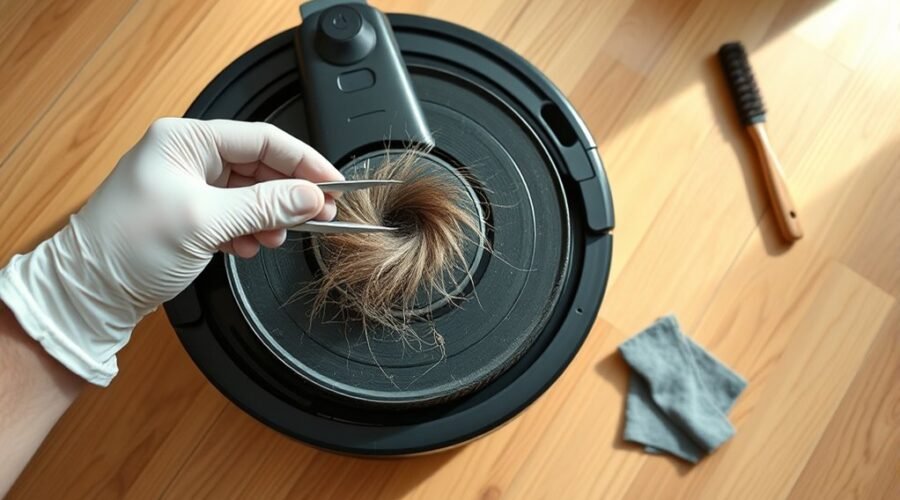
Does your robot vacuum get stuck, move unevenly, or make scraping noises? Hair, dust, and grit trapped around its wheels may be causing the problem. Learning how to clean robot vacuum wheels can help restore smooth movement without unnecessary repairs. The key is cleaning the drive wheels and front caster correctly without damaging their parts.
Quick Answer
To clean robot vacuum wheels, turn off the robot and inspect the two drive wheels for trapped hair and dirt. Remove debris with tweezers and a soft brush, press each wheel up and down, and wipe the rubber treads. Clean the front caster separately. Avoid lubricating or disassembling wheel modules unless the manufacturer allows it.
At a Glance
| Difficulty | Easy for exterior cleaning; wheel removal depends on the model |
| Tools Needed | Soft brush, tweezers, microfiber cloth, and small scissors or seam ripper for tangled hair |
How to Clean Robot Vacuum Drive Wheels That Are Stuck
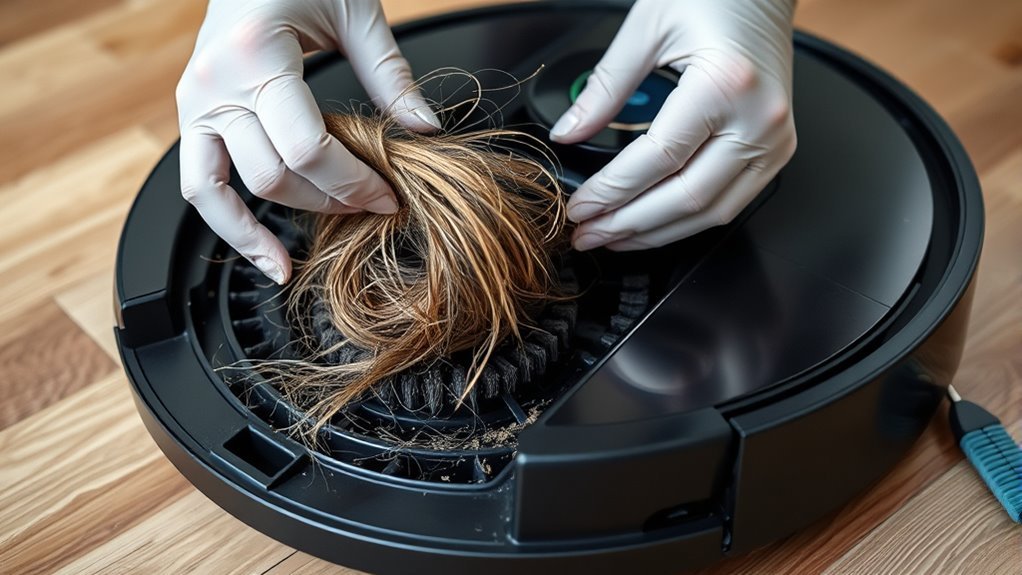
A stuck robot vacuum drive wheel often has hair, compacted dust, or grit trapped between the tire and wheel housing. You can usually remove this buildup without taking apart the wheel assembly.
Most robot vacuums have two powered drive wheels on their underside. These wheels move the machine forward, backward, and through turns. When one wheel cannot move properly, the robot may veer, stop, or report a wheel error.
Step-by-Step Drive Wheel Cleaning
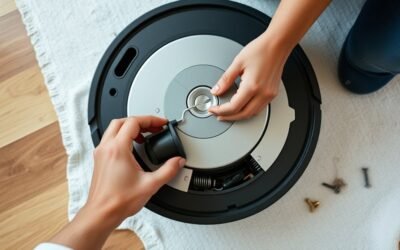
- Turn off the robot vacuum. Remove it from the charging dock. Place it upside down on a soft, stable surface to protect the top cover and sensors.
- Inspect both drive wheels. Look along the rubber treads, around the wheel edges, and inside the wheel wells. Check for hair, string, dirt, and small objects.
- Press the wheels up and down. Gently push each spring-loaded wheel into its housing several times. This can loosen debris trapped inside. The manufacturer’s drive-wheel cleaning instructions recommend pressing and rotating the wheels to clear entanglements.
- Remove loose debris. Use tweezers or a soft brush to lift dirt and hair from accessible gaps. Avoid pushing tools deep into the housing.
- Clean the wheel wells. Brush away remaining dust. For supported Roomba models, iRobot’s side-wheel maintenance guide also recommends gently blowing compressed air into the wheel well.
- Wipe the rubber treads. Use a slightly damp microfiber cloth to remove surface dirt. Keep water away from internal components and let the cleaned surfaces dry.
- Test wheel movement. Rotate both wheels by hand and compare their resistance. Press and release each wheel to check that it moves smoothly within its suspension.
Warning: Never force a stuck wheel or pry open its housing without model-specific instructions. Avoid pouring water, cleaners, or lubricant into the wheel well. Sharp tools can damage the rubber tread, internal wiring, or nearby components.
How to Check Whether the Wheels Are Working
After cleaning, compare both wheels by hand. They should rotate without catching or grinding and should offer a similar amount of resistance.
Some resistance is normal because the drive wheels connect to a motor and gearbox. Unlike the front caster, they may not spin loosely when you release them.
Return the robot to a clear, level floor and start a short cleaning cycle. Watch whether it moves straight, turns normally, and crosses ordinary floor transitions without stopping.
If one wheel still sticks, check the gap around it again. A hidden strand of hair or a damaged wheel module may be preventing movement.
How to Remove Hair From Robot Vacuum Drive Wheels
Hair can wrap tightly around the drive wheel edges and axle area, even when the tire looks clean. The safest approach is to expose the trapped strands, cut tight loops carefully, and lift the pieces out.
Long hair, pet fur, and thread can collect in narrow spaces. Over time, this buildup may restrict wheel movement and put extra strain on the drive mechanism.
Remove Tangled Hair Without Damaging the Wheels
- Rotate the wheel slowly. Turn the tire by hand to expose strands caught between the wheel and its housing.
- Lift loose hair with tweezers. Grip visible loops and pull them away gently. Do not yank hair that remains firmly trapped.
- Cut tightly wrapped strands. Use a seam ripper or small yarn scissors to cut hair in short, controlled passes. Keep the cutting edge away from the rubber tread and housing.
- Brush the surrounding gaps. Remove short fibers and dust that remain around the wheel edges.
- Wipe the exposed surfaces. Clean accessible areas with a slightly damp cloth and allow them to dry.
If hair extends deep inside the wheel module, do not force a tool into the opening. Some wheel assemblies require model-specific service procedures to access hidden components.
The manufacturer’s robot vacuum maintenance guide recommends removing tangled debris with a cleaning tool or brush and wiping the tires afterward.
How to Prevent Hair From Building Up Again
Inspect the wheels during routine cleaning, especially if your home has pets or people with long hair. Remove visible strands before they become tightly packed around the axle.
A weekly inspection can be useful in homes with heavy hair buildup. Otherwise, follow the cleaning schedule for your particular robot vacuum.
How to Clean the Robot Vacuum Caster Wheel
The front caster wheel supports the robot and swivels as it changes direction. Hair and grit around its axle can make the wheel stiff, cause dragging, or interfere with smooth movement.
Unlike the powered drive wheels, many front casters can be removed for cleaning. However, their removal methods vary by model.
Remove and Clean a Detachable Front Caster
If your manufacturer allows caster removal, follow these steps:
- Remove the caster wheel. Pull the wheel assembly from its socket using the release method specified for your model.
- Clear the wheel cavity. Remove dust, hair, and small pieces of debris from the opening where the caster sits.
- Inspect the axle. If your model allows the wheel and axle to separate, remove them carefully and clear any wrapped hair.
- Clean the parts. Use a small brush and damp cloth to remove dirt from the wheel, axle, and accessible housing surfaces.
- Reassemble the caster. Allow the parts to dry, then reinstall them securely. Make sure the assembly locks into position where the model uses a snap-fit design.
The official Roomba caster-wheel instructions explain how removal differs between models.
For example, the Roomba Essential front caster cannot be removed. The axle also does not separate from the caster on Roomba Mini and 100/1000-series models. You must clean accessible areas without forcing these parts apart.
Check That the Caster Moves Freely
Once cleaned, the caster should roll and swivel without binding. Check whether its axle sits correctly and whether the wheel remains secure in its housing.
A loose caster, displaced axle, or damaged housing may require a replacement part. Do not continue using a caster that repeatedly falls out.
iRobot recommends cleaning Roomba front casters every two weeks and replacing them every 12 months or as needed. Other manufacturers may use different maintenance schedules.
Should You Use Light Grease to Stop Robot Vacuum Wheel Squeaks?
Cleaning should be your first step when robot vacuum wheels squeak. Do not automatically apply grease or oil to drive wheels because the correct treatment depends on the wheel design and manufacturer instructions.
Squeaking can come from hair rubbing against the wheel, grit inside the housing, or friction around a moving component. A worn wheel bearing or gearbox may also produce unusual noise.
Find the Source of the Squeaking
- Inspect the drive wheels. Look for dirt, trapped fibers, and worn rubber surfaces.
- Check the front caster. Rotate it by hand and listen for squeaks or grinding.
- Inspect nearby brushes. Hair caught around the side brush or main brush can create sounds that seem to come from the wheels.
- Run a short test. After cleaning and reassembling the parts, check whether the noise continues during movement.
When Is Wheel Lubrication Appropriate?
Lubrication is appropriate only when the manufacturer’s instructions permit it for the particular component.
For example, one official wheel-noise troubleshooting guide allows no more than two drops of olive oil on the front caster shaft after cleaning. It recommends contacting support if the powered drive wheels are responsible for the noise.
This advice does not mean olive oil or grease is suitable for every robot vacuum.
If your manual specifically permits a light, plastic-compatible grease at an accessible contact point, use only the recommended product and amount. Rotate the wheel as directed to spread the lubricant. Excess grease can attract dust and grit.
Avoid spraying general-purpose lubricants into enclosed wheel modules. They may reach materials or components that the product was not designed to contact.
If squeaking continues after proper cleaning, the problem may be inside the wheel assembly rather than on its exposed surfaces.
When to Replace Robot Vacuum Wheels
Robot vacuum wheels should be replaced when cleaning no longer restores normal movement or when their rubber treads are badly damaged. Cracks, torn tread, and persistent wheel errors are important warning signs.
Worn wheels can lose traction, struggle with floor transitions, and affect how reliably the robot returns to its charging dock.
Signs Your Robot Vacuum Wheels Need Replacement
- Worn or smooth treads: The rubber has lost much of its texture, making it harder for the wheel to grip the floor.
- Cracked or torn rubber: Visible cracks, missing pieces, or peeling material can interfere with movement.
- Uneven wheel resistance: One wheel feels substantially harder to rotate than the other after cleaning.
- Persistent wheel errors: The robot reports a stuck wheel even after you remove obstructions and restart it on a level surface.
- Repeated slipping or jamming: The machine continues to lose traction or stop despite clean, unobstructed wheels.
What to Do If a Wheel Still Will Not Turn
If a wheel remains stuck after cleaning, the problem may involve a damaged motor, gearbox, spring mechanism, or wheel module.
Check the exact error message before purchasing a replacement. For example, the eufy X10 Pro Omni wheel troubleshooting guide distinguishes a wheel obstruction from a wheel-module fault that requires customer support.
On certain Roomba models, error 4 indicates a left-wheel stall and error 5 indicates a right-wheel stall. Error codes are not universal across brands or models.
If the wheel cannot be turned normally or an error persists on a clear floor, contact the manufacturer or an authorized repair service. Depending on the model, replacing a wheel module may be more appropriate than replacing the entire robot.
How Often Should You Inspect the Wheels?
Check the wheels regularly for trapped hair, compacted dust, and tread damage. Inspect them sooner if the robot starts moving unevenly, making unusual sounds, or struggling to dock.
A monthly maintenance check is a reasonable starting point for routine exterior cleaning. Homes with pets or heavy debris may need more frequent attention. Follow your model’s specific maintenance recommendations whenever they differ.
Frequently Asked Questions
How Do You Clean the Side Wheels on a Roomba?
Turn off your Roomba and turn it upside down. Push each side wheel in and out several times, remove hair from the wheel gaps, and turn the wheels by hand to compare resistance. Do not pry off a wheel cover unless the instructions for your model say to do so.
What Are the Most Common Problems With Robot Vacuums?
Common robot vacuum problems include blocked brushes, wheel jams, weak batteries, dirty sensors, navigation errors, and software glitches. Start by clearing physical obstructions and cleaning the sensors. If the problem continues, follow the error message for your exact model.
How Do You Clean Extremely Dirty Robot Vacuum Wheels?
Start by removing loose grit with a soft brush and lifting tangled hair with tweezers. Wipe the rubber treads with a slightly damp cloth, keeping moisture out of the wheel housing. If the wheels remain stiff, avoid forcing the assembly and seek model-specific repair guidance.
How Do You Get Hair Out of Roomba Wheels?
Use tweezers to pull out loose hair from the gap beside each wheel. Cut tight loops carefully with a seam ripper or small scissors, keeping the blade away from the rubber and housing. Press and rotate the wheels to expose any strands still trapped underneath.
How Often Should You Clean Robot Vacuum Wheels?
Check the drive wheels regularly, especially if your home has pets or long hair. iRobot recommends cleaning removable Roomba front caster wheels every two weeks, but other models may have different schedules. Clean sooner whenever movement becomes stiff or noisy.
Why Is One Robot Vacuum Wheel Not Spinning After Cleaning?
A wheel that remains stuck after cleaning may have a hidden obstruction or a damaged internal component. Compare its movement with the other drive wheel and check for error messages. If the problem continues, contact the manufacturer before opening the wheel module.
Conclusion
Clean robot vacuum wheels help maintain traction, smooth movement, and reliable cleaning. Removing trapped hair, dust, and grit from the drive wheels and front caster can often resolve sticking and squeaking without major repairs.
Start with gentle cleaning and test both wheels afterward. Avoid forcing components or adding lubricant without approval. If a wheel remains stiff, makes grinding noises, or shows serious tread damage, consider professional service or a compatible replacement.
Sources
- iRobot: Roomba 600 Series Care and Maintenance: Drive-wheel cleaning, wheel movement tests, compressed air, and caster maintenance.
- ECOVACS: Driving Wheels Stuck or Dirty: Cleaning wheel entanglements by pressing and rotating the drive wheels.
- Dreame: Robot Vacuum Cleaning and Maintenance: Removing tangled hair and debris and cleaning wheel surfaces.
- iRobot: Front Caster Wheel Cleaning and Replacement: Model-specific removal instructions, cleaning frequency, and caster replacement guidance.
- Roborock: Robot Cleaner Noise Troubleshooting: Identifying wheel noise, limited front-caster lubrication, and service recommendations.
- eufy: X10 Pro Omni Voice Alerts and Troubleshooting: Wheel obstruction errors and persistent wheel-module faults.