Dust, fingerprints, snack residue, and pet hair can make living room electronics look dull and run warmer than they should. The safest way to clean TVs, remotes, speakers, game consoles, streaming boxes, and controllers is to use light pressure, very little moisture, and the device maker’s cleaning instructions whenever they are available.
Quick Answer
To dust and clean living room electronics safely, turn devices off, unplug them, and let warm screens cool. Dust with a clean microfiber cloth, use only a lightly damp cloth when needed, never spray liquid directly on a device, and save alcohol or disinfecting wipes for hard, nonporous surfaces only when the manufacturer allows them.
Key Takeaways
- Use a clean, dry microfiber cloth first; most dust does not need liquid.
- Do not use glass cleaner, paper towels, bleach, ammonia, abrasive pads, or dripping-wet cloths on screens.
- Apply water, screen cleaner, or disinfectant to the cloth or wipe only—never directly to the device.
- Remove batteries from remotes and controllers before cleaning them.
- Use compressed air carefully and only where the device manual allows it.
At a Glance
| Time Required | 10–20 minutes for a normal living room setup; longer for deep cleaning vents and accessories |
| Difficulty | Easy, as long as you avoid excess moisture and harsh cleaners |
| Tools Needed | Clean microfiber cloths, distilled water, cotton swabs, soft brush, optional screen-safe cleaner, optional manufacturer-approved disinfecting wipes, and optional compressed air |
| Cost | Usually $0–$20 if you already own microfiber cloths and distilled water |
Gather Safe Cleaning Supplies for Electronics
Start with a few simple supplies. You do not need strong cleaners for most electronics, and using too much product can cause more harm than dust itself.
- Clean microfiber cloths: Use one dry cloth for dusting and another slightly damp cloth only when needed.
- Distilled water: Safer than tap water for light damp cleaning because it is less likely to leave mineral spots.
- Cotton swabs: Helpful around remote buttons, controller seams, and shallow crevices.
- Soft-bristle brush: Useful for speaker grilles, console vents, and dusty seams.
- Compressed air or gas duster: Optional for keyboards, controller seams, and some vents, but use it only where the manual allows.
- Manufacturer-approved screen cleaner: Optional for stubborn smudges on TVs or monitors when water alone is not enough.
- Disinfecting wipes: Optional for hard, nonporous high-touch surfaces such as some remotes, controllers, keyboards, and device exteriors, but only if the product label and manufacturer guidance allow it.
Warning: Do not use window cleaner, bleach, hydrogen peroxide, ammonia, abrasive powders, paper towels, rough cloths, or dripping-wet wipes on screens. Apple’s cleaning guidance warns against abrasive items, direct spraying, aerosol sprays, bleach, and excess moisture, while Sony’s OLED and LCD TV guidance warns that direct spray and harsh chemicals can damage the screen or circuitry.
Recommended Products

【UPGRADED LAPTOP CLEANING KIT 】 The macbook cleaning kit computer screen cleaner comes with a number of accessories including a retractable large brush, polishing cleaning cloth X 2, keycap puller, metal pen tip, flocking sponge, thin soft brush, soft plastic lens cleaning pen, 5 replacing cloth, large cleaning microfiber cloth. You deserve the comprehensive computer cleaning kit keyboard vacuum at a low cost

Complete All-in-1 Professional Computer Cleaning Kit: This all-in-one electronic cleaning kit replaces 10 separate tools with precision-engineered accessories including retractable nylon-bristle brush, 2mm thickened polishing cloths, keycap puller for mechanical keyboards, metal pen tip for ports, EVA flocking sponge for earbuds, and soft-plastic lens pen—eliminating workspace clutter while solving the frustration of hunting for the right keyboard cleaner kit for each device type

32-IN-1 ALL-IN-ONE SET – One compact kit cleans your iPhone, AirPods, iPad, MacBook, keyboard, earbuds and camera lens, so you stop buying separate tools.
Safely Prepare Your Electronics for Cleaning
Before you wipe anything, set up the area so you are not pushing moisture, dust, or debris into sensitive openings.
- Turn devices off and unplug them. This lowers shock risk and makes fingerprints easier to see on dark screens.
- Let warm screens cool. A cool screen is easier to clean gently and is less likely to streak.
- Remove batteries from remotes and controllers. This protects the battery compartment and prevents accidental button presses.
- Check the manual when possible. TVs, monitors, tablets, speakers, and game consoles can have different screen coatings and materials.
- Move drinks and open containers away. One spill can do more damage than months of dust.
- Use a well-ventilated space. This matters if you use alcohol wipes, screen cleaner, or compressed air.
Note: Cleaning and disinfecting are not the same. Cleaning removes dust, oils, and grime. Disinfecting uses a chemical product to reduce germs on a surface. The EPA says disinfectants should be used according to label directions and are meant for surfaces, not people.
Step-by-Step Guide to Cleaning Electronics
Recommended Products

Premium Ultra-Soft Microfiber: Effortlessly removes fingerprints, smudges, oil, and dust without scratching—leaving lenses and screens spotless and streak-free.

Glasses cleaner - Sourced from the highest quality microfiber that absorbs and removes dust, oil, smudges, fingerprints, dirt, and more. Leaves no scratches, streaks, marks, or lint behind. The perfect eyeglass cleaner for reading glasses, women, men, adults, him, her, teens, and more.
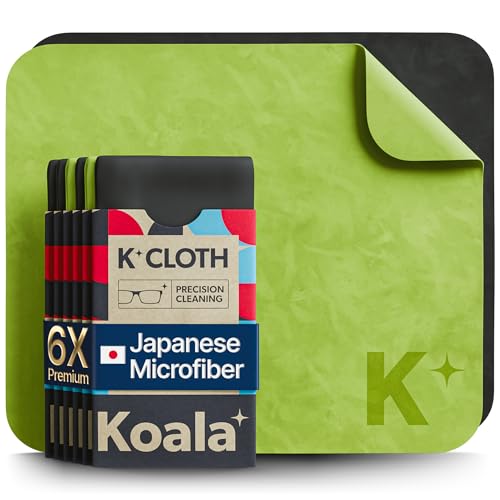
UNPARALLELED CRYSTAL-CLEAR PERFORMANCE: The only obsessively engineered, best-in-class microfiber cleaning cloth, meticulously crafted from proprietary, ultra-dense, super-absorbent Japanese woven fabric, effortlessly absorbing the toughest dirt, grime, and oils - leaving your lenses spotless - every time.
1. Clean TV and Monitor Screens
For most living room screens, start with the gentlest method:
- Turn the TV or monitor off, unplug it, and let it cool.
- Wipe the screen lightly with a clean, dry microfiber cloth.
- If a smudge remains, lightly dampen a fresh microfiber cloth with distilled water or a manufacturer-approved screen cleaner.
- Wipe gently in one direction. Do not press hard.
- Dry immediately with a separate clean microfiber cloth.
Never spray liquid directly onto a screen. Sony’s OLED and LCD TV cleaning guidance says direct spray can drip and cause malfunction, and it recommends gently wiping the screen with a microfiber cloth.
2. Clean Plastic and Metal Device Exteriors
For streaming boxes, soundbars, game consoles, routers, and speaker housings, wipe the outside with a dry microfiber cloth first. If grime remains, use a barely damp microfiber cloth and avoid ports, seams, buttons, fabric, leather, and speaker mesh. Dry the surface before plugging the device back in.
For Apple devices and accessories, Apple’s cleaning guidance allows 70 percent isopropyl alcohol wipes, 75 percent ethyl alcohol wipes, or Clorox Disinfecting Wipes on many hard, nonporous surfaces, but not on fabric or leather and not where moisture can enter openings. Treat that as device-specific guidance, not a rule for every brand or screen.
3. Clean Remotes and Game Controllers
- Remove batteries or disconnect charging cables.
- Wipe the outer shell with a dry microfiber cloth.
- For sticky residue, use a cloth lightly dampened with water or a manufacturer-approved cleaner.
- Clean around buttons with a dry cotton swab. If needed, use a swab barely moistened with approved cleaner, then dry the area right away.
- Let the remote or controller air-dry fully before replacing batteries.
Pro Tip: Keep one microfiber cloth just for screens. A cloth used on shelves, greasy remotes, or dusty entertainment centers can trap grit that may scratch delicate display surfaces.
4. Clean Speakers, Soundbars, and Grilles
Dust speaker grilles with a dry microfiber cloth or a soft brush. Avoid wetting fabric mesh. For hard plastic or metal speaker housings, use a lightly damp cloth only on the exterior and keep moisture away from ports, seams, and drivers.
5. Clean Cables and Chargers
Unplug cables from both ends before cleaning. Wipe cable jackets with a slightly damp lint-free cloth, then dry them completely. Do not let moisture reach connectors, power bricks, USB ports, HDMI ports, or charging tips.
Cleaning Hard-to-Reach Areas on Electronics
Dust collects around vents, ports, seams, buttons, and speaker openings. These areas need patience, not force.
- Use short bursts of compressed air only where the manual allows it. Hold the can upright, keep the nozzle a short distance away, and avoid blasting dust deeper into vents.
- Brush vents gently with a soft-bristle brush before vacuuming nearby dust.
- Vacuum rear TV vents carefully with a brush attachment and low suction, keeping the nozzle away from the screen. Sony recommends removing dust near the back vented areas of a TV with a vacuum cleaner once a month.
- Use cotton swabs for shallow crevices around buttons and seams, but do not push swabs into ports.
- Leave internal cleaning to professionals if a console, receiver, or speaker has heavy internal dust, unusual fan noise, or overheating symptoms.
The safest electronics-cleaning habit is simple: dry cloth first, minimal moisture second, and manufacturer-approved products only when dusting is not enough.
Recommended Products

This set of keyboard cleaning brushes is well made, comes in a variety of shapes and sizes for cleaning deep and hard-to-clean areas, enough to meet your daily needs.
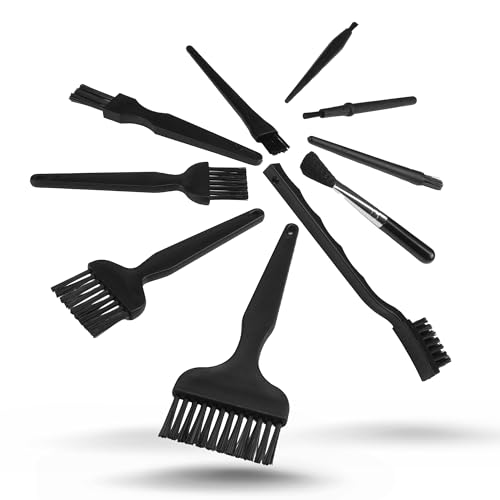
All-in-One Cleaning Solution – Includes anti static brush in a range of sizes and stiffness levels to clean everything from tight ports to delicate lenses

【 Perfect combination 】: 22pcs small brush, sufficient in quantity, suitable for various tasks, such as cleaning dust, household appliances, painting, sauce baking, barbecue, etc.
Common Mistakes to Avoid
- Spraying cleaner directly onto a device: Liquid can run into seams, ports, speaker openings, and screen edges.
- Using glass cleaner on TVs or monitors: Many modern screens have coatings that can be damaged by harsh solvents.
- Pressing hard on a screen: Heavy pressure can damage pixels or display layers.
- Using paper towels: They can leave lint and may scratch delicate surfaces.
- Using disinfecting wipes on every surface: Wipes are not automatically safe for screens, fabric, leather, or openings.
- Cleaning while devices are powered on: Always power down and unplug first.
Troubleshooting Cleaning Problems
The Screen Looks Streaky
Use a fresh, dry microfiber cloth and wipe gently in one direction. If streaks remain, lightly dampen a clean cloth with distilled water, wipe again, and dry immediately. Do not add more cleaner unless the screen manufacturer recommends it.
Remote Buttons Feel Sticky
Remove the batteries, clean around the buttons with a cotton swab, and let the remote dry completely. If liquid has seeped inside, stop cleaning and allow the remote to dry before testing it.
A Device Smells Hot or the Fan Is Loud
Unplug the device and check exterior vents for dust. Brush and vacuum the outside vents carefully. If the device still runs hot, shuts down, or makes unusual noise, contact the manufacturer or a repair professional instead of opening it yourself.
Liquid Got Into a Port or Opening
Turn the device off, unplug it, and do not try to power it back on. Let it dry in a ventilated area and contact the manufacturer for service guidance. Do not use heat guns, hair dryers, or ovens to speed drying.
Maintaining Your Electronics for Long-Term Care
A simple cleaning schedule helps reduce dust buildup and keeps your living room electronics looking better.
- Weekly: Dust TV screens, remotes, controller surfaces, speaker tops, and entertainment-center shelves with a dry microfiber cloth.
- Monthly: Check rear vents on TVs, consoles, receivers, routers, and streaming boxes. Brush away dust and vacuum nearby buildup carefully.
- Every few months: Deep-clean remotes, controllers, cable clutter, and hard-to-reach areas.
- As needed: Sanitize high-touch hard surfaces only with manufacturer-approved wipes or cleaners.
- Ongoing: Keep devices in ventilated spaces and install software updates for smart TVs, consoles, and streaming devices when available.
Protective storage also helps. Keep remotes and controllers in a tray, avoid eating over them, and leave space around consoles, receivers, and speakers so vents can breathe.
Frequently Asked Questions
What is the best way to clean dust from an electronic device?
Turn the device off, unplug it, and wipe dust away with a clean, dry microfiber cloth. For tight exterior areas, use a soft brush or carefully controlled compressed air only where the manufacturer allows it.
Can I use alcohol wipes on my TV screen?
Do not use alcohol wipes on a TV screen unless your TV manufacturer specifically says they are safe for that model. For most TV and monitor screens, use a clean microfiber cloth first, then a lightly damp cloth with distilled water or an approved screen cleaner if needed.
Is compressed air safe for electronics?
Compressed air can help remove dust from some keyboards, seams, and vents, but it should be used in short bursts, with the can upright, and only where the device manual allows it. Do not blast a screen or force air into delicate openings.
How often should I clean living room electronics?
Dust visible surfaces about once a week, check vents monthly, and deep-clean remotes, controllers, ports, and cable areas every few months. Clean sooner if you notice sticky residue, pet hair, heavy dust, or blocked vents.
Can I spray cleaner directly on electronics?
No. Spray cleaner onto a cloth, not directly onto the device. Direct spray can drip into ports, seams, screen edges, buttons, and internal parts, which may cause malfunction or permanent damage.
Conclusion
Cleaning living room electronics is less about scrubbing and more about control: power down first, use a clean microfiber cloth, keep moisture away from openings, and follow manufacturer guidance for screens and disinfectants. A light weekly dusting and a careful monthly vent check can help your TV, remotes, controllers, speakers, and consoles stay cleaner, safer, and easier to enjoy.
Sources
- Apple Support: How to clean your Apple products — backs up soft lint-free cloth use, unplugging, avoiding direct spray, and conditional disinfectant guidance.
- Sony Support: Cleaning your OLED or LCD TV screen — backs up TV screen, microfiber, direct-spray, chemical, remote, and rear-vent guidance.
- eCFR: 29 CFR 1910.242 compressed air used for cleaning — backs up compressed-air safety limits in workplace cleaning contexts.
- U.S. EPA: About List N disinfectants — backs up label-direction and surface-use guidance for disinfectants.