Visible TV cords can make even a well-styled living room feel unfinished. The safest way to hide them depends on what you are concealing: low-voltage cables like HDMI can often be routed differently than a TV power cord. Start with the easiest visible-cord fixes, then choose a listed in-wall power solution or a licensed electrician if you want the cleanest wall-mounted look.
Quick Answer
To hide TV cords in a living room, use paintable wall raceways, cable sleeves, furniture with rear openings, shorter cables, and Velcro ties. For a fully hidden wall-mounted TV, use a listed in-wall TV power relocation kit or have an electrician add an outlet behind the TV. Never run an ordinary power cord or extension cord through the wall.
Key Takeaways
- Use on-wall cord covers or raceways for the fastest, rental-friendly fix.
- Use furniture, cable boxes, and shorter cords to control clutter around consoles and media cabinets.
- Use only in-wall rated or listed products for cables that go inside the wall.
- Keep power strips ventilated, plugged directly into a wall receptacle, and reserved for low-wattage AV devices.
At a Glance
| Time Required | 15–45 minutes for surface fixes; 45–90 minutes for many in-wall kits; longer if an outlet must be added. |
| Difficulty | Easy for raceways and cord sleeves; moderate for in-wall kits; professional for new electrical outlets. |
| Tools Needed | Measuring tape, level, pencil, stud finder, cable ties, cord cover or raceway, and paint. In-wall kits may also need a drywall saw and screwdriver. |
| Cost | About $10–$40 for basic cord covers and ties; about $50–$120 for many in-wall TV power kits; electrician pricing varies by location and wall type. |
Choose the Right Cable Management System for Your Setup
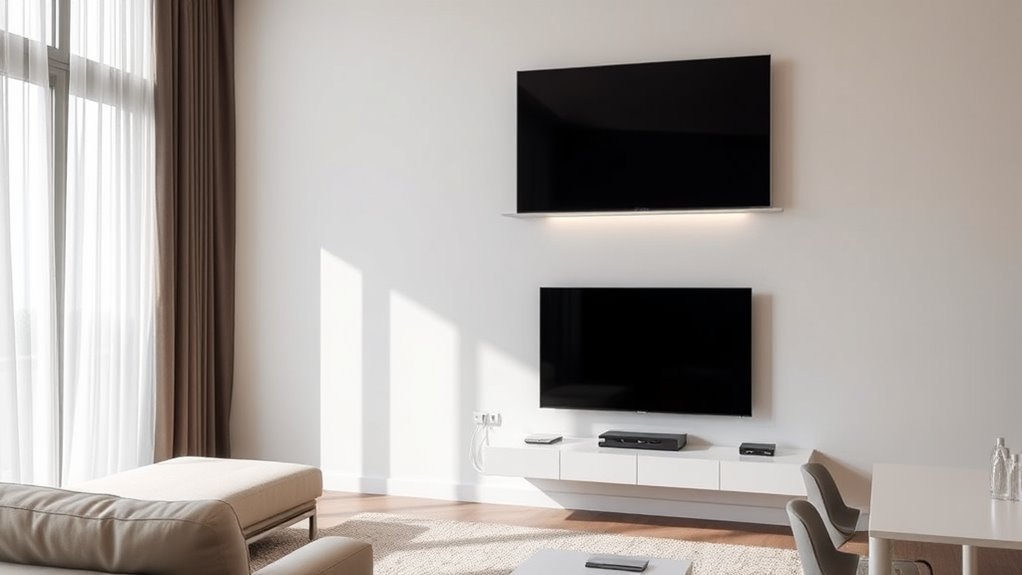
Before you buy anything, look at where the TV, outlet, console, and devices sit. A wall-mounted TV with an outlet directly below it needs a different solution than a TV sitting on a media console. The best cable management system is the one that hides the cords without trapping heat, straining plugs, or turning temporary cords into permanent wiring.
- Best quick fix: paintable surface raceways or adhesive cord covers.
- Best rental-friendly option: removable cable channels, cord sleeves, and furniture concealment.
- Best clean wall-mounted look: a listed in-wall TV power relocation kit or an outlet installed behind the TV.
- Best media-console cleanup: cable boxes, shorter cables, Velcro ties, and labeled cords.
Warning: Do not run a regular TV power cord, extension cord, or power strip cord through a wall, ceiling, floor, doorway, or under a rug. The Electrical Safety Foundation International warns that covered cords can trap heat and create a fire hazard. Use a listed in-wall TV power kit, in-wall rated cable, or a properly installed receptacle instead.
Recommended Products

Passing the UL94 V-0 Rating test, a plastics flammability standard released by Underwriters Laboratories of the United States, UL94 V-0 Rating is defined as Burning stops within 10 seconds on a vertical part allowing for drops of plastic that are not inflames, which means it's safer than ordinary materials because of the higher flame retardancy and brings greater security to your daily use

Kit Content: Each cable raceway comes with dimensions of 0.57 inch inner height, 0.96 inch inner width, ensuring a total length of 116 inches. The cable cover channel kit includes 6 couplings, 2 L-elbows, 1 T-fattings & 1 instruction, for maximum cable concealment

1.18in Width x 0.59in Height, can accommodate 3x 0.18in (4.5mm) outer diameter cords for example
Quick Fixes: On-Wall Solutions for TV Cords
On-wall solutions are the easiest way to hide visible TV cords without opening the wall. Adhesive-backed cable raceways and cord covers run vertically from the TV to the console or horizontally along the baseboard. Choose a paintable style, cut it to length, and paint it the same color as the wall for a cleaner look.
For the neatest result, plan the route before sticking anything to the wall. Keep the channel straight, use a level, and avoid sharp bends that can stress HDMI or power cords. If your wall has texture, clean the surface first and use screws if the raceway manufacturer recommends them.
- Use a wide raceway if you need to hide several cables together.
- Use a slim raceway if you only need to cover one or two cords.
- Use baseboard-style channels when the TV is near a console or cabinet.
- Use a fabric cable sleeve behind furniture where the sleeve will not be the main visual feature.
Pro Tip: Buy one raceway size larger than you think you need. Extra room makes it easier to add an HDMI cable, soundbar cable, or game console cable later without replacing the whole channel.
Recommended Products

Easily tidy up your single cable: Our cord hider is designed for concealing a low-voltage wire or cable such as a power cord, one Cat5 cable, one speaker wire, or one lamp cord, which makes it a great cord hider to maintain a minimalistic look in your home

Kit Content: Each cable raceway comes with dimensions of 0.4 inch inner height, 0.59 inch inner width, ensuring a total length of 116 inches. The cable cover channel kit includes 4 couplings, 2 L-elbows, 1 T-fattings, 1 instruction, for maximum cable concealment

Fits 2-3 Cords: Measuring 0.95 in W x 0.47 in H, this wire cover accommodates multiple cable combinations, such as 2 extension cords, 1 extension cord + 1 HDMI cable, or 1 Cat6/8 cable + 2 lamp power cords. Includes 5 raceway sections, each 14.57 in long, for a total length of 73 in
Can You Hide a TV Power Cord Behind the Wall?
You can hide power behind a wall-mounted TV, but not by dropping the TV’s normal power cord inside the wall. Power must be handled with a code-conscious method, such as a listed in-wall TV power relocation kit or a new outlet installed behind the TV by a qualified electrician. A product such as an in-wall TV power and cable management kit is designed for this purpose and includes dedicated power input and output components.
Low-voltage AV cables, such as HDMI, optical audio, Ethernet, and speaker wire, should also be rated for in-wall use if they will pass through the wall cavity. Look for in-wall rated markings such as CL2, CL3, CM, or another rating appropriate for your cable type and local code. Do not bundle low-voltage cables tightly against power wiring unless the kit or local code allows that installation method.
A beautiful cord-free wall is only a win if the wiring behind it is safe, accessible, and designed for in-wall use.
Recommended Products

【Complete Concealment】Professionally Hide TV Power Cords, Speaker Wires, And All AV Cables to Eliminate Clutter. Seamless Built-in Design Not Only Enhances Your Space Aesthetics But Also Prevents Access By Children and Pets.Includes: 1 * 2 AC Wall Power Outlets with 9.8FT Power Cord.1 * Brush Wall Plate.1 * Dry Wall Saw.1* Manual (Cutting Template).
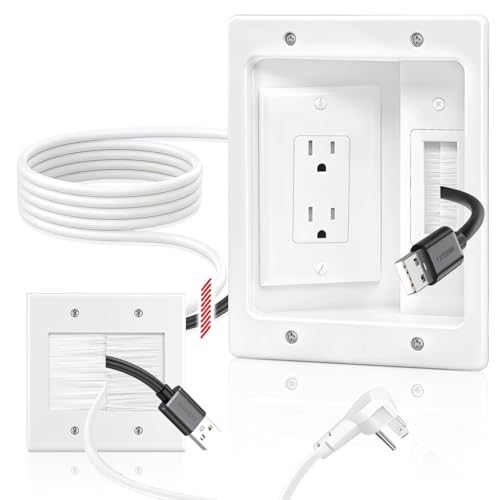
【All-In-One in wall Cable Management 】(Updated Version Cool White) Our in wall cable management kit can eliminate messy wires! Designed specifically for wall-mounted TVS and entertainment systems, it can hide messy power cords, HDMI cables, Ethernet cables and audio/video cables within the wall, creating a neat and professional layout and providing you with a clean and comfortable living space
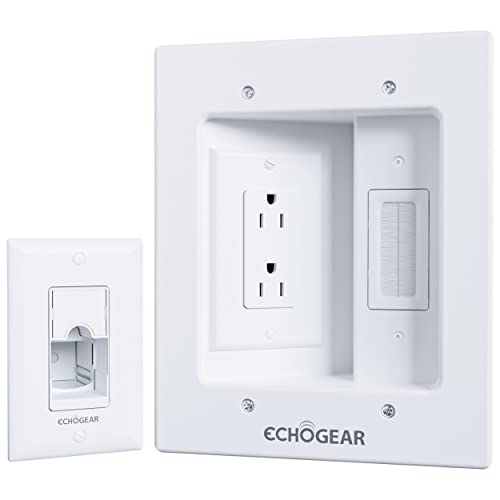
Hide all your TV cables behind the wall. Power 2 devices with the dual outlet, plus hide 3 low voltage cables in the brush pass-through.
How to Install In-Wall Management for a Professional Look
Installing in-wall cable management creates the most polished look for a mounted TV. The safest DIY route is a listed in-wall TV power kit used exactly as the manufacturer instructs. If the project requires moving or adding a permanent electrical outlet, hire a licensed electrician and follow local permit rules.
Tools Required for Installation
Most in-wall kits call for basic tools such as a stud finder, pencil, level, drywall saw, screwdriver, and the template included with the kit. A stud finder is especially important because you need to avoid studs, existing wiring, plumbing, and blocking inside the wall.
- Stud finder
- Level
- Pencil
- Drywall saw or hole saw, depending on the kit
- Screwdriver
- Listed in-wall TV power kit or in-wall rated cable pass-through kit
- In-wall rated HDMI, Ethernet, or audio cables if routing low-voltage cables through the wall
Step-by-Step Installation Process
- Turn off and unplug devices. Remove the TV from the mount if needed so you can work safely.
- Plan the top and bottom openings. The upper opening usually sits behind the TV. The lower opening usually sits behind the console or near an existing outlet, depending on the kit design.
- Check the wall cavity. Use a stud finder and avoid areas with plumbing, ductwork, or unknown wiring.
- Trace the template. Use the kit’s template so the openings match the included wall plates or modules.
- Cut the drywall carefully. Keep the cuts clean so the plates sit flat.
- Install the kit components. Follow the manufacturer’s sequence for brackets, sleeves, input modules, output modules, and cable pass-throughs.
- Route low-voltage cables. Use in-wall rated AV cables and avoid tight kinks.
- Reconnect and test. Confirm the TV, streaming devices, soundbar, and game consoles work before pushing furniture back into place.
Finalizing a Clean Look
Once the cords are hidden, tidy the area behind the console. Coil only the slack you truly need, secure it loosely with Velcro ties, and label each cable near both ends. Avoid tight coils around power bricks because they need airflow. If a streaming box, cable box, or game console sits inside a cabinet, leave ventilation space so heat can escape.
Organize Cords With Accessories for a Cleaner Look
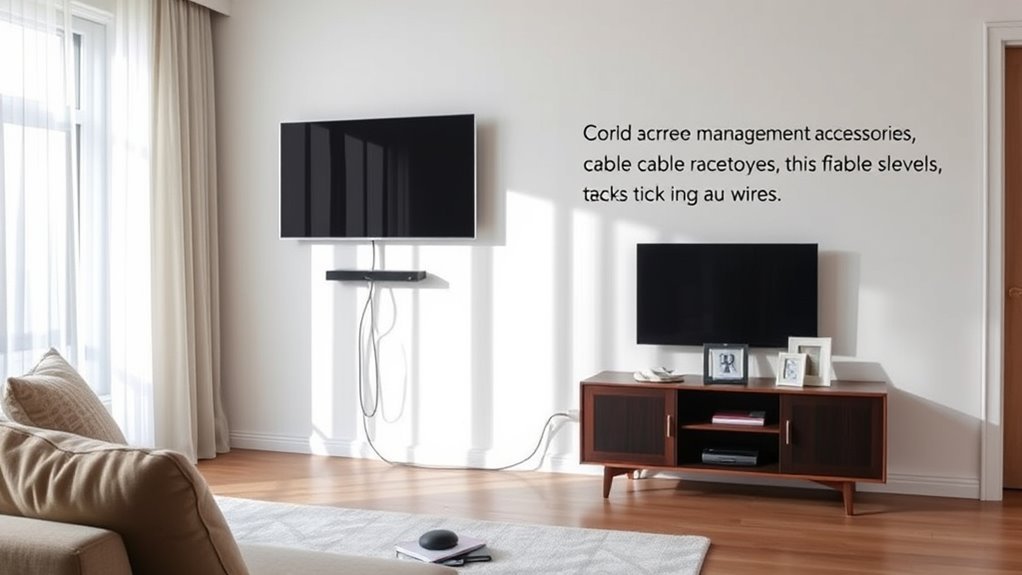
Cord accessories are inexpensive, but they make a big difference. The goal is not just to hide the cords; it is to make them easy to identify, adjust, and inspect later.
- Velcro cable ties: Better than zip ties for cords you may need to move later.
- Cable labels: Mark HDMI, soundbar, game console, router, and power cords.
- Cable management box: Conceals a low-wattage power strip and extra cable slack while keeping plugs accessible.
- Shorter cables: Reduce loops behind the console.
- Right-angle adapters: Help cords sit flatter when space is tight behind a TV or furniture.
- Cable clips: Keep wires from falling behind the cabinet every time you unplug a device.
Note: If you use a power strip, choose a listed model designed for the load, plug it directly into a wall receptacle, and keep it where air can circulate. Do not plug one power strip into another.
Utilize Furniture to Conceal Cords
Furniture is one of the simplest ways to hide TV cords without touching the wall. A media console, decorative cabinet, floating shelf, or sideboard can block the view of cords while still giving you access to devices.
Built-In Outlet Solutions
Some media consoles and side tables include built-in outlet access, rear openings, or cable grommets. These features help route cords through the back of the furniture instead of letting them spill across the floor. Use them for low-wattage living room electronics such as a TV, streaming device, soundbar, router, or game console, and always follow the furniture and power component instructions.
Decorative Cabinetry Options
Closed-back cabinetry can hide cords well, but it needs planned openings. Look for cabinets with rear cutouts, removable backs, or grommet holes. If your cabinet has solid doors, check that devices still receive remote signals and have enough airflow. For infrared remotes, you may need an IR repeater; for Bluetooth or RF remotes, the device can often stay hidden inside the cabinet.
Smart Furniture Designs
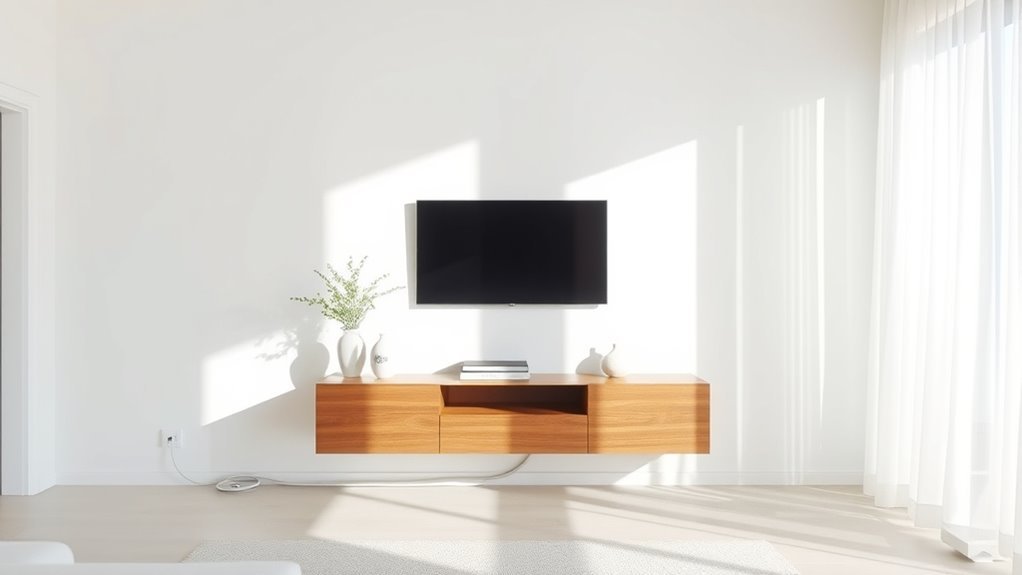
Smart furniture designs combine storage with cord routing. Floating consoles, wall-mounted shelves with cable channels, and media cabinets with built-in grommets keep cords organized without making the wall look busy. You can also use a basket, decorative box, or open-back cabinet to hide a modem, router, or streaming hub while keeping ventilation in mind.
Best Methods for Common Living Room Setups
The right method depends on the TV placement and how permanent you want the solution to be.
- TV on a console: Use shorter cords, cable clips, a cable box, and the console’s rear openings.
- Mounted TV with outlet below: Use a paintable vertical raceway from the TV to the outlet area.
- Mounted TV with no nearby outlet: Use a listed in-wall power relocation kit or hire an electrician to install an outlet behind the TV.
- Rental home or apartment: Use removable adhesive raceways, cord sleeves, furniture placement, and no-drill cable clips.
- TV above a fireplace: Check heat exposure, wall cavity conditions, and outlet location before routing anything. This setup often deserves professional help.
Stay Safe: Follow Electrical Regulations
Electrical safety is the most important part of hiding TV cords. A clean look is not worth overheating, damaged insulation, or unsafe wiring. The Electrical Safety Foundation International explains that extension cords are temporary and should not replace permanent household wiring. ESFI also warns not to run extension cords through walls, doorways, ceilings, or floors because covered cords can become a fire hazard.
Use these safety rules as your baseline:
- Do not run ordinary TV power cords or extension cords inside walls.
- Do not hide cords under rugs or carpet.
- Do not staple, nail, pinch, or crush cords.
- Do not overload power strips or daisy-chain them together.
- Use cords and accessories approved by an independent testing laboratory, such as UL, ETL/Intertek, or CSA.
- Hire a licensed electrician if you need a new outlet, hardwired change, or code-permitted electrical work.
Regular Maintenance: Inspect Your Cord Management System
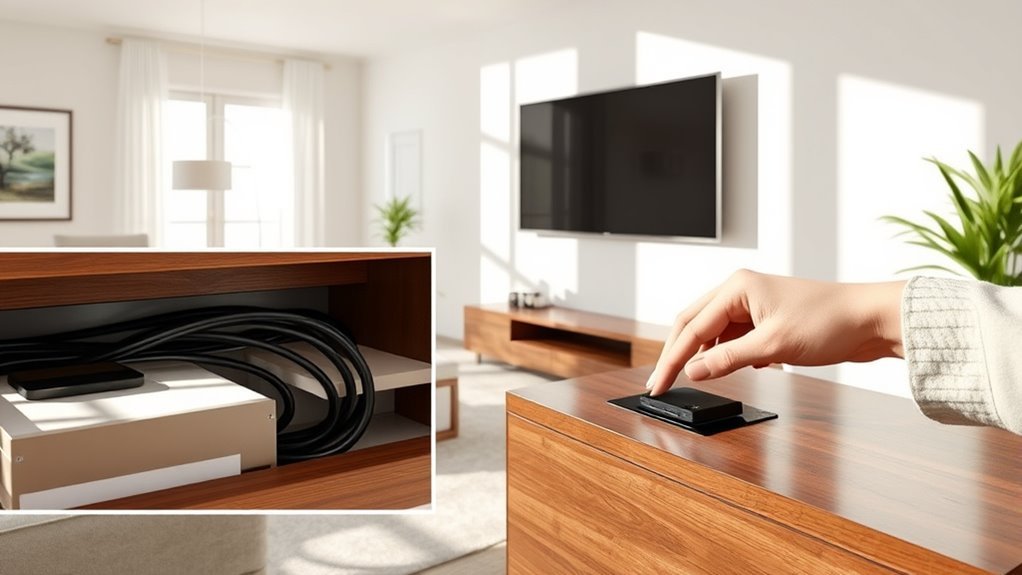
Once the cords are hidden, they are easier to forget. Inspect your cord management system every few months, especially behind cabinets and inside cable boxes where dust and heat can build up.
- Check for cracked insulation, loose plugs, frayed cords, or warm power strips.
- Make sure raceways, cable clips, and Velcro ties are still secure.
- Vacuum dust behind the media console and around power bricks.
- Confirm cables are not pinched behind furniture.
- Replace damaged cords instead of taping or hiding the damage.
- Update labels when you add or remove devices.
Troubleshooting Common TV Cord Problems
Cords Still Show After Installation
If cords still peek out, widen the raceway, paint it to match the wall, or move the console closer to the cable path. For a wall-mounted TV, use a raceway that runs straight down from the TV instead of angling across the wall.
Too Much Cable Slack Behind the Console
Replace extra-long HDMI and power cables with shorter versions where possible. Bundle remaining slack loosely with Velcro ties so the cables are neat but not strained.
Hidden Devices Stop Responding to Remotes
If a device uses infrared, cabinet doors can block the signal. Try an IR repeater, a vented open shelf, or a device location with a clear line of sight. Bluetooth and RF remotes usually handle hidden placement better.
Power Strip Feels Warm
Unplug it and reassess the load. A power strip should not feel hot, sit under a rug, or be buried in a sealed box. Use it only as directed and plug high-demand appliances into proper wall outlets, not into your TV cord setup.
Frequently Asked Questions
How do I hide TV wires in a living room?
Use a paintable wall raceway, cable sleeve, cable clips, shorter cords, and a media console with rear openings. For a mounted TV with a fully hidden look, use a listed in-wall TV power relocation kit or have an electrician install an outlet behind the TV.
How do I hide electrical cords in a living room DIY?
For a DIY project, stick with surface solutions such as cord covers, raceways, cable sleeves, cable boxes, and furniture routing. Do not run regular power cords through the wall. If you want power hidden behind a mounted TV, use a listed in-wall TV power kit as directed or call an electrician.
How do interior designers hide cords?
Interior designers often combine several methods: furniture with cable grommets, paintable wall raceways, floating consoles, built-in cabinetry, cable boxes, and carefully placed decor. For wall-mounted TVs, they usually plan outlet placement and cable paths before the TV is installed.
How can I hide TV cords with decor?
Use a console table, books, baskets, decorative boxes, plants, framed art, or a low cabinet to block the view of cords. Keep decor from pinching cords, covering power strips, or blocking airflow around electronics.
Is it safe to put a TV power cord behind drywall?
No, not if it is the TV’s ordinary flexible power cord. Use a listed in-wall TV power relocation kit or have a proper outlet installed behind the TV. Low-voltage cables should also be rated for in-wall use if they go inside the wall.
Conclusion
Hiding TV cords is one of the fastest ways to make a living room look cleaner and more intentional. For a simple fix, start with paintable raceways, cable sleeves, cable boxes, and smarter furniture placement. For a seamless wall-mounted setup, choose a listed in-wall power solution or professional outlet installation. Keep safety first, label your cords, inspect them regularly, and your entertainment area will look polished without creating hidden hazards.
Sources
- Electrical Safety Foundation International — Extension Cord Safety Tips — backs up extension-cord safety, temporary-use guidance, and testing-lab recommendations.
- Electrical Safety Foundation International — Reaching to Safety: Use Extension Cords Properly — backs up fire-risk statistics and warnings against running cords through walls, floors, ceilings, or doorways.
- SANUS — In-Wall TV Power and Cable Management Kit — product example showing how purpose-built in-wall TV power kits differ from ordinary cords.
- NFPA 70: National Electrical Code — reference for electrical-code context and local code compliance.