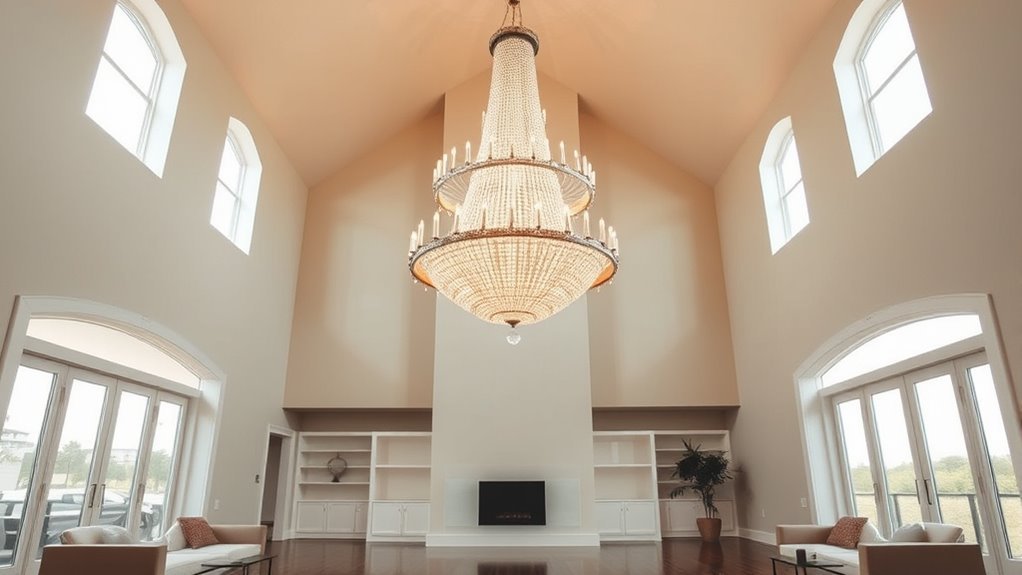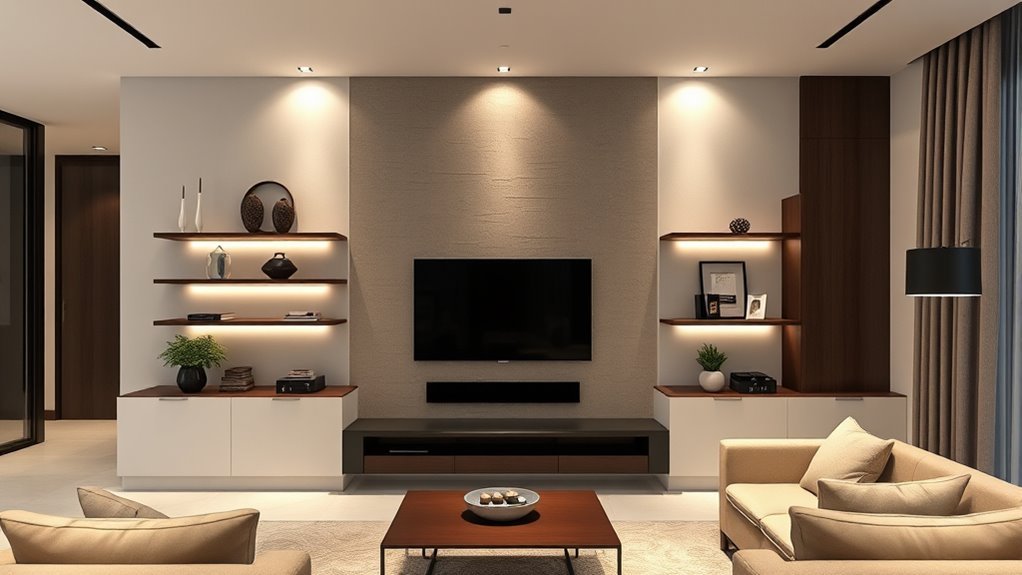
To plan a TV wall that feels built into your living room instead of simply mounted on it, start with the room: wall width, seating position, natural light, outlets, and the style you already have. Then choose the TV height, mount, panels, lighting, storage, and cable route together so the finished wall looks intentional, safe, and easy to use every day.
Quick Answer
A good TV wall starts with seated eye-level placement, a mount rated for your TV, safe access to power, hidden cable routes, and materials that match the room. Keep the design balanced with panels, shelves, speakers, or soft LED lighting, but leave enough ventilation and service access behind the screen.
Key Takeaways
- Place the center of the TV close to seated eye level whenever the room layout allows.
- Choose a wall mount that matches your TV’s size, weight, and VESA pattern.
- Plan outlets and cable routes before adding panels, shelves, or built-ins.
- Use panels, slats, lighting, and storage to make the TV feel like part of the architecture.
- Bring in a professional for electrical work, heavy custom joinery, fireplaces, masonry walls, or uncertain wall structure.
At a Glance
| Time Required | 2–6 hours for planning and a simple mount; several days or more for custom panels, lighting, storage, or electrical work. |
| Difficulty | Moderate for basic planning and decorating; advanced if you are adding outlets, recessed panels, heavy cabinetry, masonry fixings, or fireplace integration. |
| Tools Needed | Tape measure, painter’s tape, pencil, stud finder, level, drill, screwdriver, wall-mount hardware, cable-management supplies, and safety glasses. |
| Cost | Low for paint and cable covers; medium for panels, shelves, and LED strips; higher for bespoke cabinetry, stone finishes, electrical work, or professional installation. |
Assess Your Living Room Space and Style Preferences
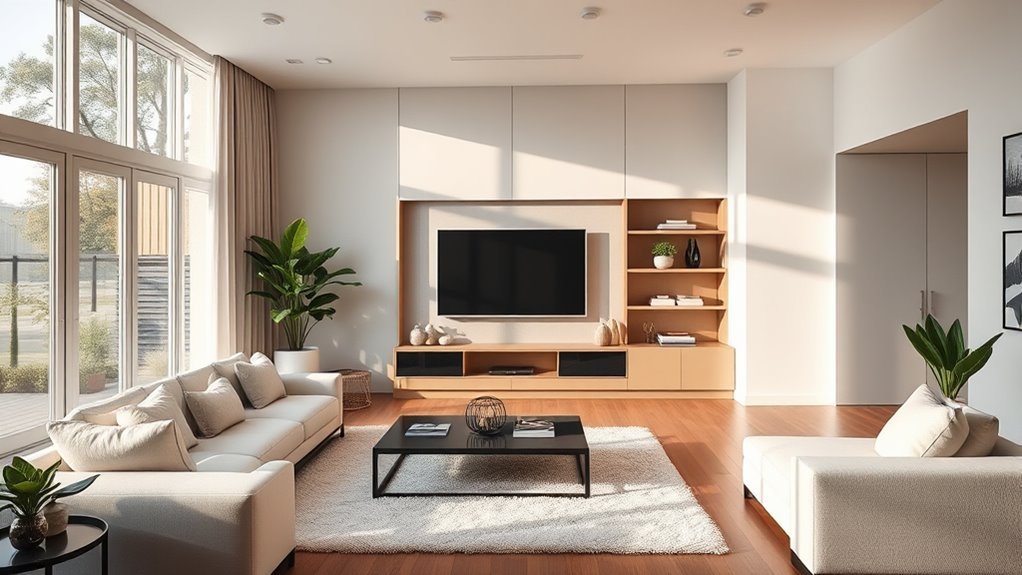
Creating a stunning TV wall begins with a clear look at your living room space. Measure the width and height of the wall, the distance from the sofa to the screen, the location of windows, and the path people take through the room. A beautiful media wall can still feel wrong if it blocks movement, catches glare all afternoon, or forces everyone to look up too high.
Use painter’s tape to mark the TV size on the wall before you buy panels or a mount. This simple step helps you judge scale, confirm the best viewing position, and decide whether the TV should sit alone, between shelves, inside a recessed panel, or above a low console.
Match the TV wall to the room’s existing color scheme. Warm wood slats suit cozy Scandinavian and organic-modern spaces. Painted MDF or smooth plaster-style panels feel cleaner and more minimal. Stone-look or porcelain-look panels add drama, but they need careful balancing so the wall does not overpower the rest of the room.
Note: If the room has large windows, check the wall at the time of day you normally watch TV. A stylish layout can become frustrating if sunlight reflects directly on the screen.
Choosing the Right Materials for Your TV Wall
The best material for your TV wall depends on budget, style, wall structure, and how much weight the design must carry. Medium-density fiberboard (MDF) is smooth, affordable, and easy to paint, making it useful for dry interior paneling, trim, and built-ins. The Composite Panel Association notes that MDF is commonly used for decorative surfacing, trim, cabinetry, furniture, and paneling, but you should choose the correct grade and finish for the room.
Plywood is a strong choice for backing panels, shelves, and built-ins where screws need better holding power. Wood slats add warmth and vertical rhythm, while WPC or composite panels can provide a textured look with less visual weight than stone. Stone, tile, and porcelain-look slabs can look luxurious, but they are heavier and usually require a more careful installation plan.
Before choosing a finish, ask three practical questions: Will it support shelves or speakers? Can you access the TV ports after installation? Will the material handle the room’s humidity, heat, and daily use? The most elegant TV wall is the one that still works after the novelty wears off.
Selecting Decorative Elements: Wall Panels and Slats
Decorative wall panels help the TV blend into the room instead of floating on a blank wall. Fluted panels, vertical slats, smooth painted panels, ribbed WPC boards, and stone-look sheets can all work beautifully when they connect to the rest of the decor.
For a calm modern look, limit the palette to two or three main finishes. For example, pair oak slats with a warm white wall and a black TV frame, or use a charcoal panel behind the TV with a light oak console below. Repeating one material from elsewhere in the room, such as the floor, coffee table, or shelving, makes the TV wall feel intentional.
Recommended Products

High-Quality Wall Panels: Our acoustic panel set is crafted with high-density polyester fiber, premium medium-density fiberboard, and a solid wood veneer. This combination provides an elegant look, superior sound damping, and excellent sound deadening, significantly improving room acoustics

Modern and Elegant Design - The wood slat wall panels have been carefully designed to effortlessly transform any space, enhancing the surroundings both visually and acoustically. The wood panels help to create an environment that is not only quiet but beautifully contemporary, soothing and relaxing. Furthermore, our slat wall panels can be installed horizontally or vertically and cut to any shape allowing for creativity and a unique look to fit your aesthetics.
Panel Material Options
MDF panels are best when you want a painted, seamless, budget-conscious finish. Plywood works well behind shelves, cabinets, or heavier features. Solid wood or veneer slats bring warmth and texture, while WPC panels can offer a consistent fluted or ribbed effect. If you choose stone, tile, or porcelain-look panels, confirm the wall structure and adhesive/fixing method before installation.
Panel thickness matters too. Thin decorative strips can look refined, but backing boards may be needed for stability. If shelves, a soundbar, or a heavy mount will attach to the wall, plan structural support first and decorative paneling second.
Design Trends Overview
Current TV wall design is less about making the screen disappear completely and more about making it belong. Popular approaches include vertical wood slats, limewash-style paint, ribbed panels, low floating consoles, asymmetrical shelves, recessed lighting, and gallery-style styling around frame-style TVs.
Keep decor edited. A few books, ceramics, plants, or framed pieces can soften the wall, but overcrowded shelves compete with the screen and make the room feel busy. Let the strongest material or shape do the work.
Planning the Layout: TV Placement and Component Accessibility
Good TV placement balances comfort, safety, and proportion. The most reliable rule is to place the center of the screen close to seated eye level. Sony’s wall-mounting guidance says the TV should generally be mounted with the horizontal and vertical center lines at viewer eye level, while still accounting for seating and preferences. Use that as your starting point, then adjust for your sofa height, recliners, fireplace, or room layout.
Viewing distance also matters. Sony recommends different distances depending on resolution: for 4K TVs, about 1.5 times the TV’s vertical screen size; for HD TVs, about three times the vertical screen size; and for standard definition, about six times the vertical screen size. These are useful starting points, but comfort, eyesight, and room layout still matter.
Before drilling, check your TV’s weight, screen size, VESA pattern, and mount requirements. VESA’s mounting standard is the common reference for display mounting compatibility, but you still need to match the exact TV and bracket instructions.
Optimal TV Height
To find the best TV height, sit where you normally watch, look straight ahead, and mark your eye level on the wall. The TV center should land close to that mark. In many living rooms, this puts the TV center roughly around 40 to 48 inches from the floor, but the right height depends on your furniture and the people using the room.
If the TV must sit higher, such as above a fireplace or tall console, consider a tilting or full-motion mount so the screen can angle toward the seating. Avoid placing the TV so high that viewers need to crane their necks for an entire movie.
Accessory Placement Considerations
Plan every accessory before the wall is finished. That includes streaming boxes, game consoles, Wi-Fi equipment, soundbars, speakers, remotes, charging points, and HDMI access. A clean wall is only practical if you can still reach the equipment when something needs resetting or replacing.
- Confirm the wall mount is rated for the TV’s weight and size.
- Check that studs, masonry, or blocking line up with the bracket location.
- Leave access to HDMI, power, optical, and Ethernet ports.
- Allow airflow around the TV vents according to the TV manual.
- Keep shelves low enough to style easily and strong enough for their load.
Warning: Do not run a standard TV power cord inside a wall. If you want hidden power, use a code-compliant outlet or an approved in-wall power solution installed according to local rules. Hire a qualified electrician for new outlets, circuits, or wiring changes.
Integrating Lighting Into Your TV Wall Design: Enhancing Ambiance With LEDs
LED lighting can make a TV wall feel softer and more architectural. Backlighting behind the TV, hidden strips inside vertical panels, or a warm glow under a floating console can reduce the harsh contrast between a dark screen and a bright wall.
Choose warm white lighting for cozy living rooms, neutral white for cleaner contemporary spaces, and dimmable controls whenever possible. Avoid placing bright exposed strips where they reflect on the screen. A diffuser channel gives LED strips a smoother, more polished glow.
Pro Tip: Put TV wall lighting on a separate switch or smart dimmer. You will use it more often if it can shift from bright cleaning light to low movie-night glow.
Recommended Products
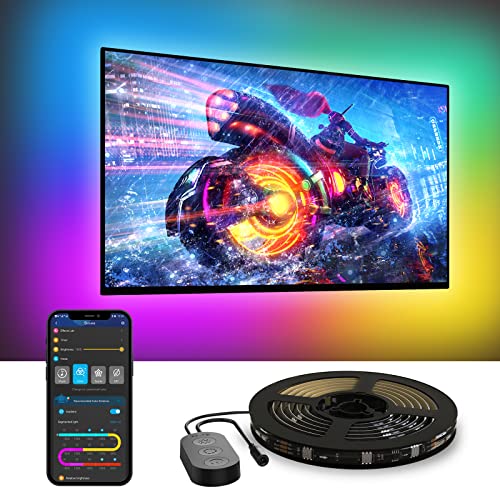
A Symphony of RGBIC Lighting: Govee RGBIC technology realizes the color segmentation display of the TV lights behind, creating more dynamic and gorgeous lighting effects. Experience more vibrant colors in your TV lights and upgrade your visuals.
Concealing Wires: Best Practices for a Clean Finish
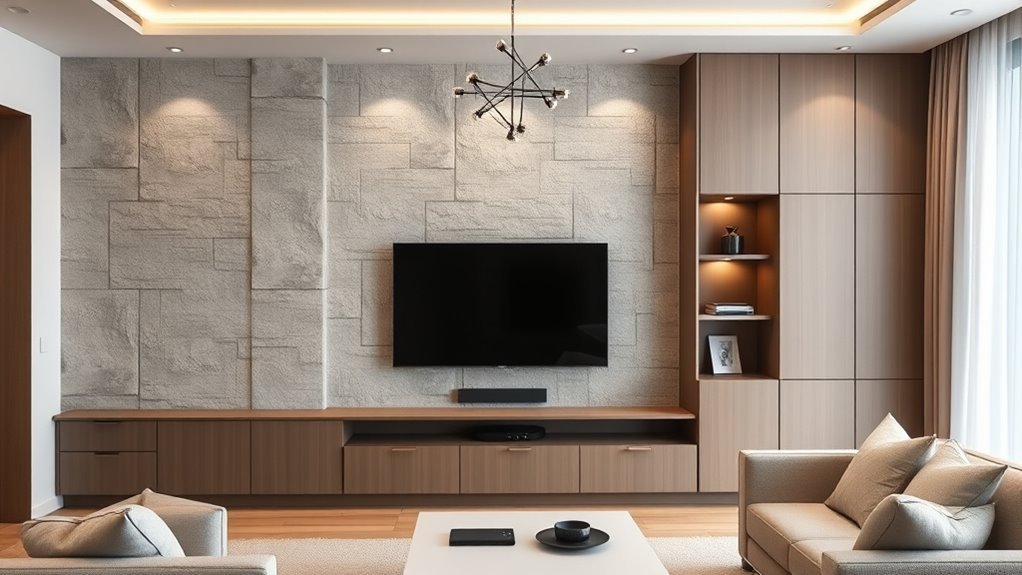
A polished TV wall depends on smart cable management. Plan the cable route before mounting the screen or adding decorative panels. The cleanest setups usually include a nearby outlet, short HDMI runs, and a hidden path to a console or equipment cabinet.
- Use paintable cable channels if you need an easy surface-mounted solution.
- Use brush plates or approved in-wall cable kits for low-voltage cables where allowed.
- Label both ends of HDMI and speaker cables before the wall is closed or covered.
- Bundle extra cable length neatly behind the console, not behind the TV vents.
- Keep power strips accessible instead of burying them inside cabinetry.
The Electrical Safety Foundation International advises having qualified electricians install new circuits for high-energy devices and inspect older or overloaded systems. If the TV wall requires a new outlet, relocated power, hardwired lighting, or a fireplace connection, treat it as electrical work rather than decor.
Adding Functional Features: Shelves & Speakers
To elevate your TV wall beyond a screen and panels, add functional features such as shelves, closed storage, a soundbar, or built-in speakers. The secret is restraint. One low console and two floating shelves may look calmer than a full wall of busy compartments.
Floating shelves are ideal for a few decorative objects, but they must be fixed into studs, masonry, blocking, or appropriate anchors. For media devices, closed cabinets with ventilation holes are usually cleaner than open shelves. If you use a soundbar, center it below the TV and avoid blocking the TV’s remote sensor or bottom vents.
For surround speakers, plan wire routes early. In a finished living room, wireless rear speakers or slim raceways may be more realistic than opening walls. Keep the layout balanced so audio, storage, and styling support the room rather than crowding it.
Common Challenges in TV Wall Design and Solutions
Even a simple TV wall can go wrong if the practical details are skipped. These are the issues that most often make a media wall feel awkward after installation:
- The TV is too high: Recheck seated eye level and use a tilting mount if the screen must sit higher than ideal.
- The wall feels too busy: Reduce shelf styling, limit finishes, and let one feature material lead the design.
- Glare ruins daytime viewing: Shift the TV, use curtains, add blinds, or choose a mount that can angle away from windows.
- Cables are visible: Plan outlet locations, cable channels, and device storage before panel installation.
- The mount does not fit: Check the TV’s VESA pattern, weight, size range, and wall type before buying hardware.
- Devices overheat: Leave ventilation space around the TV, consoles, amplifiers, and game systems.
- The fireplace creates problems: Heat, height, smoke, and mantel depth can make fireplace mounting uncomfortable or risky.
The best TV wall is planned like furniture and installed like a safety project: beautiful from the sofa, but strong, ventilated, reachable, and properly wired behind the scenes.
When to Consider Professional Help for Your TV Wall Project
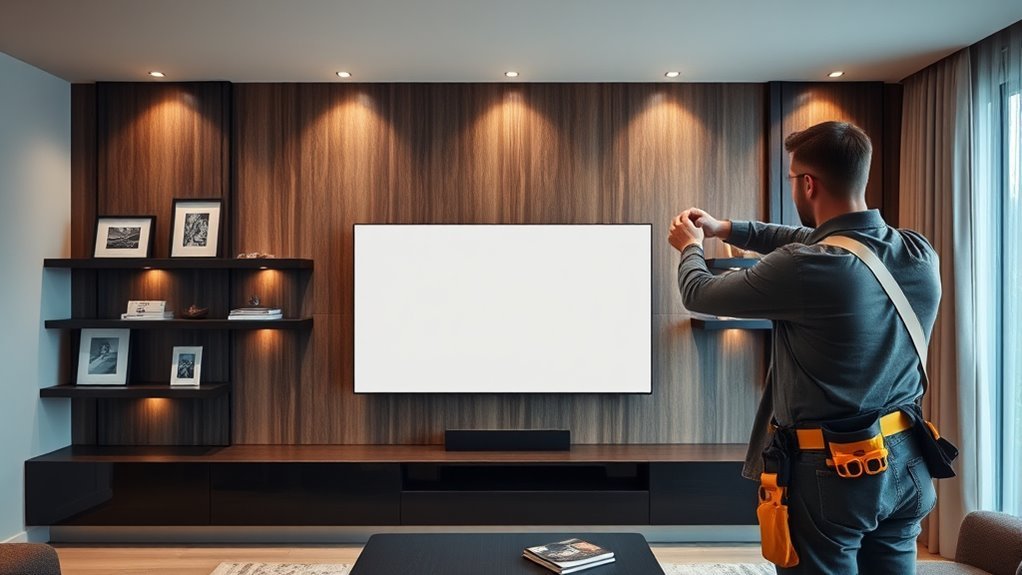
Some TV wall projects are good DIY candidates. Painting a wall, styling a console, adding surface cable covers, or installing lightweight decorative panels can be manageable if you are comfortable with basic tools. But professional help is worth considering when the project affects structure, wiring, masonry, heavy finishes, or safety.
Call a professional if you are mounting a large or heavy TV, drilling into brick or stone, adding outlets, moving wiring, integrating a fireplace, building custom cabinetry, or installing heavy stone-look panels. Also get help if you cannot confidently identify studs, blocking, pipes, or cables inside the wall.
For homes with children or pets, secure freestanding furniture and TVs. The U.S. Consumer Product Safety Commission’s Anchor It campaign emphasizes anchoring furniture with drawers, doors, and shelves to the wall to help prevent tip-over injuries and deaths.
Budget Planning for a TV Wall
A TV wall can be as simple or as custom as your budget allows. A low-cost version might use paint, a slim console, a safe mount, and paintable cable covers. A mid-range version may add fluted panels, LED strips, floating shelves, and better cable routing. A premium design can include bespoke joinery, recessed niches, integrated speakers, stone or porcelain-look surfaces, and electrician-installed outlets.
Spend first on safety and layout: the right mount, proper fixings, power access, and cable routes. Then invest in the visual layers that give the wall character. Decorative panels are wasted if the TV sits too high or the cables still show.
Renter-Friendly TV Wall Ideas
If you rent, you can still create a polished TV feature wall without permanent construction. Use a freestanding media console, a TV stand with a rear column, removable LED strips, framed art around the screen, and paintable surface raceways where your lease allows. Large leaning panels or slat-style screens can create texture behind the TV without opening the wall.
Before drilling, check your lease and ask permission when needed. If wall mounting is not allowed, choose a stable console or anti-tip TV stand and secure furniture according to the product instructions.
Frequently Asked Questions
How do you incorporate a TV into a living room?
Incorporate a TV by placing it where the seating naturally faces, keeping the center near seated eye level, and surrounding it with materials that match the room. A low console, wall panels, shelves, art, or soft lighting can make the screen feel connected to the decor instead of added as an afterthought.
What are the most common media wall mistakes?
The most common mistakes are mounting the TV too high, choosing a mount that does not match the TV, forgetting cable access, blocking ventilation, adding too many finishes, ignoring window glare, and designing shelves before planning power and device storage.
How do you blend a TV into the wall?
Blend a TV into the wall with a dark or textured backdrop, clean cable management, a slim mount, balanced shelves, and low-glare lighting. Repeating a finish from the rest of the room, such as wood, black metal, or warm neutral paint, helps the TV wall feel cohesive.
How do I design my TV wall from scratch?
Start by measuring the wall and seating distance, then mark the TV size with painter’s tape. Choose the TV height, mount, and cable route before selecting panels, lighting, shelves, or speakers. Once the functional layout works, refine the design with colors and materials that match your living room.
Can I hide TV power cords inside the wall?
Do not hide a standard TV power cord inside the wall. For a clean look, use a properly installed outlet behind the TV or an approved in-wall power kit that follows local electrical rules. Hire a qualified electrician if you need new power or relocated outlets.
Is mounting a TV above a fireplace a good idea?
It can work in some rooms, but it is often too high for comfortable viewing and may expose the TV to heat. Check the fireplace and TV manuals, measure viewing height, test heat above the mantel, and consider a tilting mount or a different wall if the setup causes neck strain or overheating concerns.
Conclusion
A well-planned TV wall brings style, storage, lighting, and entertainment into one calm focal point. Start with the practical details: viewing height, wall strength, mount compatibility, power, cable access, and ventilation. Then layer in the design elements that make the screen feel at home, from fluted panels and warm LEDs to shelves, speakers, and a low console. With the right balance of safety and style, your living room can become a polished, comfortable hub for everyday watching and relaxed entertaining.
Sources
- Sony Support: Recommended TV wall-mounting height — supports the seated eye-level TV placement guidance.
- Sony Support: Recommended viewing distance for watching TV — supports TV size, resolution, and viewing-distance guidance.
- VESA Mounting Standard — supports checking mount compatibility and display mounting standards.
- Electrical Safety Foundation International: Home Electrical Safety — supports qualified-electrician and electrical-safety recommendations.
- AnchorIt.gov / U.S. Consumer Product Safety Commission — supports anchoring TVs and furniture to reduce tip-over hazards.
- Composite Panel Association: Medium Density Fiberboard — supports MDF material uses and properties.