Room cleaning vs whole-home cleaning is an important choice when using a robot vacuum. Both modes keep floors clean, but they differ in coverage, cleaning time, battery use, and control. Understanding those differences helps you clean busy rooms quickly without neglecting the rest of your home.
Quick Answer
Room cleaning is best for quick, targeted cleaning of kitchens, bedrooms, and other busy areas. Whole-home cleaning is better for regular maintenance across multiple rooms. Choose room cleaning when only part of your home needs attention. Choose whole-home cleaning when you want broader coverage with less manual involvement.
Key Takeaways
- Room cleaning normally uses less battery because the robot covers a smaller area.
- Whole-home cleaning provides broader floor coverage but may require charging breaks.
- Smart mapping makes room selection, cleaning order, and no-go zones possible on compatible models.
- You can schedule busy rooms more often while using whole-home cleaning for regular maintenance.
- The best results often come from combining both modes instead of relying on only one.
Room Cleaning vs Whole-Home Cleaning: Key Differences
)
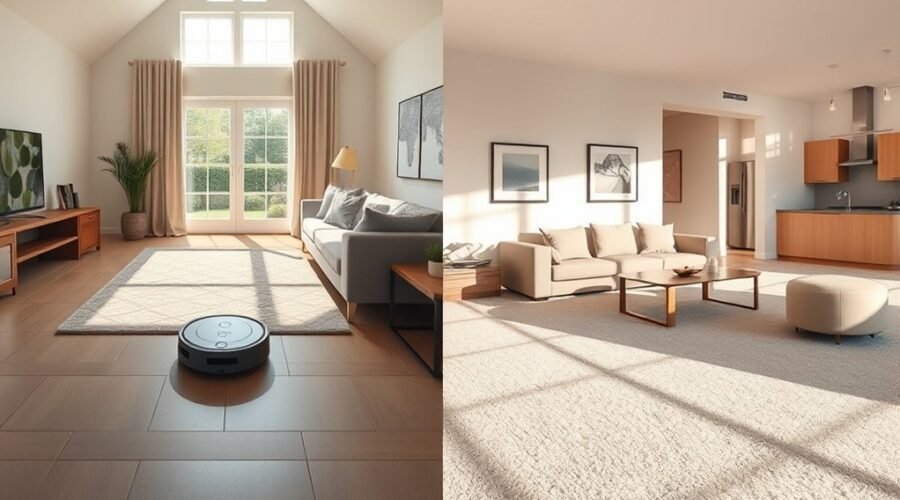
The main difference between room cleaning and whole-home cleaning is how much floor space the robot covers. Room cleaning targets one or more selected rooms. Whole-home cleaning works through the accessible areas of a home or mapped floor.
Both modes can use the same navigation system, brushes, and suction settings. The cleaning mode determines where the robot works, while the cleaning preferences affect how thoroughly it cleans.
For example, you might send your robot to the kitchen after breakfast. Later, you could start a whole-home cycle to remove dust and pet hair from every accessible room.
| Feature | Room Cleaning | Whole-Home Cleaning |
|---|---|---|
| Coverage | Selected rooms | All accessible mapped rooms |
| Cleaning time | Usually shorter per job | Usually longer per job |
| Battery usage | Generally lower | Generally higher |
| Control | Choose specific rooms | Clean the entire accessible floor |
| Best use | Quick touch-ups and busy areas | Routine maintenance and full coverage |
| Scheduling | Different schedules for selected rooms | Regular full-floor schedules |
Room cleaning offers better control over where the robot spends its time. Whole-home cleaning reduces the chance that less-used rooms will be forgotten.
Compatible smart-mapping robots support both approaches. The iRobot Smart Maps guide explains how users can label rooms, select cleaning areas, and control cleaning order.
When Room Cleaning Works Best
Room cleaning works best when one area needs attention but the rest of your home is already clean. It is useful for busy kitchens, entryways, living rooms, and spaces where pets spend most of their time.
Instead of running a full cleaning cycle, you can direct the robot to the room that needs it.
Cleaning High-Traffic Areas
Kitchens and entryways often collect crumbs, tracked-in dirt, and pet hair faster than bedrooms or guest rooms.
Room cleaning lets you give these areas extra attention without repeatedly cleaning rooms that are already tidy.
For example, you could schedule the kitchen every day and include less-used rooms in a separate whole-home session.
Cleaning After Daily Activities
Room cleaning is also useful after cooking, children’s playtime, or a busy evening in the living room.
A mapped robot can travel to the selected room, clean it, and return to its dock. You do not need to carry it to the mess.
For an especially small patch of dry debris, spot cleaning or a custom cleaning zone may be more efficient than cleaning the entire room.
Warning: Do not use a vacuum-only robot to collect puddles or large liquid spills. Wipe up liquids first unless your model specifically supports that type of wet cleanup. Moisture can damage parts of the vacuum or docking station.
Managing Pet Hair and Dust
Pet hair can build up quickly near feeding areas, beds, and favorite resting spots.
Scheduling those rooms more often helps control loose hair and floor dust before they spread. Regular cleaning may also reduce some dust and pet-related allergens on accessible floors, although it cannot replace other cleaning methods.
Cleaning Selected Rooms on Different Floors
Room cleaning is practical in multi-story homes, especially when only one level needs attention.
Robots with multi-floor mapping can store separate layouts on compatible models. However, most robot vacuums cannot climb stairs and must be carried between floors.
After moving the robot, select the correct map and cleaning area. Docking and automatic resumption behavior may differ when the charging station is on another floor.
Pro Tip: Use room cleaning for frequently used areas between whole-home sessions. This keeps busy floors cleaner without running the robot through every room each time.
When Whole-Home Cleaning Is Better
Whole-home cleaning is better when you want regular, broad coverage without selecting rooms individually. It works well for homes where dust, crumbs, and pet hair spread across several living spaces.
The robot follows its navigation plan through the accessible rooms, helping you maintain floors that might otherwise be overlooked.
| Benefit | Whole-Home Advantage | Result |
|---|---|---|
| Coverage | Cleans multiple accessible rooms | Less dirt buildup in overlooked spaces |
| Navigation | Uses systematic cleaning paths on compatible models | More organized floor coverage |
| Pets | Collects hair across several rooms | Less loose hair on accessible floors |
| Power | Uses longer runtimes or recharge-and-resume | Better support for extended cleaning jobs |
| Maintenance | Automates routine floor cleaning | Less frequent manual floor cleaning |
Better Coverage for Larger Homes
Whole-home mode helps the robot cover connected living areas without repeated commands.
With a saved map, compatible robots plan their cleaning routes and work through rooms in sequence. This reduces unnecessary manual direction, although furniture and obstacles can still create missed areas.
You can use the robot’s cleaning history to see which rooms were covered and identify places that need another pass.
More Consistent Scheduled Cleaning
Whole-home cleaning is especially useful when you want regular floor maintenance while working or handling other tasks.
Many robot vacuums allow scheduled whole-home sessions. For example, the eufy cleaning schedule instructions explain how supported models can run automatic whole-home or room-specific jobs.
Scheduling a full cleaning session helps prevent less-used rooms from becoming dusty between manual cleaning sessions.
Managing Longer Cleaning Jobs
Larger homes may require more battery power than the robot can provide in one continuous run.
Models with recharge-and-resume technology can return to the dock, recharge, and continue from their previous stopping point.
However, a whole-home job may still need additional time for charging, dustbin emptying, or mop washing.
For best results, keep the dock accessible and remove loose cords or objects that could block the robot’s route.
How the Two Modes Differ in Speed, Battery Life, and Control
Room cleaning and whole-home cleaning usually use the same basic cleaning hardware. Their main differences are the area covered, total cleaning time, battery demand, and degree of control.
Cleaning Speed
Room cleaning usually finishes sooner because it skips rooms you have not selected. However, the robot does not necessarily move faster or clean more effectively simply because room mode is active.
As a general reference, ECOVACS estimates that a robot vacuum can clean a 250-square-foot room in approximately 30 to 45 minutes.
Actual cleaning time depends on furniture, floor type, suction level, navigation, and the number of cleaning passes.
Whole-home cleaning takes longer because the robot must cover more floor space. A second cleaning pass or intensive mopping mode can increase the time required for either type of job.
Battery Consumption
Room cleaning generally uses less battery because the robot works for a shorter period.
Whole-home cleaning puts greater demand on the battery, especially in large homes with carpets, obstacles, and multiple cleaning passes.
Robots that support automatic recharging can finish larger jobs over multiple stages. Models without reliable recharge-and-resume features may leave areas unfinished when the battery runs low.
Cleaning Control and Customization
Room cleaning gives you more direct control over where the robot works.
On compatible models, you can select individual rooms, arrange the cleaning order, choose suction settings, and create schedules.
Whole-home cleaning reduces the number of decisions you need to make. The robot follows its automatic cleaning plan while respecting supported map restrictions.
Neither mode guarantees perfect coverage. Narrow gaps, closed doors, cables, and difficult thresholds may still prevent the robot from reaching certain areas.
- Room cleaning mode: Better for targeted maintenance, shorter jobs, and room-specific settings.
- Whole-home cleaning mode: Better for broader coverage, regular floor care, and reduced manual selection.
- Scheduled cleaning: Both modes can support automatic routines, depending on the robot and its app.
The best approach depends on whether your immediate priority is cleaning one area or maintaining the entire floor.
How to Pick the Right Cleaning Mode
Choose your robot vacuum’s cleaning mode based on the mess, floor layout, available battery power, and cleaning schedule. The right mode should complete the necessary work without sending the robot through unnecessary areas.
1. Check How Much of Your Home Needs Cleaning
If only the kitchen or living room is dirty, select room cleaning.
If several rooms have visible dust, pet hair, or tracked-in debris, whole-home cleaning is usually more useful.
2. Consider the Available Cleaning Time
Use room cleaning when you need a quick reset before guests arrive or after a busy meal.
Choose whole-home cleaning when the robot has enough time to finish its route, including any charging breaks.
3. Match the Mode to Your Flooring
Mixed flooring can require different cleaning settings.
For example, a carpeted bedroom may benefit from stronger suction, while a hard-floor kitchen may need mopping.
Compatible robots let you adjust room-specific preferences. Check that carpet avoidance, mop lifting, or vacuum-only settings are appropriate before starting a combined cleaning job.
4. Check Your Map and No-Go Zones
Make sure your robot has a correct map before using room selection.
Rooms should have clear boundaries and recognizable names. Use no-go zones for areas with cables, delicate objects, or places where the robot regularly gets stuck.
Remember that a robot may travel through an unselected room to reach the room you requested.
5. Create a Practical Cleaning Schedule
A balanced schedule often combines targeted cleaning with broader maintenance.
- Daily: Clean busy rooms such as the kitchen or entryway when needed.
- Several times a week: Clean living areas where pets or family members spend the most time.
- Regular whole-home sessions: Include bedrooms, hallways, and less-used rooms to prevent overlooked buildup.
Adjust these sessions according to household activity. Homes with heavy shedding or frequent dirt may need more cleaning than quieter households.
6. Review the Cleaning Results
After a cleaning session, check the robot’s cleaning history and inspect the floor.
If certain areas remain dirty, look for blocked paths, poor map boundaries, full dustbins, dirty sensors, or unsuitable carpet settings.
You can then repeat a room-cleaning task for the missed area instead of automatically starting another whole-home cycle.
Note: Room selection requires compatible mapping features. Basic robot vacuums without saved room maps may support only automatic whole-area cleaning or simpler spot-cleaning modes.
Best DEEBOT Robots by Use Case
DEEBOT robot vacuums offer different features for routine room cleaning and larger whole-home jobs. The right choice depends on your flooring, cleaning needs, and how much automation you want.
The DEEBOT T80 OMNI suits mixed-floor maintenance, the T90 PRO OMNI offers high suction and advanced mopping, and the X11 OmniCyclone focuses on extended coverage and automated upkeep.
Best For Daily Cleaning
Daily cleaning benefits from dependable navigation, customizable schedules, and tools that manage loose debris without constant attention.
- DEEBOT T80 OMNI: A strong choice for mixed flooring. Its Carpet First function vacuums carpets before wet mopping begins, helping avoid unwanted moisture transfer. It also uses OZMO ROLLER mopping and automatic mop washing.
- DEEBOT T90 PRO OMNI: Useful for busy homes with pet hair, dust, and frequent floor messes. Its obstacle recognition, cleaning controls, and automatic maintenance features support regular cleaning.
- DEEBOT X11 OmniCyclone: Suitable for households wanting less hands-on upkeep. Its bagless self-emptying station, anti-tangle brushes, and PowerBoost charging support repeated cleaning sessions.
The DEEBOT T80 OMNI specifications confirm its Carpet First function, 18,000Pa maximum suction rating, and roller mopping system.
For routine cleaning, these features matter most when they match your floor types and cleaning habits.
Best For Deep Cleaning
Deeper cleaning places greater demand on suction, mopping performance, and navigation. Models with stronger cleaning systems and automated maintenance can handle more intensive floor-cleaning jobs.
DEEBOT T90 PRO OMNI: This model has a manufacturer-rated maximum suction power of 30,000Pa. It also uses an OZMO ROLLER 3.0 self-washing mop and an obstacle avoidance system.
These features make it a strong option for heavier floor debris and stubborn hard-floor stains. The official T90 PRO OMNI product specifications confirm its 30,000Pa rating and PowerBoost charging system.
DEEBOT X11 OmniCyclone: This model uses PowerBoost Technology to recharge during routine mop-washing intervals. It also combines strong suction, roller mopping, and an automated bagless station.
The X11 OmniCyclone specifications list 19,500Pa maximum suction and PowerBoost charging, making it particularly relevant to larger cleaning areas.
DEEBOT T80 OMNI: Its Carpet First function helps organize cleaning across carpets and hard floors. Users can also select deeper cleaning settings when a room needs more attention.
All three models provide app-based cleaning controls and navigation features. Room-specific schedule options should be confirmed for the model and app version you use.
Keep in mind that higher suction ratings do not automatically guarantee better cleaning on every surface. Brush design, airflow, floor type, and cleaning paths also affect results.
Frequently Asked Questions
What Are the Downsides of Using a Robotic Vacuum Cleaner?
Robot vacuums can struggle with deep carpet dirt, stairs, loose cords, and tight spaces. They also need regular brush cleaning, filter maintenance, and dustbin emptying. Battery limits, navigation mistakes, noise, and app connection problems may affect cleaning. Even advanced robots cannot fully replace manual deep cleaning.
How Does Roomba Know Which Room Is Which?
Compatible Roomba models use mapping sensors and navigation technology to create a floor map. You can divide the map into rooms and assign names through the app. The robot uses this information to locate selected rooms and follow cleaning instructions. Mapping methods and available features vary by model.
Are House Cleaning Robots Worth It?
Yes, robot vacuums can be worth it if you want regular floor cleaning with less manual effort. They are especially useful for busy households, pet owners, and homes with large areas of accessible flooring. However, purchase costs, maintenance, noise, battery life, and cleaning limitations should influence your decision.
What Is the Average Lifespan of a Robot Vacuum?
A robot vacuum typically lasts around 4 to 6 years, according to Dyson’s published guidance. Actual lifespan depends on usage, build quality, and maintenance. Batteries may lose performance earlier than the robot itself. Cleaning brushes, replacing filters, and maintaining the charging contacts can help extend useful service life.
Can I Schedule Different Rooms to Clean at Different Times?
Yes, many robot vacuums with smart mapping support room-specific schedules. You can assign different cleaning times to busy areas and less-used rooms. The available scheduling options depend on the robot model and app. A correct saved map is usually necessary before room-specific cleaning can be scheduled.
Can a Robot Vacuum Clean Multiple Floors Automatically?
A robot vacuum can clean multiple floors if it supports the necessary mapping features, but most cannot move between floors independently. You normally need to carry it upstairs or downstairs. Compatible models can recognize or store separate floor maps. Charging and cleaning resumption may require additional attention away from the dock.
Conclusion
Room cleaning vs whole-home cleaning comes down to targeted efficiency versus broader coverage. Room cleaning handles quick touch-ups and busy spaces, while whole-home cleaning supports regular maintenance across multiple rooms.
Some estimates suggest targeted room cleaning can reduce cleaning time by up to 50% in high-traffic areas, although this figure lacks a verified comparative source. Actual savings depend on the amount of floor space skipped.
For most households, combining both modes is the practical choice. Use room cleaning when specific areas need attention, then schedule whole-home cleaning to keep the rest of your floors maintained.
Sources
- iRobot: Guide to Imprint Smart Maps: Supports room mapping, room labels, selected-room cleaning, and map controls.
- ECOVACS: How Long Does It Take a Robot Vacuum to Clean a Room?: Supports the approximate 250-square-foot cleaning-time reference and factors affecting duration.
- eufy: Cleaning Schedule Instructions: Confirms whole-home and room-specific scheduled cleaning on supported models.
- iRobot: Roomba Combo Support: Supports precautions concerning wet surfaces and moisture entering the robot or dock.
- ECOVACS: DEEBOT T80 OMNI: Confirms Carpet First, suction specifications, and mopping features.
- ECOVACS: DEEBOT T90 PRO OMNI: Confirms the 30,000Pa manufacturer suction rating, roller mopping, and PowerBoost charging.
- ECOVACS: DEEBOT X11 OmniCyclone: Confirms the 19,500Pa suction rating, PowerBoost technology, and automated station features.
- Dyson: How Long Do Robot Vacuums Last?: Supports the 4-to-6-year lifespan estimate and the importance of maintenance.