
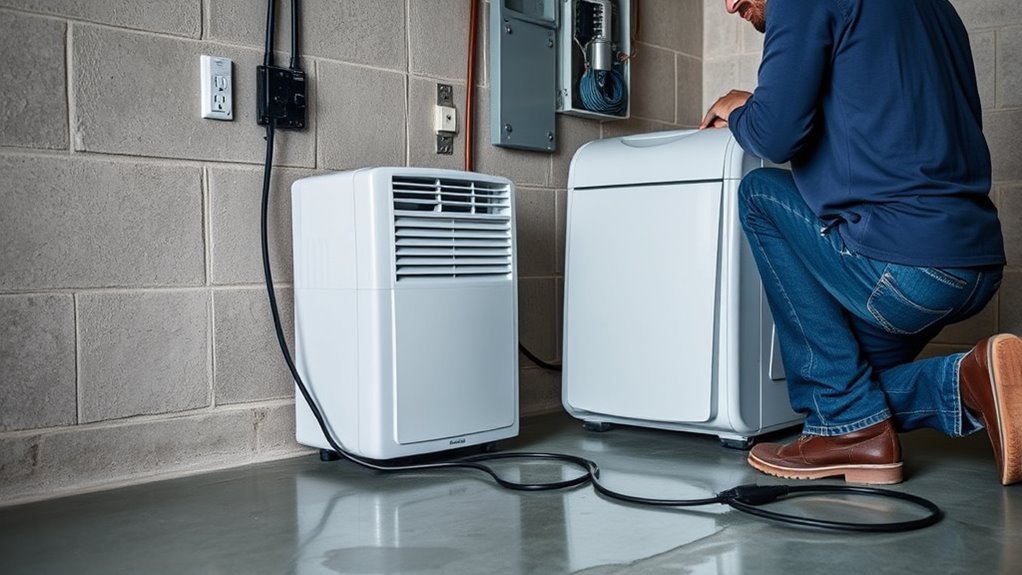
A dehumidifier that trips a breaker may be overloading a shared circuit, but repeated tripping can also point to a damaged cord, faulty outlet, ground fault, wiring problem, or internal appliance failure. Start with safe visual and load-isolation checks only. Do not keep resetting the breaker or open the dehumidifier to test energized parts.
Last updated: August 19, 2026. Safety guidance checked against current CPSC, ESFI, GE Appliances, Frigidaire, and Haier support resources.
Quick Answer
Unplug other devices on the circuit and inspect the dehumidifier’s cord, plug, filter, and airflow openings. Plug it directly into a grounded wall outlet, not a power strip or extension cord. If the breaker trips again, stop using the unit and call an electrician or appliance technician.
Key Takeaways
- A breaker trip can come from an overloaded circuit, damaged electrical connection, wiring fault, ground fault, arc fault, or failing dehumidifier.
- Plug the dehumidifier directly into a properly grounded wall outlet. Do not use an extension cord, power strip, surge protector, or multi-outlet adapter.
- Reset the breaker only after removing an obvious overload and checking for visible damage. If it trips again, stop.
- Never install a larger breaker to stop the tripping. The breaker must match the wiring and the appliance’s documented requirements.
- Check the exact model and date code against current dehumidifier recalls before paying for a repair.
At a Glance
| Time Required | About 15 to 30 minutes for basic visual and load-isolation checks |
| Difficulty | Easy for external checks; electrical and internal appliance testing require a qualified professional |
| Tools Needed | Owner’s manual, flashlight, soft vacuum brush, clean cloth, and optional hygrometer |
| Cost | Usually $0 for basic checks; repair, electrical work, or replacement costs vary |
Warning: Unplug the dehumidifier immediately if you notice a burning odor, smoke, sparks, melted plastic, a hot or discolored outlet, buzzing, a loose plug, damaged insulation, or a shock or tingling sensation. Do not reset the breaker again. Contact a qualified electrician or appliance technician.
Why Does My Dehumidifier Trip the Breaker?
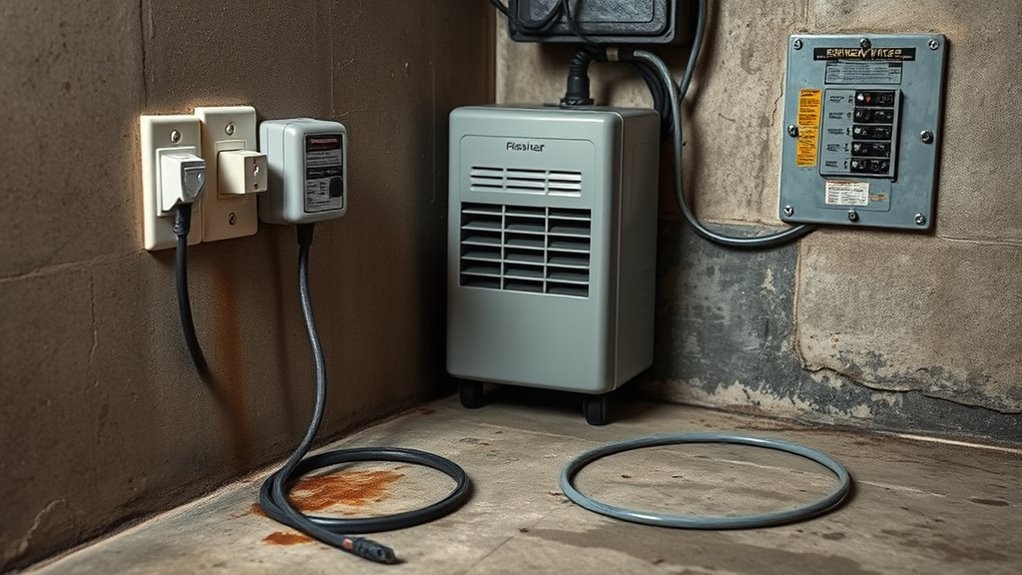
A dehumidifier trips a breaker when the circuit-protection device detects a condition it is designed to interrupt. The exact condition depends on the type of breaker, receptacle, or plug-mounted safety device that tripped.
- Overload: The dehumidifier and other devices on the same branch circuit draw more current than the circuit can safely carry.
- Short circuit: Damaged insulation, wiring, a plug, an outlet, or an internal component allows current to follow an unintended low-resistance path.
- Ground fault: Current leaks toward ground. This may trip a GFCI receptacle, GFCI breaker, or dual-function breaker.
- Arc fault: Loose or damaged wiring can create dangerous electrical arcing that an AFCI or dual-function breaker detects.
- Internal appliance failure: A compressor, fan motor, control board, relay, wire, or other component may fail and cause abnormal current flow.
- Outlet, wiring, or breaker problem: A worn receptacle, loose connection, damaged branch wiring, or defective breaker may be responsible instead of the dehumidifier.
The breaker’s job is to protect the wiring from an unsafe overcurrent condition. A trip is a warning to identify the cause, not an inconvenience to bypass. The Electrical Safety Foundation International advises unplugging or turning off connected appliances before resetting a tripped breaker. If the problem continues, a qualified electrician should diagnose the issue.
Identify What Tripped: Breaker, GFCI, AFCI, or Plug Device
Before testing the dehumidifier again, identify which protective device opened:
- Standard circuit breaker: Usually trips because of an overload or short circuit.
- GFCI receptacle: Has TEST and RESET buttons on the outlet. It responds to current leaking away from the intended circuit path.
- GFCI breaker: Located in the electrical panel and usually has a TEST button.
- AFCI breaker: Detects certain dangerous arcing conditions in cords, appliances, outlets, or fixed wiring.
- Dual-function breaker: Provides both AFCI and GFCI protection.
- Plug-mounted leakage-current interrupter: Some dehumidifiers have TEST and RESET controls on the power plug. Follow the instructions for the exact model. If the plug-mounted device trips repeatedly, stop using the appliance and request service.
Some breakers provide a trip indicator or diagnostic code. Follow the breaker manufacturer’s instructions or ask an electrician to interpret it. Do not assume that every trip is a simple overload.
What the Trip Timing Can Tell You
The timing does not prove the cause, but it can help a professional narrow the diagnosis.
| When It Trips | Possible Meaning | Safe Next Step |
|---|---|---|
| Immediately when plugged in | Damaged cord, plug, outlet, short circuit, ground fault, or internal wiring fault | Unplug it and do not try another reset |
| When the compressor starts | Shared-circuit overload, weak electrical connection, or compressor-related fault | Remove shared loads; if it happens again, request service |
| After several minutes | Overload, overheating, restricted airflow, loose connection, motor fault, or failing component | Unplug it, let it cool, and inspect only the external airflow path |
| Only when other appliances run | Likely shared-circuit overload | Run the dehumidifier without the other loads and verify circuit requirements |
| With the dehumidifier unplugged | Possible outlet, fixed wiring, breaker, or another connected-load problem | Leave the dehumidifier unplugged and call an electrician |
Check for Circuit Overload First
Unplug the dehumidifier before changing anything. Identify other lights, outlets, or appliances that lose power when the same breaker is switched off. This helps you understand which loads share the branch circuit.
- Unplug other portable devices connected to that circuit.
- Inspect the dehumidifier, cord, plug, and outlet for visible damage or overheating.
- Confirm that the dehumidifier is plugged directly into a grounded wall outlet.
- If there is no damage and the likely cause was an obvious shared-load overload, reset the breaker once.
- Run the dehumidifier by itself.
| Test | Result | Meaning |
|---|---|---|
| Other loads removed | No further trip | A shared-circuit overload is likely |
| Dehumidifier running alone | Breaker trips again | Stop using it; the appliance or electrical system needs professional diagnosis |
| Dehumidifier unplugged | Breaker still trips or will not stay reset | The building wiring, outlet, breaker, or another load may be faulty |
Note: A different wall outlet may still be connected to the same breaker. Moving the plug does not confirm that the dehumidifier is on a different or dedicated circuit.
Inspect the Power Cord and Outlet
Keep the dehumidifier unplugged while performing a visual inspection. Do not remove the outlet cover, electrical panel cover, or appliance cabinet.
Check the Cord for Damage
Look along the full power cord and around both ends for:
- Cracks, cuts, flattened areas, or exposed conductors
- Melted insulation or dark marks
- A loose, bent, corroded, or burned plug blade
- Damage where the cord enters the appliance
- A missing or altered grounding prong
Do not tape over a damaged appliance cord or continue using it. Arrange an approved cord replacement through the manufacturer or a qualified service technician.
GE Appliances states that dehumidifiers should be plugged directly into a properly grounded three-prong wall outlet and should not be connected through an extension cord, surge protector, or multi-outlet adapter. Frigidaire provides similar guidance because extension cords and power strips may overheat or provide an unreliable connection.
Examine the Outlet for Wear
Without opening the outlet, check its face and the dehumidifier plug for discoloration, melted material, cracks, looseness, buzzing, or a burning smell. The plug should fit securely without sagging or falling out.
Stop using the outlet if it is hot, damaged, loose, or discolored. A qualified electrician should inspect the receptacle, branch wiring, connections, breaker, and available circuit capacity.
Do not perform live-voltage measurements unless you are qualified and equipped for electrical work. Testing voltage under load, current draw, insulation resistance, breaker performance, or branch-circuit connections belongs to a qualified electrician.
Clean the Filter and Accessible Airflow Path
Restricted airflow can reduce dehumidifier performance and make the appliance run longer. Cleaning is worthwhile maintenance, but a dirty filter does not by itself prove why a branch-circuit breaker tripped.
Unplug the unit and let it cool before cleaning. Follow the model’s owner’s manual because filter access and approved cleaning methods vary.
Clean the Air Filter
- Remove the filter according to the owner’s manual.
- Vacuum loose dust or wash the filter only if the manufacturer identifies it as washable.
- Allow a washed filter to dry fully before reinstalling it.
- Check that the filter is seated correctly and that nothing blocks the intake or exhaust grille.
| Condition | Likely Effect |
|---|---|
| Clean filter and open grilles | Normal airflow and better moisture-removal performance |
| Clogged filter or blocked grille | Reduced airflow, poorer moisture-removal performance, and potentially longer operation |
| Breaker still trips after cleaning | Cleaning did not resolve the electrical symptom; professional diagnosis is needed |
Vacuum Accessible Coil Surfaces Carefully
If the owner’s manual permits it, use a soft vacuum brush to remove loose dust from accessible grille or coil surfaces. Do not force a vacuum tool between fins, bend the fins, spray liquid into the unit, remove electrical covers, or open a sealed compartment.
If the coils are heavily contaminated, oily, corroded, iced repeatedly, or inaccessible without disassembly, arrange professional cleaning or service.
Pro Tip: Keep the clearance specified in the owner’s manual around the intake and exhaust. Curtains, boxes, furniture, and walls can restrict airflow even when the filter is clean.
Check Whether the Compressor Is the Problem
A compressor-related fault is possible when the breaker trips as the compressor starts, the unit hums without starting, an overload code appears, or the appliance becomes unusually hot. These symptoms can also come from a weak connection, circuit problem, fan failure, relay, control board, or another component, so they are not proof of a failed compressor.
Do not open the cabinet or test compressor windings, capacitors, relays, internal wiring, or current draw yourself. Contact an appliance technician if:
- The breaker trips while the dehumidifier is the only load on a suitable circuit.
- The trip happens each time the compressor tries to start.
- The unit hums, clicks repeatedly, smells hot, or displays a compressor-overload or sealed-system error.
- The fan does not run normally.
- The problem continues after the filter is cleaned and airflow is restored.
Have the model number, serial number, approximate age, warranty information, error code, and trip timing ready when requesting service.
If the appliance has stopped dehumidifying without tripping the circuit, use the separate dehumidifier stopped working diagnosis guide. That is a different troubleshooting path from repeated breaker trips.
Recommended Products

- Suitable for 2HP air conditioners and dehumidifiers
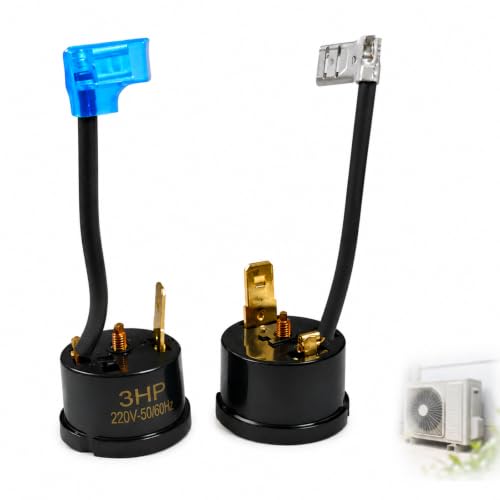
[3HP Universal Fit] Rated for 3HP (2250W) systems. Highly compatible with various air conditioner compressors, RV AC units, and dehumidifiers as a reliable replacement.
Have the Breaker and Circuit Load Tested
A qualified electrician can determine whether the branch circuit is correctly sized and in good condition. Professional testing may include:
- Confirming the breaker type and rating
- Comparing the appliance nameplate with the manufacturer’s electrical requirements
- Mapping every load connected to the branch circuit
- Checking the receptacle, breaker, neutral, grounding path, and wiring connections
- Measuring voltage and current safely during startup and operation
- Looking for voltage drop, heat damage, loose connections, ground leakage, or arcing
- Testing whether the breaker itself is defective or incompatible with the circuit
Warning: Never replace a breaker with one that has a higher amp rating simply to prevent tripping. The breaker rating must match the circuit conductors, installed equipment, local electrical requirements, and the dehumidifier manufacturer’s instructions.
Use the Correct Circuit, Not Just Another Outlet
Some dehumidifier manuals call for an individual or dedicated branch circuit, while others specify operation from a properly grounded circuit of a particular rating. Follow the instructions for your exact model rather than relying on a universal 15- or 20-amp rule.
A dedicated circuit is a branch circuit intended to serve the dehumidifier without unrelated loads. A dedicated-looking outlet is not necessarily a dedicated circuit. Several outlets in different rooms may be connected to the same breaker.
If the dehumidifier works normally after all other circuit loads are removed, ask an electrician whether the existing circuit has enough capacity or whether an additional circuit is appropriate. New wiring, receptacles, and breakers should be installed under applicable local electrical rules.
Check for a Dehumidifier Recall
Before repairing or continuing to use an older dehumidifier, find the brand, model number, serial number, and date code on its rating label. Compare them with the U.S. Consumer Product Safety Commission’s dehumidifier recall list.
CPSC has announced recalls involving dehumidifiers that could overheat, smoke, or catch fire. If your model is recalled, stop using it, unplug it, and follow the official recall remedy. Do not attempt an ordinary repair unless the recall instructions specifically authorize one.
As of August 19, 2026, CPSC’s dehumidifier recall page reports more than 2,000 overheating incidents and about 450 fires involving certain recalled Gree-manufactured dehumidifiers. Check your exact model and date code rather than relying on brand name alone. For broader background on these hazards, see the dehumidifier fire-risk guide.
A breaker that repeatedly trips is protecting the circuit from a condition that still needs to be identified. Do not defeat that protection with repeated resets, an adapter, or a larger breaker.
Replace a Dehumidifier That Keeps Tripping
The safety and manufacturer sources reviewed for this update do not set one universal replacement age for every portable dehumidifier. Recall status, visible heat damage, repeated trips on a correctly sized circuit, warranty coverage, parts availability, and a technician’s diagnosis are more useful decision points than age alone.
Replacement is usually the safer choice when:
- The appliance is included in a safety recall with a refund or replacement remedy.
- The cord, plug, cabinet, or internal wiring has heat or fire damage.
- An appliance technician confirms a compressor, sealed-system, control-board, or motor failure and repair is not economical.
- Replacement parts or qualified service are unavailable.
- The unit repeatedly trips a correctly sized, properly wired circuit after external causes have been ruled out.
- The appliance has additional problems such as refrigerant failure, heavy corrosion, repeated error codes, or water leakage near electrical parts.
Check the warranty before authorizing repair or replacement. When choosing a new unit, compare room-size suitability, operating-temperature range, drainage options, energy efficiency, warranty, and the manufacturer’s electrical requirements.
Recommended Products

🍃Advanced Small Dehumidifier for Home: Designed for lasting home use, our bathroom dehumidifier works gently and steadily to maintain a balanced humidity level. The large 44 OZ (1.3L) water tank minimizes emptying frequency. Suitable for dorm room, camper, apartment, room, office and living room. No more dampness-just fresh, comfortable air everywhere

Upgrade High Efficient Dehumidification: Dehumidifier utilize semi conductor condensation technology, ensuring quiet operation while effectively extracting moisture from the air. This advanced feature helps keep humidity levels below 45%

Effective Moisture Control for Home Use: OWAAE dehumidifier is designed to reduce excess moisture and help maintain comfortable humidity levels in everyday living spaces. It works best in moderate-to-high humidity environments, improve overall air comfort at home
Who Should Diagnose the Problem?
| Call an Electrician | Call an Appliance Technician |
|---|---|
| The breaker trips with the dehumidifier unplugged | The breaker trips only when the dehumidifier runs |
| The outlet is loose, hot, buzzing, scorched, or damaged | The unit hums, clicks, overheats, or shows an internal fault code |
| Several appliances or outlets have similar power problems | The fan, compressor, controls, or drain system is malfunctioning |
| A new circuit or receptacle may be required | The appliance needs internal testing or approved parts |
Frequently Asked Questions
Why does my dehumidifier keep tripping the breaker?
Possible causes include a shared-circuit overload, damaged cord or outlet, short circuit, ground fault, arc fault, loose wiring, defective breaker, restricted airflow, or an internal compressor, motor, relay, or control fault. If it trips again after other loads are removed, unplug it and obtain professional diagnosis.
Can I keep resetting the breaker?
No. After removing an obvious overload and checking for visible damage, reset it only once. If it trips again, leave the dehumidifier unplugged and have the problem diagnosed.
Should a dehumidifier be on a dedicated circuit?
Follow the owner’s manual and rating label for your exact model. A dedicated circuit may be recommended when shared loads cause overloading, but it must be correctly designed and installed. Never increase the breaker rating without confirming that the wiring and equipment are rated for it.
Can I use an extension cord or power strip?
No. Plug the dehumidifier directly into a properly grounded wall outlet unless the manufacturer gives different written instructions. Extension cords, surge protectors, power strips, and multi-outlet adapters can provide an unsuitable or overheating connection.
Why does my dehumidifier trip the GFCI?
A GFCI trips when it detects current leaking away from the intended circuit path. Moisture, damaged insulation, a cord or appliance fault, or another electrical problem may be involved. If the GFCI trips again when the dehumidifier runs, stop using the unit instead of repeatedly resetting it.
What size breaker does a dehumidifier need?
There is no universal breaker size for every dehumidifier. Use the electrical requirements in the exact model’s owner’s manual and rating label, and have the branch circuit checked if there is any uncertainty. Never install a larger breaker simply to stop nuisance tripping.
Can a dirty filter make a dehumidifier trip the breaker?
A dirty filter can restrict airflow and reduce dehumidifier performance, but it does not by itself prove why a household breaker tripped. Clean the filter according to the manual, and stop using the appliance if the electrical trip happens again.
Should I replace a dehumidifier that keeps tripping the breaker?
Replacement is appropriate when the unit is recalled, has heat or fire damage, repeatedly trips a correctly sized and properly wired circuit, or has an internal failure that is unsafe or uneconomical to repair. Check the warranty and recall status before paying for service.
Conclusion
If your dehumidifier trips the breaker, unplug it and begin with safe external checks. Remove other loads from the circuit, inspect the cord and outlet, connect the appliance directly to a grounded wall receptacle, and clean the filter and accessible airflow path according to the manual.
Reset the breaker only once after an obvious overload has been removed and no damage is visible. If the breaker, GFCI, or plug-mounted safety device trips again, stop using the dehumidifier. Call an electrician when the outlet, breaker, or building wiring may be involved, and call an appliance technician when the trip occurs only while the dehumidifier is operating. Check the CPSC recall list before repairing or replacing the unit.
Sources
- Electrical Safety Foundation International: Understanding Your Home Electrical System — supports safe breaker-reset steps and professional diagnosis when the problem continues.
- U.S. Consumer Product Safety Commission: Dehumidifier Recalls — provides current recall, incident, and fire-hazard information for affected models.
- GE Appliances: Dehumidifier Extension Cord and Surge Protector Guidance — supports direct connection to a properly grounded wall outlet.
- GE Appliances: Dehumidifier Ideal Operating Conditions — supports model-specific electrical requirements and airflow guidance.
- Frigidaire: Dehumidifier Power Troubleshooting — supports checking the cord, grounded receptacle, breaker, GFCI/AFCI device, and avoiding extension cords and power strips.
- Electrical Safety Foundation International: Ground Fault Circuit Interrupters — explains GFCI operation and leakage-current protection.
- Electrical Safety Foundation International: Arc-Fault Circuit Interrupters — explains AFCI protection and hazardous arcing conditions.
- Haier Appliances: Dehumidifier GFI/GFCI Plug Issues — supports the presence of plug-mounted leakage-current protection on some dehumidifier models.




[…] it. Repeated trips can indicate an electrical or appliance fault. See the related guide on why a dehumidifier trips the breaker before using the appliance […]