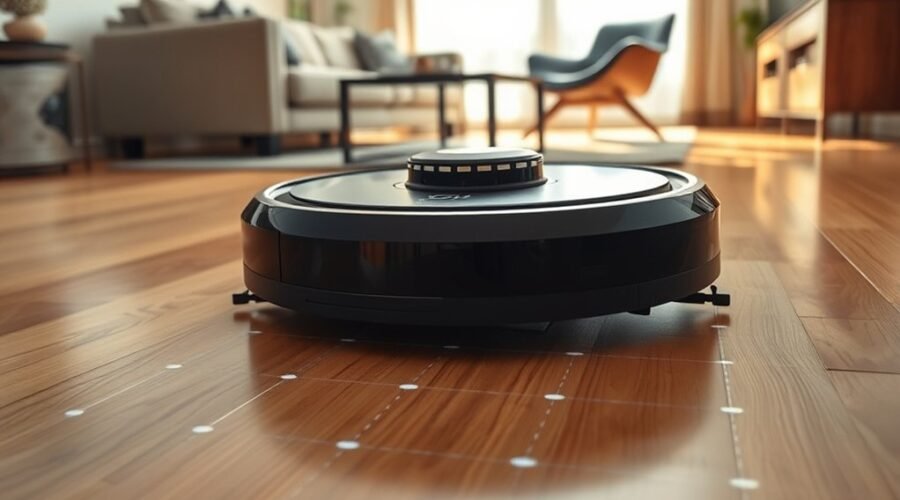
Robot vacuum cameras help cleaning robots understand their surroundings, recognize obstacles, and move through your home more efficiently. Some cameras support room mapping, while others identify cords, toys, and furniture. Certain models also offer live video monitoring. Understanding these different functions helps you choose the right navigation system and protect your privacy.
Quick Answer
Robot vacuum cameras capture visual information that onboard software uses for navigation, mapping, and obstacle recognition. They help robots identify furniture, cables, and other objects before changing direction. Some models also let you view live video through an app. However, camera features, recording options, and data storage practices vary by model.
Key Takeaways
- Camera-based mapping uses visual landmarks to help a robot recognize its position and plan cleaning routes.
- A front-facing camera can identify small objects that a basic navigation system might miss.
- LiDAR works well for distance measurement and mapping, including in dark rooms. Cameras can add object recognition.
- Camera navigation does not automatically mean the robot records or uploads video.
- Cleaning performance depends on lighting, software, sensor placement, and the obstacles in your home.
What Do Robot Vacuum Cameras Do?
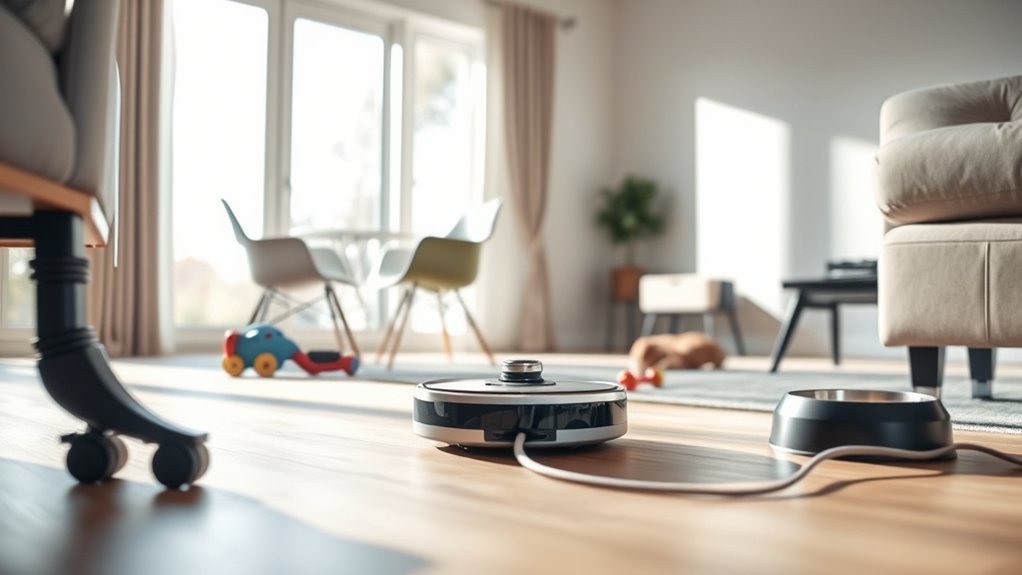
Robot vacuum cameras provide visual information that helps the machine understand its surroundings. Depending on their position and purpose, they support visual navigation, obstacle detection, and live monitoring.
Robot vacuum cameras improve obstacle detection, helping devices navigate around furniture and objects with fewer collisions.
Camera-equipped robots use image-processing software to recognize shapes, edges, and objects. Advanced models combine this information with artificial intelligence (AI) to identify common household obstacles.
Camera functions generally fall into three categories:
- Visual mapping: Identifies landmarks so the robot can estimate its position and build a usable room map.
- Object recognition: Detects items such as cables, shoes, toys, and pet bowls so the robot can avoid them.
- Live monitoring: Allows remote viewing through a smartphone app on supported models.
Not every camera-equipped robot provides all three functions. A camera designed for navigation may not support live streaming, while a front-facing camera may focus mainly on recognizing objects.
Many robots also combine cameras with LiDAR, infrared sensors, wheel sensors, and bump sensors. These systems work together to maintain direction and reduce collisions.
How Do Cameras Map Your Home?
Robot vacuum cameras can map your home by identifying visual landmarks as the machine moves. Software compares these landmarks across images to estimate the robot’s location and build a digital representation of the room.
This process is called visual simultaneous localization and mapping (vSLAM). It allows a robot to estimate where it is while building or updating a map of its surroundings.
A typical camera-based mapping process works as follows:
- Capture visual information: The camera observes furniture edges, walls, doorways, and other recognizable features.
- Identify landmarks: Software finds visual features that can help the robot recognize a location.
- Estimate movement: The robot compares images and combines them with movement-sensor information.
- Build a map: The navigation system connects these observations into a usable room layout.
- Update the route: The robot uses its estimated position and map to decide which areas still need cleaning.
According to manufacturer documentation on robot navigation, camera-based visual localization can help robots identify landmarks, remember room layouts, and follow systematic cleaning patterns.
Some models save maps for future cleaning sessions. Others use visual information mainly during the current run.
The map displayed in your smartphone app is usually a simplified floor plan, not a collection of ordinary room photographs. Map storage and cloud processing depend on the model and its settings.
Furniture changes can affect the robot’s observations. However, a capable navigation system can update its position and adjust its cleaning route as conditions change.
How Do Cameras Spot Obstacles?
Robot vacuum cameras detect obstacles by capturing images of the floor and nearby objects. Image-processing software examines those images to recognize items that may block the robot’s path.
This allows certain models to avoid hazards before touching them, instead of relying entirely on bump sensors.
Visual Recognition
Visual recognition helps a robot distinguish one type of object from another. AI models analyze features such as shape, texture, and visible edges to classify items in the camera’s view.
For example, a camera-equipped robot may recognize:
- Electrical cords that could become tangled in the brush.
- Shoes, socks, and toys scattered across the floor.
- Pet bowls that should remain undisturbed.
- Furniture legs and low objects that may block movement.
- Pets moving through the cleaning area.
Recognition depends on the objects supported by the model’s software. A robot that identifies shoes may not reliably recognize every small cable.
The manufacturer’s obstacle-recognition documentation explains that supported cameras can identify objects, display obstacle locations on a map, and save selected obstacle images onboard.
Object detection also differs from object recognition. Detecting an obstacle tells the robot something is in its path. Recognizing it helps the robot decide how to respond.
Real-Time Obstacle Avoidance
Real-time obstacle avoidance allows robot vacuums to change direction when an object enters their path. Cameras provide fresh visual information, while navigation software decides whether to slow down, turn, or travel around the obstacle.
For example, if a pet walks across the room, a capable robot may identify the movement and adjust its route instead of continuing toward the animal.
In well-lit rooms, visual recognition can improve obstacle detection by up to 40% versus traditional sensors, as sometimes claimed. However, this specific comparison lacks a confirmed common testing method and should not be treated as a guaranteed improvement for every model.
Actual performance depends on the camera, processing software, lighting, object size, and surrounding clutter.
Some cameras also struggle to identify dark objects or small items against similarly colored floors. Others use infrared illumination or additional depth sensors to improve detection.
The camera and obstacle-image guidance for supported robots explains how front-facing cameras identify floor obstacles and why lighting and mapping modes affect recognition.
Even advanced systems can miss objects. Keeping loose cords and fragile items off the floor remains a useful precaution.
How Do Cameras Plan Better Routes?
Robot vacuum cameras help route planning by supplying information about the surrounding space. The navigation system combines this input with its map and movement estimates to choose efficient cleaning paths.
Instead of moving randomly, a mapping robot can follow organized routes, track cleaned areas, and avoid unnecessary travel.
Real-Time Path Planning
Real-time path planning allows a robot to adjust its route while cleaning. Camera observations help the navigation system recognize changes in the room and decide where to move next.
Imagine a robot cleaning the living room while someone moves a chair into its planned path.
A capable navigation system can:
- Detect the chair or its new position.
- Recognize that the original path is blocked.
- Calculate an alternative route around the obstruction.
- Continue toward areas that still need cleaning.
This can reduce interruptions and improve coverage without requiring you to restart the cleaning session.
Repeated cleaning sessions may also help some models refine saved maps or recognize familiar surroundings. However, that does not mean every robot continuously retrains its AI model using your home.
Many products use pre-trained recognition software and update their maps without changing the underlying recognition model.
Obstacle-Aware Routing
Obstacle-aware routing combines navigation information with details about objects in the cleaning area. Instead of treating every obstacle identically, supported robots can choose different paths based on what they detect.
For example, the robot might travel around a pet bowl, avoid a cable completely, or pass close to a sturdy furniture leg.
This improves efficiency in rooms where furniture and household items frequently change position.
Obstacle-aware navigation can also support:
- Fewer collisions: The robot changes direction before reaching recognized objects.
- Less entanglement: Recognized cables and loose fabrics are less likely to enter the brushes.
- Better coverage: The robot can work around blocked areas instead of abandoning an entire room.
- More consistent movement: Updated routes help prevent repeated attempts to cross blocked spaces.
Still, no camera system guarantees perfect obstacle avoidance. The robot must recognize an object accurately and react with enough clearance to avoid it.
What Does Live Video Let You See?
Some camera-equipped robot vacuums support live video viewing through a smartphone app. This lets you see part of your home from the robot’s position while you are nearby or away.
Live monitoring is a separate feature from camera-based navigation. A robot may use cameras for mapping and obstacle avoidance without offering remote video access.
On models with live viewing, you may be able to:
- Check cleaning progress: Watch the robot move around furniture, spot clutter, and identify areas that need attention.
- Observe navigation problems: See whether the robot has become stuck, is struggling with an obstacle, or needs a manual command.
- Monitor pets and nearby objects: View activity within the camera’s field of vision and, on supported models, use remote movement or audio features.
For a documented example, the Roborock S6 MaxV camera functions include object recognition, obstacle photos, pet-related features, and remote viewing.
The regular Roborock S6 should not be confused with the camera-equipped S6 MaxV.
Live video can provide useful home oversight, but it has limits. The robot’s low viewing angle, battery life, movement, and connectivity can restrict what you see.
It should not replace a dedicated security camera when reliable monitoring is essential.
Also, live viewing does not necessarily mean the robot saves continuous recordings. Some devices stream video without storing it, while others offer optional photo or recording features.
Check whether your exact model supports live viewing, whether another person can access the feed, and how recorded content is handled.
When Do Cameras Beat LiDAR?
Robot vacuum cameras can outperform basic LiDAR systems when recognizing specific household objects is the main priority. However, LiDAR generally has an advantage for measuring distances and mapping rooms in low light.
LiDAR stands for Light Detection and Ranging. It uses reflected laser light to estimate distances from walls, furniture, and other surfaces.
A camera analyzes visual details instead. This can help the robot distinguish a cord from a chair leg, rather than simply detecting that something occupies a location.
Many advanced robot vacuums combine these technologies because they solve different problems.
| Feature | Camera-Based Navigation | LiDAR Navigation |
|---|---|---|
| Main function | Visual landmarks and object recognition | Distance measurement and spatial mapping |
| Low-light performance | Can struggle without suitable illumination | Generally works without room lighting |
| Small-object recognition | Can classify supported objects with AI | May detect objects without identifying their type |
| Room mapping | Uses visual landmarks on supported models | Uses laser distance measurements |
| Live viewing | Available on selected camera models | LiDAR alone cannot provide video |
| Privacy considerations | May involve images, video, and map data | Produces spatial data without ordinary camera footage |
A manufacturer’s explanation of LiDAR and camera navigation describes how laser mapping and camera-based recognition can complement each other.
If you mainly want organized cleaning routes, LiDAR may be sufficient. If cables, toys, or pet-related obstacles are frequent problems, camera-assisted object recognition may be more useful.
For a busy home, a system combining LiDAR with cameras or other depth sensors can provide both spatial mapping and detailed obstacle awareness.
Lighting also matters. Camera-based recognition generally works better when enough light is available, although infrared-equipped models may handle dark environments more effectively.
Finally, consider the robot’s physical size. Some raised LiDAR sensors increase the machine’s height, which can affect clearance under low furniture.
How Can You Protect Your Privacy?
You can reduce robot vacuum camera privacy risks by limiting unnecessary access, protecting your network, and reviewing how the manufacturer handles data. The most useful safeguards focus on permissions, storage, encryption, and software updates.
A camera-equipped robot may collect visual information, room maps, device activity, and account data. However, not every model records or uploads the images it uses for navigation.
The Roborock privacy and security information describes safeguards including encrypted communications, locally stored obstacle photos, and protected live video features on supported models.
Those safeguards depend on the product and should not be assumed to apply to every camera-equipped vacuum.
Practical Privacy Settings to Review
- Review camera permissions: Check whether obstacle photos, live viewing, or other camera functions can be disabled independently.
- Secure your account: Use a strong, unique password and enable two-factor authentication when available.
- Protect your Wi-Fi: Use modern wireless encryption, maintain router updates, and consider a separate network for smart devices.
- Restrict cloud sharing: Disable optional image uploads or remote access when you do not need those features.
- Install software updates: Keep the robot’s firmware and companion app updated to reduce known security risks.
- Review image retention: Find out whether obstacle photos remain on the robot, appear in the app, or are uploaded to cloud storage.
- Limit camera access: Use available restricted areas to prevent the robot from entering rooms where you do not want camera-based navigation or monitoring.
For broader connected-device protection, the Federal Trade Commission’s guidance recommends securing router settings, using unique passwords, enabling available authentication safeguards, and installing device updates.
Warning: Disabling a robot vacuum’s camera or object-recognition feature may reduce its ability to avoid small hazards. Check the manufacturer’s guidance before turning off navigation-related sensors, especially in rooms with cables, stairs, or fragile objects.
If privacy is your main concern, a camera-free LiDAR model can reduce the amount of visual information captured inside your home.
However, camera-free robots may still collect room maps, cleaning schedules, and device information. Removing a camera does not eliminate every privacy concern.
For the best balance, choose a model with clear data policies, dependable security updates, and controls that let you disable features you do not use.
Frequently Asked Questions
Do Robot Vacuums Have Cameras on Them?
Yes, some robot vacuums have cameras for navigation, object recognition, or live monitoring. Others use LiDAR, infrared sensors, and bump sensors without a camera. Camera placement and functions vary by model, so a robot with smart mapping does not necessarily have a camera.
Which Robot Vacuum Has No Camera?
The Neato D7 and standard Roborock S6 use laser-based navigation without conventional cameras. However, Neato’s cloud servers have shut down, so affected models no longer provide their original cloud-connected features. The D7 can still operate manually. Check the exact model’s features and support status before choosing an older vacuum.
What Are the Privacy Risks Associated With Robot Vacuums?
Robot vacuum privacy risks include unauthorized account access, exposed room maps, insecure video connections, and unclear data retention. Some models also collect obstacle photos or offer remote viewing. Strong passwords, software updates, restricted permissions, and transparent manufacturer policies can reduce these risks.
What Are the Downsides of Using a Robotic Vacuum Cleaner?
Robot vacuum downsides include limited cleaning access, occasional navigation errors, brush maintenance, noise, and battery restrictions. Performance can vary between carpets and hard floors. Smart models may also depend on apps or cloud services, while advanced cameras and sensors can increase costs.
Do Robot Vacuum Cameras Work in the Dark?
Some robot vacuum cameras work in dark rooms when supported by infrared illumination or other suitable sensors. Standard visual cameras may struggle without enough light. LiDAR can continue mapping in darkness, but the robot’s ability to recognize small objects depends on its complete sensor system.
Can You Disable a Robot Vacuum Camera?
Some robot vacuums let you disable camera-related features, including live viewing, obstacle photos, or AI recognition. Available controls depend on the manufacturer and model. Disabling visual recognition may reduce obstacle avoidance, so confirm which navigation features will remain active before changing the settings.
Neato’s official cloud-status notice confirms that servers for its affected robot vacuum families have been shut down.
Conclusion
Robot vacuum cameras help turn visual information into practical cleaning decisions. They can improve mapping, recognize household obstacles, and support live monitoring on compatible models.
However, cameras are not always better than LiDAR, and their privacy features differ between products. Choose based on your home’s lighting, common obstacles, and the controls you need. A well-designed navigation system matters more than simply having a camera.
Sources
- Robot Navigation Documentation: Explains visual localization, mapping, and systematic cleaning routes.
- Roborock Obstacle Recognition Support: Explains camera-based object recognition and obstacle-photo storage.
- Camera and Obstacle Image Review Guide: Documents camera-based obstacle detection and lighting limitations.
- Roborock Navigation Technology Overview: Explains LiDAR mapping and camera-assisted obstacle avoidance.
- Roborock S6 MaxV Camera Features: Confirms obstacle recognition, obstacle photos, and remote viewing.
- Roborock Trust Center: Describes camera privacy, encryption, and data handling.
- Federal Trade Commission: Provides security guidance for connected home devices.
- Neato Robotics Cloud Status: Confirms the shutdown of cloud servers for affected Neato vacuum models.