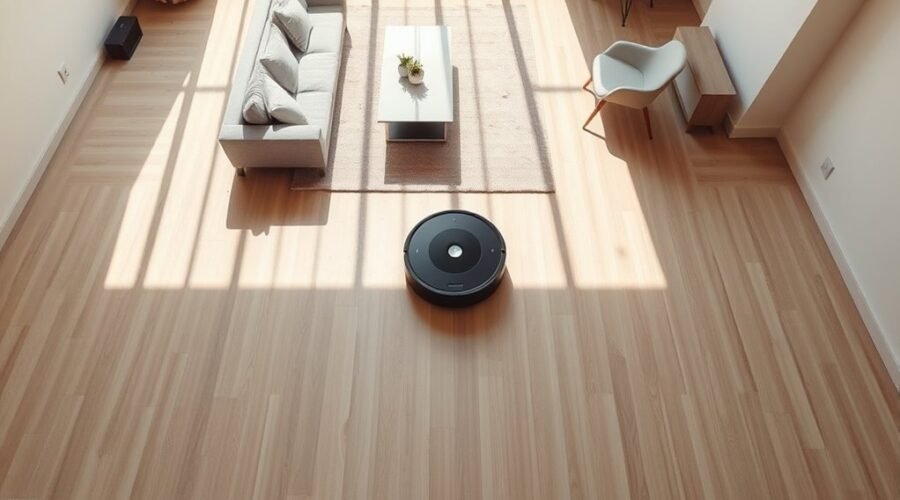
Why do robot vacuums clean in rows instead of moving randomly around a room? The straight, back-and-forth pattern helps them cover floors with less wasted movement and fewer missed spots. Modern navigation systems use sensors and software to plan these routes, but obstacles, dirty wheels, and mapping errors can affect how well they work.
Quick Answer
Robot vacuums clean in rows because systematic navigation helps them cover a room efficiently. They travel in parallel lines, turn at the end of each pass, and adjust their route around obstacles. Depending on the model, LiDAR, cameras, gyroscopes, and motion sensors help maintain direction and track which areas have been cleaned.
Why Do Robot Vacuums Clean in Rows?
Robot vacuums clean in rows to cover open floor areas in an organized way. This movement is often called a zigzag, grid, or back-and-forth cleaning pattern.
Instead of changing direction randomly, the robot follows one cleaning lane, turns, and travels along the next. Each pass covers another strip of floor while allowing some overlap to avoid leaving narrow gaps.
This approach offers several benefits:
- Better floor coverage: The robot can track cleaned and uncleaned areas more easily.
- Less repeated travel: Planned routes reduce unnecessary movement through the same space.
- More predictable cleaning: The robot can work through rooms in a consistent order.
- Improved battery use: Efficient routes can reduce wasted movement and help the vacuum cover more space before recharging.
- Easier navigation: Systematic paths help mapping models return to unfinished areas after interruptions.
However, not every robot vacuum uses the same navigation method. Some follow rows without saving a permanent map, while basic models move in less predictable patterns.
The eufy navigation guide describes three approaches: random bounce navigation, gyroscope-guided zigzag cleaning, and LiDAR-based mapping.
That distinction matters because a robot does not need LiDAR to travel in straight rows. Gyroscopes and motion tracking can also support systematic cleaning.
Are Straight Cleaning Lines More Efficient?
Straight cleaning lines generally reduce unnecessary overlap compared with random movement. However, the improvement depends on the room layout, obstacles, and navigation software.
A published robot vacuum navigation simulation reported that zigzag cleaning reduced total cleaning time by approximately 60% compared with random navigation under its controlled test conditions.
The simulation used a simple environment, so this figure should not be treated as a guaranteed improvement in a furnished home.
Even with an efficient route, the vacuum may need extra passes around furniture, corners, and narrow spaces.
Why Does a Robot Vacuum Clean Edges First?
Some robot vacuums clean the room’s perimeter before moving through the middle in rows. Others clean open areas first and return to walls and corners later.
Edge cleaning helps the robot reach areas that straight passes may not cover completely. The exact order depends on its navigation software and selected cleaning mode.
For example, the Roborock fast-cleaning guidance explains that certain models skip room boundaries in fast mode to reduce cleaning time.
As a result, faster cleaning may leave some edges unfinished. A more thorough cleaning mode can be useful when you want better coverage near walls.
Why Won’t My Robot Vacuum Go Straight?
)
A robot vacuum may stop traveling straight because of dirty sensors, blocked wheels, poor traction, or navigation errors. However, occasional turns and short detours are normal when the machine avoids obstacles or moves between cleaning zones.
The key is to distinguish an intentional route change from movement that prevents the vacuum from making progress.
Dirty or Blocked Sensors
Robot vacuums depend on sensors to recognize obstacles, estimate distances, and avoid dangerous drops.
If dust covers a sensor window, the robot may misread its surroundings. It might turn too early, move away from a clear path, or repeatedly correct its direction.
Dirty wall sensors can also cause uneven cleaning near furniture and room boundaries.
Hair or Debris Stuck in the Wheels
Most robot vacuums use separate drive wheels to control movement and turning. If one wheel cannot rotate properly, the robot may drift toward one side.
Hair, string, and lint can become wrapped around wheel axles. This creates mechanical drag, which makes one wheel work harder than the other.
Worn tires, damaged wheel assemblies, or poor traction on certain floor surfaces can cause similar problems.
A robot that repeatedly curves in the same direction may have a wheel-related issue rather than a mapping problem.
Navigation or Software Problems
Navigation software estimates the robot’s position and decides where it should move next. Incorrect position data can cause repeated turns or unexpected route changes.
This may happen after a mapping error, a sensor malfunction, or an interruption that leaves the robot unsure of its location.
A software reboot can sometimes resolve temporary problems. Persistent errors may require checking the saved map or having the hardware inspected.
Why Does a Robot Vacuum Keep Going in Circles?
A robot vacuum that keeps circling may be responding to concentrated dirt, following a spot-cleaning program, or experiencing a navigation fault. The difference is whether it eventually leaves the area and continues cleaning.
Short, controlled circles are not always a problem. Continuous spinning in the same location is more concerning.
Normal Circular Cleaning
Some robot vacuums use circular or repeated movements to clean particularly dirty areas.
For example, Roomba models with Dirt Detect technology can recognize concentrated debris and spend extra time cleaning that spot.
According to iRobot’s Dirt Detect documentation, affected Roomba models may make additional passes until their sensors detect fewer particles.
Some models use back-and-forth movement, while others may follow circular or star-shaped patterns.
This behavior is normal when the robot finishes the extra cleaning and resumes its route.
Abnormal Circular Movement
If the vacuum spins continuously or returns to the same location without cleaning new areas, check for these problems:
- Blocked drive wheels: One wheel may rotate while the other struggles.
- Dirty sensors: The robot may repeatedly detect an obstacle that is not there.
- Stuck bumper: The machine may behave as though it is constantly touching furniture.
- Navigation errors: The robot may lose track of its location and attempt to correct its path.
- Floor interference: Dark patterns, slippery surfaces, or uneven flooring may confuse some sensors or reduce traction.
To identify the cause, observe whether the robot circles only in one location or behaves the same way throughout the home.
If the problem happens everywhere, inspect the wheels and sensors first. If it happens only in one room, investigate the floor surface, lighting, furniture, and saved map.
How Robot Vacuum Mapping Works
Robot vacuum mapping works by collecting information about the surrounding space and using it to estimate the machine’s location. Mapping models combine sensor readings with navigation software to create a virtual floor plan.
Many use simultaneous localization and mapping (SLAM). This allows the robot to estimate where it is while building or updating its understanding of the room.
Different models gather this information in different ways.
- LiDAR mapping: Laser-based distance measurements help identify walls, furniture, and open spaces.
- Visual SLAM (VSLAM): Cameras identify visual landmarks that help the robot estimate its position.
- Gyroscope-based navigation: Motion sensors track direction and movement to support organized cleaning paths.
- Random navigation: Basic models change direction when they encounter obstacles without maintaining a detailed room map.
Once a mapping robot understands the room layout, it can divide the floor into smaller cleaning areas and plan a route through them.
It may travel along boundaries, clean open spaces in rows, and return to areas that were blocked earlier.
How Saved Maps Improve Cleaning
Saved maps let compatible robot vacuums recognize rooms and reuse their layout during future cleaning sessions.
Depending on the model, you may be able to:
- Select individual rooms for cleaning.
- Create no-go zones around problem areas.
- Set virtual barriers to restrict access.
- Schedule cleaning in specific rooms.
- Review cleaning paths and identify missed areas.
These functions vary by model. The iRobot ClearView LiDAR mapping guide explains how supported devices use room maps, cleaning zones, and recorded routes.
Not every robot that cleans in rows can save a map or accept virtual boundaries.
Maps can also become inaccurate. Moving the dock, changing furniture arrangements, or encountering reflective surfaces may affect how a robot interprets its surroundings.
Regular firmware updates may improve navigation behavior, but they do not guarantee that every mapping problem will disappear.
What Sensors Keep a Robot Vacuum on Track?
Robot vacuums stay on track by combining information from several sensors. Each type helps with a different task, such as measuring distance, tracking movement, recognizing obstacles, or detecting floor edges.
The robot’s software combines these readings to guide its cleaning route.
| Sensor Type | Main Function |
|---|---|
| LiDAR | Measures distances to surrounding objects and supports mapping. |
| Cameras | Recognize visual landmarks or obstacles, depending on the model. |
| Gyroscopes and IMUs | Track turning and motion to help estimate direction. |
| Wheel motion sensors | Estimate distance traveled using wheel movement. |
| Time-of-flight and 3D sensors | Measure object distance or depth for obstacle avoidance. |
| Ultrasonic carpet sensors | Detect carpets on supported models to adjust cleaning behavior. |
| Cliff and bumper sensors | Detect drops or physical contact with obstacles. |
Advanced 3D obstacle-recognition systems, including AIVI 3D technology, can help compatible robots recognize nearby objects and adjust their paths.
However, ultrasonic carpet detection and time-of-flight distance sensing are different functions. They should not be treated as a single sensor type.
Similarly, a dustbin-presence sensor detects whether the container is installed. It does not necessarily measure how much dust is inside.
Some robots have separate dirt-detection systems that identify debris concentrations and trigger additional cleaning.
The Xiaomi sensor troubleshooting guide identifies carpet, cliff, wheel-position, obstacle, and dust-compartment sensors and explains their different roles.
No single sensor controls the entire cleaning path. Reliable navigation depends on the sensors, wheels, and software working together.
How to Fix Robot Vacuum Coverage Issues
Robot vacuum coverage problems are often caused by blocked access, dirty sensors, wheel problems, or an incorrect map. Start with simple maintenance before changing navigation settings or deleting saved information.
Use the following steps if your robot repeatedly misses areas, drifts, or takes unusual routes.
Step-by-Step Troubleshooting
- Clear the cleaning area. Remove loose cables, toys, clothing, and other objects that could block the robot. Open doors to rooms you want cleaned.
- Clean the sensors. Turn off the robot as directed in its manual. Gently wipe accessible sensor windows with a clean, soft cloth. Follow the manufacturer’s cleaning instructions.
- Inspect the drive wheels. Check for trapped hair, string, or debris. Remove obstructions carefully and confirm that the wheels move as expected for your model.
- Check the front caster and bumper. Clear debris around the caster wheel. Make sure the bumper moves and returns normally without sticking.
- Review cleaning modes. If the robot skips edges or stops early, check whether fast cleaning, restricted zones, or other settings are limiting coverage.
- Inspect the saved map. Compare the digital layout with your home. Look for missing rooms, incorrect boundaries, or virtual barriers that block access.
- Check for firmware updates. Install an available manufacturer-supported update if the app reports one. This may resolve known navigation issues.
- Reboot the robot. Use the reboot procedure for your model, then start a normal cleaning cycle from the dock.
- Recreate the map if necessary. If the problem persists and the map is clearly inaccurate, follow the manufacturer’s remapping procedure.
Dirt on sensors or wheels can distort movement, leaving gaps; inspect, clean, and check for obstacles first.
According to Roborock’s missed-area troubleshooting guidance, blocked access and dirt on the wall sensor can cause abnormal cleaning paths on supported models.
Cleaning these components and running another cycle may resolve the issue without changing the saved map.
Rebooting vs. Resetting the Robot
A reboot restarts the robot’s software. A factory reset returns the device to its factory settings and may remove saved information.
These actions are not interchangeable.
For example, iRobot’s reboot instructions state that rebooting does not delete maps, schedules, or preferences on supported Roomba models.
Warning: Deleting a saved map or performing a factory reset can remove room boundaries, cleaning zones, schedules, or other settings. Check whether your model supports saving or restoring maps before taking these steps.
Use a factory reset only when the manufacturer’s troubleshooting instructions recommend it. Repeatedly resetting a robot will not fix a damaged wheel or faulty sensor.
How to Check Whether the Fix Worked
After troubleshooting, place the robot on its dock and run a cleaning cycle in a clear area.
Watch whether it can:
- Move along reasonably straight cleaning paths.
- Turn and begin the next cleaning row.
- Avoid obstacles without repeated spinning.
- Reach areas it previously missed.
- Finish the cleaning cycle and return to its dock.
On mapping models, review the cleaning history to see whether the robot covered the intended rooms.
Remember that a successful run does not require perfectly straight lines. The vacuum may make normal adjustments around furniture and room boundaries.
When Should You Contact the Manufacturer?
Contact manufacturer support if the robot keeps spinning, drifting, or reporting navigation errors after basic cleaning and troubleshooting.
A drive wheel that cannot move normally, a damaged sensor, or a recurring hardware error may require professional inspection or replacement parts.
Provide your model number, the reported error, and a description of the movement. A short video can also help explain the problem.
Frequently Asked Questions
What Are the Downsides of Using a Robotic Vacuum Cleaner?
Robot vacuums can miss tight corners, struggle with thick carpets or clutter, and need regular brush, filter, and sensor care. Battery limits, replacement parts, and cleaning noise also matter. They are helpful for routine floor care but do not replace every type of deep cleaning.
How Do Robot Vacuums Know Where to Clean?
Mapping models combine LiDAR, cameras, or other sensors with software that estimates their position and tracks covered areas. Other models use gyroscopes and wheel motion to follow rows without saving a permanent map. Basic bounce models change direction when they meet obstacles.
Do Robot Vacuums Clean Properly?
Robot vacuums can keep everyday dust and debris under control, especially on open hard floors. Results vary with brush design, suction, floor type, and obstacles. You may still need a regular vacuum for stairs, deep carpet cleaning, and spaces the robot cannot reach.
Why Does Roomba Keep Cleaning the Same Area?
A Roomba may make extra passes because Dirt Detect recognizes a concentrated patch of debris or because its cleaning plan calls for another pass. If it keeps looping without making progress, check the wheels, sensors, and app errors instead of assuming the behavior is normal.
Can Robot Vacuums Clean in the Dark?
Many LiDAR-based models can navigate without room lighting, while camera-based systems may need enough light to recognize landmarks. Some gyro-guided models also operate in darkness. Check how your model navigates before treating poor nighttime performance as a fault.
Conclusion
Robot vacuums clean in rows because systematic path planning helps them cover floors efficiently and avoid unnecessary repeated movement.
LiDAR, visual mapping, gyroscopes, and other sensors support organized navigation, although the exact system varies by model. Minor turns and extra passes are normal, especially around obstacles or dirty areas.
If your vacuum repeatedly drifts, circles, or skips rooms, start by cleaning its sensors, inspecting its wheels, and checking its cleaning settings. If those steps fail, investigate the saved map or contact the manufacturer for help.
Sources
- eufy Support: Introducing RoboVac Navigation Technology: Explains random, gyroscope-guided, and LiDAR-based navigation.
- National High School Journal of Science: Optimization of Robot Vacuum Navigation Algorithms Using Webots Simulation: Supports the controlled comparison of systematic and random cleaning routes.
- Roborock Support: Fast Cleaning Route: Explains why fast cleaning can skip room boundaries on supported models.
- iRobot Support: What Is Dirt Detect Technology?: Documents repeated cleaning passes triggered by concentrated debris.
- iRobot Support: Guide to ClearView LiDAR Maps: Explains saved maps, cleaning zones, and navigation features.
- Xiaomi Support: Common Robot Vacuum Sensor Malfunctions: Describes sensor functions and troubleshooting procedures.
- Roborock Support: Missed Cleaning Areas: Covers blocked access and dirty wall sensors.
- iRobot Support: Rebooting Your Robot: Explains reboot procedures and their effect on saved settings.