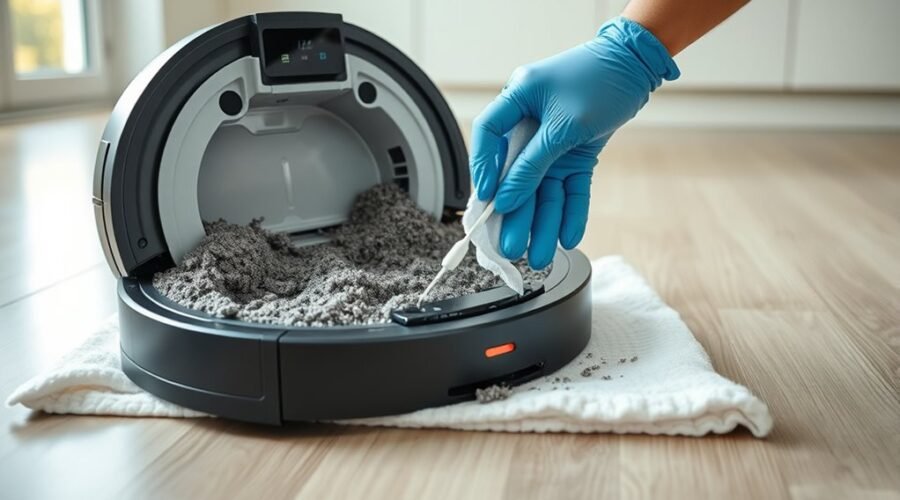
Does your Roomba keep saying the bin is full even after you empty it? Dirty Roomba bin full sensors often cause this frustrating warning. Dust can block the sensor openings and make your robot think the bin still contains debris. You can usually fix the problem with careful cleaning and, if needed, a model-specific reboot.
Quick Answer
To clean Roomba bin full sensors, empty the removable bin and gently wipe the optical sensors inside the robot with a dry microfiber cloth. Clean the matching inner and outer sensor ports on the bin, then reinstall it securely. If the warning remains, reboot using the instructions for your specific Roomba series.
At a Glance
| Difficulty | Easy; basic cleaning without opening the robot housing |
| Tools Needed | Dry microfiber cloth, soft cotton swab, and trash container |
Why Roomba Says the Bin Is Full
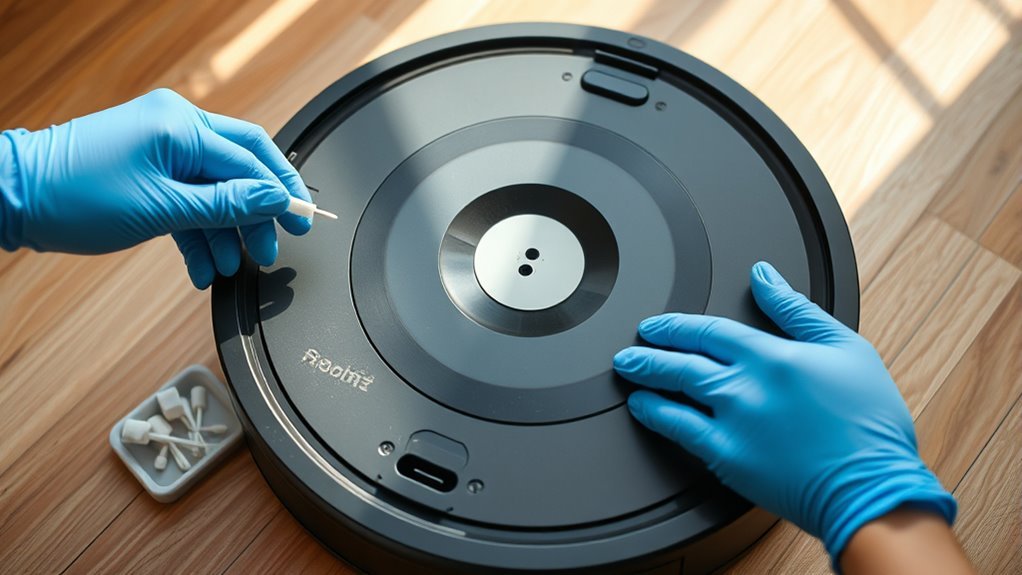
A Roomba can report a full bin because dust blocks its optical sensors, even when the bin is empty. On models with full-bin detection, the sensors check whether debris interrupts the light path through the bin.
Several Roomba models have two optical sensors inside the robot’s bin compartment. Matching openings on the removable dust bin let the sensors detect when debris reaches the sensing area.
If dust covers these surfaces, your Roomba may mistake the blockage for a full bin.
Repeated full-bin warnings do not always mean the bin is packed. Dirty sensor surfaces or blocked sensor ports can produce the same result.
You may notice the following symptoms:
- The full-bin warning returns immediately after emptying the bin.
- The robot pauses cleaning despite having little debris inside.
- A red full-bin indicator appears on the robot or in the app.
- The warning continues after the bin has been removed and reinstalled.
On Roomba e, i, and j series models, the warning may appear in the iRobot Home App. Certain models also show a red light or a light ring sweeping toward the rear.
These symptoms can indicate dirty sensors, but a poorly seated bin or a component fault may also need attention.
How to Clean Roomba Bin Full Sensors Safely
Cleaning the full-bin sensors requires a dry cloth and careful access to the bin compartment. You do not need to open the robot’s outer housing or remove electronic components.
Follow these steps to clean the sensors without damaging their surfaces.
- Stop the cleaning job. Remove the Roomba from its charging dock and turn it off according to your model’s instructions.
- Remove the dust bin. Press the bin release button or open the bin compartment, depending on your Roomba series.
- Empty the bin. Open its door over a trash container and remove loose debris or compacted dust.
- Find the optical sensors. Look inside the empty bin compartment for the sensor surfaces on either side. Their exact appearance depends on the model.
- Wipe the robot sensors. Gently clean each exposed sensor with a soft, dry microfiber cloth or cotton swab.
- Clean the bin sensor ports. Wipe the inner and outer sensor openings on the removable bin, including the clear windows around its door.
- Reinstall the bin. Make sure the filter and bin are correctly seated, then restore power and check the warning.
For many models, iRobot identifies six areas to clean: two sensors on the robot, two inner sensor ports, and two outer sensor ports on the bin.
You can compare these locations with iRobot’s illustrated full-bin sensor instructions for the e, i, and j series.
Older models may have a different bin design. The official Roomba 700, 800, and 900 series sensor guide identifies the relevant cleaning points.
Warning: Do not spray liquid into sensor openings or insert sharp objects into the robot. Avoid abrasive cleaning tools unless the manufacturer specifically recommends them for that surface. Keep the electronic sensor areas dry.
Once everything is clean, insert the bin fully and check whether the alert disappears. If it remains, continue with the filter and blockage checks.
Check the Bin and Filter for Blockages
A clean sensor cannot work correctly if dust still blocks its matching openings. Inspect the bin door, sensor windows, and debris path for buildup that may have escaped your first cleaning.
The filter also deserves attention. A clogged filter can reduce suction and trigger airflow-related problems, although it does not necessarily cause a false optical full-bin reading.
- Inspect the dust bin. Remove packed debris from the corners, bin door, and vacuum inlet.
- Check the filter. Remove it and gently tap loose dust into a trash container. Replace it if it is torn, damaged, or excessively clogged.
- Inspect the sensor windows. Clean any remaining dust from the transparent openings and make sure the bin door closes properly.
Some Roomba models have a washable dust bin. For example, iRobot allows the removable bins on e, i, and j series models to be rinsed with warm water after removing the filter.
The bin must dry completely before you reinstall the filter. You can follow the manufacturer’s bin and filter cleaning procedure for these models.
Warning: Do not wash the filter or place the dust bin in a dishwasher. Only rinse a bin if your Roomba model supports washing, and remove its filter first. Never reinstall a wet bin or filter.
If airflow remains weak after cleaning, inspect the brush area and vacuum path for blockages. This helps distinguish a suction problem from a sensor problem.
How to Reset a Roomba Full Bin Error
If cleaning does not remove the warning, reboot your Roomba to clear a possible temporary software error. A reboot differs from a factory reset because it does not delete maps, schedules, or saved preferences.
The correct button combination and holding time depend on your Roomba series. A universal 20-second reset is not appropriate for every model.
According to iRobot’s model-specific reboot instructions, common procedures include:
| Roomba Model | Reboot Procedure |
|---|---|
| i Series | Hold CLEAN for 20 seconds |
| j Series and Combo 10 Max | Hold CLEAN for 9 seconds |
| s Series | Hold CLEAN for 20 seconds |
| Wi-Fi-connected 800 and 900 Series | Hold CLEAN for 10 seconds |
| Non-Wi-Fi 500, 600, 700 and e Series | Hold HOME and SPOT for about 10 seconds |
| Roomba Mini, 100/1000, 200/2000 and newer Plus/Max Series | Use the model-specific POWER button procedure, typically 10 seconds |
Some older 700-series full-bin troubleshooting procedures use the CLEAN button until the display shows “rSt.” Follow the instructions for your exact model if they differ from the general reboot table.
For compatible connected models, you can also reboot through the app. The classic iRobot Home App provides a reboot option under Product Settings, while the newer Roomba Home App uses the robot’s menu.
After starting a reboot, allow the robot to complete its startup sequence. Then check whether the full-bin indicator has cleared.
If the warning remains, repeatedly resetting the robot is unlikely to help until the underlying sensor or debris problem has been resolved.
How to Clear a Stuck Full Bin Alert
A full-bin warning can remain active after cleaning if a sensor port is still blocked or the removable bin is not seated correctly. Check both conditions before attempting another reboot.
If your Roomba uses an automatic dirt-disposal dock, also confirm whether the message concerns the robot’s dust bin or the dock itself.
Check Both Bin Sensors and All Sensor Ports
The most easily missed areas are the inner sensor ports on the bin door. These openings may collect dust even when the outside of the bin looks clean.
Use this checklist to identify anything your first cleaning missed:
- Remove the bin and inspect the left and right optical sensors inside the robot.
- Check the inner and outer sensor ports on both sides of the bin, including the clear door windows.
- Remove remaining residue, reinstall the bin securely, and check the warning again.
Look for damaged plastic, misaligned openings, or a bin door that does not close properly. These problems can prevent accurate readings even after cleaning.
If your model has a different sensor design, use its manual to identify the correct locations rather than forcing access to hidden components.
Check the Full Bin Behavior Setting
Some Roomba models let you choose what happens when the robot detects a full bin. This setting affects whether cleaning stops, but it does not repair dirty or damaged sensors.
On supported models, the classic app includes a setting under Robot Settings > Cleaning Preferences > Bin Full Behavior.
The two options are:
- Do not clean when full: The robot pauses or prevents cleaning when it detects a full bin.
- Keep cleaning when full: The robot may continue its cleaning job despite detecting a full bin.
The official full-bin behavior guide explains how these settings work on supported Roomba models.
Keeping the robot cleaning while its bin is full can reduce collection performance. It should not replace proper cleaning or troubleshooting.
If the alert is stuck, clean the sensors and reboot the device before changing this behavior.
How to Prevent False Full Bin Warnings
Preventing false warnings mainly requires keeping the bin, sensors, and filter free of accumulated dust. A simple maintenance routine helps the Roomba recognize actual bin levels and reduces interrupted cleaning sessions.
- Inspect the sensor openings regularly. Look for lint, hair, or fine dust whenever you empty the bin, especially if warnings occur frequently.
- Keep the bin windows clear. Use a dry microfiber cloth to remove residue from the sensor ports and bin door.
- Maintain the filter and debris path. Tap loose dust from the filter, remove trapped material, and replace worn parts when needed.
Also make sure the bin clicks securely into place after every cleaning. A loose bin or partially open door may interfere with normal operation.
The iRobot Home App can provide maintenance notifications on compatible models, helping you remember routine care.
These small habits are more useful than repeatedly rebooting a robot with dirty sensors.
When to Contact iRobot Support
Contact iRobot Support if the full-bin warning continues after you have cleaned the sensors, checked the filter, and completed the correct reboot procedure.
Persistent warnings may indicate a damaged sensor, defective bin, or another internal component problem. Further troubleshooting depends on the specific error message and model.
Persistent Bin Errors and Clean Base Problems
A robot with a Clean Base can report a full-bin-related error when automatic dirt disposal fails. In this situation, the robot may still contain debris after attempting to empty itself.
For Roomba i and j series models, Error 36 can indicate that the bin-full sensors did not clear after the robot tried to transfer debris into the dock.
The iRobot Error 36 troubleshooting guide recommends checking the robot’s bin, sensors, brushes, vacuum path, and dock for problems.
Pay particular attention to whether the dock successfully removes debris.
A full disposal bag is a separate issue. On compatible Clean Base systems, a solid red LED on the base indicates that its debris bag is full.
In that case, follow the official Clean Base bag replacement procedure and check the dock’s vacuum path for clogs.
Replacing a dock bag will not repair a faulty robot sensor. However, it can help when the actual problem is failed automatic emptying.
What If Cleaning and Reset Attempts Fail?
If the alert survives a proper reboot, check the error code before replacing parts. Similar cleaning interruptions can have different causes.
For example, Error 26 on supported i and j series models indicates insufficient airflow. It is not the same as a full-bin sensor warning.
iRobot’s Error 26 troubleshooting instructions recommend checking the bin filter and cleaning system for airflow restrictions.
When diagnosing a persistent warning, record:
- The exact message or error code displayed.
- Whether the bin is empty when the warning appears.
- Whether the robot successfully empties into its dock.
- Whether the warning returns immediately or during a cleaning job.
These details help distinguish sensor contamination, airflow problems, and automatic-emptying failures.
A damaged sensor or internal electronic fault may require professional diagnosis. Avoid dismantling internal components without model-specific repair instructions.
iRobot Support and Repair Options
When basic cleaning cannot restore normal sensor readings, iRobot Customer Care can help determine whether the robot needs a replacement bin, sensor evaluation, or repair.
Prepare the following information before contacting support:
- Record the model and serial number. These identify the correct parts and troubleshooting procedures.
- Document your troubleshooting. Include sensor cleaning, filter inspection, reboot attempts, and any dock maintenance.
- Keep your purchase receipt. Proof of purchase may be necessary for warranty service or replacement requests.
If you suspect physical sensor damage, explain what you can see without opening the robot housing.
Support can review the symptoms and explain the available repair or warranty options.
Having these details ready can prevent repeated troubleshooting and make the diagnosis easier.
Key Takeaways
- Many Roomba models have six sensor and port surfaces that need attention, not just two visible sensors.
- Reboot timing varies by model. Holding CLEAN for 20 seconds is correct for some series but not all.
- A clogged filter often causes airflow problems, while blocked sensor openings interfere with full-bin detection.
- A solid red Clean Base indicator can mean the dock’s disposable bag needs replacement.
- Repeated errors after cleaning and rebooting may require iRobot Support rather than further resets.
Frequently Asked Questions
How to Clean Roomba Bin Full Sensors?
Remove the dust bin and wipe the optical sensors inside the robot with a dry microfiber cloth. Clean the matching sensor ports and clear windows on the bin. Reinstall the bin securely and check whether the warning disappears. If necessary, reboot using your model’s instructions.
Why Does My Roomba Keep Saying Bin Is Full?
Your Roomba may keep saying the bin is full because dust blocks its optical sensors or sensor ports. A poorly seated bin, trapped debris, or a sensor malfunction can also cause problems. If the bin is empty, clean the sensing surfaces before attempting a reboot.
How Do I Clean the Sensors on My Robot Vacuum?
Turn off your robot vacuum and gently wipe its accessible sensor surfaces with a clean, dry microfiber cloth. Follow the manufacturer’s instructions for each sensor type, including cliff, navigation, and bin-full sensors. Avoid spraying cleaning liquids into sensor openings or using abrasive tools on delicate surfaces.
What Are the Most Common Problems With Robot Vacuums?
Common robot vacuum problems include clogged brushes, reduced suction, dirty sensors, battery issues, navigation errors, and app connectivity failures. Most routine cleaning problems can improve with bin and filter maintenance. Persistent battery, sensor, or electronic faults may need model-specific troubleshooting or professional repair.
Conclusion
Cleaning your Roomba’s full-bin sensors is a simple way to prevent false warnings and interrupted cleaning. Empty the bin, wipe the robot sensors and matching sensor ports, and make sure everything is properly installed.
If the warning remains, use the correct reboot procedure for your model. Persistent alerts may point to a blocked vacuum path, automatic-emptying problem, or damaged sensor that needs further attention.
For model updates and support notices, consult iRobot Newsletter Privacy, Join the iRobot, Rights Reserved.
Sources
- iRobot: Full Bin Indicators on e, i, and j Series: Sensor locations, cleaning requirements, and full-bin warnings.
- iRobot: Replacement Bin and Filter Guide: Sensor care and bin design for older Roomba models.
- iRobot: Bin and Filter Cleaning: Proper cleaning and washing instructions for supported models.
- iRobot: Rebooting Your Robot: Series-specific reboot procedures and button combinations.
- iRobot: Full Bin Behavior: Full-bin indicators and cleaning behavior settings.
- iRobot: Error 36 Troubleshooting: Sensor cleaning and automatic dirt-disposal problems.
- iRobot: Clean Base Debris Bag Replacement: Full disposal bag indicators and replacement procedure.
- iRobot: Error 26 Troubleshooting: Insufficient airflow and filter maintenance.