Knowing how to clean a robot vacuum camera lens can help prevent navigation errors, missed obstacles, and unnecessary scratches. Dust, fingerprints, and oily smudges can block the camera’s view, but aggressive cleaning may damage its protective window. The safest approach starts with removing loose dirt and uses moisture only when the manufacturer allows it.
Quick Answer
To clean a robot vacuum camera lens, turn off the robot, remove loose dust with a hand-operated air blower, and gently wipe the outer camera window with a clean microfiber cloth. Use a slightly damp cloth only if your manufacturer permits it. Avoid excessive pressure, abrasive materials, and spraying liquids directly onto the camera.
At a Glance
| Difficulty | Easy for routine cleaning of the outer camera window |
| Tools Needed | Clean microfiber cloth, optional hand-operated air blower, and soft lens brush |
Gather the Right Cleaning Supplies
)
You only need a few basic tools to clean a robot vacuum camera lens safely. A clean microfiber cloth is the most important because it can remove fingerprints and fine dust without rough contact.
Gather these supplies before you begin:
- Microfiber cloth: Choose a clean, soft, lint-free cloth intended for optical surfaces or screens.
- Hand-operated air blower: Use a rubber blower bulb or air puffer to lift loose dust before wiping.
- Soft-bristled brush: Keep a dedicated lens brush available for particles around the camera window’s edges.
- Optional cleaning solution: Use only a solution approved for your robot’s camera window. An alcohol-free, ammonia-free label does not guarantee compatibility.
- Clean storage bag: Keep your dry cleaning tools in a sealed Ziploc bag or similar container to reduce dust contamination.
Do not assume that every robot vacuum allows the same cleaning products. Some manufacturers approve limited moisture, while others require a completely dry cloth.
For example, iRobot’s camera cleaning guidance allows a soft cloth that is dry or lightly dampened with water or a screen-cleaning solution.
Other manufacturers have stricter requirements. Your model’s instructions should determine whether you use any liquid at all.
Warning: Never spray cleaning fluid directly onto a robot vacuum camera. Liquid can enter the camera housing through seams or openings. Avoid abrasive fabrics, household detergents, and unapproved solvents.
Remove Loose Dust Without Scratching
Loose dust should be removed before anything touches the camera window. Otherwise, gritty particles may drag across the surface and cause scratches.
Follow these steps to prepare the lens for wiping:
- Turn off the robot. Stop the cleaning cycle, remove the robot from its docking station, and switch it off using the manufacturer’s instructions.
- Position it securely. Place the robot on a clean, stable surface with the camera accessible. If practical, angle the camera slightly downward so loose particles can fall away.
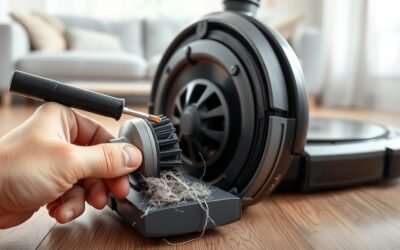
- Blow away loose dust. Direct short, gentle bursts from a hand-operated blower across the camera window without touching the surface with the nozzle.
- Clear dust from the edges. If particles remain around the housing, use a clean, soft lens brush with very light strokes.
- Inspect the surface. Check the window under good lighting before wiping it. Repeat the gentle dust-removal process if visible grit remains.
A hand-operated blower gives you better control over the airflow. It also avoids relying on aerosol propellants near delicate electronics.
For general optical care, Sony’s camera-cleaning instructions recommend a plain blower for removing dust from delicate camera components. The same gentle approach is useful for clearing loose debris from an accessible robot camera window.
Avoid holding a compressed-air canister close to the lens or directing high-pressure air into the housing. Use canned air only if your robot’s manufacturer explicitly permits it.
Once the surface is free of loose particles, you can safely move to the wiping stage.
Wipe the Robot Vacuum Camera Lens Safely
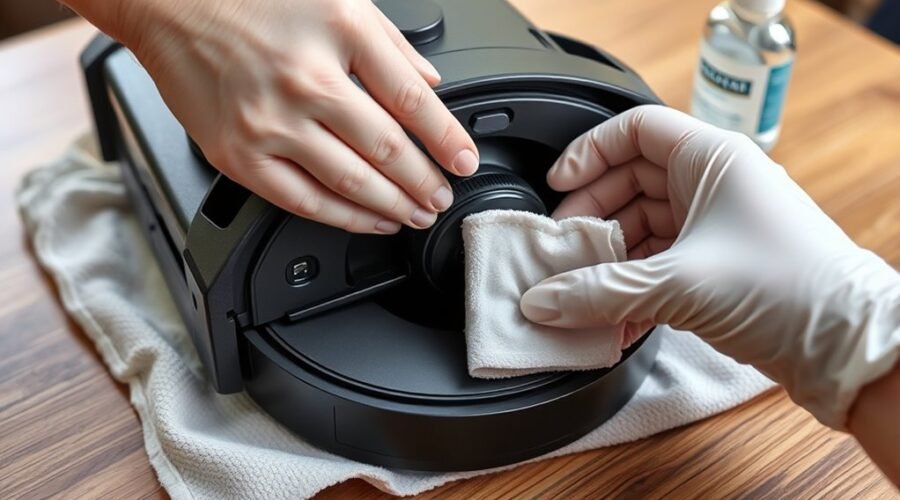
To wipe a robot vacuum camera lens safely, use a clean section of microfiber cloth and apply minimal pressure. Clean only the accessible outer window, not the internal camera components.
Many robot vacuums have a protective transparent window over their navigation camera. On some models, the camera is on top; on others, it faces forward.
The following sequence works for routine surface cleaning:
| Step | Action | Caution |
|---|---|---|
| 1 | Inspect lens | Confirm no loose grit remains |
| 2 | Prepare cloth | Keep dry unless moisture is approved |
| 3 | Wipe center | Move gently in small circular motions |
| 4 | Check surface | Look for fingerprints, dust, and streaks |
| 5 | Finish | Ensure the window is clean and dry |
Use gentle circular motions from the center outward when wiping the window. Avoid pressing hard or repeatedly rubbing the same area if a mark will not lift.
If your manufacturer’s instructions approve moisture, lightly dampen the cloth rather than soaking it. Apply any approved cleaning solution to the cloth, never directly to the camera.
For comparison, Dyson’s robot vacuum maintenance guidance specifies a soft, dry, lint-free cloth for its camera lens and sensors. Dyson also advises avoiding liquids and sprays.
This difference matters. A cleaning method approved for one robot vacuum may be unsuitable for another.
After wiping, inspect the window from an angle under good lighting. You should see a clear surface without visible streaks, loose particles, or fingerprints.
Remove Smudges, Oils, and Streaks
Fingerprints, oily marks, and dried smudges may need more attention than loose dust. Start with a clean, dry microfiber cloth and use an approved cleaning solution only when necessary and permitted.
Follow these steps for stubborn marks:
- Check for remaining particles. Remove any loose grit with the blower or soft brush before touching the smudge.
- Wipe with a clean cloth. Make gentle circular passes from the center outward without pressing against the camera housing.
- Address stubborn oils. If your manufacturer allows liquid cleaning, place a small amount of its approved solution on the cloth and gently wipe the mark.
- Remove remaining streaks. Switch to a clean, dry section of the microfiber cloth and lightly polish the outer window.
Do not use paper towels, facial tissues, kitchen sponges, or rough fabrics. These materials may shed fibers or scratch the camera’s protective surface.
Likewise, avoid unapproved alcohol wipes, ammonia-based cleaners, acetone, and other harsh solvents. LG’s camera sensor troubleshooting guidance specifically warns against volatile and organic solvents, including acetone.
If a mark does not lift after gentle cleaning, stop rather than applying more pressure. The remaining mark could be a scratch, damaged coating, or contamination beneath the outer window.
Pro Tip: Inspect the camera window from different angles under a bright room light. Fingerprints often become easier to see at an angle. This also helps you tell surface smudges from marks that may be beneath the protective window.
Keep the Lens Cleaner for Longer
Regular inspections and gentle dust removal help prevent buildup on the robot vacuum camera lens. Keeping the surrounding area clean also reduces the amount of debris that reaches the camera between cleaning sessions.
A clean camera window helps the robot recognize its surroundings, but good lighting and unobstructed sensors are also important for reliable navigation.
Use these maintenance habits to protect the camera:
- Inspect regularly: Check for dust, fingerprints, or scratches during routine robot maintenance, especially after cleaning dusty areas.
- Clean as needed: Remove visible buildup instead of repeatedly wiping an already clean surface.
- Keep supplies clean: Store your microfiber cloth and soft brush in a sealed bag, away from grit and debris.
- Reduce nearby dust: Keep the robot’s dock and storage area away from loose debris and excessive humidity.
- Protect the housing: Avoid touching the camera window with your fingers or placing objects against it.
Cleaning frequency depends on the model and environment. For example, Dyson recommends inspecting and cleaning its robot camera lens and sensors at least once a month. Dustier homes may need more frequent checks.
Other manufacturers emphasize regular sensor care. eufy’s robot vacuum maintenance advice recommends using a soft, dry microfiber cloth on front cameras, LiDAR modules, and underside sensors.
LiDAR is a laser-based distance sensor. It is different from a camera, although both can help the robot understand its surroundings.
What if the Robot Still Has Navigation Problems?
A clean camera window will not fix every navigation problem. If your robot still bumps into objects, loses its position, or misses obstacles, check the other possible causes before assuming the camera is damaged.
- Check for obstructions. Make sure nothing is covering the camera window, including any removable camera cover.
- Improve the lighting. Camera-based obstacle recognition may struggle in dim rooms, depending on the model.
- Inspect other sensors. Check the front obstacle sensors, LiDAR window, and underside cliff sensors for dust.
- Run a short test. Return the robot to its normal operating position and start a cleaning cycle in a familiar, clear area.
- Review persistent errors. If the app continues reporting a camera obstruction or sensor fault, follow the model’s troubleshooting instructions.
For example, ECOVACS’ AIVI troubleshooting guidance explains that poor lighting and an obstructed camera can interfere with object recognition.
If the camera window looks scratched, appears cloudy from the inside, or remains obstructed after careful surface cleaning, contact the manufacturer’s support team.
Do not open a sealed camera module or attempt to realign the camera yourself. Internal contamination and damaged sensors may require professional servicing.
Frequently Asked Questions
What Is Safe to Clean a Camera Lens With?
A clean, soft microfiber cloth is the safest starting point for a robot vacuum camera window. A hand-operated air blower can lift loose grit before wiping. Use water or a screen-cleaning solution only if your model’s instructions expressly permit it; some brands require a dry cloth.
How Do I Safely Clean the Dust From My Camera Lens?
First turn the robot off and keep it on a stable surface. Use a hand-operated blower to move particles away without rubbing them into the window. If dust remains at the edge, touch it lightly with a clean, soft brush, then finish with a dry microfiber cloth.
Can I Use Alcohol Wipes to Clean My Camera Lens?
Avoid alcohol wipes unless your robot’s manufacturer explicitly approves them. The cleaning fluid and pressure may not suit the camera window or its coating. Several manufacturers recommend dry cloths and warn against cleaning agents, so an alcohol-free label alone does not make any wipe safe.
Is It Okay to Clean a Camera Lens With Water?
Water is acceptable only on models that allow a slightly damp cloth. iRobot, for example, permits a cloth lightly dampened with water on some camera windows, while Dyson says not to use liquids. Never pour or spray water onto the robot, and let the surface dry before restarting.
Conclusion
Safe robot vacuum camera cleaning starts with removing loose dust, using a soft microfiber cloth, and avoiding unnecessary pressure. Keep moisture away unless your manufacturer specifically approves it.
Inspect the camera during routine maintenance and test the robot after cleaning. If navigation problems continue despite a clear camera window, check the other sensors or seek manufacturer support rather than attempting internal repairs.
Sources
- iRobot: How Do I Clean My Robot’s Camera Lens?: Supports microfiber cleaning and permitted use of a lightly dampened cloth on applicable models.
- Dyson: How to Clean Your Dyson Vacuum: Supports dry camera cleaning, avoidance of liquids, and monthly sensor maintenance.
- ECOVACS: AIVI Object Recognition Troubleshooting: Explains camera obstruction, lighting conditions, and object recognition problems.
- LG: Camera Sensor Problem Troubleshooting: Supports soft-cloth cleaning, solvent precautions, and professional inspection of damaged sensors.
- Sony: How to Clean Camera Optical Components: Supports gentle dust removal with a hand-operated blower and careful handling of delicate optical surfaces.
- eufy: Stop Robot Vacuums Getting Stuck: Supports routine dry cleaning of cameras and other robot vacuum sensors.