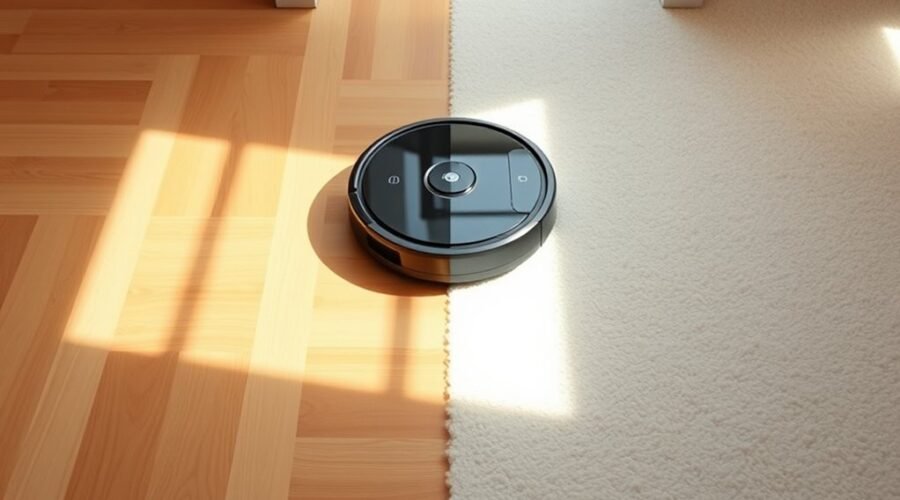
Carpet Boost vs Standard Suction is an important comparison when choosing robot vacuum settings. Both modes remove dust and debris, but they work differently on carpet, rugs, and hard floors. The right setting depends on your flooring, pet hair, cleaning frequency, and how much battery power you want to use.
Quick Answer
Carpet Boost is better for carpets that trap dirt and pet hair. It automatically increases suction when the robot detects carpet. Standard suction uses a lower, steadier power level that often works well on hard floors and low-pile rugs. Carpet Boost can improve debris pickup, but it may increase noise and battery consumption.
Key Takeaways
- Higher suction ratings do not guarantee better carpet cleaning. Brush design, airflow, and floor contact also matter.
- Automatic carpet detection helps robot vacuums adjust power across mixed flooring without manual changes.
- Thick and shag carpets may cause navigation problems even when a robot has powerful suction.
- A second cleaning pass can help remove stubborn debris without requiring maximum suction throughout the home.
- Clean filters, clear brushes, and proper carpet settings are essential for consistent performance.
What Is Carpet Boost on a Robot Vacuum?
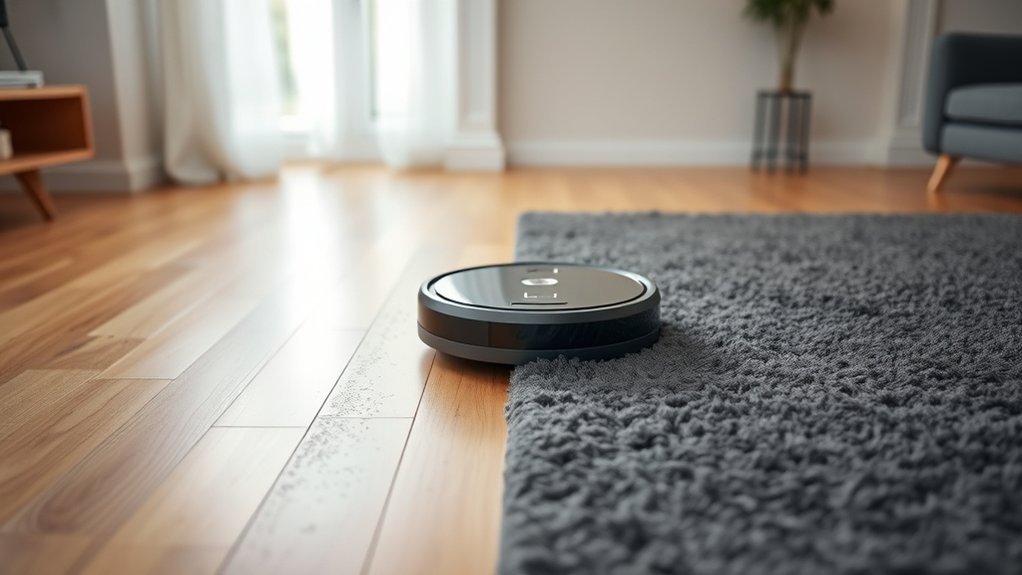
Carpet Boost is an automatic suction feature that increases a robot vacuum’s cleaning power when it reaches a carpeted surface. It helps the machine collect dirt, dust, and pet hair that may be harder to remove from carpet fibers.
When the robot returns to a hard floor, compatible models reduce suction to the previous level. This adjustment helps balance cleaning performance with battery consumption.
The exact way Carpet Boost works depends on the robot vacuum. Some models use ultrasonic sensors to identify carpet, while others detect changes in resistance around the rotating brush.
For example, manufacturer guidance on Carpet Boost explains that supported robots increase suction when they encounter carpet and return to normal power on hard floors.
More advanced carpet-cleaning systems may also adjust brush contact and airflow. The CarpetForce Vacuuming System, for example, uses a pressure plate and a partially sealed cleaning chamber. Its manufacturer claims up to 2.4 times greater cleaning power in its stated comparison.
That figure describes a specific system, not a guaranteed improvement from every Carpet Boost feature.
For homes with both rugs and hard flooring, automatic suction adjustment can reduce the need to change settings between rooms.
Carpet Boost vs Standard Suction
The main difference between Carpet Boost and Standard Suction is automatic power adjustment. Standard suction maintains the selected cleaning level, while Carpet Boost increases power when carpet is detected.
Standard mode is often practical for everyday dust and crumbs. Carpet Boost is useful when fibers hold pet hair, fine dirt, or debris that needs stronger pickup.
| Feature | Standard Suction | Carpet Boost |
|---|---|---|
| Power adjustment | Uses the selected standard level | Automatically raises power on detected carpet |
| Best use | Hard floors and light cleaning | Carpeted areas and embedded debris |
| Battery consumption | Usually lower | Higher while boosted |
| Noise | Generally quieter | Often louder on carpets |
| User adjustments | Manual changes may be needed | Automatic on compatible models |
| Pet hair pickup | Suitable for light buildup | Can help with hair trapped in fibers |
Automatic boosting does not necessarily increase suction to the same level on every model. Some robots move up one power setting, while others switch to maximum suction.
The Roomba cleaning preferences documentation confirms that supported models reduce suction on hard floors to conserve battery. It also explains that cleaning preferences affect operating time.
When Should You Choose Standard Suction?
Choose Standard Suction when your floors collect mainly surface dust, small crumbs, and light debris. It is especially useful for hard floors and low-pile rugs that your robot already cleans effectively.
Standard mode is also a sensible choice during work or conversations when quieter operation matters. If you clean frequently, a lower setting may keep debris from building up without using maximum power.
When Is Carpet Boost Worth Using?
Choose Carpet Boost when you have carpeted rooms, shedding pets, or rugs that retain fine dirt. It is also helpful in homes where the robot regularly moves between hard flooring and carpet.
If debris remains after cleaning, try Carpet Boost with another cleaning pass. Compare the dust and hair collected rather than assuming the highest available setting must work best.
How Robot Vacuum Suction Is Measured in Pa
Robot vacuum suction is commonly measured in pascals (Pa), a unit of pressure. A higher advertised Pa figure indicates greater measured suction pressure under the manufacturer’s test conditions.
However, suction pressure is only one part of vacuum performance. It does not directly measure how much dirt the robot removes from your carpet.
Robot vacuums have been advertised with ratings around 1,500 to 2,500 Pa, 2,500 to 4,000 Pa, and 4,000 to 8,000 Pa. Higher-performance models now advertise figures of 10,000, 15,000, 20,000, or even 30,000 Pa and above.
These numbers describe different machines and maximum outputs. They are not universal requirements for particular carpet types.
According to ECOVACS’ explanation of suction power, cleaning performance depends on three connected factors:
- Suction pressure: The pressure difference that helps pull debris toward the vacuum inlet.
- Airflow: The volume of air moving through the cleaning system to carry debris.
- Dust pickup rate: How effectively the vacuum collects dirt during cleaning.
Higher suction numbers alone don’t ensure better cleaning; brush design and debris handling matter just as much.
Brush design, motor efficiency, and how closely the cleaning head contacts the floor also affect results.
For a fair comparison, examine carpet pickup performance alongside suction ratings. A robot with a well-designed brush may outperform a higher-rated model that struggles to release debris from fibers.
Why Airflow Matters on Carpet
Airflow carries loosened dirt into the dustbin. Without enough airflow, debris may remain around the brush or fall back onto the carpet instead of reaching the collection chamber.
On carpet, the best results come from a useful balance of suction pressure, airflow, and brush contact. Packed dustbins and clogged filters can reduce that performance.
Airflow Lifts Embedded Dirt
Carpet fibers can hold fine dust, grit, and pet hair below the visible surface. The rotating brush helps loosen these particles, while moving air carries them toward the dustbin.
Airflow is often measured in liters per second (L/s). As verified manufacturer examples, the DEEBOT T90 PRO OMNI advertises 16 L/s, the X9 PRO OMNI advertises 16.3 L/s, and the X11 OmniCyclone advertises 18 L/s.
Those are model specifications, not minimum airflow requirements for effective carpet cleaning.
| Metric | Practical effect | Carpet result |
|---|---|---|
| 16 L/s | Example of advertised airflow | Helps transport loosened debris |
| More airflow | Can improve debris transport | May reduce leftover particles |
| Balanced suction pressure | Supports effective pickup | Better collection when paired with a suitable brush |
| Dense fibers | Resist dirt removal | May require additional passes |
| Adaptive control | Adjusts power to the surface | More practical mixed-floor cleaning |
Airflow measurements also depend on how a manufacturer tests the machine. For this reason, direct comparisons are most useful when models are tested under similar conditions.
Boosting Carpet Cleaning Performance
Carpet Boost can improve cleaning by increasing the suction available as the brush loosens debris. The improvement depends on whether the machine maintains good airflow and contact with the carpet.
For medium-pile carpets, a combination of stronger suction, effective brush agitation, and repeated passes may remove more embedded particles.
Maximum suction will not help much if the robot pushes dirt around instead of collecting it. It also cannot compensate for a blocked inlet or a brush that fails to reach the carpet fibers.
That is why actual dust pickup matters more than pressure figures alone.
How Much Suction Do Carpets Need?
There is no verified universal Pa rating that every robot vacuum must reach to clean a particular carpet type. The required performance depends on pile height, carpet density, debris type, brush design, and the robot’s ability to move across the surface.
Recommendations such as 5,000 Pa for low-pile carpet, 10,000 Pa for medium-thick carpet, or 15,000 Pa for shag carpet should not be treated as guaranteed minimums.
A vacuum with 8,000 Pa and effective brush contact may handle some carpets well. Another model with a higher advertised rating may leave fine particles behind.
Use the following priorities when judging suction needs:
- Hard floors: Good debris pickup and reliable navigation usually matter more than maximum suction.
- Low-pile carpet: Standard suction can work well, especially with frequent cleaning and an effective roller brush.
- Medium-pile carpet: Automatic boosting, suitable brush contact, and strong airflow become more useful.
- Thick or shag carpet: Check physical compatibility before focusing on suction ratings. Long fibers may prevent proper movement or cleaning.
The most useful test is how much dirt remains after the robot finishes. If regular passes leave visible grit or pet hair, try a stronger cleaning setting or a second pass.
Best Carpet Settings by Floor Type
The best robot vacuum setting depends on the flooring surface and how much dirt it holds. Standard suction often handles routine cleaning, while higher power can help when carpet fibers trap debris.
If your robot supports carpet detection, enabling automatic adjustment is a practical starting point for mixed-floor homes.
Low-Pile Carpet Settings
Standard suction is often enough for low-pile carpet when the robot uses an effective rotating brush. These carpets have shorter fibers, allowing the cleaning head to reach dirt more easily.
Some older models advertise suction ranges around 1,500 to 2,500 Pa, while newer machines offer considerably more power. Neither range alone determines whether a model cleans low-pile carpet effectively.
For everyday cleaning, start with Standard Suction. If you notice leftover pet hair or grit, enable Carpet Boost or raise the power level.
Cleaning every other day can be a practical routine in busy rooms. Homes with heavy pet shedding may benefit from more frequent runs.
Using a tangle-resistant roller brush can also reduce maintenance when hair collects around the cleaning head.
Thick Carpet Boost Modes
Thick carpets are harder for robot vacuums because dense fibers resist brush movement and trap dirt below the surface. Carpet Boost may improve pickup, but stronger suction does not guarantee that a robot can handle high-pile flooring.
Before cleaning thick carpet, confirm that your model supports its pile height. Then select the strongest suitable cleaning mode without exceeding the manufacturer’s guidance.
| Setting | Benefit |
|---|---|
| Standard suction | Conserves battery on easier surfaces |
| Carpet Boost | Increases pickup power on detected carpet |
| Auto Carpet Boost mode | Adjusts power without manual changes |
| Specialized brush designs | Improve fiber contact and may reduce tangling |
| Regular maintenance | Helps maintain airflow and cleaning performance |
On suitable thick carpets, additional passes can improve coverage. However, some shag rugs remain unsuitable for robot vacuums regardless of the advertised suction power.
Warning: Avoid running a robot vacuum over unsupported shag carpets, loose tassels, or rugs that repeatedly catch its wheels or brushes. Strong suction cannot prevent every tangle or navigation problem. Use a no-go zone when necessary.
What Carpet Cleaning Limits to Expect
Robot vacuums are useful for regular carpet maintenance, but they have limits. Deeply embedded grit, heavy pet hair, dense carpet fibers, and difficult rug edges can reduce cleaning effectiveness.
Carpet Boost helps address some of these problems by increasing suction. However, it cannot solve every issue caused by carpet construction.
Common limitations include:
- High-pile and shag rugs: Long fibers may obstruct the brush or stop the wheels from moving freely.
- Dense carpet: Embedded dirt may remain below the brush’s effective reach.
- Loose rug edges: Lightweight rugs may fold or bunch up during cleaning.
- Dark carpet: Some robots may mistake dark surfaces for drop-offs because of how their cliff sensors work.
- Heavy debris buildup: A compact robot vacuum may require several passes or support from a full-size vacuum.
For example, manufacturer carpet compatibility guidance states that certain models can work on carpet up to 26 mm thick. However, transitioning onto a rug may require a lower height, and tassels can cause tangles.
These limits are specific to the models covered by that guidance. They should not be applied to every robot vacuum.
Even a robot advertised with 15,000 or 20,000 Pa may struggle if its wheels cannot climb onto the rug or its cleaning head becomes trapped.
For heavily soiled carpets, use a suitable full-size vacuum for periodic deep cleaning. A robot vacuum can then help control everyday buildup between those sessions.
Smart Features That Improve Carpet Cleaning
Smart cleaning features can make Carpet Boost more effective and convenient. The most useful options include automatic carpet detection, adjustable suction, mop lifting, and carpet-specific cleaning preferences.
These features are particularly valuable when your home combines hard floors, rugs, and carpeted rooms.
Auto Carpet Boost
Auto Carpet Boost raises suction automatically when the robot recognizes a carpeted surface. This lets the vacuum use stronger cleaning power where it is needed without running at maximum suction throughout the entire home.
Some systems identify carpet through ultrasonic sensors. Others detect increased brush resistance or use mapped floor information.
Carpet recognition is not always perfect. Very thin rugs, unusual carpet materials, and changes in floor texture may affect detection.
When supported, you can improve reliability by checking the carpet areas saved on the map and setting separate cleaning preferences for those areas.
For homes with pets, stronger carpet cleaning can help collect hair trapped in the pile. The final result still depends on the roller brush and whether the robot can reach the debris.
Mop Lift Detection
Mop lift detection is useful in robot vacuum and mop combinations. When the machine detects carpet, it can raise its mop pads or roller to reduce contact with carpet fibers.
This helps the robot vacuum rugs while continuing to mop suitable hard floors. However, the lifting height and carpet handling vary by model.
| Benefit | Best Use | Result |
|---|---|---|
| Reduced moisture contact | Hard floors plus low-pile rugs | Helps keep carpets dry |
| Automatic transition | Mixed-floor rooms | Less manual adjustment |
| Adjustable carpet preferences | Different rug types | Better control over vacuuming and mopping |
According to automatic mop-lift guidance, lifting the mop is recommended for short-pile carpets on the supported models.
Some machines provide greater clearance. For example, one documented system raises its mops by 12 mm and uses automatic suction boosting during carpet cleaning.
However, the manufacturer’s carpet cleaning options recommend vacuum-only operation for low-pile carpet and carpet avoidance for medium- to high-pile carpet.
Therefore, do not assume a lifting mop will always clear a thick rug. When the lifting height is insufficient, use carpet avoidance or a no-mop zone where supported.
How To Maintain Strong Robot Vacuum Suction
Strong suction depends on regular maintenance. Even a powerful robot vacuum can lose cleaning performance when its dustbin fills, its filters become clogged, or its brushes collect tangled hair.
A simple maintenance routine helps both Standard Suction and Carpet Boost work more consistently.
- Empty the dustbin: Clear collected dirt before it blocks airflow. If your robot has an automatic emptying dock, check that the transfer path and collection container are not full.
- Clean the main brush: Remove wrapped hair, thread, and debris using the manufacturer’s recommended method.
- Check the side brushes: Inspect them for bent bristles or trapped material that may affect cleaning near walls and rug edges.
- Maintain the filters: Clean or replace them according to the model instructions. Wash filters only when the manufacturer allows it, and let washable filters dry fully before reinstalling them.
- Inspect the wheels and sensors: Remove debris around moving parts and wipe sensors using the recommended cleaning method.
- Check the suction inlet: Look for blockages if the robot sounds different or leaves more dirt behind than usual.
- Keep the robot charged: Allow it to recharge and resume cleaning when supported, especially during longer carpet-cleaning sessions.
Routine maintenance protects cleaning performance and reduces the chance that the robot will need repeated runs to collect the same debris.
What If Carpet Boost Is Not Working?
If Carpet Boost does not activate, the cause may be a disabled setting, inaccurate carpet detection, or a problem with the brush or sensors.
Start with these checks:
- Confirm that your robot vacuum supports automatic carpet boosting.
- Check whether the feature is enabled in the companion app.
- Inspect the main brush for tangled hair and trapped debris.
- Check whether the carpet is detected correctly on the saved map, if your model supports carpet mapping.
- Test the robot on another compatible carpet to see whether the behavior changes.
- If the problem continues, follow the troubleshooting instructions for your exact model.
The DEEBOT Auto-Boost troubleshooting instructions explain that certain models require Auto-Boost Suction to be enabled in the app. They also note that tangled hair around the main brush can trigger stronger suction on non-carpeted floors.
Some models use brush resistance instead of direct carpet recognition. This means abnormal suction changes do not always indicate a damaged sensor.
Pro Tip: To compare cleaning modes, run the robot over the same carpet area under similar conditions. Check for leftover crumbs, grit, and pet hair after each run. This gives you a more useful comparison than relying only on the advertised Pa rating.
Which DEEBOT Models Handle Carpet Best?
DEEBOT models with strong suction, high airflow, effective brushes, and automatic carpet recognition are worth considering for carpeted homes. However, the highest suction rating does not automatically mean the best real-world cleaning performance.
Among the three DEEBOT models compared here, the T90 PRO OMNI has the highest advertised maximum suction rating.
DEEBOT T90 PRO OMNI
The DEEBOT T90 PRO OMNI offers a manufacturer-rated maximum suction of 30,000 Pa and airflow of 16 L/s.
Its BLAST cleaning system combines suction and airflow for debris collection. It also includes carpet recognition, automatic suction adjustment, and a Triple Lift System that raises the mop roller during carpet cleaning.
These features make it a strong option to evaluate for homes with mixed flooring and carpeted areas.
DEEBOT X11 OmniCyclone
The DEEBOT X11 OmniCyclone offers up to 19,500 Pa suction and 18 L/s airflow, according to the manufacturer’s specifications.
Its design includes an anti-tangle brush system, carpet recognition, and automatic adjustments for dry and wet cleaning.
The bagless OmniCyclone station also offers an alternative to disposable dust bags. This can be useful if you prefer a reusable collection system.
DEEBOT X9 PRO OMNI
The DEEBOT X9 PRO OMNI offers up to 16,600 Pa suction and 16.3 L/s airflow.
It includes carpet recognition, Carpet First cleaning, and a Triple Lift System to help separate vacuuming and mopping tasks.
These features can make it useful for homes that have rugs alongside hard flooring.
Which DEEBOT Should You Choose?
The right choice depends on more than maximum suction. Compare the following manufacturer specifications:
| DEEBOT Model | Maximum Suction | Advertised Airflow |
|---|---|---|
| T90 PRO OMNI | 30,000 Pa | 16 L/s |
| X11 OmniCyclone | 19,500 Pa | 18 L/s |
| X9 PRO OMNI | 16,600 Pa | 16.3 L/s |
These figures are manufacturer specifications, not results from a single independent head-to-head test.
Choose a model that suits your carpet thickness, cleaning needs, and preferred maintenance routine. For example, anti-tangle brushes are valuable in homes with shedding pets, while suitable mop-lifting technology matters more in rooms with mixed flooring.
If carpet is your main concern, give extra weight to verified carpet pickup performance and physical compatibility. Do not select a robot based on its maximum Pa rating alone.
Frequently Asked Questions
What Is Considered Good Suction for a Robot Vacuum?
Good suction is enough to remove the debris found on your floors. Many robot vacuums advertise ratings between 2,500 and 8,000 Pa, while premium models may exceed 20,000 Pa. Actual cleaning performance also depends on airflow, brush design, floor contact, and maintenance.
What Setting Should My Vacuum Be on for Carpet?
Carpet Boost or a higher suction setting is usually the better starting point for carpets with embedded dirt or pet hair. Standard Suction may be enough for lightly soiled low-pile rugs. Always confirm that your vacuum supports the carpet type before using stronger settings.
Is 20,000 Pa Suction Good for a Robot Vacuum?
Yes, 20,000 Pa is a high advertised suction rating for a robot vacuum. It can provide strong cleaning potential, especially on carpets. However, the actual results depend on brush agitation, airflow, navigation, and how well the robot collects embedded debris.
Is 8000 Pa Suction Good?
Yes, 8,000 Pa can be good for everyday robot vacuum cleaning on hard floors and many low- to medium-pile carpets. It is not a guarantee of deep carpet cleaning. Brush design, airflow, and the machine’s ability to move through carpet fibers are equally important.
Does Carpet Boost Use More Battery?
Yes, Carpet Boost generally uses more battery power while higher suction is active. It can also increase operating noise. Automatic boosting helps reduce unnecessary power use by returning to a lower suction setting when the robot leaves the carpet.
Is Carpet Boost Better Than Maximum Suction?
Carpet Boost is often more convenient than using maximum suction for the entire cleaning session. It increases power where carpet is detected and reduces it elsewhere. Maximum suction may help on difficult areas, but it can consume more battery and produce additional noise.
Conclusion
Carpet Boost is usually the better choice for carpets with trapped dirt and pet hair, while Standard Suction remains practical for everyday cleaning on hard floors and low-pile rugs. Automatic power adjustment offers a useful balance between cleaning performance and battery use.
For the best results, match your robot’s settings to your flooring, maintain its brushes and filters, and judge performance by the debris it actually removes. Strong suction helps, but airflow, brush design, and carpet compatibility matter just as much.
Sources
- Roborock Support Center: Explains automatic Carpet Boost operation and brush-resistance detection.
- Dreame: Describes the CarpetForce Vacuuming System and its manufacturer-reported cleaning performance.
- iRobot Support: Documents automatic carpet suction adjustment, battery use, and cleaning preferences.
- ECOVACS Suction Power Guide: Explains pascals, airflow, dust pickup, and the advertised specifications of selected DEEBOT models.
- eufy Support: Documents carpet thickness restrictions, tassel problems, and dark-carpet sensor limitations.
- Roborock Carpet Recognition Support: Explains ultrasonic carpet recognition and automatic mop lifting.
- eufy Carpet Cleaning Options: Confirms automatic suction boosting, mop lifting, and carpet avoidance options.
- ECOVACS Auto-Boost Troubleshooting: Explains common causes of automatic suction problems and model-specific settings.